engine VOLVO V60 2021 Owners Manual
[x] Cancel search | Manufacturer: VOLVO, Model Year: 2021, Model line: V60, Model: VOLVO V60 2021Pages: 661, PDF Size: 12.68 MB
Page 570 of 661
||
MAINTENANCE AND SERVICE
568
Monthly:
Check cold tire pressure in all tires. Inspect the tires for wear.
Check that engine coolant and other fluidlevels are between the indicated "min"and "max" markings.
Clean interior glass surfaces with a glasscleaner and soft paper towels.
Wipe driver information displays with asoft cloth.
Visually inspect battery terminals for cor-rosion. Corrosion may indicate a loose ter-minal connector, or a battery near the endof its useful service life. Consult your Volvoretailer for additional information.
As needed:
Wash the vehicle, including the undercarriage, to reduce wear that can be caused by abuildup of dirt, and corrosion that can becaused by salt residues. Clean leaves and twigs from air intake vents at the base of the windshield, and from other pla-ces where they may collect.
NOTE
Complete service information for qualified technicians is available online for purchaseor subscription at www.volvotechinfo.com.
Related information
Vehicle status (p. 570)
Scheduling service and repairs (p. 571)
Connecting equipment to the vehicle's data link connector (p. 37)
Technician certification (p. 38)
Climate control system service (p. 576)
Maintenance of the brake system (p. 399)
Engine compartment overview (p. 578)
Data transfer between vehicle and workshop over Wi-Fi
Volvo workshops have a designated Wi-Fi network for data transfer between your vehi-cle and the workshop. Your visit to the work-shop will be easier and more effective whendiagnostics information and software can betransferred over the workshop's network.
At the workshop, your service technician can connect your vehicle to the workshop's Wi-Finetwork to perform troubleshooting anddownload software. For this type of communi-cation, the vehicle only connects to a work-shop's network. It is not possible to connectthe vehicle to another Wi-Fi network (e.g. yourhome network) in the same way as to a work-shop's network.
Connecting with remote keyConnection is usually managed by the servicetechnician, who will use the remote key but-tons. It is therefore important to bring a keywith buttons with you when you visit theworkshop. Pressing the lock button on theremote key three times will connect the vehi-cle to the workshop's Wi-Fi network. When the car is connected to a Wi-Fi net- work, the
symbol appears in the center
display.
Page 572 of 661
||
MAINTENANCE AND SERVICE
* Option/accessory.
570
NOTE
Data downloading can affect other services such as transfer data, e.g. web radio. If theaffect on other services is experienced asproblematic, the download can be interrup-ted. Alternatively, it may be appropriate toswitch off or cancel other services.
NOTE
An update can be interrupted when the ignition is switched off and the vehicle isleft. However, the update does not have to be completed before the vehicle is left as theupdate is resumed the next time the vehi-cle is used.
Updating all system software–Select Install all at the bottom of the list.
To avoid displaying a list, select
Install all viaSystem updates.
Updating individual system software–Select Install to choose the software you
would like to download.
Canceling software download–Tap the checkbox in the activity indicator that replaced Install when the download
began. Note that only a download can be cancelled. An installation cannot be cancelled once it hasbegun.
Deactivating the background search for software update
Automatic searching for software updates is activated as the default factory setting, but thefunction can be deactivated. 1.
Tap
Settings in the center display's Top
view.
2. Tap
SystemDownload Center.
3. Tap to deselect
Auto Software Update.
Related information
Download Center (p. 569)
Internet-connected vehicle
* (p. 500)
Navigating in the center display's views (p. 113)
Vehicle status The general status of the vehicle can be viewed in the center display.
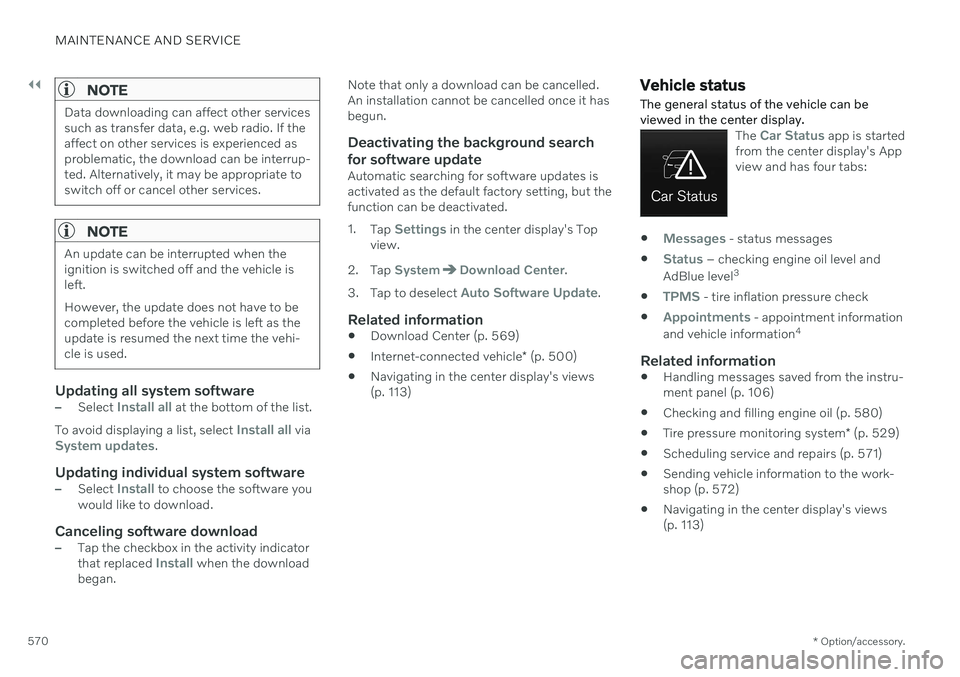
The Car Status app is started
from the center display's App view and has four tabs:
Messages - status messages
Status – checking engine oil level and
AdBlue level 3
TPMS - tire inflation pressure check
Appointments - appointment information
and vehicle information 4
Related information
Handling messages saved from the instru- ment panel (p. 106)
Checking and filling engine oil (p. 580)
Tire pressure monitoring system
* (p. 529)
Scheduling service and repairs (p. 571)
Sending vehicle information to the work-shop (p. 572)
Navigating in the center display's views(p. 113)
Page 573 of 661
MAINTENANCE AND SERVICE
}}
* Option/accessory.571
Scheduling service and repairs 5
This service offers a way to send a booking request for service and workshop appoint-ments directly from the vehicle.
When it is time for service, and in certain cases if the vehicle requires repairs, a mes-sage will be displayed in the instrument paneland at the top of the center display. The timefor service is determined by how much timehas elapsed, the number of hours the enginehas run, or the distance driven since the lastservice.
To use the service
Create a Volvo ID and register it to thevehicle.
To send and receive appointment informa-tion, the vehicle must be connected to the Internet 6
.
Book serviceBook a service request when desired or when a message is displayed indicating that serviceor repairs are needed. 1. Open the
Car Status app from App view
in the center display. 2.
Tap
Appointments.
3. Tap
Request appointment.
4. Check that your
Volvo ID is correct.
5. Make sure your preferred
Workshop
information is correct.
6. In the
Tap to write information to the
workshop field, you can provide details
on what you would like performed during the visit or other important information toyour workshop.
7. Tap
Send appointment request.
> You will receive an appointment sug- gestion by email within a couple of days 7
.
On some markets, the message in the instrument panel indicating that thevehicle requires service will go out oncethe appointment request has been sent.
8. Tap
Cancel request if you would like to
cancel your request.
The appointment request contains information about your vehicle that helps the workshopplan for your visit. The retailer will send you a digital appointmentsuggestion. You also have information aboutyour retailer available in the vehicle so that youcan contact your workshop.
Accepting an appointment suggestionWhen the vehicle has received an appoint-ment suggestion, a message will be displayedat the top of the center display.
1. Tap the message.
2. To accept the suggested appointment, tap
Accept. Otherwise, tap Send new
proposal or Decline.
For some markets, the system reminds you when an appointment time is approaching and the navigation system 8
can also guide you to
the workshop at the appointed time.
NOTE
If you experience any problems with this service, contact your Volvo retailer.
3 AdBlue Diesel models only.
4 Certain markets only.
5 Certain markets only.
6 There may be a charge for transmitting data over the Internet, depending on your service plan.
7 Timespan may vary depending on market.
8 For vehicles with Sensus Navigation *.
Page 579 of 661
MAINTENANCE AND SERVICE
577
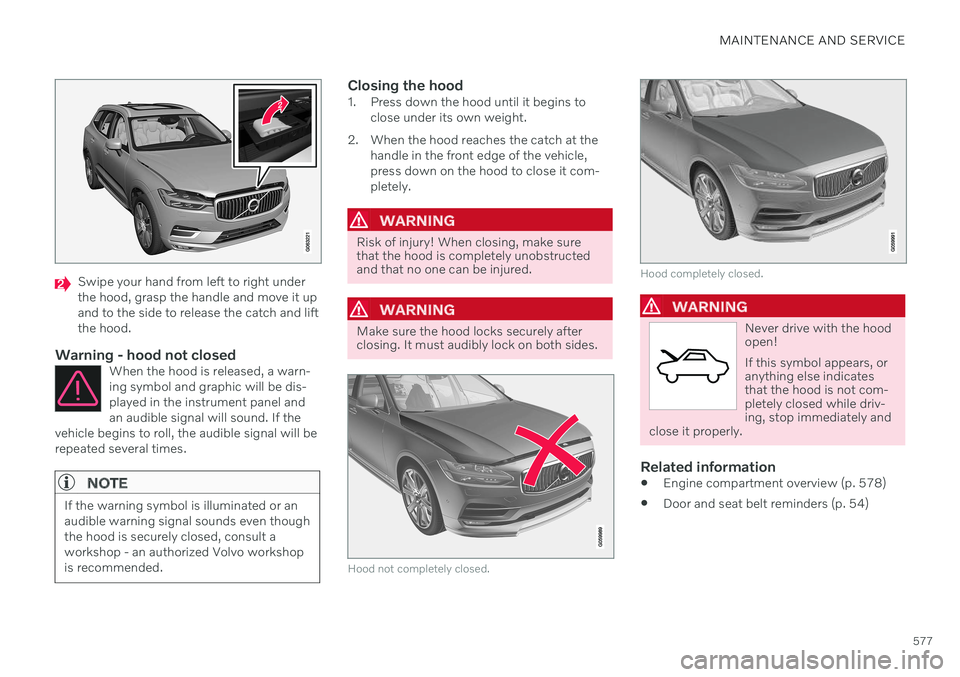
Swipe your hand from left to right under the hood, grasp the handle and move it upand to the side to release the catch and liftthe hood.
Warning - hood not closedWhen the hood is released, a warn-ing symbol and graphic will be dis-played in the instrument panel andan audible signal will sound. If the
vehicle begins to roll, the audible signal will berepeated several times.
NOTE
If the warning symbol is illuminated or an audible warning signal sounds even thoughthe hood is securely closed, consult aworkshop - an authorized Volvo workshopis recommended.
Closing the hood1. Press down the hood until it begins to close under its own weight.
2. When the hood reaches the catch at the handle in the front edge of the vehicle, press down on the hood to close it com-pletely.
WARNING
Risk of injury! When closing, make sure that the hood is completely unobstructedand that no one can be injured.
WARNING
Make sure the hood locks securely after closing. It must audibly lock on both sides.
Hood not completely closed.
Hood completely closed.
WARNING
Never drive with the hood open! If this symbol appears, or anything else indicatesthat the hood is not com-pletely closed while driv-ing, stop immediately and
close it properly.
Related information
Engine compartment overview (p. 578)
Door and seat belt reminders (p. 54)
Page 580 of 661

MAINTENANCE AND SERVICE
578
Engine compartment overview
This overview shows some service-related components.
The layout of the engine compartment may vary depending on model and engine variant.
Coolant expansion tank
Brake fluid reservoir (located on the driv- er's side)
Washer fluid filler pipe
Fusebox
Air filter
Engine oil filler pipe
Location of warning decal for the engine compart- ment. The layout of the engine compartment mayvary depending on model and engine variant.
NOTE
The decals shown in the Owner's Manual do not claim to be exact reproductions ofthose found in the vehicle. The purpose isto show approximately how they look andabout where they are located on the vehi-cle. The information that applies for yourvehicle in particular is found on the decalon the vehicle.
WARNING
Bear in mind that the cooling fan (located at the front of the engine compartmentbehind the radiator) may start or continuerunning automatically up to about6 minutes after the engine is turned off. Always entrust engine washing to a work- shop – an authorized Volvo workshop isrecommended. If the engine is hot, there isa risk of fire.
WARNING
The ignition system works with extremely high and dangerous voltages. The vehicleelectrical system should always be in igni-tion mode 0 when work in being per-
formed in the engine compartment. Do not touch any spark plugs or ignition coils when the vehicle electrical system isin ignition mode II or when the engine is
warm.
Related information
Opening and closing the hood (p. 576)
Filling washer fluid (p. 626)
Refilling coolant (p. 582)
Fuses in the engine compartment (p. 591)
Checking and filling engine oil (p. 580)
Ignition modes (p. 395)
Page 581 of 661
MAINTENANCE AND SERVICE
}}
579
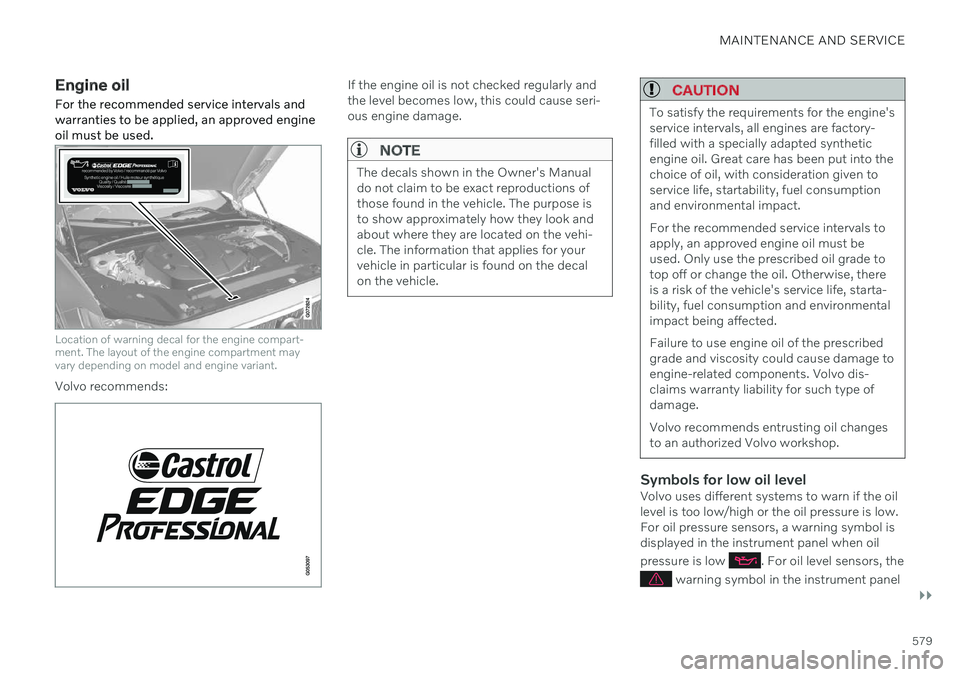
Engine oil For the recommended service intervals and warranties to be applied, an approved engineoil must be used.
Location of warning decal for the engine compart- ment. The layout of the engine compartment mayvary depending on model and engine variant.
Volvo recommends:
If the engine oil is not checked regularly and the level becomes low, this could cause seri-ous engine damage.
NOTE
The decals shown in the Owner's Manual do not claim to be exact reproductions ofthose found in the vehicle. The purpose isto show approximately how they look andabout where they are located on the vehi-cle. The information that applies for yourvehicle in particular is found on the decalon the vehicle.
CAUTION
To satisfy the requirements for the engine's service intervals, all engines are factory-filled with a specially adapted syntheticengine oil. Great care has been put into thechoice of oil, with consideration given toservice life, startability, fuel consumptionand environmental impact. For the recommended service intervals to apply, an approved engine oil must beused. Only use the prescribed oil grade totop off or change the oil. Otherwise, thereis a risk of the vehicle's service life, starta-bility, fuel consumption and environmentalimpact being affected. Failure to use engine oil of the prescribed grade and viscosity could cause damage toengine-related components. Volvo dis-claims warranty liability for such type ofdamage. Volvo recommends entrusting oil changes to an authorized Volvo workshop.
Symbols for low oil levelVolvo uses different systems to warn if the oil level is too low/high or the oil pressure is low.For oil pressure sensors, a warning symbol isdisplayed in the instrument panel when oil pressure is low
. For oil level sensors, the
warning symbol in the instrument panel
Page 582 of 661
||
MAINTENANCE AND SERVICE
580and display messages are used to alert the driver. Some engine variants have both sys-tems. Contact a Volvo retailer for more infor-mation. Change the engine oil and oil filter according to the schedule specified in the Warranty andMaintenance Records Information booklet.Oils of a higher grade than that specified maybe used. If the vehicle is driven in adverse con-ditions, Volvo recommends using an oil with ahigher grade than that specified.
Related information
Checking and filling engine oil (p. 580)
Engine oil specifications (p. 636)
Volvo Cars support site (p. 21)
Checking and filling engine oil
The engine oil level is monitored by an elec- tronic oil level sensor.
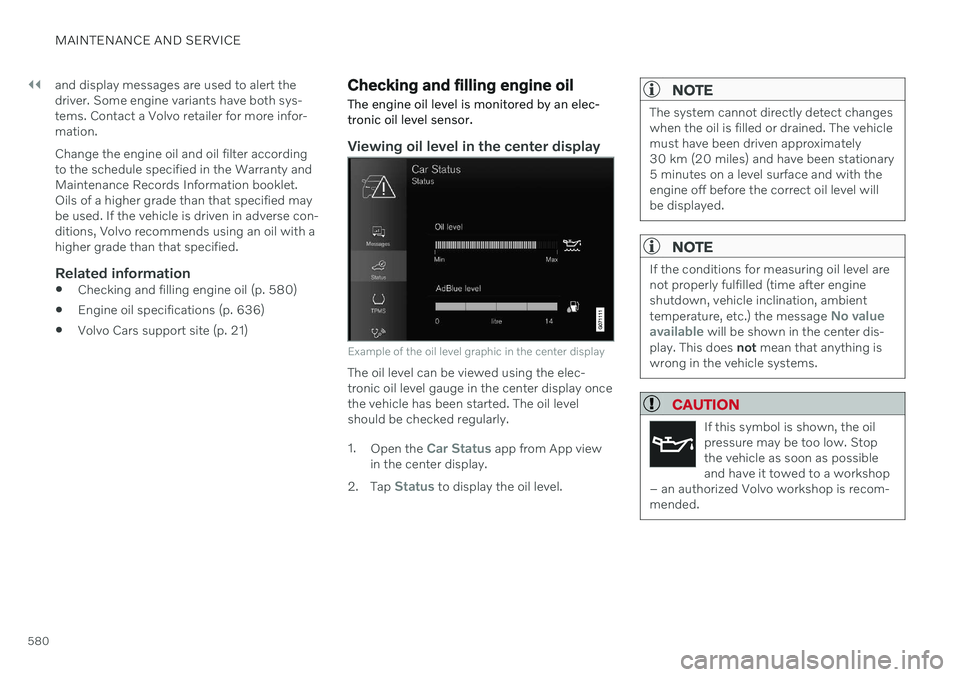
Viewing oil level in the center display
Example of the oil level graphic in the center display
The oil level can be viewed using the elec- tronic oil level gauge in the center display oncethe vehicle has been started. The oil levelshould be checked regularly. 1. Open the
Car Status app from App view
in the center display.
2. Tap
Status to display the oil level.
NOTE
The system cannot directly detect changes when the oil is filled or drained. The vehiclemust have been driven approximately30 km (20 miles) and have been stationary5 minutes on a level surface and with theengine off before the correct oil level willbe displayed.
NOTE
If the conditions for measuring oil level are not properly fulfilled (time after engineshutdown, vehicle inclination, ambient temperature, etc.) the message
No value
available will be shown in the center dis-
play. This does not mean that anything is
wrong in the vehicle systems.
CAUTION
If this symbol is shown, the oil pressure may be too low. Stopthe vehicle as soon as possibleand have it towed to a workshop
– an authorized Volvo workshop is recom-mended.
Page 583 of 661
MAINTENANCE AND SERVICE
581
Filling engine oil
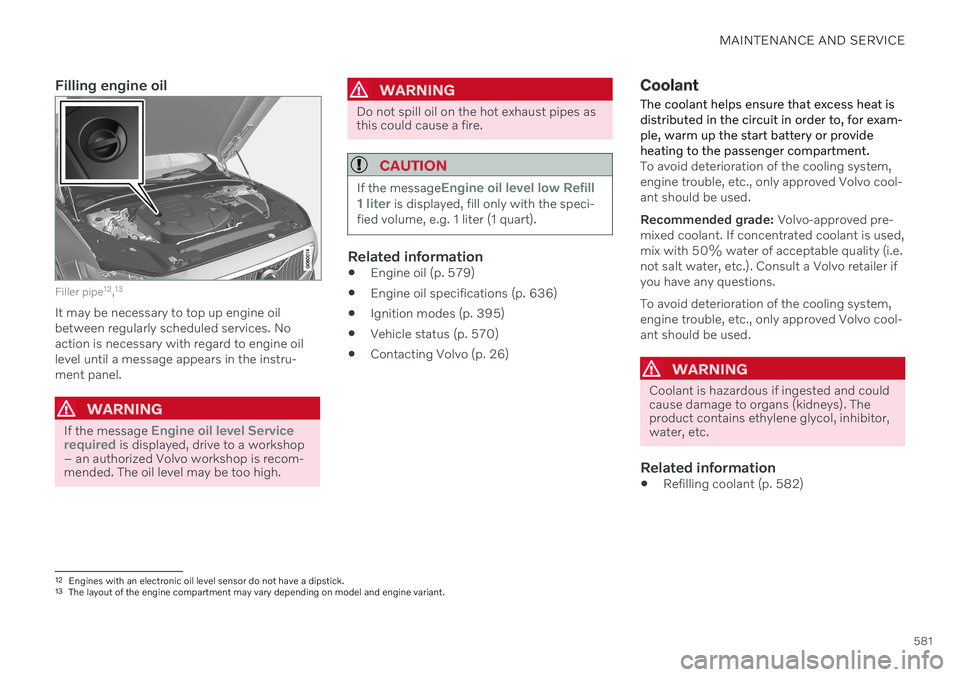
Filler pipe12
,13
It may be necessary to top up engine oil between regularly scheduled services. Noaction is necessary with regard to engine oillevel until a message appears in the instru-ment panel.
WARNING
If the message Engine oil level Service
required is displayed, drive to a workshop
– an authorized Volvo workshop is recom- mended. The oil level may be too high.
WARNING
Do not spill oil on the hot exhaust pipes as this could cause a fire.
CAUTION
If the messageEngine oil level low Refill
1 liter is displayed, fill only with the speci-
fied volume, e.g. 1 liter (1 quart).
Related information
Engine oil (p. 579)
Engine oil specifications (p. 636)
Ignition modes (p. 395)
Vehicle status (p. 570)
Contacting Volvo (p. 26)
Coolant
The coolant helps ensure that excess heat is distributed in the circuit in order to, for exam-ple, warm up the start battery or provideheating to the passenger compartment.
To avoid deterioration of the cooling system, engine trouble, etc., only approved Volvo cool-ant should be used. Recommended grade: Volvo-approved pre-
mixed coolant. If concentrated coolant is used, mix with 50% water of acceptable quality (i.e.not salt water, etc.). Consult a Volvo retailer ifyou have any questions. To avoid deterioration of the cooling system, engine trouble, etc., only approved Volvo cool-ant should be used.
WARNING
Coolant is hazardous if ingested and could cause damage to organs (kidneys). Theproduct contains ethylene glycol, inhibitor,water, etc.
Related information
Refilling coolant (p. 582)
12
Engines with an electronic oil level sensor do not have a dipstick.
13 The layout of the engine compartment may vary depending on model and engine variant.
Page 584 of 661
MAINTENANCE AND SERVICE
582
Refilling coolant
When refilling coolant, follow the instructions on the package. Never fill the cooling systemwith only water. The risk of freezing isincreased with too low or too high amountsof coolant.
If there is coolant under the vehicle, smoke from the cooling system, or if more than2 liters (about 2 quarts) of coolant has beenadded to the system, there could be some-thing wrong with the cooling system and star-ting the vehicle could damage the engine. Calla tow truck and do not attempt to start theengine.
WARNING
The coolant may be very hot. Never unscrew the cap when the coolant is hot. Ifcoolant must be filled, unscrew the expan-sion tank cap slowly to relieve overpres-sure.
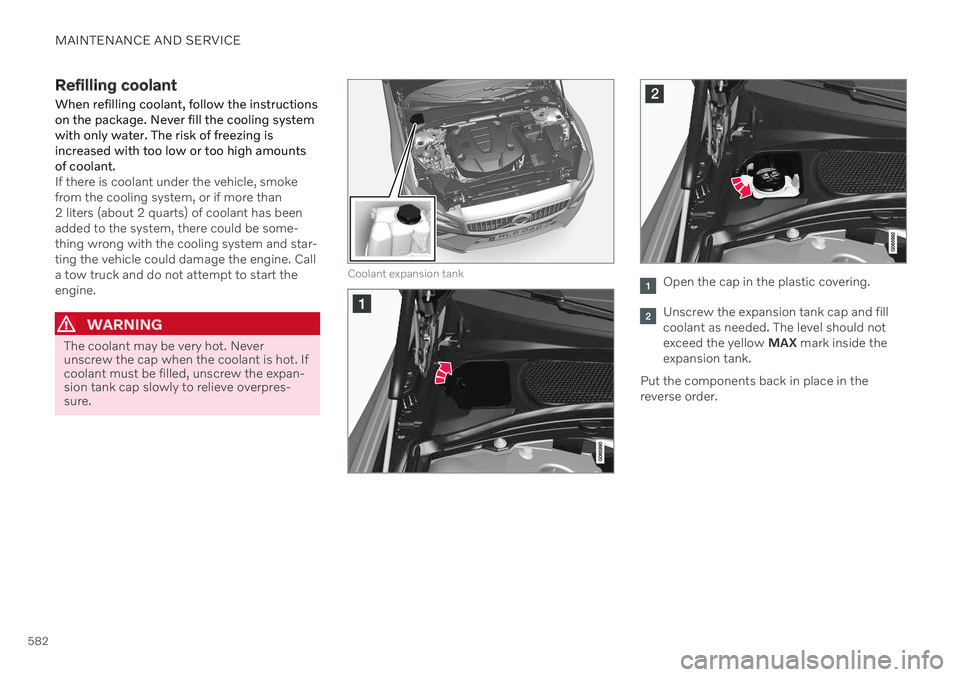
Coolant expansion tankOpen the cap in the plastic covering.
Unscrew the expansion tank cap and fill coolant as needed. The level should notexceed the yellow MAX mark inside the
expansion tank.
Put the components back in place in thereverse order.
Page 585 of 661
MAINTENANCE AND SERVICE
583
CAUTION
Do not ingest the contents. May cause damage to organs (kidneys).
Use premixed coolant according toVolvo's recommendations. If concen-trated coolant is used, make sure thatthe coolant mixture is 50% coolantand 50% water of acceptable quality.
Do not mix different types of coolant.
To help ensure sufficient corrosion pro-tection in the system, only use newcoolant when replacing larger compo-nents in the cooling system.
Never run the engine unless the cool-ing system is properly filled. Animproperly filled cooling system couldlead to high temperatures and cracksin the cylinder heads.
High levels of chlorine, chlorides andother salts may cause corrosion in thecooling system.
Related information
Engine compartment overview (p. 578)
Coolant (p. 581)