change wheel VOLVO V60 2021 User Guide
[x] Cancel search | Manufacturer: VOLVO, Model Year: 2021, Model line: V60, Model: VOLVO V60 2021Pages: 661, PDF Size: 12.68 MB
Page 202 of 661
CLIMATE CONTROL
* Option/accessory.
200
Perceived temperature
The climate control system regulates the cli- mate in the passenger compartment basedon perceived temperature, not actual tem-perature.
The selected passenger compartment tem- perature is based on the physical perception ofthe current ambient temperature, airflowspeed, humidity, sunlight in the passengercompartment, etc. The system has a sunlight sensor that detects which side of the vehicle the sunlight is shin-ing on and adjusts the temperature accord-ingly. This means that the temperature of theair coming out of the vents may be differentfor the left and right sides, even if the tem-perature setting is the same for both sides.
Related information
Climate (p. 198)
Climate control system voice commands 1
Voice commands can be used for the climate control system to e.g. change temperature, activate seat heating * or change blower
speed.
Tap and say one of the following com-
mands: "
Climate" - starts a command dialog for
climate controls and provides examples of commands that can be used.
"
Set temperature to X degrees" - sets
desired temperature.
"
Raise temperature"/"Lower
temperature" - raises/lowers the set tem-
perature.
"
Sync temperature" - synchronizes the
temperature for all climate zones in the vehicle with the temperature set for thedriver's side.
"
Air on feet"/"Air on body" - opens the
desired air vent.
"
Air on feet off"/"Air on body off" -
closes the desired air vent.
"
Set fan to max"/"Turn off fan" -
changes blower speed to Max/Off.
"
Raise fan speed"/"Lower fan speed" -
raises/lowers the set blower speed.
"
Turn on auto" - activates automatic cli-
mate control.
"
Air condition on"/"Air condition off" -
activates/deactivates air conditioning.
"
Recirculation on"/"Recirculation off" -
activates/deactivates air recirculation.
"
Turn on defroster "/"Turn off
defroster" - activates/deactivates win-
dow and door mirror defrosting.
"
Turn on max defroster"/"Turn off max
defroster" - activates/deactivates max
defroster.
"
Turn on rear defroster"/"Turn off rear
defroster" - Activates/deactivates heated
rear window and door mirrors.
"
Turn steering wheel heat on"/"Turn
steering wheel heat off" - activates/
deactivates heated steering wheel *.
"
Raise steering wheel heat"/"Lower
steering wheel heat" - raises/lowers the
level of steering wheel heating *.
"
Turn on seat heat"/"Turn off seat heat"
- activates/deactivates seat heating *.
"
Raise seat heat"/"Lower seat heat" -
raises/lowers the level of seat heating *.
1
Certain markets only.
Page 214 of 661
||
CLIMATE CONTROL
* Option/accessory.
212 only the controls for seat adjustment
* and the
unlock button will be displayed. After unlocking, blower speed and tempera- ture can also be changed from the climatepanel and all selected climate settings will bedisplayed. The screen locks automatically aftera period of inactivity.
Related information
Climate (p. 198)
Activating and deactivating power front seats
* (p. 212)
Activating and deactivating the heatedrear seats
* (p. 213)
Activating and deactivating front seat ven-tilation
* (p. 215)
Activating and deactivating the heatedsteering wheel
* (p. 215)
Activating auto climate control (p. 216)
Activating and deactivating recirculation (p. 217)
Activating and deactivating max defroster(p. 218)
Activating and deactivating the heatedrear window and door mirrors (p. 219)
Setting the blower speed for the frontseats (p. 220)
Setting the blower speed for the rear seats
* (p. 221)
Synchronize temperature (p. 224)
Activating and deactivating air condition- ing (p. 225)
Activating and deactivating power front seats
*
The seats can be heated for added comfort for the driver and passengers in cold weather.
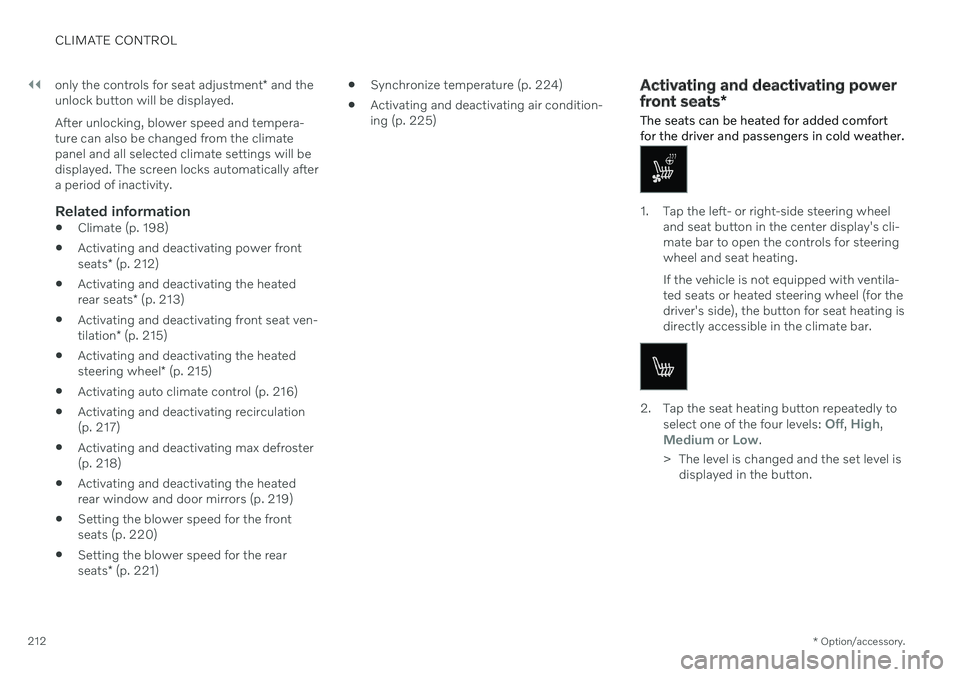
1. Tap the left- or right-side steering wheel and seat button in the center display's cli- mate bar to open the controls for steeringwheel and seat heating. If the vehicle is not equipped with ventila- ted seats or heated steering wheel (for thedriver's side), the button for seat heating isdirectly accessible in the climate bar.
2. Tap the seat heating button repeatedly to
select one of the four levels: Off, High,Medium or Low.
> The level is changed and the set level is displayed in the button.
Page 217 of 661
CLIMATE CONTROL
* Option/accessory.215
Activating and deactivating front seat ventilation *
The seats can be ventilated to provide increased comfort in warm weather.
The ventilation system consists of fans in the seats and backrest that draw air through theseat upholstery. The cooler the passengercompartment is, the greater the cooling effectof the ventilation. The system can be activatedwhen the engine is running.
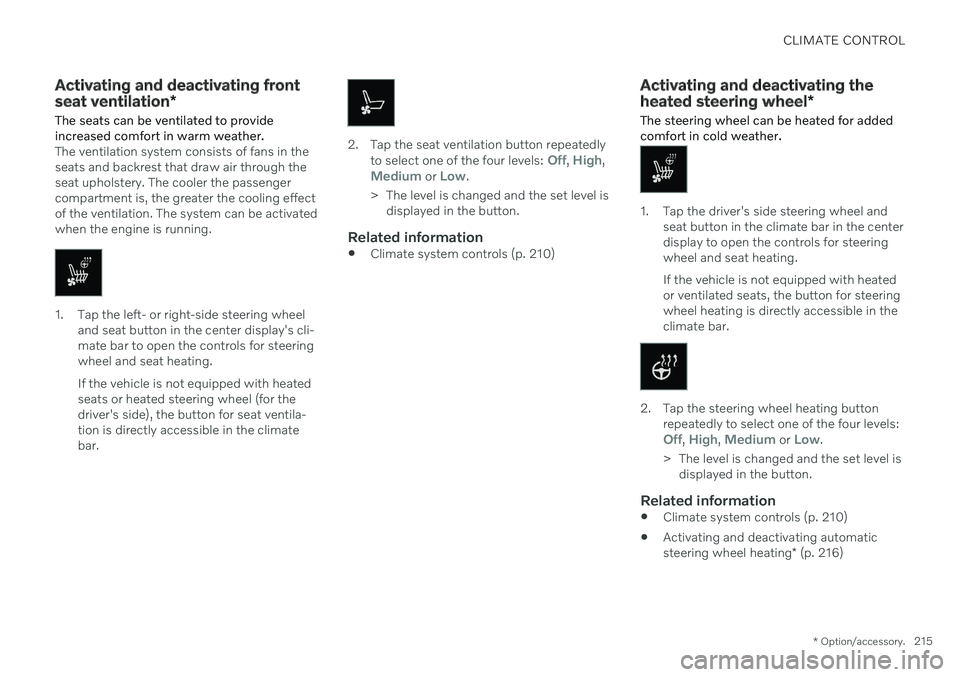
1. Tap the left- or right-side steering wheel and seat button in the center display's cli- mate bar to open the controls for steeringwheel and seat heating. If the vehicle is not equipped with heated seats or heated steering wheel (for thedriver's side), the button for seat ventila-tion is directly accessible in the climatebar.
2. Tap the seat ventilation button repeatedly
to select one of the four levels: Off, High,Medium or Low.
> The level is changed and the set level is displayed in the button.
Related information
Climate system controls (p. 210)
Activating and deactivating the heated steering wheel
*
The steering wheel can be heated for added comfort in cold weather.
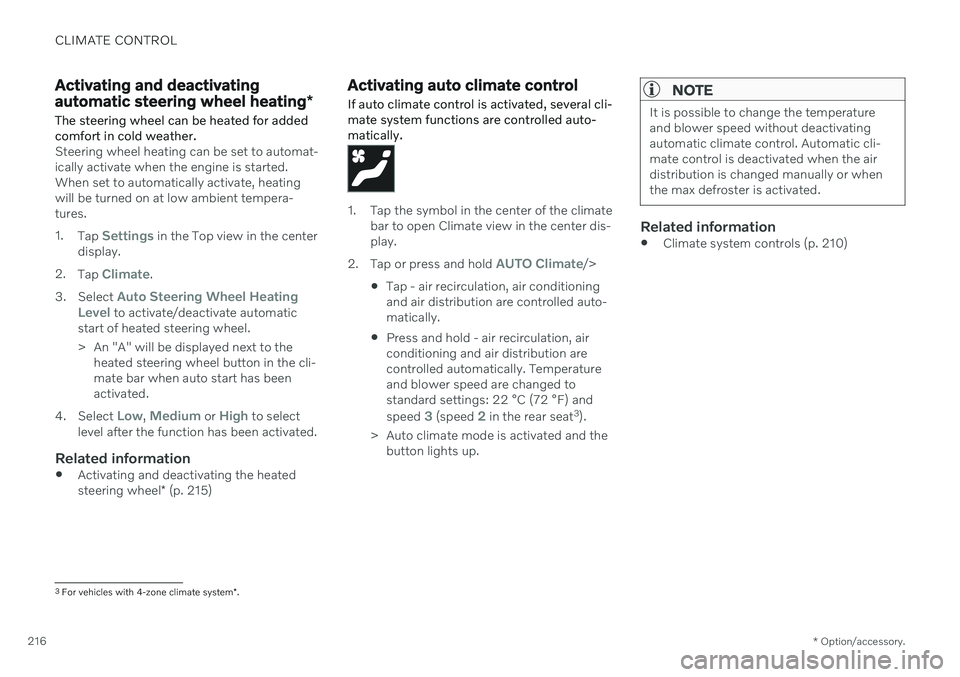
1. Tap the driver's side steering wheel and seat button in the climate bar in the center display to open the controls for steeringwheel and seat heating. If the vehicle is not equipped with heated or ventilated seats, the button for steeringwheel heating is directly accessible in theclimate bar.
2. Tap the steering wheel heating buttonrepeatedly to select one of the four levels:
Off, High, Medium or Low.
> The level is changed and the set level is displayed in the button.
Related information
Climate system controls (p. 210)
Activating and deactivating automatic steering wheel heating
* (p. 216)
Page 218 of 661
CLIMATE CONTROL
* Option/accessory.
216
Activating and deactivating automatic steering wheel heating *
The steering wheel can be heated for added comfort in cold weather.
Steering wheel heating can be set to automat- ically activate when the engine is started.When set to automatically activate, heatingwill be turned on at low ambient tempera-tures. 1. Tap
Settings in the Top view in the center
display.
2. Tap
Climate.
3. Select
Auto Steering Wheel Heating
Level to activate/deactivate automatic
start of heated steering wheel.
> An "A" will be displayed next to the heated steering wheel button in the cli- mate bar when auto start has beenactivated.
4. Select
Low, Medium or High to select
level after the function has been activated.
Related information
Activating and deactivating the heated steering wheel
* (p. 215)
Activating auto climate control
If auto climate control is activated, several cli- mate system functions are controlled auto-matically.
1. Tap the symbol in the center of the climate bar to open Climate view in the center dis- play.
2. Tap or press and hold
AUTO Climate/>
Tap - air recirculation, air conditioning and air distribution are controlled auto-matically.
Press and hold - air recirculation, airconditioning and air distribution arecontrolled automatically. Temperatureand blower speed are changed tostandard settings: 22 °C (72 °F) and speed
3 (speed 2 in the rear seat 3
).
> Auto climate mode is activated and the button lights up.
NOTE
It is possible to change the temperature and blower speed without deactivatingautomatic climate control. Automatic cli-mate control is deactivated when the airdistribution is changed manually or whenthe max defroster is activated.
Related information
Climate system controls (p. 210)
3
For vehicles with 4-zone climate system *.
Page 287 of 661
DRIVER SUPPORT
* Option/accessory.285
2.
When cruise control is selected, press
(2) on the steering wheel keypad to acti- vate.
> White symbol – cruise control starts
and the current speed is stored as the maximum speed. The lowest speedthat can be set is 30 km/h (20 mph).
Reactivating cruise control to the last stored speed
–When cruise control is selected, press on the steering wheel keypad to activate.
> The Cruise Control marking in theinstrument panel will change from GRAY to WHITE and the vehicle willthen return to the most recently setspeed.
WARNING
A noticeable increase in speed may follow when the speed is resumed with the
steering wheel button.
Related information
Cruise control (p. 283)
Deactivating cruise control (p. 285)
Cruise control standby mode (p. 286)
Deactivating cruise control
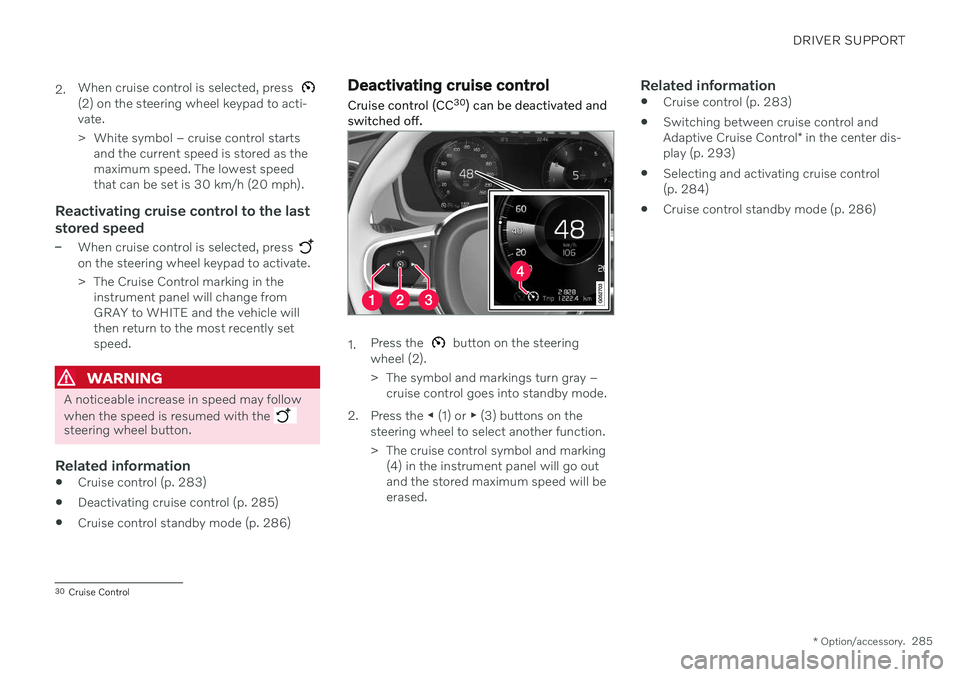
Cruise control (CC 30
) can be deactivated and
switched off.
1. Press the button on the steering
wheel (2).
> The symbol and markings turn gray – cruise control goes into standby mode.
2. Press the ◀ (1) or ▶ (3) buttons on the
steering wheel to select another function.
> The cruise control symbol and marking (4) in the instrument panel will go out and the stored maximum speed will beerased.
Related information
Cruise control (p. 283)
Switching between cruise control and Adaptive Cruise Control
* in the center dis-
play (p. 293)
Selecting and activating cruise control (p. 284)
Cruise control standby mode (p. 286)
30
Cruise Control
Page 292 of 661
||
DRIVER SUPPORT
* Option/accessory.
290 your vehicle's current speed must be at least 15 km/h (9 mph).
1. Press the ◀ (2) or ▶ (3) button on the
steering wheel keypad and scroll to the Adaptive Cruise Control symbol
(4).
> Gray symbol – Adaptive Cruise Control is in standby mode.
2. When Speed Limiter is selected, press
(1) on the steering wheel keypad to
activate.
> White symbol – Speed Limiter starts and the current speed is stored as the maximum speed.
Reactivating Adaptive Cruise Control to the last stored speed
–When Adaptive Cruise Control is selected, press
on the steering wheel keypad to
activate.
> The Cruise Control marking in the instrument panel will change from GRAY to WHITE and the vehicle willthen return to the most recently setspeed.
WARNING
A noticeable increase in speed may follow when the speed is resumed with the
steering wheel button.
Related information
Adaptive Cruise Control
* (p. 286)
Deactivating Adaptive Cruise Control
*
(p. 290)
Switching between cruise control and Adaptive Cruise Control
* in the center dis-
play (p. 293)
Adaptive Cruise Control
* limitations
(p. 292)
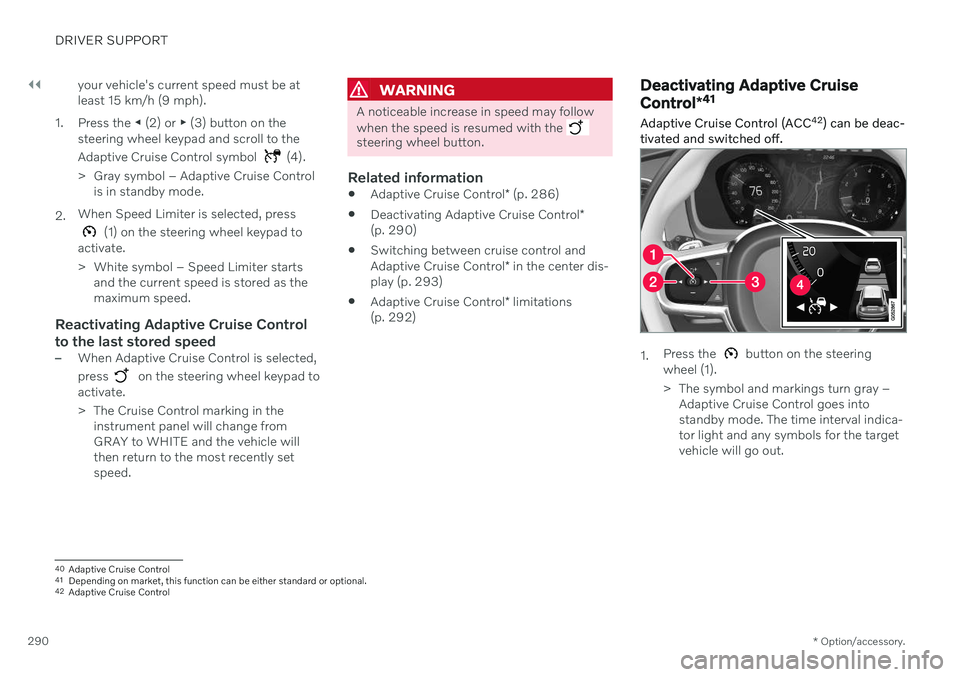
Deactivating Adaptive Cruise Control *41
Adaptive Cruise Control (ACC 42
) can be deac-
tivated and switched off.
1. Press the button on the steering
wheel (1).
> The symbol and markings turn gray – Adaptive Cruise Control goes into standby mode. The time interval indica-tor light and any symbols for the targetvehicle will go out.
40Adaptive Cruise Control
41 Depending on market, this function can be either standard or optional.
42 Adaptive Cruise Control
Page 299 of 661
DRIVER SUPPORT
}}
297
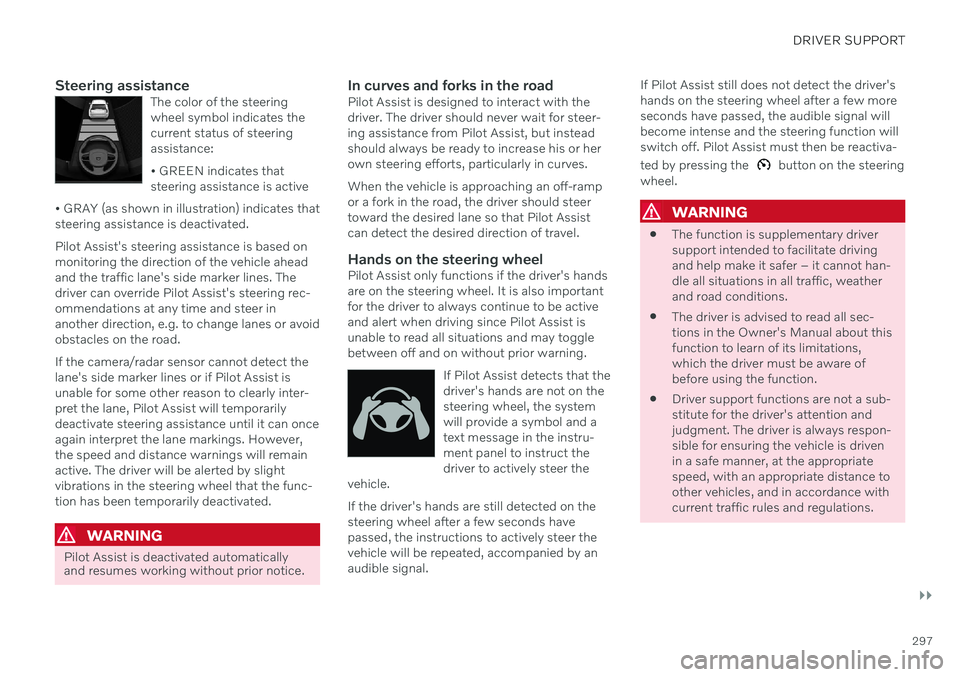
Steering assistanceThe color of the steering wheel symbol indicates thecurrent status of steeringassistance: • GREEN indicates that steering assistance is active
• GRAY (as shown in illustration) indicates thatsteering assistance is deactivated.
Pilot Assist's steering assistance is based on monitoring the direction of the vehicle aheadand the traffic lane's side marker lines. Thedriver can override Pilot Assist's steering rec-ommendations at any time and steer inanother direction, e.g. to change lanes or avoidobstacles on the road. If the camera/radar sensor cannot detect the lane's side marker lines or if Pilot Assist isunable for some other reason to clearly inter-pret the lane, Pilot Assist will temporarilydeactivate steering assistance until it can onceagain interpret the lane markings. However,the speed and distance warnings will remainactive. The driver will be alerted by slightvibrations in the steering wheel that the func-tion has been temporarily deactivated.
WARNING
Pilot Assist is deactivated automatically and resumes working without prior notice.
In curves and forks in the roadPilot Assist is designed to interact with the driver. The driver should never wait for steer-ing assistance from Pilot Assist, but insteadshould always be ready to increase his or herown steering efforts, particularly in curves. When the vehicle is approaching an off-ramp or a fork in the road, the driver should steertoward the desired lane so that Pilot Assistcan detect the desired direction of travel.
Hands on the steering wheelPilot Assist only functions if the driver's handsare on the steering wheel. It is also importantfor the driver to always continue to be activeand alert when driving since Pilot Assist isunable to read all situations and may togglebetween off and on without prior warning.
If Pilot Assist detects that thedriver's hands are not on thesteering wheel, the systemwill provide a symbol and atext message in the instru-ment panel to instruct thedriver to actively steer the
vehicle.
If the driver's hands are still detected on the steering wheel after a few seconds havepassed, the instructions to actively steer thevehicle will be repeated, accompanied by anaudible signal. If Pilot Assist still does not detect the driver'shands on the steering wheel after a few moreseconds have passed, the audible signal willbecome intense and the steering function willswitch off. Pilot Assist must then be reactiva- ted by pressing the
button on the steering
wheel.
WARNING
The function is supplementary driver support intended to facilitate drivingand help make it safer – it cannot han-dle all situations in all traffic, weatherand road conditions.
The driver is advised to read all sec-tions in the Owner's Manual about thisfunction to learn of its limitations,which the driver must be aware ofbefore using the function.
Driver support functions are not a sub-stitute for the driver's attention andjudgment. The driver is always respon-sible for ensuring the vehicle is drivenin a safe manner, at the appropriatespeed, with an appropriate distance toother vehicles, and in accordance withcurrent traffic rules and regulations.
Page 301 of 661
DRIVER SUPPORT
}}
* Option/accessory.299
Pilot Assist*55
displays
The following illustrations show how Pilot Assist can appear in the various displays indifferent situations.
Speed
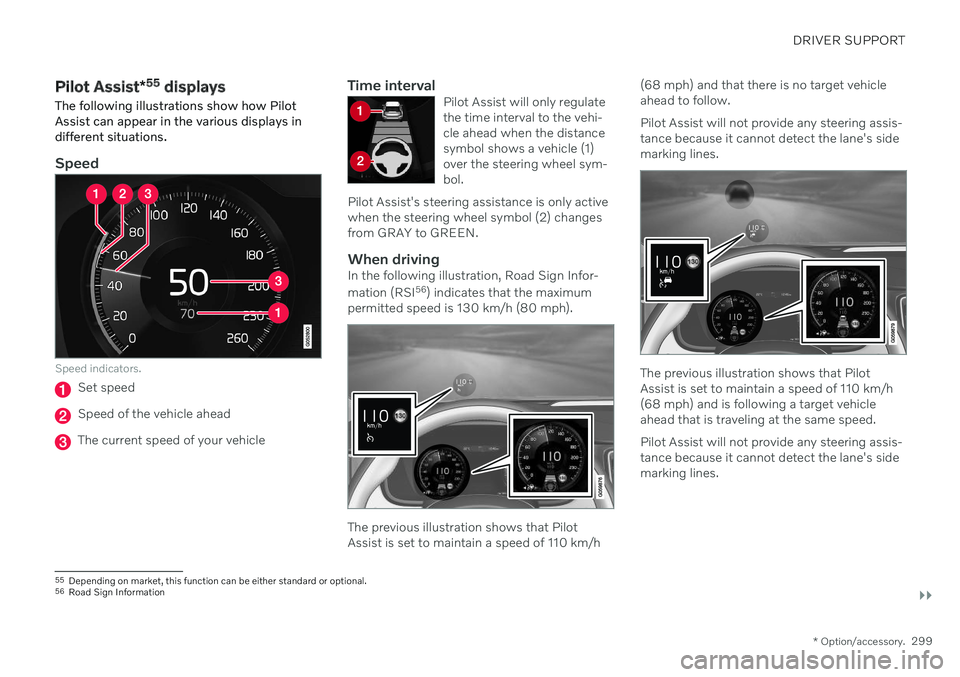
Speed indicators.
Set speed
Speed of the vehicle ahead
The current speed of your vehicle
Time intervalPilot Assist will only regulate the time interval to the vehi-cle ahead when the distancesymbol shows a vehicle (1)over the steering wheel sym-bol.
Pilot Assist's steering assistance is only activewhen the steering wheel symbol (2) changesfrom GRAY to GREEN.
When drivingIn the following illustration, Road Sign Infor- mation (RSI 56
) indicates that the maximum
permitted speed is 130 km/h (80 mph).
The previous illustration shows that Pilot Assist is set to maintain a speed of 110 km/h (68 mph) and that there is no target vehicleahead to follow. Pilot Assist will not provide any steering assis- tance because it cannot detect the lane's sidemarking lines.
The previous illustration shows that Pilot Assist is set to maintain a speed of 110 km/h(68 mph) and is following a target vehicleahead that is traveling at the same speed. Pilot Assist will not provide any steering assis- tance because it cannot detect the lane's sidemarking lines.
55
Depending on market, this function can be either standard or optional.
56 Road Sign Information
Page 303 of 661
DRIVER SUPPORT
}}
* Option/accessory.301
The driver must keep their hands on the steering wheel.
There must be a vehicle ahead (targetvehicle) within a reasonable distance oryour vehicle's current speed must be atleast 15 km/h (9 mph).
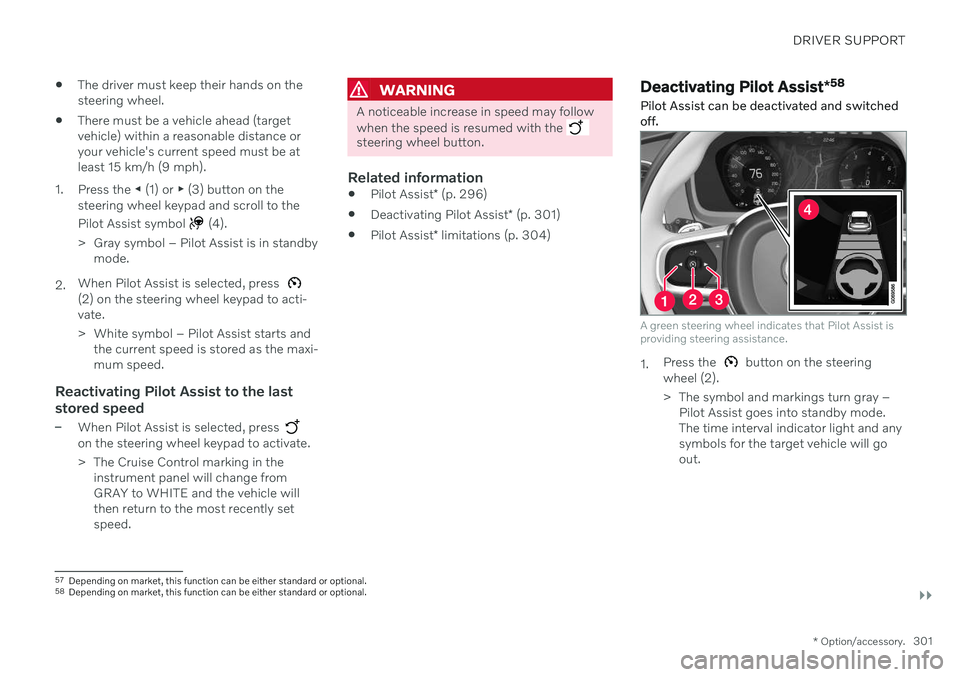
1. Press the ◀ (1) or ▶ (3) button on the
steering wheel keypad and scroll to the Pilot Assist symbol
(4).
> Gray symbol – Pilot Assist is in standby mode.
2. When Pilot Assist is selected, press
(2) on the steering wheel keypad to acti- vate.
> White symbol – Pilot Assist starts and
the current speed is stored as the maxi- mum speed.
Reactivating Pilot Assist to the last stored speed
–When Pilot Assist is selected, press on the steering wheel keypad to activate.
> The Cruise Control marking in theinstrument panel will change from GRAY to WHITE and the vehicle willthen return to the most recently setspeed.
WARNING
A noticeable increase in speed may follow when the speed is resumed with the
steering wheel button.
Related information
Pilot Assist
* (p. 296)
Deactivating Pilot Assist
* (p. 301)
Pilot Assist
* limitations (p. 304)
Deactivating Pilot Assist *58
Pilot Assist can be deactivated and switched off.
A green steering wheel indicates that Pilot Assist is providing steering assistance.
1. Press the button on the steering
wheel (2).
> The symbol and markings turn gray – Pilot Assist goes into standby mode. The time interval indicator light and anysymbols for the target vehicle will goout.
57Depending on market, this function can be either standard or optional.
58 Depending on market, this function can be either standard or optional.
Page 315 of 661
DRIVER SUPPORT
* Option/accessory.313
Adjusting set speed for driver support
It is possible to adjust set speeds for the cruise control, Adaptive Cruise Control * and
Pilot Assist * functions.
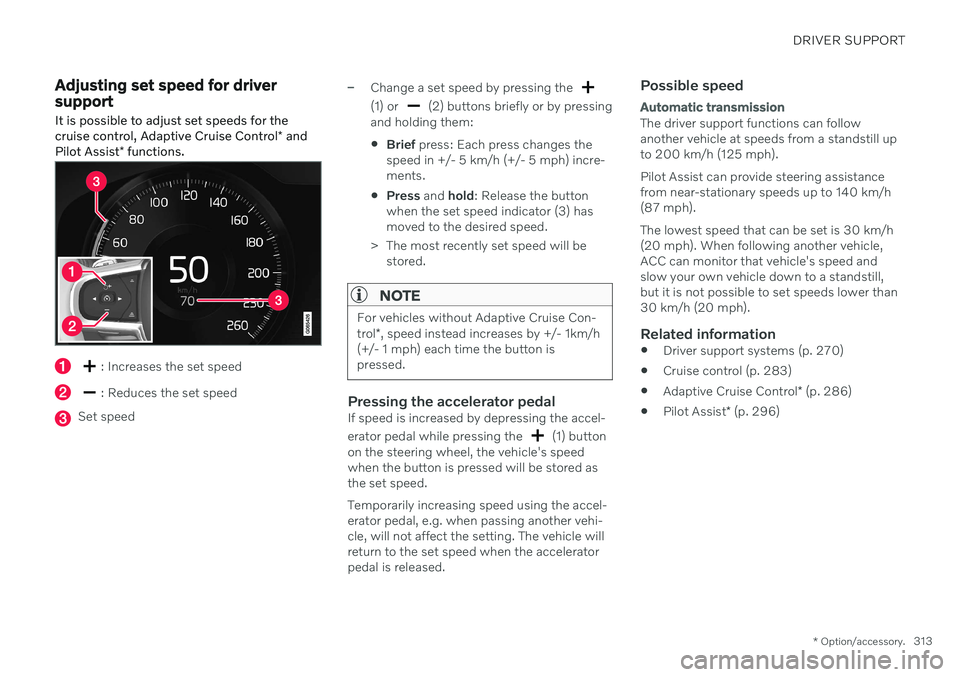
: Increases the set speed
: Reduces the set speed
Set speed
–Change a set speed by pressing the
(1) or (2) buttons briefly or by pressing
and holding them:
Brief
press: Each press changes the
speed in +/- 5 km/h (+/- 5 mph) incre- ments.
Press
and hold: Release the button
when the set speed indicator (3) hasmoved to the desired speed.
> The most recently set speed will be stored.
NOTE
For vehicles without Adaptive Cruise Con- trol *, speed instead increases by +/- 1km/h
(+/- 1 mph) each time the button is pressed.
Pressing the accelerator pedalIf speed is increased by depressing the accel- erator pedal while pressing the
(1) button
on the steering wheel, the vehicle's speed when the button is pressed will be stored asthe set speed. Temporarily increasing speed using the accel- erator pedal, e.g. when passing another vehi-cle, will not affect the setting. The vehicle willreturn to the set speed when the acceleratorpedal is released.
Possible speed
Automatic transmission
The driver support functions can follow another vehicle at speeds from a standstill upto 200 km/h (125 mph). Pilot Assist can provide steering assistance from near-stationary speeds up to 140 km/h(87 mph). The lowest speed that can be set is 30 km/h (20 mph). When following another vehicle,ACC can monitor that vehicle's speed andslow your own vehicle down to a standstill,but it is not possible to set speeds lower than30 km/h (20 mph).
Related information
Driver support systems (p. 270)
Cruise control (p. 283)
Adaptive Cruise Control
* (p. 286)
Pilot Assist
* (p. 296)