heating VOLVO V60 2021 User Guide
[x] Cancel search | Manufacturer: VOLVO, Model Year: 2021, Model line: V60, Model: VOLVO V60 2021Pages: 661, PDF Size: 12.68 MB
Page 215 of 661
CLIMATE CONTROL
}}
* Option/accessory.213
WARNING
Heated seats should not be used by people who have difficulty detecting temperatureincreases due to nerve damage or numb-ness or who for another reason may havedifficulty operating the controls for seatheating.
Related information
Climate system controls (p. 210)
Activating and deactivating the heated front seat
* (p. 213)
Activating and deactivating the heated front seat *
The seats can be heated for added comfort for the driver and passengers in cold weather.
Seat heating can be set to automatically acti- vate when the engine is started. When set toautomatically activate, heating will be turnedon at low ambient temperatures. 1. Tap
Settings in the Top view in the center
display.
2. Tap
Climate.
3. Select
Auto Driver Seat Heating Leveland Auto Passenger Seat Heating Levelto activate/deactivate automatic start of heated driver's and passenger seat.
> An "A" will be displayed next to the rel-
evant seat heating button in the climate bar when auto start has been activated.
4. Select
Low, Medium or High to select
level after the function has been activated.
Related information
Climate system controls (p. 210)
Activating and deactivating power front seats
* (p. 212)
Activating and deactivating the heated rear seats *
The seats can be heated for added comfort for the driver and passengers in cold weather.
Activating and deactivating the heated rear seats from the front seats *
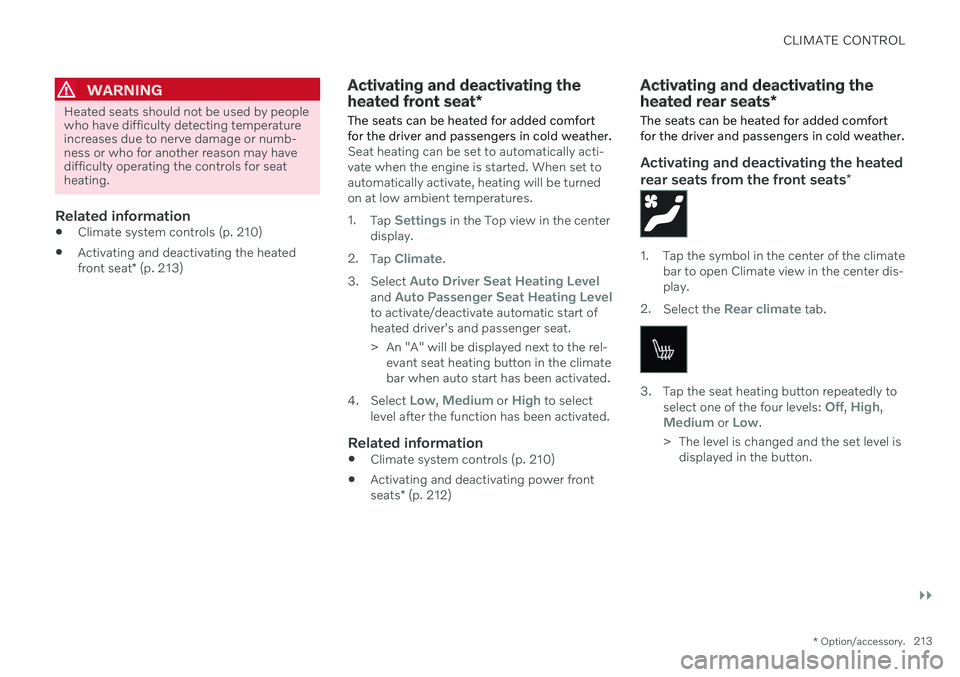
1. Tap the symbol in the center of the climate
bar to open Climate view in the center dis- play.
2. Select the
Rear climate tab.
3. Tap the seat heating button repeatedly to
select one of the four levels: Off, High,Medium or Low.
> The level is changed and the set level is displayed in the button.
Page 216 of 661
||
CLIMATE CONTROL
* Option/accessory.
214
Activating and deactivating the heated rear seats from the rear seat
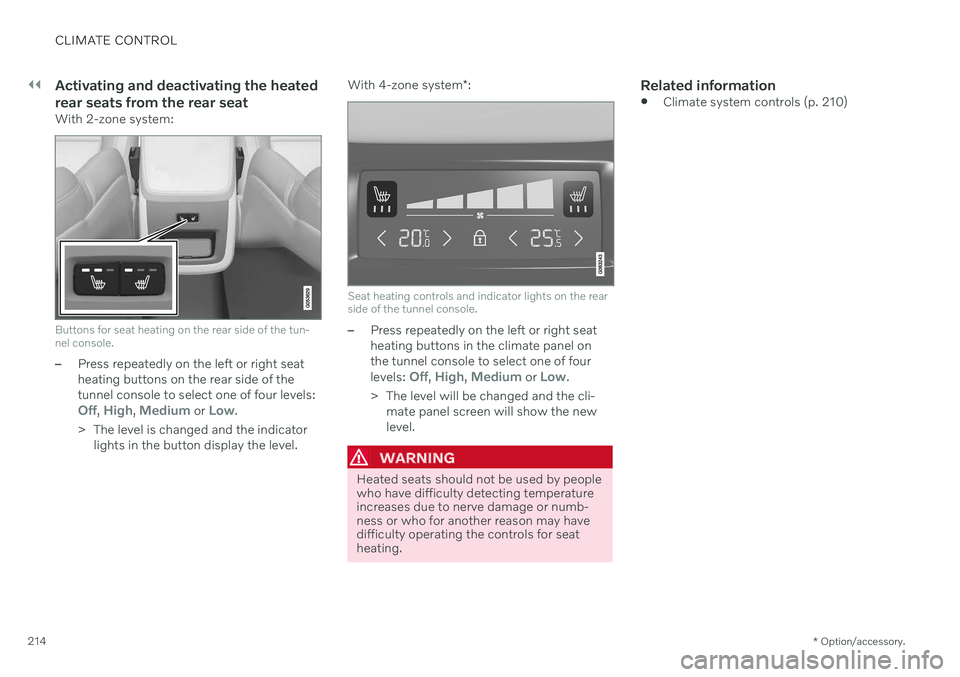
With 2-zone system:
Buttons for seat heating on the rear side of the tun- nel console.
–Press repeatedly on the left or right seat heating buttons on the rear side of thetunnel console to select one of four levels:
Off, High, Medium or Low.
> The level is changed and the indicator lights in the button display the level. With 4-zone system
*:
Seat heating controls and indicator lights on the rear side of the tunnel console.
–Press repeatedly on the left or right seat heating buttons in the climate panel onthe tunnel console to select one of four levels:
Off, High, Medium or Low.
> The level will be changed and the cli- mate panel screen will show the new level.
WARNING
Heated seats should not be used by people who have difficulty detecting temperatureincreases due to nerve damage or numb-ness or who for another reason may havedifficulty operating the controls for seatheating.
Related information
Climate system controls (p. 210)
Page 217 of 661
CLIMATE CONTROL
* Option/accessory.215
Activating and deactivating front seat ventilation *
The seats can be ventilated to provide increased comfort in warm weather.
The ventilation system consists of fans in the seats and backrest that draw air through theseat upholstery. The cooler the passengercompartment is, the greater the cooling effectof the ventilation. The system can be activatedwhen the engine is running.
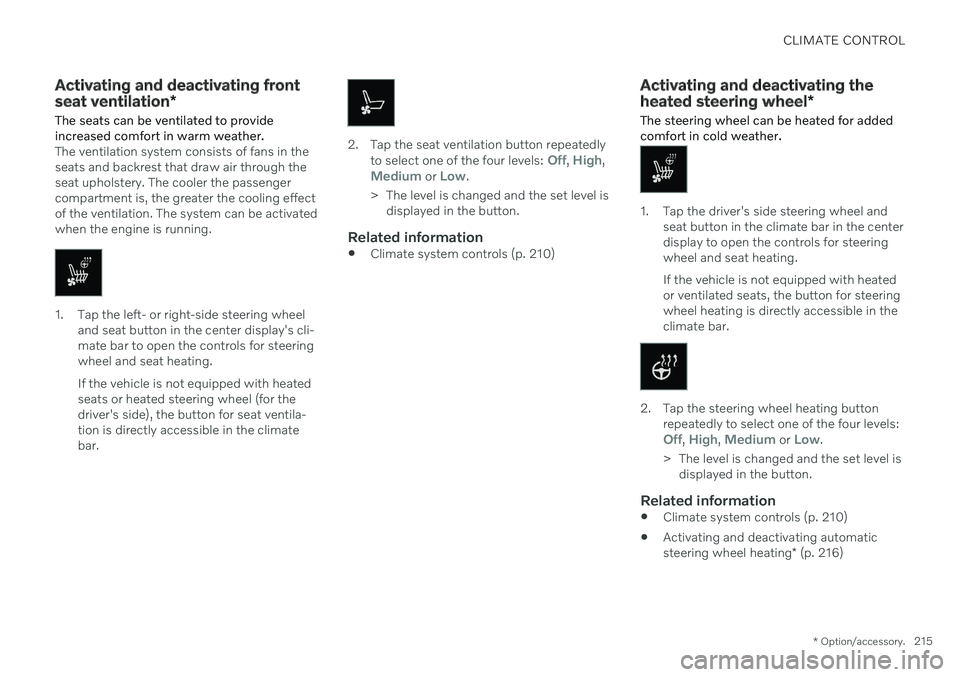
1. Tap the left- or right-side steering wheel and seat button in the center display's cli- mate bar to open the controls for steeringwheel and seat heating. If the vehicle is not equipped with heated seats or heated steering wheel (for thedriver's side), the button for seat ventila-tion is directly accessible in the climatebar.
2. Tap the seat ventilation button repeatedly
to select one of the four levels: Off, High,Medium or Low.
> The level is changed and the set level is displayed in the button.
Related information
Climate system controls (p. 210)
Activating and deactivating the heated steering wheel
*
The steering wheel can be heated for added comfort in cold weather.
1. Tap the driver's side steering wheel and seat button in the climate bar in the center display to open the controls for steeringwheel and seat heating. If the vehicle is not equipped with heated or ventilated seats, the button for steeringwheel heating is directly accessible in theclimate bar.
2. Tap the steering wheel heating buttonrepeatedly to select one of the four levels:
Off, High, Medium or Low.
> The level is changed and the set level is displayed in the button.
Related information
Climate system controls (p. 210)
Activating and deactivating automatic steering wheel heating
* (p. 216)
Page 218 of 661
CLIMATE CONTROL
* Option/accessory.
216
Activating and deactivating automatic steering wheel heating *
The steering wheel can be heated for added comfort in cold weather.
Steering wheel heating can be set to automat- ically activate when the engine is started.When set to automatically activate, heatingwill be turned on at low ambient tempera-tures. 1. Tap
Settings in the Top view in the center
display.
2. Tap
Climate.
3. Select
Auto Steering Wheel Heating
Level to activate/deactivate automatic
start of heated steering wheel.
> An "A" will be displayed next to the heated steering wheel button in the cli- mate bar when auto start has beenactivated.
4. Select
Low, Medium or High to select
level after the function has been activated.
Related information
Activating and deactivating the heated steering wheel
* (p. 215)
Activating auto climate control
If auto climate control is activated, several cli- mate system functions are controlled auto-matically.
1. Tap the symbol in the center of the climate bar to open Climate view in the center dis- play.
2. Tap or press and hold
AUTO Climate/>
Tap - air recirculation, air conditioning and air distribution are controlled auto-matically.
Press and hold - air recirculation, airconditioning and air distribution arecontrolled automatically. Temperatureand blower speed are changed tostandard settings: 22 °C (72 °F) and speed
3 (speed 2 in the rear seat 3
).
> Auto climate mode is activated and the button lights up.
NOTE
It is possible to change the temperature and blower speed without deactivatingautomatic climate control. Automatic cli-mate control is deactivated when the airdistribution is changed manually or whenthe max defroster is activated.
Related information
Climate system controls (p. 210)
3
For vehicles with 4-zone climate system *.
Page 221 of 661
CLIMATE CONTROL
219
Activating and deactivating the heated rear window and doormirrors The heated rear window and door mirrors are used to quickly remove condensation and icefrom the glass.
Activating and deactivating the heated rear window and door mirrors fromthe center console
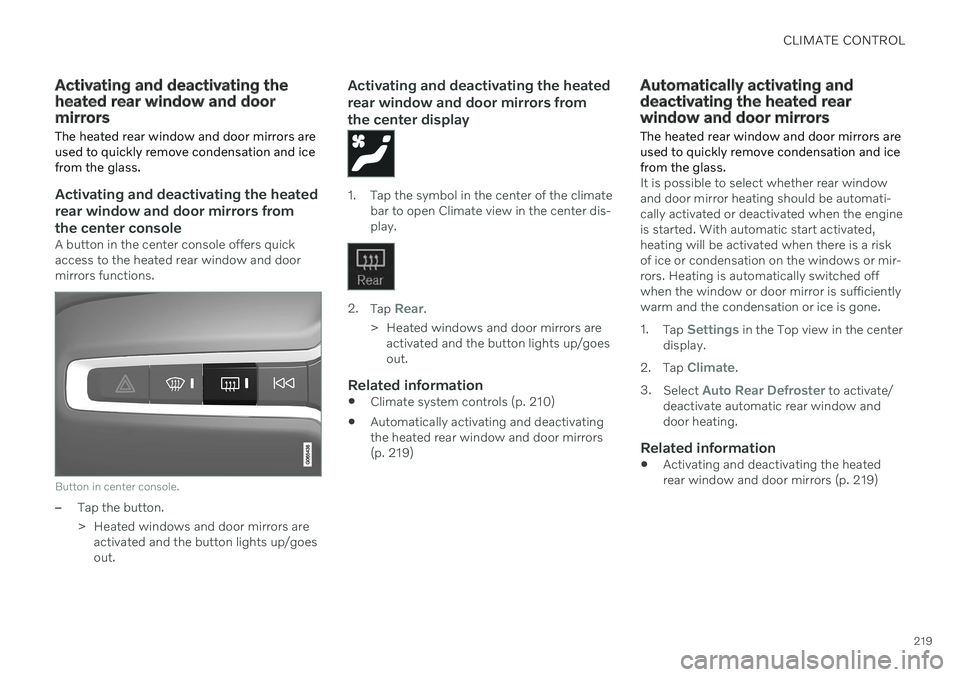
A button in the center console offers quick access to the heated rear window and doormirrors functions.
Button in center console.
–Tap the button.
> Heated windows and door mirrors areactivated and the button lights up/goes out.
Activating and deactivating the heated rear window and door mirrors fromthe center display
1. Tap the symbol in the center of the climate bar to open Climate view in the center dis- play.
2.Tap Rear.
> Heated windows and door mirrors are activated and the button lights up/goes out.
Related information
Climate system controls (p. 210)
Automatically activating and deactivatingthe heated rear window and door mirrors(p. 219)
Automatically activating and deactivating the heated rearwindow and door mirrors
The heated rear window and door mirrors are used to quickly remove condensation and icefrom the glass.
It is possible to select whether rear window and door mirror heating should be automati-cally activated or deactivated when the engineis started. With automatic start activated,heating will be activated when there is a riskof ice or condensation on the windows or mir-rors. Heating is automatically switched offwhen the window or door mirror is sufficientlywarm and the condensation or ice is gone. 1. Tap
Settings in the Top view in the center
display.
2. Tap
Climate.
3. Select
Auto Rear Defroster to activate/
deactivate automatic rear window and door heating.
Related information
Activating and deactivating the heatedrear window and door mirrors (p. 219)
Page 224 of 661
||
CLIMATE CONTROL
222
NOTE
The climate system automatically adapts airflow as needed within the set blowerspeed, which means that airflow speedmay vary slightly within the same blowerspeed.
Related information
Climate system controls (p. 210)
Setting the temperature for the front seats 5
The temperature can be set to the desired number of degrees for the front seat climatezones.
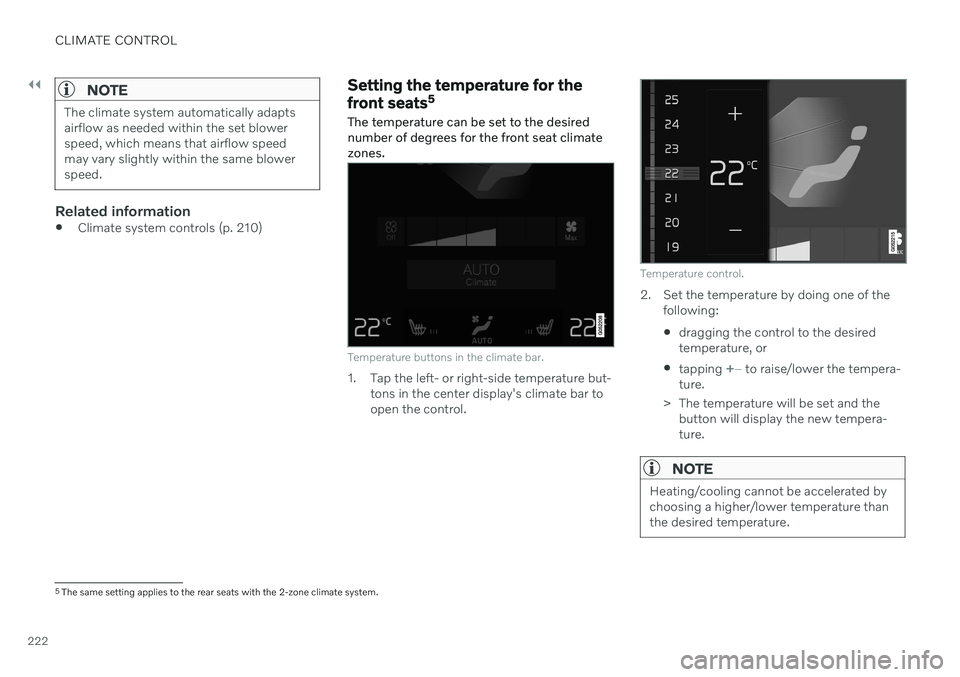
Temperature buttons in the climate bar.
1. Tap the left- or right-side temperature but- tons in the center display's climate bar to open the control.
Temperature control.
2. Set the temperature by doing one of thefollowing:
dragging the control to the desired temperature, or
tapping
+
− to raise/lower the tempera-
ture.
> The temperature will be set and the button will display the new tempera- ture.
NOTE
Heating/cooling cannot be accelerated by choosing a higher/lower temperature thanthe desired temperature.
5The same setting applies to the rear seats with the 2-zone climate system.
Page 226 of 661
||
CLIMATE CONTROL
224
Temperature control.
4. Set the temperature by:dragging the control to the desired temperature.
tapping
+
− to raise/lower the tempera-
ture.
> The temperature will be set and the button will display the new tempera- ture.
Setting the temperature for the rear seats from the rear seats
1. Tap the unlock button on the tunnel con- sole's climate panel to access the con- trols.
Temperature controls on the rear climate panel of the tunnel console.
2.Tap the left or right side's <> buttons to
lower/raise the temperature.
> The temperature will be changed and the climate panel screen will show the new temperature.
NOTE
Heating/cooling cannot be accelerated by choosing a higher/lower temperature thanthe desired temperature.
Related information
Climate system controls (p. 210)
Synchronize temperature
The temperature in the different climate zones of the vehicle can be synchronizedwith the temperature set for the driver's side.
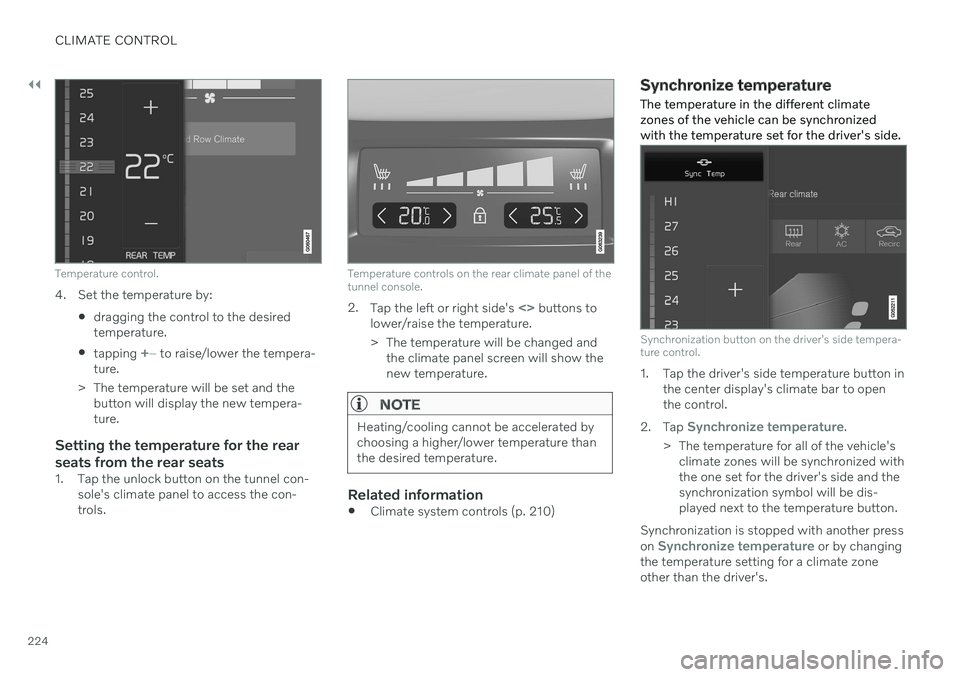
Synchronization button on the driver's side tempera- ture control.
1. Tap the driver's side temperature button in the center display's climate bar to open the control.
2. Tap
Synchronize temperature.
> The temperature for all of the vehicle's climate zones will be synchronized with the one set for the driver's side and thesynchronization symbol will be dis-played next to the temperature button.
Synchronization is stopped with another press on
Synchronize temperature or by changing
the temperature setting for a climate zone other than the driver's.
Page 307 of 661
DRIVER SUPPORT
* Option/accessory.305
information from map data, which could cause variations in performance.
Pilot Assist will be switched off if thespeed-dependent power steeringwheel resistance is working at reducedpower, e.g. during cooling due to over-heating.
WARNING
Pilot Assist should only be used if there are clear lane lines painted on each side of thelane. All other use will increase the risk ofcontact with nearby obstacles that cannotbe detected by the functions.
WARNING
This is not a collision avoidance sys- tem. The driver is always responsibleand must intervene if the system failsto detect a vehicle ahead.
The function does not brake for peopleor animals and does not brake for smallvehicles, such as bikes and motorcy-cles. Similarly, it does not brake for lowtrailers, oncoming, slow-moving or sta-tionary vehicles and objects.
Do not use the function in demandingsituations, such as in city traffic, atintersections, on slippery surfaces,with a lot of water or slush on the road,in heavy rain/snow, in poor visibility, onwinding roads, or on on/off ramps.
The driver can always correct or adjust steer-ing assistance provided by Pilot Assist by turn-ing the steering wheel to the desired position.
Steep roads and/or heavy loadsPilot Assist is primarily intended to be drivenon flat roads. The function may not be able tomaintain the correct time interval to the vehi-cle ahead when driving down steep hills. Thedriver should be extra attentive and preparedto apply the brakes. Do not use Pilot Assist if the vehicle is carryinga heavy load or towing a trailer.
NOTE
Pilot Assist cannot be activated if a trailer, bike carrier or similar is connected to thevehicle electrical system.
Drive mode unavailableThe Off Road drive mode cannot be selected
when Pilot Assist is activated.
NOTE
The function uses the vehicle's camera and radar sensor, which has certain generallimitations.
Related information
Pilot Assist
* (p. 296)
Camera/radar sensor limitations (p. 383)
Speed-dependent steering wheel resis- tance (p. 270)
Drive modes
* (p. 413)
Page 321 of 661
DRIVER SUPPORT
319
Selecting type of assistance for Lane Keeping Aid
The driver can determine what types of assis- tance Lane Keeping Aid (LKA 71
) should pro-
vide if the vehicle veers from its lane.
1. Select SettingsMy CarIntelliSafein the center display's Top view.
2. Under
Lane Keeping Aid Mode, select
what assistance the function should pro- vide:
Assist the driver will receive steering
assistance but no warning.
Warning – the driver is only warned
through vibrations in the steering wheel.
Both – the driver receives steering
assistance and a warning through vibrations in the steering wheel.
Related information
Lane Keeping Aid (p. 316)
Lane Keeping Aid limitations
In certain demanding driving conditions, Lane Keeping Aid (LKA 72
) may not be able to prop-
erly assist the driver. In these situations, it is recommended that the function be deacti-vated.
Examples of such situations include:
road work
winter driving conditions
poor road surfaces
a very sporty driving style
bad weather with reduced visibility
roads with indistinct or no lane markings
sharp edges or lines other than the lane's side markings
when speed-dependent power steeringwheel resistance is working at reducedpower – e.g. during cooling due to over-heating.
The function cannot detect barriers, railings orsimilar obstacles at the side of the lane.
NOTE
The function uses the vehicle's camera and radar sensor, which has certain generallimitations.
Related information
Lane Keeping Aid (p. 316)
Speed-dependent steering wheel resis- tance (p. 270)
Camera/radar sensor limitations (p. 383)
70
Lane Keeping Aid
71 Lane Keeping Aid
72 Lane Keeping Aid
Page 333 of 661
DRIVER SUPPORT
}}
331
function also helps stabilize the vehicle after it has passed the obstacle. City Safety steering assistance can detect:
vehicles
cyclists
pedestrians
large animals
Related information
City Safety
™ (p. 323)
City Safety steering assistance limitations during evasive maneuvers (p. 331)
City Safety limitations (p. 333)
City Safety steering assistance limitations during evasivemaneuvers
City Safety steering assistance may have lim- ited functionality in certain situations and notintervene, e.g.:
at speeds outside the range of 50-100 km/h (30-62 mph)
if the driver does not take evasive action
if speed-dependent power steering wheelresistance is working at reduced power –e.g. during cooling due to overheating.
NOTE
The function uses the vehicle's camera and radar sensor, which has certain generallimitations.
Related information
City Safety steering assistance for evasive maneuver (p. 330)
City Safety limitations (p. 333)
Speed-dependent steering wheel resis-tance (p. 270)
Camera/radar sensor limitations (p. 383)
Automatic braking during delayed evasive maneuvers with CitySafety
City Safety 80
can assist the driver by auto-
matically braking the vehicle when it is not possible to avoid a collision by steering alone.
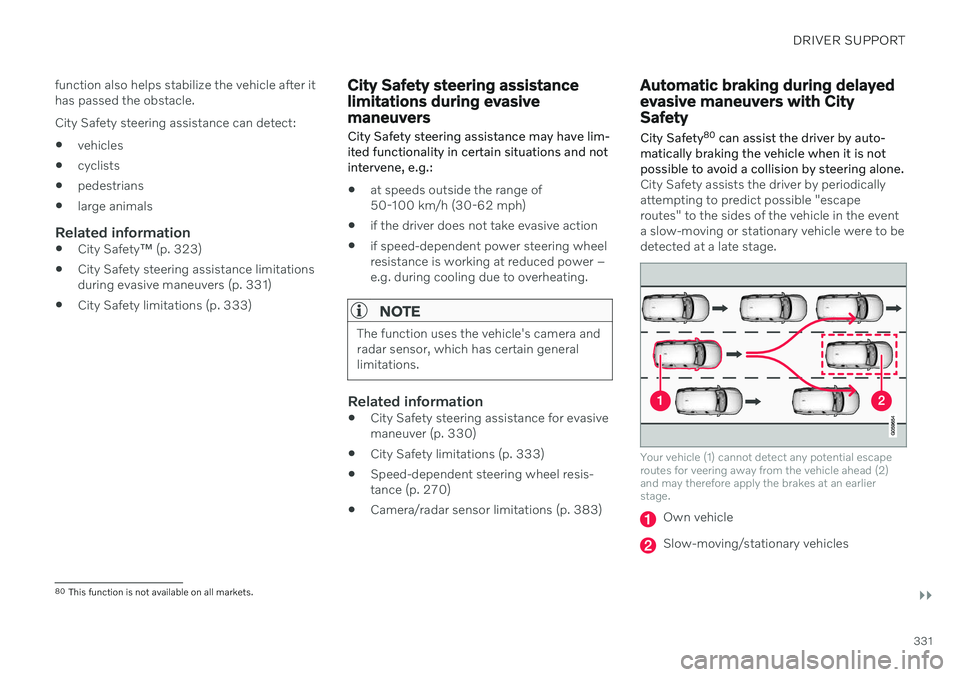
City Safety assists the driver by periodically attempting to predict possible "escaperoutes" to the sides of the vehicle in the eventa slow-moving or stationary vehicle were to bedetected at a late stage.
Your vehicle (1) cannot detect any potential escape routes for veering away from the vehicle ahead (2)and may therefore apply the brakes at an earlierstage.
Own vehicle
Slow-moving/stationary vehicles
80 This function is not available on all markets.