navigation VOLVO V60 2021 User Guide
[x] Cancel search | Manufacturer: VOLVO, Model Year: 2021, Model line: V60, Model: VOLVO V60 2021Pages: 661, PDF Size: 12.68 MB
Page 94 of 661
DISPLAYS AND VOICE CONTROL
* Option/accessory.
92
Date and time The clock is displayed in both the instrument panel and the center display.
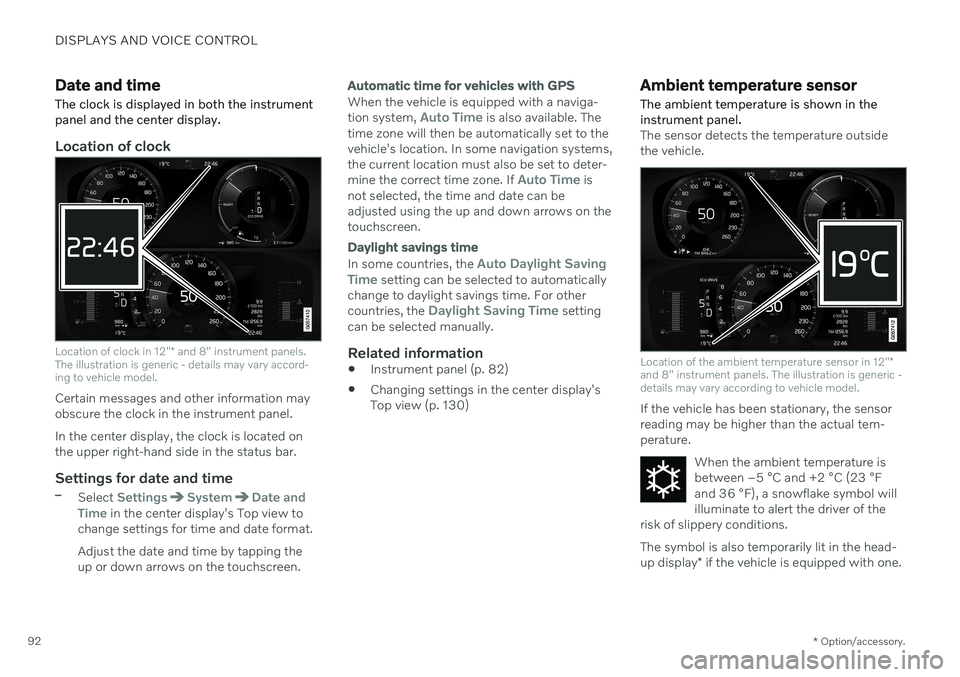
Location of clock
Location of clock in 12" * and 8" instrument panels.
The illustration is generic - details may vary accord- ing to vehicle model.
Certain messages and other information may obscure the clock in the instrument panel. In the center display, the clock is located on the upper right-hand side in the status bar.
Settings for date and time–Select SettingsSystemDate and
Time in the center display's Top view to
change settings for time and date format. Adjust the date and time by tapping the up or down arrows on the touchscreen.
Automatic time for vehicles with GPS
When the vehicle is equipped with a naviga- tion system, Auto Time is also available. The
time zone will then be automatically set to the vehicle's location. In some navigation systems,the current location must also be set to deter- mine the correct time zone. If
Auto Time is
not selected, the time and date can be adjusted using the up and down arrows on thetouchscreen.
Daylight savings time
In some countries, the Auto Daylight Saving
Time setting can be selected to automatically
change to daylight savings time. For other countries, the
Daylight Saving Time setting
can be selected manually.
Related information
Instrument panel (p. 82)
Changing settings in the center display's Top view (p. 130)
Ambient temperature sensor
The ambient temperature is shown in the instrument panel.
The sensor detects the temperature outside the vehicle.
Location of the ambient temperature sensor in 12" *
and 8" instrument panels. The illustration is generic - details may vary according to vehicle model.
If the vehicle has been stationary, the sensor reading may be higher than the actual tem-perature.
When the ambient temperature isbetween –5 °C and +2 °C (23 °F
and 36 °F), a snowflake symbol will
illuminate to alert the driver of the
risk of slippery conditions. The symbol is also temporarily lit in the head- up display * if the vehicle is equipped with one.
Page 105 of 661
DISPLAYS AND VOICE CONTROL
}}
103
App Functions Trip com- puterSelect a trip odometer,change instrument panel dis-play settings, etc.
Mediaplayer Select active source formedia player.
Phone Call a contact from the call list.
Navigation Guide to destination, etc.
Related information
Instrument panel (p. 82)
Center display overview (p. 108)
Handling the App menu in the instrument panel (p. 103)
Handling the App menu in the instrument panel
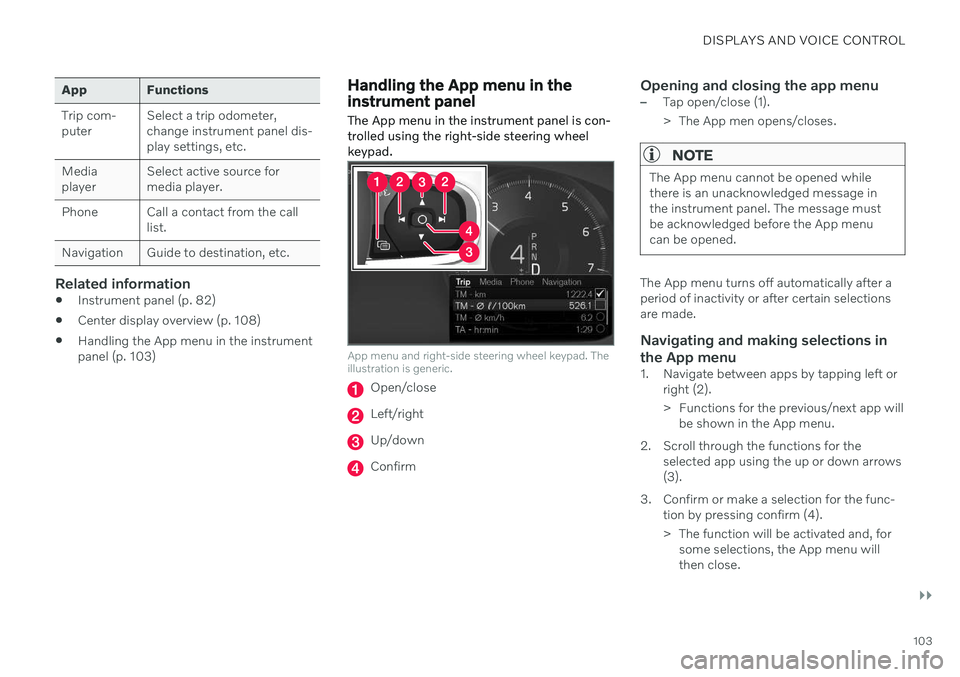
The App menu in the instrument panel is con- trolled using the right-side steering wheelkeypad.
App menu and right-side steering wheel keypad. The illustration is generic.
Open/close
Left/right
Up/down
Confirm
Opening and closing the app menu–Tap open/close (1).
> The App men opens/closes.
NOTE
The App menu cannot be opened while there is an unacknowledged message inthe instrument panel. The message mustbe acknowledged before the App menucan be opened.
The App menu turns off automatically after a period of inactivity or after certain selectionsare made.
Navigating and making selections in the App menu
1. Navigate between apps by tapping left or right (2).
> Functions for the previous/next app willbe shown in the App menu.
2. Scroll through the functions for the selected app using the up or down arrows (3).
3. Confirm or make a selection for the func- tion by pressing confirm (4).
> The function will be activated and, forsome selections, the App menu will then close.
Page 111 of 661
DISPLAYS AND VOICE CONTROL
* Option/accessory.109
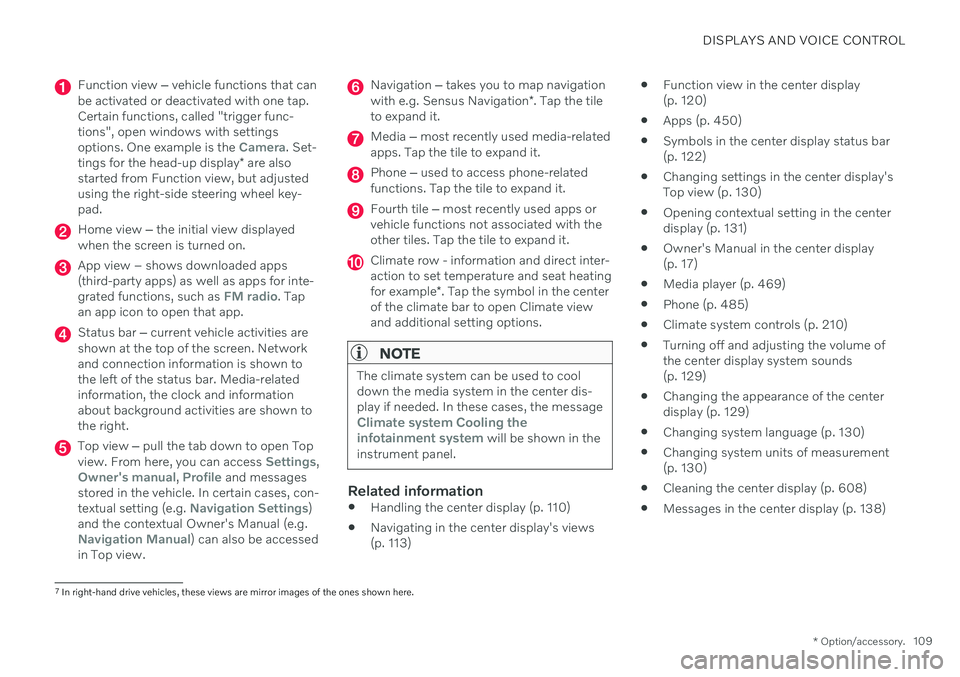
Function view ‒ vehicle functions that can
be activated or deactivated with one tap. Certain functions, called "trigger func-tions", open windows with settingsoptions. One example is the
Camera. Set-
tings for the head-up display * are also
started from Function view, but adjusted using the right-side steering wheel key-pad.
Home view ‒ the initial view displayed
when the screen is turned on.
App view – shows downloaded apps (third-party apps) as well as apps for inte-grated functions, such as
FM radio. Tap
an app icon to open that app.
Status bar ‒ current vehicle activities are
shown at the top of the screen. Network and connection information is shown tothe left of the status bar. Media-relatedinformation, the clock and informationabout background activities are shown tothe right.
Top view ‒ pull the tab down to open Top
view. From here, you can access Settings,Owner's manual, Profile and messages
stored in the vehicle. In certain cases, con- textual setting (e.g.
Navigation Settings)
and the contextual Owner's Manual (e.g.
Navigation Manual) can also be accessed
in Top view.
Navigation ‒ takes you to map navigation
with e.g. Sensus Navigation *. Tap the tile
to expand it.
Media ‒ most recently used media-related
apps. Tap the tile to expand it.
Phone ‒ used to access phone-related
functions. Tap the tile to expand it.
Fourth tile ‒ most recently used apps or
vehicle functions not associated with the other tiles. Tap the tile to expand it.
Climate row - information and direct inter- action to set temperature and seat heating for example *. Tap the symbol in the center
of the climate bar to open Climate view and additional setting options.
NOTE
The climate system can be used to cool down the media system in the center dis-play if needed. In these cases, the message
Climate system Cooling the
infotainment system will be shown in the
instrument panel.
Related information
Handling the center display (p. 110)
Navigating in the center display's views (p. 113)
Function view in the center display(p. 120)
Apps (p. 450)
Symbols in the center display status bar(p. 122)
Changing settings in the center display'sTop view (p. 130)
Opening contextual setting in the centerdisplay (p. 131)
Owner's Manual in the center display(p. 17)
Media player (p. 469)
Phone (p. 485)
Climate system controls (p. 210)
Turning off and adjusting the volume ofthe center display system sounds(p. 129)
Changing the appearance of the centerdisplay (p. 129)
Changing system language (p. 130)
Changing system units of measurement(p. 130)
Cleaning the center display (p. 608)
Messages in the center display (p. 138)
7
In right-hand drive vehicles, these views are mirror images of the ones shown here.
Page 115 of 661
DISPLAYS AND VOICE CONTROL
}}
* Option/accessory.113
Activating and deactivating the center display The center display can be temporarily switched off and reactivated using the homebutton under the screen.
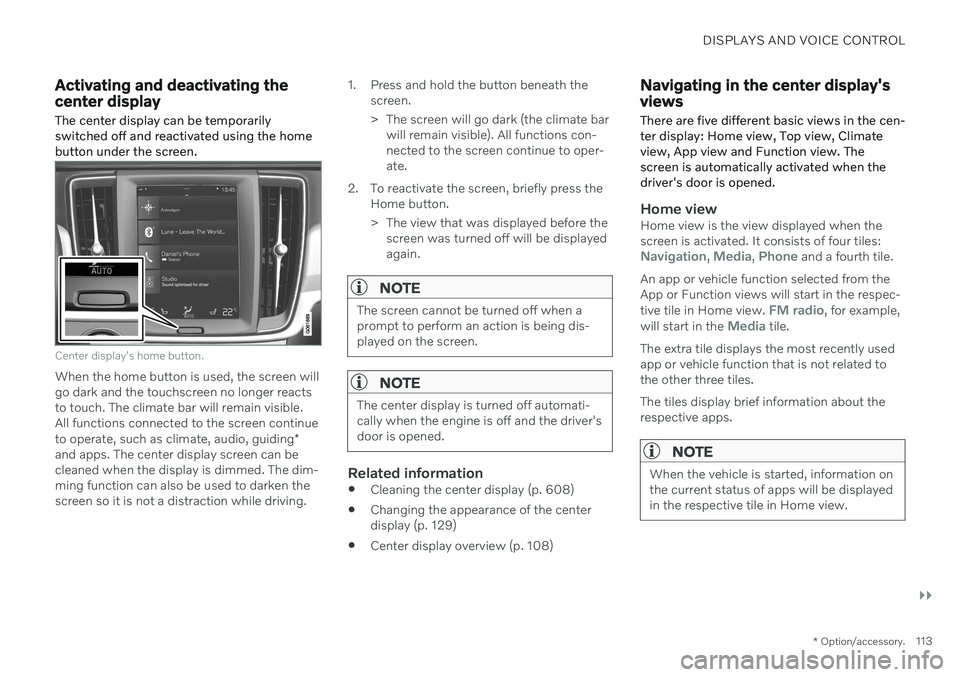
Center display's home button.
When the home button is used, the screen will go dark and the touchscreen no longer reactsto touch. The climate bar will remain visible.All functions connected to the screen continue to operate, such as climate, audio, guiding *
and apps. The center display screen can be cleaned when the display is dimmed. The dim-ming function can also be used to darken thescreen so it is not a distraction while driving. 1. Press and hold the button beneath the
screen.
> The screen will go dark (the climate barwill remain visible). All functions con- nected to the screen continue to oper-ate.
2. To reactivate the screen, briefly press the Home button.
> The view that was displayed before thescreen was turned off will be displayed again.
NOTE
The screen cannot be turned off when a prompt to perform an action is being dis-played on the screen.
NOTE
The center display is turned off automati- cally when the engine is off and the driver'sdoor is opened.
Related information
Cleaning the center display (p. 608)
Changing the appearance of the center display (p. 129)
Center display overview (p. 108)
Navigating in the center display's views
There are five different basic views in the cen- ter display: Home view, Top view, Climateview, App view and Function view. Thescreen is automatically activated when thedriver's door is opened.
Home viewHome view is the view displayed when the screen is activated. It consists of four tiles:
Navigation, Media, Phone and a fourth tile.
An app or vehicle function selected from the App or Function views will start in the respec- tive tile in Home view.
FM radio, for example,
will start in the Media tile.
The extra tile displays the most recently used app or vehicle function that is not related tothe other three tiles. The tiles display brief information about the respective apps.
NOTE
When the vehicle is started, information on the current status of apps will be displayedin the respective tile in Home view.
Page 116 of 661
||
DISPLAYS AND VOICE CONTROL
* Option/accessory.
114
NOTE
In Home view's standard mode – short press on the Home button. An animationdescribing access to the various views isshown on the screen.
NOTE
When the vehicle is moving:
Certain functions (e.g. using the center display's keyboard) may be deacti-vated.
Certain texts (e.g. those generated byapps) will be shortened to three rows. Tap the
Read out button to have the
entire message read aloud.
Text messages will be shortened to one row. Tap the
Read out button to
have the entire message read aloud.
Status barCurrent vehicle activities are shown at the top of the screen in the status bar. Network andconnection information is shown to the left ofthe status bar. Media-related information, theclock and information about background activ-ities are shown to the right.
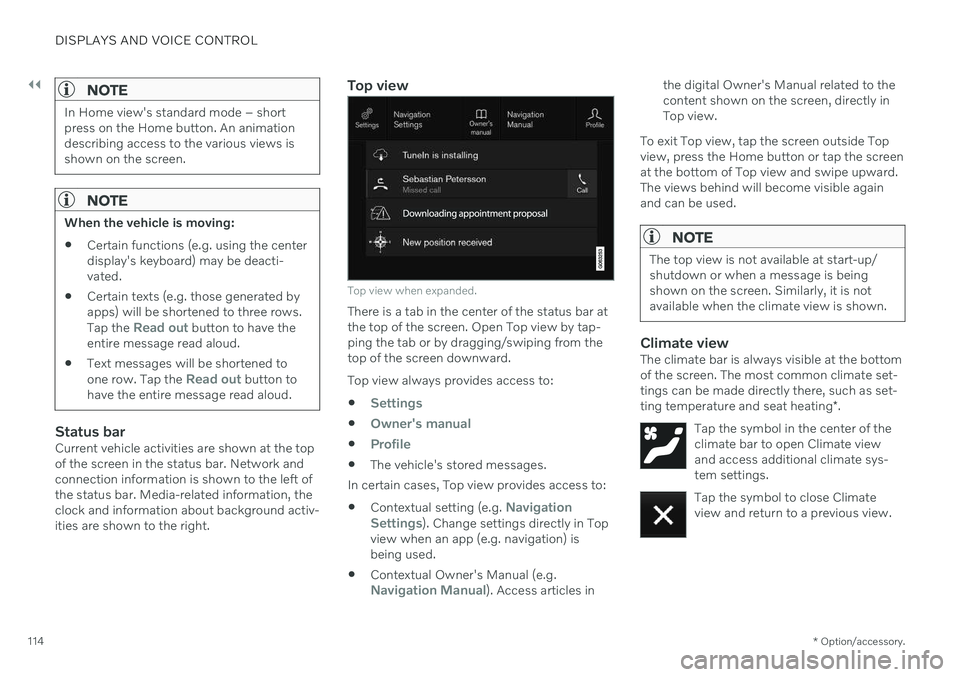
Top view
Top view when expanded.
There is a tab in the center of the status bar at the top of the screen. Open Top view by tap-ping the tab or by dragging/swiping from thetop of the screen downward. Top view always provides access to:
Settings
Owner's manual
Profile
The vehicle's stored messages.
In certain cases, Top view provides access to: Contextual setting (e.g.
Navigation
Settings). Change settings directly in Top
view when an app (e.g. navigation) is being used.
Contextual Owner's Manual (e.g.
Navigation Manual). Access articles in the digital Owner's Manual related to the content shown on the screen, directly inTop view.
To exit Top view, tap the screen outside Topview, press the Home button or tap the screenat the bottom of Top view and swipe upward.The views behind will become visible againand can be used.
NOTE
The top view is not available at start-up/ shutdown or when a message is beingshown on the screen. Similarly, it is notavailable when the climate view is shown.
Climate viewThe climate bar is always visible at the bottom of the screen. The most common climate set-tings can be made directly there, such as set- ting temperature and seat heating *.
Tap the symbol in the center of the climate bar to open Climate viewand access additional climate sys-tem settings.
Tap the symbol to close Climate view and return to a previous view.
Page 119 of 661
DISPLAYS AND VOICE CONTROL
}}
117
Handling tiles in the center display Home view consists of four tiles:
Navigation,Media, Phone and a fourth tile. These views
can be expanded.
Page 121 of 661
DISPLAYS AND VOICE CONTROL
119
Expanding a tile:
–For tiles Navigation, Media and Phone:
Tap the screen anywhere in the tile. When a tile is expanded, the extra tile in Homeview will be temporarily hidden. The othertwo tiles will be minimized and only showcertain information. When the extra tile istapped, the other three tiles are minimizedand only certain information is displayed. Expanded view provides access to the basic functions of the respective apps.
Closing an expanded tile:
–The tile can be closed in three different ways:
Tap the top section of the expandedtile.
Tap another tile (it will then be openedin expanded mode instead).
Press briefly on the Home button underthe center display.
Opening or closing a tile in full-screen mode
The fourth tile 9
and tile for Navigation can be
opened in full-screen mode to show additional information and possible settings. When a tile is opened in full-screen mode, no information from the other tiles is displayed. In expanded mode, open theapp in full-screen mode. Tapthe symbol.
To return to expanded mode, tap the symbol or press theHome button under thescreen.
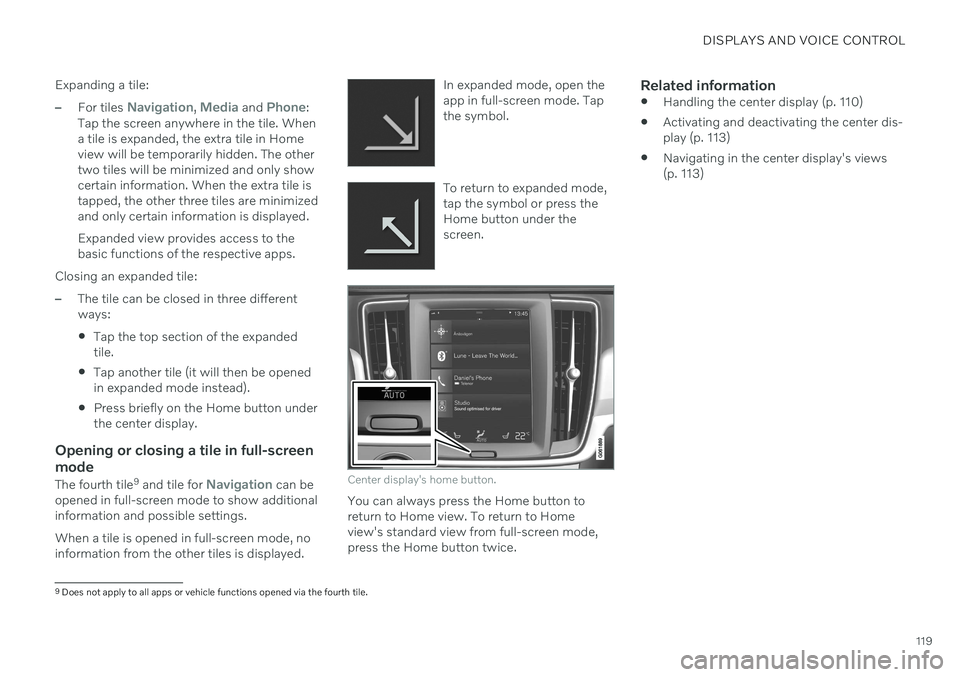
Center display's home button.
You can always press the Home button to return to Home view. To return to Homeview's standard view from full-screen mode,press the Home button twice.
Related information
Handling the center display (p. 110)
Activating and deactivating the center dis-play (p. 113)
Navigating in the center display's views(p. 113)
9
Does not apply to all apps or vehicle functions opened via the fourth tile.
Page 133 of 661
DISPLAYS AND VOICE CONTROL
131
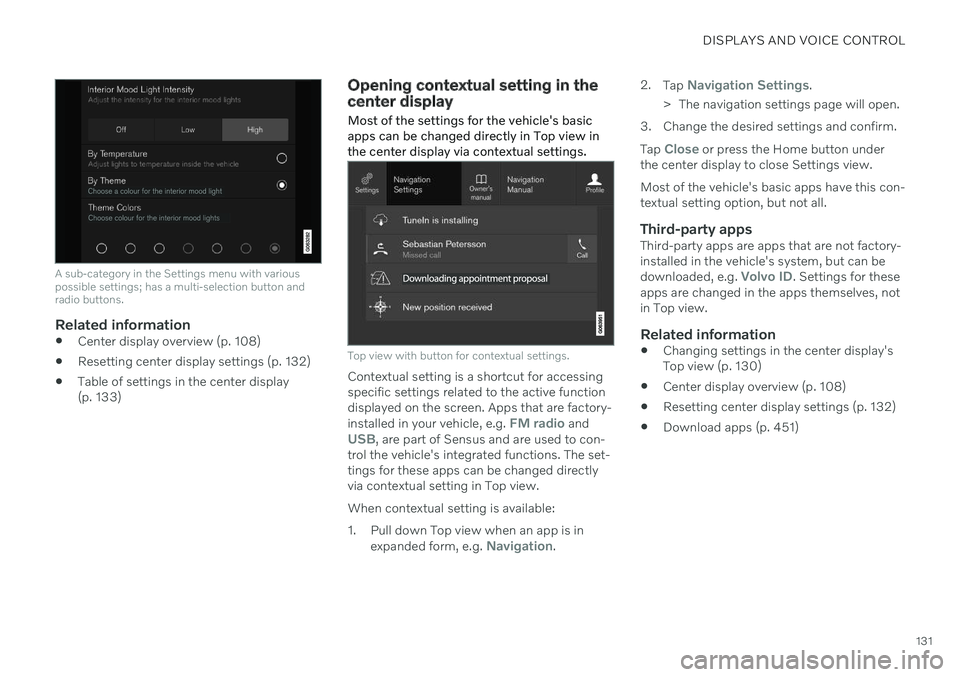
A sub-category in the Settings menu with various possible settings; has a multi-selection button andradio buttons.
Related information
Center display overview (p. 108)
Resetting center display settings (p. 132)
Table of settings in the center display (p. 133)
Opening contextual setting in the center display Most of the settings for the vehicle's basic apps can be changed directly in Top view inthe center display via contextual settings.
Top view with button for contextual settings.
Contextual setting is a shortcut for accessing specific settings related to the active functiondisplayed on the screen. Apps that are factory- installed in your vehicle, e.g.
FM radio andUSB, are part of Sensus and are used to con-
trol the vehicle's integrated functions. The set- tings for these apps can be changed directlyvia contextual setting in Top view. When contextual setting is available:
1. Pull down Top view when an app is in
expanded form, e.g.
Navigation. 2.
Tap
Navigation Settings.
> The navigation settings page will open.
3. Change the desired settings and confirm. Tap
Close or press the Home button under
the center display to close Settings view. Most of the vehicle's basic apps have this con- textual setting option, but not all.
Third-party appsThird-party apps are apps that are not factory-installed in the vehicle's system, but can be downloaded, e.g.
Volvo ID. Settings for these
apps are changed in the apps themselves, not in Top view.
Related information
Changing settings in the center display'sTop view (p. 130)
Center display overview (p. 108)
Resetting center display settings (p. 132)
Download apps (p. 451)
Page 135 of 661
DISPLAYS AND VOICE CONTROL
}}
* Option/accessory.133
Table of settings in the center display
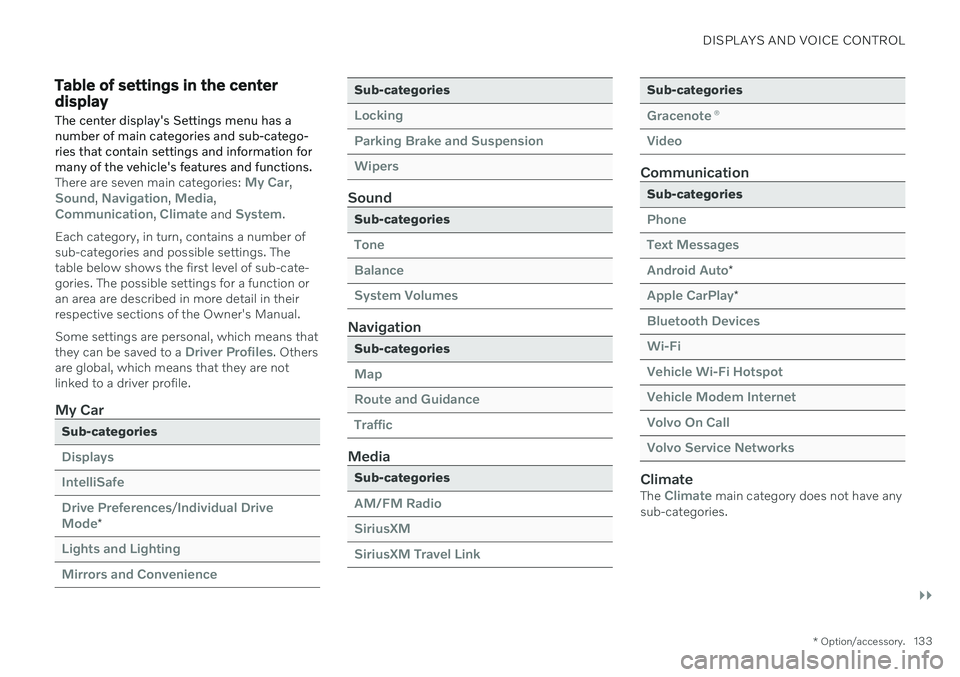
The center display's Settings menu has a number of main categories and sub-catego-ries that contain settings and information formany of the vehicle's features and functions.
There are seven main categories: My Car,Sound, Navigation, Media,Communication, Climate and System.
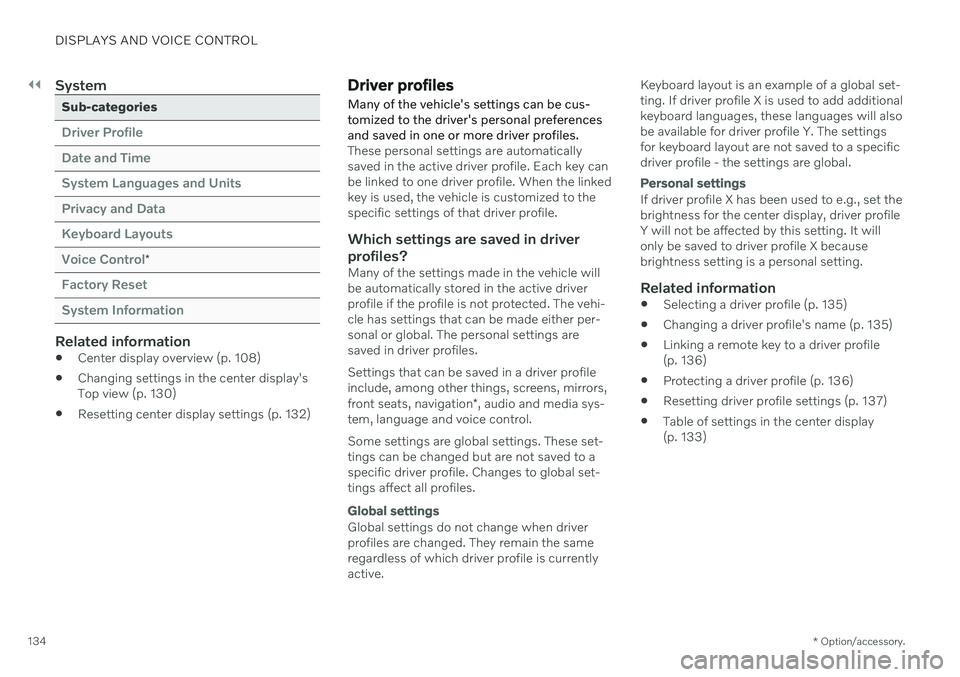
Each category, in turn, contains a number of sub-categories and possible settings. Thetable below shows the first level of sub-cate-gories. The possible settings for a function oran area are described in more detail in theirrespective sections of the Owner's Manual. Some settings are personal, which means that they can be saved to a
Driver Profiles. Others
are global, which means that they are not linked to a driver profile.
My Car
Sub-categories
Displays IntelliSafeDrive Preferences
/Individual Drive
Mode*
Lights and Lighting Mirrors and Convenience
Sub-categories
Locking Parking Brake and SuspensionWipers
Sound
Sub-categories
Tone BalanceSystem Volumes
Navigation
Sub-categories
Map Route and GuidanceTraffic
Media
Sub-categories
AM/FM Radio SiriusXMSiriusXM Travel Link
Sub-categories
Gracenote ®
Video
Communication
Sub-categories
Phone Text MessagesAndroid Auto
*
Apple CarPlay*
Bluetooth Devices Wi-FiVehicle Wi-Fi Hotspot Vehicle Modem Internet Volvo On Call Volvo Service Networks
ClimateThe Climate main category does not have any
sub-categories.
Page 136 of 661
||
DISPLAYS AND VOICE CONTROL
* Option/accessory.
134
System
Sub-categories
Driver Profile Date and TimeSystem Languages and UnitsPrivacy and DataKeyboard LayoutsVoice Control
*
Factory Reset System Information
Related information
Center display overview (p. 108)
Changing settings in the center display's Top view (p. 130)
Resetting center display settings (p. 132)
Driver profiles
Many of the vehicle's settings can be cus- tomized to the driver's personal preferencesand saved in one or more driver profiles.
These personal settings are automatically saved in the active driver profile. Each key canbe linked to one driver profile. When the linkedkey is used, the vehicle is customized to thespecific settings of that driver profile.
Which settings are saved in driver
profiles?
Many of the settings made in the vehicle willbe automatically stored in the active driverprofile if the profile is not protected. The vehi-cle has settings that can be made either per-sonal or global. The personal settings aresaved in driver profiles. Settings that can be saved in a driver profile include, among other things, screens, mirrors, front seats, navigation *, audio and media sys-
tem, language and voice control. Some settings are global settings. These set- tings can be changed but are not saved to aspecific driver profile. Changes to global set-tings affect all profiles.
Global settings
Global settings do not change when driver profiles are changed. They remain the sameregardless of which driver profile is currentlyactive. Keyboard layout is an example of a global set-ting. If driver profile X is used to add additionalkeyboard languages, these languages will alsobe available for driver profile Y. The settingsfor keyboard layout are not saved to a specificdriver profile - the settings are global.
Personal settings
If driver profile X has been used to e.g., set the brightness for the center display, driver profileY will not be affected by this setting. It willonly be saved to driver profile X becausebrightness setting is a personal setting.
Related information
Selecting a driver profile (p. 135)
Changing a driver profile's name (p. 135)
Linking a remote key to a driver profile(p. 136)
Protecting a driver profile (p. 136)
Resetting driver profile settings (p. 137)
Table of settings in the center display(p. 133)