display VOLVO V60 2021 Owner's Manual
[x] Cancel search | Manufacturer: VOLVO, Model Year: 2021, Model line: V60, Model: VOLVO V60 2021Pages: 661, PDF Size: 12.68 MB
Page 56 of 661
SAFETY
54
Door and seat belt reminders
This system is intended to remind occupants to buckle their seat belts and to alert thedriver if a door, hood or other opening (trunk,sunroof, etc.) is open.
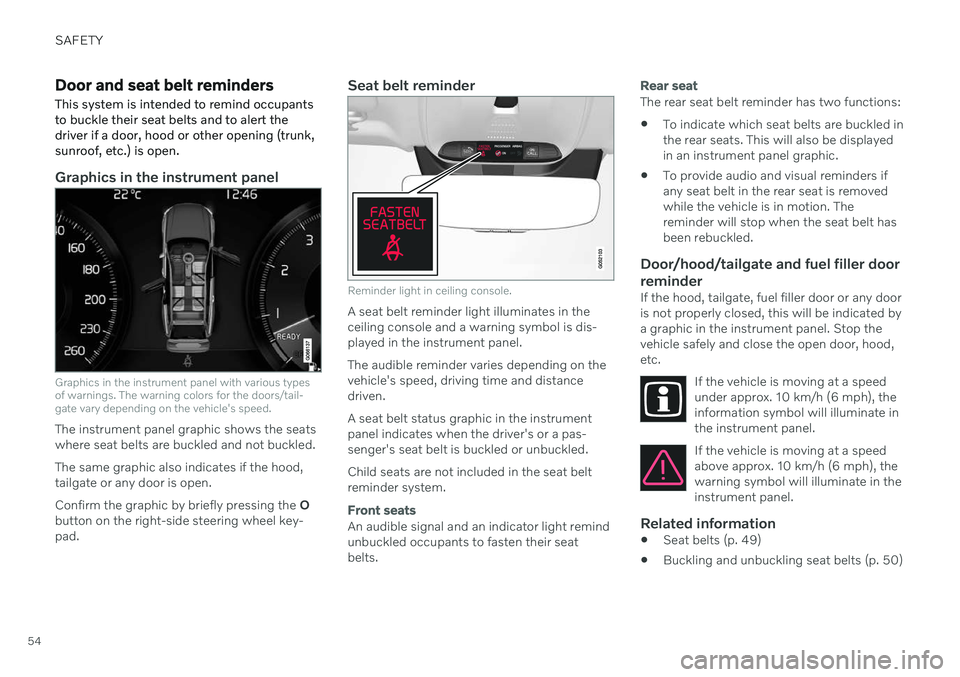
Graphics in the instrument panel
Graphics in the instrument panel with various types of warnings. The warning colors for the doors/tail-gate vary depending on the vehicle's speed.
The instrument panel graphic shows the seats where seat belts are buckled and not buckled. The same graphic also indicates if the hood, tailgate or any door is open. Confirm the graphic by briefly pressing the O
button on the right-side steering wheel key- pad.
Seat belt reminder
Reminder light in ceiling console.
A seat belt reminder light illuminates in the ceiling console and a warning symbol is dis-played in the instrument panel. The audible reminder varies depending on the vehicle's speed, driving time and distancedriven. A seat belt status graphic in the instrument panel indicates when the driver's or a pas-senger's seat belt is buckled or unbuckled. Child seats are not included in the seat belt reminder system.
Front seats
An audible signal and an indicator light remind unbuckled occupants to fasten their seatbelts.
Rear seat
The rear seat belt reminder has two functions:
To indicate which seat belts are buckled in the rear seats. This will also be displayedin an instrument panel graphic.
To provide audio and visual reminders ifany seat belt in the rear seat is removedwhile the vehicle is in motion. Thereminder will stop when the seat belt hasbeen rebuckled.
Door/hood/tailgate and fuel filler door
reminder
If the hood, tailgate, fuel filler door or any dooris not properly closed, this will be indicated bya graphic in the instrument panel. Stop thevehicle safely and close the open door, hood,etc.
If the vehicle is moving at a speedunder approx. 10 km/h (6 mph), theinformation symbol will illuminate inthe instrument panel.
If the vehicle is moving at a speed above approx. 10 km/h (6 mph), thewarning symbol will illuminate in theinstrument panel.
Related information
Seat belts (p. 49)
Buckling and unbuckling seat belts (p. 50)
Page 66 of 661
||
SAFETY
64
Related information
Airbags (p. 55)
Safety mode Safety mode is a feature that is triggered after a collision if there is potential damage toan important function in the vehicle, such asthe fuel lines, sensors for one of the safetysystems, the brake system, etc.
If the vehicle has been involved in a collision, the text Safety mode See Owner's manualmay appear in the instrument panel along with the warning symbol if the panel is undamagedand the vehicle's electrical system is intact.The message indicates that one or more of thevehicle's functions may be reduced.
WARNING
Never attempt to restart the vehicle if you smell fuel fumes when the message Safety
mode See Owner's manual is displayed
in the instrument panel. Leave the vehicle immediately.
If safety mode has been set, it may be possi- ble to reset the system in order to start andmove the vehicle a short distance, for exam-ple, if it is blocking traffic.
WARNING
Never attempt to perform repairs or reset electrical components on your own afterthe vehicle has been in safety mode. Thiscould result in injury or prevent the vehiclefrom functioning properly. Volvo recom-mends having the vehicle inspected andreset to normal operating status by an authorized Volvo workshop after
Safety
mode See Owner's manual has been dis-
played.
WARNING
When the vehicle is in safety mode, it should not be towed behind another vehi-cle. It should be towed from the site on atow truck. Volvo recommends towing thevehicle directly to an authorized Volvoworkshop.
Related information
Safety (p. 44)
Starting and moving the vehicle when it is in safety mode (p. 65)
Recovery (p. 440)
Page 67 of 661
SAFETY
65
Starting and moving the vehicle when it is in safety mode If safety mode has been set, it may be possi- ble to reset the system in order to start andmove the vehicle a short distance, for exam-ple, if it is blocking traffic.
Starting the vehicle when it is in safety mode
1. Check the vehicle for damage, particularlyfor fuel leakage. Make sure you do not detect any gasoline fumes. If the damage to the vehicle is minor and there is no fuel leakage/fumes, you mayattempt to start the engine.
WARNING
Never attempt to restart the vehicle if you smell fuel fumes when the message Safety
mode See Owner's manual is displayed
in the instrument panel. Leave the vehicle immediately.
2. Switch off the ignition. 3. Then try to start the vehicle.
> The vehicle's electrical system will per-form a system check and then attempt to reset to normal operating mode.
CAUTION
If the message Safety mode See
Owner's manual is still displayed, the
vehicle should not be driven or towed behind another vehicle. If the vehicle needsto be moved, it must be towed on a towtruck. Even if no damage is apparent, theremay be hidden damage that could makethe vehicle impossible to control.
Moving the vehicle when it is in safety mode
1. If the message Normal mode The car is
now in normal mode is displayed after
attempting to start the engine, the vehicle may be moved carefully from its presentposition if, for example, it is blocking traf-fic.
2. Do not move the vehicle farther than abso- lutely necessary.
WARNING
When the vehicle is in safety mode, it should not be towed behind another vehi-cle. It should be towed from the site on atow truck. Volvo recommends towing thevehicle directly to an authorized Volvoworkshop.
Related information
Safety mode (p. 64)
Starting the vehicle (p. 392)
Recovery (p. 440)
Page 82 of 661
DISPLAYS AND VOICE CONTROL
* Option/accessory.
80
Displays and controls by the driver in a left-hand drive vehicle
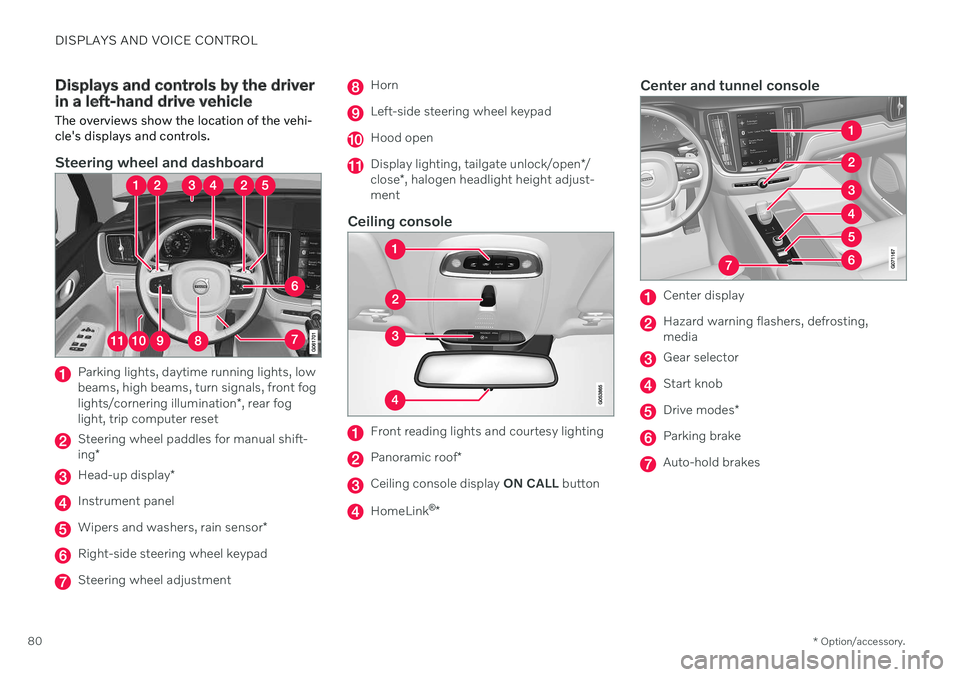
The overviews show the location of the vehi- cle's displays and controls.
Steering wheel and dashboard
Parking lights, daytime running lights, low beams, high beams, turn signals, front fog lights/cornering illumination *, rear fog
light, trip computer reset
Steering wheel paddles for manual shift- ing *
Head-up display *
Instrument panel
Wipers and washers, rain sensor *
Right-side steering wheel keypad
Steering wheel adjustment
Horn
Left-side steering wheel keypad
Hood open
Display lighting, tailgate unlock/open */
close *, halogen headlight height adjust-
ment
Ceiling console
Front reading lights and courtesy lighting
Panoramic roof *
Ceiling console display ON CALL button
HomeLink ®
*
Center and tunnel console
Center display
Hazard warning flashers, defrosting, media
Gear selector
Start knob
Drive modes *
Parking brake
Auto-hold brakes
Page 83 of 661
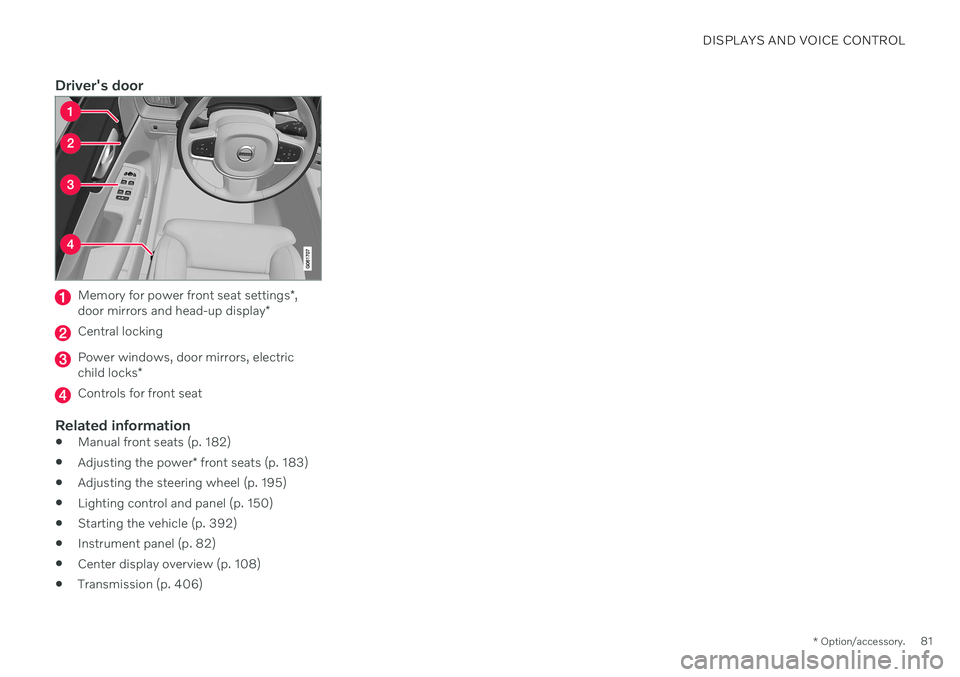
DISPLAYS AND VOICE CONTROL
* Option/accessory.81
Driver's door
Memory for power front seat settings *,
door mirrors and head-up display *
Central locking
Power windows, door mirrors, electric child locks*
Controls for front seat
Related information
Manual front seats (p. 182)
Adjusting the power
* front seats (p. 183)
Adjusting the steering wheel (p. 195)
Lighting control and panel (p. 150)
Starting the vehicle (p. 392)
Instrument panel (p. 82)
Center display overview (p. 108)
Transmission (p. 406)
Page 84 of 661
DISPLAYS AND VOICE CONTROL
* Option/accessory.
82
Instrument panel The instrument panel displays information related to the vehicle and driving.
The instrument panel contains gauges, indica- tors and monitoring and warning symbols.What is shown in the instrument panel variesdepending on the equipment, settings andfunctions currently active. The instrument panel is activated as soon as a door is opened, i.e. in ignition mode 0. The
panel will power down after a short period oftime if it is not used. To reactivate it, do one ofthe following:
Depress the brake pedal.
Activate ignition mode
I.
Open one of the doors. The instrument panel is available in two ver- sions: 8" and 12"
*.WARNING
If the instrument panel turns off, does not activate when the ignition is switched on,or part/all of the panel cannot be read, donot drive the vehicle. Consult a workshopimmediately. Volvo recommends anauthorized Volvo workshop.
WARNING
If the instrument panel is not functioning properly, information about brakes, airbagsor other safety-related systems may not bedisplayed. The driver will then not be ableto check the status of the vehicle systemsor receive relevant warnings and informa-tion.
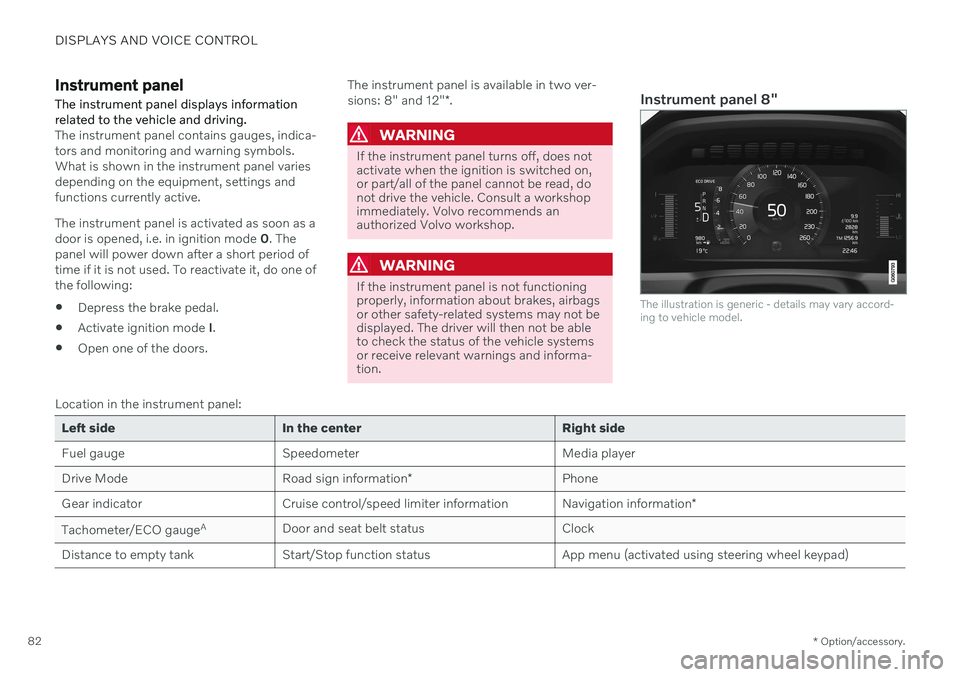
Instrument panel 8"
The illustration is generic - details may vary accord- ing to vehicle model.
Location in the instrument panel:
Left side In the center Right side
Fuel gauge Speedometer Media player Drive Mode
Road sign information* Phone
Gear indicator Cruise control/speed limiter information Navigation information*
Tachometer/ECO gauge A
Door and seat belt status Clock
Distance to empty tank Start/Stop function status App menu (activated using steering wheel keypad)
Page 85 of 661
DISPLAYS AND VOICE CONTROL
}}
* Option/accessory.83
Left side In the center Right side
Ambient temperature sensor – Current fuel consumption
Indicator and warning symbols – OdometerB
– – Trip odometer
– – Indicator and warning symbols
– – Voice Control
– – Engine temperature gauge
– – Message (also graphics in some cases)
A
Depends on selected drive mode.
B Total distance.
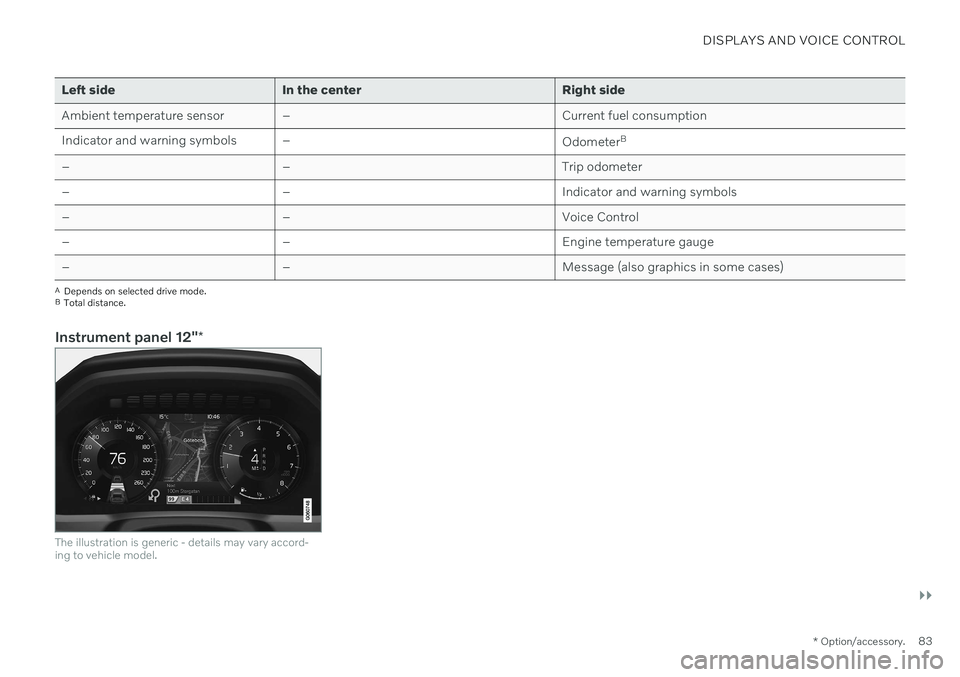
Instrument panel 12" *
The illustration is generic - details may vary accord- ing to vehicle model.
Page 86 of 661
||
DISPLAYS AND VOICE CONTROL
* Option/accessory.
84 Location in the instrument panel:
Left side In the center Right side
Speedometer Indicator and warning symbols
Tachometer/ECO gaugeA
Trip odometer Ambient temperature sensor Gear indicator Odometer B
Clock Drive Mode
Cruise control/speed limiter information Message (also graphics in some cases) Fuel gauge Road sign information * Door and seat belt status Start/Stop function status
– Media player Distance to empty tank
– Navigation system map*Current fuel consumption
– PhoneApp menu (activated using steering wheel keypad)
– Voice Control –
A
Depends on selected drive mode.
B Total distance.
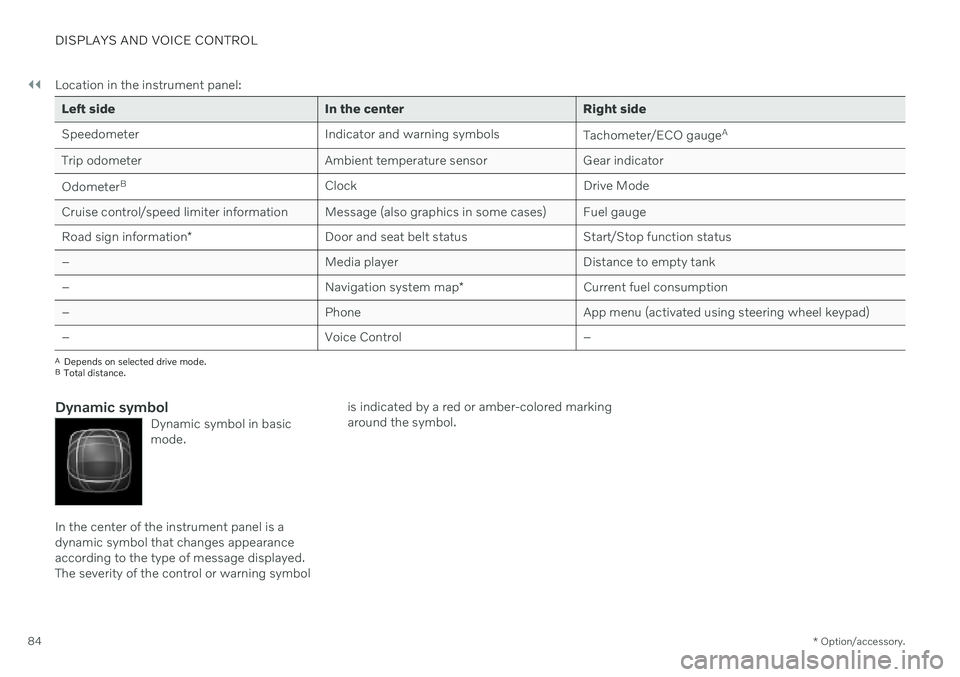
Dynamic symbolDynamic symbol in basic mode.
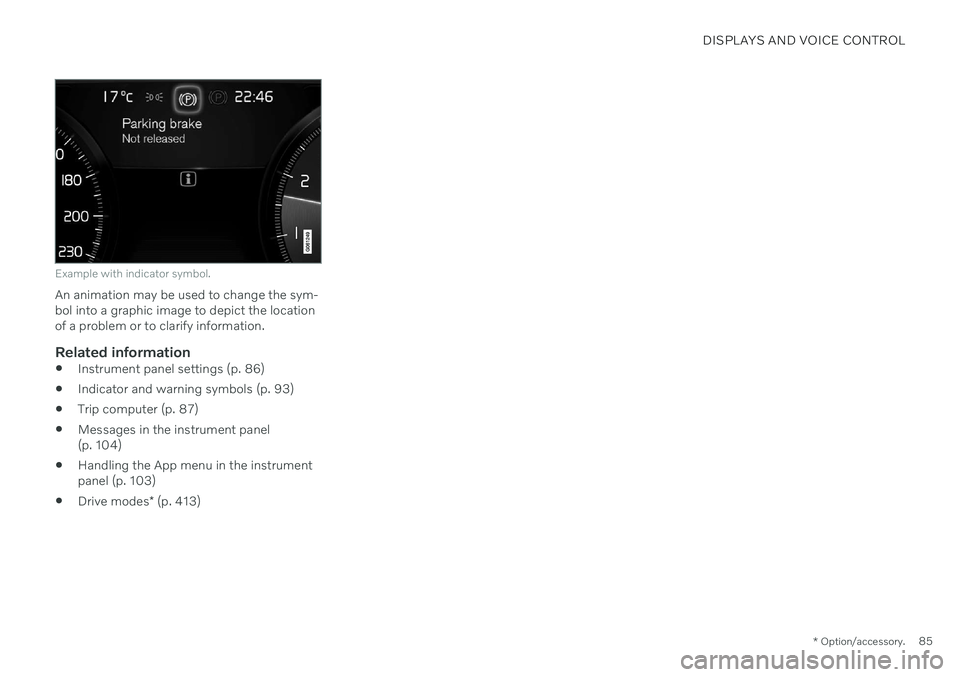
In the center of the instrument panel is a dynamic symbol that changes appearanceaccording to the type of message displayed.The severity of the control or warning symbol is indicated by a red or amber-colored markingaround the symbol.
Page 87 of 661
DISPLAYS AND VOICE CONTROL
* Option/accessory.85
Example with indicator symbol.
An animation may be used to change the sym- bol into a graphic image to depict the locationof a problem or to clarify information.
Related information
Instrument panel settings (p. 86)
Indicator and warning symbols (p. 93)
Trip computer (p. 87)
Messages in the instrument panel(p. 104)
Handling the App menu in the instrumentpanel (p. 103)
Drive modes
* (p. 413)
Page 88 of 661
DISPLAYS AND VOICE CONTROL
* Option/accessory.
86
Instrument panel settings
Display settings for the instrument panel can be set in the instrument panel's App menuand in the center display's Settings menu.
Settings via instrument panel's app menu
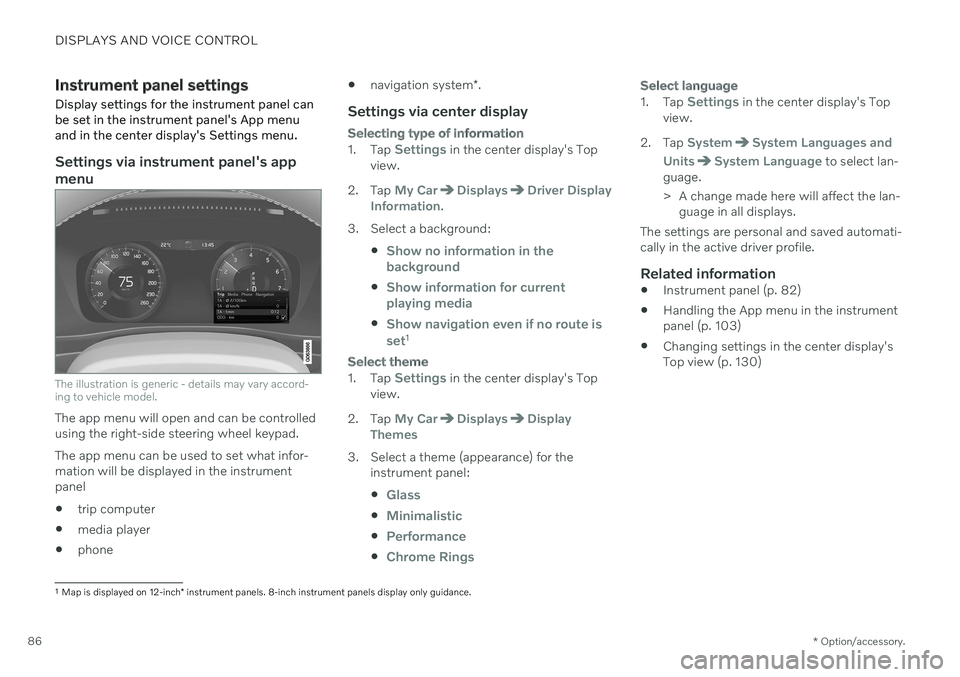
The illustration is generic - details may vary accord- ing to vehicle model.
The app menu will open and can be controlled using the right-side steering wheel keypad. The app menu can be used to set what infor- mation will be displayed in the instrumentpanel trip computer
media player
phone
navigation system
*.
Settings via center display
Selecting type of information
1.
Tap Settings in the center display's Top
view.
2. Tap
My CarDisplaysDriver Display
Information.
3. Select a background:
Show no information in the background
Show information for current playing media
Show navigation even if no route is set1
Select theme
1.Tap Settings in the center display's Top
view.
2. Tap
My CarDisplaysDisplay
Themes
3. Select a theme (appearance) for the instrument panel:
Glass
Minimalistic
Performance
Chrome Rings
Select language
1.Tap Settings in the center display's Top
view.
2. Tap
SystemSystem Languages and
Units
System Language to select lan-
guage.
> A change made here will affect the lan- guage in all displays.
The settings are personal and saved automati- cally in the active driver profile.
Related information
Instrument panel (p. 82)
Handling the App menu in the instrumentpanel (p. 103)
Changing settings in the center display'sTop view (p. 130)
1
Map is displayed on 12-inch * instrument panels. 8-inch instrument panels display only guidance.