display VOLVO V60 2021 User Guide
[x] Cancel search | Manufacturer: VOLVO, Model Year: 2021, Model line: V60, Model: VOLVO V60 2021Pages: 661, PDF Size: 12.68 MB
Page 21 of 661
OWNER'S INFORMATION
}}
19
Opening the menu in the Top menu
–Tap in the upper list in the Owner's
Manual.
> A menu will open, displaying different options for finding information:
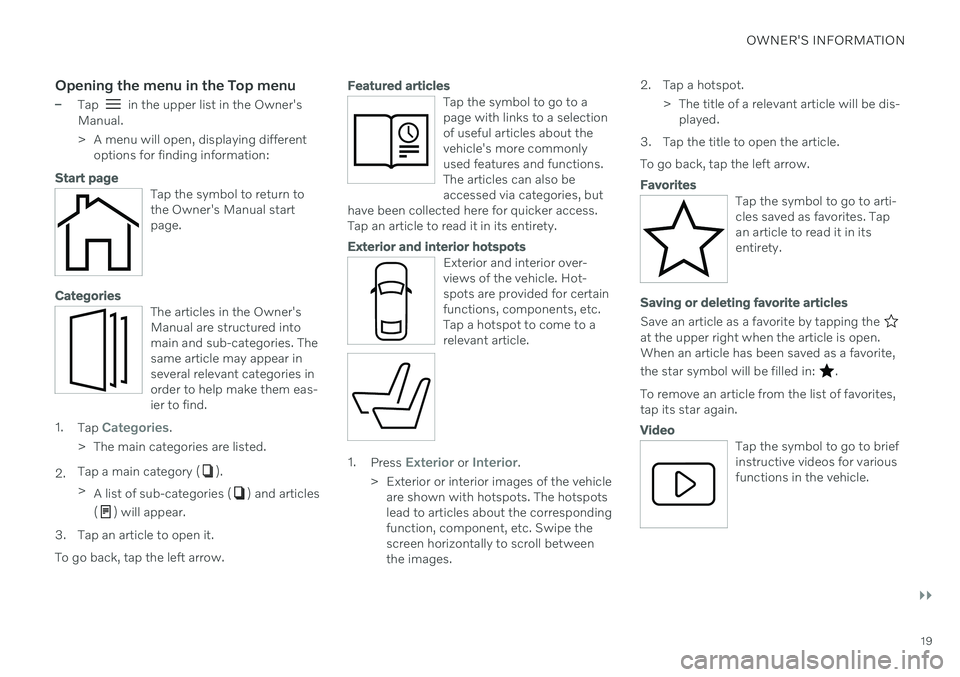
Start page
Tap the symbol to return to the Owner's Manual startpage.
Categories
The articles in the Owner's Manual are structured intomain and sub-categories. Thesame article may appear inseveral relevant categories inorder to help make them eas-ier to find.
1. Tap Categories.
> The main categories are listed.
2. Tap a main category (
).
> A list of sub-categories (
) and articles
(
) will appear.
3. Tap an article to open it. To go back, tap the left arrow.
Featured articles
Tap the symbol to go to a page with links to a selectionof useful articles about thevehicle's more commonlyused features and functions.The articles can also beaccessed via categories, but
have been collected here for quicker access.Tap an article to read it in its entirety.
Exterior and interior hotspots
Exterior and interior over- views of the vehicle. Hot-spots are provided for certainfunctions, components, etc.Tap a hotspot to come to arelevant article.
1. Press Exterior or Interior.
> Exterior or interior images of the vehicle are shown with hotspots. The hotspots lead to articles about the correspondingfunction, component, etc. Swipe thescreen horizontally to scroll betweenthe images. 2. Tap a hotspot.
> The title of a relevant article will be dis-played.
3. Tap the title to open the article. To go back, tap the left arrow.
Favorites
Tap the symbol to go to arti- cles saved as favorites. Tapan article to read it in itsentirety.
Saving or deleting favorite articles
Save an article as a favorite by tapping the at the upper right when the article is open. When an article has been saved as a favorite, the star symbol will be filled in:
.
To remove an article from the list of favorites, tap its star again.
Video
Tap the symbol to go to brief instructive videos for variousfunctions in the vehicle.
Page 22 of 661
||
OWNER'S INFORMATION
20
Information
Tap the symbol for informa- tion about the current versionof the Owner's Manual inyour vehicle and other usefulinformation.
Using the search function in the Top menu
1.Tap in the Owner's Manual upper
menu. A keyboard will appear at the bot- tom of the screen.
2. Enter a search word, e.g. "seat belt". > Suggested articles and categories willbe displayed as characters are entered.
3. Tap the article or category to read it.
Related information
Owner's Manual in the center display(p. 17)
Using the center display keyboard(p. 124)
Using the Owner's Manual (p. 21)
Owner's manual in mobile devices
The Owner's Manual is available as a mobile app 3
and can be downloaded from the App
Store and Google Play. The app is adapted for both smartphones and tablets.
The Owner's Manual can be downloaded as a mobile appfrom the App Store or GooglePlay. This QR code will takeyou directly to the app. Youcan also search for "Volvomanual" in the App Store or
Google Play.
The app contains videos and exterior/interior images of the vehicle. These images containhotspots for various functions, components,etc., which lead directly to related information. The contents are searchable and the sectionsare designed to be easy to navigate.
The mobile app is available on both App Store and Google Play.
Related information
Using the Owner's Manual (p. 21)
3
Certain mobile devices.
Page 25 of 661
OWNER'S INFORMATION
23
Illustrations, images and video clipsIllustrations, images and video clips used in the Owner's Manual are sometimes genericand are intended to provide an overview or anexample of a certain function or feature. Theymay vary depending on equipment level andmarket and may differ from the appearance ofyour vehicle.
Related information
Owner's Manual in the center display(p. 17)
Owner's manual in mobile devices (p. 20)
Volvo Cars support site (p. 21)
The Owner's Manual and the environment
The Owner's Manual is printed on paper from responsibly managed forests.
The Forest Stewardship Council (FSC) ®
sym-
bol certifies that the paper pulp in the printed Owner's Manual comes from FSC ®
-certified
forests or other responsibly managed sources.
Related information
Drive-E
‒
purer driving pleasure (p. 28)
Page 29 of 661
YOUR VOLVO
* Option/accessory.27
Creating and registering a Volvo ID
A Volvo ID can be created in two ways. If your Volvo ID was created with the Volvo On Callapp, the Volvo IDmust also be registered tothe vehicle to enable access to the Volvo IDservices.
Creating a Volvo ID with the Volvo ID app
1. Download the Volvo ID app fromDownload Center in the center display's
App view.
2. Start the app and register a personal email address.
3. Follow the instructions that will be sent automatically to this email address.
> A Volvo ID has now been created and isautomatically registered to the vehicle. The Volvo ID services can now be used.
Creating a Volvo ID using the Volvo On Call
app 1
1. Download the latest version of the Volvo
On Call app to your phone 2
.
2. Choose to create a Volvo ID.
3. The website for creating a Volvo ID will open. Fill in the requested information.
4. Check the box to accept the terms and conditions. 5. Press the button to create your Volvo ID.
6. An email will be sent to the address you
have provided. Click on the link in the email to activate your Volvo ID.
> Your Volvo ID is now ready to be used.
Registering your Volvo ID to the vehicle
If your Volvo ID was created using the Volvo On Call app, follow these steps to register theID to the vehicle:
1. If you have not already done so, download
the Volvo ID app from
Download Centerin the center display's App view.
NOTE
To download apps the vehicle must be connected to the internet.
2. Start the app and enter your Volvo ID/email address.
3. Follow the instructions that will be auto- matically sent to the email address con- nected to your Volvo ID.
> Your Volvo ID has now been registeredto the vehicle. The Volvo ID services can now be used.
Related information
Volvo ID (p. 26)
Download apps (p. 451)
Handling system updates via DownloadCenter (p. 569)
Internet-connected vehicle
* (p. 500)
1
Vehicles with Volvo On Call.2 Can be downloaded from e.g. the Apple App Store or Google Play.
Page 32 of 661
YOUR VOLVO
* Option/accessory.
30
Sensus - connection and entertainment
Sensus makes it possible to use apps and turn your vehicle into a Wi-Fi hotspot.
This is Sensus
Sensus provides an intelligent interface and Internet connection to the digital world. Anintuitive navigation structure offers access torelevant assistance, information and entertain-ment when it is needed, without distractingthe driver. Sensus includes all of the solutions in the vehi- cle related to entertainment, Internet connec- tion and navigation *, and serves as the user
interface between the driver and the vehicle. Sensus is what makes communicationbetween you, the vehicle and the worldaround you possible.Information when it's needed, where it's needed
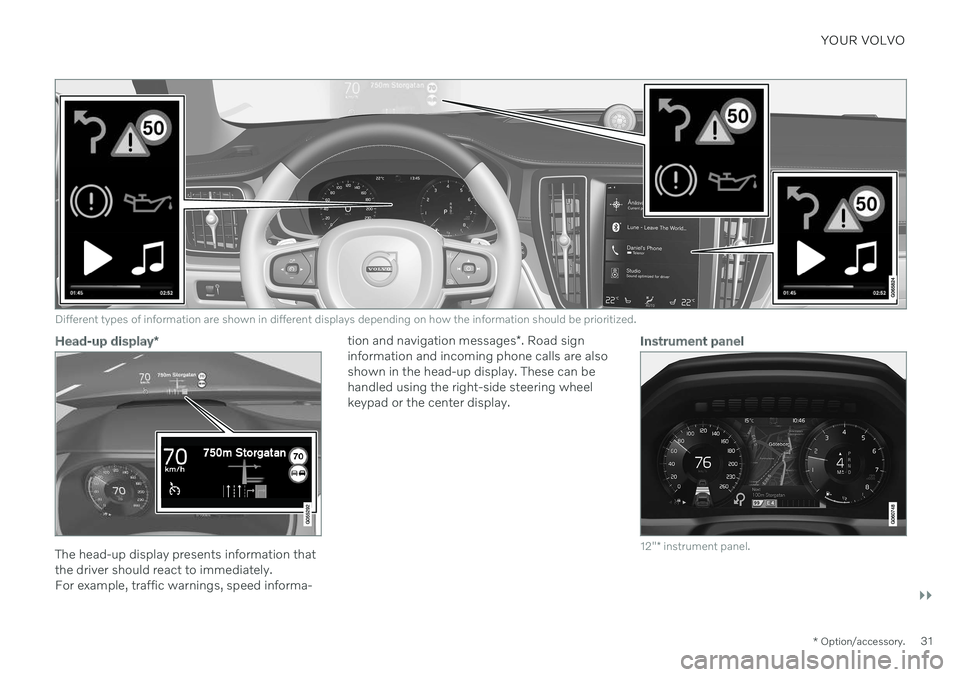
The vehicle's displays present the right infor- mation at the right time. Information is pre-sented in different displays depending on howit should be prioritized by the driver.
Page 33 of 661
YOUR VOLVO
}}
* Option/accessory.31
Different types of information are shown in different displays depending on how the information should be prioritized.
Head-up display*
The head-up display presents information that the driver should react to immediately.For example, traffic warnings, speed informa- tion and navigation messages
*. Road sign
information and incoming phone calls are alsoshown in the head-up display. These can behandled using the right-side steering wheelkeypad or the center display.
Instrument panel
12" * instrument panel.
Page 34 of 661
||
YOUR VOLVO
* Option/accessory.
32
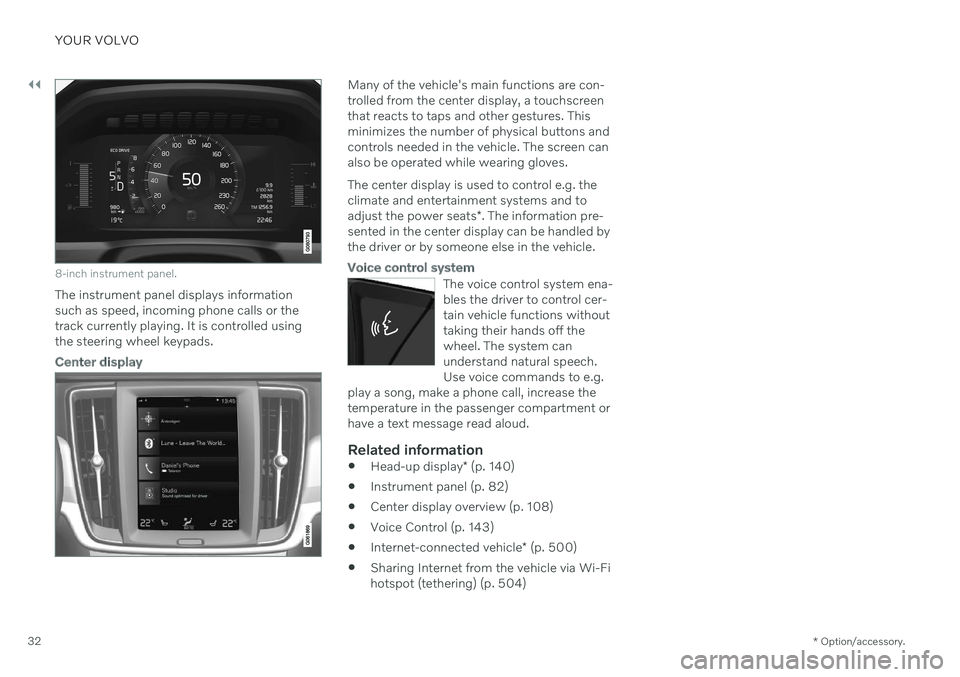
8-inch instrument panel.
The instrument panel displays information
such as speed, incoming phone calls or thetrack currently playing. It is controlled usingthe steering wheel keypads.
Center display
Many of the vehicle's main functions are con- trolled from the center display, a touchscreenthat reacts to taps and other gestures. Thisminimizes the number of physical buttons andcontrols needed in the vehicle. The screen canalso be operated while wearing gloves. The center display is used to control e.g. the climate and entertainment systems and to adjust the power seats *. The information pre-
sented in the center display can be handled by the driver or by someone else in the vehicle.
Voice control system
The voice control system ena- bles the driver to control cer-tain vehicle functions withouttaking their hands off thewheel. The system canunderstand natural speech.Use voice commands to e.g.
play a song, make a phone call, increase thetemperature in the passenger compartment orhave a text message read aloud.
Related information
Head-up display
* (p. 140)
Instrument panel (p. 82)
Center display overview (p. 108)
Voice Control (p. 143)
Internet-connected vehicle
* (p. 500)
Sharing Internet from the vehicle via Wi-Fi hotspot (tethering) (p. 504)
Page 41 of 661
YOUR VOLVO
}}
39
Viewing the Vehicle Identification Number (VIN) When contacting a Volvo retailer, about e.g. your Volvo On Call subscription, your Vehicle Identification Number (VIN5
) may be needed.
1. Tap Settings in the center display's Top
view.
2. Proceed to
SystemSystem
Information
Vehicle Identification
Number.
> The vehicle identification number will be displayed.
The VIN can also be found:
on the first page of the Warranty and Service Records Information booklet
on the vehicle's registration card
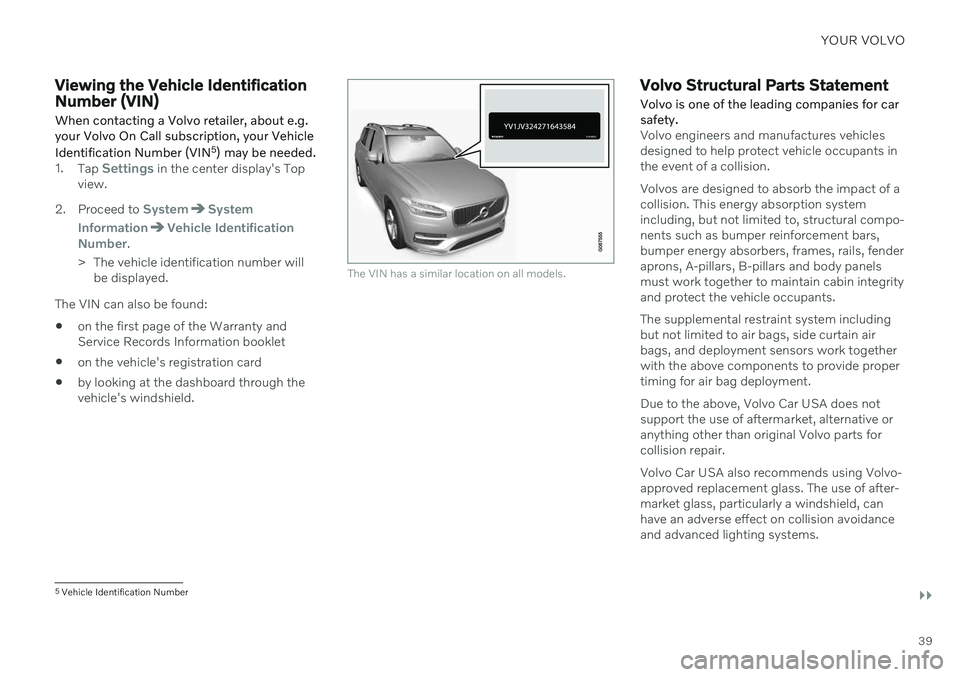
by looking at the dashboard through thevehicle's windshield.
The VIN has a similar location on all models.
Volvo Structural Parts Statement
Volvo is one of the leading companies for car safety.
Volvo engineers and manufactures vehicles designed to help protect vehicle occupants inthe event of a collision. Volvos are designed to absorb the impact of a collision. This energy absorption systemincluding, but not limited to, structural compo-nents such as bumper reinforcement bars,bumper energy absorbers, frames, rails, fenderaprons, A-pillars, B-pillars and body panelsmust work together to maintain cabin integrityand protect the vehicle occupants. The supplemental restraint system including but not limited to air bags, side curtain airbags, and deployment sensors work togetherwith the above components to provide propertiming for air bag deployment. Due to the above, Volvo Car USA does not support the use of aftermarket, alternative oranything other than original Volvo parts forcollision repair. Volvo Car USA also recommends using Volvo- approved replacement glass. The use of after-market glass, particularly a windshield, canhave an adverse effect on collision avoidanceand advanced lighting systems.
5 Vehicle Identification Number
Page 46 of 661
SAFETY
44
Safety
The vehicle is equipped with a number of safety systems that work together to helpprotect the vehicle's driver and passengers inthe event of an accident.
The vehicle is equipped with a number of sen- sors that may react in the event of an accidentand activate different safety systems, such asthe airbag system and seat belt tensioners.Depending on the specific conditions of theaccident, e.g. collisions at certain angles, over-turning or swerving, the systems react differ-ently to help provide good protection. There are also mechanical safety systems such as the Whiplash Protection System. Thevehicle is also built so that a large part of theforce of a collision is distributed to the vehi-cle's members, pillars, floor, roof and otherparts of the body. After an accident, the vehicle's safety mode may be activated if any important function inthe vehicle has been damaged.
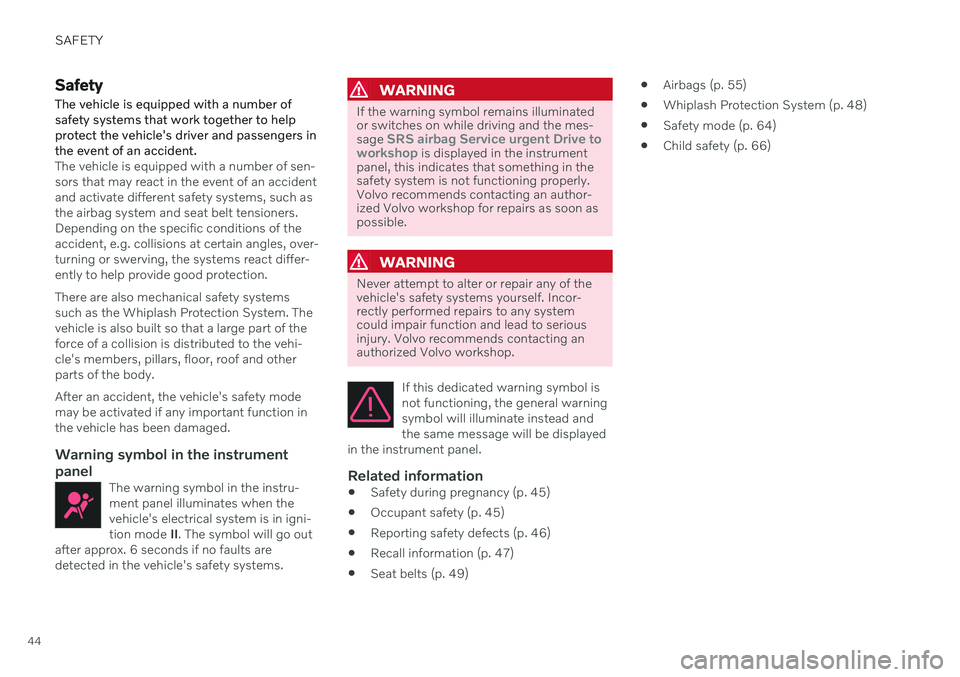
Warning symbol in the instrument
panel
The warning symbol in the instru-ment panel illuminates when thevehicle's electrical system is in igni-tion mode II. The symbol will go out
after approx. 6 seconds if no faults aredetected in the vehicle's safety systems.
WARNING
If the warning symbol remains illuminated or switches on while driving and the mes- sage
SRS airbag Service urgent Drive to
workshop is displayed in the instrument
panel, this indicates that something in the safety system is not functioning properly.Volvo recommends contacting an author-ized Volvo workshop for repairs as soon aspossible.
WARNING
Never attempt to alter or repair any of the vehicle's safety systems yourself. Incor-rectly performed repairs to any systemcould impair function and lead to seriousinjury. Volvo recommends contacting anauthorized Volvo workshop.
If this dedicated warning symbol is not functioning, the general warningsymbol will illuminate instead andthe same message will be displayed
in the instrument panel.
Related information
Safety during pregnancy (p. 45)
Occupant safety (p. 45)
Reporting safety defects (p. 46)
Recall information (p. 47)
Seat belts (p. 49)
Airbags (p. 55)
Whiplash Protection System (p. 48)
Safety mode (p. 64)
Child safety (p. 66)
Page 49 of 661
SAFETY
}}
47
(TTY: 1-800-424-9153) or write to: NHTSA, U.S. Department of Trans-portation, Washington D.C. 20590. You can also obtain other informa- tion about motor vehicle safety fromhttp://www.safercar.gov, where youcan also enter your vehicle's VIN(Vehicle Identification Number) tosee if it has any open recalls. Volvo strongly recommends that if your vehicle is covered under a serv-ice campaign, safety or emissionrecall or similar action, it should becompleted as soon as possible.Please check with your local retaileror Volvo Car USA, LLC if your vehicleis covered under these conditions. NHTSA can be reached at:Internet:http://www.nhtsa.govTelephone:1-888-DASH-2-DOT (1-888-327-4236).
Reporting safety defects in CanadaIf you believe your vehicle has a defect that could cause a crash or could cause injury ordeath, you should immediately inform Trans-port Canada in addition to notifying Volvo CarCanada Ltd.
Transport Canada can be contacted at:
1-800-333-0510 Teletypewriter (TTY): 613 990-4500 Fax: 1-819-994-3372Mailing Address: Transport Canada - Road Safety, 80 rue Noël, Gatineau, (Quebec) J8Z0A1
Related information
Safety (p. 44)
Occupant safety (p. 45)
Recall information (p. 47)
Viewing the Vehicle Identification Number(VIN) (p. 39)
Recall information
On our website, click the "Owner" tab in the upper left-hand side of the screen and thenclick on the heading "Recall Information".Enter the vehicle identification number (VIN),which can be found at the bottom of the wind-shield. If your vehicle has any open Recalls,they will be displayed on this page. You can also enter the Vehicle Identification Number in the search field on the NationalHighway Traffic Safety Administration's(NHTSA) website at: www.nhtsa.gov.
Volvo customers in Canada
For any questions regarding open recalls for your vehicle, please contact your authorizedVolvo retailer. If your retailer is unable toanswer your questions, please contact VolvoCustomer Relations at 800-663-8255, Mon-day through Friday, 8:30 A.M. to 5:00 P.M.EST or volvocars.com/ca. You may also writeus at: Volvo Car Canada Ltd.Customer Care Centre9130 Leslie Street, Suite 101Richmond Hill, Ontario L4B 0B9www.tc.gc.ca