parking brake VOLVO V60 2021 Owner's Manual
[x] Cancel search | Manufacturer: VOLVO, Model Year: 2021, Model line: V60, Model: VOLVO V60 2021Pages: 661, PDF Size: 12.68 MB
Page 399 of 661
STARTING AND DRIVING
}}
397
Brake functions
The vehicle's brakes are used to reduce speed or prevent the vehicle from rolling.
In addition to the wheel brakes and parking brakes, the vehicle is also equipped with anumber of automatic brake assist functions.These systems provide assistance by e.g. thedriver not needing to depress the brake pedalat a traffic light or when starting up a hill. Depending on how the vehicle is equipped, the following brake assist functions may beincluded:
Auto-hold brake function at a standstill(Auto Hold)
Hill Start Assist (Hill Start Assist)
Braking assist after a collision
City Safety
Related information
Brakes (p. 397)
Parking brake (p. 400)
Auto-hold brakes (p. 403)
Braking assist after a collision (p. 405)
Hill Start Assist (p. 405)
City Safety
™ (p. 323)
Brakes
The brake pedal is used to apply the vehicle's regular brakes, which are part of the brakesystem.
The vehicle is equipped with two brake cir- cuits. If one brake circuit is damaged, thebrake pedal may go down further whendepressed. More pressure will then berequired from the driver for normal brakingeffect. The driver's pressure on the brake pedal is enhanced by a power braking function.
WARNING
Power braking only functions if the engine is running.
If the brake pedal is used when the engine is turned off, the pedal will feel stiffer than usualand greater pressure must be applied to brakethe vehicle. In very hilly areas or when driving with a heavy load, manual gear shifting can be used to aug-ment the brakes with engine braking. Enginebraking is most effective if the same gear isused both uphill and downhill.
Anti-lock brakesThe vehicle is equipped with an Anti-lock Braking System (ABS 2
), which helps prevent
the wheels from locking and helps maintain steering control when braking. Vibrations maybe felt from the brake pedal when ABS isoperating, which is normal. After the vehicle is started, a brief test of the ABS system is automatically performed whenthe driver releases the brake pedal. An addi-tional automatic test of the system may beperformed when the vehicle is traveling at alow speed. During the test, the brake pedalmay feel as though it is pulsating.
2 Anti-lock Braking System
Page 402 of 661
STARTING AND DRIVING
400
Parking brake
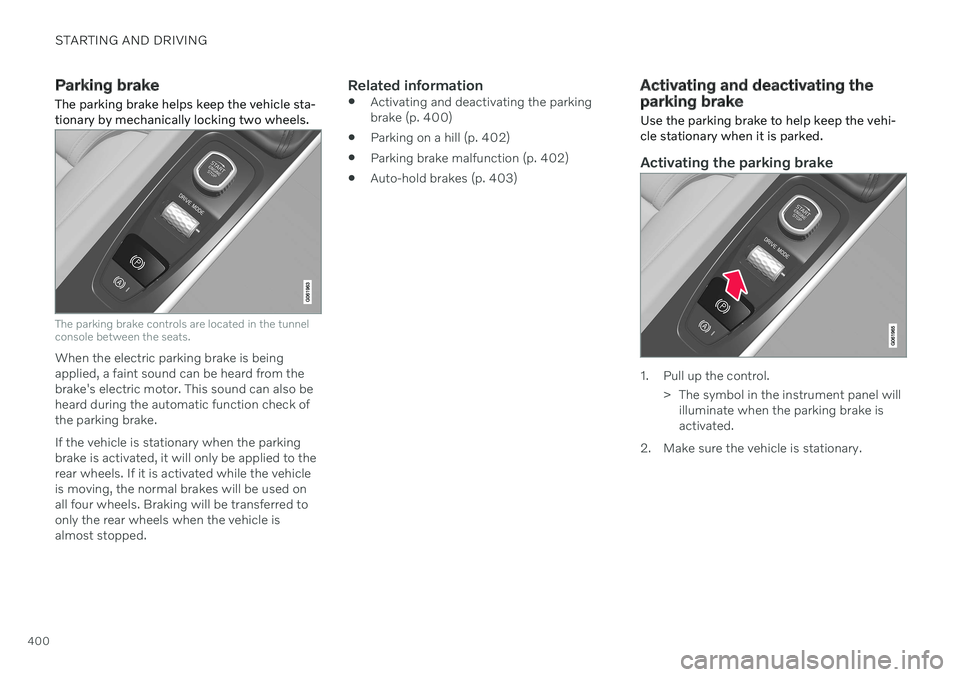
The parking brake helps keep the vehicle sta- tionary by mechanically locking two wheels.
The parking brake controls are located in the tunnel console between the seats.
When the electric parking brake is being applied, a faint sound can be heard from thebrake's electric motor. This sound can also beheard during the automatic function check ofthe parking brake. If the vehicle is stationary when the parking brake is activated, it will only be applied to therear wheels. If it is activated while the vehicleis moving, the normal brakes will be used onall four wheels. Braking will be transferred toonly the rear wheels when the vehicle isalmost stopped.
Related information
Activating and deactivating the parkingbrake (p. 400)
Parking on a hill (p. 402)
Parking brake malfunction (p. 402)
Auto-hold brakes (p. 403)
Activating and deactivating the parking brake
Use the parking brake to help keep the vehi- cle stationary when it is parked.
Activating the parking brake
1. Pull up the control.
> The symbol in the instrument panel willilluminate when the parking brake is activated.
2. Make sure the vehicle is stationary.
Page 403 of 661
STARTING AND DRIVING
401
Symbol in the instrument panel
Symbol Meaning
A
BThe symbol will be illuminated when the parking brake is acti-vated. A flashing symbol indicates that a fault has been detected. Readthe message in the instrumentpanel.
A
Canadian models.
B US models.
Automatic activation
The parking brake is applied automatically when the ignition is switched off and the setting for automatically activating theparking brake is activated in the centerdisplay.
when the gear selector is moved to
P on a
steep hill.
if the auto-hold brake (automatic brake atstandstill) function is activated and
the vehicle has been stationary for aprolonged period of time (5-10minutes).
the vehicle is switched off.
the driver has left the vehicle.
Emergency braking
In an emergency, the parking brake can be activated when the vehicle is moving by pull-ing and holding up the control. The brakingprocess is canceled when the control isreleased or if the accelerator pedal isdepressed.
NOTE
In case of emergency braking at high speeds, a signal sounds during the brakeprocedure.
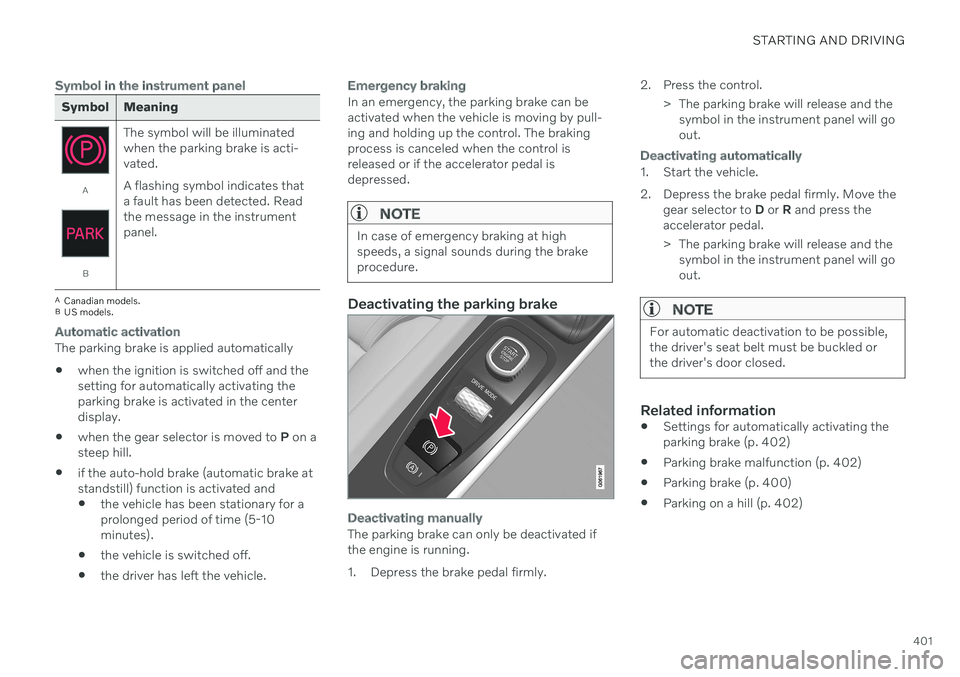
Deactivating the parking brake
Deactivating manually
The parking brake can only be deactivated if the engine is running.
1. Depress the brake pedal firmly. 2. Press the control.
> The parking brake will release and thesymbol in the instrument panel will go out.
Deactivating automatically
1. Start the vehicle.
2. Depress the brake pedal firmly. Move the gear selector to D or R and press the
accelerator pedal.
> The parking brake will release and the symbol in the instrument panel will go out.
NOTE
For automatic deactivation to be possible, the driver's seat belt must be buckled orthe driver's door closed.
Related information
Settings for automatically activating the parking brake (p. 402)
Parking brake malfunction (p. 402)
Parking brake (p. 400)
Parking on a hill (p. 402)
Page 404 of 661
STARTING AND DRIVING
402
Settings for automatically activating the parking brake Choose whether the parking brake should be activated automatically when the vehicle isswitched off.
To change this setting: 1.Tap
Settings in the center display's Top
view.
2. Tap
My CarParking Brake and
Suspension and select or deselect theAuto Activate Parking Brake function.
Related information
Activating and deactivating the parking brake (p. 400)
Parking brake (p. 400)
Parking on a hill
Always use the parking brake when parking on a hill.
WARNING
Always apply the parking brake when park- ing on an incline. Selecting a gear or put-ting the automatic transmission in P may
not be sufficient to keep the vehicle sta-tionary in all situations.
If the vehicle is pointing uphill:
Turn the front wheels so they are pointing away from
the curb.
If the vehicle is pointing downhill:
Turn the front wheels so they are pointingtoward
the curb.
Heavy load uphill
Heavy loads, such as a trailer, could cause the vehicle to roll backward when the parkingbrake is released automatically on steep uphillgradients. To help avoid this, pull the controlupward while you are driving away. Releasethe control when the vehicle gains traction.
Related information
Activating and deactivating the parkingbrake (p. 400)
Parking brake malfunction
If you are unable to deactivate or activate the parking brake after several attempts, contactan authorized Volvo workshop.
A audible warning signal will sound if the park- ing brake is activated while the vehicle isbeing driven. If the vehicle must be parked before the prob- lem is rectified, turn the wheels as when park-ing on an incline and put the gear selector inP .
Low battery charge levelIf the battery charge level is too low, it will notbe possible to activate or deactivate the park-ing brake. Connect an auxiliary battery to thevehicle if the battery is discharged.
Replacing brake padsDue to the design of the electric parkingbrake, the rear brake pads must be replacedby a workshop. An authorized Volvo workshopis recommended.
Page 405 of 661
STARTING AND DRIVING
}}
403
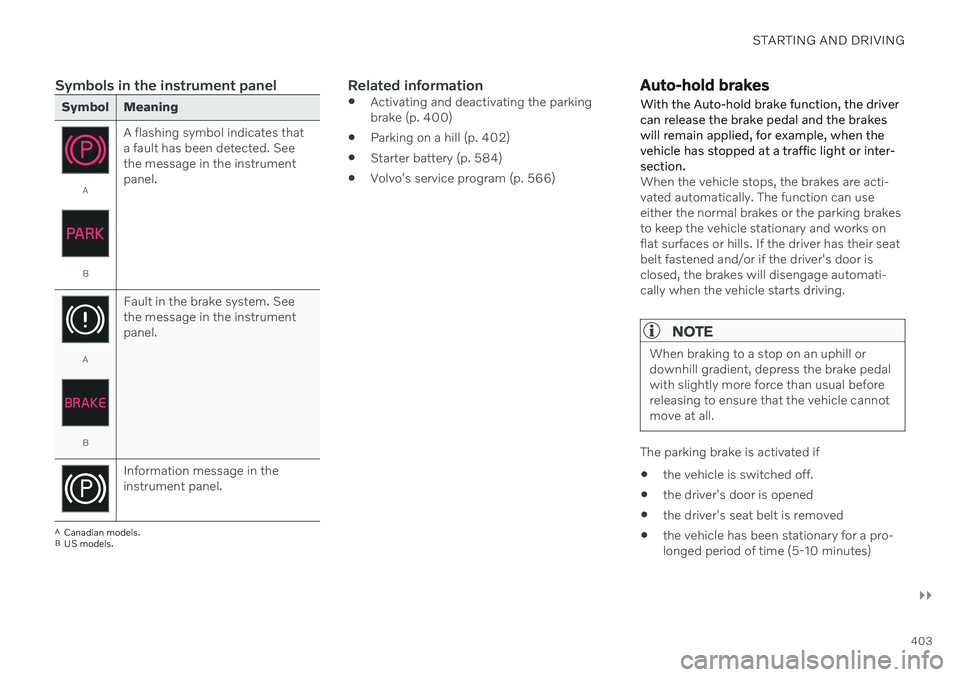
Symbols in the instrument panel
Symbol Meaning
A
BA flashing symbol indicates that a fault has been detected. Seethe message in the instrumentpanel.
A
BFault in the brake system. See the message in the instrumentpanel.
Information message in the instrument panel.
A
Canadian models.
B US models.
Related information
Activating and deactivating the parking brake (p. 400)
Parking on a hill (p. 402)
Starter battery (p. 584)
Volvo's service program (p. 566)
Auto-hold brakes
With the Auto-hold brake function, the driver can release the brake pedal and the brakeswill remain applied, for example, when thevehicle has stopped at a traffic light or inter-section.
When the vehicle stops, the brakes are acti- vated automatically. The function can useeither the normal brakes or the parking brakesto keep the vehicle stationary and works onflat surfaces or hills. If the driver has their seatbelt fastened and/or if the driver's door isclosed, the brakes will disengage automati-cally when the vehicle starts driving.
NOTE
When braking to a stop on an uphill or downhill gradient, depress the brake pedalwith slightly more force than usual beforereleasing to ensure that the vehicle cannotmove at all.
The parking brake is activated if
the vehicle is switched off.
the driver's door is opened
the driver's seat belt is removed
the vehicle has been stationary for a pro- longed period of time (5-10 minutes)
Page 406 of 661
||
STARTING AND DRIVING
404
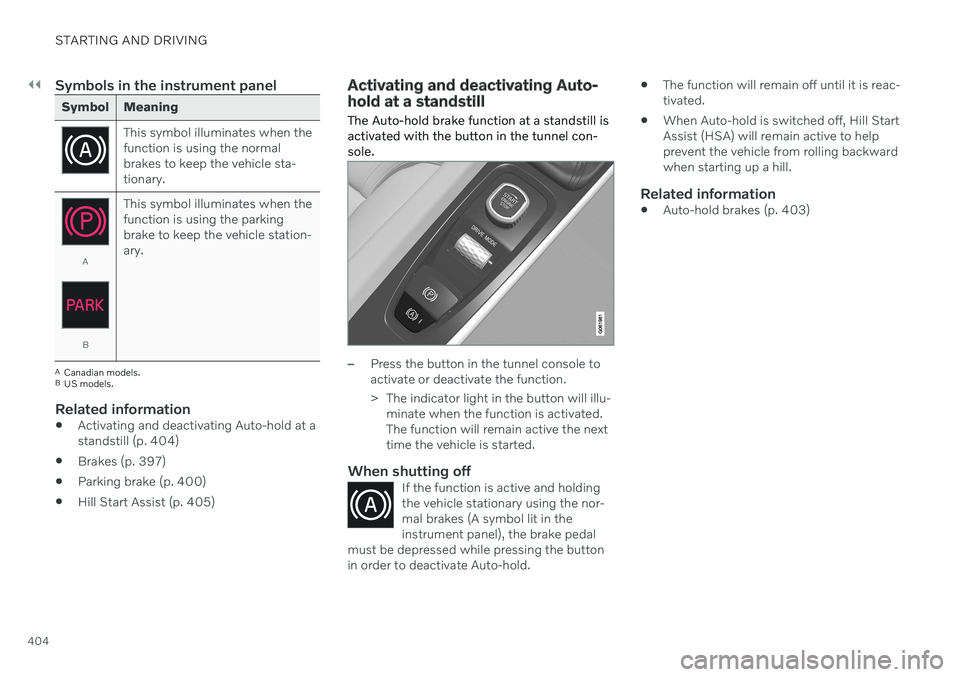
Symbols in the instrument panel
Symbol Meaning
This symbol illuminates when the function is using the normalbrakes to keep the vehicle sta-tionary.
A
BThis symbol illuminates when the function is using the parkingbrake to keep the vehicle station-ary.
A
Canadian models.
B US models.
Related information
Activating and deactivating Auto-hold at a standstill (p. 404)
Brakes (p. 397)
Parking brake (p. 400)
Hill Start Assist (p. 405)
Activating and deactivating Auto- hold at a standstill
The Auto-hold brake function at a standstill is activated with the button in the tunnel con-sole.
–Press the button in the tunnel console to activate or deactivate the function.
> The indicator light in the button will illu- minate when the function is activated. The function will remain active the nexttime the vehicle is started.
When shutting offIf the function is active and holdingthe vehicle stationary using the nor-mal brakes (A symbol lit in theinstrument panel), the brake pedal
must be depressed while pressing the buttonin order to deactivate Auto-hold.
The function will remain off until it is reac- tivated.
When Auto-hold is switched off, Hill StartAssist (HSA) will remain active to helpprevent the vehicle from rolling backwardwhen starting up a hill.
Related information
Auto-hold brakes (p. 403)
Page 409 of 661
STARTING AND DRIVING
}}
407
Shifting gears with automatic transmission
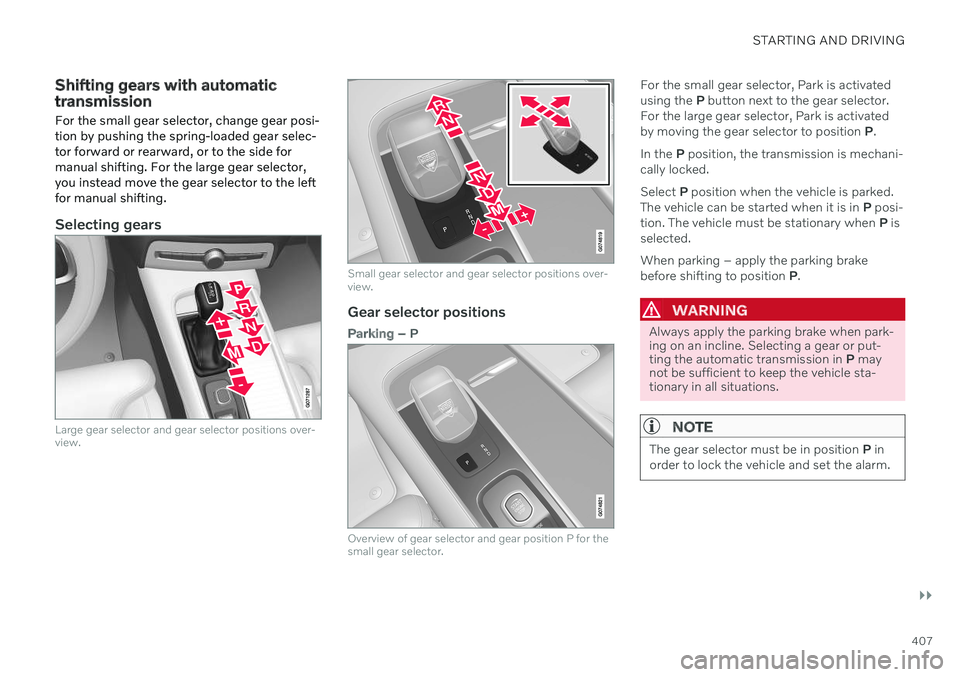
For the small gear selector, change gear posi- tion by pushing the spring-loaded gear selec-tor forward or rearward, or to the side formanual shifting. For the large gear selector,you instead move the gear selector to the leftfor manual shifting.
Selecting gears
Large gear selector and gear selector positions over- view.
Small gear selector and gear selector positions over- view.
Gear selector positions
Parking – P
Overview of gear selector and gear position P for the small gear selector.
For the small gear selector, Park is activated using the P button next to the gear selector.
For the large gear selector, Park is activatedby moving the gear selector to position P.
In the P position, the transmission is mechani-
cally locked. Select P position when the vehicle is parked.
The vehicle can be started when it is in P posi-
tion. The vehicle must be stationary when P is
selected. When parking – apply the parking brake before shifting to position P.
WARNING
Always apply the parking brake when park- ing on an incline. Selecting a gear or put-ting the automatic transmission in P may
not be sufficient to keep the vehicle sta-tionary in all situations.
NOTE
The gear selector must be in position P in
order to lock the vehicle and set the alarm.
Page 410 of 661
||
STARTING AND DRIVING
408Help functions
6
The system will switch to the P position auto-
matically:
if the ignition is switched off while
D or R
is selected.
if the driver unbuckles the seat belt and opens the driver's door while the vehicle isrunning with a gear other than
P selected.
To park a vehicle with an unbuckled seat beltand open door – end P mode by shifting to R
or D again.
If the vehicle is switched off in gear positionN , it will not automatically switch to the P
position. This makes it possible to wash thevehicle in an automatic car wash.
Reverse – R
Select R when backing up. The vehicle must
be stationary when R is selected.
Neutral – N
In N position, the vehicle can roll freely. The
vehicle can be started when it is in N position.
Apply the parking brake if the vehicle is sta- tionary with the gear selector in the N posi-
tion. To move to another gear position when N is
selected, the brake pedal must be depressed and the ignition in mode II. For vehicles with the small gear selector, the engine must berunning.
D
drive mode
D is the normal driving gear position. The
transmission shifts up or down automatically depending on acceleration and speed. The vehicle must be stationary when the gear selector is moved from R to D.
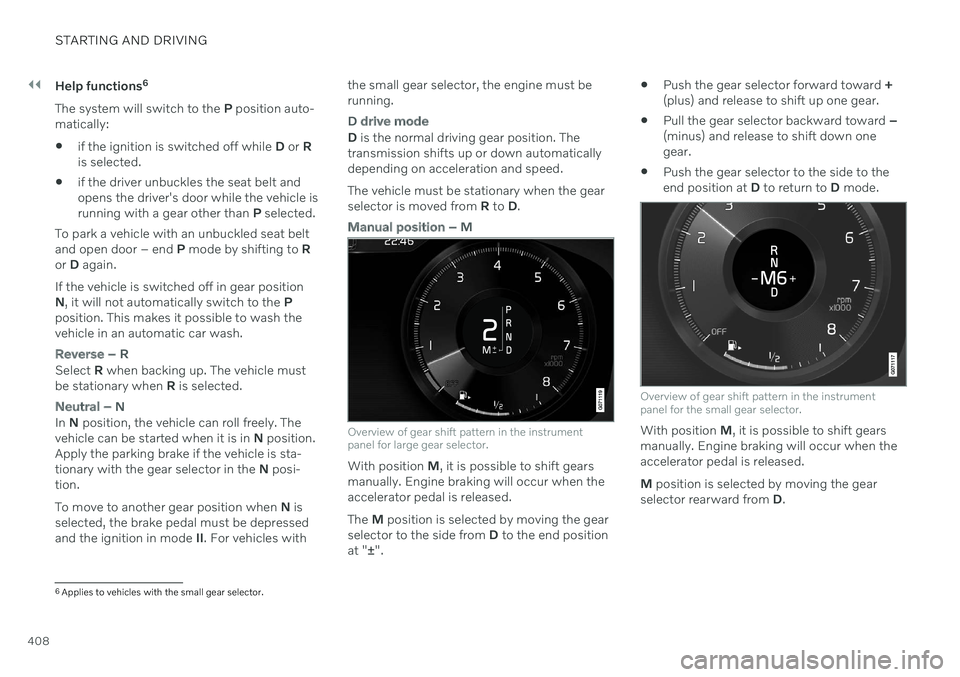
Manual position – M
Overview of gear shift pattern in the instrument panel for large gear selector.
With position M, it is possible to shift gears
manually. Engine braking will occur when the accelerator pedal is released. The M position is selected by moving the gear
selector to the side from D to the end position
at " ±".
Push the gear selector forward toward
+
(plus) and release to shift up one gear.
Pull the gear selector backward toward
–
(minus) and release to shift down one gear.
Push the gear selector to the side to theend position at
D to return to D mode.
Overview of gear shift pattern in the instrument panel for the small gear selector.
With position M, it is possible to shift gears
manually. Engine braking will occur when the accelerator pedal is released. M position is selected by moving the gear
selector rearward from D.
6
Applies to vehicles with the small gear selector.
Page 437 of 661
STARTING AND DRIVING
* Option/accessory.435
NOTE
Extreme weather conditions, towing a trailer, high altitude and lower fuel gradethan recommended are factors that cansignificantly increase the vehicle's fuel con-sumption.
Trailer weights
WARNING
Please adhere to the recommendations provided for trailer weight. If the recom-mendations are not followed, the vehicleand trailer may be difficult to control duringevasive maneuvers and braking.
NOTE
The specified maximum trailer weights are those permitted by Volvo. National vehicleregulations may set additional restrictionson trailer weight and speed. The trailerhitches may be certified for higher towingweights than the vehicle is permitted totow.
Self-leveling suspension *The vehicle's self-leveling system attempts to keep the vehicle at a constant level, regardlessof load (up to the maximum permitted weight).When the vehicle is stationary, the rear end of the vehicle will be slightly lowered, which isnormal.
Driving in hilly terrain or hot weatherIn certain conditions, there is a risk of over-heating when driving with a trailer. If overheat-ing of the engine and drive system is detected,a warning symbol will illuminate in the instru-ment panel and a message will appear. The automatic transmission adapts the gear for the current load and engine speed.
Steep inclines
Do not lock the automatic transmission into a higher gear than what the engine can handle
‒
it is not always preferable to drive in highgears at low rpm.
Parking on a hill
1. Depress the brake pedal.
2. Apply the parking brake.
3. Put the gear selector in P.
4. Release the brake pedal.Put chocks behind the wheels when the vehi- cle is parked on a hill with a trailer attached.
Starting on a hill
1. Depress the brake pedal.
2. Put the gear selector in D.
3. Release the parking brake.
4. Release the brake pedal and start driving.
Related information
Trailer Stability Assist
* (p. 436)
Checking trailer lights (p. 437)
Towing capacity and tongue weight (p. 634)
Overheating of engine and transmission(p. 430)
Page 440 of 661
STARTING AND DRIVING
438
Towing using a towline
This section refers to one vehicle being towed behind another using a towline.
Before towing another vehicle, check applica- ble speed limit regulations.
Preparations and towing
CAUTION
For some transmission variants, it is not possible to shift from P position if theengine is switched off. Contact an author-ized Volvo workshop for assistance towingor call a professional towing service.
CAUTION
Note that the vehicle must always be towed with the wheels rolling forward.
Do not tow a vehicle with automatictransmission at a speed greater than80 km/h (50 mph) or for a distancegreater than 80 km (50 miles).
WARNING
Ignition mode
II must be active – all
airbags are deactivated in ignition mode I.
Always have the remote key in thevehicle when it is towed.
WARNING
The brake and steering servos do not work when the engine is off – it takesabout 5 times more pressure on the brakepedal and steering requires much moreeffort than normal.
1. Turn on the hazard warning flashers.
2. Attach the towline to the towing eyelet.
3. Put the vehicle in ignition mode II – with-
out pressing the brake pedal, turn the start knob clockwise and hold it there for about4 seconds. Release the knob, which willautomatically return to its original position.
4. Move the gear selector to neutral (N) and release the parking brake. If the battery charge level is too low, it may not be possible to release the parkingbrake. Connect an auxiliary battery to thevehicle if the battery is discharged.
> The towing vehicle can now start driv-ing. 5. Keep the towline taut when the towing
vehicle slows down by applying light pres- sure to the brake pedal. This will helpavoid jarring movements.
6. Be prepared to apply the brakes to stop the vehicle.
Jump startingDo not tow the vehicle to start the engine. Usean auxiliary battery if the start battery's chargelevel is so low that the engine cannot bestarted.
CAUTION
Attempting to tow with the engine running could result in damage to the three-waycatalytic converter.
Related information
Attaching and removing the towing eyelet (p. 439)
Hazard warning flashers (p. 159)
Recovery (p. 440)
Jump starting using another battery(p. 431)
Selecting ignition mode (p. 396)
Transmission (p. 406)