light VOLVO V60 2021 Repair Manual
[x] Cancel search | Manufacturer: VOLVO, Model Year: 2021, Model line: V60, Model: VOLVO V60 2021Pages: 661, PDF Size: 12.68 MB
Page 221 of 661
CLIMATE CONTROL
219
Activating and deactivating the heated rear window and doormirrors The heated rear window and door mirrors are used to quickly remove condensation and icefrom the glass.
Activating and deactivating the heated rear window and door mirrors fromthe center console
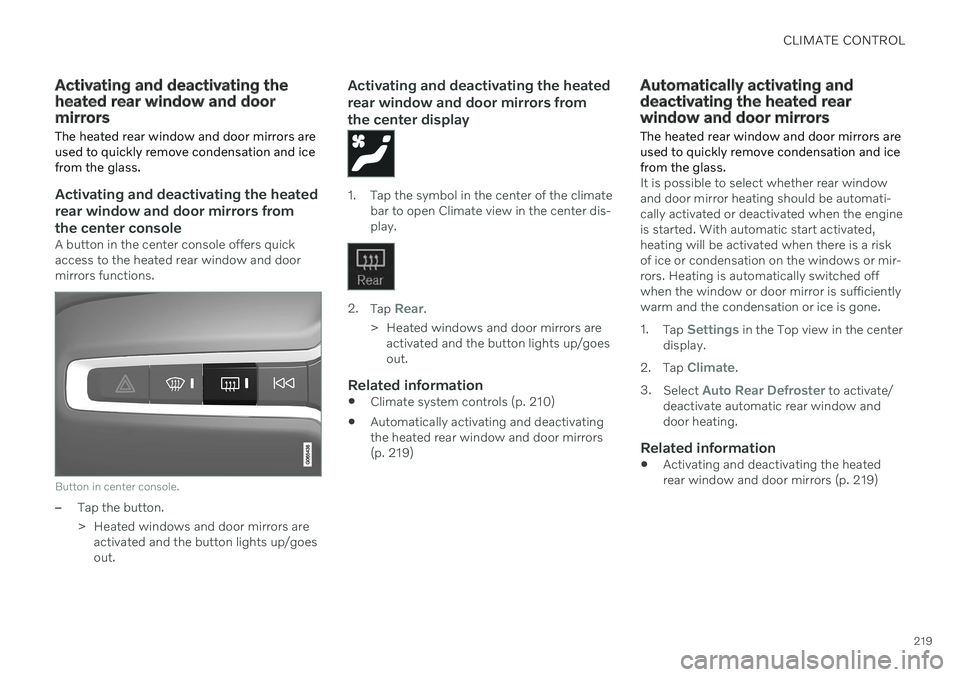
A button in the center console offers quick access to the heated rear window and doormirrors functions.
Button in center console.
–Tap the button.
> Heated windows and door mirrors areactivated and the button lights up/goes out.
Activating and deactivating the heated rear window and door mirrors fromthe center display
1. Tap the symbol in the center of the climate bar to open Climate view in the center dis- play.
2.Tap Rear.
> Heated windows and door mirrors are activated and the button lights up/goes out.
Related information
Climate system controls (p. 210)
Automatically activating and deactivatingthe heated rear window and door mirrors(p. 219)
Automatically activating and deactivating the heated rearwindow and door mirrors
The heated rear window and door mirrors are used to quickly remove condensation and icefrom the glass.
It is possible to select whether rear window and door mirror heating should be automati-cally activated or deactivated when the engineis started. With automatic start activated,heating will be activated when there is a riskof ice or condensation on the windows or mir-rors. Heating is automatically switched offwhen the window or door mirror is sufficientlywarm and the condensation or ice is gone. 1. Tap
Settings in the Top view in the center
display.
2. Tap
Climate.
3. Select
Auto Rear Defroster to activate/
deactivate automatic rear window and door heating.
Related information
Activating and deactivating the heatedrear window and door mirrors (p. 219)
Page 222 of 661
CLIMATE CONTROL
220
Setting the blower speed for the front seats4
The blower can be set to several different automatically controlled speeds for the frontseat.
1. Tap the symbol in the center of the climate bar to open Climate view in the center dis- play.
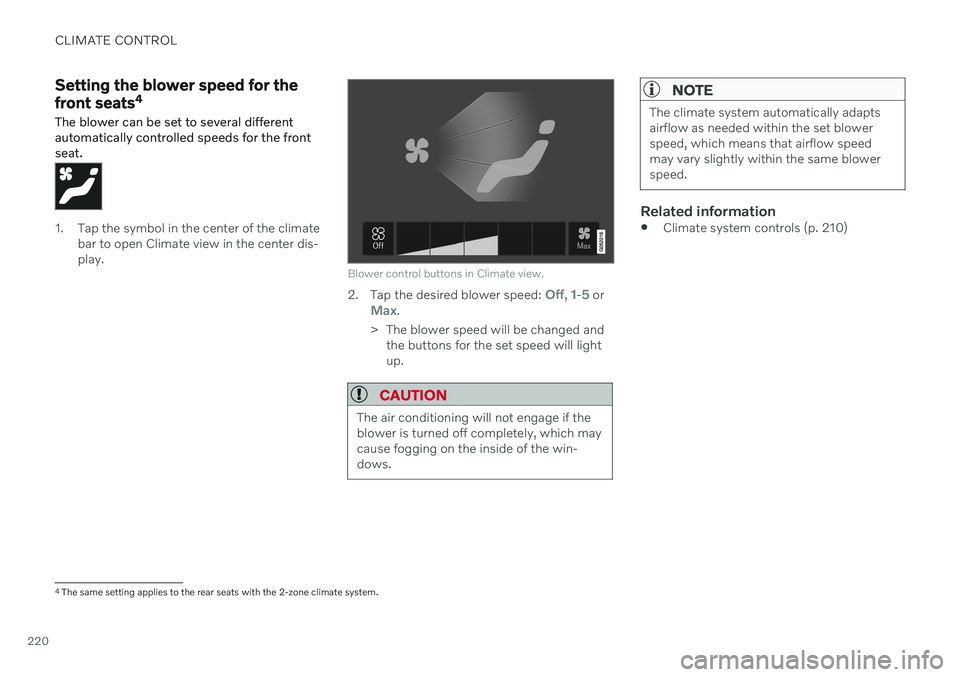
Blower control buttons in Climate view.
2.Tap the desired blower speed: Off, 1-5 orMax.
> The blower speed will be changed and the buttons for the set speed will light up.
CAUTION
The air conditioning will not engage if the blower is turned off completely, which maycause fogging on the inside of the win-dows.
NOTE
The climate system automatically adapts airflow as needed within the set blowerspeed, which means that airflow speedmay vary slightly within the same blowerspeed.
Related information
Climate system controls (p. 210)
4
The same setting applies to the rear seats with the 2-zone climate system.
Page 223 of 661
CLIMATE CONTROL
}}
* Option/accessory.221
Setting the blower speed for the rear seats*
The blower can be set to several different automatically controlled speeds for the rearseat.
Setting blower speed for the rear seats from the front seats
1. Tap the symbol in the center of the climate bar to open Climate view in the center dis- play.
2. Select the
Rear climate tab.
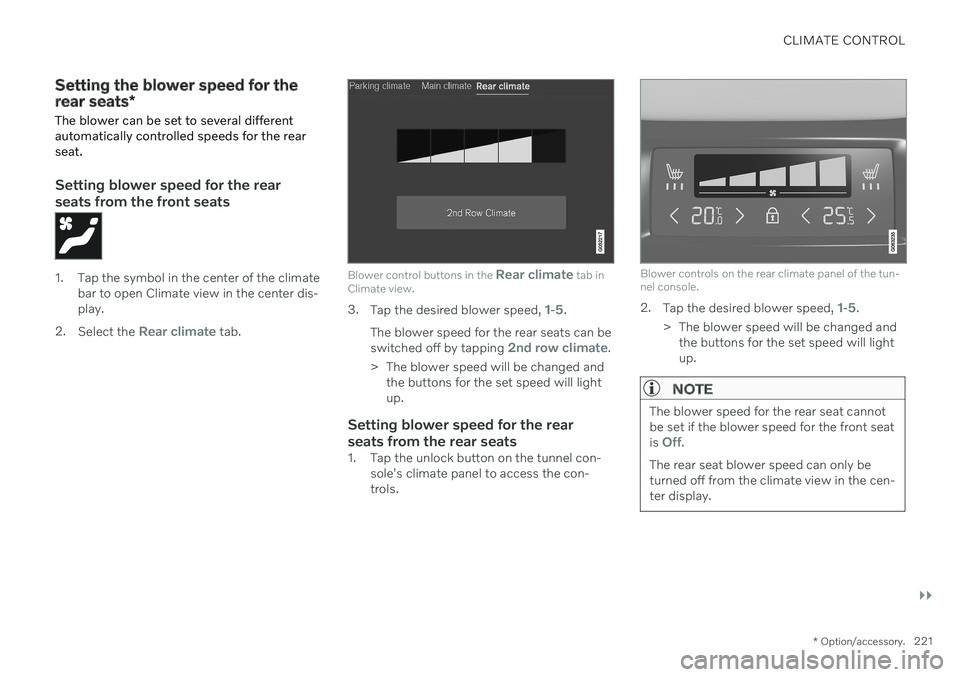
Blower control buttons in the Rear climate tab in
Climate view.
3. Tap the desired blower speed, 1-5.
The blower speed for the rear seats can be switched off by tapping
2nd row climate.
> The blower speed will be changed and the buttons for the set speed will light up.
Setting blower speed for the rear seats from the rear seats
1. Tap the unlock button on the tunnel con- sole's climate panel to access the con- trols.
Blower controls on the rear climate panel of the tun- nel console.
2.Tap the desired blower speed, 1-5.
> The blower speed will be changed and the buttons for the set speed will light up.
NOTE
The blower speed for the rear seat cannot be set if the blower speed for the front seat is
Off.
The rear seat blower speed can only be turned off from the climate view in the cen-ter display.
Page 224 of 661
||
CLIMATE CONTROL
222
NOTE
The climate system automatically adapts airflow as needed within the set blowerspeed, which means that airflow speedmay vary slightly within the same blowerspeed.
Related information
Climate system controls (p. 210)
Setting the temperature for the front seats 5
The temperature can be set to the desired number of degrees for the front seat climatezones.
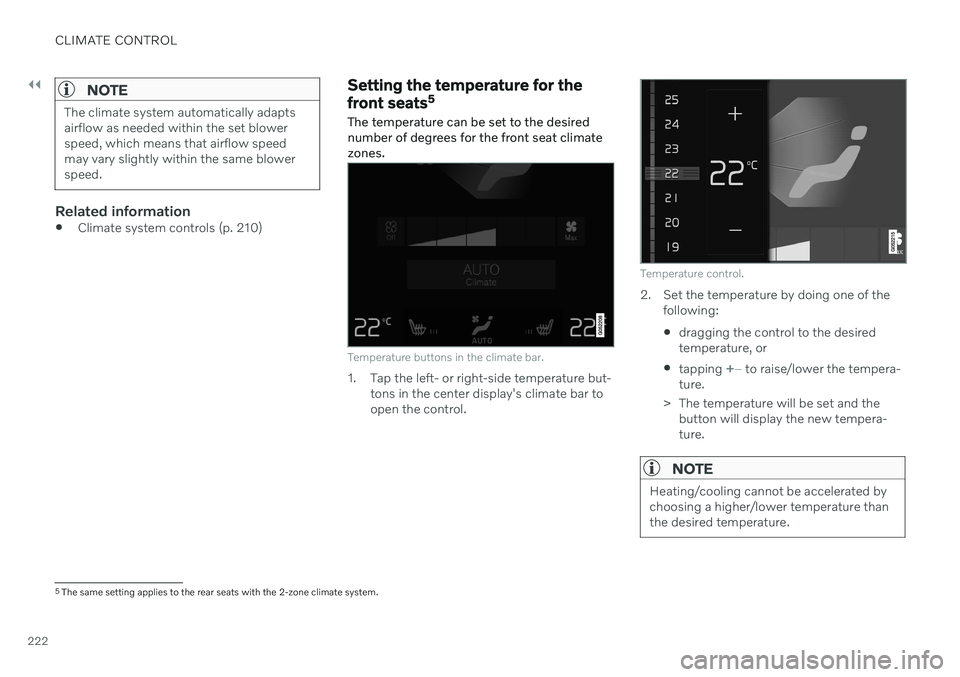
Temperature buttons in the climate bar.
1. Tap the left- or right-side temperature but- tons in the center display's climate bar to open the control.
Temperature control.
2. Set the temperature by doing one of thefollowing:
dragging the control to the desired temperature, or
tapping
+
− to raise/lower the tempera-
ture.
> The temperature will be set and the button will display the new tempera- ture.
NOTE
Heating/cooling cannot be accelerated by choosing a higher/lower temperature thanthe desired temperature.
5The same setting applies to the rear seats with the 2-zone climate system.
Page 227 of 661
CLIMATE CONTROL
* Option/accessory.225
Related information
Climate system controls (p. 210)
Activating and deactivating air conditioning
The air conditioning cools and dehumidifies incoming air as needed.
When the air conditioning is activated, it will be switched on and off automatically by theclimate system as needed.
1. Tap the symbol in the center of the climate bar to open Climate view in the center dis- play.
2.Tap AC.
> Air conditioning is activated/deacti- vated and the button lights up/goes out.
NOTE
For optimal air conditioning function, close all the side windows and the panoramic roof *.
NOTE
The air conditioning cannot be activated when the fan speed is set to Off.
Related information
Climate system controls (p. 210)
Page 228 of 661

CLIMATE CONTROL
* Option/accessory.
226
Parking climate *
Parking climate is an umbrella term for vari- ous functions that improve the passengercompartment climate when the vehicle isparked, e.g. preconditioning.
Parking climate functions are con- trolled from the Parking climate tab
in the center display's Climate view. Tap the symbol in the center of the
climate bar to open Climate view.
Related information
Climate (p. 198)
Preconditioning
* (p. 226)
Pre-cleaning
* (p. 230)
Climate comfort retaining function
*
(p. 231)
Parking climate symbols and messages
*
(p. 233)
Preconditioning *
Preconditioning is a climate function that, if possible, attempts to achieve a comfortabletemperature in the passenger compartmentbefore driving.
Preconditioning can be started immediately or started at a preset time using a timer. In warm weather, the climate system venti- lates the passenger compartment by blowingair in from outside. The function cannot heatthe passenger compartment.
NOTE
During preconditioning of the passenger compartment, the vehicle works to reach acomfortable temperature and not the tem-perature set in the climate system.
NOTE
Pre-cleaning * starts automatically when
preconditioning is complete.
Related information
Parking climate
* (p. 226)
Starting and stopping preconditioning
*
(p. 226)
Preconditioning timer
* (p. 227)
Pre-cleaning
* (p. 230)
Starting and stopping preconditioning *
Preconditioning ventilates the passenger compartment, if possible, before driving. Thefunction can be started in the center displayor from a cellular phone.
Starting and stopping from the vehicle
1. Tap the symbol in the center of the climate bar to open Climate view in the center dis- play.
2. Select the
Parking climate tab.
3. Tap
Start Pre-con. & Cleaning.
> Preconditioning starts/stops and the button lights up/goes out.
NOTE
The vehicle doors and windows should be closed during preconditioning of the pas-senger compartment.
NOTE
Pre-cleaning * starts automatically when
preconditioning is complete.
Page 230 of 661
||
CLIMATE CONTROL
* Option/accessory.
228 3.
Tap
Add timer.
> A pop-up window will appear.
NOTE
It is not possible to add a time setting if there are already 8 settings for the timer.Delete a time setting to be able to add anew one.
4. Tap Date to set a time for a specific date.
Tap
Days to set a time for one or more
days of the week. With
Days: Activate/deactivate the repeat
function by selecting/deselecting the
Repeat weekly checkbox.
5. With
Date: Select a date for precondition-
ing by scrolling in the date list using the arrows. With
Days: Select days of the week for
preconditioning by tapping the buttons for the days.
6. Set the time at which preconditioning should be completed by scrolling usingthe arrows in the clock.
7. Tap
Confirm to add a timer setting.
> The timer setting will be added to the list and activated.
Editing the timer setting1. Open Climate view in the center display. 2. Select the
Parking climate tab.
3. Tap the timer setting you would like to change.
> A pop-up window will appear.
4. To edit a timer setting, follow the proce- dures described under the heading "Add- ing a timer setting" above.
Related information
Preconditioning
* (p. 226)
Preconditioning timer
* (p. 227)
Activating and deactivating precondition- ing timer
* (p. 228)
Deleting preconditioning timer settings
*
(p. 229)
Activating and deactivating preconditioning timer *
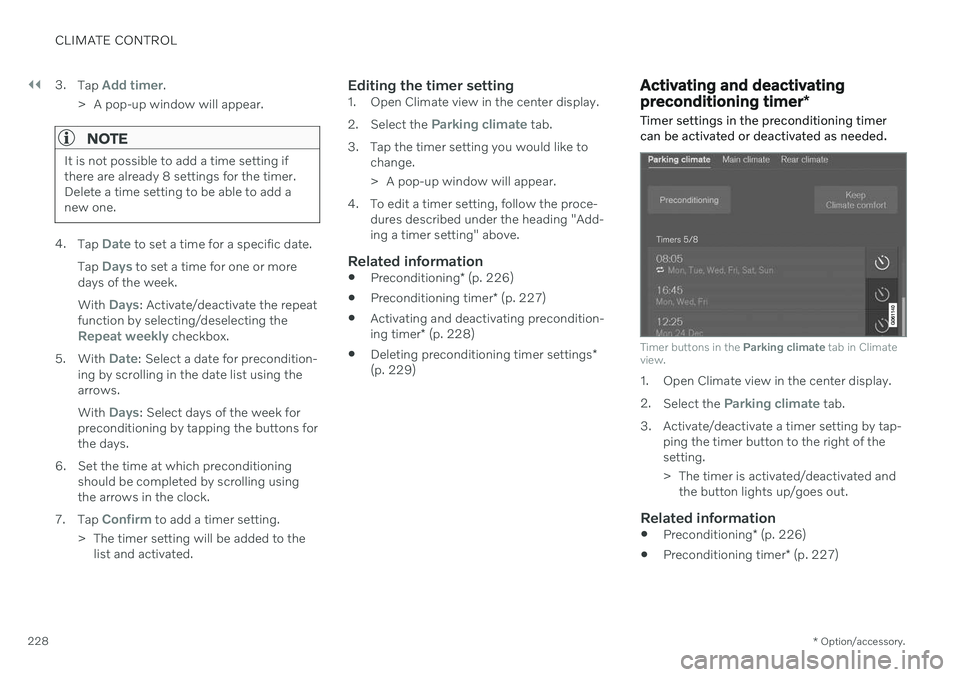
Timer settings in the preconditioning timer can be activated or deactivated as needed.
Timer buttons in the Parking climate tab in Climate
view.
1. Open Climate view in the center display. 2. Select the
Parking climate tab.
3. Activate/deactivate a timer setting by tap- ping the timer button to the right of the setting.
> The timer is activated/deactivated andthe button lights up/goes out.
Related information
Preconditioning
* (p. 226)
Preconditioning timer
* (p. 227)
Page 232 of 661
CLIMATE CONTROL
* Option/accessory.
230
Pre-cleaning *
Pre-cleaning of the vehicle before driving is used to improve the air quality in the passen-ger compartment.
It is only possible to activate pre-cleaning manually from the center display, but the func-tion is also started automatically when pre-conditioning has finished. The function uses the ventilation system to blow fresh air into the passenger compart-ment and then circulates the air through theclimate system's passenger compartment airfilter.
Related information
Parking climate
* (p. 226)
Starting and stopping pre-cleaning
*
(p. 230)
Preconditioning
* (p. 226)
Starting and stopping pre- cleaning *
Pre-cleaning improves the air quality in the
passenger compartment before driving. The function can be started in the center displayor from a cellular phone.
Starting and stopping from the vehicle
1. Tap the symbol in the center of the climate bar to open Climate view in the center dis- play.
2. Select the
Parking climate tab.
3. Tap
Start Pre-cleaning.
> Pre-cleaning starts/stops and the but- ton lights up/goes out.
Starting from app *A device with the Volvo On Call * app can be
used to start pre-cleaning or check settings.
NOTE
Precleaning always starts automatically when preconditioning is complete.
Related information
Parking climate
* (p. 226)
Pre-cleaning
* (p. 230)
Preconditioning
* (p. 226)
Page 233 of 661
CLIMATE CONTROL
}}
* Option/accessory.231
Climate comfort retaining function*
The climate in the passenger compartment can be maintained when the vehicle isparked, e.g. if the engine is turned off but thedriver or passengers remain in the vehicle.
This function can only be direct-started from the center display. The function utilizes several of the vehicle's systems:
Residual heat from the engine is used tohelp heat the passenger compartment to acomfortable temperature.
In warm weather, the ventilation systemcools the passenger compartment byblowing air in from outside.
NOTE
Climate comfort maintenance will be deac- tivated if the vehicle is locked from the out-side in order to avoid using residual engineheat unnecessarily. This function isintended to be used to maintain climatecomfort when the driver or a passengerremains in the vehicle after the engine isturned off. The climate comfort retaining function is limited in duration in cold weather depend-ing on the amount of residual warmthavailable.
Related information
Parking climate
* (p. 226)
Starting and switching off the climate retaining function when parking
* (p. 231)
Starting and switching off the climate retaining function when parking *
The climate retaining function maintains the climate settings in the vehicle after theengine has been switched off. The functioncan be activated in the center display.
1. Tap the symbol in the center of the climate bar to open Climate view in the center dis- play.
2. Select the
Parking climate tab.
3. Tap
Keep climate comfort.
> The climate comfort retaining function will be activated/deactivated and the button light will go on/off.
NOTE
Maintained climate comfort is not possible when there is not sufficient residual engineheat to maintain the climate settings in thepassenger compartment, or if the outsidetemperature is above approximately 20 °C(68 °F).
Page 238 of 661
KEY, LOCKS AND ALARM
* Option/accessory.
236
Locking and unlocking
The vehicle can be locked and unlocked in several different ways.
The vehicle can be locked and unlocked
using the buttons on the remote key
with the detachable key blade (if the bat- tery in the remote key is discharged)
keyless
* (Passive Entry), the remote key
must be within range
from inside the vehicle using the lock con-trols in the doors
remote door unlocking with Volvo On Call.
There are also several types of remote keysthat can be used. For vehicles equipped with keyless locking and unlocking *, a smaller, lighter and button-
less key is provided (Key Tag). A Care Key * (restricted key) makes it possible
to set restrictions for some of the vehicle's functions e.g. maximum speed and maximumaudio system volume.
Related information
Locking and unlocking using the remotekey (p. 241)
Keyless locking and unlocking
* (p. 255)
Locking and unlocking from inside thevehicle (p. 258)
Private Locking (p. 264)
Alarm (p. 266)
Lock indication
The turn signals will flash when the vehicle is locked or unlocked.
Exterior confirmationLocking
The turn signals will flash once and the door mirrors will fold in 1
to confirm the
vehicle is locked.
Unlocking
The turn signals will flash twice and thedoor mirrors will fold out 1
to confirm the
vehicle is unlocked.
The tailgate, hood and all doors must be closed for confirmation to be given. If only thedriver's door is closed when the vehicle is locked 2
, the vehicle will be locked but the turn
signals will only flash to indicate locking when all doors and the tailgate and hood have beenclosed.