light VOLVO V60 2021 Owners Manual
[x] Cancel search | Manufacturer: VOLVO, Model Year: 2021, Model line: V60, Model: VOLVO V60 2021Pages: 661, PDF Size: 12.68 MB
Page 319 of 661
DRIVER SUPPORT
}}
317
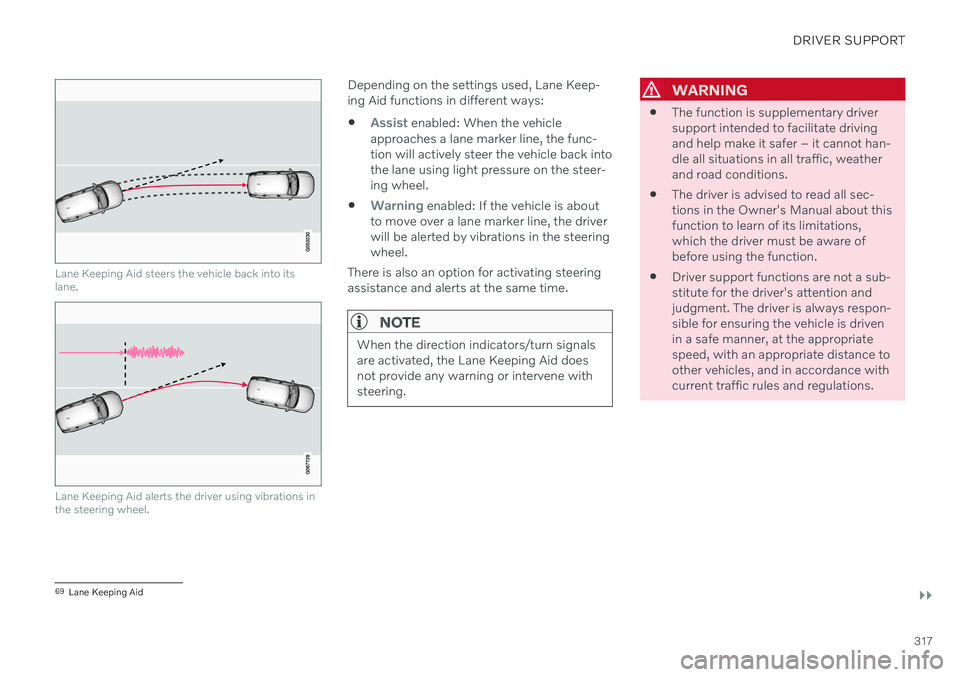
Lane Keeping Aid steers the vehicle back into its lane.
Lane Keeping Aid alerts the driver using vibrations in the steering wheel.
Depending on the settings used, Lane Keep- ing Aid functions in different ways:
Assist enabled: When the vehicle
approaches a lane marker line, the func- tion will actively steer the vehicle back intothe lane using light pressure on the steer-ing wheel.
Warning enabled: If the vehicle is about
to move over a lane marker line, the driver will be alerted by vibrations in the steeringwheel.
There is also an option for activating steeringassistance and alerts at the same time.
NOTE
When the direction indicators/turn signals are activated, the Lane Keeping Aid doesnot provide any warning or intervene withsteering.
WARNING
The function is supplementary driver support intended to facilitate drivingand help make it safer – it cannot han-dle all situations in all traffic, weatherand road conditions.
The driver is advised to read all sec-tions in the Owner's Manual about thisfunction to learn of its limitations,which the driver must be aware ofbefore using the function.
Driver support functions are not a sub-stitute for the driver's attention andjudgment. The driver is always respon-sible for ensuring the vehicle is drivenin a safe manner, at the appropriatespeed, with an appropriate distance toother vehicles, and in accordance withcurrent traffic rules and regulations.
69
Lane Keeping Aid
Page 320 of 661
||
DRIVER SUPPORT
318
Lane Keeping Aid does not intervene
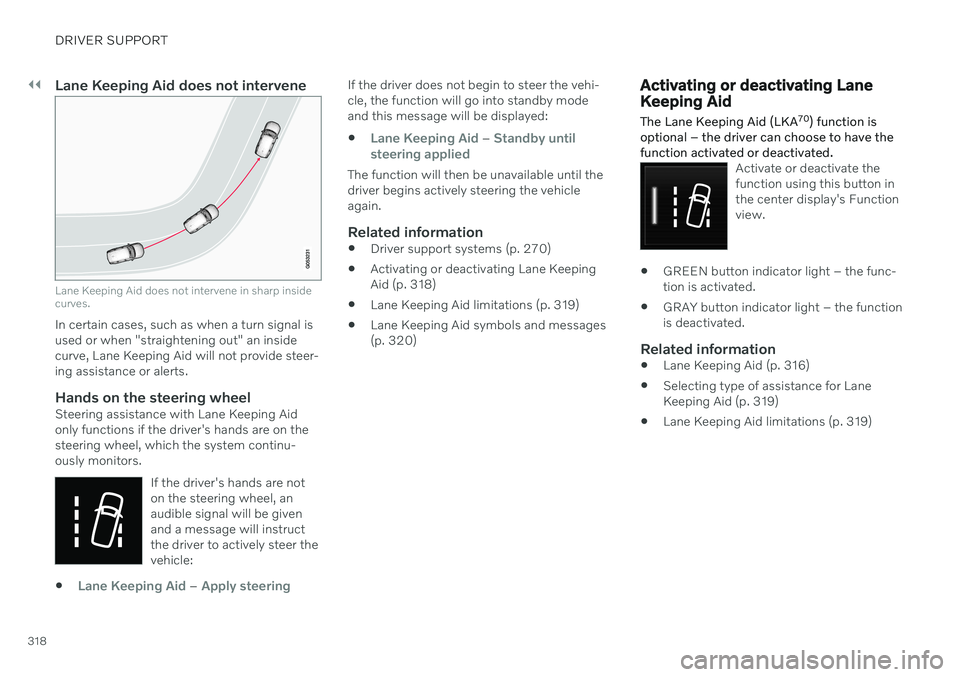
Lane Keeping Aid does not intervene in sharp inside curves.
In certain cases, such as when a turn signal is used or when "straightening out" an insidecurve, Lane Keeping Aid will not provide steer-ing assistance or alerts.
Hands on the steering wheelSteering assistance with Lane Keeping Aidonly functions if the driver's hands are on thesteering wheel, which the system continu-ously monitors.If the driver's hands are noton the steering wheel, anaudible signal will be givenand a message will instructthe driver to actively steer thevehicle:
Lane Keeping Aid – Apply steering
If the driver does not begin to steer the vehi- cle, the function will go into standby modeand this message will be displayed:
Lane Keeping Aid – Standby until
steering applied
The function will then be unavailable until the driver begins actively steering the vehicleagain.
Related information
Driver support systems (p. 270)
Activating or deactivating Lane KeepingAid (p. 318)
Lane Keeping Aid limitations (p. 319)
Lane Keeping Aid symbols and messages(p. 320)
Activating or deactivating Lane Keeping Aid
The Lane Keeping Aid (LKA 70
) function is
optional – the driver can choose to have the function activated or deactivated.
Activate or deactivate the function using this button inthe center display's Functionview.
GREEN button indicator light – the func- tion is activated.
GRAY button indicator light – the functionis deactivated.
Related information
Lane Keeping Aid (p. 316)
Selecting type of assistance for LaneKeeping Aid (p. 319)
Lane Keeping Aid limitations (p. 319)
Page 325 of 661
DRIVER SUPPORT
}}
323
City Safety™
City Safety 75
can alert the driver with light,
sound and pulsations in the brake pedal to help the driver detect pedestrians, cyclists,large animals and vehicles.
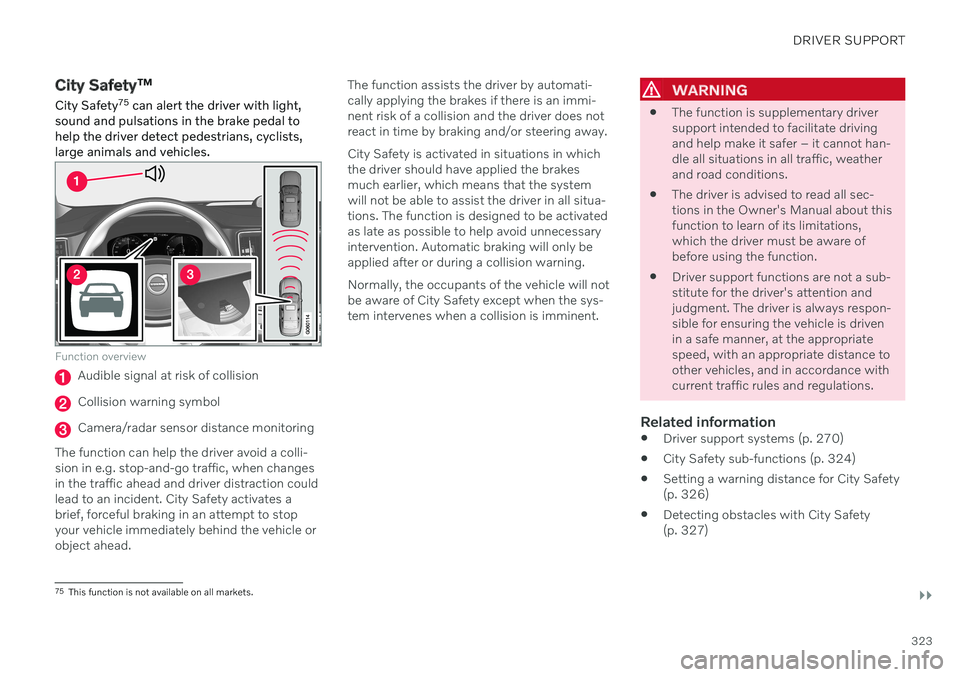
Function overview
Audible signal at risk of collision
Collision warning symbol
Camera/radar sensor distance monitoring
The function can help the driver avoid a colli- sion in e.g. stop-and-go traffic, when changesin the traffic ahead and driver distraction couldlead to an incident. City Safety activates abrief, forceful braking in an attempt to stopyour vehicle immediately behind the vehicle orobject ahead. The function assists the driver by automati-cally applying the brakes if there is an immi-nent risk of a collision and the driver does notreact in time by braking and/or steering away. City Safety is activated in situations in which the driver should have applied the brakesmuch earlier, which means that the systemwill not be able to assist the driver in all situa-tions. The function is designed to be activatedas late as possible to help avoid unnecessaryintervention. Automatic braking will only beapplied after or during a collision warning. Normally, the occupants of the vehicle will not be aware of City Safety except when the sys-tem intervenes when a collision is imminent.
WARNING
The function is supplementary driver support intended to facilitate drivingand help make it safer – it cannot han-dle all situations in all traffic, weatherand road conditions.
The driver is advised to read all sec-tions in the Owner's Manual about thisfunction to learn of its limitations,which the driver must be aware ofbefore using the function.
Driver support functions are not a sub-stitute for the driver's attention andjudgment. The driver is always respon-sible for ensuring the vehicle is drivenin a safe manner, at the appropriatespeed, with an appropriate distance toother vehicles, and in accordance withcurrent traffic rules and regulations.
Related information
Driver support systems (p. 270)
City Safety sub-functions (p. 324)
Setting a warning distance for City Safety(p. 326)
Detecting obstacles with City Safety(p. 327)
75
This function is not available on all markets.
Page 327 of 661
DRIVER SUPPORT
}}
* Option/accessory.325
1 - Collision warning
The driver is first alerted to the risk of an immi- nent collision. In vehicles equipped with a head-up display *,
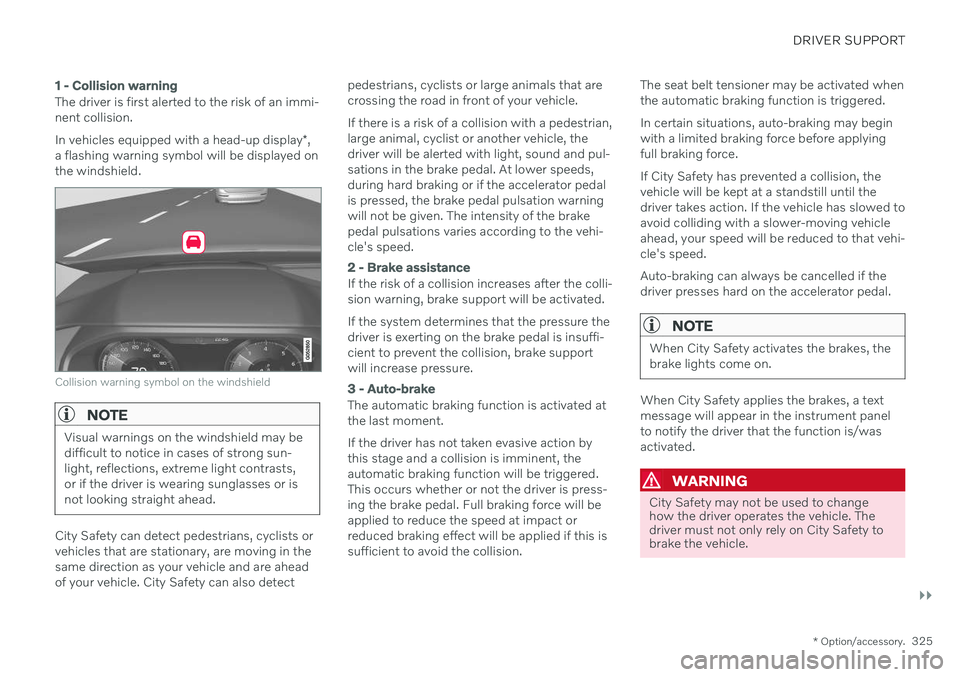
a flashing warning symbol will be displayed on the windshield.
Collision warning symbol on the windshield
NOTE
Visual warnings on the windshield may be difficult to notice in cases of strong sun-light, reflections, extreme light contrasts,or if the driver is wearing sunglasses or isnot looking straight ahead.
City Safety can detect pedestrians, cyclists or vehicles that are stationary, are moving in thesame direction as your vehicle and are aheadof your vehicle. City Safety can also detect pedestrians, cyclists or large animals that arecrossing the road in front of your vehicle. If there is a risk of a collision with a pedestrian, large animal, cyclist or another vehicle, thedriver will be alerted with light, sound and pul-sations in the brake pedal. At lower speeds,during hard braking or if the accelerator pedalis pressed, the brake pedal pulsation warningwill not be given. The intensity of the brakepedal pulsations varies according to the vehi-cle's speed.
2 - Brake assistance
If the risk of a collision increases after the colli- sion warning, brake support will be activated. If the system determines that the pressure the driver is exerting on the brake pedal is insuffi-cient to prevent the collision, brake supportwill increase pressure.
3 - Auto-brake
The automatic braking function is activated at the last moment. If the driver has not taken evasive action by this stage and a collision is imminent, theautomatic braking function will be triggered.This occurs whether or not the driver is press-ing the brake pedal. Full braking force will beapplied to reduce the speed at impact orreduced braking effect will be applied if this issufficient to avoid the collision.
The seat belt tensioner may be activated whenthe automatic braking function is triggered. In certain situations, auto-braking may begin with a limited braking force before applyingfull braking force. If City Safety has prevented a collision, the vehicle will be kept at a standstill until thedriver takes action. If the vehicle has slowed toavoid colliding with a slower-moving vehicleahead, your speed will be reduced to that vehi-cle's speed. Auto-braking can always be cancelled if the driver presses hard on the accelerator pedal.
NOTE
When City Safety activates the brakes, the brake lights come on.
When City Safety applies the brakes, a text message will appear in the instrument panelto notify the driver that the function is/wasactivated.
WARNING
City Safety may not be used to change how the driver operates the vehicle. Thedriver must not only rely on City Safety tobrake the vehicle.
Page 328 of 661
||
DRIVER SUPPORT
* Option/accessory.
326
Related information
City Safety
™ (p. 323)
City Safety in crossing traffic (p. 329)
City Safety braking for oncoming vehicles (p. 332)
City Safety limitations (p. 333)
Head-up display
* (p. 140)
Seat belt tensioners (p. 52)
Setting a warning distance for City Safety
City Safety 77
is always active, but the func-
tion's warning distance can be adjusted.
NOTE
The City Safety function cannot be deacti- vated. It is activated automatically eachtime the engine/electric motor is started.
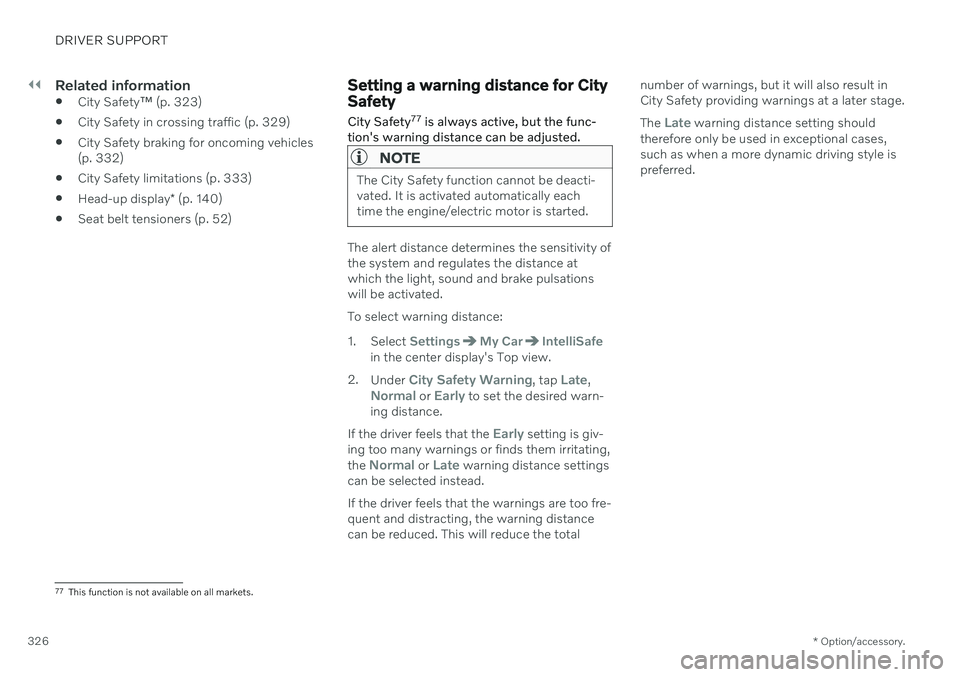
The alert distance determines the sensitivity of the system and regulates the distance atwhich the light, sound and brake pulsationswill be activated. To select warning distance:
1. Select
SettingsMy CarIntelliSafein the center display's Top view.
2. Under
City Safety Warning, tap Late,Normal or Early to set the desired warn-
ing distance.
If the driver feels that the
Early setting is giv-
ing too many warnings or finds them irritating, the
Normal or Late warning distance settings
can be selected instead. If the driver feels that the warnings are too fre- quent and distracting, the warning distancecan be reduced. This will reduce the total number of warnings, but it will also result inCity Safety providing warnings at a later stage. The
Late warning distance setting should
therefore only be used in exceptional cases, such as when a more dynamic driving style ispreferred.
77 This function is not available on all markets.
Page 329 of 661
DRIVER SUPPORT
}}
* Option/accessory.327
WARNING
No automatic system can guarantee 100% correct function in all situations.You should therefore never test use ofCity Safety in the direction of people,animals or vehicles – this could lead tosevere damage, serious personal injuryor even death.
City Safety warns the driver if there is arisk of collision, but the function cannotreduce the driver's reaction time.
Even if the warning distance has been set to
Early, warnings may be per-
ceived as late in certain situations – e.g. when there are large speed differ-ences or if the vehicle ahead suddenlybrakes heavily.
With the warning distance set to
Early,
warnings come further in advance. This may cause the warnings to come morefrequently than with warning distance
Normal, but is recommended since it
can make City Safety more effective.
Related information
City Safety
™ (p. 323)
City Safety limitations (p. 333)
Rear Collision Warning
* (p. 343)
Detecting obstacles with City Safety
City Safety 78
can help the driver detect other
vehicles, cyclists, large animals and pedes- trians.
VehiclesCity Safety can detect most vehicles that are stationary or are moving in the same directionas your vehicle. In some cases, it can alsodetect oncoming vehicles and crossing traffic. For City Safety to be able to detect a vehicle in the dark, its headlights and taillights must beon and clearly visible.
Cyclists
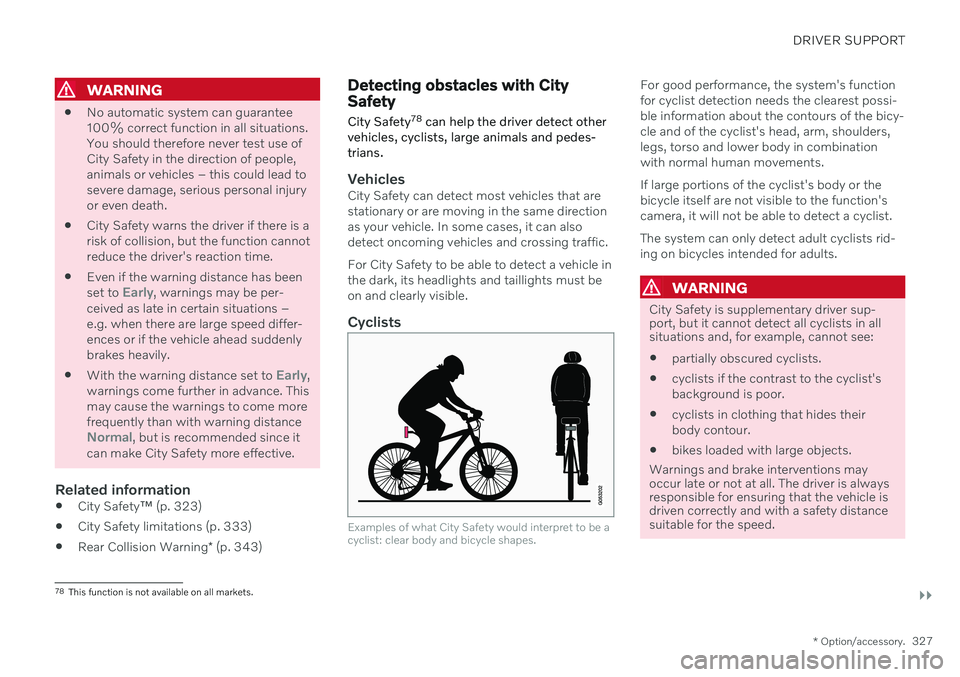
Examples of what City Safety would interpret to be a cyclist: clear body and bicycle shapes.
For good performance, the system's function for cyclist detection needs the clearest possi-ble information about the contours of the bicy-cle and of the cyclist's head, arm, shoulders,legs, torso and lower body in combinationwith normal human movements. If large portions of the cyclist's body or the bicycle itself are not visible to the function'scamera, it will not be able to detect a cyclist. The system can only detect adult cyclists rid- ing on bicycles intended for adults.
WARNING
City Safety is supplementary driver sup- port, but it cannot detect all cyclists in allsituations and, for example, cannot see:
partially obscured cyclists.
cyclists if the contrast to the cyclist's background is poor.
cyclists in clothing that hides theirbody contour.
bikes loaded with large objects.
Warnings and brake interventions may occur late or not at all. The driver is always responsible for ensuring that the vehicle isdriven correctly and with a safety distance suitable for the speed.
78 This function is not available on all markets.
Page 330 of 661
||
DRIVER SUPPORT
328
Pedestrians
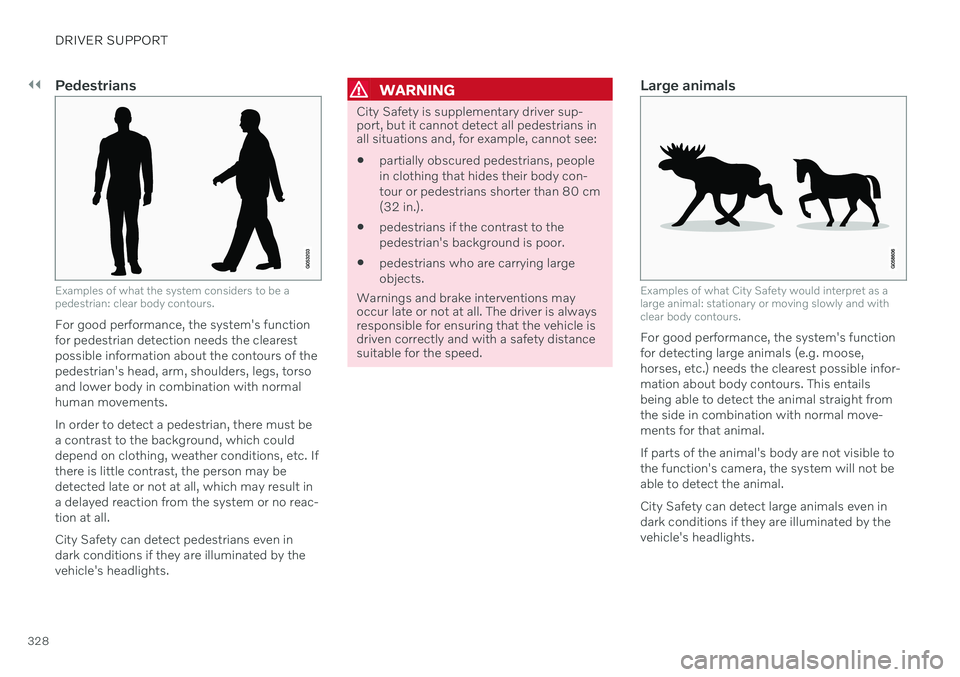
Examples of what the system considers to be a pedestrian: clear body contours.
For good performance, the system's function for pedestrian detection needs the clearestpossible information about the contours of thepedestrian's head, arm, shoulders, legs, torsoand lower body in combination with normalhuman movements. In order to detect a pedestrian, there must be a contrast to the background, which coulddepend on clothing, weather conditions, etc. Ifthere is little contrast, the person may bedetected late or not at all, which may result ina delayed reaction from the system or no reac-tion at all. City Safety can detect pedestrians even in dark conditions if they are illuminated by thevehicle's headlights.
WARNING
City Safety is supplementary driver sup- port, but it cannot detect all pedestrians inall situations and, for example, cannot see:
partially obscured pedestrians, people in clothing that hides their body con-tour or pedestrians shorter than 80 cm(32 in.).
pedestrians if the contrast to thepedestrian's background is poor.
pedestrians who are carrying largeobjects.
Warnings and brake interventions may occur late or not at all. The driver is alwaysresponsible for ensuring that the vehicle isdriven correctly and with a safety distancesuitable for the speed.
Large animals
Examples of what City Safety would interpret as a large animal: stationary or moving slowly and withclear body contours.
For good performance, the system's function for detecting large animals (e.g. moose,horses, etc.) needs the clearest possible infor-mation about body contours. This entailsbeing able to detect the animal straight fromthe side in combination with normal move-ments for that animal. If parts of the animal's body are not visible to the function's camera, the system will not beable to detect the animal. City Safety can detect large animals even in dark conditions if they are illuminated by thevehicle's headlights.
Page 331 of 661
DRIVER SUPPORT
329
WARNING
City Safety is supplementary driver sup- port, but it cannot detect all large animalsin all situations and, for example, cannotsee: partially obscured larger animals.
larger animals seen from the front or from behind.
running or fast moving larger animals.
larger animals if the contrast to the ani-mal's background is poor.
smaller animals such as cats and dogs.
Warnings and brake interventions may occur late or not at all. The driver is alwaysresponsible for ensuring that the vehicle isdriven correctly and with a safety distancesuitable for the speed.
Related information
City Safety
™ (p. 323)
City Safety limitations (p. 333)
City Safety in crossing traffic City Safety 79
can assist the driver when turn-
ing into the path of an oncoming vehicle in an intersection.
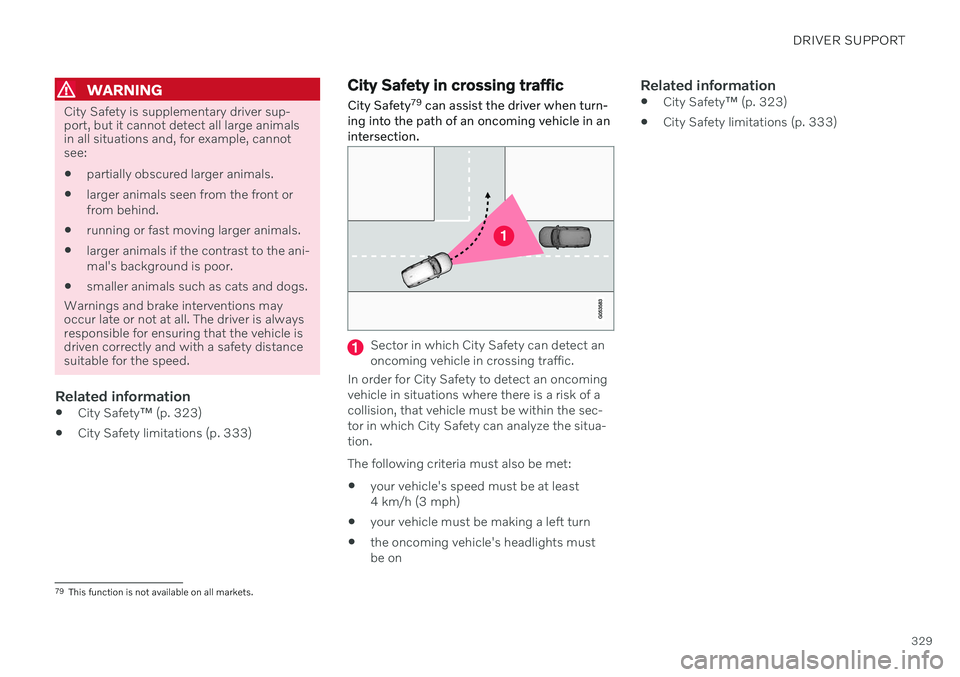
Sector in which City Safety can detect an oncoming vehicle in crossing traffic.
In order for City Safety to detect an oncomingvehicle in situations where there is a risk of acollision, that vehicle must be within the sec-tor in which City Safety can analyze the situa-tion. The following criteria must also be met:
your vehicle's speed must be at least 4 km/h (3 mph)
your vehicle must be making a left turn
the oncoming vehicle's headlights mustbe on
Related information
City Safety
™ (p. 323)
City Safety limitations (p. 333)
79
This function is not available on all markets.
Page 332 of 661
DRIVER SUPPORT
330
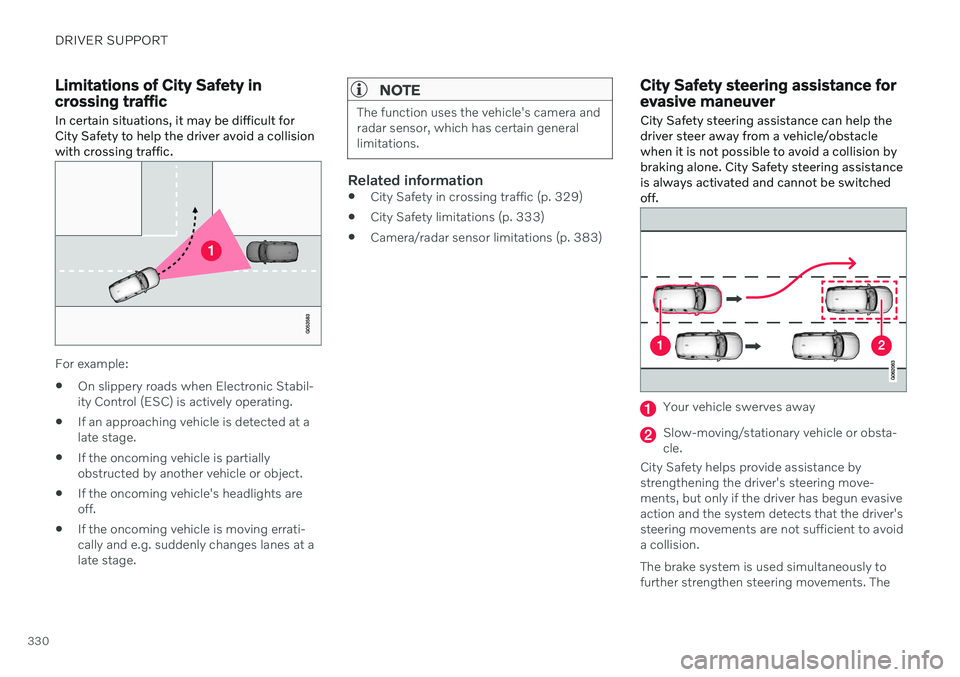
Limitations of City Safety in crossing traffic
In certain situations, it may be difficult for
City Safety to help the driver avoid a collisionwith crossing traffic.
For example:
On slippery roads when Electronic Stabil- ity Control (ESC) is actively operating.
If an approaching vehicle is detected at alate stage.
If the oncoming vehicle is partiallyobstructed by another vehicle or object.
If the oncoming vehicle's headlights areoff.
If the oncoming vehicle is moving errati-cally and e.g. suddenly changes lanes at alate stage.
NOTE
The function uses the vehicle's camera and radar sensor, which has certain generallimitations.
Related information
City Safety in crossing traffic (p. 329)
City Safety limitations (p. 333)
Camera/radar sensor limitations (p. 383)
City Safety steering assistance for evasive maneuver City Safety steering assistance can help the driver steer away from a vehicle/obstaclewhen it is not possible to avoid a collision bybraking alone. City Safety steering assistanceis always activated and cannot be switchedoff.
Your vehicle swerves away
Slow-moving/stationary vehicle or obsta- cle.
City Safety helps provide assistance bystrengthening the driver's steering move-ments, but only if the driver has begun evasiveaction and the system detects that the driver'ssteering movements are not sufficient to avoida collision. The brake system is used simultaneously to further strengthen steering movements. The
Page 334 of 661
||
DRIVER SUPPORT
332City Safety will not intervene to automatically apply the brakes if it is possible for the driverto avoid a collision by steering the vehicle. However, if City Safety determines that an evasive maneuver would not be possible dueto traffic in the adjacent lane(s), the functioncan assist the driver by automatically startingto apply the brakes at an earlier stage.
Related information
City Safety
™ (p. 323)
City Safety limitations (p. 333)
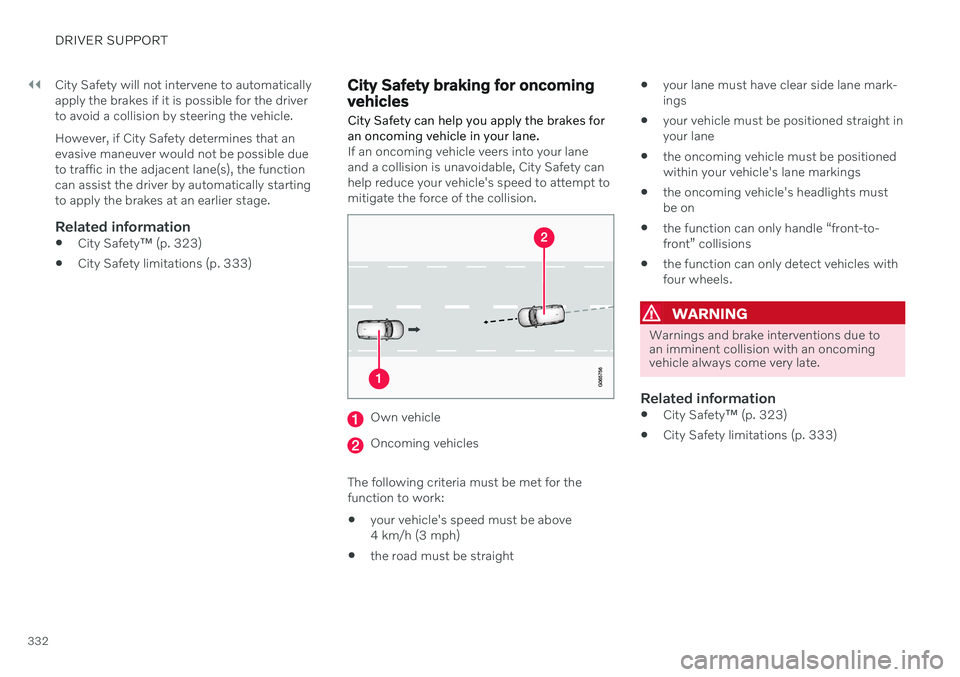
City Safety braking for oncoming vehicles City Safety can help you apply the brakes for an oncoming vehicle in your lane.
If an oncoming vehicle veers into your lane and a collision is unavoidable, City Safety canhelp reduce your vehicle's speed to attempt tomitigate the force of the collision.
Own vehicle
Oncoming vehicles
The following criteria must be met for the function to work:
your vehicle's speed must be above4 km/h (3 mph)
the road must be straight
your lane must have clear side lane mark-ings
your vehicle must be positioned straight inyour lane
the oncoming vehicle must be positionedwithin your vehicle's lane markings
the oncoming vehicle's headlights mustbe on
the function can only handle “front-to-front” collisions
the function can only detect vehicles withfour wheels.
WARNING
Warnings and brake interventions due to an imminent collision with an oncomingvehicle always come very late.
Related information
City Safety
™ (p. 323)
City Safety limitations (p. 333)