wheel VOLVO V70 2009 Owner´s Manual
[x] Cancel search | Manufacturer: VOLVO, Model Year: 2009, Model line: V70, Model: VOLVO V70 2009Pages: 286, PDF Size: 9.21 MB
Page 156 of 286
04 Comfort and driving pleasureStability system
04156
If the symbol
appears alone, it may
appear as follows:
•
If the symbol flashes, this indicates that the
stability system is actively functioning to
help counteract wheel spin and/or a skid.
•
If the symbol remains on for approximately
2 seconds after the engine has been
started, this indicates that the system is
performing a self-diagnostic test.WARNING
The stability system is intended to help
improve driving safety. It supplements, but
can never replace, the driver's judgment
and responsibility when operating the vehi-
cle. Speed and driving style should always
be adapted to traffic and road conditions.
Page 158 of 286
04 Comfort and driving pleasureCruise control
04158
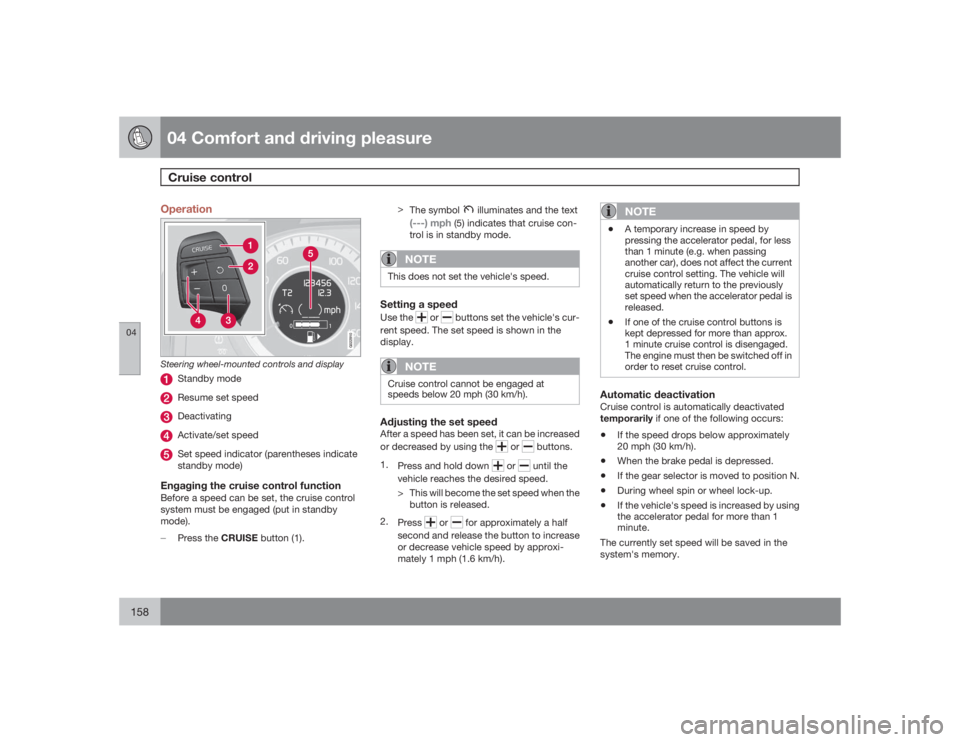
Operation
G022910
Steering wheel-mounted controls and display
Standby modeResume set speedDeactivatingActivate/set speedSet speed indicator (parentheses indicate
standby mode)
Engaging the cruise control functionBefore a speed can be set, the cruise control
system must be engaged (put in standby
mode).
±
Press the CRUISE button (1).>
The symbol
illuminates and the text
(---) mph
(5) indicates that cruise con-
trol is in standby mode.
NOTE
This does not set the vehicle's speed.Setting a speedUse the
or
buttons set the vehicle's cur-
rent speed. The set speed is shown in the
display.
NOTE
Cruise control cannot be engaged at
speeds below 20 mph (30 km/h).Adjusting the set speedAfter a speed has been set, it can be increased
or decreased by using the
or
buttons.
1.
Press and hold down
or
until the
vehicle reaches the desired speed.
> This will become the set speed when the
button is released.
2.
Press
or
for approximately a half
second and release the button to increase
or decrease vehicle speed by approxi-
mately 1 mph (1.6 km/h).
NOTE
•
A temporary increase in speed by
pressing the accelerator pedal, for less
than 1 minute (e.g. when passing
another car), does not affect the current
cruise control setting. The vehicle will
automatically return to the previously
set speed when the accelerator pedal is
released.
•
If one of the cruise control buttons is
kept depressed for more than approx.
1 minute cruise control is disengaged.
The engine must then be switched off in
order to reset cruise control.
Automatic deactivationCruise control is automatically deactivated
temporarily if one of the following occurs:•
If the speed drops below approximately
20 mph (30 km/h).
•
When the brake pedal is depressed.
•
If the gear selector is moved to position N.
•
During wheel spin or wheel lock-up.
•
If the vehicle's speed is increased by using
the accelerator pedal for more than 1
minute.
The currently set speed will be saved in the
system's memory.
Page 162 of 286
04 Comfort and driving pleasureCollision warning with Auto-brake (option)
04162
LimitationsStrong sunlight, reflections, extreme light con-
trasts, the use of sunglasses, or if the driver is
not looking straight ahead may make the visual
warning signal in the windshield difficult to see.
For this reason, always activate the audible
warning signal in such conditions.
NOTE
The visual warning signal may be temporar-
ily disengaged in the event of high passen-
ger compartment temperature due to strong
sunlight, etc. If this occurs, the audible
warning signal will be used, even if it has
been deactivated in the menu system.Warnings may not appear if the distance to the
vehicle ahead is very small or if steering wheel
and pedal movements are great, for example,
due to a very active driving style.
WARNING
•
In certain situations, the system cannot
provide warnings or warning may be
delayed if traffic conditions or other
external factors make it impossible for
the radar sensor or camera to detect the
vehicle ahead.
•
Warnings may not be provided if the
distance to the vehicle ahead is short,
or if movements of the steering wheel/
brake pedal are great, such as during
active driving.
•
The sensor system has a limited range
for stationary or slow-moving vehicles
and may therefore give delayed or no
warnings if your vehicle’s speed is
above approximately 45 mph
(70 km/h).
•
Warnings for stationary or slow-moving
vehicles may not be provided in dark
conditions.
The Collision Warning system uses the same
radar sensors as Adaptive Cruise Control. For
more information on the radar sensor and its
limitations, see page 169.
If no warning is given, or if a warning is delayed,
Auto-brake will also not be provided or will be
delayed.
NOTE
If warnings are given too frequently, the
warning distance can be reduced (see
page 161. This causes the system to pro-
vide later warnings, which decreases the
total number of warnings provided.The camera’s limitationsThe camera is used by Collision Warning with
Auto-brake, Driver Alert Control (see
page 176), and Lane Departure Warning (see
page 178).
NOTE
•
To help protect the camera in very hot
conditions, it may be temporarily
switched off for approximately 15
minutes after the engine has been
started.
•
Keep the section of the windshield in
front of the camera clean and free of ice,
snow, or condensation.
Page 169 of 286
04 Comfort and driving pleasure
Adaptive Cruise Control–ACC (option)
04``169
WARNING
•
Only use a time interval that is suitable
in current traffic conditions.
•
A short time interval gives the driver lim-
ited reaction time if an unexpected sit-
uation occurs in traffic.
The number of bars indicating the selected
time interval are shown while the setting is
being made and for several seconds afterward.
A smaller version of the symbol is then shown
to the right in the display. The same symbol is
also displayed when Distance Alert is acti-
vated, see page 173 .Deactivating and resuming settingsCruise control is deactivated, either with a
short press on
, or by action taken by the
driver, such as braking, etc. The set speed, for
example 55 mph, is then shown in parenthe-
ses. Speed and time interval are resumed by
pressing
.
WARNING
There may be a significant increase in speed
after the
button has been pressed.
A short press on
in standby mode or a long
press in active mode deactivates cruise con-trol. The set speed is then cleared and cannot
be resumed.
When ACC is activated, the vehicle’s speed
increases by approximately 1 mph (1 km/h)
each additional time
is pressed.
Deactivation due to action by the driverACC is deactivated:•
when the brakes are applied
•
if the gear selector is moved to N
•
if the accelerator pedal is depressed for an
extended period.NOTE
If the accelerator pedal is only depressed for
a short time, such as when passing another
vehicle, ACC is deactivated temporarily and
is reactivated when the pedal is released.Automatic deactivationAdaptive cruise control is linked to other sys-
tems such as ABS, the stability and traction
control system (DSTC), and the Distance Alert
System. If any of these systems are not func-
tioning properly, adaptive cruise control is
automatically deactivated.
In the event of automatic deactivation a signal
will sound and the message
Cruise Control
Canceled
is shown in the display. The drivermust then intervene and adapt the vehicle's
speed to the surrounding traffic.
Automatic deactivation may be caused if:
•
the vehicle's speed falls below 20 mph
(30 km/h)
•
the wheels lose traction or if the anti-lock
brake system (ABS) is activated
•
brake temperature is high
•
engine speed (rpm) is too low
•
the radar sensor is obstructed by, for
example, wet snow or rain.
The radar sensor and its limitationsThe radar sensor is used by both Adaptive
Cruise Control and the Collision Warning Sys-
tem with Auto-brake. It is designed to detect
cars or larger vehicles driving in the same
direction as your vehicle.
WARNING
Accessories or other objects, such as extra
headlights, must not be installed in front of
the grille.
Modification of the radar sensor could make
its use illegal.The radar sensor's capacity to detect vehicles
ahead is impeded:
Page 173 of 286

04 Comfort and driving pleasure
Distance alert
04``173 Introduction
Distance Alert is part of Adaptive Cruise Con-
trol and is a function that provides information
about the time interval to the vehicle ahead.
Time interval information is only given for a
vehicle that is driving ahead of your vehicle, in
the same lane, and in the same direction. No
information is provided for vehicles driving
toward you, moving very slowly, or at a stand-
still.
G017362
A smaller section of the red warning light in the
windshield glows steadily if your vehicle is
closer to the vehicle ahead than the set time
interval.
NOTE
Distance Alert is in active mode while Adap-
tive Cruise Control is active.
Distance Alert is active at speeds above
approximately 20 mph (30 km/h).
WARNING
Distance Alert only indicates the distance to
the vehicle ahead. It does not affect the
speed of your vehicle.Operation
G017371
±
Press the button in the center instrument
panel to switch this function on or off.
> The indicator light in the button illumi-
nates when the function is on.
Setting a time intervalThe buttons for setting a time interval are
located on the left side of the steering wheel,
see the illustration on page 168 .
±
Press
to increase the interval or
to
decrease it.
Five different time intervals
can be selected and are
shown in the display as 1–5
horizontal bars. The greater
the number of bars, the longer
the time interval.
No. of bars
Approx. time interval
(in seconds)
1
1.0
2
1.4
3
1.8
4
2.2
5
2.6
The number of bars indicating the selected
time interval are shown while the setting is
being made and for several seconds afterward.
A smaller version of the symbol is then shown
to the right in the display. The same symbol is
Page 176 of 286
04 Comfort and driving pleasureDriver Alert System (option)
04176
IntroductionThe Driver Alert System is designed to help a
driver who may be becoming fatigued or who
is inadvertently leaving the lane.
The Driver Alert System consists of two differ-
ent functions that can be switched on together
or separately.•
Driver Alert Control (DAC)
•
Lane Departure Warning (LDW)
When one or both of the functions has been
switched on, it is in standby mode and is acti-
vated when the vehicle exceeds a speed of
40 mph (65 km/h).
The function deactivates if speed goes under
37 mph (60 km/h).
Both functions use a camera that is dependent
on the road/lane being clearly marked by pain-
ted lines on each side.WARNING
The Driver Alert system does not function in
all situations and is designed to be a sup-
plementary aid. It is not, however, intended
to replace the driver’s attention and judge-
ment.
Driver Alert Control (DAC)–general
information
G017332
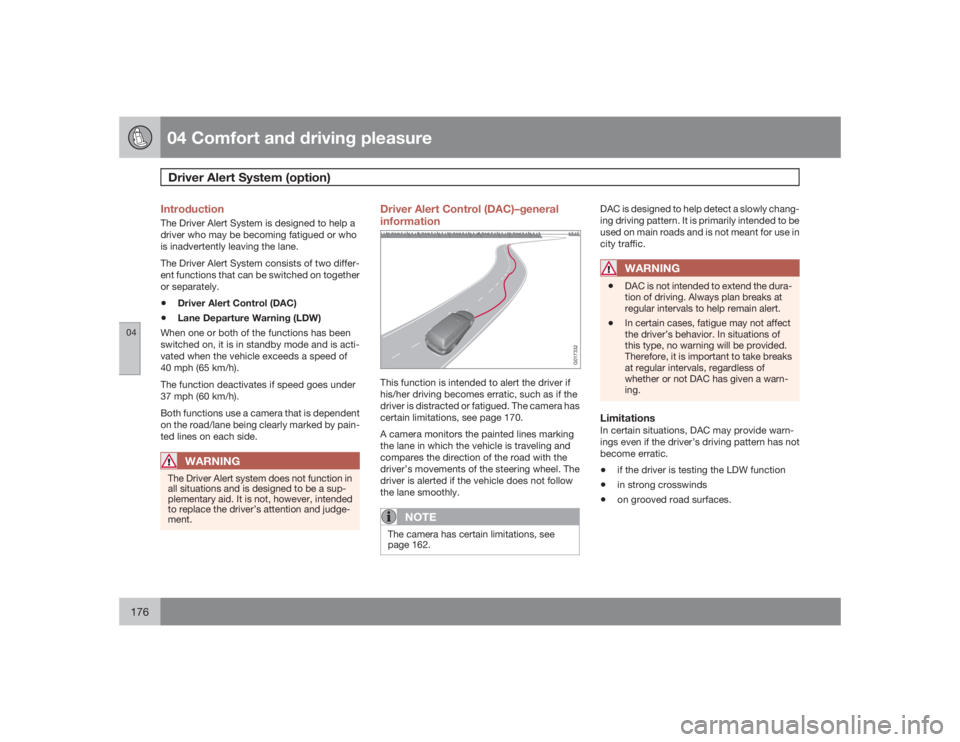
This function is intended to alert the driver if
his/her driving becomes erratic, such as if the
driver is distracted or fatigued. The camera has
certain limitations, see page 170.
A camera monitors the painted lines marking
the lane in which the vehicle is traveling and
compares the direction of the road with the
driver’s movements of the steering wheel. The
driver is alerted if the vehicle does not follow
the lane smoothly.
NOTE
The camera has certain limitations, see
page 162.
DAC is designed to help detect a slowly chang-
ing driving pattern. It is primarily intended to be
used on main roads and is not meant for use in
city traffic.
WARNING
•
DAC is not intended to extend the dura-
tion of driving. Always plan breaks at
regular intervals to help remain alert.
•
In certain cases, fatigue may not affect
the driver’s behavior. In situations of
this type, no warning will be provided.
Therefore, it is important to take breaks
at regular intervals, regardless of
whether or not DAC has given a warn-
ing.
LimitationsIn certain situations, DAC may provide warn-
ings even if the driver’s driving pattern has not
become erratic.•
if the driver is testing the LDW function
•
in strong crosswinds
•
on grooved road surfaces.
Page 177 of 286
04 Comfort and driving pleasure
Driver Alert System (option)
04``177 Operating DAC
Certain settings can be made from the menu
system controlled from the center instrument
panel, see page 120 for more information on
the menu system.
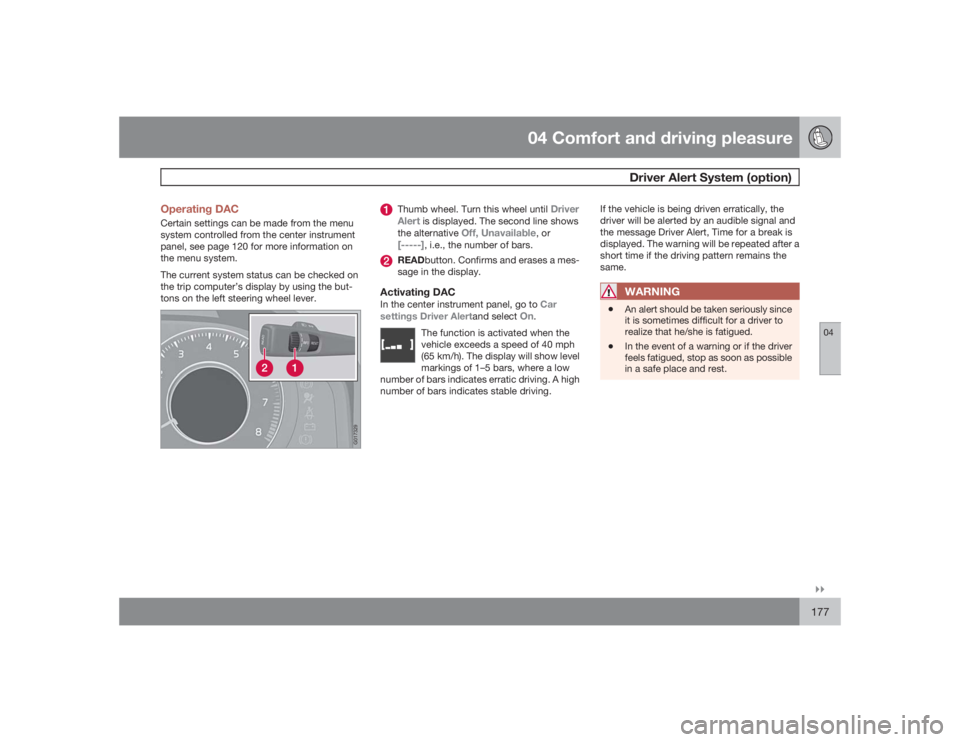
The current system status can be checked on
the trip computer’s display by using the but-
tons on the left steering wheel lever.
G017329
Thumb wheel. Turn this wheel until
Driver
Alert
is displayed. The second line shows
the alternative
Off, Unavailable
, or
[-----]
, i.e., the number of bars.
READbutton. Confirms and erases a mes-
sage in the display.
Activating DACIn the center instrument panel, go to Car
settings Driver Alertand select
On
.
The function is activated when the
vehicle exceeds a speed of 40 mph
(65 km/h). The display will show level
markings of 1–5 bars, where a low
number of bars indicates erratic driving. A high
number of bars indicates stable driving.
If the vehicle is being driven erratically, the
driver will be alerted by an audible signal and
the message Driver Alert, Time for a break is
displayed. The warning will be repeated after a
short time if the driving pattern remains the
same.
WARNING
•
An alert should be taken seriously since
it is sometimes difficult for a driver to
realize that he/she is fatigued.
•
In the event of a warning or if the driver
feels fatigued, stop as soon as possible
in a safe place and rest.
Page 179 of 286
04 Comfort and driving pleasure
Driver Alert System (option)
04``179 Lane Departure Warning (LDW)–
general information
G017394
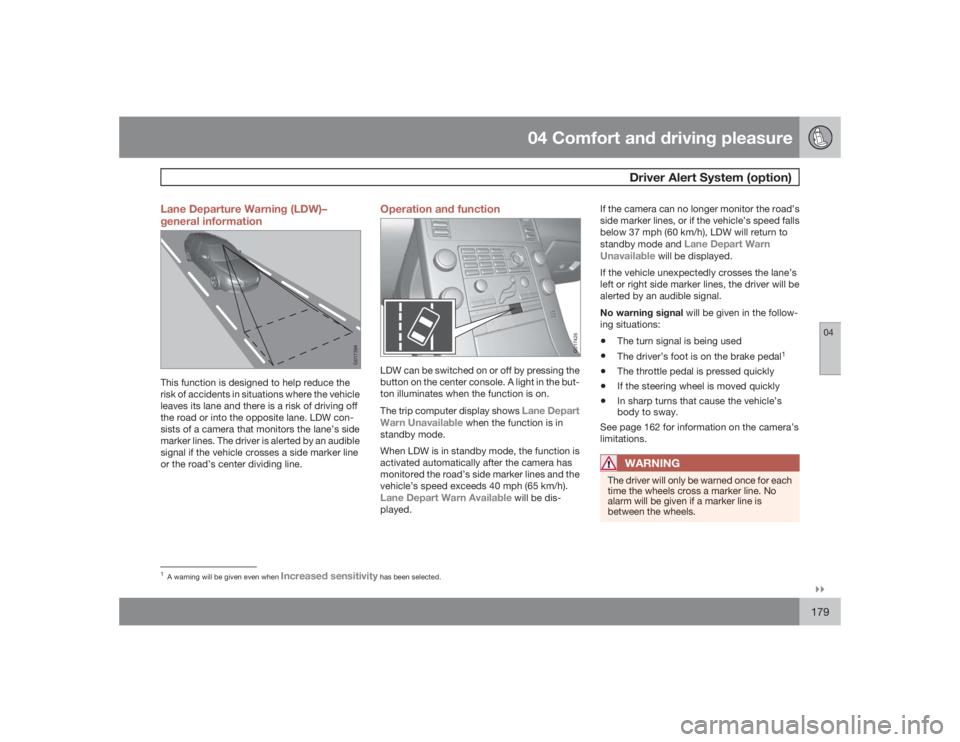
This function is designed to help reduce the
risk of accidents in situations where the vehicle
leaves its lane and there is a risk of driving off
the road or into the opposite lane. LDW con-
sists of a camera that monitors the lane’s side
marker lines. The driver is alerted by an audible
signal if the vehicle crosses a side marker line
or the road’s center dividing line.
Operation and function
G017426
LDW can be switched on or off by pressing the
button on the center console. A light in the but-
ton illuminates when the function is on.
The trip computer display shows
Lane Depart
Warn Unavailable
when the function is in
standby mode.
When LDW is in standby mode, the function is
activated automatically after the camera has
monitored the road’s side marker lines and the
vehicle’s speed exceeds 40 mph (65 km/h).
Lane Depart Warn Available
will be dis-
played.If the camera can no longer monitor the road’s
side marker lines, or if the vehicle’s speed falls
below 37 mph (60 km/h), LDW will return to
standby mode and
Lane Depart Warn
Unavailable
will be displayed.
If the vehicle unexpectedly crosses the lane’s
left or right side marker lines, the driver will be
alerted by an audible signal.
No warning signal will be given in the follow-
ing situations:
•
The turn signal is being used
•
The driver’s foot is on the brake pedal
1
•
The throttle pedal is pressed quickly
•
If the steering wheel is moved quickly
•
In sharp turns that cause the vehicle’s
body to sway.
See page 162 for information on the camera’s
limitations.WARNING
The driver will only be warned once for each
time the wheels cross a marker line. No
alarm will be given if a marker line is
between the wheels.
1A warning will be given even when
Increased sensitivity
has been selected.
Page 194 of 286

05 During your tripDriving recommendations
05194
General informationEconomical driving conserves natural
resourcesBetter driving economy may be obtained by
thinking ahead, avoiding rapid starts and stops
and adjusting the speed of your vehicle to
immediate traffic conditions.
Observe the following rules:•
Bring the engine to normal operating tem-
perature as soon as possible by driving
with a light foot on the accelerator pedal for
the first few minutes of operation. A cold
engine uses more fuel and is subject to
increased wear.
•
Whenever possible, avoid using the vehicle
for driving short distances. This does not
allow the engine to reach normal operating
temperature.
•
Drive carefully and avoid rapid acceleration
and hard braking.
•
Use the transmission's Drive (D) position
as often as possible and avoid using kick-
down.
•
Do not exceed posted speed limits.
•
Avoid carrying unnecessary items (extra
load) in the vehicle.
•
Maintain correct tire pressure. Check tire
pressure regularly (when tires are cold).
•
Remove snow tires when threat of snow or
ice has ended.
•
Note that roof racks, ski racks, etc,
increase air resistance and also fuel con-
sumption.
•
At highway driving speeds, fuel consump-
tion will be lower with the air conditioning
on and the windows closed than with the
air conditioning off and the windows open.
•
Using the onboard trip computer's fuel
consumption modes can help you learn
how to drive more economically.
Other factors that decrease gas mileage
are:
•
Dirty air cleaner
•
Dirty engine oil and clogged oil filter
•
Dragging brakes
•
Incorrect front end alignment
Some of the above mentioned items and others
are checked at the standard maintenance
intervals.
WARNING
Driving with the tailgate open: Driving with
the tailgate open could lead to poisonous
exhaust gases entering the passenger com-
partment. If the tailgate must be kept open
for any reason, proceed as follows:•
Close the windows
•
Set the ventilation system control to air
flow to floor, windshield and side win-
dows and the blower control to its high-
est setting.
Weight distribution affects handlingAt the specified curb weight your vehicle has a
tendency to understeer, which means that the
steering wheel has to be turned more than
might seem appropriate for the curvature of a
bend. This ensures good stability and reduces
the risk of rear wheel skid. Remember that
these properties can alter with the vehicle load.
The heavier the load in the cargo area, the less
the tendency to understeer.Handling, roadholdingVehicle load, tire design and inflation pressure
all affect vehicle handling. Therefore, check
that the tires are inflated to the recommended
pressure according to the vehicle load. See the
"Tire pressure" section. Loads should be dis-
tributed so that capacity weight or maximum
permissible axle loads are not exceeded.
Page 196 of 286
05 During your tripDriving recommendations
05196
Before a long distance tripIt is always worthwhile to have your vehicle
checked by a trained and qualified Volvo serv-
ice technician before driving long distances.
Your retailer will also be able to supply you with
bulbs, fuses, spark plugs and wiper blades for
your use in the event that problems occur.
As a minimum, the following items should be
checked before any long trip:•
Check that engine runs smoothly and that
fuel consumption is normal.
•
Check for fuel, oil, and fluid leakage
•
Have the transmission oil level checked.
•
Check condition of drive belts.
•
Check state of the battery's charge.
•
Examine tires carefully (the spare tire as
well), and replace those that are worn.
Check tire pressures.
•
The brakes, front wheel alignment, and
steering gear should be checked by a
trained and qualified Volvo service techni-
cian only.
•
Check all lights, including high beams.
•
Reflective warning triangles are legally
required in some states/provinces.
•
Have a word with a trained and qualified
Volvo service technician if you intend to
drive in countries where it may be difficult
to obtain the correct fuel.
•
Consider your destination. If you will be
driving through an area where snow or ice
are likely to occur, consider snow tires.
Cold weather precautionsIf you wish to check your vehicle before the
approach of cold weather, the following advice
is worth noting:•
Make sure that the engine coolant contains
50 percent antifreeze. Any other mixture
will reduce freeze protection. This gives
protection against freezing down to
–31 °F (–35 °C). The use of "recycled" anti-
freeze is not approved by Volvo. Different
types of antifreeze must not be mixed.
•
Volvo recommends using only genuine
Volvo antifreeze in your vehicle's radiator.
•
Try to keep the fuel tank well filled – this
helps prevent the formation of condensa-
tion in the tank. In addition, in extremely
cold weather conditions it is worthwhile to
add fuel line de-icer before refueling.
•
The viscosity of the engine oil is important.
Oil with low viscosity (thinner oil) improves
cold-weather starting as well as decreas-
ing fuel consumption while the engine is
warming up. For winter use, 5W-30 oil, par-
ticularly the synthetic type, is recom-
mended. Be sure to use good quality oil but
do not use cold-weather oil for hard driving
or in warm weather, see page 272 for more
information on engine oil.
NOTE
Synthetic oil is not used when the oil is
changed at the normal maintenance inter-
vals except at owner request and at addi-
tional charge.•
The load placed on the battery is greater
during the winter since the windshield wip-
ers, lighting, etc. are used more often.
Moreover, the capacity of the battery
decreases as the temperature drops. In
very cold weather, a poorly charged bat-
tery can freeze and be damaged. It is there-
fore advisable to check the state of charge
more frequently and spray an anti-rust oil
on the battery posts.
•
Volvo recommends the use of snow tires
on all four wheels for winter driving, see
page 253.
•
To prevent the washer fluid reservoir from
freezing, add washer solvents containing
antifreeze. This is important since dirt is
often splashed on the windshield during
winter driving, requiring the frequent use of
the washers and wipers. Volvo Washer
Solvent should be diluted as follows: Down
to 14 °F (–10 °C): 1 part washer solvent and
4 parts water Down to 5 °F (–15 °C): 1 part
washer solvent and 3 parts water Down to
0 °F (–18 °C): 1 part washer solvent and