display VOLVO V90 2017 Owners Manual
[x] Cancel search | Manufacturer: VOLVO, Model Year: 2017, Model line: V90, Model: VOLVO V90 2017Pages: 594, PDF Size: 15.07 MB
Page 167 of 594
INSTRUMENTS AND CONTROLS
}}
* Option/accessory.165
1.
Depress buttons 1 and 3 on HomeLink ®
and
hold them depressed until the indicator lamp begins flashing green (about 10 seconds).
2. Release the buttons. >HomeLink ®
is now set to "learn mode"
and is ready to be reprogrammed; see the section "Programming HomeLink ®
"
above.
Programming individual buttons
To reprogram an individual HomeLink ®
button,
proceed as follows: 1. Depress the required button and do not
release .
2. After approx. 20 seconds when the indicator lamp on HomeLink ®
starts to flash yellow,
start with step 1 from the section "Program- ming HomeLink ®
" above.
Note: If the button to be reprogrammed is
not programmed with a new unit, it will resume the previously saved programming.
For more information or to provide feedback about HomeLink ®
, visit www.HomeLink.com,
www.youtube.com/HomeLinkGentex or call the toll-free number 00 8000 466 354 65 (or thetoll number +49 6838 907 277).
Related information
• HomeLink ®
* (p. 162)
Trip computer The car's trip computer records and calculates vales such as e.g. distance, fuel consumptionand average speed whilst driving.
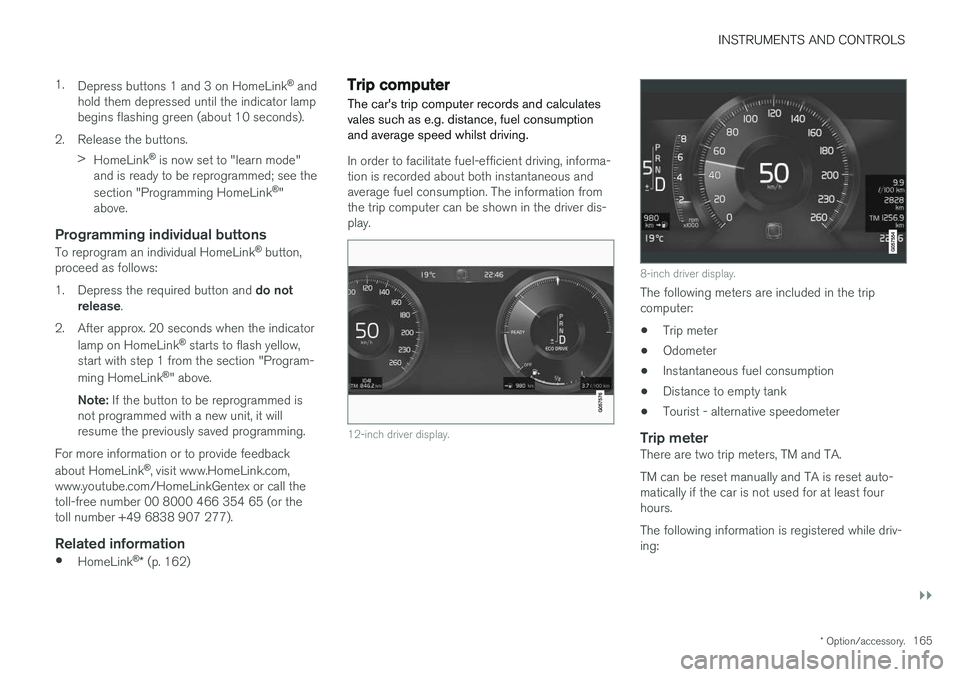
In order to facilitate fuel-efficient driving, informa- tion is recorded about both instantaneous andaverage fuel consumption. The information fromthe trip computer can be shown in the driver dis-play.
12-inch driver display.
8-inch driver display.
The following meters are included in the trip computer:
• Trip meter
• Odometer
• Instantaneous fuel consumption
• Distance to empty tank
• Tourist - alternative speedometer
Trip meterThere are two trip meters, TM and TA. TM can be reset manually and TA is reset auto- matically if the car is not used for at least fourhours. The following information is registered while driv- ing:
Page 168 of 594
||
INSTRUMENTS AND CONTROLS
166•
Mileage
• Driving time
• Average speed
• Average fuel consumption.
The values apply from the trip meter's latest reset.
OdometerThe odometer records the car's total mileage.This value cannot be reset to zero.
Instantaneous fuel consumptionThis gauge shows the fuel consumption that thecar has at the moment. The value is updatedapproximately every second.
Distance to empty tankThe trip computer calculates the remaining mile-age with the fuel available in the tank. The calculation is based on the average fuel con- sumption over the last 30 km and the remainingdriveable fuel quantity. No guaranteed range remains when the gauge shows "----". In which case, refuel as soon aspossible.
NOTE
There may be a slight deviation if the driving style has been changed.
An economic driving style generally results in a longer driving distance.
Tourist - alternative speedometerThe alternative digital speedometer makes it eas-ier to drive in countries where speed limit signsare in a different unit than that shown in the car'sinstruments. The digital speed is then shown in the opposite unit to that shown in the analogue speedometer.If the analogue speedometer is graduated in mph , the digital speedometer shows the corres-
ponding speed in km/h and vice versa.
Related information
•Show trip data in the driver display (p. 166)
• Show trip statistics in the centre display (p. 168)
Show trip data in the driver display
The trip computer's recorded and calculated val- ues can be shown in the driver display.
The values are saved in a trip computer app. Via the app menu, you can choose which informationis shown on the driver display.
Page 169 of 594
INSTRUMENTS AND CONTROLS
}}
167
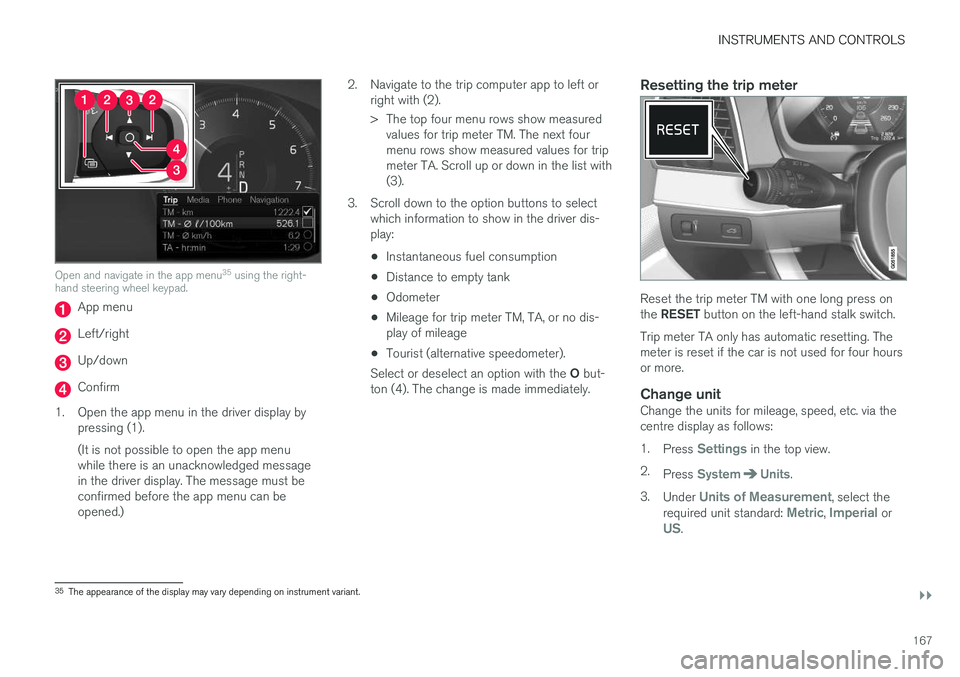
Open and navigate in the app menu35
using the right-
hand steering wheel keypad.
App menu
Left/right
Up/down
Confirm
1. Open the app menu in the driver display by pressing (1). (It is not possible to open the app menu while there is an unacknowledged messagein the driver display. The message must beconfirmed before the app menu can beopened.) 2. Navigate to the trip computer app to left or
right with (2).
> The top four menu rows show measuredvalues for trip meter TM. The next four menu rows show measured values for tripmeter TA. Scroll up or down in the list with(3).
3. Scroll down to the option buttons to select which information to show in the driver dis-play:
• Instantaneous fuel consumption
• Distance to empty tank
• Odometer
• Mileage for trip meter TM, TA, or no dis-play of mileage
• Tourist (alternative speedometer).
Select or deselect an option with the O but-
ton (4). The change is made immediately.
Resetting the trip meter
Reset the trip meter TM with one long press on the RESET button on the left-hand stalk switch.
Trip meter TA only has automatic resetting. The meter is reset if the car is not used for four hoursor more.
Change unitChange the units for mileage, speed, etc. via thecentre display as follows: 1. Press
Settings in the top view.
2. Press
SystemUnits.
3. Under
Units of Measurement, select the
required unit standard: Metric, Imperial orUS.
35 The appearance of the display may vary depending on instrument variant.
Page 170 of 594
||
INSTRUMENTS AND CONTROLS
* Option/accessory.
168
NOTE
In addition to in the trip computer, these units are also changed in Volvo's navigation sys- tem *.
Related information
• Trip computer (p. 165)
• Show trip statistics in the centre display (p. 168)
• Using the application menu in the driver dis-play (p. 105)
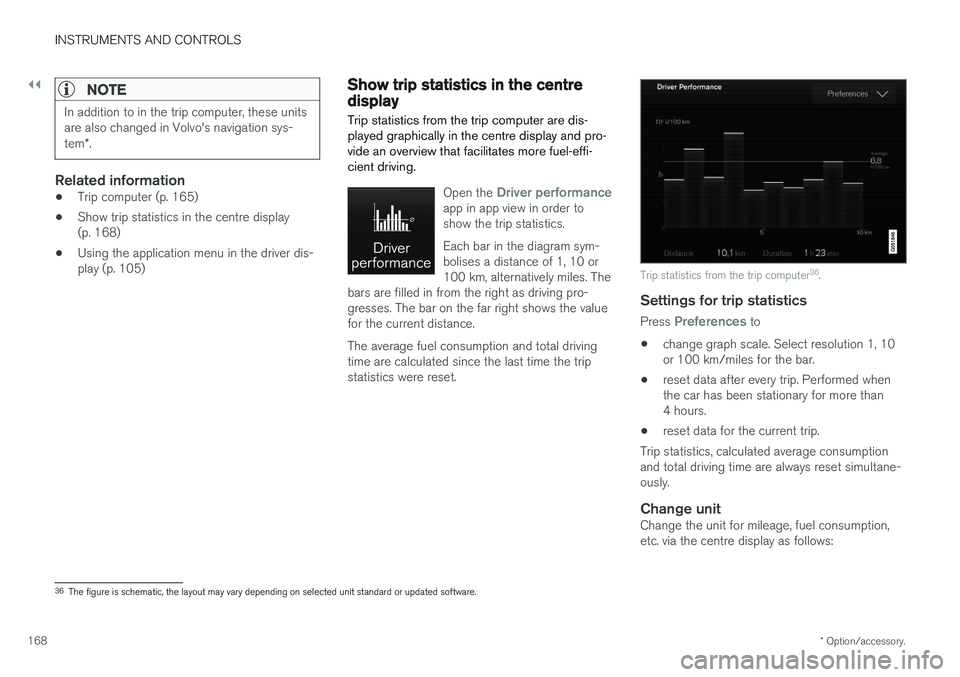
Show trip statistics in the centre display Trip statistics from the trip computer are dis- played graphically in the centre display and pro-vide an overview that facilitates more fuel-effi-cient driving.
Open the Driver performanceapp in app view in order to show the trip statistics. Each bar in the diagram sym- bolises a distance of 1, 10 or100 km, alternatively miles. The
bars are filled in from the right as driving pro-gresses. The bar on the far right shows the valuefor the current distance. The average fuel consumption and total driving time are calculated since the last time the tripstatistics were reset.
Trip statistics from the trip computer 36
.
Settings for trip statistics
Press Preferences to
• change graph scale. Select resolution 1, 10 or 100 km/miles for the bar.
• reset data after every trip. Performed whenthe car has been stationary for more than4 hours.
• reset data for the current trip.
Trip statistics, calculated average consumptionand total driving time are always reset simultane-ously.
Change unitChange the unit for mileage, fuel consumption,etc. via the centre display as follows:
36 The figure is schematic, the layout may vary depending on selected unit standard or updated software.
Page 171 of 594
INSTRUMENTS AND CONTROLS
}}
169
1.
Press
Settings in the top view.
2. Press
SystemUnits.
3. Under
Units of Measurement, select the
required unit standard: Metric, Imperial orUS.
Related information
• Trip computer (p. 165)
• Show trip data in the driver display (p. 166)
Settings view
Settings and information for many of the car's
functions can be managed in the centre dis- play's settings view.
Opening/closing and navigating in the
settings view
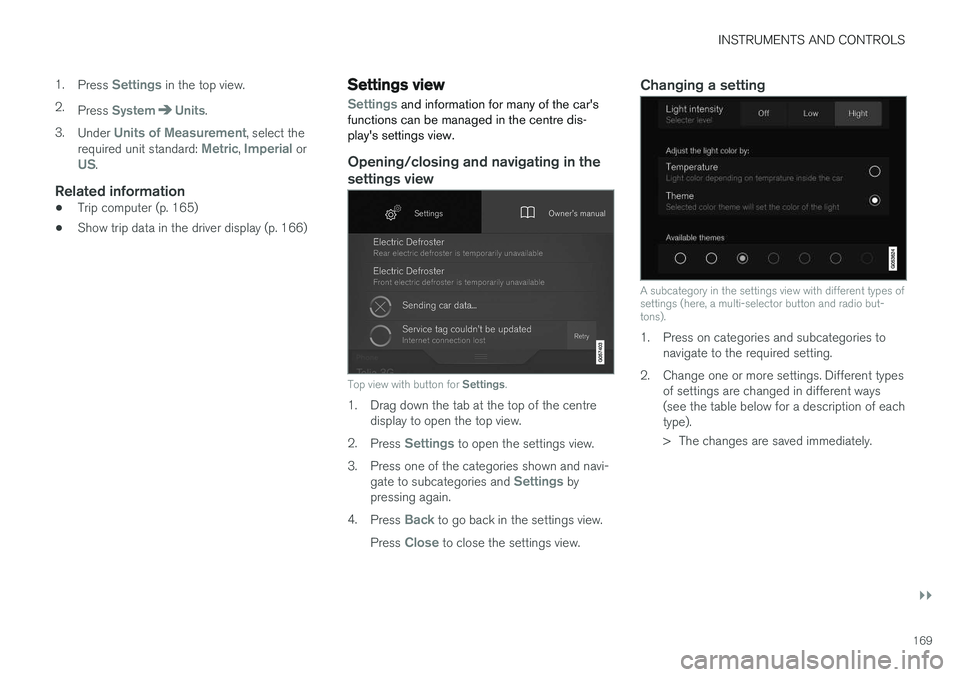
Top view with button for Settings.
1. Drag down the tab at the top of the centre
display to open the top view.
2. Press
Settings to open the settings view.
3. Press one of the categories shown and navi- gate to subcategories and
Settings by
pressing again.
4. Press
Back to go back in the settings view.
Press
Close to close the settings view.
Changing a setting
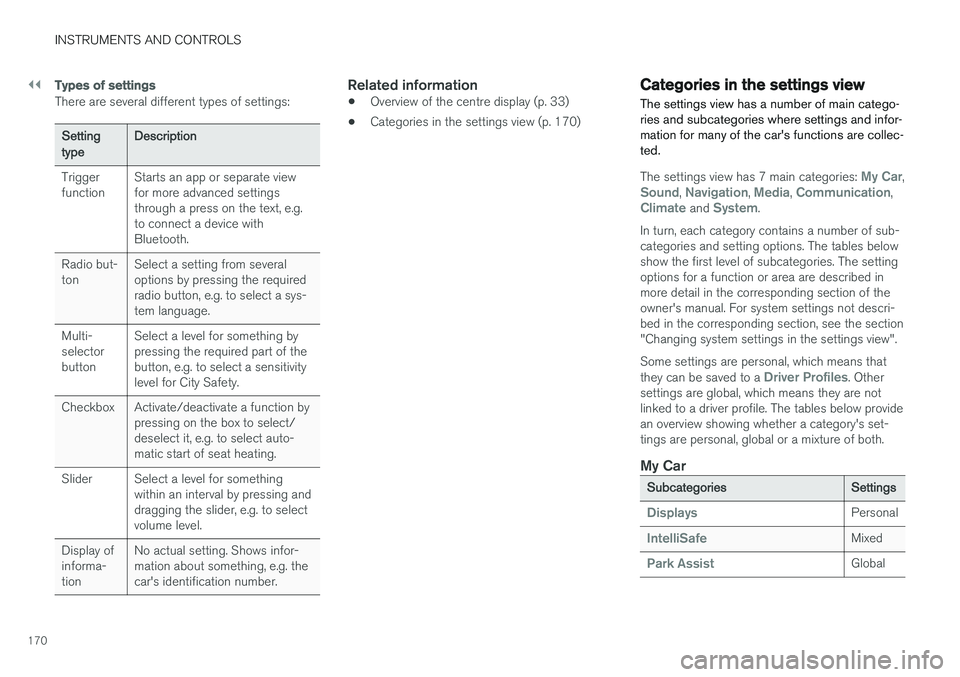
A subcategory in the settings view with different types of settings (here, a multi-selector button and radio but-tons).
1. Press on categories and subcategories to navigate to the required setting.
2. Change one or more settings. Different types of settings are changed in different ways (see the table below for a description of eachtype).
> The changes are saved immediately.
Page 172 of 594
||
INSTRUMENTS AND CONTROLS
170
Types of settings
There are several different types of settings:
Setting typeDescription
Trigger function Starts an app or separate viewfor more advanced settingsthrough a press on the text, e.g.to connect a device withBluetooth.
Radio but-ton Select a setting from severaloptions by pressing the requiredradio button, e.g. to select a sys-tem language.
Multi-selectorbutton Select a level for something bypressing the required part of thebutton, e.g. to select a sensitivitylevel for City Safety.
Checkbox Activate/deactivate a function by pressing on the box to select/deselect it, e.g. to select auto-matic start of seat heating.
Slider Select a level for something within an interval by pressing anddragging the slider, e.g. to selectvolume level.
Display ofinforma-tion No actual setting. Shows infor-mation about something, e.g. thecar's identification number.
Related information
•
Overview of the centre display (p. 33)
• Categories in the settings view (p. 170)
Categories in the settings view The settings view has a number of main catego- ries and subcategories where settings and infor-mation for many of the car's functions are collec-ted.
The settings view has 7 main categories: My Car,Sound, Navigation, Media, Communication,Climate and System.
In turn, each category contains a number of sub- categories and setting options. The tables belowshow the first level of subcategories. The settingoptions for a function or area are described inmore detail in the corresponding section of theowner's manual. For system settings not descri-bed in the corresponding section, see the section"Changing system settings in the settings view". Some settings are personal, which means that they can be saved to a
Driver Profiles. Other
settings are global, which means they are not linked to a driver profile. The tables below providean overview showing whether a category's set-tings are personal, global or a mixture of both.
My Car
Subcategories Settings
DisplaysPersonal
IntelliSafeMixed
Park AssistGlobal
Page 174 of 594
||
INSTRUMENTS AND CONTROLS
172
Related information
•Settings view (p. 169)
• Changing system settings in the settings view (p. 172)
Changing system settings in the settings view The
System category in the settings view col-
lects general settings and information for car systems, such as language and units.
The system settings under Driver Profile, Date
and Time, Keyboard Layouts, Voice Control,Software Updates, Factory reset, Factory
Reset and Services are described in the corres-
ponding section of the owner's manual.
Changing system language1. Press Settings in the top view in the centre
display.
2. Press
SystemSystem Language.
3. Select system language. Languages that support voice recognition have a voice recog- nition symbol.
> The language in the driver display, centredisplay and head-up display is changed.
Changing system units
Changing length and volume units
1. Press Settings in the top view in the centre
display.
2. Press
SystemUnitsUnits of
Measurement. 3. Select from the following unit standards:
•
Metric - kilometres, litres and degrees
Celsius.
•
Imperial - miles, gallons and degrees
Celsius.
•
US - miles, gallons and degrees Fahren-
heit.
> The units in the driver display, centre dis- play and head-up display are changed.
See storage information1. Press Settings in the top view in the centre
display.
2. Press
SystemStorage.
> Storage information for the car's hard disk is shown, including total capacity, available capacity and how much space installedapplications are using.
See the car's vehicle identification number
1. Press Settings in the top view in the centre
display.
2. Press
SystemVehicle Identification
Number.
> The car's vehicle identification number (VIN 37
) is shown.
37 Vehicle Identification Number.
Page 175 of 594
INSTRUMENTS AND CONTROLS
173
Related information
•Categories in the settings view (p. 170)
• Driver profiles (p. 174)
• Clock (p. 99)
• Using the keyboard in the centre display (p. 49)
• Settings for voice recognition (p. 117)
• System updates (p. 510)
• Resetting settings in the settings view(p. 173)
• Book service and repair (p. 506)
Resetting settings in the settings view
It is possible to reset all modified settings in the settings view to their default values at once.
Types of resetsThere are three different types of resets for set- tings in the settings view:
•
Factory Reset - clears all data and media
and resets all settings to their default values.
•
Reset Car Settings - resets global settings
to their default values.
•
Reset Personal Settings - clears personal
data and resets personal settings to their default values.
Resetting settings
NOTE
Factory reset is only possible when the car
is stationary.
1. Press Settings in the top view in the centre
display.
2. Press
SystemFactory reset.
3. Select the required reset type. > A pop-up window is shown. 4.
Press
OK to confirm the reset.
For
Reset Personal Settings, the reset
must be confirmed by pressing Reset for
the active profile or Reset for all profiles.
> Selected settings are reset.
Related information
• Changing system settings in the settings view (p. 172)
• Driver profiles (p. 174)
• Resetting user data for change of ownership(p. 179)
Page 176 of 594
INSTRUMENTS AND CONTROLS
174
Driver profiles
Many of the settings made in the car can be adapted according to the driver's personal pref-erences and can be saved in one or more driverprofiles.
The personal settings are automatically saved in the active driver profile. Each key can be linked toa driver profile. When the linked key is used, thecar is adapted to the settings of that specificdriver profile.
What settings are saved in the driver profiles?
Many of the settings made in the car will be auto-matically saved in the active driver profile if theprofile is not locked; see the section "Editing adriver profile". Settings made in the car are eitherpersonal or global. Only personal settings aresaved in driver profiles. Settings that can be saved in a driver profile include, amongst other things, screens, mirrors,front seats, navigation, audio and media system,language and voice control. Some settings, referred to as global settings, can be changed but are not saved to a specific driverprofile. Changes to global settings affect all pro-files.
Global settings
The global settings and parameters are not changed when changing between driver profiles. They remain the same regardless of which driverprofile is active. Keyboard layout settings are an example of global settings. If driver profile X is used to addadditional languages to the keyboard, theseremain available for use even if driver profile Y isused. The keyboard layout settings are not savedto a specific driver profile - the settings areglobal.
Personal preferences
If driver profile X was used to e.g. set centre dis- play brightness, driver profile Y is not affected bythis setting. It has been saved to driver profile X -the brightness setting is a personal setting. Refer to the section "Categories in the settings view" for more information on which settings arepersonal and which are global.
Related information
•
Editing a driver profile (p. 175)
• Categories in the settings view (p. 170)
• Selecting driver profile (p. 174)
Selecting driver profile
The last used driver profile is the one selected when the car is unlocked. It is possible tochange to another driver profile after the car hasbeen unlocked.
When the centre display has been started, the selected driver profile is shown at the top of thescreen. The driver profile last used is the one thatwill be active next time the car is unlocked. How-ever, if the remote control key has been linked toa driver profile then this is what is selected whenthe car is started. See "Linking remote controlkey to driver profile". There are two options for changing to another driver profile. Option 1:
1. Tap on the name of the driver profile shown in the top of the centre display when the dis- play has been started.
> A list of selectable driver profiles is shown.
2. Select the driver profile required. 3. Press
Confirm.
> The driver profile is selected and the sys- tem loads the settings for the new driver profile.
Option 2:
1. Drag down the top view in the centre display.
Page 177 of 594
INSTRUMENTS AND CONTROLS
}}
175
2.
Press
Profile.
> The same list as for Option 1 is shown.
3. Select the driver profile required. 4. Press
Confirm.
> The driver profile is selected and the sys- tem loads the settings for the new driver profile.
Related information
• Driver profiles (p. 174)
• Editing a driver profile (p. 175)
• Linking remote control key to driver profile(p. 176)
Editing a driver profile
It is possible to change the name of the different driver profiles used in the car.
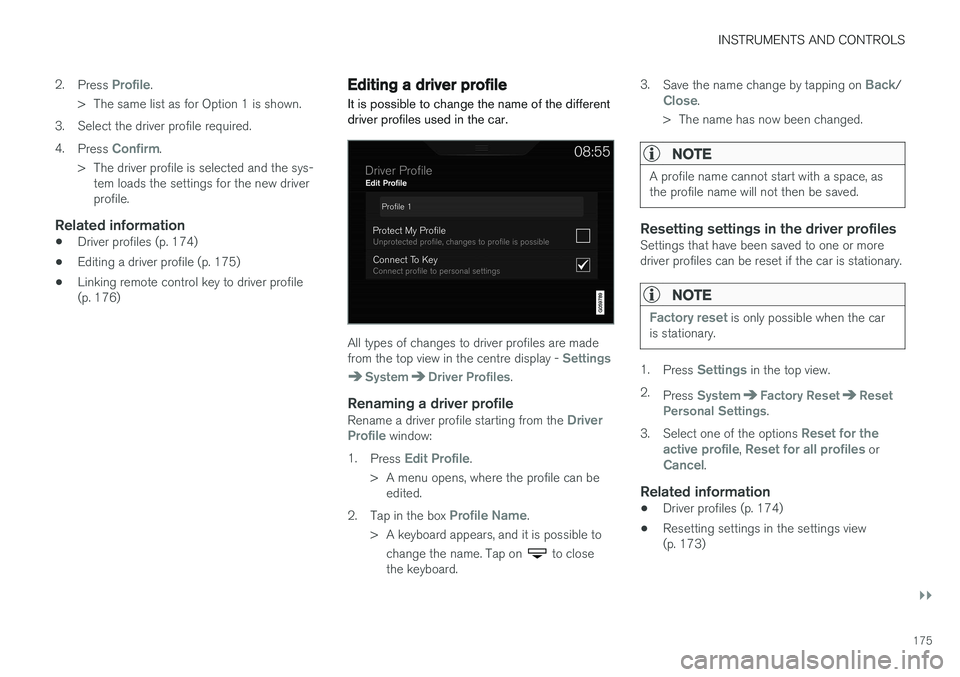
All types of changes to driver profiles are made from the top view in the centre display - Settings
SystemDriver Profiles.
Renaming a driver profileRename a driver profile starting from the Driver
Profile window:
1. Press
Edit Profile.
> A menu opens, where the profile can be edited.
2. Tap in the box
Profile Name.
> A keyboard appears, and it is possible to change the name. Tap on
to close
the keyboard. 3.
Save the name change by tapping on
Back/Close.
> The name has now been changed.
NOTE
A profile name cannot start with a space, as the profile name will not then be saved.
Resetting settings in the driver profilesSettings that have been saved to one or more driver profiles can be reset if the car is stationary.
NOTE
Factory reset is only possible when the car
is stationary.
1. Press Settings in the top view.
2. Press
SystemFactory ResetReset
Personal Settings.
3. Select one of the options
Reset for the
active profile, Reset for all profiles orCancel.
Related information
• Driver profiles (p. 174)
• Resetting settings in the settings view (p. 173)