display VOLVO V90 2017 Repair Manual
[x] Cancel search | Manufacturer: VOLVO, Model Year: 2017, Model line: V90, Model: VOLVO V90 2017Pages: 594, PDF Size: 15.07 MB
Page 115 of 594
INSTRUMENTS AND CONTROLS
}}
* Option/accessory.113
City Safety in the head-up display
NOTE
When City Safety * is activated, the informa-
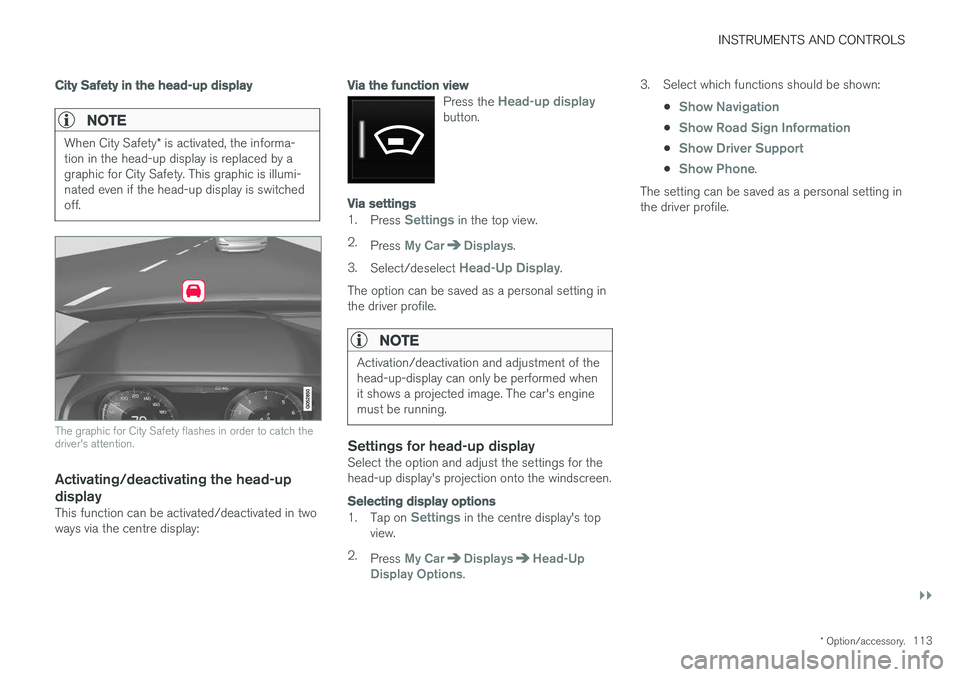
tion in the head-up display is replaced by a graphic for City Safety. This graphic is illumi-nated even if the head-up display is switchedoff.
The graphic for City Safety flashes in order to catch the driver's attention.
Activating/deactivating the head-up
display
This function can be activated/deactivated in two ways via the centre display:
Via the function view
Press the Head-up displaybutton.
Via settings
1. Press Settings in the top view.
2. Press
My CarDisplays.
3. Select/deselect
Head-Up Display.
The option can be saved as a personal setting in the driver profile.
NOTE
Activation/deactivation and adjustment of the head-up-display can only be performed whenit shows a projected image. The car's enginemust be running.
Settings for head-up displaySelect the option and adjust the settings for the head-up display's projection onto the windscreen.
Selecting display options
1. Tap on Settings in the centre display's top
view.
2. Press
My CarDisplaysHead-Up
Display Options. 3. Select which functions should be shown:
•
Show Navigation
•Show Road Sign Information
•Show Driver Support
•Show Phone.
The setting can be saved as a personal setting in the driver profile.
Page 116 of 594
||
INSTRUMENTS AND CONTROLS
* Option/accessory.
114
Adjusting brightness and vertical position
1.
Press the Head-up display adjustmentsbutton in the function view in the centre dis- play.
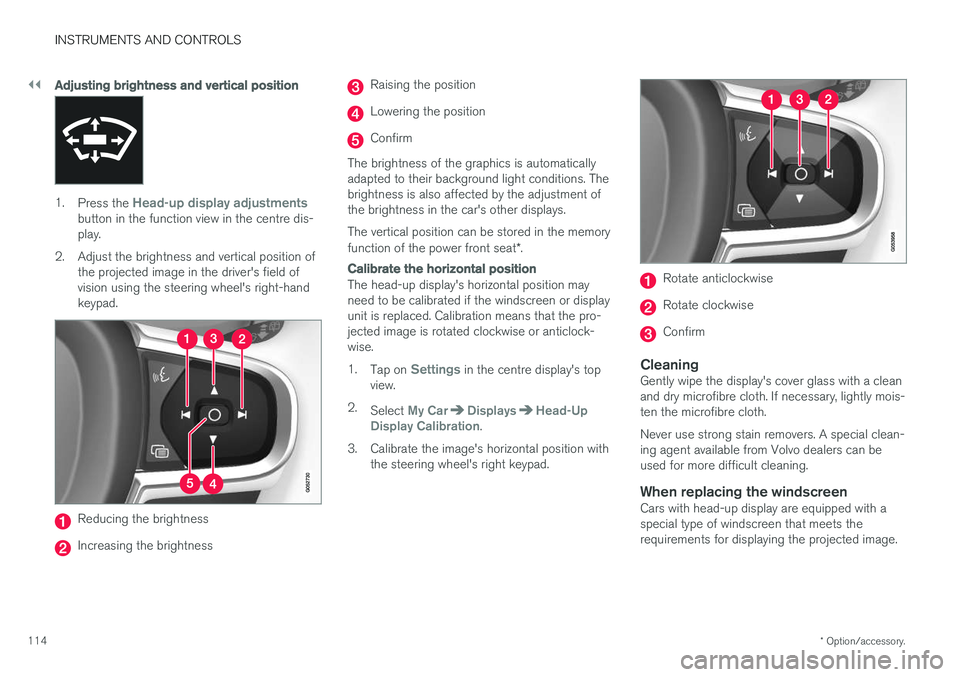
2. Adjust the brightness and vertical position of the projected image in the driver's field ofvision using the steering wheel's right-handkeypad.
Reducing the brightness
Increasing the brightness
Raising the position
Lowering the position
Confirm
The brightness of the graphics is automatically adapted to their background light conditions. Thebrightness is also affected by the adjustment ofthe brightness in the car's other displays. The vertical position can be stored in the memory function of the power front seat *.
Calibrate the horizontal position
The head-up display's horizontal position may need to be calibrated if the windscreen or displayunit is replaced. Calibration means that the pro-jected image is rotated clockwise or anticlock-wise. 1.
Tap on
Settings in the centre display's top
view.
2. Select
My CarDisplaysHead-Up
Display Calibration.
3. Calibrate the image's horizontal position with the steering wheel's right keypad.
Rotate anticlockwise
Rotate clockwise
Confirm
CleaningGently wipe the display's cover glass with a clean and dry microfibre cloth. If necessary, lightly mois-ten the microfibre cloth. Never use strong stain removers. A special clean- ing agent available from Volvo dealers can beused for more difficult cleaning.
When replacing the windscreenCars with head-up display are equipped with aspecial type of windscreen that meets therequirements for displaying the projected image.
Page 117 of 594
INSTRUMENTS AND CONTROLS
}}
* Option/accessory.115
When replacing the windscreen - contact an authorised workshop
7
. The correct version of the
windscreen must be fitted in order that the head- up display's graphics shall be displayed correctly.
Related information
• Function view with buttons for car functions(p. 47)
• Settings view (p. 169)
• Steering wheel (p. 131)
• Using the memory function in the power front seat
* (p. 122)
• Driver display (p. 90)
Voice recognition 8
The voice recognition system allows the driver to use voice recognition to control certain functionsof the media player, Bluetooth-connected phone,the climate system and Volvo's navigation sys- tem *.
Voice commands offer convenience and help the driver to avoid being distracted, and instead con-centrate on driving and focus attention on theroad and the traffic conditions.
WARNING
The driver always holds overall responsibility for driving the vehicle in a safe manner andcomplying with all applicable rules of the road.
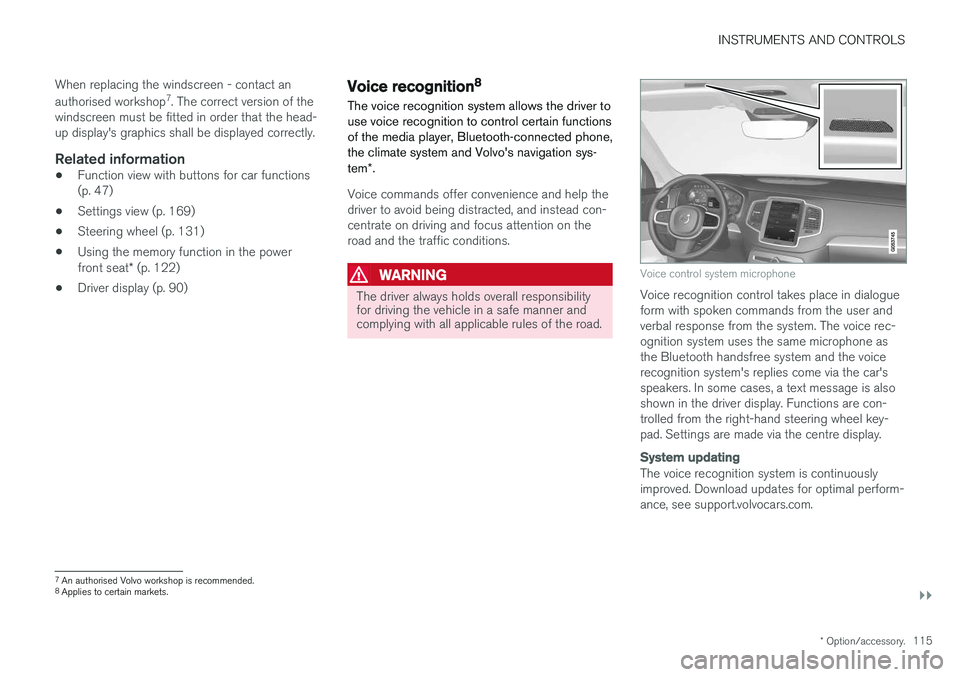
Voice control system microphone
Voice recognition control takes place in dialogue form with spoken commands from the user andverbal response from the system. The voice rec-ognition system uses the same microphone asthe Bluetooth handsfree system and the voicerecognition system's replies come via the car'sspeakers. In some cases, a text message is alsoshown in the driver display. Functions are con-trolled from the right-hand steering wheel key-pad. Settings are made via the centre display.
System updating
The voice recognition system is continuously improved. Download updates for optimal perform-ance, see support.volvocars.com.
7
An authorised Volvo workshop is recommended.
8 Applies to certain markets.
Page 120 of 594
INSTRUMENTS AND CONTROLS
* Option/accessory.
118
Voice recognition control of the phone 11
Command for voice recognition control of a Bluetooth-connected mobile phone to e.g. call acontact, a number, or to listen to a message.
To specify a contact in the phone book, the voice recognition command must include contact infor-mation that is entered in the phone book. If a contact, e.g.
Robyn Smith, has several phone
numbers then the number category can also be stated, e.g.
Home or Mobile: "Call Robin
Smith Mobile".
Tap on
and say one of the following com-
mands:
• "
Call [contact]" - dials the selected contact
from the phone book.
• "
Call [phone number]" - dials the phone
number.
• "
Recent calls" - displays the call list.
• "
Read message" - message is read out. If
there are several messages - select which message should be read out.
Related information
• Voice recognition (p. 115)
• Using voice recognition (p. 116)
• Settings for voice recognition (p. 117)
Voice recognition control of radio and media 12
Command for voice recognition control of radio and media player.
Tap on and say one of the following com-
mands:
• "
Media" - starts a dialogue for media and
radio and shows examples of commands.
• "
Play [artist]" - plays back music by the
selected artist.
• "
Play [song title]" - plays back the selected
song.
• "
Play [song title] from [album]" - plays
back the selected song from the selected album.
• "
Play [TV channel name]" - starts the
selected TV channel.
• "
Play [radio station]" - starts playing back
the selected radio channel.
• "
Tune to [frequency]" - starts the selected
radio frequency in the current frequency band. If no radio source is active, the FMband is started by default.
• "
Tune to [frequency] [wavelength]" -
starts the selected radio frequency in the selected frequency band. •
"
Radio" - starts FM radio.
• "
Radio FM" - starts FM radio.
• "
Radio AM" - starts AM radio.
• "
DAB " - starts DAB radio.
• "
TV" - starts playback from TV
*.
• "
CD" - starts playback from CD
*.
• "
USB" - starts playback from USB.
• "
iPod" - starts playback from iPod.
• "
Bluetooth" - starts playback from a Blue-
tooth-connected media source.
• "
Similar music" — plays back music similar
to the music currently playing back from USB devices.
Related information
• Voice recognition (p. 115)
• Using voice recognition (p. 116)
• Settings for voice recognition (p. 117)
11
Applies to certain markets.
12 Applies to certain markets.
Page 122 of 594
INSTRUMENTS AND CONTROLS
120
Voice recognition and map navigation14
Command for voice control of the navigation system, e.g. set destination or pause guidance.
Tap on and say one of the following com-
mands:
• “
Navigation” - Initiates a navigation dialogue
and shows examples of commands.
• "
Take me home" - Guidance is given to theHome position.
• "
Go to [City]" - Specifies a city as a desti-
nation. Example "Drive to London".
• "
Go to [Address]" - Specifies an address
as a destination. An address must contain city and street. Example "Drive to 5 KingStreet".
• "
Add intersection" - Starts a dialogue
where two streets must be specified. The intersection point of the specified streetsthen becomes the destination. •
"
Go to [Post code]" - Specifies a post
code as a destination. Example "Drive to 1 2 3 4 5".
• "
Go to [contact]" - Specifies an address
from the phone book as a destination. Exam- ple "Drive to Robyn Smith".
• "
Search [POI category]" - Searches for
adjacent points of interest (POI) within a cer- tain category (e.g. restaurants). 15
To have the
list sorted along the route - say "
Along the
route" when the results list is shown.
• "
Search [POI category] in [City]" -
Searches for points of interest (POI) within a certain category and city. The results list issorted according to the city's centre point.Example "Search for restaurant in London".
• "
Search [POI name]". Example "Search
Hyde Park".
• "
Change country/Change state16,
17
" -
Changes the search area for navigation.
• "
Show favourites" - Shows favourited posi-
tions in the driver display.
• "
Clear itinerary" - Erases all the stored
intermediate destinations and final destina- tion in an itinerary. •
"
Repeat voice guidance" - Repeats the
last spoken guidance.
• "
Turn off voice guidance" - Switches off
voice guidance.
• "
Turn on voice guidance" - Starts the
switched-off voice guidance.
Related information
• Voice recognition (p. 115)
• Using voice recognition (p. 116)
• Settings for voice recognition (p. 117)
14
Applies to certain markets.
15 The user has the option of calling the POI or specifying it as a destination.
16 In European countries, “Country” is used instead of “State”.
17 For Brazil and India, the search area is changed via the centre display.
Page 124 of 594
INSTRUMENTS AND CONTROLS
* Option/accessory.
122
Adjusting the power front seat *
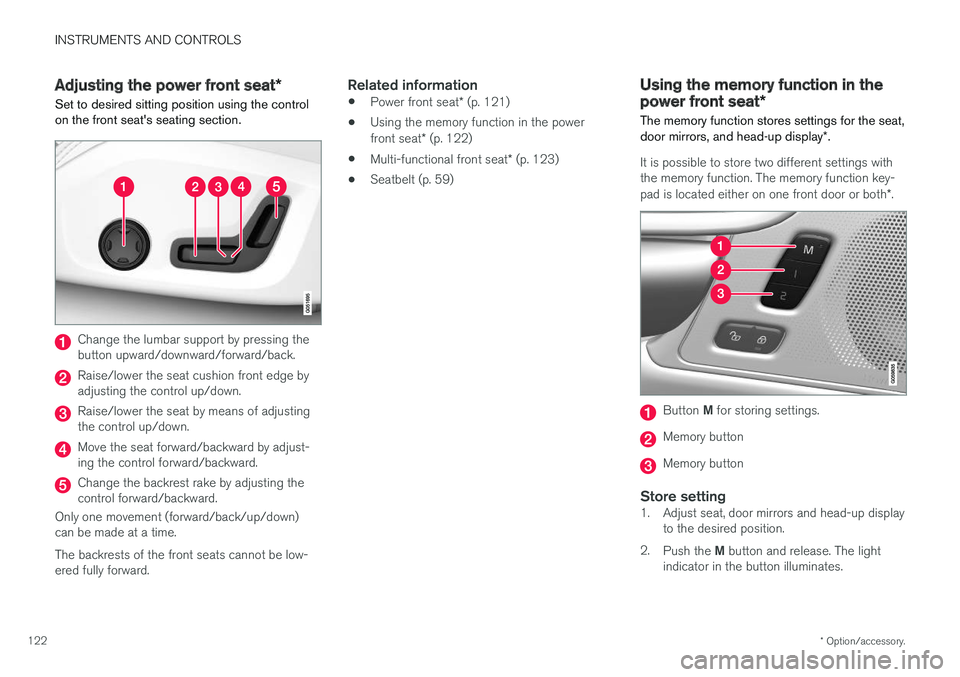
Set to desired sitting position using the control on the front seat's seating section.
Change the lumbar support by pressing the button upward/downward/forward/back.
Raise/lower the seat cushion front edge by adjusting the control up/down.
Raise/lower the seat by means of adjusting the control up/down.
Move the seat forward/backward by adjust- ing the control forward/backward.
Change the backrest rake by adjusting the control forward/backward.
Only one movement (forward/back/up/down)can be made at a time. The backrests of the front seats cannot be low- ered fully forward.
Related information
• Power front seat
* (p. 121)
• Using the memory function in the power front seat
* (p. 122)
• Multi-functional front seat
* (p. 123)
• Seatbelt (p. 59)
Using the memory function in the power front seat
*
The memory function stores settings for the seat, door mirrors, and head-up display *.
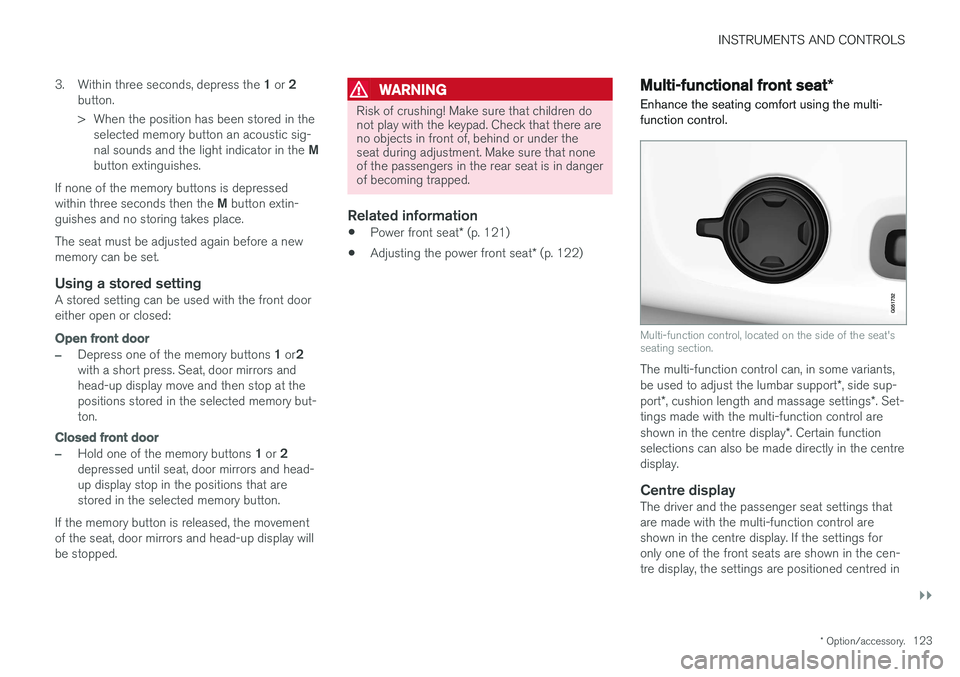
It is possible to store two different settings with the memory function. The memory function key- pad is located either on one front door or both *.
Button M for storing settings.
Memory button
Memory button
Store setting1. Adjust seat, door mirrors and head-up display
to the desired position.
2. Push the M button and release. The light
indicator in the button illuminates.
Page 125 of 594
INSTRUMENTS AND CONTROLS
}}
* Option/accessory.123
3.
Within three seconds, depress the 1 or 2
button.
> When the position has been stored in the selected memory button an acoustic sig- nal sounds and the light indicator in the M
button extinguishes.
If none of the memory buttons is depressedwithin three seconds then the M button extin-
guishes and no storing takes place. The seat must be adjusted again before a new memory can be set.
Using a stored settingA stored setting can be used with the front dooreither open or closed:
Open front door
–Depress one of the memory buttons 1 or 2
with a short press. Seat, door mirrors and head-up display move and then stop at thepositions stored in the selected memory but-ton.
Closed front door
–Hold one of the memory buttons 1 or 2
depressed until seat, door mirrors and head- up display stop in the positions that arestored in the selected memory button.
If the memory button is released, the movementof the seat, door mirrors and head-up display willbe stopped.
WARNING
Risk of crushing! Make sure that children do not play with the keypad. Check that there areno objects in front of, behind or under theseat during adjustment. Make sure that noneof the passengers in the rear seat is in dangerof becoming trapped.
Related information
• Power front seat
* (p. 121)
• Adjusting the power front seat
* (p. 122)
Multi-functional front seat *
Enhance the seating comfort using the multi- function control.
Multi-function control, located on the side of the seat's seating section.
The multi-function control can, in some variants, be used to adjust the lumbar support *, side sup-
port *, cushion length and massage settings *. Set-
tings made with the multi-function control areshown in the centre display *. Certain function
selections can also be made directly in the centre display.
Centre displayThe driver and the passenger seat settings thatare made with the multi-function control areshown in the centre display. If the settings foronly one of the front seats are shown in the cen-tre display, the settings are positioned centred in
Page 126 of 594
||
INSTRUMENTS AND CONTROLS
* Option/accessory.
124 the screen. When it is possible to show setting options for both the front seats, the driver's set-ting options are shown in the upper half and thepassenger's in the lower half. To stop showing the seat settings view in the centre display, press the home button, which islocated under the centre display.
Related information
•
Power front seat
* (p. 121)
• Adjusting functions in the multi-functional front seat
* (p. 124)
• Activating/deactivating heating of the seats
*
(p. 203)
Adjusting functions in the multi- functional front seat *
Both the multi-function control on the seat and the centre display can be used in order tochange the settings. The range of settings is shown in the centre display *.
Multi-function control, located on the side of the seat's seating section.
To activate the multi-function control, turn the control upwards/downward.
Adjusting massage settings * in the
front seat
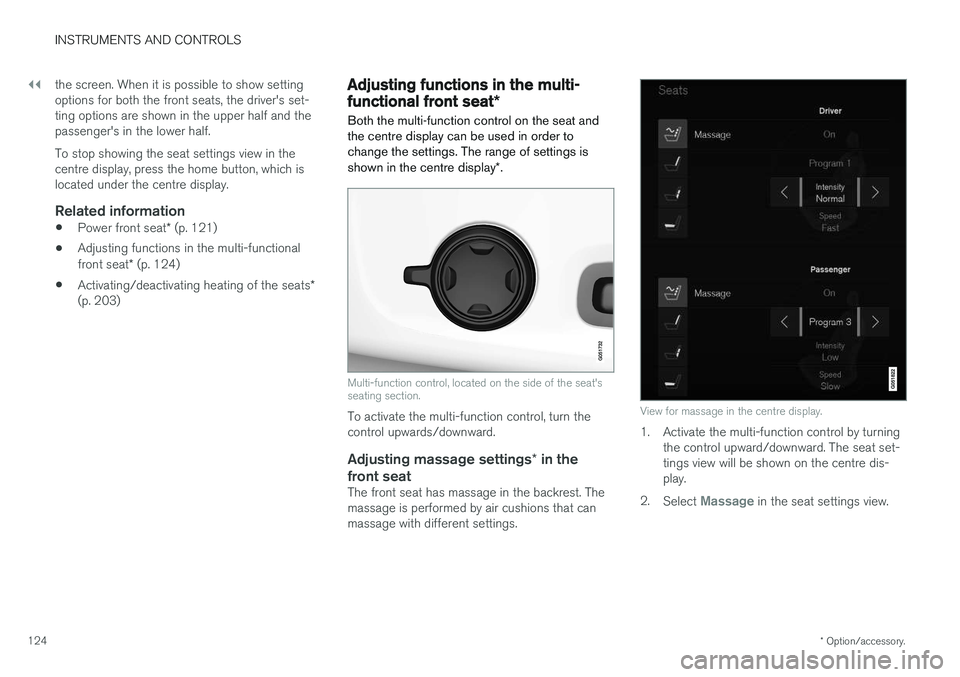
The front seat has massage in the backrest. Themassage is performed by air cushions that canmassage with different settings.
View for massage in the centre display.
1. Activate the multi-function control by turning the control upward/downward. The seat set- tings view will be shown on the centre dis-play.
2. Select
Massage in the seat settings view.
Page 127 of 594
INSTRUMENTS AND CONTROLS
}}
* Option/accessory.125
3. To choose between the different massage
functions, select either directly in the touch screen or by moving the cursor up/downusing the multi-function control's upper/lower button. Change the setting in theselected function by selecting directly in thetouch screen or by pressing the arrows, or byusing the multi-function control's front/rearbutton.
Settings for massage
The following setting options are available for massage:
•
On/Off: Select On/Off in order to switch
on/off the massage function.
•
Programs 1-5: There are 5 preset massage
programs. Select between Swell, Tread,Advanced, Lumbar and Shoulder.
•
Intensity: Select between Low, Normal andHigh.
•
Speed: Select between Slow, Normal andFast.
Restarting massage
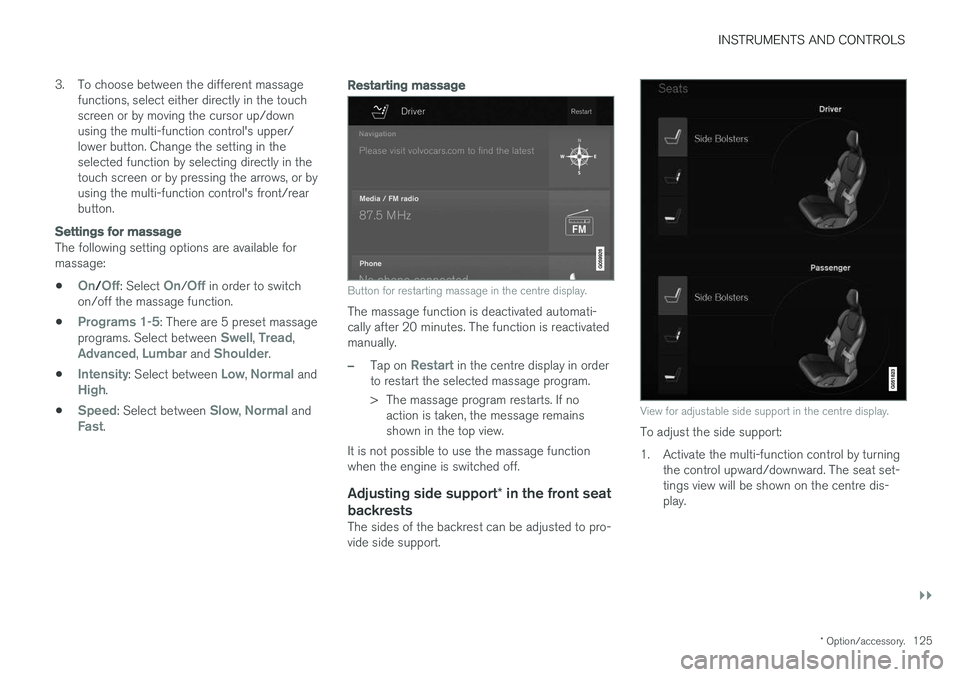
Button for restarting massage in the centre display.
The massage function is deactivated automati- cally after 20 minutes. The function is reactivatedmanually.
–Tap on Restart in the centre display in order
to restart the selected massage program.
> The massage program restarts. If no action is taken, the message remains shown in the top view.
It is not possible to use the massage functionwhen the engine is switched off.
Adjusting side support * in the front seat
backrests
The sides of the backrest can be adjusted to pro-vide side support.
View for adjustable side support in the centre display.
To adjust the side support:
1. Activate the multi-function control by turning the control upward/downward. The seat set- tings view will be shown on the centre dis-play.
Page 128 of 594
||
INSTRUMENTS AND CONTROLS
* Option/accessory.
126 2.
Select
Side bolsters in the seat settings
view.
• Press the front seat button in order to increase the side support.
• Press the rear seat button in order toreduce the side support.
Adjusting the lumbar support
* in the
front seat
The lumbar support can be adjusted upward/downward/forward/backward.
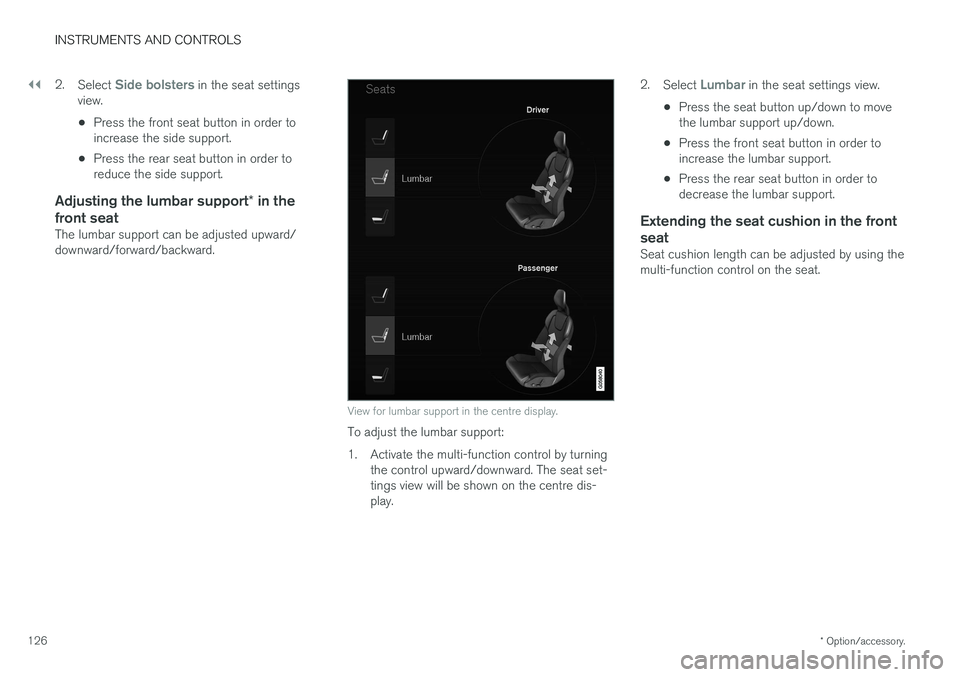
View for lumbar support in the centre display.
To adjust the lumbar support:
1. Activate the multi-function control by turning the control upward/downward. The seat set- tings view will be shown on the centre dis-play. 2.
Select
Lumbar in the seat settings view.
• Press the seat button up/down to move the lumbar support up/down.
• Press the front seat button in order toincrease the lumbar support.
• Press the rear seat button in order todecrease the lumbar support.
Extending the seat cushion in the front seat
Seat cushion length can be adjusted by using the multi-function control on the seat.