audio VOLVO V90 2017 User Guide
[x] Cancel search | Manufacturer: VOLVO, Model Year: 2017, Model line: V90, Model: VOLVO V90 2017Pages: 594, PDF Size: 15.07 MB
Page 353 of 594
DRIVER SUPPORT
* Option/accessory.351
Activating/deactivating Road Sign Information
The Road Sign Information (Road Sign Information - RSI) function can be activated/deactivated.
Activating/deactivating Road Sign
Information
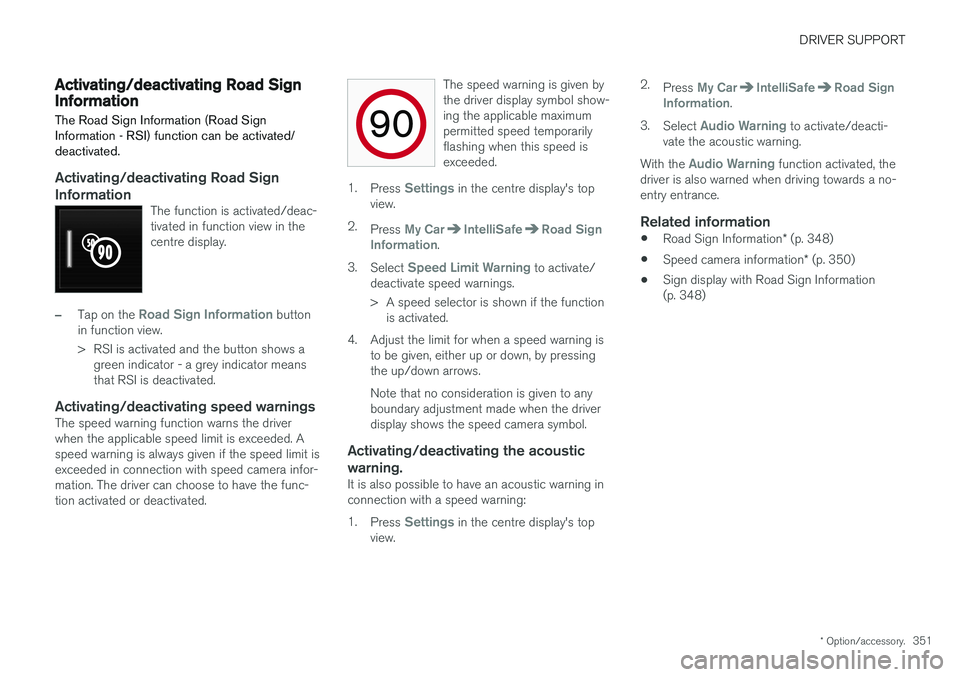
The function is activated/deac- tivated in function view in thecentre display.
–Tap on the Road Sign Information button
in function view.
> RSI is activated and the button shows a green indicator - a grey indicator means that RSI is deactivated.
Activating/deactivating speed warningsThe speed warning function warns the driverwhen the applicable speed limit is exceeded. Aspeed warning is always given if the speed limit isexceeded in connection with speed camera infor-mation. The driver can choose to have the func-tion activated or deactivated. The speed warning is given bythe driver display symbol show-ing the applicable maximumpermitted speed temporarilyflashing when this speed isexceeded.
1.
Press Settings in the centre display's top
view.
2. Press
My CarIntelliSafeRoad Sign
Information.
3. Select
Speed Limit Warning to activate/
deactivate speed warnings.
> A speed selector is shown if the function is activated.
4. Adjust the limit for when a speed warning is to be given, either up or down, by pressing the up/down arrows. Note that no consideration is given to any boundary adjustment made when the driverdisplay shows the speed camera symbol.
Activating/deactivating the acoustic warning.
It is also possible to have an acoustic warning in connection with a speed warning: 1.Press
Settings in the centre display's top
view. 2.
Press
My CarIntelliSafeRoad Sign
Information.
3. Select
Audio Warning to activate/deacti-
vate the acoustic warning.
With the
Audio Warning function activated, the
driver is also warned when driving towards a no- entry entrance.
Related information
• Road Sign Information
* (p. 348)
• Speed camera information
* (p. 350)
• Sign display with Road Sign Information(p. 348)
Page 365 of 594
DRIVER SUPPORT
}}
* Option/accessory.363
Park Assist*
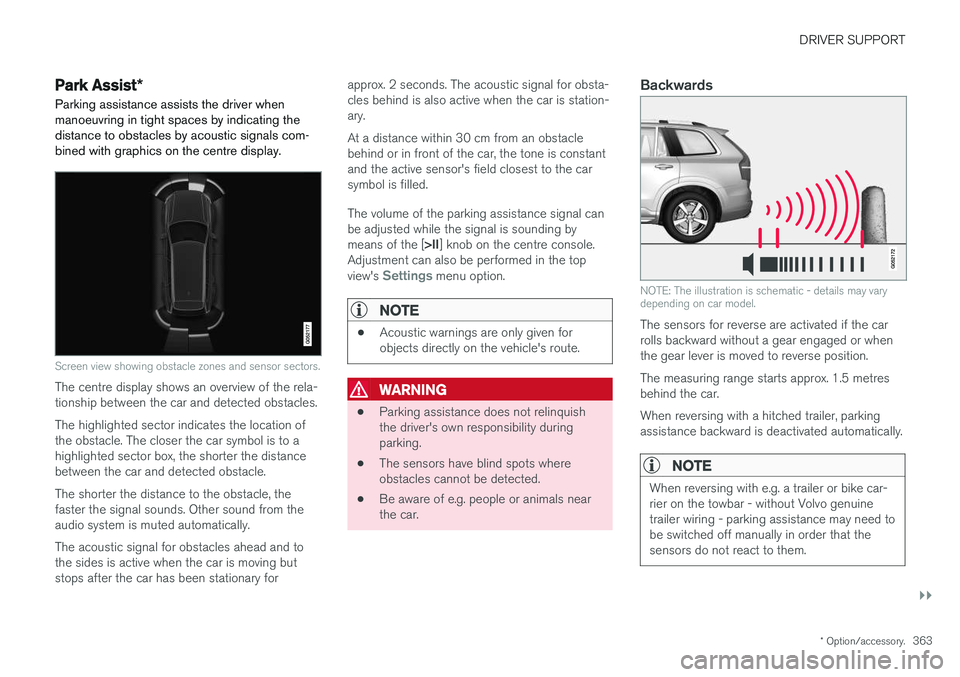
Parking assistance assists the driver when manoeuvring in tight spaces by indicating thedistance to obstacles by acoustic signals com-bined with graphics on the centre display.
Screen view showing obstacle zones and sensor sectors.
The centre display shows an overview of the rela- tionship between the car and detected obstacles. The highlighted sector indicates the location of the obstacle. The closer the car symbol is to ahighlighted sector box, the shorter the distancebetween the car and detected obstacle. The shorter the distance to the obstacle, the faster the signal sounds. Other sound from theaudio system is muted automatically. The acoustic signal for obstacles ahead and to the sides is active when the car is moving butstops after the car has been stationary for approx. 2 seconds. The acoustic signal for obsta-cles behind is also active when the car is station-ary. At a distance within 30 cm from an obstacle behind or in front of the car, the tone is constantand the active sensor's field closest to the carsymbol is filled. The volume of the parking assistance signal can be adjusted while the signal is sounding by means of the [
>II] knob on the centre console.
Adjustment can also be performed in the top view's
Settings menu option.
NOTE
• Acoustic warnings are only given for objects directly on the vehicle's route.
WARNING
•Parking assistance does not relinquish the driver's own responsibility duringparking.
• The sensors have blind spots whereobstacles cannot be detected.
• Be aware of e.g. people or animals nearthe car.
Backwards
NOTE: The illustration is schematic - details may vary depending on car model.
The sensors for reverse are activated if the car rolls backward without a gear engaged or whenthe gear lever is moved to reverse position. The measuring range starts approx. 1.5 metres behind the car. When reversing with a hitched trailer, parking assistance backward is deactivated automatically.
NOTE
When reversing with e.g. a trailer or bike car- rier on the towbar - without Volvo genuinetrailer wiring - parking assistance may need tobe switched off manually in order that thesensors do not react to them.
Page 387 of 594
STARTING AND DRIVING
}}
385
Ignition positions The car's electrical system can be set in different levels/positions and in this way make the differ-ent functions available.
In order to facilitate the use of a limited number of functions with the engine switched off, thecar's electrical system can be set in 3 different levels - 0, I and II. These levels are described
with the denomination "ignition position" throughout the owner's manual. The following table shows the functions available in each ignition position/level:
Level Functions
0 •Odometer, clock and temperature gauge are illuminated.
• Power seats can be adjusted.
• The power windows can be used.
• The centre display is started andcan be used.
• It is possible to start the audio.
The functions are time-controlled inthis ignition position and are switchedoff automatically after a period of time.
I •Panorama roof, power windows,12V socket in the passenger com-partment, navigation, phone, venti-lation fan and windscreen wiperscan be used.
• Power seats can be adjusted.
• 12 V sockets in the cargo areacan be used.
• The audio is started automaticallyif it was running when the car wasleft.
Power is taken from the battery inthis ignition position.Level Functions
II •The headlamps come on.
• Warning/indicator lamps illuminate for 5 seconds.
• Several other systems are acti-vated. However, heating in seatcushions and the rear window canonly be activated after the car hasbeen started.
This ignition position consumes alot of current from the battery andshould therefore be avoided!
Selecting ignition position
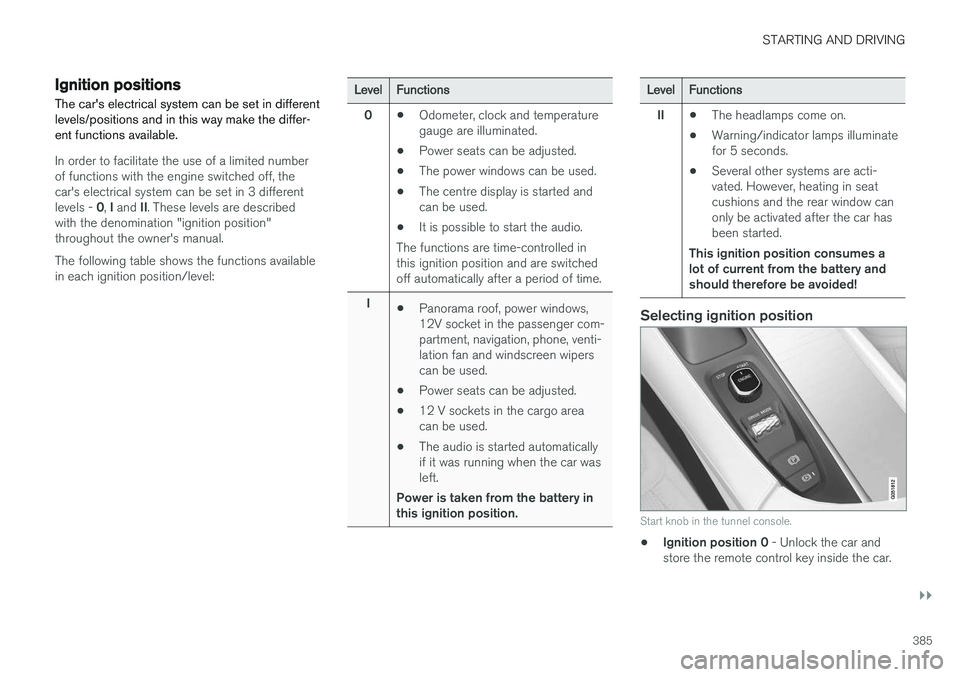
Start knob in the tunnel console.
• Ignition position 0
- Unlock the car and
store the remote control key inside the car.
Page 398 of 594
||
STARTING AND DRIVING
* Option/accessory.
396
Automatic deactivation
In gear position D the steering wheel paddles are
deactivated after a short time if they are not used. This is indicated by means of the figure for thecurrent gear extinguishing. The exception is during engine braking - then the paddles are activated for as long as engine brak-ing is in progress. In gear position M there is no automatic deactiva-
tion.
Related information
• Gear positions for automatic gearbox (p. 390)
• Gear shift indicator
* (p. 392)
Start/Stop
With the Start/Stop function, the engine switches off temporarily when the car has stop-ped e.g. at traffic lights or in a traffic queue, andthen starts again automatically when the journeyis resumed.
Start/Stop is one of several energy-saving func- tions intended to reduce fuel consumption, whichin turn helps to reduce exhaust emissions. The system makes it possible to adopt an envi- ronmentally-conscious driving style by allowingthe car to engine auto-stop when possible.
Related information
• Using the Start/Stop function (p. 396)
• Conditions for the Start/Stop function(p. 398)
Using the Start/Stop function The Start/Stop function temporarily switches off the engine when stationary and then restarts itautomatically when the journey is resumed.
The Start/Stop function is available when the engine is started and can be activated if certainconditions have been met. The driver display indi-cates whether the function is available, active orunavailable, see heading "Symbols in driver dis-play" below. All of the car's normal systems such as lighting, radio, etc. work normally, even when the engine isauto-stopped. However, some equipment mayhave its output temporarily reduced, e.g. the cli-mate control system's fan speed or extremelyhigh volume on the audio system.
Auto-stopThe following is required for the engine to auto-stop:
Page 417 of 594
STARTING AND DRIVING
}}
* Option/accessory.415
Related information
•Driving with a trailer under special conditions (p. 428)
• Preparations for a long trip (p. 415)
Overloading the starter battery
The electrical functions in the car load the starter battery to varying degrees. Avoid using the igni-tion position II when the car is switched off.
Instead, use ignition position I - which uses less
power.
Also, be aware of different accessories that load the electrical system. Do not use functions whichuse a lot of power when the car is switched off.Examples of such functions are:
• ventilation fan
• headlamps
• windscreen wiper
• audio system (high volume).
If the starter battery voltage is low, the message
12 V Battery Low charge, will soon enter
power save mode is shown in the driver display.
The energy-saving function then shuts down cer- tain functions or reduces certain functions suchas the ventilation fan and/or audio system.
–In which case, charge the starter battery by starting the car and then running it for atleast 15 minutes - starter battery charging ismore effective during driving than runningthe engine at idling speed while stationary.
Related information
• Ignition positions (p. 385)
• Starter battery (p. 530)
Preparations for a long trip
Before a driving holiday or some other type of long journey, it is important to check the car'sfunctions and equipment particularly carefully.
Check that:
• the engine is working normally and that fuel consumption is normal
• there are no leaks (fuel, oil or other fluid)
• all bulbs are working
• the tyres have sufficient tread depth andpressure
• a warning triangle and high-visibility vest arelocated in the car - legally required in certaincountries
• the wiper blades are in good condition.
Related information
•
Fuel consumption and CO2 emissions(p. 572)
• Checking the tyre pressures (p. 484)
• Filling washer fluid (p. 529)
• Winter driving (p. 416)
• Economical driving (p. 422)
• Settings for car modem
* (p. 468)
• Loading (p. 227)
• Pilot Assist
* (p. 304)
• Speed limiter
* (p. 277)
Page 436 of 594
AUDIO AND MEDIA
* Option/accessory.
434
Audio and media
The audio and media system consists of media
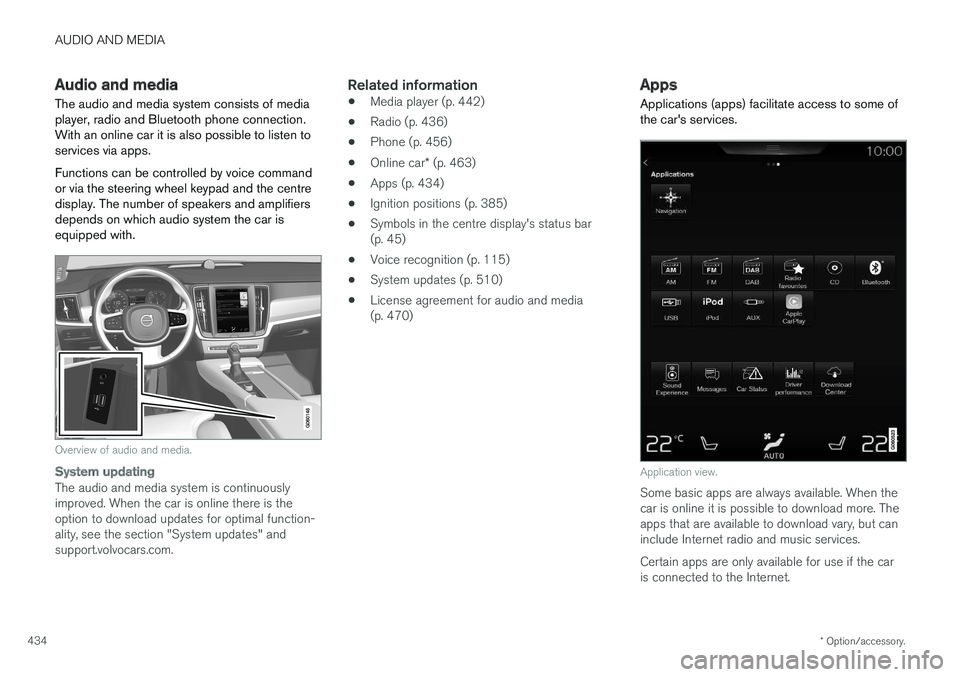
player, radio and Bluetooth phone connection. With an online car it is also possible to listen toservices via apps. Functions can be controlled by voice command or via the steering wheel keypad and the centredisplay. The number of speakers and amplifiersdepends on which audio system the car isequipped with.
Overview of audio and media.
System updating
The audio and media system is continuously improved. When the car is online there is theoption to download updates for optimal function-ality, see the section "System updates" andsupport.volvocars.com.
Related information
• Media player (p. 442)
• Radio (p. 436)
• Phone (p. 456)
• Online car
* (p. 463)
• Apps (p. 434)
• Ignition positions (p. 385)
• Symbols in the centre display's status bar(p. 45)
• Voice recognition (p. 115)
• System updates (p. 510)
• License agreement for audio and media(p. 470)
Apps
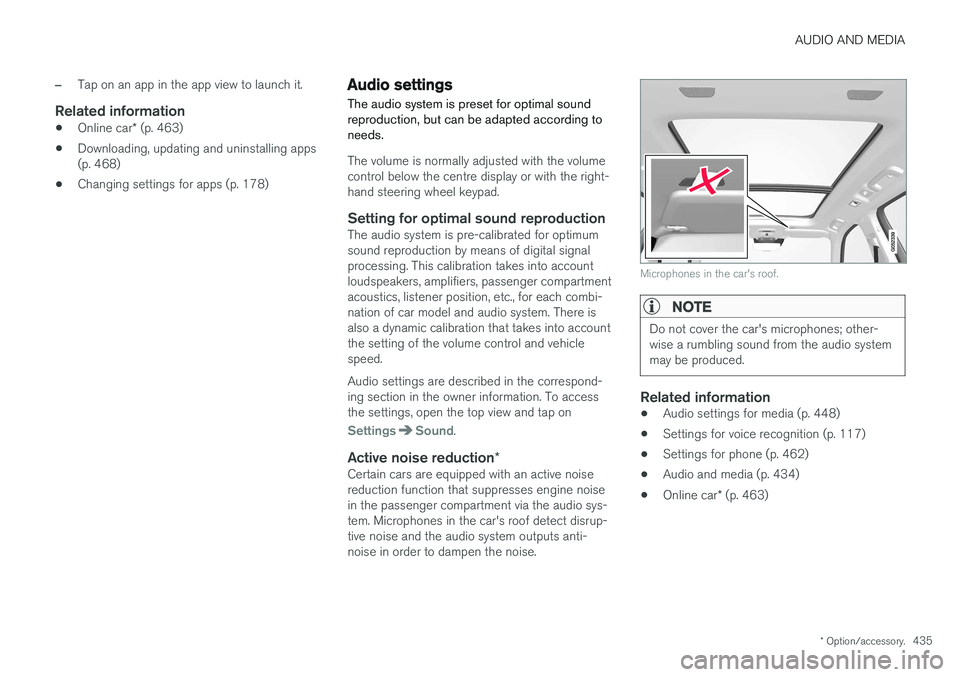
Applications (apps) facilitate access to some of the car's services.
Application view.
Some basic apps are always available. When the car is online it is possible to download more. Theapps that are available to download vary, but caninclude Internet radio and music services. Certain apps are only available for use if the car is connected to the Internet.
Page 437 of 594
AUDIO AND MEDIA
* Option/accessory.435
–Tap on an app in the app view to launch it.
Related information
•Online car
* (p. 463)
• Downloading, updating and uninstalling apps (p. 468)
• Changing settings for apps (p. 178)
Audio settings
The audio system is preset for optimal sound reproduction, but can be adapted according toneeds.
The volume is normally adjusted with the volume control below the centre display or with the right-hand steering wheel keypad.
Setting for optimal sound reproductionThe audio system is pre-calibrated for optimumsound reproduction by means of digital signalprocessing. This calibration takes into accountloudspeakers, amplifiers, passenger compartmentacoustics, listener position, etc., for each combi-nation of car model and audio system. There isalso a dynamic calibration that takes into accountthe setting of the volume control and vehiclespeed. Audio settings are described in the correspond- ing section in the owner information. To accessthe settings, open the top view and tap on
SettingsSound.
Active noise reduction *Certain cars are equipped with an active noise reduction function that suppresses engine noisein the passenger compartment via the audio sys-tem. Microphones in the car's roof detect disrup-tive noise and the audio system outputs anti-noise in order to dampen the noise.
Microphones in the car's roof.
NOTE
Do not cover the car's microphones; other- wise a rumbling sound from the audio systemmay be produced.
Related information
•Audio settings for media (p. 448)
• Settings for voice recognition (p. 117)
• Settings for phone (p. 462)
• Audio and media (p. 434)
• Online car
* (p. 463)
Page 438 of 594
AUDIO AND MEDIA
* Option/accessory.
436
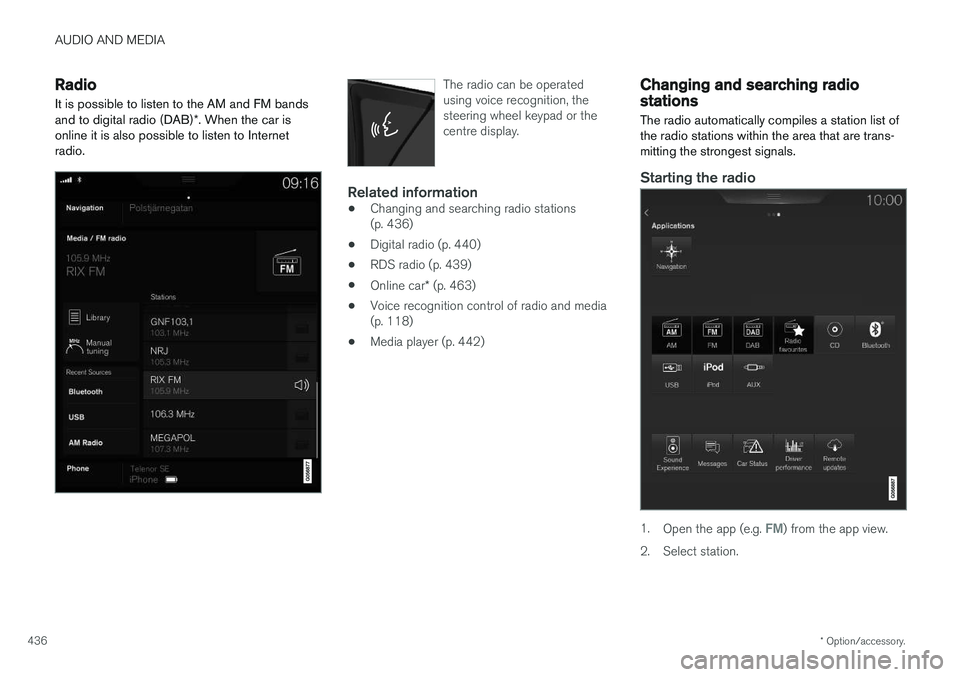
Radio It is possible to listen to the AM and FM bands and to digital radio (DAB) *. When the car is
online it is also possible to listen to Internet radio.The radio can be operated using voice recognition, thesteering wheel keypad or thecentre display.
Related information
• Changing and searching radio stations (p. 436)
• Digital radio (p. 440)
• RDS radio (p. 439)
• Online car
* (p. 463)
• Voice recognition control of radio and media(p. 118)
• Media player (p. 442)
Changing and searching radio stations The radio automatically compiles a station list of the radio stations within the area that are trans-mitting the strongest signals.
Starting the radio
1.
Open the app (e.g. FM) from the app view.
2. Select station.
Page 439 of 594
AUDIO AND MEDIA
}}
437
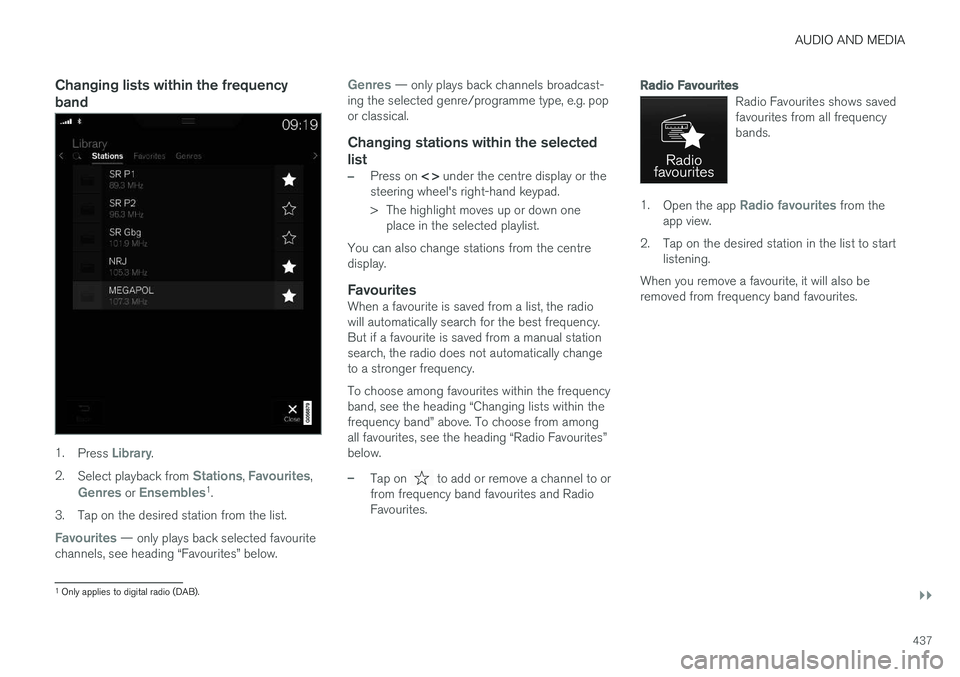
Changing lists within the frequency band
1.Press Library.
2. Select playback from
Stations, Favourites,
Genres or Ensembles1
.
3. Tap on the desired station from the list.
Favourites — only plays back selected favourite
channels, see heading “Favourites” below.
Genres — only plays back channels broadcast-
ing the selected genre/programme type, e.g. pop or classical.
Changing stations within the selected
list
–Press on < > under the centre display or the
steering wheel's right-hand keypad.
> The highlight moves up or down one place in the selected playlist.
You can also change stations from the centre display.
FavouritesWhen a favourite is saved from a list, the radiowill automatically search for the best frequency.But if a favourite is saved from a manual stationsearch, the radio does not automatically changeto a stronger frequency. To choose among favourites within the frequency band, see the heading “Changing lists within thefrequency band” above. To choose from amongall favourites, see the heading “Radio Favourites”below.
–Tap on to add or remove a channel to or
from frequency band favourites and Radio Favourites.
Radio Favourites
Radio Favourites shows saved favourites from all frequencybands.
1. Open the app Radio favourites from the
app view.
2. Tap on the desired station in the list to start listening.
When you remove a favourite, it will also be removed from frequency band favourites.
1 Only applies to digital radio (DAB).
Page 440 of 594
||
AUDIO AND MEDIA
438
Changing radio band
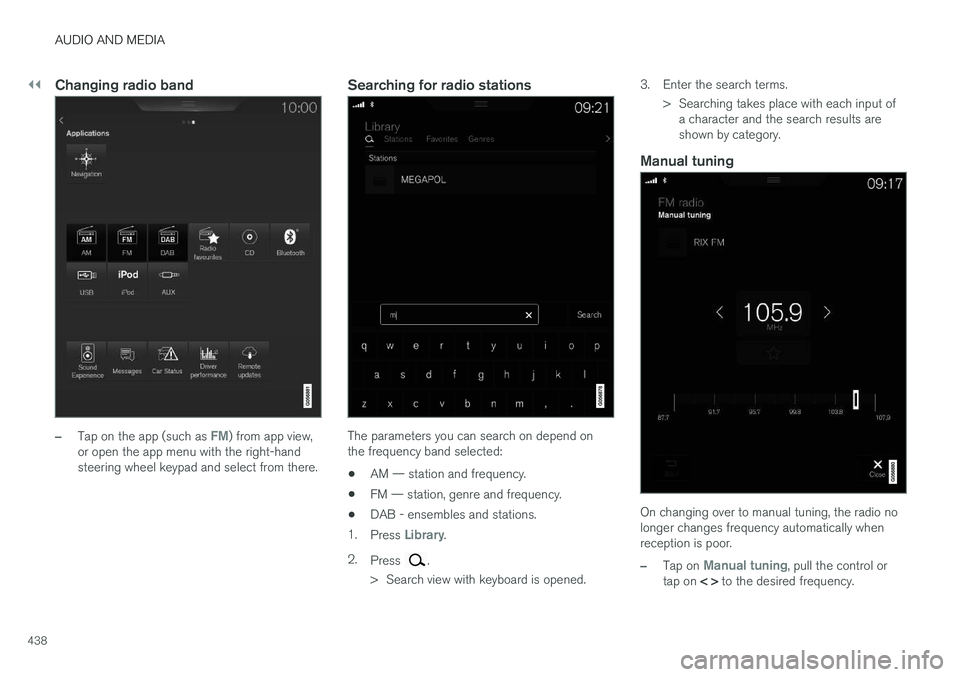
–Tap on the app (such as FM) from app view,
or open the app menu with the right-hand steering wheel keypad and select from there.
Searching for radio stations
The parameters you can search on depend on the frequency band selected:
• AM — station and frequency.
• FM — station, genre and frequency.
• DAB - ensembles and stations.
1. Press
Library.
2. Press
.
> Search view with keyboard is opened. 3. Enter the search terms.
> Searching takes place with each input ofa character and the search results are shown by category.
Manual tuning
On changing over to manual tuning, the radio no longer changes frequency automatically whenreception is poor.
–Tap on Manual tuning, pull the control or
tap on < > to the desired frequency.