maintenance VOLVO V90 2017 User Guide
[x] Cancel search | Manufacturer: VOLVO, Model Year: 2017, Model line: V90, Model: VOLVO V90 2017Pages: 594, PDF Size: 15.07 MB
Page 307 of 594
DRIVER SUPPORT
}}
305
WARNING
Pilot Assist is an aid which cannot handle all traffic, weather and road conditions. The driver must always be observant with regard to the prevailing traffic conditions andintervene if Pilot Assist does not provide suit-able steering assistance or maintain a suita-ble speed or suitable time interval. Read all the sections about this function in the owner's manual in order to learn about itslimitations, of which the driver should beaware before the function is used. Pilot Assist must only be used if there are clear lane lines painted on the road surfaceon each side of the lane. All other useinvolves increased risk of contact with sur-rounding obstacles that are not detected bythe function. The driver always bears responsibility for how the car is controlled as well as for maintainingthe correct distance and speed, even whenPilot Assist is being used.
Pilot Assist regulates the speed with acceleration and braking. It is normal for the brakes to emit alow sound when they are being used to adjustthe speed. Pilot Assist attempts to regulate the speed smoothly. In situations that demand sudden brak-ing the driver must brake himself/herself. Thisapplies in case of large speed differences or ifthe vehicle in front brakes suddenly. Due to the limitations of the camera and radar unit, brakingmay come unexpectedly or not at all. Pilot Assist aims to follow the vehicle ahead in the same lane at a time interval set by the driver.If the radar unit cannot see any vehicle in frontthen the car will instead maintain the speed setand stored by the driver. This also takes place ifthe speed of the vehicle ahead increases andexceeds the stored speed. The following applies for cars with automatic gearbox:
• Pilot Assist can follow another vehicle atspeeds from 0 km/h up to 200 km/h(125 mph).
• Pilot Assist can give steering assistance fromalmost stationary up to 140 km/h (87 mph).
The following applies for cars with manual gear-box: • Pilot Assist can follow another vehicle at speeds from 30 km/h (20 mph) up to200 km/h (125 mph).
• Pilot Assist can give steering assistance from30 km/h (20 mph) up to 140 km/h(87 mph).
WARNING
Pilot Assist is not a collision avoidance sys- tem. The driver must intervene if the systemdoes not detect a vehicle in front. Pilot Assist does not brake for people, ani- mals, objects, small vehicles (e.g. cycles andmotorcycles), low trailers as well as oncoming,slow or stationary vehicles. Do not use Pilot Assist, for example, in city traffic, at junctions, on slippery surfaces, witha lot of water or slush on the road, in heavyrain/snow, in poor visibility, on winding roads,on slip roads, or with a trailer connected tothe car.
IMPORTANT
Maintenance of Pilot Assist components must only be performed at a workshop - an author-ised Volvo workshop is recommended.
Page 339 of 594
DRIVER SUPPORT
}}
337
has the opportunity to avoid a collision via a steering manoeuvre. However, if City Safety anticipates that an evasive manoeuvre is not possible due to traffic in anadjacent lane, the function can assist the driverby automatically starting to brake at an earlierstage.
WARNING
City Safety's ability to anticipate a certain sit- uation is an aid, and does not work in all driv-ing situations or traffic, weather and road con-ditions. The driver always bears ultimate responsibility for ensuring that the vehicle is driven safelyand that applicable laws and road traffic regu-lations are followed.
Related information
•
City Safety (p. 330)
• Limitations of City Safety (p. 337)
Limitations of City Safety
The City Safety function may have limitations in certain situations.
Surroundings
Low objects
Low-hanging objects, e.g. a flag/pennant for pro- jecting load, or accessories such as auxiliarylamps and bull bars that are higher than the bon-net limit the function.
Skidding
On slippery road surfaces the braking distance is extended, which may reduce the capacity of CitySafety to avoid a collision. In such situations, theanti-lock brakes and the stability control ESC willgive the best possible braking force with main-tained stability.
Oncoming light
The visual warning signal in the windscreen may be difficult to notice in the event of strong sun-light, reflections, when sunglasses are beingworn or if the driver is not looking straight ahead.
Heat
In the event of high passenger compartment temperature caused by e.g. strong sunlight, thevisual warning signal in the windscreen may betemporarily disengaged.
The camera and radar unit's field of view
The camera's field of vision is limited, which is why pedestrians, large animals, cyclists and vehi- cles in some situations cannot be detected, orthey are detected later than anticipated. Dirty vehicles may be detected later than others and if it is dark, motorcycles may be detected lateor not at all. If a text message in the driver display indicates that the camera and radar unit is obstructed, CitySafety may be unable to detect pedestrians, largeanimals, cyclists, vehicles or road lines ahead ofthe car. This means that the functionality of CitySafety may be reduced. However, an error message is not shown in all situations where the windscreen sensors areobstructed. The driver must therefore take care tokeep the area of windscreen in front of the cam-era and radar unit clear.
IMPORTANT
Maintenance and replacement of City Safety components must only be performed by aworkshop - an authorised Volvo workshop isrecommended.
Driver intervention
Reversing
When your own car is reversing, City Safety is temporarily deactivated.
Page 367 of 594
DRIVER SUPPORT
}}
* Option/accessory.365
Activating/deactivating Parking assistance*
The Parking assistance function can be acti- vated/deactivated.
The front and side parking assistance sensors are activated automatically when the engine isstarted. The rear sensors activate if the car rollsbackwards or if reverse gear in engaged.
The function is activated/deac-tivated in function view in thecentre display. Parking assistance can also be activated/deactivated from thecamera views.
–Tap on the Park Assist button in function
view.
> Parking assistance is activated/deacti- vated, a green/grey indicator is displayed in the button.
Related information
• Park Assist
* (p. 363)
• Cross Traffic Alert
* (p. 343)
Limitations of Parking assistance *
The Parking assistance function may have limita- tions in certain situations.
NOTE
Since a towbar is configured with the car's electrical system, towbar protrusion isincluded when the function measures the dis-tance to an object behind the car.
IMPORTANT
Objects e.g. chains, thin glossy poles or low barriers may be in the "signal shadow" andare then temporarily not detected by the sen-sors - the pulsating tone may then unexpect-edly stop instead of changing over to theexpected constant tone. The sensors cannot detect high objects, such as projecting loading docks.
• In such situations, pay extra attention andmanoeuvre/reposition the car particularlyslowly or stop the current parkingmanoeuvre - there may be a high risk ofdamage to vehicles or other objects sinceinformation from the sensors is notalways reliable in such situations.
IMPORTANT
In certain conditions the parking assistance system may produce incorrect warning sig-nals that are caused by external soundsources that emit the same ultrasonic fre-quencies that the system works with. Examples of such sources include horns, wet tyres on asphalt, pneumatic brakes andexhaust noises from motorcycles, etc.
Maintenance
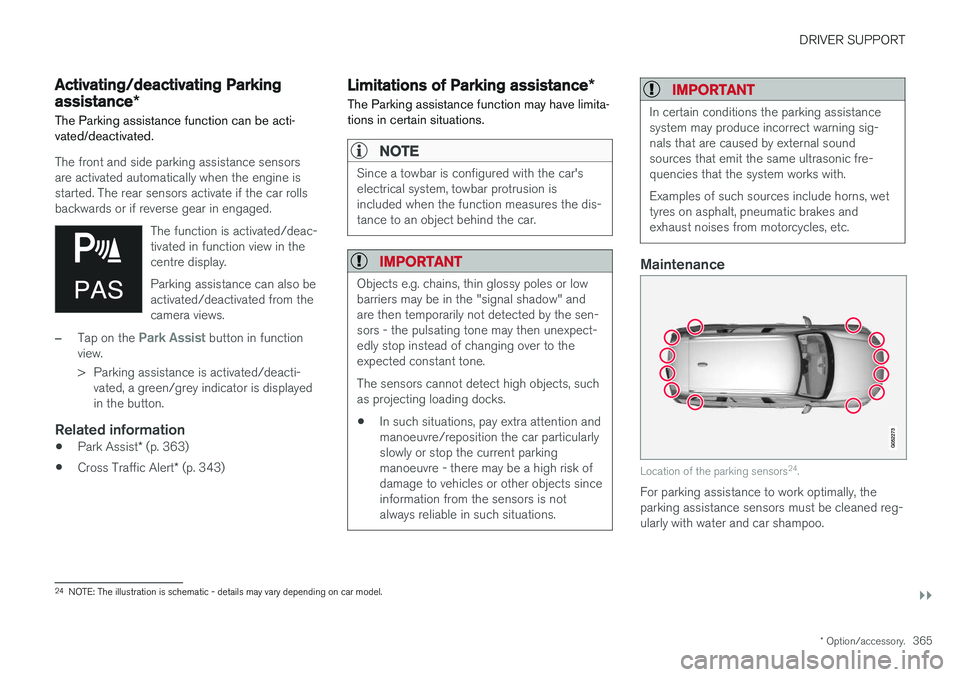
Location of the parking sensors 24
.
For parking assistance to work optimally, the parking assistance sensors must be cleaned reg-ularly with water and car shampoo.
24 NOTE: The illustration is schematic - details may vary depending on car model.
Page 376 of 594

||
DRIVER SUPPORT
* Option/accessory.
374
The car's left-hand camera is out of order.
Black camera sector
A black camera sector is also shown in the fol- lowing instances, but then without the symbol for
defective camera:
• open door
• open tailgate
• folded-in door mirror.
Light conditionsThe camera image is adjusted automatically according to prevailing light conditions. Becauseof this, the image may vary slightly in brightnessand quality. Poor light conditions can result inreduced image quality.
MaintenanceClean camera lenses regularly with lukewarmwater and car shampoo - be careful not toscratch the lenses.
NOTE
Keep the camera lens clear of dirt, snow and ice to ensure optimum function. This is partic-ularly important in poor light.
Related information
•
Park Assist Camera
* (p. 368)
• Starting the Park Assist Camera
* (p. 372)
• Park assist lines and fields for the Park Assist Camera
* (p. 370)
Park Assist Pilot *
Active parking assistance (Park Assist Pilot - PAP) helps the driver to park in or leave a park-ing space.
PAP checks first if a space is sufficiently big and thereafter helps the driver to turn the steeringwheel and manoeuvre the car into the space. The centre display indicates with symbols, graph- ics and text the various operations to be carriedout and when to do so.
NOTE
The PAP function measures the space and steers the car - the driver's task is to:
• keep a close watch around the car
• follow the instructions in the centre dis-play
• change gear (reverse/forward)
• control and maintain a safe speed
• brake and stop.
Page 382 of 594
||
DRIVER SUPPORT
* Option/accessory.
380
IMPORTANT
Changing to another approved wheel rim and/or tyre dimension may involve a changedtyre circumference, which means that thePAP system's parameters may then need tobe updated. Consult a workshop - an author-ised Volvo workshop is recommended.
Maintenance
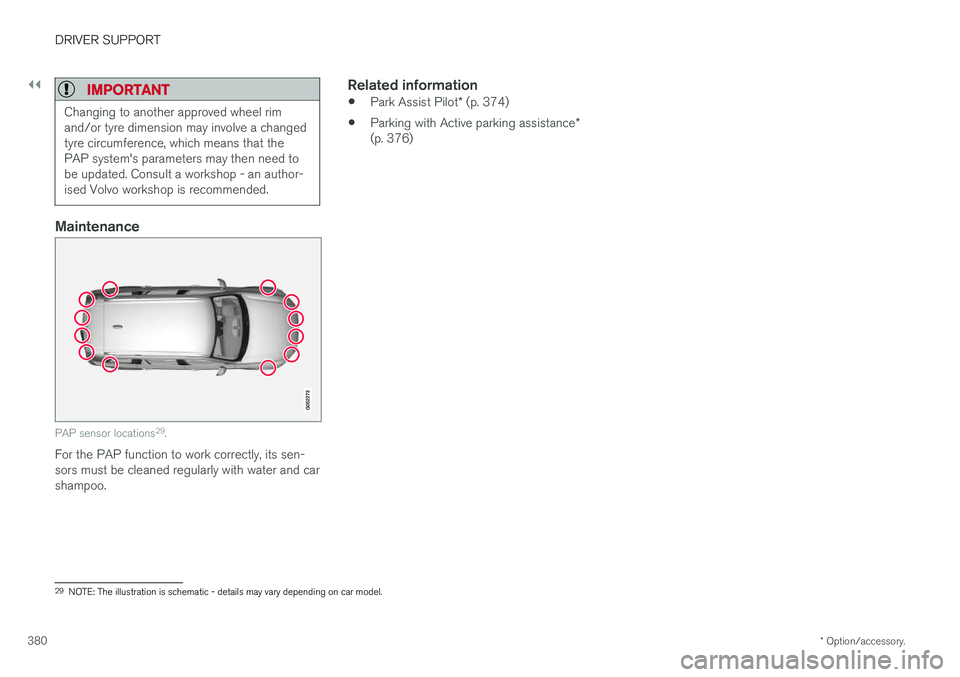
PAP sensor locations 29
.
For the PAP function to work correctly, its sen- sors must be cleaned regularly with water and carshampoo.
Related information
• Park Assist Pilot
* (p. 374)
• Parking with Active parking assistance
*
(p. 376)
29 NOTE: The illustration is schematic - details may vary depending on car model.
Page 409 of 594
STARTING AND DRIVING
407
•
Brake now and again to remove any layer of salt. Make sure that other road users are notput at risk by the braking.
• Gently depress the brake pedal after finish-ing driving and before starting your next trip.
MaintenanceTo keep the car as safe and reliable as possible,follow the Volvo service intervals as specified inthe Service and Warranty Booklet. New and replaced brake linings and brake discs do not provide optimal braking effect until theyhave been "worn in" a few hundred kilometres.Compensate for the reduced braking effect bydepressing the brake pedal harder. Volvo recom-mends only fitting brake linings that are approvedfor your Volvo.
IMPORTANT
The wear on the brake system's components must be checked regularly. Contact a workshop for information about the procedure or engage a workshop to carry outthe inspection - an authorised Volvo work-shop is recommended.
Symbols in the driver display
Symbol
Specification
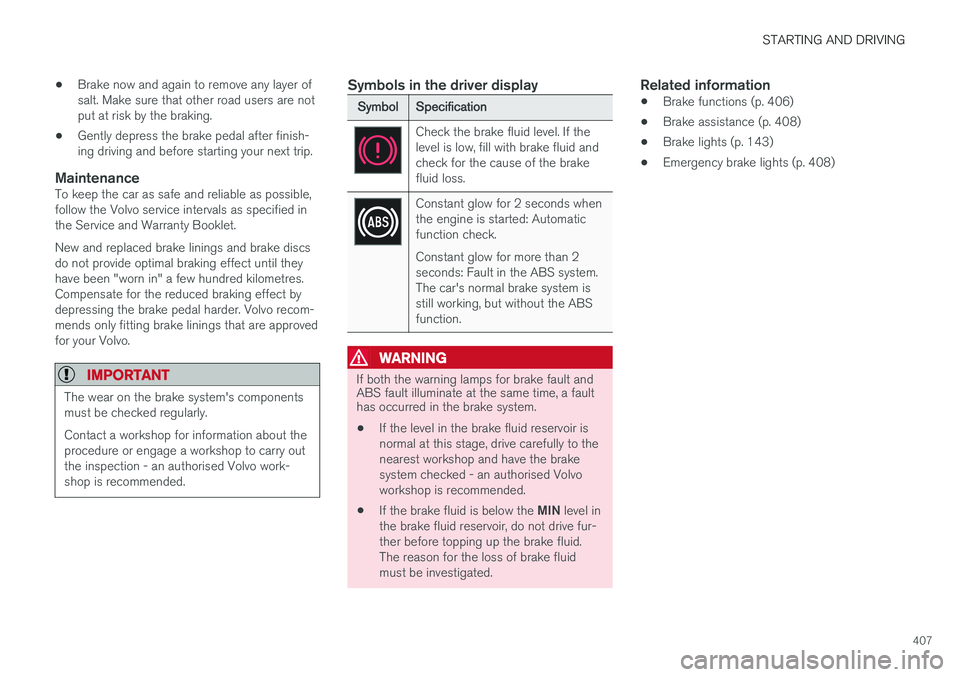
Check the brake fluid level. If the level is low, fill with brake fluid andcheck for the cause of the brakefluid loss.
Constant glow for 2 seconds when the engine is started: Automaticfunction check. Constant glow for more than 2 seconds: Fault in the ABS system.The car's normal brake system isstill working, but without the ABSfunction.
WARNING
If both the warning lamps for brake fault and ABS fault illuminate at the same time, a faulthas occurred in the brake system.
• If the level in the brake fluid reservoir is normal at this stage, drive carefully to thenearest workshop and have the brakesystem checked - an authorised Volvoworkshop is recommended.
• If the brake fluid is below the
MIN level in
the brake fluid reservoir, do not drive fur-ther before topping up the brake fluid.The reason for the loss of brake fluidmust be investigated.
Related information
• Brake functions (p. 406)
• Brake assistance (p. 408)
• Brake lights (p. 143)
• Emergency brake lights (p. 408)
Page 481 of 594
AUDIO AND MEDIA
* Option/accessory.479
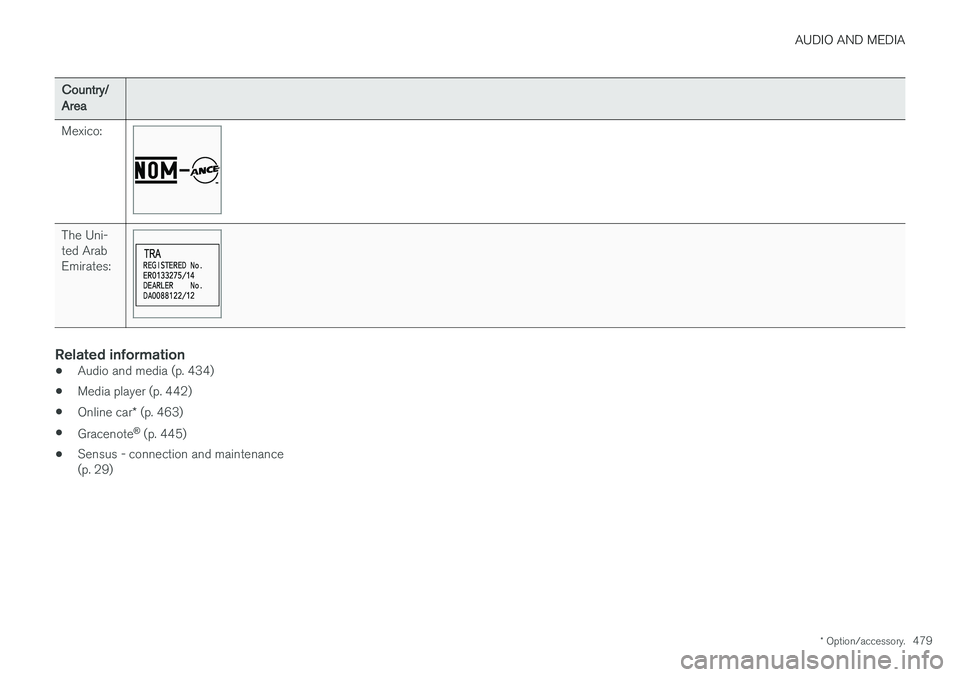
Country/ Area Mexico:
The Uni- ted ArabEmirates:
Related information
•Audio and media (p. 434)
• Media player (p. 442)
• Online car
* (p. 463)
• Gracenote ®
(p. 445)
• Sensus - connection and maintenance (p. 29)
Page 484 of 594
WHEELS AND TYRES
482
TyresAmongst other things, the function of the tyres is to carry load, provide grip on the road surface,dampen vibration and protect the wheel fromwear.
The tyres greatly affect the car's driving characte- ristics. The type of tyre, dimensions, tyre pressureand speed rating are important for how the carperforms.
Recommended tyresOn delivery, the car is equipped with Volvo origi- nal tyres that have the VOL 1
marking on the side
of the tyres. These tyres are carefully adapted to the car. In the event of changing tyres, it is there-fore important that the new tyres also have thismarking in order for the car's driving characteris-tics, comfort and fuel consumption to be main-tained.
New tyres
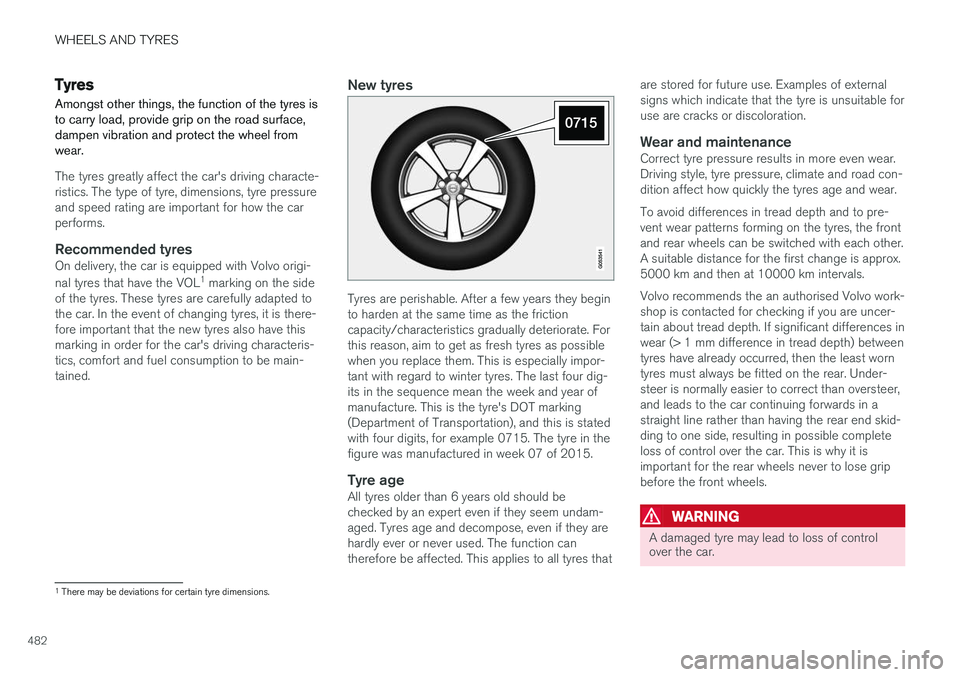
Tyres are perishable. After a few years they begin to harden at the same time as the frictioncapacity/characteristics gradually deteriorate. Forthis reason, aim to get as fresh tyres as possiblewhen you replace them. This is especially impor-tant with regard to winter tyres. The last four dig-its in the sequence mean the week and year ofmanufacture. This is the tyre's DOT marking(Department of Transportation), and this is statedwith four digits, for example 0715. The tyre in thefigure was manufactured in week 07 of 2015.
Tyre ageAll tyres older than 6 years old should bechecked by an expert even if they seem undam-aged. Tyres age and decompose, even if they arehardly ever or never used. The function cantherefore be affected. This applies to all tyres that are stored for future use. Examples of externalsigns which indicate that the tyre is unsuitable foruse are cracks or discoloration.
Wear and maintenanceCorrect tyre pressure results in more even wear.Driving style, tyre pressure, climate and road con-dition affect how quickly the tyres age and wear. To avoid differences in tread depth and to pre- vent wear patterns forming on the tyres, the frontand rear wheels can be switched with each other.A suitable distance for the first change is approx.5000 km and then at 10000 km intervals. Volvo recommends the an authorised Volvo work- shop is contacted for checking if you are uncer-tain about tread depth. If significant differences inwear (> 1 mm difference in tread depth) betweentyres have already occurred, then the least worntyres must always be fitted on the rear. Under-steer is normally easier to correct than oversteer,and leads to the car continuing forwards in astraight line rather than having the rear end skid-ding to one side, resulting in possible completeloss of control over the car. This is why it isimportant for the rear wheels never to lose gripbefore the front wheels.
WARNING
A damaged tyre may lead to loss of control over the car.
1
There may be deviations for certain tyre dimensions.
Page 488 of 594
||
WHEELS AND TYRES
* Option/accessory.
486
General information on the tyre monitoring system
In the information below, the tyre monitoring sys- tem is referred to generically as TPMS. Each tyre, including the spare tyre *, should be
checked once a month. When checking, the tyre should be cold and have the air pressure recom-mended by the car manufacturer specified on thetyre pressure label or in the tyre pressure table. Ifthe car has tyres of a different size than that rec-ommended by the manufacturer, find out whatthe correct air pressure level is for these. As an extra safety feature, the car is equipped with a tyre pressure monitoring system (TPMS),which shows when the air pressure in one ormore tyres is too low. When the indicator symbolfor low air pressure is lit, stop and check the tyresas soon as possible and inflate to the correct airpressure. Driving with tyres that have tyre pressure that is too low may cause the tyre to overheat, whichcan cause a puncture. Low tyre pressure alsoreduces fuel efficiency as well as tyre service life,and can affect car handling and stopping ability.Note that TPMS does not replace regular tyremaintenance. It is the driver's responsibility tomaintain correct tyre pressure, even if the limit forlow tyre pressure has not been reached so thatthe indicator symbol illuminates. The car is also equipped with a TPMS system fault indicator, which indicates when the system is not functioning correctly. The TPMS systemfault indicator is combined with the indicator sym-bol for low tyre pressure. When the systemdetects a fault, the symbol in the driver displaywill flash for about one minute and then remainilluminated. This procedure will be repeated whenthe car is started until the fault has been rectified.When the symbol is illuminated, the system's abil-ity to detect or warn of low tyre pressure may beaffected. A TPMS system fault can occur for several rea- sons, such as after changing to a spare tyre, orchanging tyres or wheels that prevent TPMS fromfunctioning correctly. Always check the indicator symbol for TPMS after changing one or more tyres in order toensure the new tyre or wheel is working correctlywith TPMS.
Messages in the driver displayThe following messages may be shown when theindicator symbol is illuminated:
•
Tyre pressure low Check tyres, calibrate
after fill
•Tyre pressure system Temporarily
unavailable
•Tyre pressure system Service required.
If the system cannot determine which tyre has low pressure, all four tyres will be indicated in thecentre display.
To bear in mind
• Always calibrate the system after a wheelchange or tyre pressure adjustment. See thetyre pressure label on the driver's side doorpillar for Volvo's recommended tyre pres-sures.
• The system does not replace normal tyremaintenance.
• There is no option to deactivate ITPMS.
Related information
•Tyres (p. 482)
• Checking tyre pressure with the tyre monitor- ing system
* (p. 487)
• Calibrating tyre monitoring
* (p. 489)
• Rectifying low tyre pressure with tyre moni-toring
* (p. 488)
Page 508 of 594
MAINTENANCE AND SERVICE
* Option/accessory.
506
Volvo service programme
To keep the car as safe and reliable as possible, follow the Volvo service programme as specifiedin the Service and Warranty Booklet.
Volvo recommends engaging an authorised Volvo workshop to perform the service and mainte-nance work. Volvo workshops have the personnel,special tools and service literature to guaranteethe highest quality of service.
IMPORTANT
For the Volvo warranty to apply, check and follow the instructions in the Service andWarranty Booklet.
Related information
• Servicing the climate control system (p. 520)
• Book service and repair (p. 506)
Car status The car's general status can be shown in the centre display along with the opportunity to bookservice.
The Car status app is started
from app view in the centre dis- play and has three tabs:
•Messages - saved status messages
•
Status - check of tyre pressure and engine
oil level
•
Appointments - booking of service and
repair work.
Related information
• Managing messages saved from the driver display and centre display (p. 110)
• Checking tyre pressure with the tyre monitor- ing system
* (p. 487)
• Checking and filling with engine oil (p. 517)
• Book service and repair (p. 506)
Book service and repair 1
Manage service, repair and booking information directly from your online car. The information is handled in the
Car statusapp, which is opened from the app view in the centre display.
This service provides, for certain markets, a con- venient way to book service and workshop visitsdirectly from your car. Vehicle data is sent to yourdealer, who can prepare the workshop visit. Thedealer will get back to you with a booking sug-gestion. For certain markets, the system willremind you of a scheduled appointment time as it approaches and the navigation system 2
can also
guide you to the workshop when the time comes. You also have information on your dealer availa-ble in the car and can contact your workshop atany time.
Before the service can be used
Volvo ID
• Create a Volvo ID, see section "Volvo ID".
• Register the Volvo ID for your car, see sec- tion "Volvo ID". If a Volvo ID already exists,use the same e-mail address that was usedwhen the Volvo ID was created.
1
Applies to certain markets.
2 Applies to Sensus Navigation *.