parking brake VOLVO V90 2017 Owner's Manual
[x] Cancel search | Manufacturer: VOLVO, Model Year: 2017, Model line: V90, Model: VOLVO V90 2017Pages: 594, PDF Size: 15.07 MB
Page 408 of 594
STARTING AND DRIVING
406
Brake functions
The car's brakes are used to reduce the speed or prevent the car from rolling.
Besides the foot brake and parking brake, the car is equipped with several automatic brake assistfunctions. These can assist the driver by notneeding to keep his/her foot on the brake pedalwhen stationary at a traffic light, when starting onan uphill gradient or when driving on a downhillgradient. Depending on the car's equipment, the following auto braking functions are available:
• Automatic braking when stationary (AutoHold)
• Hill start assist (Hill Start Assist)
• Auto braking after a collision
• City Safety
Related information
•
Foot brake (p. 406)
• Parking brake (p. 409)
• Hill start assist (p. 412)
• Automatic braking when stationary (p. 412)
• Auto braking after a collision (p. 408)
Foot brake
The foot brake is used to reduce the car's speed while driving.
Foot brake systemThe car is equipped with two brake circuits. If a brake circuit is damaged, the brake pedal willengage deeper. Higher pressure on the pedal willtherefore be needed to produce the normal brak-ing effect. The driver's brake pedal pressure is assisted by a brake servo.
WARNING
The brake servo only works when the engine is running.
If the foot brake is used when the engine is switched off then the pedal will feel stiff and ahigher pedal pressure must be used to brake thecar. In very hilly terrain or when driving with a heavy load the brakes can be relieved by using enginebraking in manual gearshift mode. Engine brakingis most efficiently used if the same gear is useddownhill as up.
Anti-lock braking systemThe car has anti-lock brakes, Anti-lock BrakingSystem (ABS), which prevent the wheels fromlocking while braking and allows maintained steering control. Vibration may be felt in thebrake pedal when this is engaged and this is nor-mal. A short test of the ABS system is made automat- ically after the engine has been started when thedriver releases the brake pedal. A further auto-matic test of the system may be made at lowspeed. The test may be experienced as pulses inthe brake pedal.
Braking on wet roadsWhen driving for a prolonged period of time inheavy rain without braking, the braking effect maybe delayed slightly when next using the brakes.This may also be the case after a car wash. It isthen necessary to depress the brake pedal moreforcefully. You should therefore maintain agreater distance to the vehicles in front. Brake the car firmly after driving on wet roads or using a car wash. This warms up the brake discs,enabling them to dry faster and protecting themagainst corrosion. Bear in mind the current trafficsituation when braking.
Braking on salted roadsWhen driving on salted roads, a layer of salt mayform on the brake discs and brake linings. Thismay extend braking distance. You should there-fore maintain an extra large safety distance tovehicles in front. In addition, make sure you dothe following:
Page 410 of 594
STARTING AND DRIVING
408
Emergency brake lightsEmergency brake lights are activated to alert vehicles behind about heavy braking. The func-tion means that the brake light flashes instead of- as in normal braking - shining with a constantglow.
The emergency brake lights are activated during heavy braking or if the ABS system is activated athigh speeds. After emergency braking to a lowspeed, the brake lights return from flashing to thenormal constant glow. The car's hazard warningflashers are activated at the same time. Theseflash until the driver accelerates the car to ahigher speed again or switches off the hazardwarning flashers.
Related information
• Foot brake (p. 406)
• Hazard warning flashers (p. 143)
• Brake lights (p. 143)
Brake assistance
The brake assist system, BAS (Brake Assist System), helps to increase brake force duringbraking, thereby shortening the braking distance.
The system detects the way in which the driver brakes and increases brake force where neces-sary. The brake force can be boosted up to thelevel when the ABS system is engaged. Thefunction is suspended when the pressure on thebrake pedal decreases.
NOTE
When BAS is activated the brake pedal low- ers slightly more than usual, depress (hold)the brake pedal as long as necessary. When the brake pedal is released, all braking ceases.
Related information
• Foot brake (p. 406)
Auto braking after a collision In the event of a collision in which the activation level is reached for the pyrotechnic seatbelt ten-sioners or airbags, or if a collision with a largeanimal is detected, the car's brakes are automat-ically applied. This function is to prevent orreduce the effects of any subsequent collision.
After a serious collision there is a risk that it is no longer possible to control and steer the car. Inorder to avoid or mitigate a possible further colli-sion with a vehicle or an object in the vehicle'spath, the auto braking system is activated auto-matically and brakes the car in a safe manner. Brake lights and hazard warning lights are acti- vated during braking. When the car has stopped,the hazard warning lights continue to flash andthe parking brake is applied. If braking is not appropriate, e.g. if there is a risk of being hit by following traffic, the system can beoverridden by the driver depressing the accelera-tor pedal. The function assumes that the brake system is intact after the collision. See also the sections "Rear Collision Warning" and "Blind Spot Information".
Related information
• Brake functions (p. 406)
• Seatbelt tensioner (p. 59)
• Airbags (p. 63)
Page 411 of 594
STARTING AND DRIVING
* Option/accessory.409
•
Rear Collision Warning (p. 340)
• Blind Spot Information
* (p. 340)
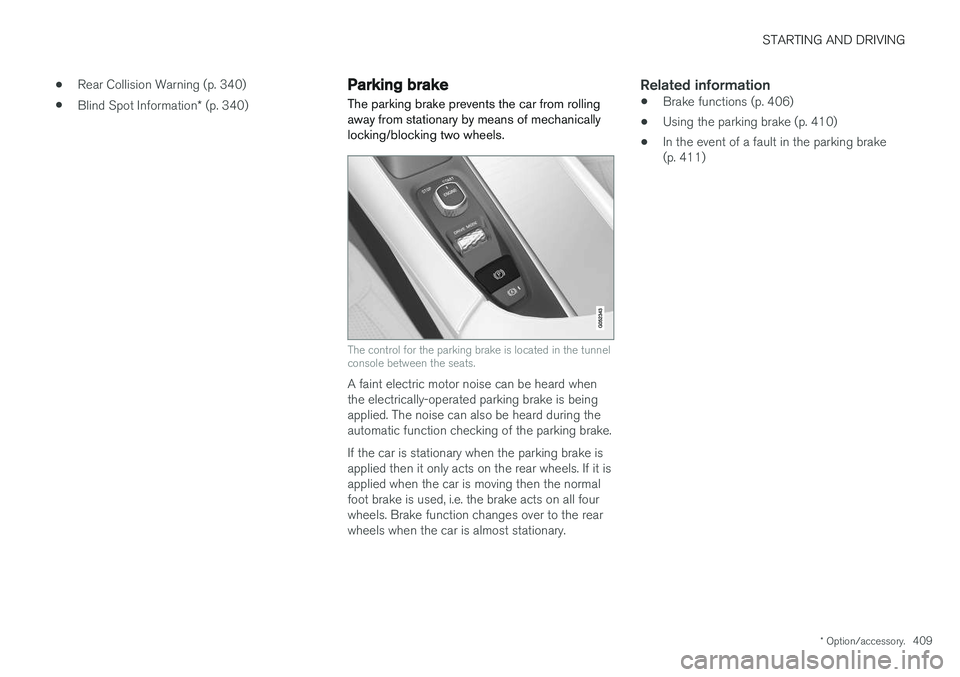
Parking brake The parking brake prevents the car from rolling away from stationary by means of mechanicallylocking/blocking two wheels.
The control for the parking brake is located in the tunnel console between the seats.
A faint electric motor noise can be heard when the electrically-operated parking brake is beingapplied. The noise can also be heard during theautomatic function checking of the parking brake. If the car is stationary when the parking brake is applied then it only acts on the rear wheels. If it isapplied when the car is moving then the normalfoot brake is used, i.e. the brake acts on all fourwheels. Brake function changes over to the rearwheels when the car is almost stationary.
Related information
• Brake functions (p. 406)
• Using the parking brake (p. 410)
• In the event of a fault in the parking brake(p. 411)
Page 412 of 594
STARTING AND DRIVING
410
Using the parking brake
Use the parking brake to prevent the car from rolling from stationary.
Applying the parking brake
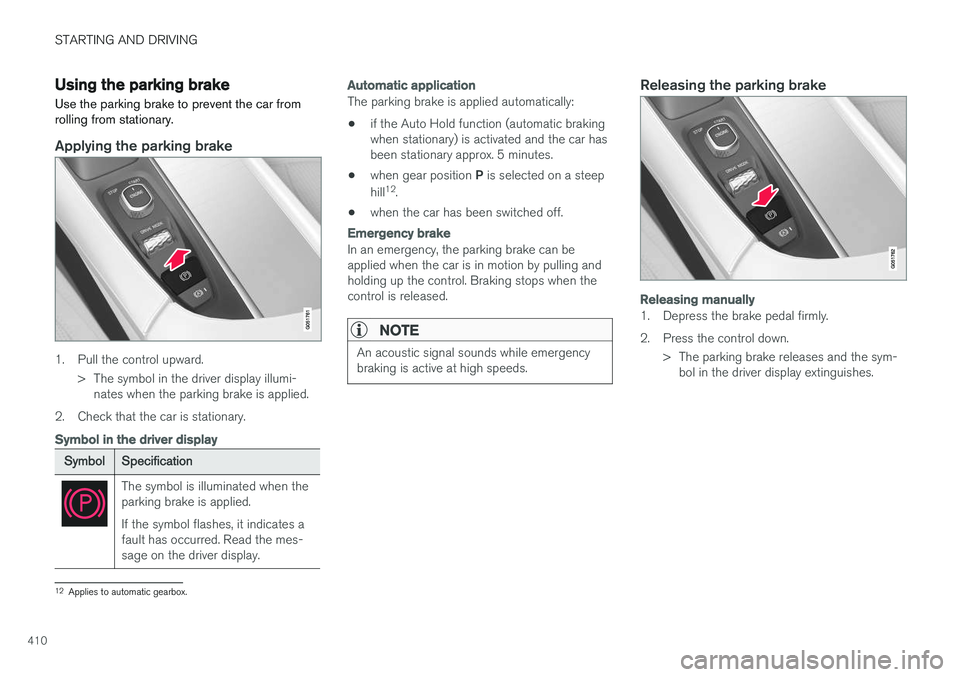
1. Pull the control upward.
> The symbol in the driver display illumi-nates when the parking brake is applied.
2. Check that the car is stationary.
Symbol in the driver display
Symbol Specification
The symbol is illuminated when the parking brake is applied. If the symbol flashes, it indicates a fault has occurred. Read the mes-sage on the driver display.
Automatic application
The parking brake is applied automatically:
• if the Auto Hold function (automatic braking when stationary) is activated and the car hasbeen stationary approx. 5 minutes.
• when gear position
P is selected on a steep
hill 12
.
• when the car has been switched off.
Emergency brake
In an emergency, the parking brake can be applied when the car is in motion by pulling andholding up the control. Braking stops when thecontrol is released.
NOTE
An acoustic signal sounds while emergency braking is active at high speeds.
Releasing the parking brake
Releasing manually
1. Depress the brake pedal firmly.
2. Press the control down.
> The parking brake releases and the sym-bol in the driver display extinguishes.
12Applies to automatic gearbox.
Page 413 of 594
STARTING AND DRIVING
}}
411
Releasing automatically
1. Put the seatbelt on.
2. Start the car.
3. With automatic gearbox:Select gear position D or R and depress the
accelerator pedal.With manual gearbox:Engage a suitable gear, release the clutch and depress the accelerator pedal.
> The parking brake releases and the sym- bol in the driver display extinguishes.
Parking on a hill
WARNING
Always use the parking brake when parking on an inclined surface. Engaging a gear or the automatic transmission's P position is not suf-
ficient to hold the car stationary in all situa- tions.
If the car is parked facing uphill: • Turn the wheels
away from the kerb.
If the car is parked facing downhill:
• Turn the wheels
towards the kerb.
Heavy load uphill
A heavy load, such as a trailer, can cause the car to roll backward when the parking brake isreleased automatically on a steep incline. Avoid this by pulling the control upwards while drivingthe car away. Release the control when theengine achieves traction.
Settings for parking brake
Automatic activation of the parking brake isselected via the centre display. Automatic activation when the car is switched off:1.
Press
Settings in the top view.
2. Press
My CarParking Brake and
Suspension and deselect/select the func-
tion Auto Activate Parking Brake.
Related information
• Parking brake (p. 409)
• In the event of a fault in the parking brake (p. 411)
• Automatic braking when stationary (p. 412)
In the event of a fault in the parking brake
Contact an authorised Volvo workshop if it is not possible to release or apply the parking brakeafter several attempts.
An acoustic warning signal sounds when driving with the parking brake applied. If the car has to be parked before a possible fault is rectified then the wheels must be turned as ifparking on a hill and the gear selector must be in position P, or engage first gear if the car has a
manual gearbox.
Low battery voltageIf the battery voltage is too low then the parking brake can neither be released nor applied. Con-nect a donor battery if the battery voltage is toolow.
Replacing the brake liningsThe rear brake linings must be replaced at aworkshop due to the design of the electrically-operated parking brake - an authorised Volvoworkshop is recommended.
Page 414 of 594
||
STARTING AND DRIVING
412
Symbols in the driver display
SymbolSpecification
If the symbol flashes, it indicates a fault has occurred. See the mes-sage in the driver display.
Fault in brake system. See the message in the driver display.
Information message in driver dis- play.
Message examples:
•
Parking brake Service required
•Parking brake System overheated
•Parking brake Temporarily unavailable
Related information
• Brake functions (p. 406)
• Using the parking brake (p. 410)
• Parking brake (p. 409)
• Using jump starting with another battery (p. 388)
Hill start assist
Hill start assist, Hill Start Assist (HSA), prevents the car from rolling backwards when starting onan uphill gradient. When reversing uphill, it pre-vents the car from rolling forwards.
The function means that the pedal pressure in the brake system remains for several secondswhile the driver's foot is moved from brake pedalto accelerator pedal. The temporary braking effect releases after sev- eral seconds or when the driver accelerates. Hill start assist is available even if the function for automatic braking when stationary (Auto hold) isdeactivated.
Related information
• Brake functions (p. 406)
• Automatic braking when stationary (p. 412)
Automatic braking when stationary
Automatic braking when stationary (Auto Hold) means that the driver can release the brakepedal while maintaining braking effect when thecar has stopped at traffic lights or a junction.
FunctionWhen the car has stopped, the brakes are acti- vated automatically. The function can use eitherfoot brake or parking brake to hold the car sta-tionary and it works on all gradients. When theaccelerator pedal is depressed again, the brakesare released. When braking to a stop on a downhill or uphill gradient - depress the brake pedal a bit harderbefore releasing to ensure that the car does notroll at all. If the driver switches off the engine when the car is stationary, the parking brake is applied.
Automatic deactivation
The function is deactivated automatically: • when the driver's door is open and the driv- er's seatbelt is unfastened.
• in gear position
N13
.
13 Applies to automatic gearbox.
Page 415 of 594
STARTING AND DRIVING
}}
413
Switch for automatic brake
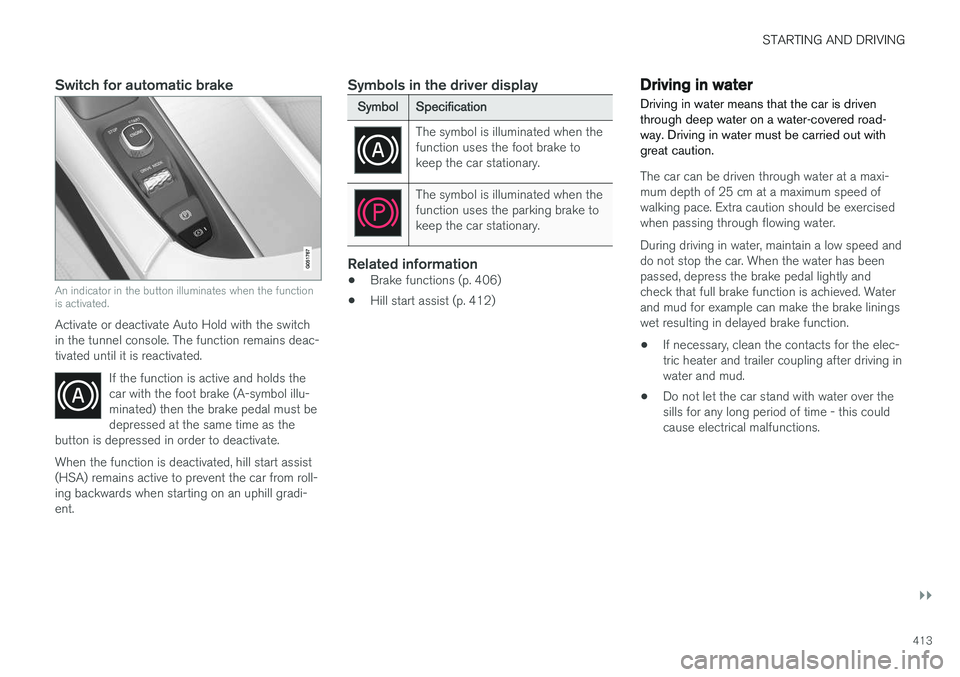
An indicator in the button illuminates when the function is activated.
Activate or deactivate Auto Hold with the switch in the tunnel console. The function remains deac-tivated until it is reactivated.If the function is active and holds thecar with the foot brake (A-symbol illu-minated) then the brake pedal must bedepressed at the same time as the
button is depressed in order to deactivate.
When the function is deactivated, hill start assist (HSA) remains active to prevent the car from roll-ing backwards when starting on an uphill gradi-ent.
Symbols in the driver display
Symbol Specification
The symbol is illuminated when the function uses the foot brake tokeep the car stationary.
The symbol is illuminated when the function uses the parking brake tokeep the car stationary.
Related information
•Brake functions (p. 406)
• Hill start assist (p. 412)
Driving in water Driving in water means that the car is driven through deep water on a water-covered road-way. Driving in water must be carried out withgreat caution.
The car can be driven through water at a maxi- mum depth of 25 cm at a maximum speed ofwalking pace. Extra caution should be exercisedwhen passing through flowing water. During driving in water, maintain a low speed and do not stop the car. When the water has beenpassed, depress the brake pedal lightly andcheck that full brake function is achieved. Waterand mud for example can make the brake liningswet resulting in delayed brake function.
• If necessary, clean the contacts for the elec-tric heater and trailer coupling after driving inwater and mud.
• Do not let the car stand with water over thesills for any long period of time - this couldcause electrical malfunctions.
Page 430 of 594
STARTING AND DRIVING
* Option/accessory.
428
Driving with a trailer under special conditions
When driving with a trailer in hilly terrain in a hot climate there may be a risk of overheating.
In the event of overheating, a warning symbol illu- minates in the driver display together with a mes-sage, see section "Overheating in the engine anddrive system". The following only applies to cars with automatic gearbox. The automatic gearbox selects the optimum gear related to load and engine speed.
Steep inclinesDo not lock the automatic gearbox in a highergear than the engine "can cope with" - it is notalways a good idea to drive at a high gear withlow engine speed.
Parking on a hill1. Depress the brake pedal fully.
2. Activate the parking brake.3. Select gear position P.
4. Release the brake pedal.Block the wheels with chocks when parking a car with hitched trailer on a hill.
Starting on a hill1. Depress the brake pedal fully. 2.
Select gear position D.
3. Releasing the parking brake.
4. Release the brake pedal and start driving off.
Related information
• Driving with a trailer (p. 426)
• Overheating in the engine and drive system (p. 414)
• Using the parking brake (p. 410)
Trailer Stability Assist
*
The function of the trailer stability assist Trailer Stability Assist (TSA) is to stabilise cars withattached trailers in situations where they begin
Page 433 of 594
STARTING AND DRIVING
}}
431
The towing eye may be used to pull the car up onto a recovery vehicle with a flatbed platform.The car's position and ground clearance deter-mine whether it is possible. If the slope of the recovery vehicle's ramp is too steep, or if the ground clearance under the car isinadequate, then the car may be damaged if youtry to pull it up using the towing eye. If necessary, raise the car by using the recovery vehicle's lifting device. Do not use the towing eye.
WARNING
No one/nothing is allowed to remain behind the recovery vehicle while the car pulled uponto the flatbed platform.
IMPORTANT
The towing eye is only designed for towing on roads -
not for pulling the car unstuck or out
of a ditch. Call a recovery service for recovery assistance.
Related information
• Towing (p. 431)
• Recovering the car (p. 432)
Towing
During towing, one vehicle pulls another vehicle along behind it by means of a towline.
Find out the statutory maximum speed limit for towing before the towing begins.
Preparations and towing1. Activate the car's hazard warning flashers.
2. Secure the towline in the towing eye.
3. Deactivate the steering lock by unlocking the car.
NOTE
In ignition position II the steering lock is
deactivated if the car has been unlocked. See section “Ignition position” for more informa-tion.
4. Set the car in ignition position II by turning
the ignition dial to START and holding the
ignition dial in the START position for
approx. 4 seconds. Then release the knob, which automatically returns to its startingposition.
5. Move the gear selector to neutral position N
and release the parking brake.
> The towing vehicle can now start towing. 6. Keep the towline taut when the towing vehi-
cle reduces speed by holding your foot gen- tly pressed on the brake pedal - therebyavoiding unnecessary jerking.
7. Be prepared to brake to stop.
IMPORTANT
Note that the car must always be towed with the wheels rolling forward. • Do not tow cars with automatic transmis- sion at speeds higher than 80 km/h(50 mph) or for distances in excess of 80km.
WARNING
•Check that the steering lock is unlocked before towing.
• Ignition position
II must be active - in
ignition position I all airbags are deacti-
vated.
• Always keep the remote control key in thecar when it is being towed.
WARNING
The brake servo and power steering do not work when the engine is switched off - thebrake pedal needs to be depressedabout 5 times more heavily and the steering isconsiderably heavier than normal.
Page 497 of 594
WHEELS AND TYRES
}}
* Option/accessory.495
IMPORTANT
Risk of overheating. The compressor must not run for more than 10 minutes.
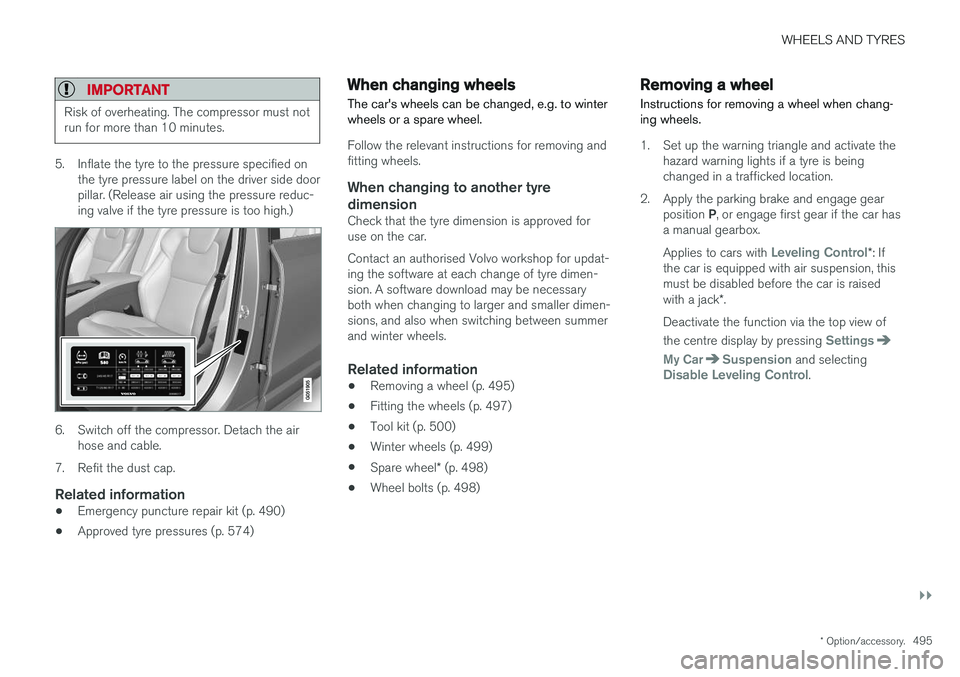
5. Inflate the tyre to the pressure specified on
the tyre pressure label on the driver side door pillar. (Release air using the pressure reduc-ing valve if the tyre pressure is too high.)
6. Switch off the compressor. Detach the airhose and cable.
7. Refit the dust cap.
Related information
• Emergency puncture repair kit (p. 490)
• Approved tyre pressures (p. 574)
When changing wheels
The car's wheels can be changed, e.g. to winter wheels or a spare wheel.
Follow the relevant instructions for removing and fitting wheels.
When changing to another tyre
dimension
Check that the tyre dimension is approved foruse on the car. Contact an authorised Volvo workshop for updat- ing the software at each change of tyre dimen-sion. A software download may be necessaryboth when changing to larger and smaller dimen-sions, and also when switching between summerand winter wheels.
Related information
• Removing a wheel (p. 495)
• Fitting the wheels (p. 497)
• Tool kit (p. 500)
• Winter wheels (p. 499)
• Spare wheel
* (p. 498)
• Wheel bolts (p. 498)
Removing a wheel
Instructions for removing a wheel when chang- ing wheels.
1. Set up the warning triangle and activate the hazard warning lights if a tyre is being changed in a trafficked location.
2. Apply the parking brake and engage gear position P, or engage first gear if the car has
a manual gearbox. Applies to cars with
Leveling Control* : If
the car is equipped with air suspension, this must be disabled before the car is raised with a jack *.
Deactivate the function via the top view of the centre display by pressing
Settings
My CarSuspension and selectingDisable Leveling Control.