steering VOLVO V90 2017 Owner's Guide
[x] Cancel search | Manufacturer: VOLVO, Model Year: 2017, Model line: V90, Model: VOLVO V90 2017Pages: 594, PDF Size: 15.07 MB
Page 134 of 594
||
INSTRUMENTS AND CONTROLS
* Option/accessory.
132
Horn
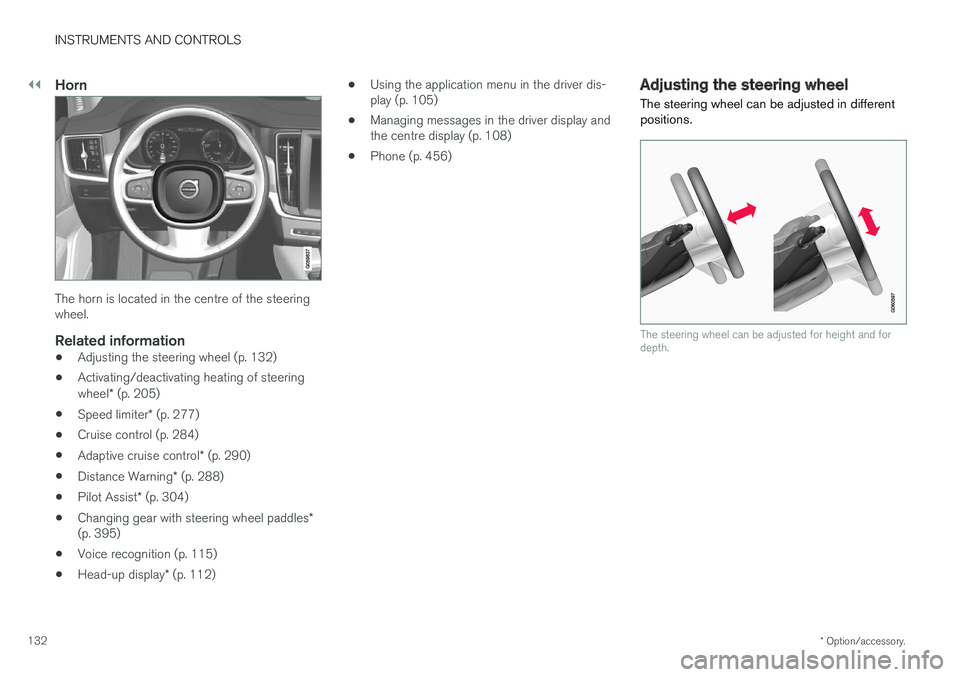
The horn is located in the centre of the steering wheel.
Related information
• Adjusting the steering wheel (p. 132)
• Activating/deactivating heating of steering wheel
* (p. 205)
• Speed limiter
* (p. 277)
• Cruise control (p. 284)
• Adaptive cruise control
* (p. 290)
• Distance Warning
* (p. 288)
• Pilot Assist
* (p. 304)
• Changing gear with steering wheel paddles
*
(p. 395)
• Voice recognition (p. 115)
• Head-up display
* (p. 112) •
Using the application menu in the driver dis- play (p. 105)
• Managing messages in the driver display andthe centre display (p. 108)
• Phone (p. 456)
Adjusting the steering wheel
The steering wheel can be adjusted in different positions.
The steering wheel can be adjusted for height and for depth.
Page 135 of 594
INSTRUMENTS AND CONTROLS
133
Steering wheel adjustment can be made in differ- ent ways depending on whether or not the car is equipped with knee airbag
19
.
WARNING
Adjust the steering wheel and fix it before driving away.
With speed related power steering the level of steering force can be adjusted. Steering force isregulated according to the car's speed in order togive the driver enhanced road responsiveness.
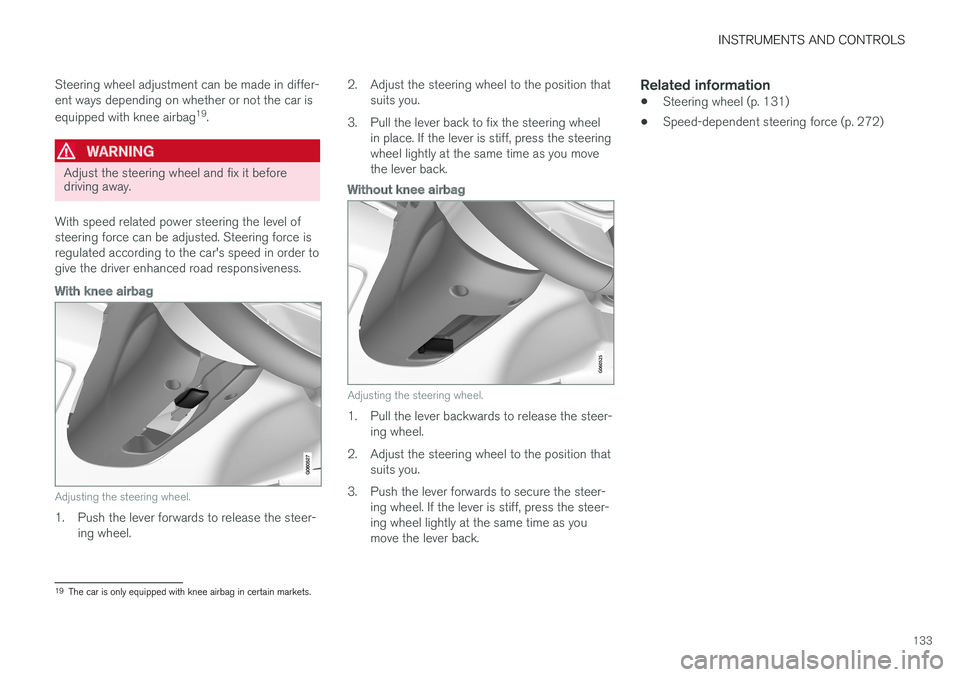
With knee airbag
Adjusting the steering wheel.
1. Push the lever forwards to release the steer- ing wheel. 2. Adjust the steering wheel to the position that
suits you.
3. Pull the lever back to fix the steering wheel in place. If the lever is stiff, press the steering wheel lightly at the same time as you movethe lever back.
Without knee airbag
Adjusting the steering wheel.
1. Pull the lever backwards to release the steer-ing wheel.
2. Adjust the steering wheel to the position that suits you.
3. Push the lever forwards to secure the steer- ing wheel. If the lever is stiff, press the steer- ing wheel lightly at the same time as youmove the lever back.
Related information
• Steering wheel (p. 131)
• Speed-dependent steering force (p. 272)
19
The car is only equipped with knee airbag in certain markets.
Page 136 of 594
INSTRUMENTS AND CONTROLS
* Option/accessory.
134
Headlamp control
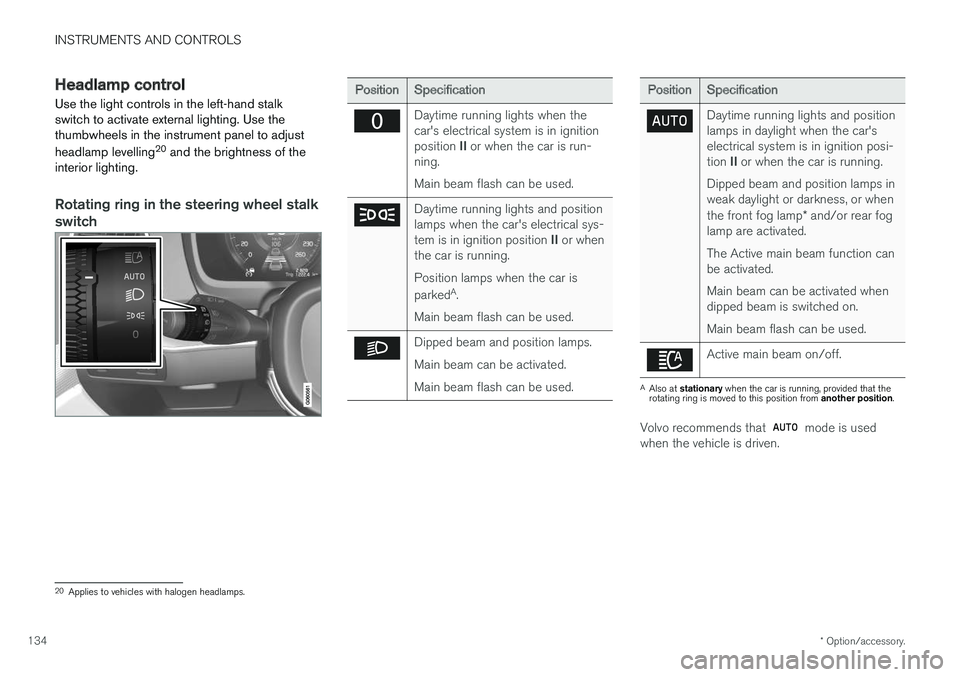
Use the light controls in the left-hand stalk switch to activate external lighting. Use thethumbwheels in the instrument panel to adjust headlamp levelling 20
and the brightness of the
interior lighting.
Rotating ring in the steering wheel stalk
switch
Position Specification
Daytime running lights when the car's electrical system is in ignition position II or when the car is run-
ning. Main beam flash can be used.
Daytime running lights and position lamps when the car's electrical sys- tem is in ignition position II or when
the car is running. Position lamps when the car is parked A
.
Main beam flash can be used.
Dipped beam and position lamps. Main beam can be activated.Main beam flash can be used.
Position Specification
Daytime running lights and position lamps in daylight when the car'selectrical system is in ignition posi- tion II or when the car is running.
Dipped beam and position lamps in weak daylight or darkness, or when the front fog lamp * and/or rear fog
lamp are activated. The Active main beam function can be activated. Main beam can be activated when dipped beam is switched on. Main beam flash can be used.
Active main beam on/off.
A Also at stationary when the car is running, provided that the
rotating ring is moved to this position from another position.
Volvo recommends that mode is used
when the vehicle is driven.
20 Applies to vehicles with halogen headlamps.
Page 140 of 594
||
INSTRUMENTS AND CONTROLS
138Dipped beam is always switched on when the rotating ring on the stalk switch is in position
when the car's electrical system is in igni-
tion position II or when the car is running.
Tunnel detection
The car detects when it is driven into a tunnel and switches from daytime running lights todipped beam. Note that the rotating ring in the left-hand stalk switch must be in
mode for tunnel detec-
tion to work.
Related information
• Daytime running lights (p. 137)
• Headlamp control (p. 134)
• Ignition positions (p. 385)
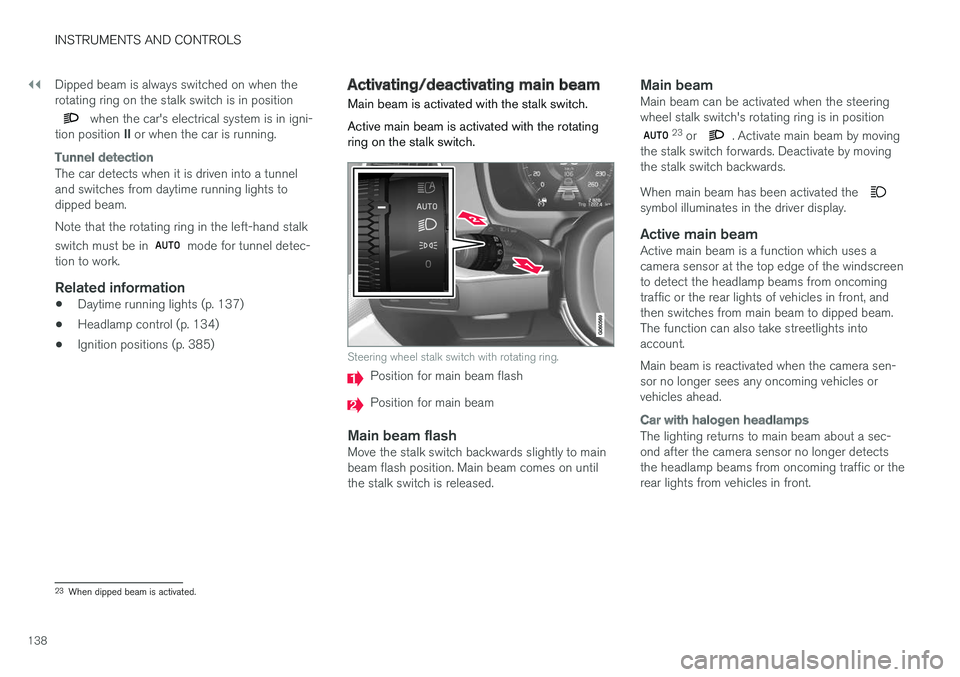
Activating/deactivating main beam Main beam is activated with the stalk switch. Active main beam is activated with the rotating ring on the stalk switch.
Steering wheel stalk switch with rotating ring.
Position for main beam flash
Position for main beam
Main beam flashMove the stalk switch backwards slightly to main beam flash position. Main beam comes on untilthe stalk switch is released.
Main beamMain beam can be activated when the steeringwheel stalk switch's rotating ring is in position
23
or . Activate main beam by moving
the stalk switch forwards. Deactivate by moving the stalk switch backwards. When main beam has been activated the
symbol illuminates in the driver display.
Active main beamActive main beam is a function which uses a camera sensor at the top edge of the windscreento detect the headlamp beams from oncomingtraffic or the rear lights of vehicles in front, andthen switches from main beam to dipped beam.The function can also take streetlights intoaccount. Main beam is reactivated when the camera sen- sor no longer sees any oncoming vehicles orvehicles ahead.
Car with halogen headlamps
The lighting returns to main beam about a sec- ond after the camera sensor no longer detectsthe headlamp beams from oncoming traffic or therear lights from vehicles in front.
23 When dipped beam is activated.
Page 143 of 594
INSTRUMENTS AND CONTROLS
* Option/accessory.141
Active bending lights *
Active bending lights are designed to provide maximum illumination in bends and junctions. Cars with LED 26
headlamps * can have active
bending lights, depending on the car's equip- ment level.
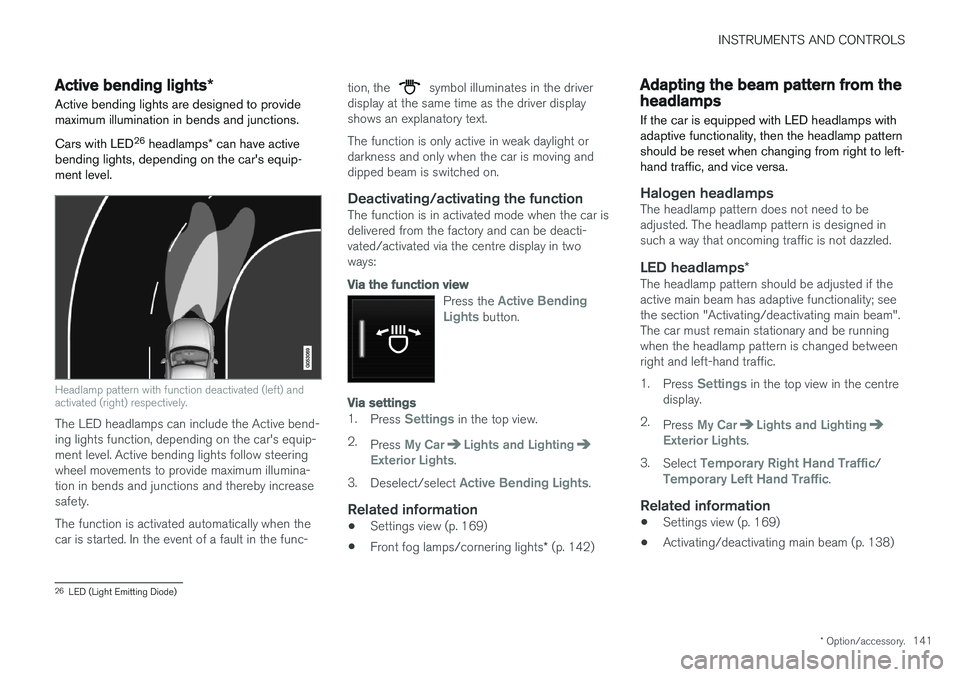
Headlamp pattern with function deactivated (left) and activated (right) respectively.
The LED headlamps can include the Active bend- ing lights function, depending on the car's equip-ment level. Active bending lights follow steeringwheel movements to provide maximum illumina-tion in bends and junctions and thereby increasesafety. The function is activated automatically when the car is started. In the event of a fault in the func- tion, the
symbol illuminates in the driver
display at the same time as the driver display shows an explanatory text. The function is only active in weak daylight or darkness and only when the car is moving anddipped beam is switched on.
Deactivating/activating the functionThe function is in activated mode when the car isdelivered from the factory and can be deacti-vated/activated via the centre display in twoways:
Via the function view
Press the Active Bending
Lights button.
Via settings
1. Press Settings in the top view.
2. Press
My CarLights and LightingExterior Lights.
3. Deselect/select
Active Bending Lights.
Related information
• Settings view (p. 169)
• Front fog lamps/cornering lights
* (p. 142)
Adapting the beam pattern from the headlamps
If the car is equipped with LED headlamps with adaptive functionality, then the headlamp patternshould be reset when changing from right to left-hand traffic, and vice versa.
Halogen headlampsThe headlamp pattern does not need to be adjusted. The headlamp pattern is designed insuch a way that oncoming traffic is not dazzled.
LED headlamps *The headlamp pattern should be adjusted if theactive main beam has adaptive functionality; seethe section "Activating/deactivating main beam".The car must remain stationary and be runningwhen the headlamp pattern is changed betweenright and left-hand traffic. 1.
Press
Settings in the top view in the centre
display.
2. Press
My CarLights and LightingExterior Lights.
3. Select
Temporary Right Hand Traffic/Temporary Left Hand Traffic.
Related information
• Settings view (p. 169)
• Activating/deactivating main beam (p. 138)
26
LED (Light Emitting Diode)
Page 144 of 594
INSTRUMENTS AND CONTROLS
* Option/accessory.
142
Front fog lamps/cornering lights *
The front fog lamps have cornering lights that shine diagonally to the side.
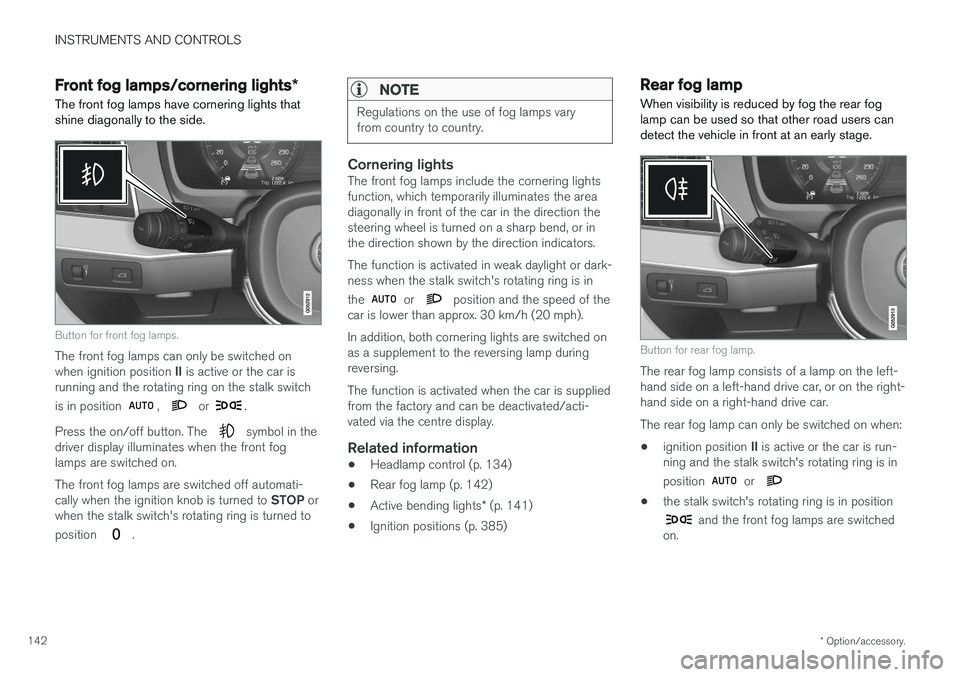
Button for front fog lamps.
The front fog lamps can only be switched on when ignition position II is active or the car is
running and the rotating ring on the stalk switch is in position
, or .
Press the on/off button. The
symbol in the
driver display illuminates when the front fog lamps are switched on. The front fog lamps are switched off automati- cally when the ignition knob is turned to STOP or
when the stalk switch's rotating ring is turned to position
.
NOTE
Regulations on the use of fog lamps vary from country to country.
Cornering lightsThe front fog lamps include the cornering lights function, which temporarily illuminates the areadiagonally in front of the car in the direction thesteering wheel is turned on a sharp bend, or inthe direction shown by the direction indicators. The function is activated in weak daylight or dark- ness when the stalk switch's rotating ring is in the
or position and the speed of the
car is lower than approx. 30 km/h (20 mph). In addition, both cornering lights are switched on as a supplement to the reversing lamp duringreversing. The function is activated when the car is supplied from the factory and can be deactivated/acti-vated via the centre display.
Related information
• Headlamp control (p. 134)
• Rear fog lamp (p. 142)
• Active bending lights
* (p. 141)
• Ignition positions (p. 385)
Rear fog lamp
When visibility is reduced by fog the rear fog lamp can be used so that other road users candetect the vehicle in front at an early stage.
Button for rear fog lamp.
The rear fog lamp consists of a lamp on the left- hand side on a left-hand drive car, or on the right-hand side on a right-hand drive car. The rear fog lamp can only be switched on when:
• ignition position
II is active or the car is run-
ning and the stalk switch's rotating ring is in position
or
• the stalk switch's rotating ring is in position
and the front fog lamps are switched
on.
Page 146 of 594
||
INSTRUMENTS AND CONTROLS
144
Related information
•Using direction indicators (p. 144)
• Emergency brake lights (p. 408)
Using direction indicators
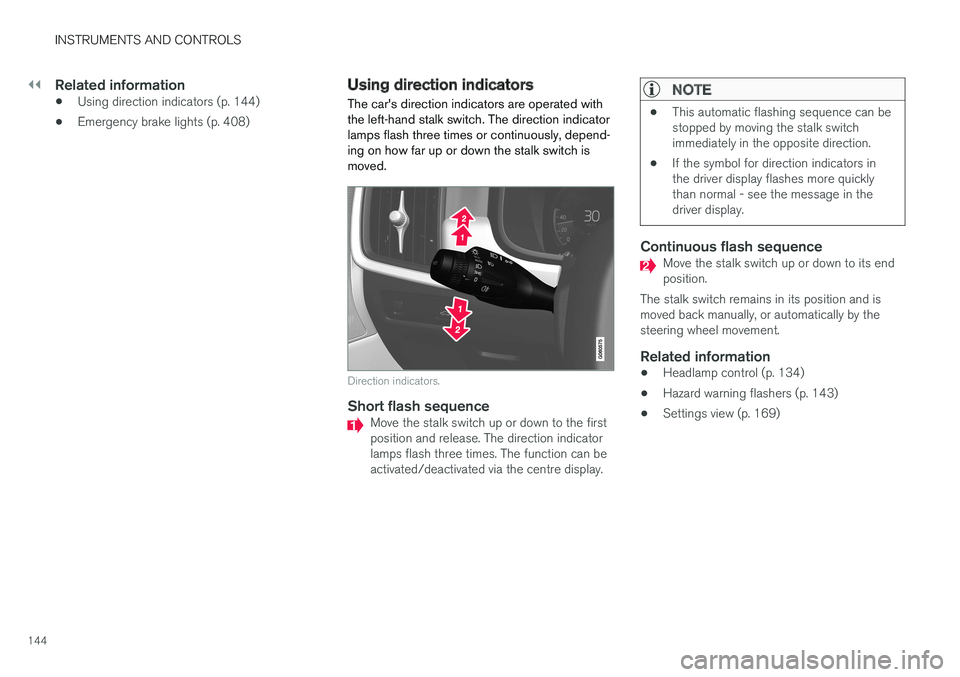
The car's direction indicators are operated with the left-hand stalk switch. The direction indicatorlamps flash three times or continuously, depend-ing on how far up or down the stalk switch ismoved.
Direction indicators.
Short flash sequenceMove the stalk switch up or down to the first position and release. The direction indicatorlamps flash three times. The function can beactivated/deactivated via the centre display.
NOTE
• This automatic flashing sequence can be stopped by moving the stalk switchimmediately in the opposite direction.
• If the symbol for direction indicators inthe driver display flashes more quicklythan normal - see the message in thedriver display.
Continuous flash sequenceMove the stalk switch up or down to its end position.
The stalk switch remains in its position and ismoved back manually, or automatically by thesteering wheel movement.
Related information
• Headlamp control (p. 134)
• Hazard warning flashers (p. 143)
• Settings view (p. 169)
Page 148 of 594
||
INSTRUMENTS AND CONTROLS
* Option/accessory.
146
Reading lamps above the rear seat 27
.
Reading lamp above the rear seat in cars with panorama roof *.
The reading lamps are switched on or off by briefly pressing the button on the lamp. Bright-ness is adjusted by holding the button pressed in.
Glovebox lightingGlovebox lighting is switched on and off respec-tively when the lid is opened or closed.
Vanity mirror lighting *The lighting for the vanity mirror in the sun visoris switched on and off respectively when thecover is opened or closed.
Ground lightingThe ground lighting is switched on and off whenthe corresponding door is opened or closed.
Door sill lightingThe door sill lighting is switched on and off whenthe corresponding door is opened or closed.
Lighting in the cargo areaThe lighting in the cargo area is switched on andoff respectively when the tailgate is opened orclosed.
Ambient light1.
Press Settings in the top view in the centre
display.
2. Press
My CarLights and LightingInterior Lighting. 3. Choose between the following settings:
•Under
Ambient Light Intensity, select
from Off, Low and High.
• Under
Ambient Light Level, select fromReduced and Full.
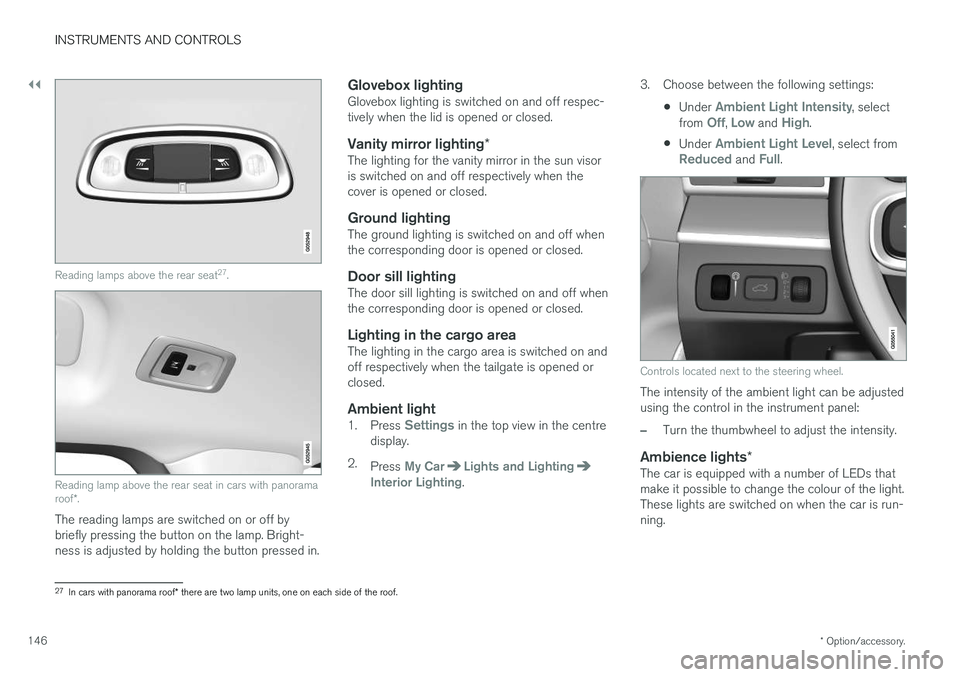
Controls located next to the steering wheel.
The intensity of the ambient light can be adjusted using the control in the instrument panel:
–Turn the thumbwheel to adjust the intensity.
Ambience lights
*The car is equipped with a number of LEDs that make it possible to change the colour of the light.These lights are switched on when the car is run-ning.
27
In cars with panorama roof * there are two lamp units, one on each side of the roof.
Page 149 of 594

INSTRUMENTS AND CONTROLS
147
The ambience lights can be changed via the cen- tre display:
Changing the brightness of the lights
1.
Press Settings in the top view in the centre
display.
2. Press
My CarLights and Lighting
Interior LightingInterior Mood Lighting.
3. Under
Interior Mood Light Intensity, select
from Off, Low and High.
Changing the colour of the light
1. Press Settings in the top view in the centre
display.
2. Press
My CarLights and Lighting
Interior LightingInterior Mood Lighting.
3. Choose between
By Temperature, By
Colour and Theme Colours in order to
change the colour of the light. With colour option
By Temperature, the
colour of the light changes according to the set passenger compartment temperature.
Controls located next to the steering wheel.
The intensity of the ambience light can be adjusted using the controls in the instrumentpanel:
–Turn the thumbwheel to adjust the intensity.
Lighting in storage compartments in doors
The lighting in storage compartments in doors is switched on when the car is running. The bright-ness can be finely adjusted using the control inthe instrument panel.
Lighting in front cup holders in tunnel
console
The lighting in the front cup holders is switchedon when the car is unlocked and is switched offwhen the car is locked. The brightness can befinely adjusted using the control in the instrumentpanel.
Related information
• Headlamp control (p. 134)
• Ignition positions (p. 385)
• Settings view (p. 169)
Page 150 of 594
INSTRUMENTS AND CONTROLS
* Option/accessory.
148
Home safe light duration
Some of the exterior lighting can be kept switched on to work as home safe lighting afterthe car has been locked.
To activate the function:
1. Switch off the car.
2. Move the left-hand stalk switch forward toward the instrument panel and release.
3. Get out of the car and lock the door.When the function is activated, dipped beam, position lamps, lighting in the outside handles *
and number plate lighting are switched on. The length of time that home safe lighting remains on can be set via the centre display.
Related information
• Approach light duration (p. 148)
• Settings view (p. 169)
Approach light duration
Approach lighting is switched on when the car is unlocked and is used to switch on the car'slighting at a distance.
When the function is activated with the remote control key during unlocking, the position lamps, lighting in outer handles *, number plate lighting,
interior roof lighting and floor lighting will switch on. If a door is opened within the activation time, the time for the lighting in the outside handles *
and the interior lighting will be extended. The function can be deactivated/activated via the centre display.
Related information
• Home safe light duration (p. 148)
• Remote control key (p. 236)
• Settings view (p. 169)
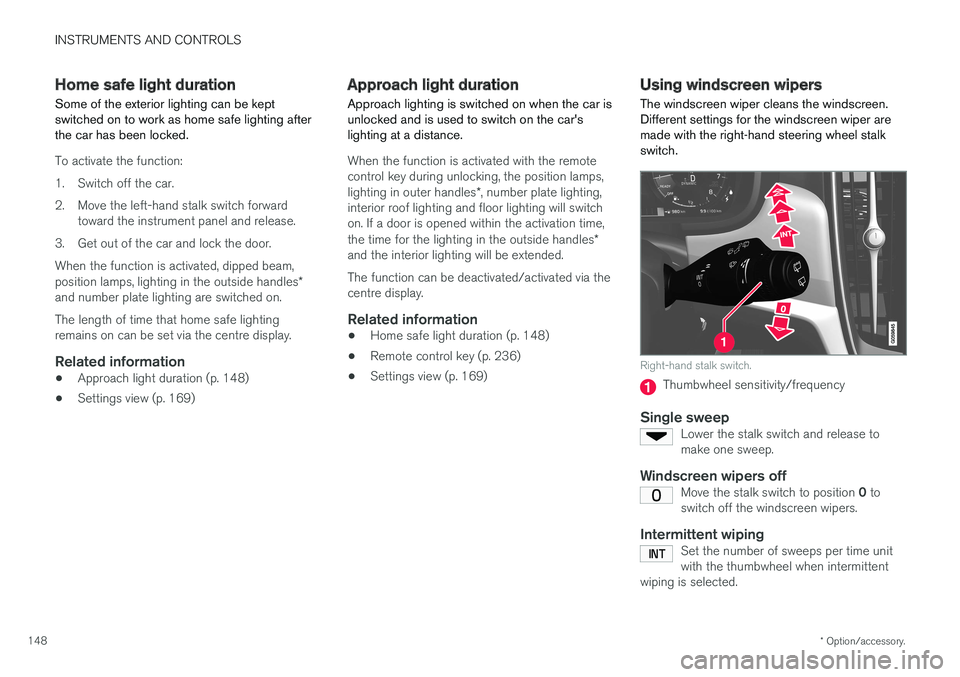
Using windscreen wipers
The windscreen wiper cleans the windscreen. Different settings for the windscreen wiper aremade with the right-hand steering wheel stalkswitch.
Right-hand stalk switch.
Thumbwheel sensitivity/frequency
Single sweepLower the stalk switch and release to make one sweep.
Windscreen wipers offMove the stalk switch to position 0 to
switch off the windscreen wipers.
Intermittent wipingSet the number of sweeps per time unit with the thumbwheel when intermittent
wiping is selected.