cruise control VOLVO V90 2017 Service Manual
[x] Cancel search | Manufacturer: VOLVO, Model Year: 2017, Model line: V90, Model: VOLVO V90 2017Pages: 594, PDF Size: 15.07 MB
Page 320 of 594
DRIVER SUPPORT
* Option/accessory.
318
Radar unit
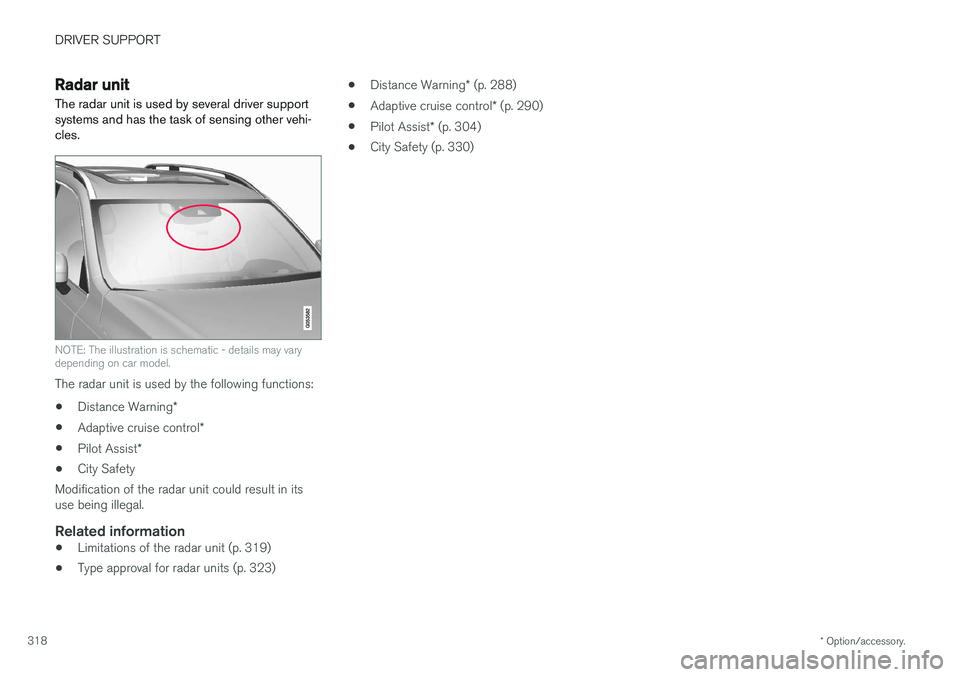
The radar unit is used by several driver support systems and has the task of sensing other vehi-cles.
NOTE: The illustration is schematic - details may vary depending on car model.
The radar unit is used by the following functions:
• Distance Warning
*
• Adaptive cruise control
*
• Pilot Assist
*
• City Safety
Modification of the radar unit could result in its use being illegal.
Related information
• Limitations of the radar unit (p. 319)
• Type approval for radar units (p. 323) •
Distance Warning
* (p. 288)
• Adaptive cruise control
* (p. 290)
• Pilot Assist
* (p. 304)
• City Safety (p. 330)
Page 322 of 594
||
DRIVER SUPPORT
320
CauseAction
Water or snow from the road surface swirls up and blocks the radar signals or camera view. No action. Sometimes the unit does not work on a very wet or snow-coveredroad surface.
Dirt has appeared between the inside of the windscreen and the cameraand radar unit. Visit a workshop to have the windscreen inside the unit's cover cleaned - anauthorised Volvo workshop is recommended.
NOTE
Keep the windscreen clean in front of the camera and radar unit.
Vehicle speedThe capacity of the radar unit to detect vehicles ahead is reduced significantly if:
• the speed of the vehicle ahead is signifi-cantly different from that of your own car
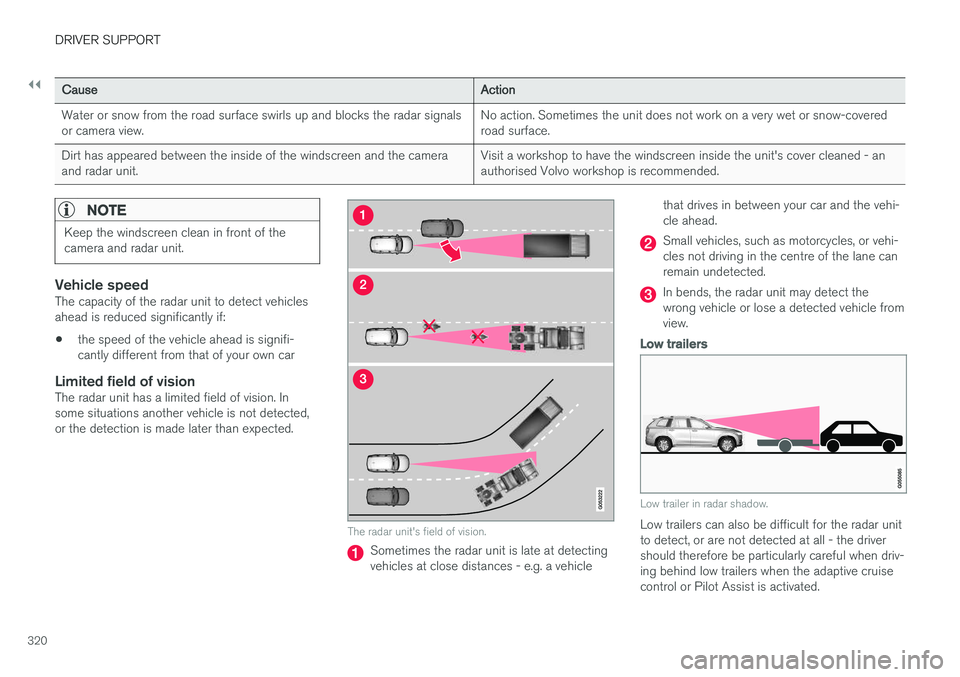
Limited field of visionThe radar unit has a limited field of vision. Insome situations another vehicle is not detected,or the detection is made later than expected.
The radar unit's field of vision.
Sometimes the radar unit is late at detecting vehicles at close distances - e.g. a vehicle that drives in between your car and the vehi-cle ahead.
Small vehicles, such as motorcycles, or vehi- cles not driving in the centre of the lane canremain undetected.
In bends, the radar unit may detect the wrong vehicle or lose a detected vehicle fromview.
Low trailers
Low trailer in radar shadow.
Low trailers can also be difficult for the radar unit to detect, or are not detected at all - the drivershould therefore be particularly careful when driv-ing behind low trailers when the adaptive cruisecontrol or Pilot Assist is activated.
Page 324 of 594
||
DRIVER SUPPORT
* Option/accessory.
322 •
Limitations of the adaptive cruise control
*
(p. 300)
• Limitations of City Safety (p. 337)
• Pilot Assist
* (p. 304)
Page 327 of 594
DRIVER SUPPORT
* Option/accessory.325
Market
ACCA
BLIS B
Symbol Type approval
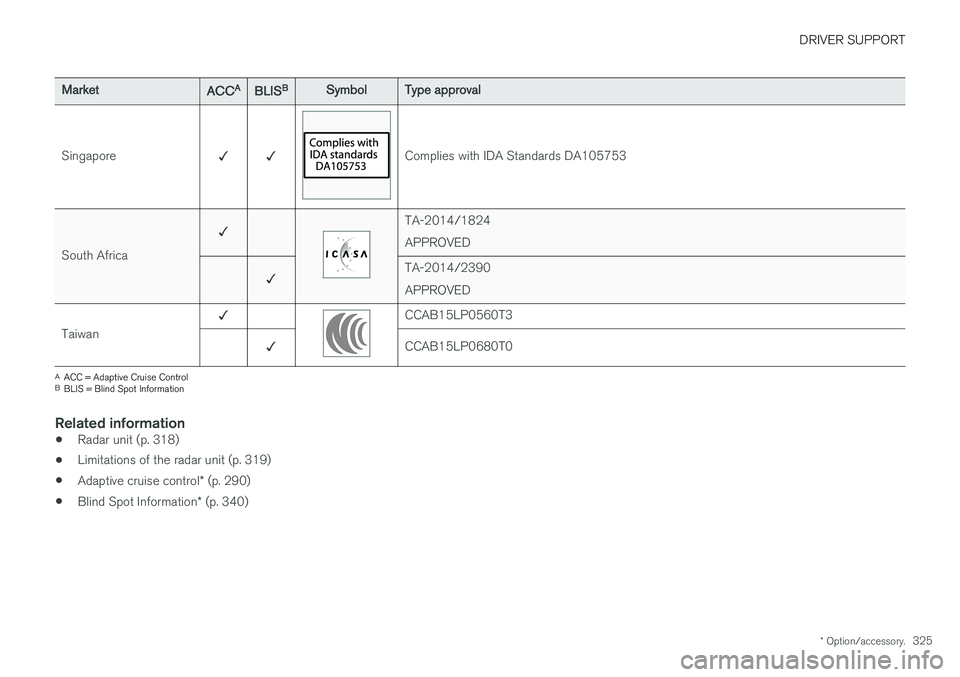
Singapore ✓ ✓
Complies with IDA Standards DA105753
South Africa ✓
TA-2014/1824 APPROVED
✓ TA-2014/2390APPROVED
Taiwan ✓
CCAB15LP0560T3
✓ CCAB15LP0680T0
A
ACC = Adaptive Cruise Control
B BLIS = Blind Spot Information
Related information
• Radar unit (p. 318)
• Limitations of the radar unit (p. 319)
• Adaptive cruise control
* (p. 290)
• Blind Spot Information
* (p. 340)
Page 328 of 594
DRIVER SUPPORT
* Option/accessory.
326
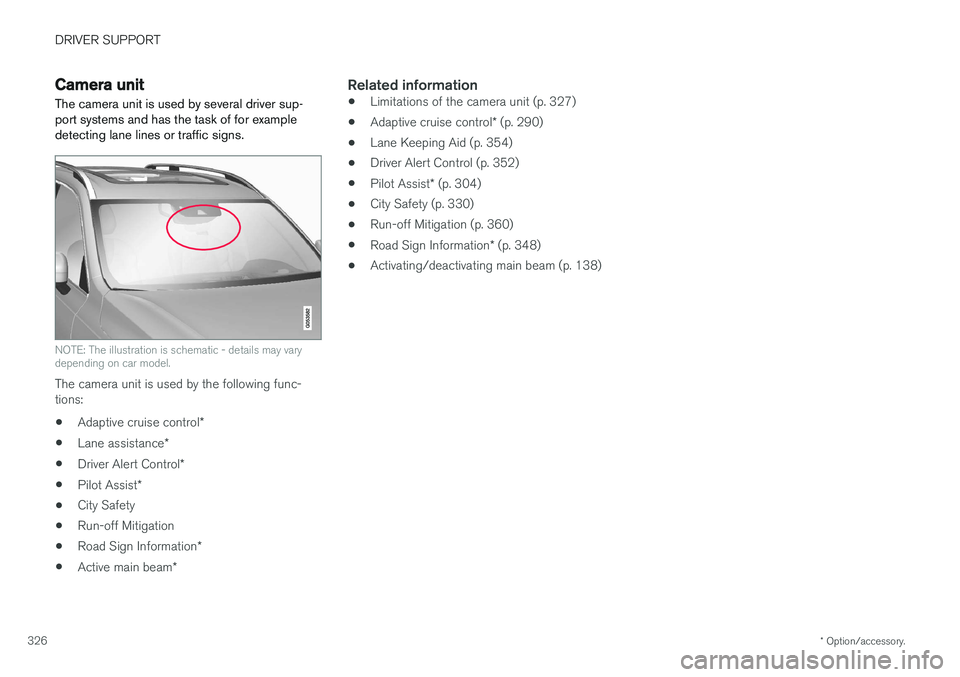
Camera unit
The camera unit is used by several driver sup- port systems and has the task of for exampledetecting lane lines or traffic signs.
NOTE: The illustration is schematic - details may vary depending on car model.
The camera unit is used by the following func- tions:
• Adaptive cruise control
*
• Lane assistance
*
• Driver Alert Control
*
• Pilot Assist
*
• City Safety
• Run-off Mitigation
• Road Sign Information
*
• Active main beam
*
Related information
•Limitations of the camera unit (p. 327)
• Adaptive cruise control
* (p. 290)
• Lane Keeping Aid (p. 354)
• Driver Alert Control (p. 352)
• Pilot Assist
* (p. 304)
• City Safety (p. 330)
• Run-off Mitigation (p. 360)
• Road Sign Information
* (p. 348)
• Activating/deactivating main beam (p. 138)
Page 400 of 594
||
STARTING AND DRIVING
* Option/accessory.
398
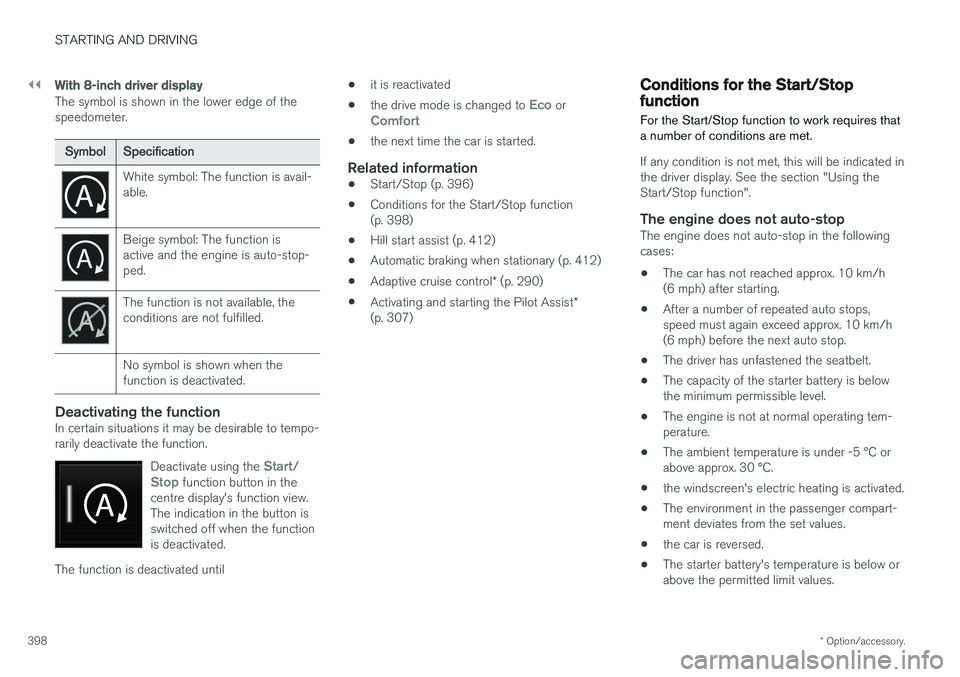
With 8-inch driver display
The symbol is shown in the lower edge of the speedometer.
Symbol Specification
White symbol: The function is avail- able.
Beige symbol: The function is active and the engine is auto-stop-ped.
The function is not available, the conditions are not fulfilled. No symbol is shown when the function is deactivated.
Deactivating the functionIn certain situations it may be desirable to tempo- rarily deactivate the function.
Deactivate using the
Start/
Stop function button in the
centre display's function view. The indication in the button isswitched off when the functionis deactivated.
The function is deactivated until •
it is reactivated
• the drive mode is changed to
Eco orComfort
• the next time the car is started.
Related information
•
Start/Stop (p. 396)
• Conditions for the Start/Stop function (p. 398)
• Hill start assist (p. 412)
• Automatic braking when stationary (p. 412)
• Adaptive cruise control
* (p. 290)
• Activating and starting the Pilot Assist
*
(p. 307)
Conditions for the Start/Stop function For the Start/Stop function to work requires that a number of conditions are met.
If any condition is not met, this will be indicated in the driver display. See the section "Using theStart/Stop function".
The engine does not auto-stopThe engine does not auto-stop in the followingcases: • The car has not reached approx. 10 km/h (6 mph) after starting.
• After a number of repeated auto stops,speed must again exceed approx. 10 km/h(6 mph) before the next auto stop.
• The driver has unfastened the seatbelt.
• The capacity of the starter battery is belowthe minimum permissible level.
• The engine is not at normal operating tem-perature.
• The ambient temperature is under -5 °C orabove approx. 30 °C.
• the windscreen's electric heating is activated.
• The environment in the passenger compart-ment deviates from the set values.
• the car is reversed.
• The starter battery's temperature is below orabove the permitted limit values.
Page 405 of 594
STARTING AND DRIVING
}}
* Option/accessory.403
In the centre display's function view
A car without drive mode con- trol has a function button for
Driving mode ECO in the
centre display's function view.
–Press the button in order to activate the function.
> An indicator in the button illuminates when the function is activated.
Freewheel function Eco Coast 10The freewheel function Eco Coast means in prac- tice that engine braking ceases, meaning in turnthat the car's kinetic energy is used to freewheelfor longer distances. When the driver releasesthe accelerator pedal the gearbox is automaticallydisengaged from the engine whose speed isreduced to idling speed with reduced consump-tion. The function is best used where it is possible to freewheel a long way, e.g. roads with a slightdownhill gradient or when there is a predictablespeed reduction to freewheel into a zone with alower speed limit.
Activating the freewheel function
The function is activated when the accelerator pedal is fully released, in combination with thefollowing parameters:
• Drive mode
Eco is activated.
• The gear selector is in
D position.
• Speed within the range of approx. 65-140 km/h (40-87 mph).
• The road's downhill gradient is not steeperthan approx. 6%.
The driver display shows
COASTING when the
freewheel function is being used.
Limitations
The freewheel function is not available if:
• Engine and/or gearbox are not at normal operating temperature.
• The cruise control is activated.
• The gear selector is moved from the
D posi-
tion and the manual position.
• The speed is outside the range ofapprox. 65-140 km/h (40-87 mph).
• The road's downhill gradient is steeper thanapprox. 6%.
• Manual gear changing is performed with the steering wheel paddles
*.
Deactivating and switching off the freewheel function
In certain situations it may be desirable to deacti- vate or switch off the function in order to useengine braking. Examples of such situations maybe on steep downhill gradients or before animminent overtaking manoeuvre - in order to beable to do it in the safest way possible. Deactivate the freewheel function as follows:
• Actuate the accelerator or brake pedal.
• Move the gear selector to manual position.
• Changing gear with steering wheel paddles
*.
Switch off the freewheel function as follows:
• Change drive mode
*, or switch off the
Driving mode ECO in the function view.
Even without the freewheel function, it is possible to freewheel for short distances. This, in turn,reduces consumption. However, for the best fueleconomy it is better to have the freewheel func-tion activated and be able to freewheel for longerdistances.
ECO gauge in the driver displayThe ECO gauge indicates how fuel-efficient thedriving is:
10 Only cars with automatic gearbox.
Page 579 of 594
ALPHABETICAL INDEX
577
1, 2, 3 ...
4WD 405
A
A/C (Air conditioning) 190 ABSanti-lock brakes 406
ACC – Adaptive cruise control 290, 299
Accessories and extra equipment 23
Active bending lights 141
Active main beam 138
Active Park Assist 374 function 374
Limitations 379
operation 376
Symbols and messages 381
Active Yaw Control 273
Adaptation of headlamp beam 141
Adapting driving characteristics 272, 400
Adaptive Cruise Control 290, 299 change cruise control functionality 301
fault tracing 300
function 290
managing speed 294, 295
overtaking 298
radar sensor 318
setting the time interval 296
standby mode 297
temporary deactivation 297
Additional heater (Auxiliary heater) 215
Adjusting the steering wheel 132Aerial location 240
Airbag 63 Activating/deactivating 66
driver's side 64
passenger side 64, 66
Airbag, see Airbag 63
Air conditioning 190Air conditioning, fluid volume and grade 571
Air conditioning system 182, 186 repair 520
Air distribution 197 Air vents 197, 199
change 198
defrosting 194
Recirculation 196
table of options 201
Air quality 184, 185 allergies and asthma 185
passenger compartment filter 185Air recirculation 196
Alarm 262automatic re-arming 264
deactivation 264
reduced alarm level 262
Alcohol lock 384
Allergy and asthma inducing substances. 185
All Wheel Drive, (AWD) 405
All Wheel Drive (AWD) 405
Android Auto 453
Apple CarPlay 450, 451Applications settings 178
Approach lighting 148
Apps 434 download, update and uninstall 468
Ashtray 224
Audio and media 434
Audio settings 435, 463 media 448
phone 462
play media 443
Text message 461
Auto climate control 189
Automatic brake 412 after collision 408
ALPHABETICAL INDEX
Page 581 of 594
ALPHABETICAL INDEX
579
Centre display
change settings 45
cleaning 553
climate control 187
messages 106
operation 36, 40
overview 33
symbols in status bar 45
Checking the engine oil level 517
Child safety 71
Child safety locks 261
Child seat 71 integrated booster cushion 82
i-Size/ISOFIX mounting points 77
lower mounting points 74
positioning/fitting 71
table for location 75
table of i-Size 81
table of ISOFIX 78
Upper mounting points 73
Cigarette lighter 224 City Safety ™330, 332, 333, 335, 336,
337, 339
Cleaning automatic car wash 549
car washing 549
centre display 553
Fabric upholstery 552
rims 551
seatbelts 553
upholstery 552
Clean Zone Interior Package 185
Climate control 182, 186 auto-regulation 189
centre display 187
experienced temperature 183
fan control 193
Parking 206
rear seat 188
sensors 183
temperature control 190
voice control 119
zones 182
Clock, adjustment 99 CO 2 emissions 572
Collision 56, 59, 63, 69
Collision warning 330Collision warning system Pedestrian detection 333
Radar sensor 318
Colour code, paint 554
Combined instrument panel 90 settings 94
Compass 156 calibration 157
Condensation in headlamps 549Controls lighting 135
Coolant 570
Coolant, filling 518Cooling system overheating 414
Cornering lights 142
Corner Traction Control 273Cover cargo area 230
Crash, see Collision 56
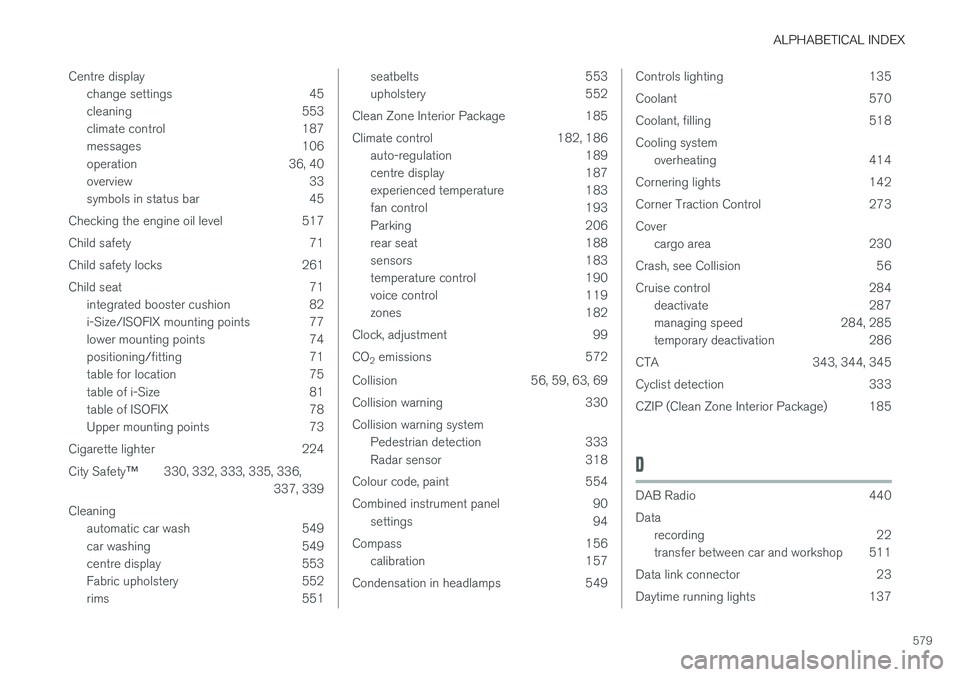
Cruise control 284 deactivate 287
managing speed 284, 285
temporary deactivation 286
CTA 343, 344, 345
Cyclist detection 333
CZIP (Clean Zone Interior Package) 185
D
DAB Radio 440 Data recording 22
transfer between car and workshop 511
Data link connector 23
Daytime running lights 137
Page 583 of 594
ALPHABETICAL INDEX
581
filter 516
grade and volume 567
Engine oil, filling 517
Engine specifications 566Error messages Adaptive Cruise Control 302
see Messages and symbols 302, 316
Error messages in BLIS 347 Ethanol content maximum 10 percent by volume 419
External dimensions 561
F
Fan Air distribution 198
Air vents 199
Control 193
Fault tracing for the camera sensor 327
Ferry transport 405
First aid 501
First aid kit 501
Flooded road 413
Fluids, capacities 529, 570, 571
Fluids and oils 570, 571
Fog lamp front 142
rear 142
Foot brake 406, 408
Four-C 405Front seat Climate control 187
Fan 193
heating 203
Temperature 190
Ventilation 204
Front seat, manual 121
Front seat, power 121, 123 adjusting seat 122, 127
massage 124
memory function 122
multi-function control 123, 124
FSC, ecolabelling 32
Fuel 418, 419, 420 fuel consumption 572
Fuelling filling 417
Fuel tank volume 571
Fuel vapour 418
Fuse box 535Fuses changing 536
General 535
in cargo area 546
in engine compartment 537
under glovebox 542
G
Gearbox 389automatic 390
manual 392
Gear positions automatic gearbox 390
Gear selector inhibitor 394
Gear shift indicator 392Glass laminated/reinforced 32
Glovebox 225 Gracenote ®
445
Gross vehicle weight 563
GSI - Gear selector assistance 392