ECO mode VOLVO V90 2017 Workshop Manual
[x] Cancel search | Manufacturer: VOLVO, Model Year: 2017, Model line: V90, Model: VOLVO V90 2017Pages: 594, PDF Size: 15.07 MB
Page 403 of 594
STARTING AND DRIVING
}}
401
•
Cannot be selected due to low temperature
•Cannot be selected due to limitations
•Cannot be selected because speed is too high.
Selectable drive modes
COMFORT
•
This is the car's normal mode.
When the car starts, it is in
Comfort mode and
the Start/Stop function is activated. These set- tings mean that the car feels comfortable, thesteering is light, the shock absorption is soft andbody's movement is smooth. This drive mode is the certification mode for car- bon dioxide emissions.
ECO
• Adapt the car for more energy-efficient and environmentally-conscious driving with the
Eco mode.
The drive mode means, for example, that the Start/Stop function is activated and the output ofcertain climate settings is reduced. The driver display has an ECO gauge that facili- tates fuel-efficient driving. More information on this drive mode is found in the section "Drive mode ECO".
DYNAMIC
•Dynamic mode means that the car has
sportier characteristics and faster response to accelerating.
The gear changes become faster and more dis-tinct, and the gearbox prioritises a gear withgreater traction. Steering response is faster and shock absorption is harder 6
which means that the body follows the
roadway in order to reduce roll during cornering. Start/Stop function is deactivated.
INDIVIDUAL
• Adapting a drive mode according to individ- ual preferences.
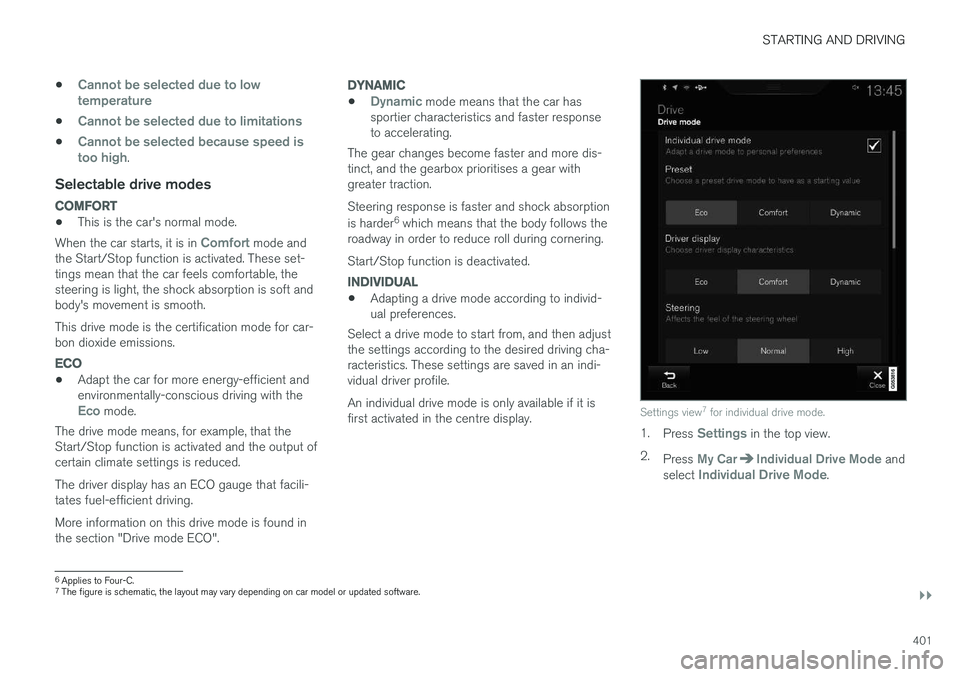
Select a drive mode to start from, and then adjustthe settings according to the desired driving cha-racteristics. These settings are saved in an indi-vidual driver profile. An individual drive mode is only available if it is first activated in the centre display.
Settings view 7
for individual drive mode.
1. Press Settings in the top view.
2. Press
My CarIndividual Drive Mode and
select Individual Drive Mode.
6 Applies to Four-C.
7 The figure is schematic, the layout may vary depending on car model or updated software.
Page 404 of 594
||
STARTING AND DRIVING
* Option/accessory.
402 3.
In
Presets, select a drive mode to start from:Eco, Comfort or Dynamic.
Possible adjustments apply to settings for:
•
Driver Display
•Steering force
•Powertrain Characteristics
•Brake Characteristics
•Suspension Control
•ECO Climate
•Start/Stop.
Related information
• Speed-dependent steering force (p. 272)
• Level control
* and shock absorption (p. 405)
• Start/Stop (p. 396)
• Drive mode ECO (p. 402)
• All-wheel drive
* (p. 405)
Drive mode ECO
Driving mode ECO mode optimises the car's
driving characteristics for more fuel efficient and environmentally-conscious driving.
Use this drive mode to save fuel and the environ- ment. The following properties are adapted for Eco driv- ing:
• Gearbox gearshift points 8
.
• Engine management and response from theaccelerator pedal.
• The Eco Coast 9
freewheel function is acti-
vated and engine braking is deactivatedwhen the accelerator pedal is released atspeeds between 65 and 140 km/h(40 and 87 mph).
• Some of the climate control system's set-tings work at reduced power or are deacti-vated.
• The driver display shows information in anECO gauge which facilitates environmentally-conscious and fuel-efficient driving.
Selecting ECO modeThe Eco mode is deactivated when the engine isswitched off, and it must therefore be activatedafter each time the engine is started. The driver display shows ECO when the function is acti-vated.
With drive mode control
*
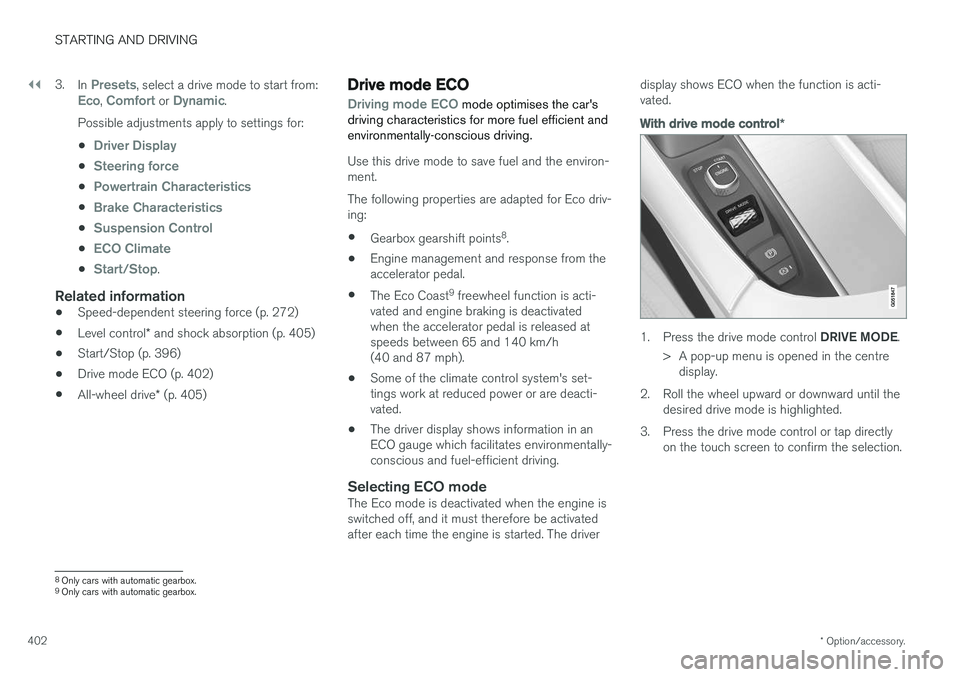
1.
Press the drive mode control DRIVE MODE.
> A pop-up menu is opened in the centre display.
2. Roll the wheel upward or downward until the desired drive mode is highlighted.
3. Press the drive mode control or tap directly on the touch screen to confirm the selection.
8Only cars with automatic gearbox.
9 Only cars with automatic gearbox.
Page 405 of 594
STARTING AND DRIVING
}}
* Option/accessory.403
In the centre display's function view
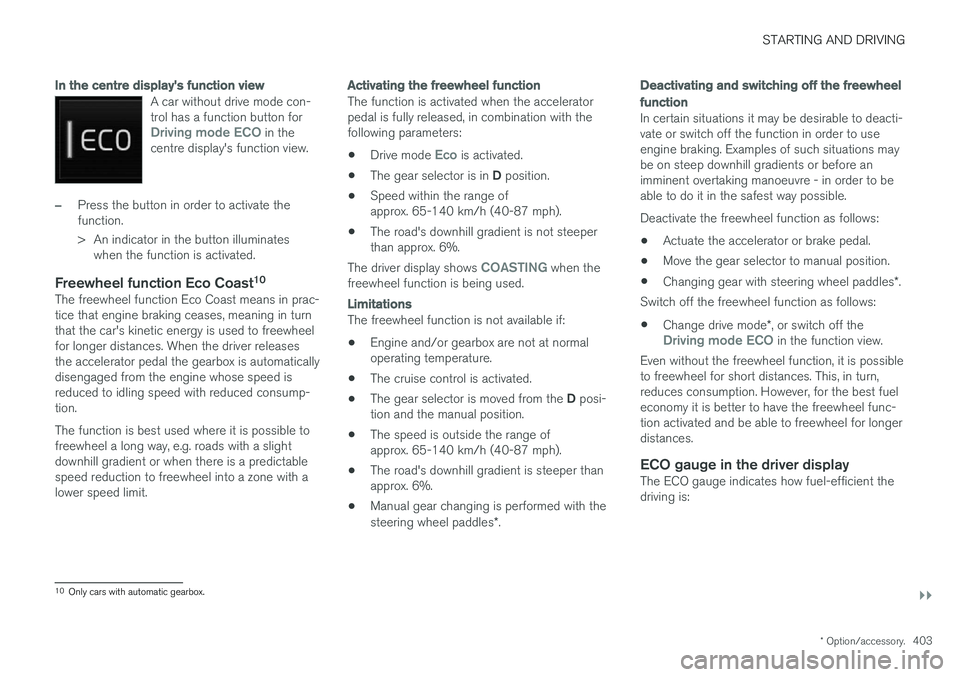
A car without drive mode con- trol has a function button for
Driving mode ECO in the
centre display's function view.
–Press the button in order to activate the function.
> An indicator in the button illuminates when the function is activated.
Freewheel function Eco Coast 10The freewheel function Eco Coast means in prac- tice that engine braking ceases, meaning in turnthat the car's kinetic energy is used to freewheelfor longer distances. When the driver releasesthe accelerator pedal the gearbox is automaticallydisengaged from the engine whose speed isreduced to idling speed with reduced consump-tion. The function is best used where it is possible to freewheel a long way, e.g. roads with a slightdownhill gradient or when there is a predictablespeed reduction to freewheel into a zone with alower speed limit.
Activating the freewheel function
The function is activated when the accelerator pedal is fully released, in combination with thefollowing parameters:
• Drive mode
Eco is activated.
• The gear selector is in
D position.
• Speed within the range of approx. 65-140 km/h (40-87 mph).
• The road's downhill gradient is not steeperthan approx. 6%.
The driver display shows
COASTING when the
freewheel function is being used.
Limitations
The freewheel function is not available if:
• Engine and/or gearbox are not at normal operating temperature.
• The cruise control is activated.
• The gear selector is moved from the
D posi-
tion and the manual position.
• The speed is outside the range ofapprox. 65-140 km/h (40-87 mph).
• The road's downhill gradient is steeper thanapprox. 6%.
• Manual gear changing is performed with the steering wheel paddles
*.
Deactivating and switching off the freewheel function
In certain situations it may be desirable to deacti- vate or switch off the function in order to useengine braking. Examples of such situations maybe on steep downhill gradients or before animminent overtaking manoeuvre - in order to beable to do it in the safest way possible. Deactivate the freewheel function as follows:
• Actuate the accelerator or brake pedal.
• Move the gear selector to manual position.
• Changing gear with steering wheel paddles
*.
Switch off the freewheel function as follows:
• Change drive mode
*, or switch off the
Driving mode ECO in the function view.
Even without the freewheel function, it is possible to freewheel for short distances. This, in turn,reduces consumption. However, for the best fueleconomy it is better to have the freewheel func-tion activated and be able to freewheel for longerdistances.
ECO gauge in the driver displayThe ECO gauge indicates how fuel-efficient thedriving is:
10 Only cars with automatic gearbox.
Page 406 of 594
||
STARTING AND DRIVING
* Option/accessory.
404 •
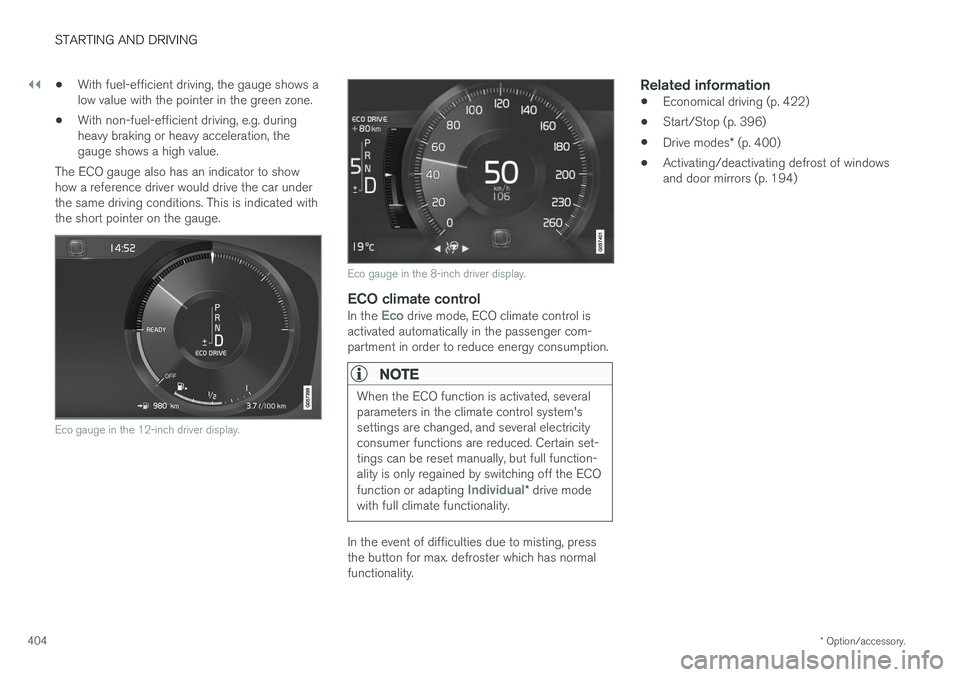
With fuel-efficient driving, the gauge shows a low value with the pointer in the green zone.
• With non-fuel-efficient driving, e.g. duringheavy braking or heavy acceleration, thegauge shows a high value.
The ECO gauge also has an indicator to showhow a reference driver would drive the car underthe same driving conditions. This is indicated withthe short pointer on the gauge.
Eco gauge in the 12-inch driver display.
Eco gauge in the 8-inch driver display.
ECO climate controlIn the Eco drive mode, ECO climate control is
activated automatically in the passenger com- partment in order to reduce energy consumption.
NOTE
When the ECO function is activated, several parameters in the climate control system'ssettings are changed, and several electricityconsumer functions are reduced. Certain set-tings can be reset manually, but full function-ality is only regained by switching off the ECO function or adapting
Individual* drive mode
with full climate functionality.
In the event of difficulties due to misting, press the button for max. defroster which has normalfunctionality.
Related information
• Economical driving (p. 422)
• Start/Stop (p. 396)
• Drive modes
* (p. 400)
• Activating/deactivating defrost of windowsand door mirrors (p. 194)
Page 417 of 594
STARTING AND DRIVING
}}
* Option/accessory.415
Related information
•Driving with a trailer under special conditions (p. 428)
• Preparations for a long trip (p. 415)
Overloading the starter battery
The electrical functions in the car load the starter battery to varying degrees. Avoid using the igni-tion position II when the car is switched off.
Instead, use ignition position I - which uses less
power.
Also, be aware of different accessories that load the electrical system. Do not use functions whichuse a lot of power when the car is switched off.Examples of such functions are:
• ventilation fan
• headlamps
• windscreen wiper
• audio system (high volume).
If the starter battery voltage is low, the message
12 V Battery Low charge, will soon enter
power save mode is shown in the driver display.
The energy-saving function then shuts down cer- tain functions or reduces certain functions suchas the ventilation fan and/or audio system.
–In which case, charge the starter battery by starting the car and then running it for atleast 15 minutes - starter battery charging ismore effective during driving than runningthe engine at idling speed while stationary.
Related information
• Ignition positions (p. 385)
• Starter battery (p. 530)
Preparations for a long trip
Before a driving holiday or some other type of long journey, it is important to check the car'sfunctions and equipment particularly carefully.
Check that:
• the engine is working normally and that fuel consumption is normal
• there are no leaks (fuel, oil or other fluid)
• all bulbs are working
• the tyres have sufficient tread depth andpressure
• a warning triangle and high-visibility vest arelocated in the car - legally required in certaincountries
• the wiper blades are in good condition.
Related information
•
Fuel consumption and CO2 emissions(p. 572)
• Checking the tyre pressures (p. 484)
• Filling washer fluid (p. 529)
• Winter driving (p. 416)
• Economical driving (p. 422)
• Settings for car modem
* (p. 468)
• Loading (p. 227)
• Pilot Assist
* (p. 304)
• Speed limiter
* (p. 277)
Page 424 of 594
STARTING AND DRIVING
* Option/accessory.
422
Economical driving
Drive economically and eco-consciously by driv- ing smoothly, thinking ahead, and adjusting yourdriving style and speed to the prevailing condi-tions.
• For lower fuel consumption, activate ECO drive mode.
• Use the Eco Coast 17
freewheel function -
engine braking will cease and the car'skinetic energy can be used to freewheel forlonger distances.
• Drive in the highest gear 18
possible, adapted
to the current traffic situation and road -lower engine speeds result in lower fuel con-sumption. Use the gear shift indicator.
• Drive at a steady speed and keep a good dis-tance to other vehicles and objects to mini-mise braking.
• High speed results in increased fuel con-sumption - the wind resistance increaseswith speed.
• Do not run the engine to operating tempera-ture at idling speed, but rather drive with anormal load right after starting - a coldengine consumes more fuel than a warmone. •
Drive with the correct air pressure in thetyres and check this regularly - select ECOtyre pressure for best results.
• Choice of tyres can affect fuel consumption -seek advice on suitable tyres from a dealer.
• Remove unnecessary items from the car -the greater the load the higher the consump-tion.
• Use engine braking to slow down, when itcan take place without risk to other roadusers.
• A roof load and space box increase windresistance, leading to higher consumption -remove the load carriers when not in use.
• Avoid driving with open windows.
WARNING
Never switch off the engine while moving, such as downhill, this deactivates importantsystems such as the power steering andbrake servo.
Related information
•
Drive mode ECO (p. 402)
• Approved tyre pressures (p. 574)
• Fuel consumption and CO2 emissions (p. 572)
• Drive-E - cleaner driving pleasure (p. 25)
Towing bracket
*
The car can be equipped with a towing bracket that makes it possible to tow e.g. a trailer afterthe car.
There may be different towing bracket variants available for the car; contact a Volvo dealer formore information. For information on towing capacity and towball load, see the section "Towing capacity and tow-ball load".
IMPORTANT
When the engine is switched off, the constant battery voltage to the trailer connector can beswitched off automatically so as not to drainthe starter battery.
IMPORTANT
The towball needs regular cleaning and lubri- cation with grease in order to prevent wear.
17 See the section "Drive mode ECO".
18 Applies to driving with manual gear changing.
Page 426 of 594
||
STARTING AND DRIVING
424
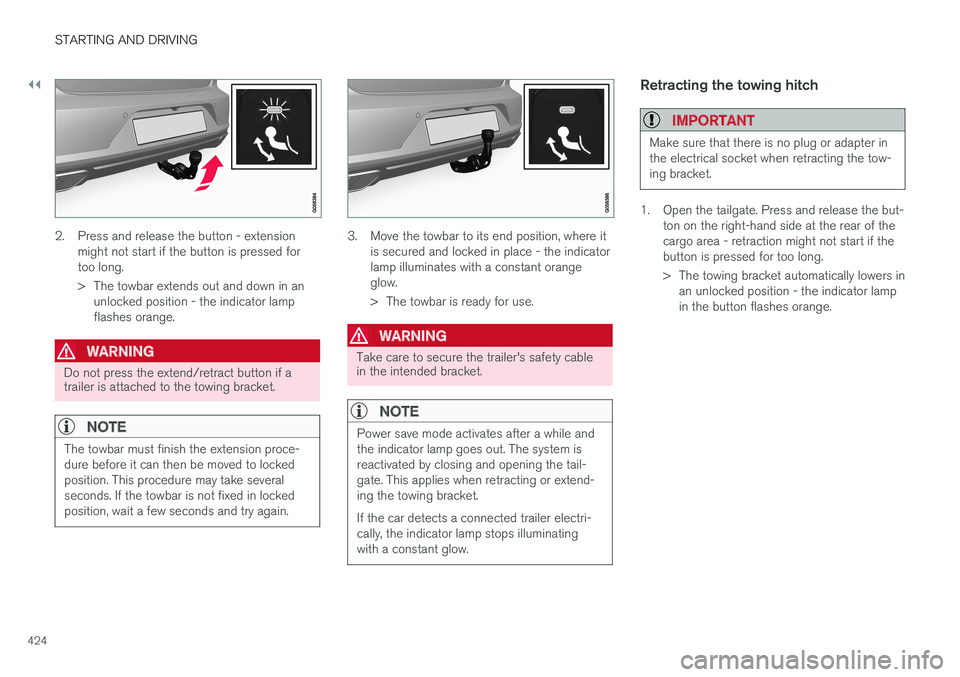
2. Press and release the button - extensionmight not start if the button is pressed for too long.
> The towbar extends out and down in anunlocked position - the indicator lamp flashes orange.
WARNING
Do not press the extend/retract button if a trailer is attached to the towing bracket.
NOTE
The towbar must finish the extension proce- dure before it can then be moved to lockedposition. This procedure may take severalseconds. If the towbar is not fixed in lockedposition, wait a few seconds and try again.
3. Move the towbar to its end position, where it is secured and locked in place - the indicator lamp illuminates with a constant orangeglow.
> The towbar is ready for use.
WARNING
Take care to secure the trailer's safety cable in the intended bracket.
NOTE
Power save mode activates after a while and the indicator lamp goes out. The system isreactivated by closing and opening the tail-gate. This applies when retracting or extend-ing the towing bracket. If the car detects a connected trailer electri- cally, the indicator lamp stops illuminatingwith a constant glow.
Retracting the towing hitch
IMPORTANT
Make sure that there is no plug or adapter in the electrical socket when retracting the tow-ing bracket.
1. Open the tailgate. Press and release the but- ton on the right-hand side at the rear of the cargo area - retraction might not start if thebutton is pressed for too long.
> The towing bracket automatically lowers inan unlocked position - the indicator lamp in the button flashes orange.
Page 437 of 594
AUDIO AND MEDIA
* Option/accessory.435
–Tap on an app in the app view to launch it.
Related information
•Online car
* (p. 463)
• Downloading, updating and uninstalling apps (p. 468)
• Changing settings for apps (p. 178)
Audio settings
The audio system is preset for optimal sound reproduction, but can be adapted according toneeds.
The volume is normally adjusted with the volume control below the centre display or with the right-hand steering wheel keypad.
Setting for optimal sound reproductionThe audio system is pre-calibrated for optimumsound reproduction by means of digital signalprocessing. This calibration takes into accountloudspeakers, amplifiers, passenger compartmentacoustics, listener position, etc., for each combi-nation of car model and audio system. There isalso a dynamic calibration that takes into accountthe setting of the volume control and vehiclespeed. Audio settings are described in the correspond- ing section in the owner information. To accessthe settings, open the top view and tap on
SettingsSound.
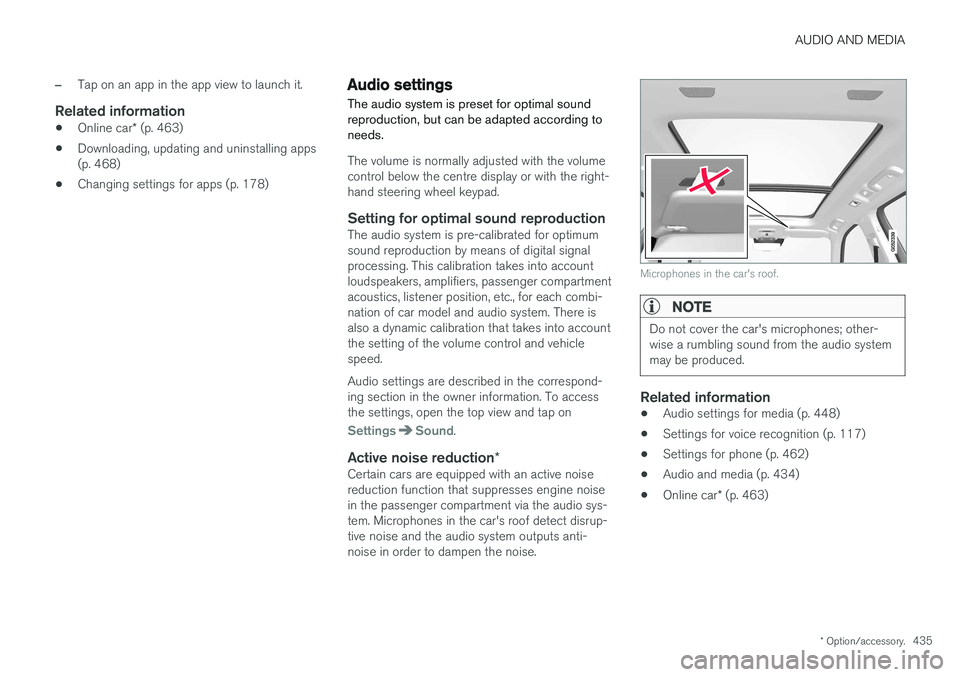
Active noise reduction *Certain cars are equipped with an active noise reduction function that suppresses engine noisein the passenger compartment via the audio sys-tem. Microphones in the car's roof detect disrup-tive noise and the audio system outputs anti-noise in order to dampen the noise.
Microphones in the car's roof.
NOTE
Do not cover the car's microphones; other- wise a rumbling sound from the audio systemmay be produced.
Related information
•Audio settings for media (p. 448)
• Settings for voice recognition (p. 117)
• Settings for phone (p. 462)
• Audio and media (p. 434)
• Online car
* (p. 463)
Page 446 of 594
||
AUDIO AND MEDIA
* Option/accessory.
444
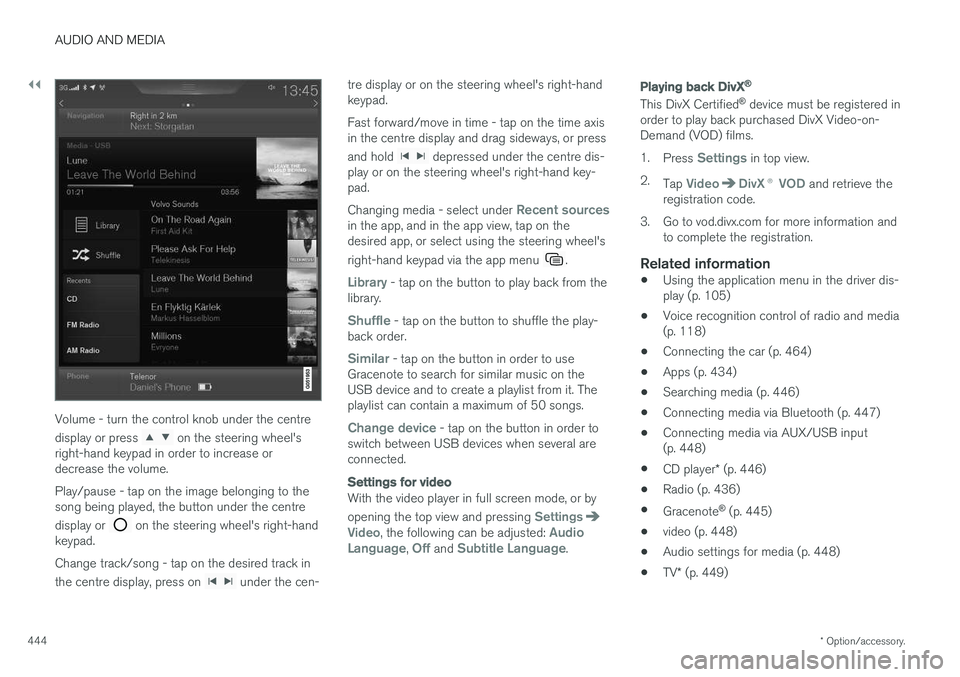
Volume - turn the control knob under the centre display or press
on the steering wheel's
right-hand keypad in order to increase or decrease the volume. Play/pause - tap on the image belonging to the song being played, the button under the centre display or
on the steering wheel's right-hand
keypad. Change track/song - tap on the desired track in the centre display, press on
under the cen- tre display or on the steering wheel's right-hand keypad. Fast forward/move in time - tap on the time axis in the centre display and drag sideways, or press and hold
depressed under the centre dis-
play or on the steering wheel's right-hand key- pad. Changing media - select under
Recent sourcesin the app, and in the app view, tap on the desired app, or select using the steering wheel's right-hand keypad via the app menu
.
Library - tap on the button to play back from the
library.
Shuffle - tap on the button to shuffle the play-
back order.
Similar - tap on the button in order to use
Gracenote to search for similar music on the USB device and to create a playlist from it. Theplaylist can contain a maximum of 50 songs.
Change device - tap on the button in order to
switch between USB devices when several are connected.
Settings for video
With the video player in full screen mode, or by opening the top view and pressing
SettingsVideo, the following can be adjusted: Audio
Language, Off and Subtitle Language.
Playing back DivX®
This DivX Certified ®
device must be registered in
order to play back purchased DivX Video-on- Demand (VOD) films. 1. Press
Settings in top view.
2. Tap
VideoDivX ® VOD and retrieve the
registration code.
3. Go to vod.divx.com for more information and to complete the registration.
Related information
• Using the application menu in the driver dis- play (p. 105)
• Voice recognition control of radio and media(p. 118)
• Connecting the car (p. 464)
• Apps (p. 434)
• Searching media (p. 446)
• Connecting media via Bluetooth (p. 447)
• Connecting media via AUX/USB input(p. 448)
• CD player
* (p. 446)
• Radio (p. 436)
• Gracenote ®
(p. 445)
• video (p. 448)
• Audio settings for media (p. 448)
• TV
* (p. 449)
Page 452 of 594
||
AUDIO AND MEDIA
* Option/accessory.
450
TV guide
A programme guide is available with information about TV programmes for up to 48 hours.
–Tap on Guide to show information about TV
programmes.
NOTE
If the car is moved within the country, e.g. from city to city, it is not certain that
Favourites are available since the frequency
may have changed.
Change the format of the TV picture
Tapping on Picture format enables you to
choose which format the TV picture should be shown in. 1.
Auto - The TV picture is shown in the image
format being transmitted.
2.
Auto fill - The TV picture is maximised with-
out cropping.
Settings for TVThe option to make certain settings is available, both in the top view or when TV-viewing takesplace in full screen mode. With the video player in full screen mode, or by opening the top view and pressing
Settings
MediaTV, the following can be adjusted: •
Subtitle Language
•Audio Language
Related information
•
TV
* (p. 449)
• Voice recognition control of radio and media (p. 118)
• Media playback (p. 443)
• Navigating in the centre display's views(p. 40)
• License agreement for audio and media(p. 470)
Apple CarPlay
*
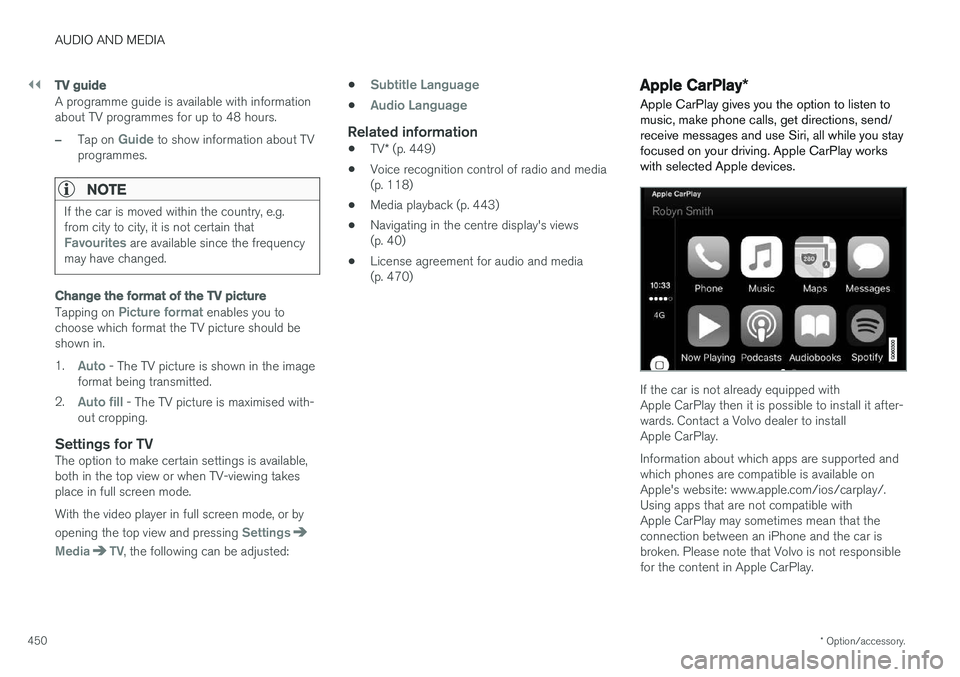
Apple CarPlay gives you the option to listen to music, make phone calls, get directions, send/receive messages and use Siri, all while you stayfocused on your driving. Apple CarPlay workswith selected Apple devices.
If the car is not already equipped with Apple CarPlay then it is possible to install it after-wards. Contact a Volvo dealer to installApple CarPlay. Information about which apps are supported and which phones are compatible is available onApple's website: www.apple.com/ios/carplay/.Using apps that are not compatible withApple CarPlay may sometimes mean that theconnection between an iPhone and the car isbroken. Please note that Volvo is not responsiblefor the content in Apple CarPlay.