navigation VOLVO V90 2017 Owners Manual
[x] Cancel search | Manufacturer: VOLVO, Model Year: 2017, Model line: V90, Model: VOLVO V90 2017Pages: 594, PDF Size: 15.07 MB
Page 5 of 594
3
Table for location of i-Size child seats81
Integrated booster cushion *
82
Folding up the integrated booster cushion * 82
Folding down the integrated boostercushion * 84
INSTRUMENTS AND CONTROLS
Instruments and controls, left-hand drive car
86
Instruments and controls, right-handdrive car 87
Driver display 90
Driver display settings 94
Indicator symbols in the driver display 95
Warning symbols in the driver display 97
Outside temperature gauge 98
Clock 99
License agreement for the driver display 99
Application menu in the driver display 105
Using the application menu in thedriver display 105
Messages in the driver display andthe centre display 106
Managing messages in the driverdisplay and the centre display 108
Managing messages saved from thedriver display and centre display 110
Head-up display *
112
Voice recognition 115
Using voice recognition 116
Settings for voice recognition 117
Voice recognition control of the phone 118
Voice recognition control of radioand media 118
Voice recognition control of climate control119
Voice recognition and map navigation 120
Manual front seat 121
Power front seat *
121
Adjusting the power front seat *
122
Using the memory function in the power front seat * 122
Multi-functional front seat *
123
Adjusting functions in the multi-func-tional front seat * 124
Adjusting the passenger seat fromthe driver's seat * 127
Rear seat 128
Adjusting the head restraints in the rear seat 128
Lowering the backrests in the rear seat 130
Steering wheel 131
Adjusting the steering wheel 132
Headlamp control 134
Headlamp levelling 135
Position lamps 136
Daytime running lights 137
Dipped beam 137
Activating/deactivating main beam 138
Active bending lights *
141
Page 16 of 594

INTRODUCTION
14
This is how you find owner's informationOwner's information is available in several differ- ent product formats, both digital and printed.The owner's manual is available in the car's cen-tre display, as a mobile app and on the VolvoCars support site. There is a Quick Guide and asupplement to the owner's manual available inthe glovebox, with specifications and fuse infor-mation, amongst other things. A printed owner'smanual can be ordered.The car's centre display 1In the centre display, drag down the top view and tap on
Owner's manual. Available
here are options for visual navi- gation with exterior and interiorimages of the car. The informa-tion is searchable and is also
divided into categories.
Mobile appIn App Store or Google Play, search for "Volvo Manual",download the app to yoursmartphone or tablet and selectthe car. Available in the app arevideo tutorials and options forvisual navigation with exterior
and interior images of the car. It is easy to navi-gate between the different sections in theowner's manual and the content is searchable.
Volvo Cars support siteGo to support.volvocars.com and select your country. Hereyou can find owner's manuals,both online and in PDF format.On the Volvo Cars support sitethere are also video tutorialsand further information and
help regarding your Volvo and your car owner-ship. The page is available for most markets.
Printed informationThere is a supplement to the owner's manual 1
in the glove-
box that contains information on fuses and specifications, aswell as a summary of importantand practical information.
There is also a Quick Guide available in printedformat that helps you to get started with the mostcommonly used functions in the car. Depending on equipment level selected, market, etc. additional owner's information may also beavailable in printed format in the car. A printed owner's manual and associated supple- ment can be ordered. Contact a Volvo dealer toorder.
Changing the language in the car's centre display
Changing the language in the centre display may mean that some owner's information does notcorrespond to national or local laws and regula-tions. Don't change to a language that's difficultto understand, it may then be difficult to find yourway back in the structure on the screen.
1 A complete printed manual is included with the car for markets without owner's manual in the centre display.
Page 21 of 594
INTRODUCTION
}}
* Option/accessory.19
Volvo Cars support site
More information on your car is available on the Volvo Cars website and support site. There you can navigate through to My Volvo 3
, a personal
web page for you and your car.
Support on the Internet
Go to support.volvocars.com to visit the site. The support site is available for most markets. It contains support for functions such as web- based services and functions, Volvo On Call *, the
navigation system * and apps. Videos and step-
by-step instructions explain different procedures, e.g. how to connect the car to the Internet via amobile phone.
Downloadable information
Maps
For cars equipped with Sensus Navigation, there is the facility to download maps from the supportpage.
Owner's manuals as PDF
Owner's manuals are available for download in PDF format. Select car model and model year todownload the manual as required.
ContactThe support site contains contact details to cus-tomer support and your nearest Volvo dealer.
My Volvo on the Internet 3From www.volvocars.com it is possible to navigatethrough to My Volvo Web which is a personalWeb page for you and your car. Create a personal Volvo ID, log in to My Volvo Web and get an overview of service, agreementsand warranties, amongst other things. At MyVolvo Web there is also information about acces-sories and software adapted for your car model.
Related information
•
Volvo ID (p. 23)
Reading the owner's manual
A good way of getting to know your new car is to read the owner's manual, ideally before yourfirst journey.
Reading the owner's manual is a good way to become familiar with new functions, get adviceon how best to handle the car in different situa-tions and learn how to make the best use of allthe car's features. Please pay attention to thesafety instructions contained in the owner's man-ual. Development work is constantly underway in order to improve our product. Modifications maymean that information, descriptions and illustra-tions in the owner's manual differ from the equip-ment in the car. We reserve the right to makemodifications without prior notice. Do not remove this manual from the car - if prob- lems should arise then the necessary informationabout where and how to seek professional helpwill be missing. © Volvo Car Corporation
Options/accessoriesIn addition to standard equipment, the owner's manual also describes options (factory fittedequipment) and certain accessories (retrofittedextra equipment).
3
Applies to certain markets.
Page 31 of 594
INTRODUCTION
}}
* Option/accessory.29
Sensus - connection and maintenance
Sensus makes it possible to surf the Internet, use different types of apps and make the car aWi-Fi hotspot.
This is Sensus
Sensus offers an intelligent interface and online connectivity with the digital world. An intuitivenavigation structure makes it possible to receiverelevant support, information and entertainmentwhen it is necessary, without distracting thedriver. Sensus covers all solutions in the car that are connected with entertainment, online connectiv- ity, navigation * and the user interface between
driver and car. It is Sensus that makes communi- cation possible between you, the car and the out-side world.
Information when it is needed, where it is needed
The different displays in the car provide informa- tion at the right time. The information is shown indifferent locations based on how it should be pri-oritised by the driver.
Page 32 of 594
||
INTRODUCTION
* Option/accessory.
30
G000000
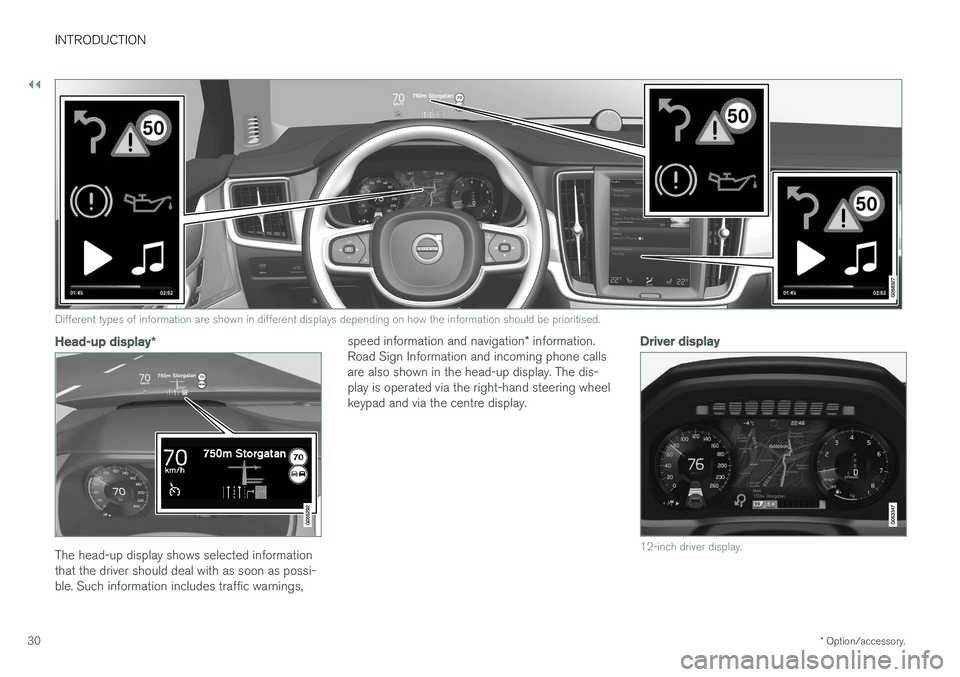
Different types of information are shown in different displays depending on how the information should be prioritised.
Head-up display *
The head-up display shows selected information that the driver should deal with as soon as possi-ble. Such information includes traffic warnings, speed information and navigation
* information.
Road Sign Information and incoming phone callsare also shown in the head-up display. The dis-play is operated via the right-hand steering wheelkeypad and via the centre display.
Driver display
12-inch driver display.
Page 37 of 594
INTRODUCTION
* Option/accessory.35
ting options. Examples of such are
Cameraand parking functions.
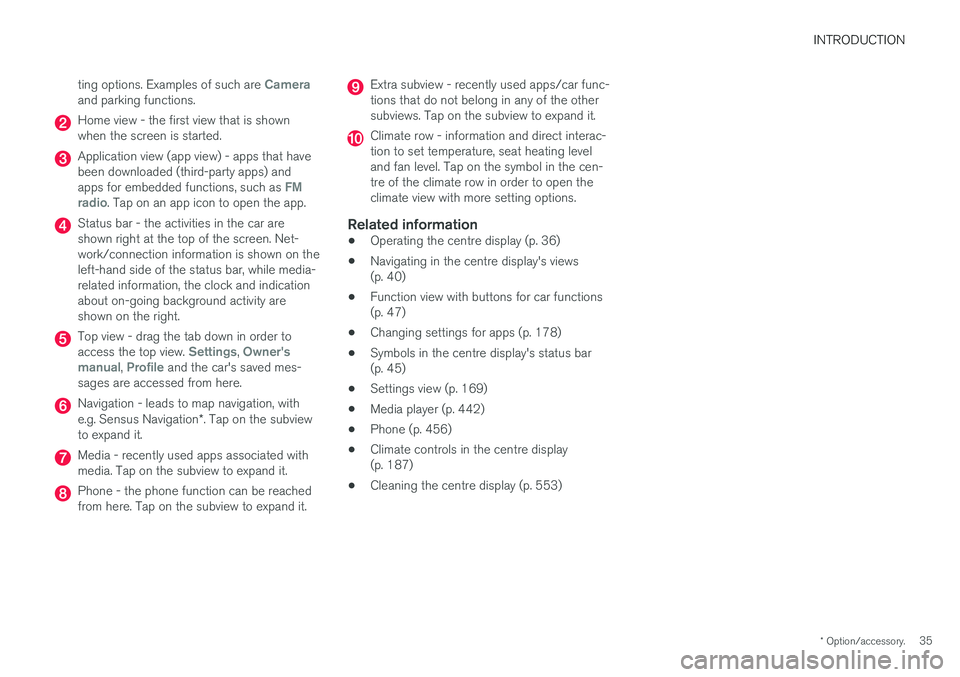
Home view - the first view that is shown when the screen is started.
Application view (app view) - apps that have been downloaded (third-party apps) and apps for embedded functions, such as
FM
radio. Tap on an app icon to open the app.
Status bar - the activities in the car are shown right at the top of the screen. Net-work/connection information is shown on theleft-hand side of the status bar, while media-related information, the clock and indicationabout on-going background activity areshown on the right.
Top view - drag the tab down in order to access the top view. Settings, Owner's
manual, Profile and the car's saved mes-
sages are accessed from here.
Navigation - leads to map navigation, with e.g. Sensus Navigation *. Tap on the subview
to expand it.
Media - recently used apps associated with media. Tap on the subview to expand it.
Phone - the phone function can be reached from here. Tap on the subview to expand it.
Extra subview - recently used apps/car func- tions that do not belong in any of the othersubviews. Tap on the subview to expand it.
Climate row - information and direct interac- tion to set temperature, seat heating leveland fan level. Tap on the symbol in the cen-tre of the climate row in order to open theclimate view with more setting options.
Related information
• Operating the centre display (p. 36)
• Navigating in the centre display's views(p. 40)
• Function view with buttons for car functions(p. 47)
• Changing settings for apps (p. 178)
• Symbols in the centre display's status bar(p. 45)
• Settings view (p. 169)
• Media player (p. 442)
• Phone (p. 456)
• Climate controls in the centre display(p. 187)
• Cleaning the centre display (p. 553)
Page 42 of 594
INTRODUCTION
40
Navigating in the centre display's views
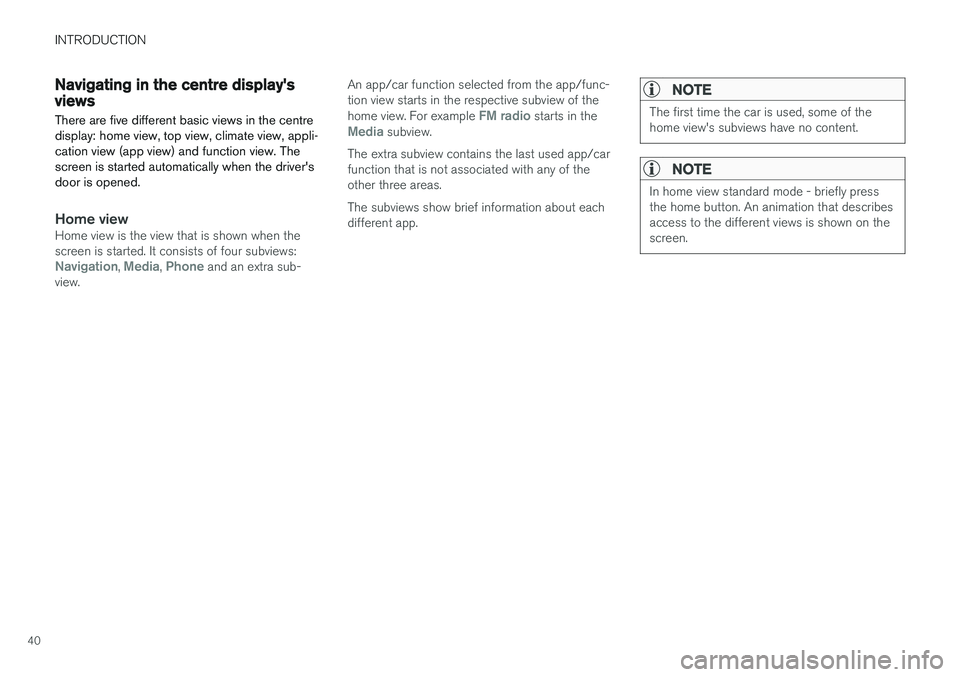
There are five different basic views in the centre display: home view, top view, climate view, appli-cation view (app view) and function view. Thescreen is started automatically when the driver'sdoor is opened.
Home viewHome view is the view that is shown when the screen is started. It consists of four subviews:
Navigation, Media, Phone and an extra sub-
view. An app/car function selected from the app/func- tion view starts in the respective subview of the home view. For example
FM radio starts in theMedia subview.
The extra subview contains the last used app/car function that is not associated with any of theother three areas. The subviews show brief information about each different app.
NOTE
The first time the car is used, some of the home view's subviews have no content.
NOTE
In home view standard mode - briefly press the home button. An animation that describesaccess to the different views is shown on thescreen.
Page 44 of 594
||
INTRODUCTION
42Expanding a subview:
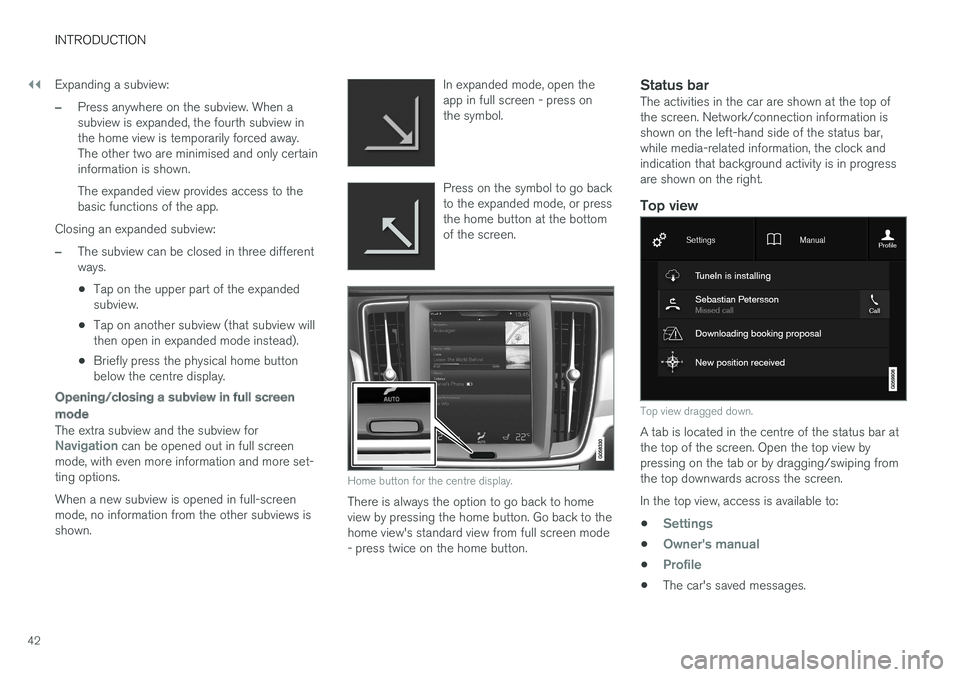
–Press anywhere on the subview. When a subview is expanded, the fourth subview inthe home view is temporarily forced away.The other two are minimised and only certaininformation is shown. The expanded view provides access to the basic functions of the app.
Closing an expanded subview:
–The subview can be closed in three different ways.
• Tap on the upper part of the expandedsubview.
• Tap on another subview (that subview willthen open in expanded mode instead).
• Briefly press the physical home buttonbelow the centre display.
Opening/closing a subview in full screen mode
The extra subview and the subview forNavigation can be opened out in full screen
mode, with even more information and more set- ting options. When a new subview is opened in full-screen mode, no information from the other subviews isshown. In expanded mode, open theapp in full screen - press onthe symbol.
Press on the symbol to go back to the expanded mode, or pressthe home button at the bottomof the screen.
Home button for the centre display.
There is always the option to go back to home view by pressing the home button. Go back to thehome view's standard view from full screen mode- press twice on the home button.
Status barThe activities in the car are shown at the top ofthe screen. Network/connection information isshown on the left-hand side of the status bar,while media-related information, the clock andindication that background activity is in progressare shown on the right.
Top view
Top view dragged down.
A tab is located in the centre of the status bar at the top of the screen. Open the top view bypressing on the tab or by dragging/swiping fromthe top downwards across the screen. In the top view, access is available to: •
Settings
•Owner's manual
•Profile
•
The car's saved messages.
Page 93 of 594
INSTRUMENTS AND CONTROLS
}}
* Option/accessory.91
On the left In the middleOn the right
– Media player Status of the Start/Stop function
– Navigation map* Distance to empty tank
– PhoneInstantaneous fuel consumption
– Voice recognition App menu (activated via steering wheel keypad)
A
Depending on selected drive mode.
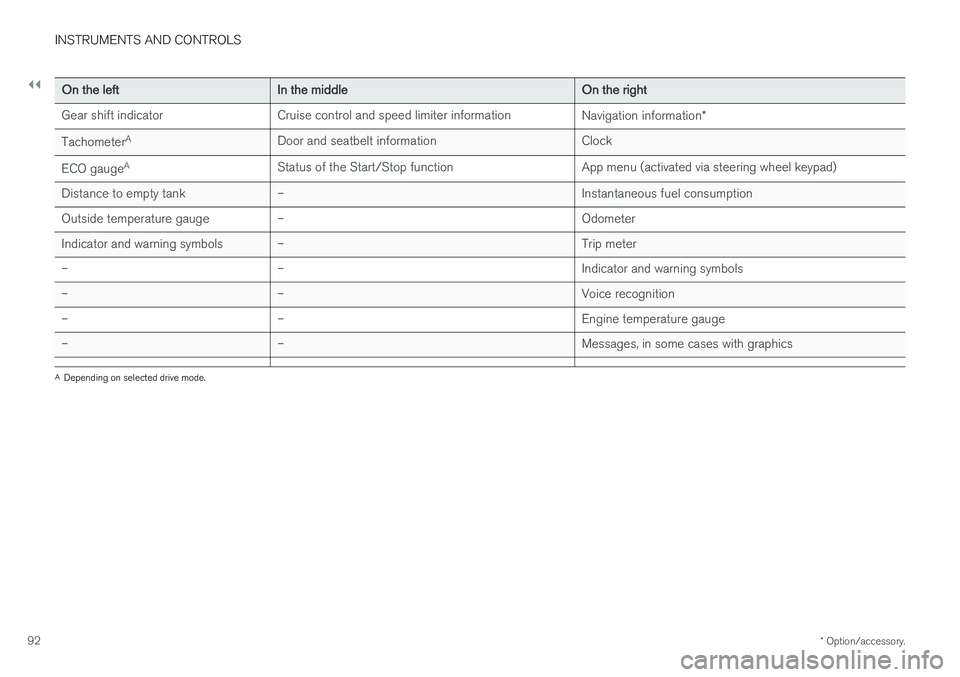
Driver display, 8-inch
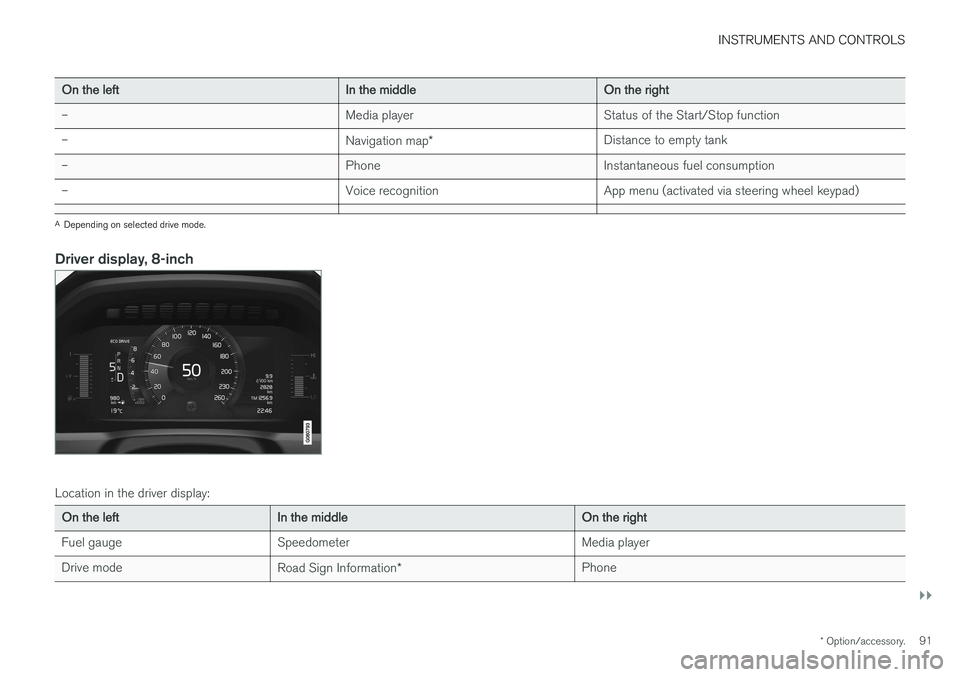
Location in the driver display:
On the left In the middle On the right
Fuel gauge Speedometer Media player
Drive mode Road Sign Information* Phone
Page 94 of 594
||
INSTRUMENTS AND CONTROLS
* Option/accessory.
92
On the left In the middle On the right
Gear shift indicator Cruise control and speed limiter information Navigation information*
Tachometer A
Door and seatbelt information Clock
ECO gauge A
Status of the Start/Stop function App menu (activated via steering wheel keypad)
Distance to empty tank – Instantaneous fuel consumption
Outside temperature gauge – Odometer
Indicator and warning symbols – Trip meter
– – Indicator and warning symbols
– – Voice recognition
– – Engine temperature gauge
– – Messages, in some cases with graphics
A
Depending on selected drive mode.