instrument panel VOLVO V90 2018 Owner´s Manual
[x] Cancel search | Manufacturer: VOLVO, Model Year: 2018, Model line: V90, Model: VOLVO V90 2018Pages: 656, PDF Size: 11.78 MB
Page 369 of 656
DRIVER SUPPORT
}}
367
Run-Off Mitigation with steeringassistance
This sub-function is intended to help reduce the risk of the vehicle inadvertently running off theroad by actively steering the vehicle back ontothe road.
The function is active at speeds between 65-140 km/h (40-87 mph) on roads with clearlyvisible traffic lane markings/lines. The system uses a camera to monitor the edges of the road and the painted side marker lines. Ifthe vehicle is about to cross the edge of the road, the function will attempt to steer the vehicle back onto the road. If this is not sufficient to keep the vehicle on the road, the brakes will also be applied. However, the function will not provide either
steering assistance or braking if the turn signal is used. The function will also not be activated if it detects that the driver is actively operating thevehicle. After the system has automatically intervened, this text message will appear in the instrumentpanel:
•
Collision avoidance assistance –Automatic intervention
WARNING
• The "Steering assistance at risk of run- off" subfunction is supplementary driversupport intended to help improve drivingsafety – it cannot handle all situations inall traffic, weather and road conditions.
• The function cannot detect barriers, railsor similar obstacles at the side of theroad.
• "Steering assistance at risk of run-off" isnot a substitute for the driver's attentionand judgment. The driver is alwaysresponsible for ensuring the vehicle isdriven in a safe manner, at the appropri-ate speed, with an appropriate distance toother vehicles, and in accordance withcurrent traffic rules and regulations.
Related information
•
Steering assistance at risk of collision(p. 366)
Run-Off Mitigation with steeringassistance levels This function has two activation levels for inter- vention:
•Steering assistance only
• Steering assistance with braking
Steering assistance only
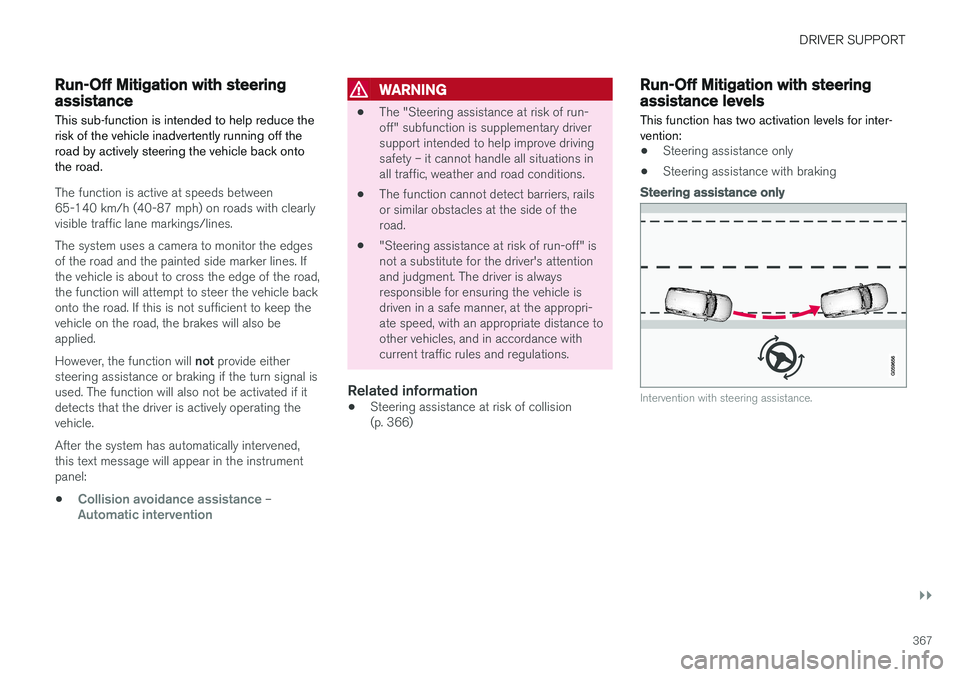
Intervention with steering assistance.
Page 371 of 656
DRIVER SUPPORT
}}
369
NOTE
The function uses the vehicle's radar unit, which has some general limitations – see thesection "Radar unit limitations".
Related information
•Steering assistance at risk of collision (p. 366)
• Speed-dependent steering wheel resistance(p. 266)
Steering assistance during collisionrisks from oncoming traffic
This sub-function can help assist a distracted driver who has not noticed that the vehicle isveering into oncoming traffic.
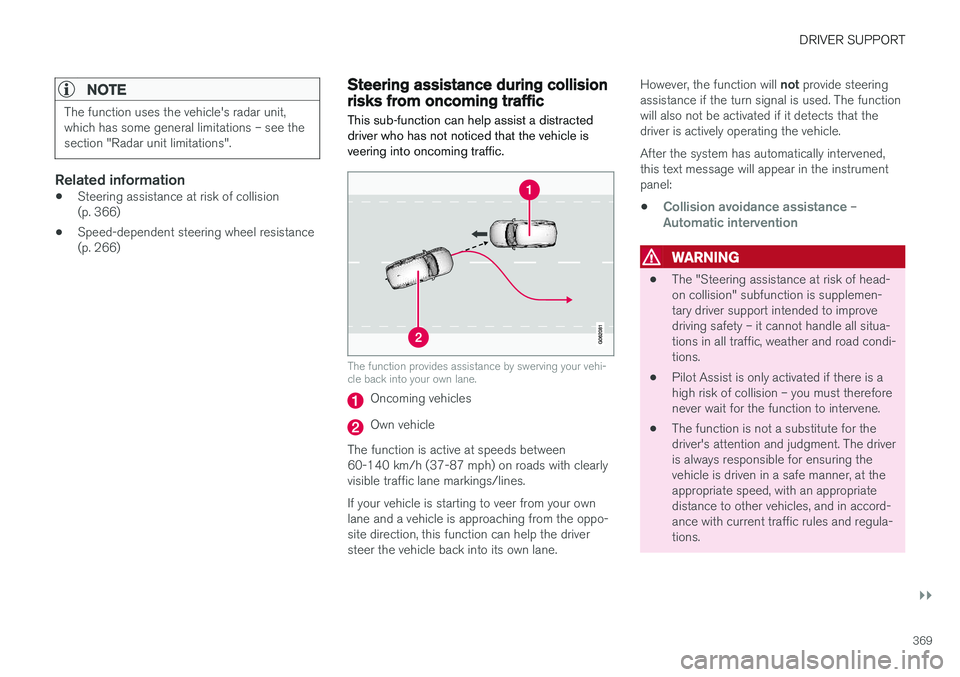
The function provides assistance by swerving your vehi- cle back into your own lane.
Oncoming vehicles
Own vehicle
The function is active at speeds between 60-140 km/h (37-87 mph) on roads with clearlyvisible traffic lane markings/lines. If your vehicle is starting to veer from your own lane and a vehicle is approaching from the oppo- site direction, this function can help the driversteer the vehicle back into its own lane. However, the function will
not provide steering
assistance if the turn signal is used. The functionwill also not be activated if it detects that thedriver is actively operating the vehicle. After the system has automatically intervened, this text message will appear in the instrumentpanel:
•
Collision avoidance assistance –Automatic intervention
WARNING
• The "Steering assistance at risk of head- on collision" subfunction is supplemen-tary driver support intended to improvedriving safety – it cannot handle all situa-tions in all traffic, weather and road condi-tions.
• Pilot Assist is only activated if there is ahigh risk of collision – you must thereforenever wait for the function to intervene.
• The function is not a substitute for thedriver's attention and judgment. The driveris always responsible for ensuring thevehicle is driven in a safe manner, at theappropriate speed, with an appropriatedistance to other vehicles, and in accord-ance with current traffic rules and regula-tions.
Page 373 of 656
DRIVER SUPPORT
}}
* Option/accessory.371
NOTE
The function uses the vehicle's camera unit, which has some general limitations – see thesection "Camera unit limitations".
NOTE
The function uses the vehicle's radar unit, which has some general limitations – see thesection "Radar unit limitations".
Related information
•Steering assistance at risk of collision (p. 366)
• Speed-dependent steering wheel resistance(p. 266)
Steering assistance during collision
risks from behind
*
If you become distracted and do not notice your vehicle starting to veer out of the lane whileanother vehicle is approaching from behind or isin your vehicle's blind spot, this sub-function canhelp provide assistance.
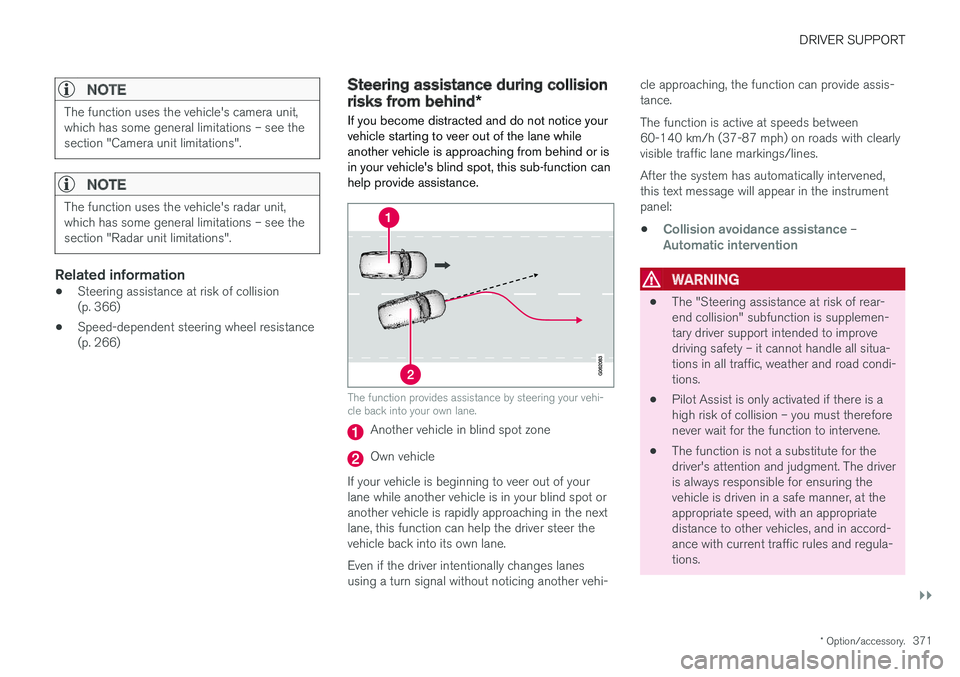
The function provides assistance by steering your vehi- cle back into your own lane.
Another vehicle in blind spot zone
Own vehicle
If your vehicle is beginning to veer out of your lane while another vehicle is in your blind spot oranother vehicle is rapidly approaching in the next lane, this function can help the driver steer the vehicle back into its own lane. Even if the driver intentionally changes lanes using a turn signal without noticing another vehi- cle approaching, the function can provide assis-tance. The function is active at speeds between 60-140 km/h (37-87 mph) on roads with clearlyvisible traffic lane markings/lines. After the system has automatically intervened, this text message will appear in the instrumentpanel:
•
Collision avoidance assistance –Automatic intervention
WARNING
• The "Steering assistance at risk of rear- end collision" subfunction is supplemen-tary driver support intended to improvedriving safety – it cannot handle all situa-tions in all traffic, weather and road condi-tions.
• Pilot Assist is only activated if there is ahigh risk of collision – you must thereforenever wait for the function to intervene.
• The function is not a substitute for thedriver's attention and judgment. The driveris always responsible for ensuring thevehicle is driven in a safe manner, at theappropriate speed, with an appropriatedistance to other vehicles, and in accord-ance with current traffic rules and regula-tions.
Page 376 of 656
DRIVER SUPPORT
374
Symbols and messages for steeringassistance during collision risks A number of symbols and messages related to the function may be displayed in the instrumentpanel.
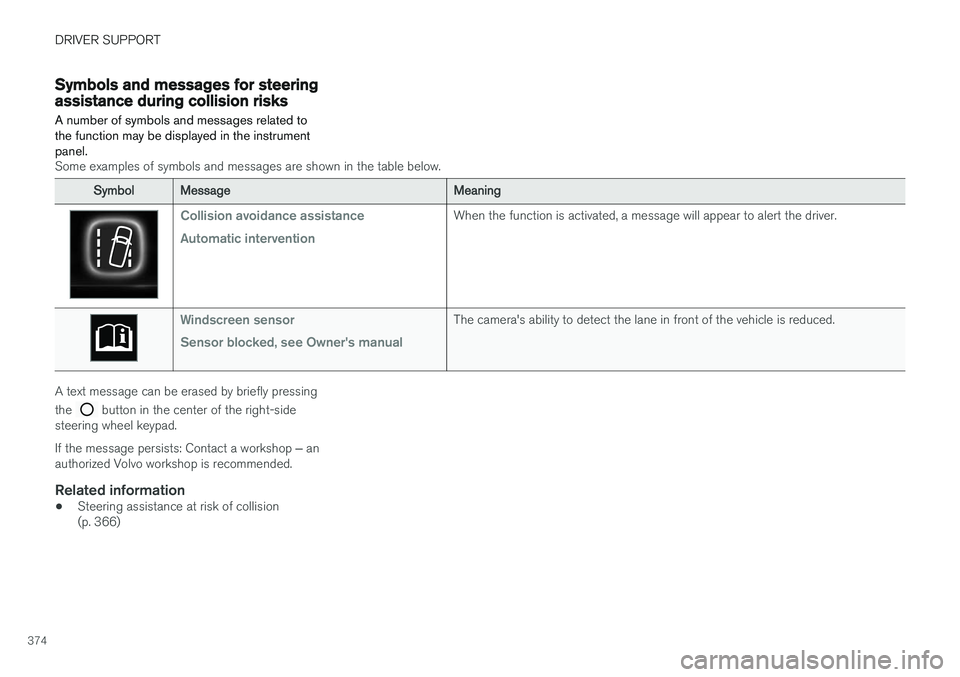
Some examples of symbols and messages are shown in the table below.
SymbolMessageMeaning
Collision avoidance assistance Automatic interventionWhen the function is activated, a message will appear to alert the driver.
Windscreen sensor Sensor blocked, see Owner's manualThe camera's ability to detect the lane in front of the vehicle is reduced.
A text message can be erased by briefly pressing the
button in the center of the right-side
steering wheel keypad. If the message persists: Contact a workshop ‒ an
authorized Volvo workshop is recommended.
Related information
• Steering assistance at risk of collision (p. 366)
Page 381 of 656
DRIVER SUPPORT
* Option/accessory.379
Park Assist symbols and messages
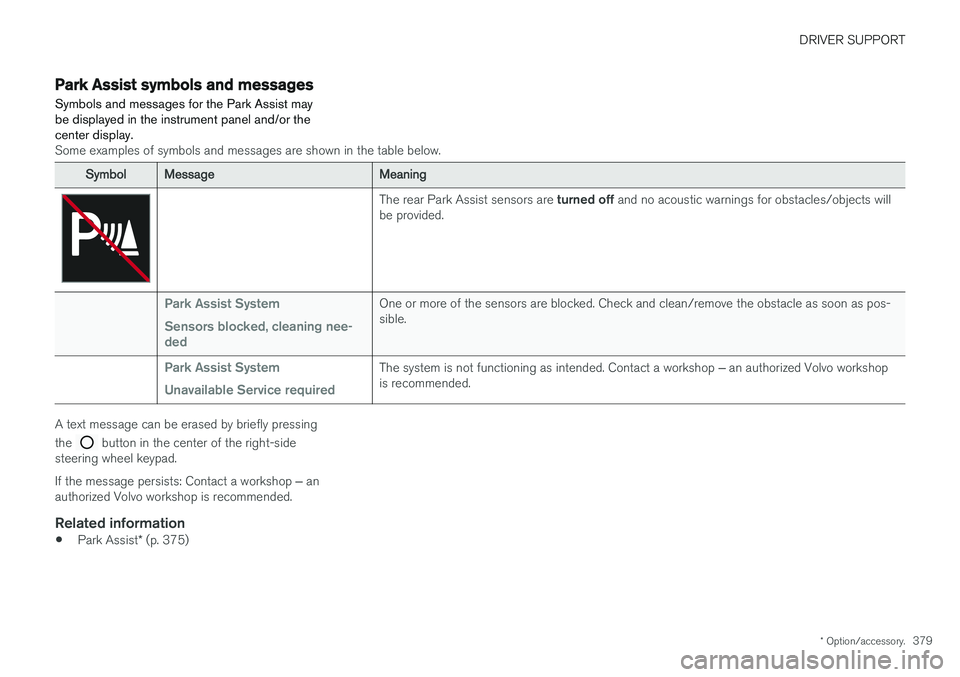
Symbols and messages for the Park Assist may be displayed in the instrument panel and/or thecenter display.
Some examples of symbols and messages are shown in the table below.
SymbolMessageMeaning
The rear Park Assist sensors are turned off and no acoustic warnings for obstacles/objects will
be provided.
Park Assist System Sensors blocked, cleaning nee- dedOne or more of the sensors are blocked. Check and clean/remove the obstacle as soon as pos- sible.
Park Assist System Unavailable Service requiredThe system is not functioning as intended. Contact a workshop ‒ an authorized Volvo workshop
is recommended.
A text message can be erased by briefly pressing the
button in the center of the right-side
steering wheel keypad. If the message persists: Contact a workshop ‒ an
authorized Volvo workshop is recommended.
Related information
• Park Assist
* (p. 375)
Page 390 of 656
DRIVER SUPPORT
* Option/accessory.
388
Park Assist Camera symbols andmessages
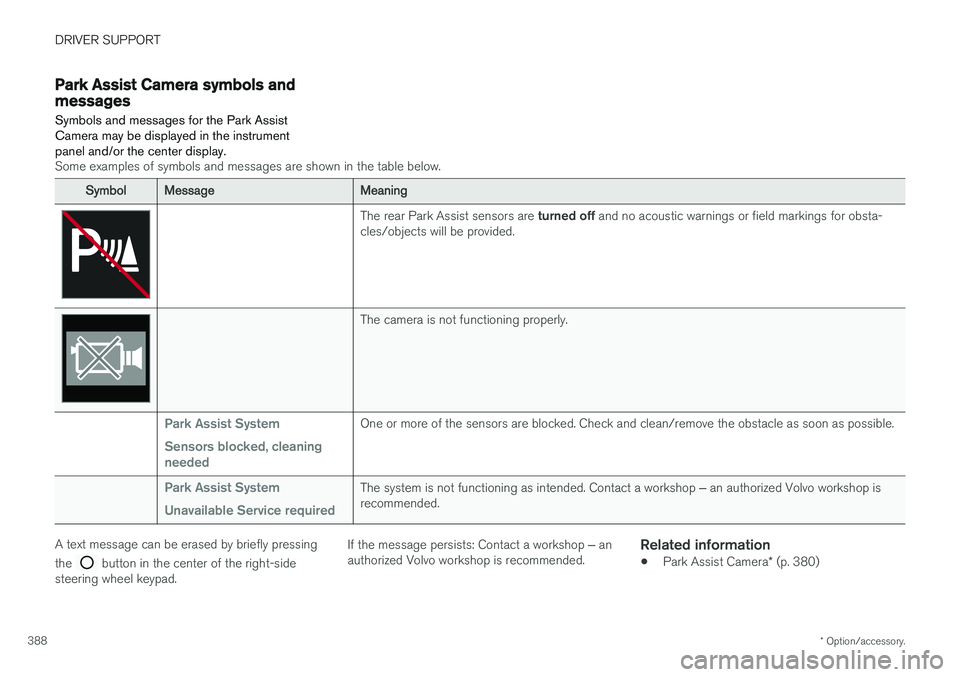
Symbols and messages for the Park Assist Camera may be displayed in the instrumentpanel and/or the center display.
Some examples of symbols and messages are shown in the table below.
SymbolMessageMeaning
The rear Park Assist sensors are turned off and no acoustic warnings or field markings for obsta-
cles/objects will be provided.
The camera is not functioning properly.
Park Assist System Sensors blocked, cleaning neededOne or more of the sensors are blocked. Check and clean/remove the obstacle as soon as possible.
Park Assist System Unavailable Service requiredThe system is not functioning as intended. Contact a workshop ‒ an authorized Volvo workshop is
recommended.
A text message can be erased by briefly pressing the
button in the center of the right-side
steering wheel keypad. If the message persists: Contact a workshop
‒ an
authorized Volvo workshop is recommended.
Related information
• Park Assist Camera
* (p. 380)
Page 399 of 656
DRIVER SUPPORT
* Option/accessory.397
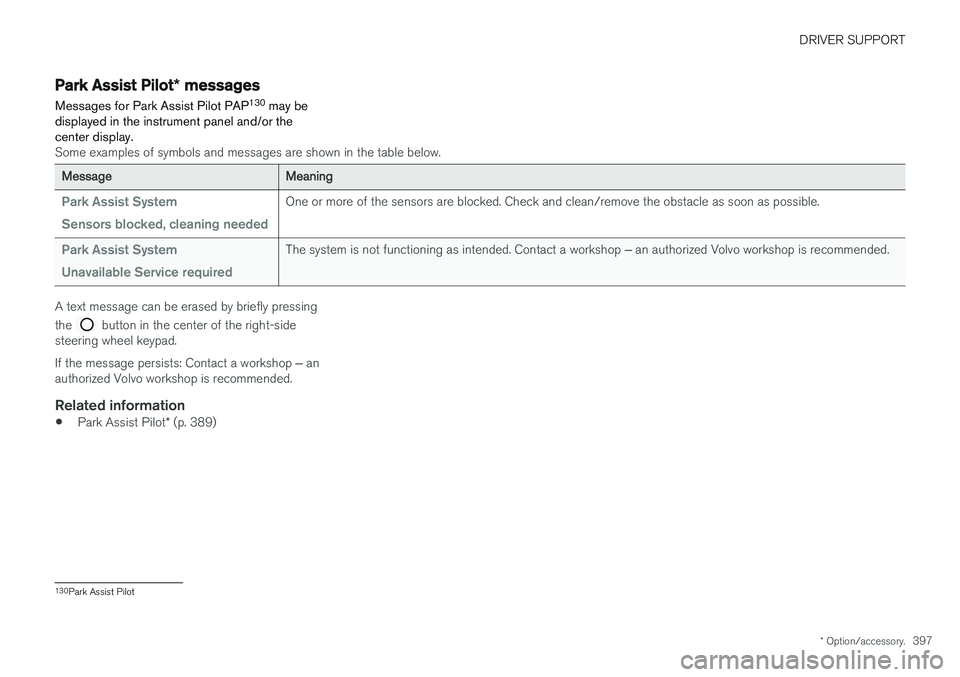
Park Assist Pilot * messages
Messages for Park Assist Pilot PAP 130
may be
displayed in the instrument panel and/or the center display.
Some examples of symbols and messages are shown in the table below.
MessageMeaning
Park Assist System Sensors blocked, cleaning neededOne or more of the sensors are blocked. Check and clean/remove the obstacle as soon as possible.
Park Assist System Unavailable Service requiredThe system is not functioning as intended. Contact a workshop ‒ an authorized Volvo workshop is recommended.
A text message can be erased by briefly pressing the
button in the center of the right-side
steering wheel keypad. If the message persists: Contact a workshop ‒ an
authorized Volvo workshop is recommended.
Related information
• Park Assist Pilot
* (p. 389)
130
Park Assist Pilot
Page 403 of 656
STARTING AND DRIVING
}}
401
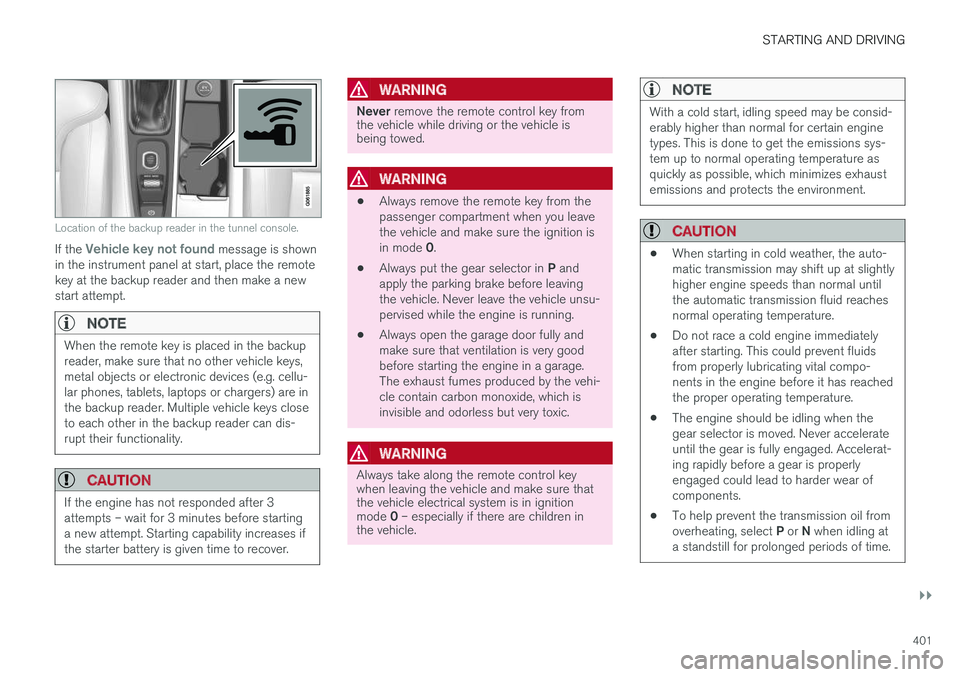
Location of the backup reader in the tunnel console.
If the Vehicle key not found message is shown
in the instrument panel at start, place the remote key at the backup reader and then make a newstart attempt.
NOTE
When the remote key is placed in the backup reader, make sure that no other vehicle keys,metal objects or electronic devices (e.g. cellu-lar phones, tablets, laptops or chargers) are inthe backup reader. Multiple vehicle keys closeto each other in the backup reader can dis-rupt their functionality.
CAUTION
If the engine has not responded after 3 attempts – wait for 3 minutes before startinga new attempt. Starting capability increases ifthe starter battery is given time to recover.
WARNING
Never remove the remote control key from
the vehicle while driving or the vehicle is being towed.
WARNING
• Always remove the remote key from the passenger compartment when you leavethe vehicle and make sure the ignition is in mode
0.
• Always put the gear selector in
P and
apply the parking brake before leaving the vehicle. Never leave the vehicle unsu-pervised while the engine is running.
• Always open the garage door fully andmake sure that ventilation is very goodbefore starting the engine in a garage.The exhaust fumes produced by the vehi-cle contain carbon monoxide, which isinvisible and odorless but very toxic.
WARNING
Always take along the remote control key when leaving the vehicle and make sure thatthe vehicle electrical system is in ignition mode
0 – especially if there are children in
the vehicle.
NOTE
With a cold start, idling speed may be consid- erably higher than normal for certain enginetypes. This is done to get the emissions sys-tem up to normal operating temperature asquickly as possible, which minimizes exhaustemissions and protects the environment.
CAUTION
• When starting in cold weather, the auto- matic transmission may shift up at slightlyhigher engine speeds than normal untilthe automatic transmission fluid reachesnormal operating temperature.
• Do not race a cold engine immediatelyafter starting. This could prevent fluidsfrom properly lubricating vital compo-nents in the engine before it has reachedthe proper operating temperature.
• The engine should be idling when thegear selector is moved. Never accelerateuntil the gear is fully engaged. Accelerat-ing rapidly before a gear is properlyengaged could lead to harder wear ofcomponents.
• To help prevent the transmission oil from overheating, select
P or N when idling at
a standstill for prolonged periods of time.
Page 407 of 656
STARTING AND DRIVING
}}
405
Brakes The brake pedal is used to apply the vehicle's regular brakes, which are part of the brake sys-tem.
The vehicle is equipped with two brake circuits. If one brake circuit is damaged, the brake pedal willgo down further when depressed. More pressurewill then be required from the driver for normalbraking effect. The driver's pressure on the brake pedal is enhanced by a power braking function.
WARNING
Power braking only functions if the engine is running.
If the brake pedal is used when the engine is turned off, the pedal will feel stiffer than usualand greater pressure must be applied to brakethe vehicle. In very hilly areas or when driving with a heavy load, manual gear shifting can be used to aug-ment the brakes with engine braking. Enginebraking is most effective if the same gear is usedboth uphill and downhill.
Anti-lock brakesThe vehicle is equipped with an Anti-lock BrakingSystem (ABS), which can help prevent thewheels from locking and help maintain steeringcontrol when braking. Vibrations may be felt from the brake pedal when ABS is operating, which isnormal. After the vehicle is started, a brief test of the ABS system is automatically performed when thedriver releases the brake pedal. An additionalautomatic test of the system may be performedwhen the vehicle is traveling at a low speed. Dur-ing the test, the brake pedal may feel as though itis pulsating.
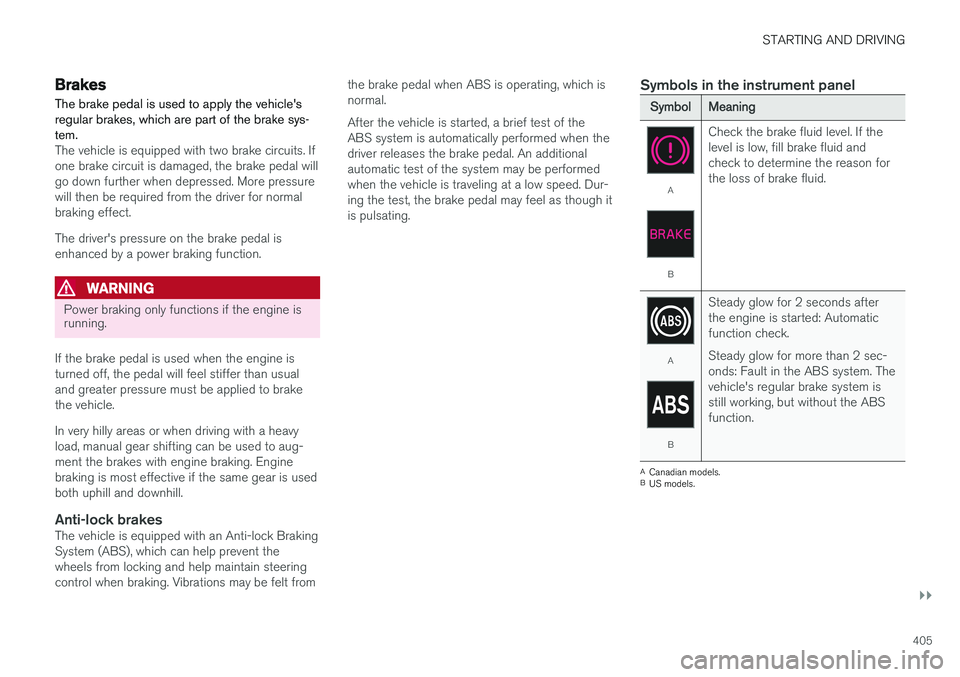
Symbols in the instrument panel
SymbolMeaning
A
B
Check the brake fluid level. If the level is low, fill brake fluid andcheck to determine the reason forthe loss of brake fluid.
A
B
Steady glow for 2 seconds after the engine is started: Automaticfunction check. Steady glow for more than 2 sec- onds: Fault in the ABS system. Thevehicle's regular brake system isstill working, but without the ABSfunction.
A
Canadian models.
B US models.
Page 408 of 656
||
STARTING AND DRIVING
406
WARNING
•If both symbols illuminate at the same time and the brake level is below the
MIN
mark in the reservoir or if a brake system- related message is shown in the instru-ment panel: DO NOT DRIVE. Have thevehicle towed to a trained and qualifiedVolvo service technician and have thebrake system inspected.
• If both symbols illuminate at the sametime and the brake level is normal (notbelow the MIN mark in the reservoir) or ifa brake system-related message isshown in the instrument panel: drive thevehicle carefully to an authorized Volvoworkshop and have the brake systeminspected by a trained and qualified Volvoservice technician.
Related information
• Brake Assist System (p. 406)
• Auto-hold brakes (p. 411)
• Hill Start Assist (p. 412)
• Braking on wet roads (p. 406)
• Braking on salted roads (p. 407)
• Maintenance of the brake system (p. 407)
• Brake lights (p. 163)
Brake Assist System
The brake enhancing system, Brake Assist
System (BAS), helps increase braking force andthereby reduce braking distance.
The system monitors the driver's braking habits and increases braking force when necessary.Braking force can be increased up to the point atwhich the ABS intervenes. The function is deacti-vated when pressure on the brake pedal isdecreased.
NOTE
When BAS is activated, the brake pedal will go down slightly more than usual. Press(hold) down the brake pedal as long as nec-essary. When the brake pedal is released, all braking ceases.
Related information
• Brakes (p. 405)
Braking on wet roads
Prolonged driving in heavy rain without braking may cause braking effect to be slightly delayedthe first time the brakes are applied.
This may also occur after washing the vehicle. It will then be necessary to apply greater pressureto the brake pedal. You should therefore maintaina greater distance to the vehicle ahead. Firmly apply the brakes after washing the vehicle or driving on wet roads. This helps warm up thebrake discs, enabling them to dry more quicklyand protecting them against corrosion. Considerthe current traffic situation when braking.
Related information
• Brakes (p. 405)
• Braking on salted roads (p. 407)