lock VOLVO V90 2018 Owner´s Manual
[x] Cancel search | Manufacturer: VOLVO, Model Year: 2018, Model line: V90, Model: VOLVO V90 2018Pages: 656, PDF Size: 11.78 MB
Page 614 of 656
MAINTENANCE AND SERVICE
612
Polishing and waxingPolish and wax the vehicle when the paint is matte or to provide extra protection. The vehicledoes not need to be polished until it is at least ayear old. However, it can be waxed during thefirst year. Do not polish or wax the vehicle indirect sunlight. The surface of the vehicle shouldnot be warmer than approximately 45 °C(113 °F).
• Wash and dry the vehicle very carefully before polishing or waxing. Remove asphaltand tar stains with asphalt remover or paintthinner. More stubborn stains can beremoved with a grinding paste designed forvehicle paint.
• Use polish first and then liquid or paste wax.Follow the instructions on the package care-fully. Many products contain both polish andwax.
• A wide range of polymer-based waxes canbe purchased today. These waxes are easy touse and produce a long-lasting, high-glossfinish that protects the bodywork against oxi-dation, road dirt and fading.
CAUTION
Avoid waxing and polishing plastic and rubber. If using degreaser on plastic and rubber, only rub (if necessary) with slight pressure. Use asoft sponge. Polishing glossy trim moldings can wear away or damage the glossy surface layer. Polish containing abrasives must not be used.
CAUTION
Only use paintwork treatments recommended by Volvo. Other treatments, such as preserva-tion, sealing, protection, luster sealing or simi-lar, could damage the paintwork. Paintworkdamage caused by such treatments are notcovered by Volvo's warranty.
Related information
•
Cleaning the exterior (p. 611)
• Hand washing (p. 612)
• Automatic car washes (p. 614)
• High-pressure washing (p. 615)
• Cleaning the wiper blades (p. 615)
• Cleaning exterior plastic, rubber and trim components (p. 616)
• Cleaning rims (p. 617)
• Corrosion protection (p. 617)
Hand washing
The vehicle should be washed as soon as it becomes dirty. This makes the vehicle easier toclean because dirt does not attach as strongly. Italso reduces the risk of scratches and keeps thevehicle looking new. Wash the vehicle in a carwash or garage with an oil separator. Use a carwashing detergent.
Hand washingKeep the following points in mind when washing the vehicle:
• Avoid washing the vehicle in direct sunlight.This could cause the detergent or wax to dryout and become abrasive.
• Remove bird droppings from paintwork assoon as possible. They contain chemicalsthat affect and discolor paint very quickly.Use e.g. soft paper or a sponge soaked inlots of water. Consult an authorized Volvoworkshop for assistance removing discolora-tion.
• Hose down the underbody, including thewheel housings and bumper.
• Hose down the entire vehicle and removeany loose dirt, droppings etc. to reduce therisk of scratches from washing. Do not spraydirectly onto locks.
• If necessary, use cold degreaser on heavilysoiled surfaces. Note that in such cases thesurfaces must not be hot from the sun.
Page 616 of 656
MAINTENANCE AND SERVICE
614
Automatic car washes The vehicle should be washed as soon as it becomes dirty. This makes the vehicle easier toclean because dirt does not attach as strongly. Italso reduces the risk of scratches and keeps thevehicle looking new.
Automatic car washesAn automatic car wash is a fast and easy way to keep your vehicle clean, but it does not reach allareas of the vehicle. For best results, Volvo rec-ommends hand washing your vehicle or supple-menting automatic car washes with a hand wash.
NOTE
Volvo recommends not washing the vehicle in an automatic car wash during the first fewmonths; the paintwork on new vehicles takessome time to fully harden.
CAUTION
Before driving the vehicle into a car wash, deactivate the Automatic Braking when Sta-tionary and Automatic Parking Brake Applica-tion functions. If the functions are not deacti-vated, the brake system will seize when thevehicle is stationary and the vehicle will not beable to roll.
CAUTION
For automatic car washes in which the vehicle is pulled forward on rolling wheels:
1. Before washing the vehicle, make surethat the automatic rain sensor is deacti- vated. If it is not deactivated and inadver-tently starts, the wiper arms could bedamaged.
2. To help prevent damage from the auto- matic car wash machinery, make surethat the door mirrors are folded in, anten-nas retracted or removed, and any auxili-ary lights secured.
3. Drive into the automatic car wash.
4. Turn off the "Automatic Braking when Stationary" function using the switch in the tunnel console.
5. Turn off the "Automatic Parking Brake Application" function in the center dis-play's Top view.
6. Turn off the engine by turning the start knob in the tunnel console clockwise.Hold the knob in position for at least2 seconds.
The vehicle is now ready for the automatic carwash.
Related information
• Cleaning the exterior (p. 611)
• Polishing and waxing (p. 612)
• Hand washing (p. 612)
• High-pressure washing (p. 615)
• Cleaning the wiper blades (p. 615)
• Cleaning exterior plastic, rubber and trim components (p. 616)
• Cleaning rims (p. 617)
• Corrosion protection (p. 617)
Page 617 of 656
MAINTENANCE AND SERVICE
615
High-pressure washing
The vehicle should be washed as soon as it becomes dirty. This makes the vehicle easier toclean because dirt does not attach as strongly. Italso reduces the risk of scratches and keeps thevehicle looking new. Wash the vehicle in a carwash or garage with an oil separator. Use a carwashing detergent.
High-pressure washingIf washing the vehicle with a high-pressure wash, use sweeping movements and keep the nozzle atleast 30 cm (13 in.) from the vehicle. Do notspray directly onto locks.
Related information
• Cleaning the exterior (p. 611)
• Polishing and waxing (p. 612)
• Hand washing (p. 612)
• Automatic car washes (p. 614)
• Cleaning the wiper blades (p. 615)
• Cleaning exterior plastic, rubber and trimcomponents (p. 616)
• Cleaning rims (p. 617)
• Corrosion protection (p. 617)
Cleaning the wiper blades The vehicle should be washed as soon as it becomes dirty. This makes the vehicle easier toclean because dirt does not attach as strongly. Italso reduces the risk of scratches and keeps thevehicle looking new. Wash the vehicle in a carwash or garage with an oil separator. Use a carwashing detergent.
Wiper bladesAsphalt, dust and salt residue on wiper blades, as well as insects, ice etc. on the windshield, shortenthe service life of wiper blades. When cleaning, put the wiper blades in the serv- ice position.
NOTE
Wash the wiper blades and windshield regu- larly with a lukewarm soap solution or vehicleshampoo. Do not use strong solvents.
Related information
• Cleaning the exterior (p. 611)
• Polishing and waxing (p. 612)
• Hand washing (p. 612)
• Automatic car washes (p. 614)
• High-pressure washing (p. 615)
• Cleaning exterior plastic, rubber and trim components (p. 616) •
Cleaning rims (p. 617)
• Corrosion protection (p. 617)
Page 622 of 656
||
MAINTENANCE AND SERVICE
620It is important to use the right color.
Related information
•
Paintwork (p. 618)
• Touching up minor paint damage (p. 618)
Changing rear window wipers
The wiper blades help remove water from the windshield and rear window. Along with thewasher fluid, they clean the glass and helpimprove visibility while driving. The windshieldand rear window wiper blades can be replaced.
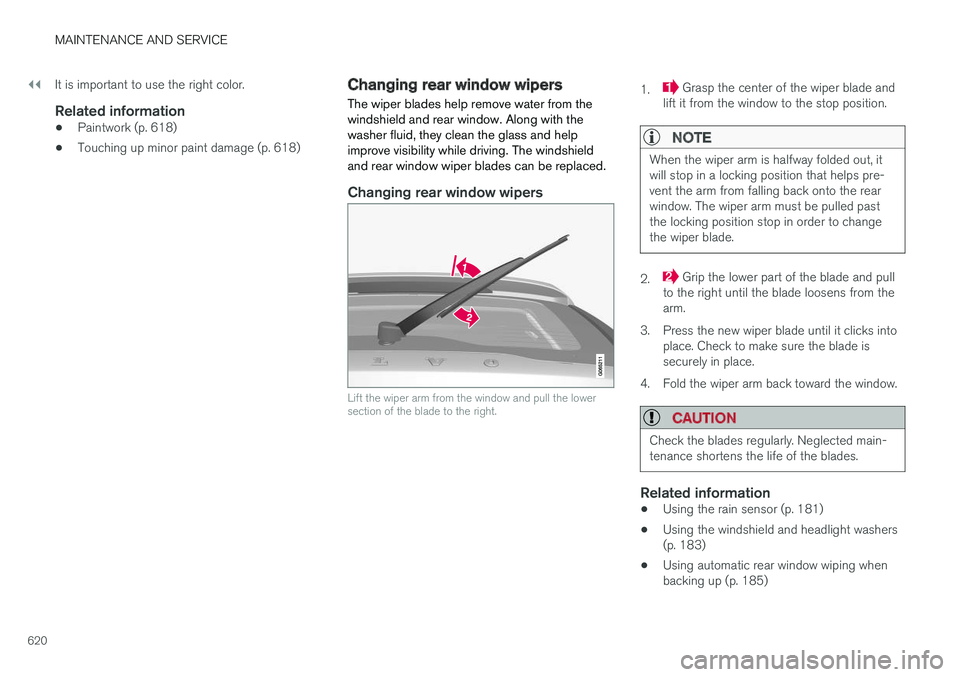
Changing rear window wipers
Lift the wiper arm from the window and pull the lower section of the blade to the right.
1. Grasp the center of the wiper blade and
lift it from the window to the stop position.
NOTE
When the wiper arm is halfway folded out, it will stop in a locking position that helps pre-vent the arm from falling back onto the rearwindow. The wiper arm must be pulled pastthe locking position stop in order to changethe wiper blade.
2. Grip the lower part of the blade and pull
to the right until the blade loosens from the arm.
3. Press the new wiper blade until it clicks into place. Check to make sure the blade issecurely in place.
4. Fold the wiper arm back toward the window.
CAUTION
Check the blades regularly. Neglected main- tenance shortens the life of the blades.
Related information
• Using the rain sensor (p. 181)
• Using the windshield and headlight washers (p. 183)
• Using automatic rear window wiping whenbacking up (p. 185)
Page 641 of 656
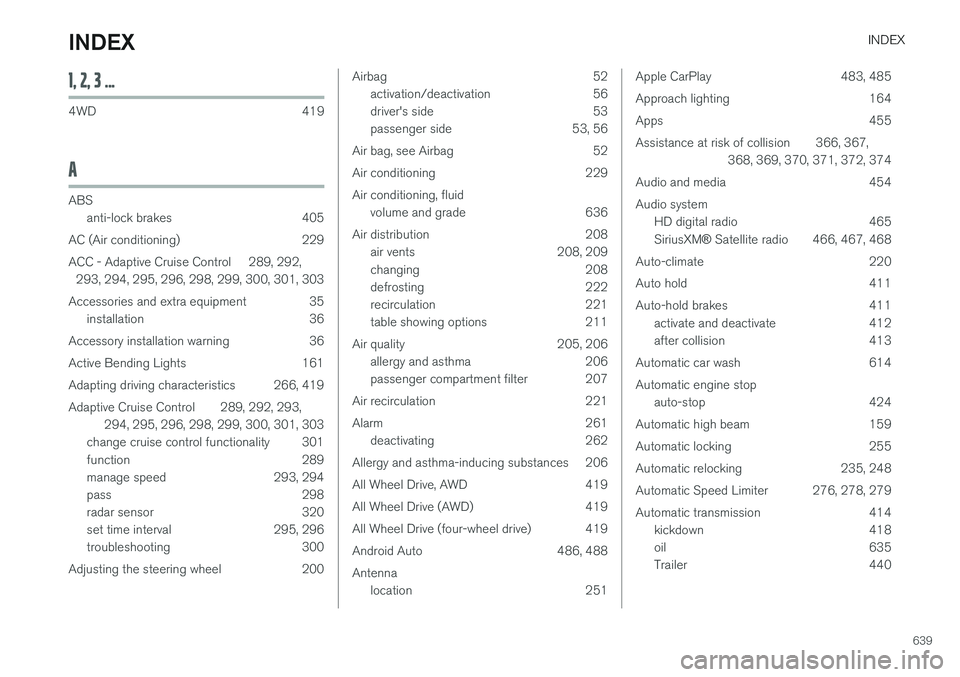
INDEX
639
1, 2, 3 ...
4WD 419
A
ABSanti-lock brakes 405
AC (Air conditioning) 229
ACC - Adaptive Cruise Control 289, 292, 293, 294, 295, 296, 298, 299, 300, 301, 303
Accessories and extra equipment 35 installation 36
Accessory installation warning 36
Active Bending Lights 161
Adapting driving characteristics 266, 419
Adaptive Cruise Control 289, 292, 293, 294, 295, 296, 298, 299, 300, 301, 303
change cruise control functionality 301
function 289
manage speed 293, 294
pass 298
radar sensor 320
set time interval 295, 296
troubleshooting 300
Adjusting the steering wheel 200
Airbag 52 activation/deactivation 56
driver's side 53
passenger side 53, 56
Air bag, see Airbag 52
Air conditioning 229Air conditioning, fluid volume and grade 636
Air distribution 208 air vents 208, 209
changing 208
defrosting 222
recirculation 221
table showing options 211
Air quality 205, 206 allergy and asthma 206
passenger compartment filter 207
Air recirculation 221
Alarm 261 deactivating 262
Allergy and asthma-inducing substances 206
All Wheel Drive, AWD 419
All Wheel Drive (AWD) 419
All Wheel Drive (four-wheel drive) 419
Android Auto 486, 488 Antenna location 251Apple CarPlay 483, 485
Approach lighting 164
Apps 455
Assistance at risk of collision 366, 367, 368, 369, 370, 371, 372, 374
Audio and media 454Audio system HD digital radio 465 SiriusXM ® Satellite radio 466, 467, 468
Auto-climate 220
Auto hold 411
Auto-hold brakes 411 activate and deactivate 412
after collision 413
Automatic car wash 614 Automatic engine stop auto-stop 424
Automatic high beam 159
Automatic locking 255
Automatic relocking 235, 248
Automatic Speed Limiter 276, 278, 279
Automatic transmission 414 kickdown 418
oil 635
Trailer 440
INDEX
Page 642 of 656
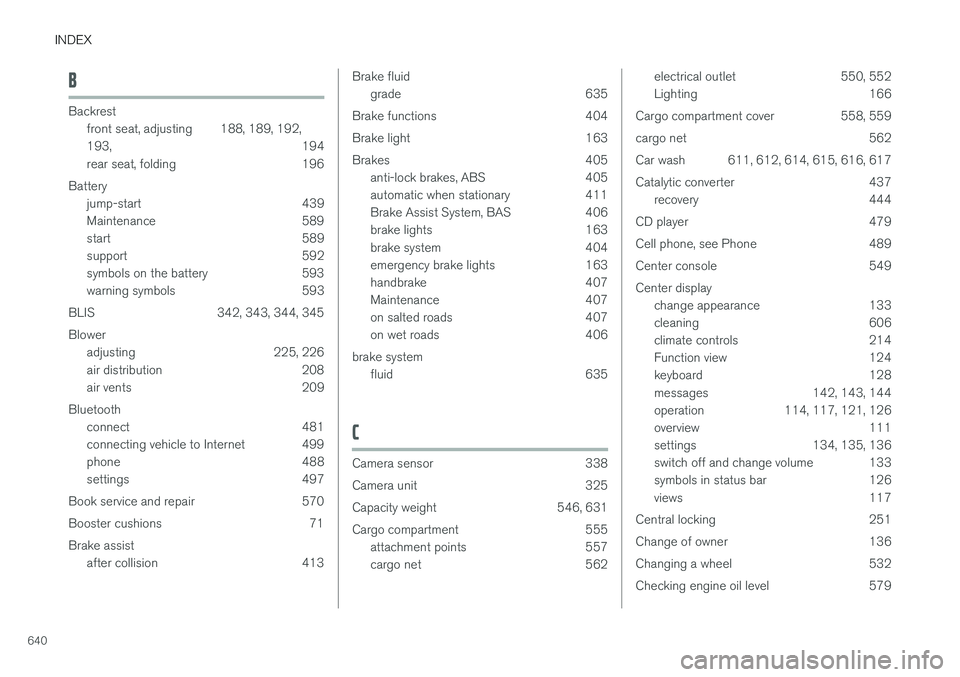
INDEX
640
B
Backrestfront seat, adjusting 188, 189, 192, 193 , 194
rear seat, folding 196
Battery jump-start 439
Maintenance 589
start 589
support 592
symbols on the battery 593
warning symbols 593
BLIS 342, 343, 344, 345 Blower adjusting 225, 226
air distribution 208
air vents 209
Bluetooth connect 481
connecting vehicle to Internet 499
phone 488
settings 497
Book service and repair 570
Booster cushions 71Brake assist after collision 413
Brake fluidgrade 635
Brake functions 404
Brake light 163
Brakes 405 anti-lock brakes, ABS 405
automatic when stationary 411
Brake Assist System, BAS 406
brake lights 163
brake system 404
emergency brake lights 163
handbrake 407
Maintenance 407
on salted roads 407
on wet roads 406
brake system fluid 635
C
Camera sensor 338
Camera unit 325
Capacity weight 546, 631
Cargo compartment 555
attachment points 557
cargo net 562
electrical outlet 550, 552
Lighting 166
Cargo compartment cover 558, 559
cargo net 562
Car wash 611, 612, 614, 615, 616, 617
Catalytic converter 437 recovery 444
CD player 479
Cell phone, see Phone 489
Center console 549Center display change appearance 133
cleaning 606
climate controls 214
Function view 124
keyboard 128
messages 142, 143, 144
operation 114, 117, 121, 126
overview 111
settings 134, 135, 136
switch off and change volume 133
symbols in status bar 126
views 117
Central locking 251
Change of owner 136
Changing a wheel 532
Checking engine oil level 579
Page 643 of 656
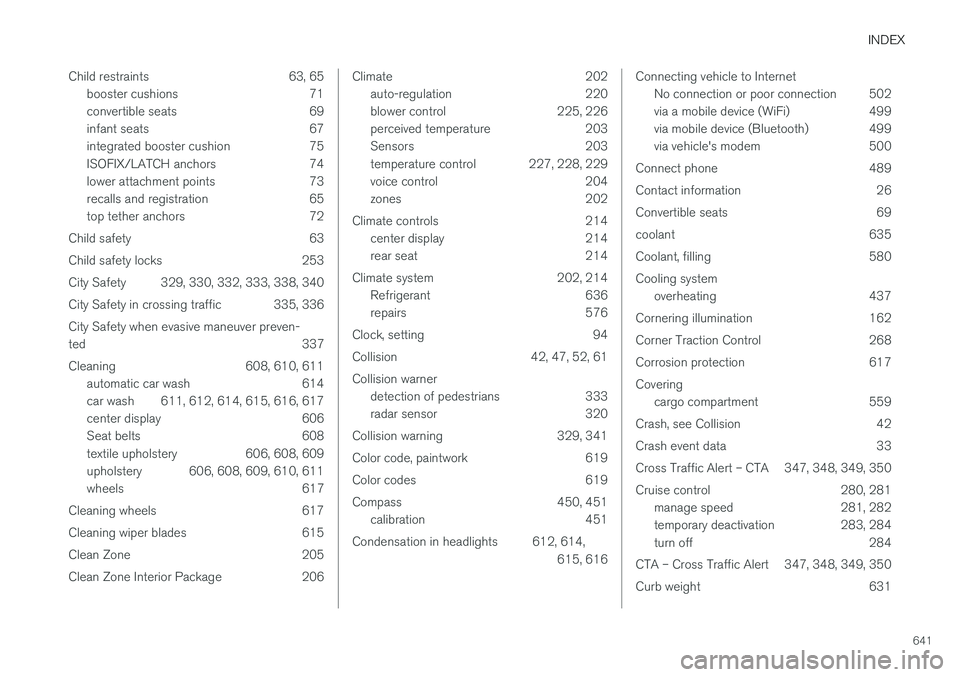
INDEX
641
Child restraints 63, 65
booster cushions 71
convertible seats 69
infant seats 67
integrated booster cushion 75
ISOFIX/LATCH anchors 74
lower attachment points 73
recalls and registration 65
top tether anchors 72
Child safety 63
Child safety locks 253
City Safety 329, 330, 332, 333, 338, 340
City Safety in crossing traffic 335, 336 City Safety when evasive maneuver preven- ted 337
Cleaning 608, 610, 611 automatic car wash 614
car wash 611, 612, 614, 615, 616, 617
center display 606
Seat belts 608
textile upholstery 606, 608, 609
upholstery 606, 608, 609, 610, 611
wheels 617
Cleaning wheels 617
Cleaning wiper blades 615
Clean Zone 205
Clean Zone Interior Package 206
Climate 202 auto-regulation 220
blower control 225, 226
perceived temperature 203
Sensors 203
temperature control 227, 228, 229
voice control 204
zones 202
Climate controls 214 center display 214
rear seat 214
Climate system 202, 214 Refrigerant 636
repairs 576
Clock, setting 94
Collision 42, 47, 52, 61 Collision warner detection of pedestrians 333
radar sensor 320
Collision warning 329, 341
Color code, paintwork 619
Color codes 619
Compass 450, 451 calibration 451
Condensation in headlights 612, 614, 615, 616Connecting vehicle to InternetNo connection or poor connection 502
via a mobile device (WiFi) 499
via mobile device (Bluetooth) 499
via vehicle's modem 500
Connect phone 489
Contact information 26
Convertible seats 69
coolant 635
Coolant, filling 580 Cooling system overheating 437
Cornering illumination 162
Corner Traction Control 268
Corrosion protection 617Covering cargo compartment 559
Crash, see Collision 42
Crash event data 33
Cross Traffic Alert – CTA 347, 348, 349, 350
Cruise control 280, 281 manage speed 281, 282
temporary deactivation 283, 284
turn off 284
CTA – Cross Traffic Alert 347, 348, 349, 350
Curb weight 631
Page 644 of 656
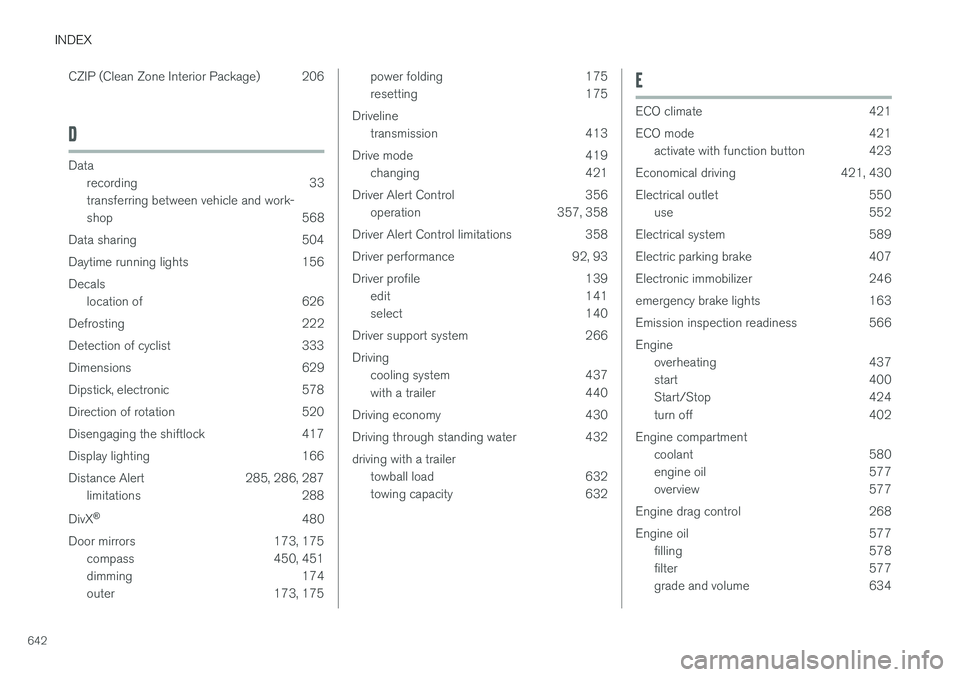
INDEX
642CZIP (Clean Zone Interior Package) 206
D
Data
recording 33 transferring between vehicle and work-
shop 568
Data sharing 504
Daytime running lights 156Decals location of 626
Defrosting 222
Detection of cyclist 333
Dimensions 629
Dipstick, electronic 578
Direction of rotation 520
Disengaging the shiftlock 417
Display lighting 166
Distance Alert 285, 286, 287 limitations 288
DivX ®
480
Door mirrors 173, 175 compass 450, 451
dimming 174
outer 173, 175
power folding 175
resetting 175
Driveline transmission 413
Drive mode 419 changing 421
Driver Alert Control 356 operation 357, 358
Driver Alert Control limitations 358
Driver performance 92, 93
Driver profile 139 edit 141
select 140
Driver support system 266 Driving cooling system 437
with a trailer 440
Driving economy 430
Driving through standing water 432 driving with a trailer towball load 632
towing capacity 632E
ECO climate 421
ECO mode 421
activate with function button 423
Economical driving 421, 430
Electrical outlet 550 use 552
Electrical system 589
Electric parking brake 407
Electronic immobilizer 246
emergency brake lights 163
Emission inspection readiness 566 Engine overheating 437
start 400
Start/Stop 424
turn off 402
Engine compartment coolant 580
engine oil 577
overview 577
Engine drag control 268
Engine oil 577 filling 578
filter 577
grade and volume 634
Page 647 of 656
INDEX
645
iPod
®, connecting 482
ISOFIX/LATCH anchors 74
J
Jack 533
Jump-start 439
K
Key 233
Keyboard 128, 131 change language 131
Keyless locking/unlocking 248
settings 250
touch-sensitive surfaces 247
Key tag 233
L
Labels location of 626
Laminated glass 170
Lamps changing 581
location 583
specifications 588
Trailer 443
Lane Keeping Aid operation 361
Lane Keeping Aid (LKA) 358, 360, 361, 363, 365
Language 134
Leather upholstery, cleaning instructions 609
Leveling control 428 settings 430
License agreement 98, 507
Lifting tools 533
Light bulbs, specifications 588
Light control 154, 166 Lighting Active Bending Lights 161
approach lighting 164
automatic high beam 159 automatic lighting controls, passenger
compartment 165
brake lights 163
controls 154, 165, 166
cornering illumination 162
daytime running lights 156
display lighting 166emergency brake lights 163
front fog lights 161
Hazard warning flashers 164
high beams 158, 159
home safe lighting 164
in passenger compartment 165, 166
instrument illumination 166
instrument lighting 166
light bulbs, specifications 588
light locations 583
low beams 157
position lights 156
rear fog light 162
settings 155
Turn signals 160
Lighting, replacing bulbs 581 backup lights 587 daytime running lights/front parking
lights 585
front turn signals 586
high beams 584
low beams 584
rear fog light 587
remove plastic cover 582
Limp home 413 Load anchoring eyelets cargo compartment 557
Load anchoring hooks 556
Load carriers 556
Page 648 of 656
INDEX
646Load index 522 Loading
general 555
load anchoring eyelets 557
long load 556
Lock indication 232 setting 233
Locking/unlocking Tailgate 237, 250
Locking wheel bolts 533 Locks Locking 235
unlocking 235
Low battery charge level start battery 438
Low beams 157
Low oil level 578
M
Maintenance 566 corrosion protection 617
Max. axle weight 631
Max. roof load 631
Media player 475, 476, 477 compatible file formats 504, 505
voice control 150
Messages and symbols Adaptive Cruise Control 303
Collision warner with auto-brake 340
Messages in BLIS 346
Messages in display 106, 142 handling 107, 143
saved 109, 144
Mileage 89 Misting condensation in headlights 611, 614
Mood lighting 166
N
Net cargo compartment 562
O
Occupant safety 43
Occupant weight sensor 56
Octane rating 435
Oil, see also Engine oil 634
On-board diagnostics 566
On-board Diagnostic socket 36
Option/accessory 21
Outside temperature gauge 94
Overheating 437, 440
Owner's information 16
OWNER'S MANUAL 21
environmental labeling 23
in cellular phone 20
in the center display 17, 18
P
Paddle at steering wheel 199 Paint
color code 619
paint damage and touch-up 618, 619
Panoramic roof opening and closing 177
pinch protection 170
sun shade 176, 179
ventilation position 178
PAP – Park Assist Pilot 389, 390, 393, 394, 396, 397
Park Assist Camera 380, 381, 382, 384, 385, 387, 388
settings 385