brake light VOLVO V90 2018 Owner´s Manual
[x] Cancel search | Manufacturer: VOLVO, Model Year: 2018, Model line: V90, Model: VOLVO V90 2018Pages: 656, PDF Size: 11.78 MB
Page 413 of 656
STARTING AND DRIVING
411
Related information
•Activating and deactivating the parking brake (p. 408)
• Start battery (p. 589)
• Volvo's service program (p. 566)
Auto-hold brakes
With the Auto-hold brake function, the driver can release the brake pedal and the brakes willremain applied, for example, when the vehiclehas stopped at a traffic light or intersection.
When the vehicle stops, the brakes are activated automatically. The function can use either thenormal brakes or the parking brakes to keep thevehicle stationary and works on flat surfaces orhills. When driving off, the brakes will be automat-ically released if the driver's seat belt is buckled.
NOTE
When braking to a stop on an uphill or down- hill gradient, depress the brake pedal withslightly more force than usual before releas-ing to ensure that the vehicle cannot move atall.
The parking brake is activated if: • the vehicle is switched off
• the driver's door is opened
• the driver's seat belt is removed
• the vehicle has been stationary for a pro- longed period of time (5-10 minutes)
Symbols in the instrument panel
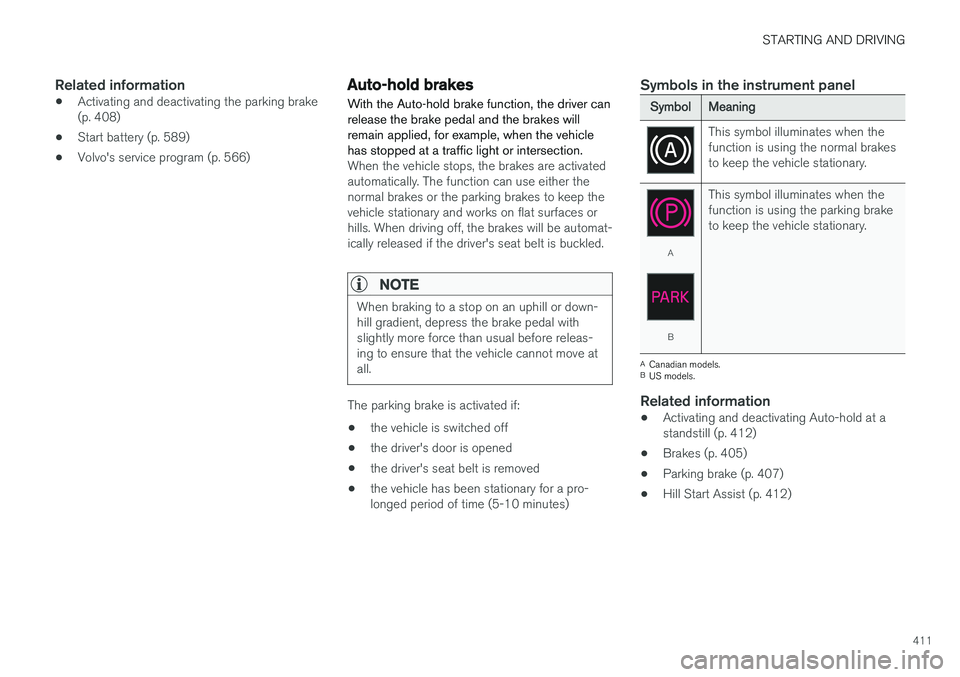
SymbolMeaning
This symbol illuminates when the function is using the normal brakesto keep the vehicle stationary.
A
B This symbol illuminates when the function is using the parking braketo keep the vehicle stationary.
A
Canadian models.
B US models.
Related information
• Activating and deactivating Auto-hold at a standstill (p. 412)
• Brakes (p. 405)
• Parking brake (p. 407)
• Hill Start Assist (p. 412)
Page 414 of 656
STARTING AND DRIVING
412
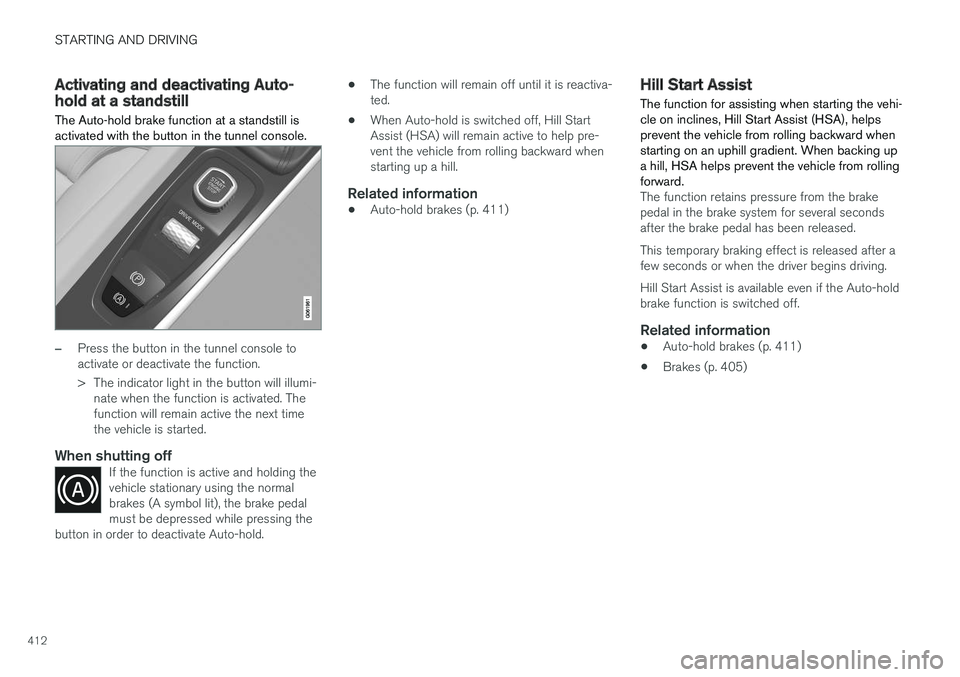
Activating and deactivating Auto-hold at a standstill The Auto-hold brake function at a standstill is activated with the button in the tunnel console.
–Press the button in the tunnel console to activate or deactivate the function.
> The indicator light in the button will illumi-nate when the function is activated. The function will remain active the next timethe vehicle is started.
When shutting offIf the function is active and holding thevehicle stationary using the normalbrakes (A symbol lit), the brake pedalmust be depressed while pressing the
button in order to deactivate Auto-hold.
• The function will remain off until it is reactiva- ted.
• When Auto-hold is switched off, Hill StartAssist (HSA) will remain active to help pre-vent the vehicle from rolling backward whenstarting up a hill.
Related information
•Auto-hold brakes (p. 411)
Hill Start Assist
The function for assisting when starting the vehi- cle on inclines, Hill Start Assist (HSA), helpsprevent the vehicle from rolling backward whenstarting on an uphill gradient. When backing upa hill, HSA helps prevent the vehicle from rollingforward.
The function retains pressure from the brake pedal in the brake system for several secondsafter the brake pedal has been released. This temporary braking effect is released after a few seconds or when the driver begins driving. Hill Start Assist is available even if the Auto-hold brake function is switched off.
Related information
• Auto-hold brakes (p. 411)
• Brakes (p. 405)
Page 415 of 656
STARTING AND DRIVING
}}
* Option/accessory.413
Braking assist after a collision In a collision in which the activation level is reached for the pyrotechnic seat belt tensionersor airbags, or if a collision with a large animal isdetected, the vehicle's brakes will be automati-cally activated. This function is intended to helpprevent or reduce the effects of any subsequentcollision.
After a serious collision, it may no longer be pos- sible to control and steer the vehicle. In order toavoid or mitigate a possible further collision witha vehicle or an object in the vehicle's path, thebrake assist system is activated automatically tohelp stop the vehicle safely. The brake lights and hazard warning flashers are activated during braking. When the vehicle has stopped, the hazard warning flashers will con-tinue to flash and the parking brake will beapplied. If braking is not appropriate, e.g. if there is a risk of being hit by passing traffic, the driver can over-ride the system by depressing the acceleratorpedal. This function assumes that the brake system is intact after a collision. Brake assist is part of the Rear Collision Warning and Blind Spot Information safety systems.
Related information
•Rear Collision Warning (p. 341)
• BLIS
* (p. 342)
• Brake functions (p. 404)
Transmission The transmission is part of the vehicle's driveline (power transmission) between the engine andthe drive wheels. The function of the transmis-sion is to change gears depending on speedand power needs.
The vehicle has an 8-speed automatic transmis- sion. The number of gears allows the engine'storque and power band to be effectively utilized.Two of the gears are overdrive gears that savefuel when driving at a constant engine speed.Manual shifting is also possible. The instrumentpanel shows the gear currently in use.
CAUTION
Check the operating temperature of the transmission to help avoid damage to any ofthe drive system components. If there is a riskof overheating, a warning symbol will appearin the instrument panel and a text messagewill be displayed. Follow the recommenda-tions given.
Symbols in the instrument panelIf a problem should occur with the transmission, a symbol and a message will appear in the instru-ment panel.
Page 421 of 656
STARTING AND DRIVING
}}
* Option/accessory.419
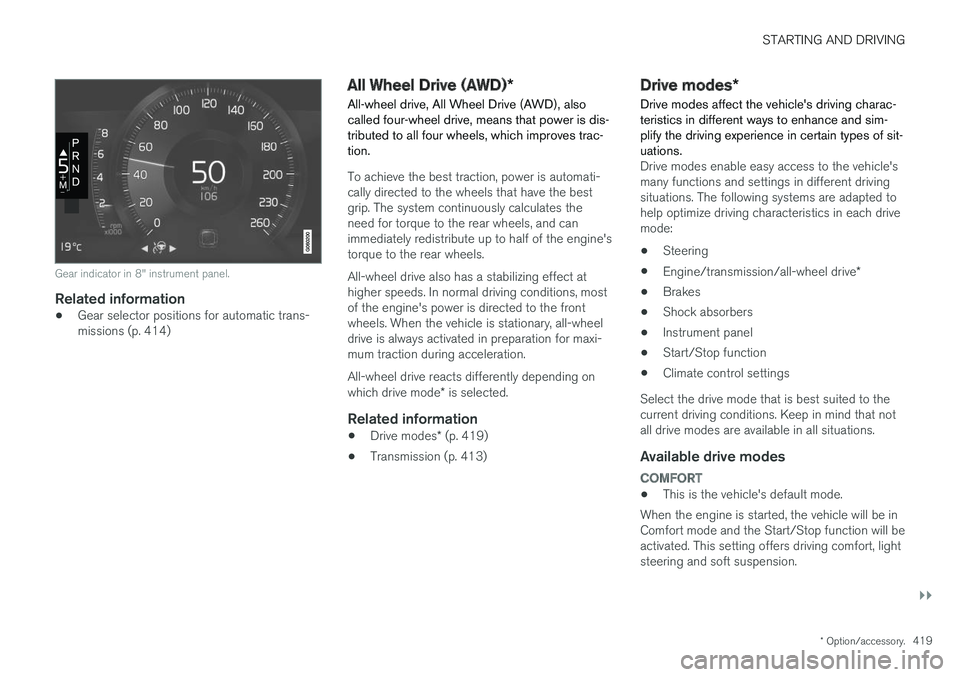
Gear indicator in 8" instrument panel.
Related information
•Gear selector positions for automatic trans- missions (p. 414)
All Wheel Drive (AWD)
*
All-wheel drive, All Wheel Drive (AWD), also called four-wheel drive, means that power is dis-tributed to all four wheels, which improves trac-tion.
To achieve the best traction, power is automati- cally directed to the wheels that have the bestgrip. The system continuously calculates theneed for torque to the rear wheels, and canimmediately redistribute up to half of the engine'storque to the rear wheels. All-wheel drive also has a stabilizing effect at higher speeds. In normal driving conditions, mostof the engine's power is directed to the frontwheels. When the vehicle is stationary, all-wheeldrive is always activated in preparation for maxi-mum traction during acceleration. All-wheel drive reacts differently depending on which drive mode * is selected.
Related information
• Drive modes
* (p. 419)
• Transmission (p. 413)
Drive modes
*
Drive modes affect the vehicle's driving charac- teristics in different ways to enhance and sim-plify the driving experience in certain types of sit-uations.
Drive modes enable easy access to the vehicle's many functions and settings in different drivingsituations. The following systems are adapted tohelp optimize driving characteristics in each drivemode: • Steering
• Engine/transmission/all-wheel drive
*
• Brakes
• Shock absorbers
• Instrument panel
• Start/Stop function
• Climate control settings
Select the drive mode that is best suited to the current driving conditions. Keep in mind that notall drive modes are available in all situations.
Available drive modes
COMFORT
• This is the vehicle's default mode.
When the engine is started, the vehicle will be in Comfort mode and the Start/Stop function will beactivated. This setting offers driving comfort, lightsteering and soft suspension.
Page 424 of 656
||
STARTING AND DRIVING
* Option/accessory.
422 This function is most effective in driving situa- tions where the vehicle can roll freely for a longdistance, e.g. on roads with slight downgrades orwhen a decrease in speed is anticipated, such aswhen approaching an area with a lower speedlimit.
Activating Eco Coast
The function is activated when the accelerator pedal is fully released and the following condi-tions are met:
• Eco drive mode is activated.
• The gear selector is in
D.
• The vehicle's speed is approximately65-140 km/h (40-87 mph).
• The gradient of the downgrade is less thanapproximately 6%.
COASTING will be displayed in the instrument
panel when Eco Coast is being used.
Limitations
Eco Coast is not available if:
• The engine and/or transmission are not at normal working temperatures.
• The gear selector is moved from
D to manual
shifting mode.
• The vehicle's speed is not within the65-140 km/h (40-87 mph) range.
• The gradient of the downgrade is more thanapproximately 6%. •
The steering wheel paddles
* are being used
for manual shifting.
Deactivating and turning off Eco Coast
In certain situations, it may be advisable to deac- tivate or turn off Eco Coast so that engine brak-ing can be used. These situations might includedriving down steep hills or before passinganother vehicle to help ensure this can be doneas safely as possible. Deactivate Eco Coast by:
• Pressing the accelerator or brake pedal.
• Moving the gear selector to manual mode.
• Using the steering wheel paddles
* to shift.
Turn off Eco Coast by:
• Switching drive mode
* or switching off drive
mode Eco in Function view.
It is possible to roll short distances even without Eco Coast in order to help conserve fuel. How-ever, for the best fuel economy, Eco Coast shouldbe activated and used to roll longer distances.
Cruise control Eco CruiseWhen cruise control is activated in the Eco drivemode, the vehicle's acceleration and decelerationwill be slower than in other drive modes to helpfurther conserve fuel. Because of this, the vehi-cle's actual speed may be slightly above or belowthe set speed. •
On a level road, the vehicle's actual speedmay differ from the set speed when cruisecontrol is active and the vehicle is coasting.
• On a steep uphill gradient, the vehicle'sspeed is reduced until the transmissiondownshifts. Reduced acceleration is then ini-tiated in order to reach the set speed.
• On a downhill gradient in which the vehicle iscoasting, the vehicle's actual speed may beslightly above or below the set speed. Thefunction uses engine braking to keep the setspeed. If necessary, the normal brakes arealso applied.
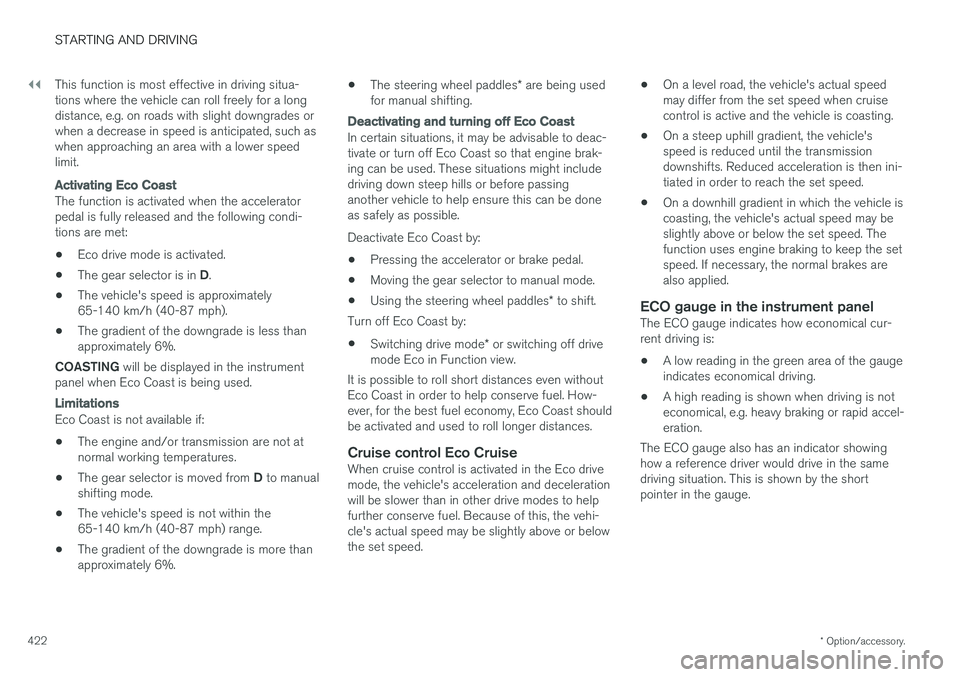
ECO gauge in the instrument panelThe ECO gauge indicates how economical cur-rent driving is:
• A low reading in the green area of the gaugeindicates economical driving.
• A high reading is shown when driving is noteconomical, e.g. heavy braking or rapid accel-eration.
The ECO gauge also has an indicator showinghow a reference driver would drive in the samedriving situation. This is shown by the shortpointer in the gauge.
Page 426 of 656
STARTING AND DRIVING
* Option/accessory.
424
Start/Stop function
Start/Stop is a function that temporarily switches off the engine when the vehicle has stopped,e.g. at a traffic light or in heavy traffic, and thenstarts it again automatically when the brakepedal is released.
The Start/Stop function reduces fuel consump- tion, which helps to reduce exhaust emissions. The system makes it possible to drive more eco- nomically and climate-smart by letting the engineauto-stop when appropriate.
Related information
• Driving with the Start/Stop function (p. 424)
• Conditions for the Start/Stop function(p. 426)
• Drive modes
* (p. 419)
Driving with the Start/Stop function
Start/Stop is a function that temporarily turns off the engine when the vehicle is stationary andthen automatically starts it again when the vehi-cle starts moving.
The Start/Stop function is available when the engine is started and can be activated if certainconditions are met. The instrument panel indi-cates if the function is available, active or notavailable. All of the vehicle's ordinary systems, such as lighting, radio, etc. function normally when theengine has been auto-stopped. Certain functionsmay be temporarily reduced, however, such asthe climate system's blower speed or extremelyhigh audio system volume.
Auto-stopTo auto-stop the engine:
• Stop the vehicle by applying the brakes andkeep the brake pedal depressed. The enginewill auto-stop.
In Eco or Comfort 6
drive mode, the engine may
auto-stop before the vehicle has completely stop-ped. With Adaptive Cruise Control or Pilot Assist acti- vated, the engine will auto-stop after approxi-mately three seconds.
Auto-startThe following conditions must be met for theengine to auto-start. • Release the brake pedal. The engine will auto-start and the vehicle can be driven. Onan uphill gradient, Hill Start Assist (HSA) willactivate to help prevent the vehicle from roll-ing backward.
• When Auto-hold is activated, auto-start willbe delayed until the accelerator is pressed.
• When Adaptive Cruise Control or Pilot Assistare activated, the engine will auto-start whenthe accelerator pedal is depressed or the
button on the left-side steering wheel
keypad is pressed.
• Maintain pressure on the brake pedal and press the accelerator pedal. The engine willauto-start.
• On a downhill gradient: Release the brakepedal slightly so that the vehicle begins toroll. The engine will auto-start after a slightincrease in speed.
6
Normal start mode.
Page 427 of 656
STARTING AND DRIVING
* Option/accessory.425
Symbols in the instrument panel
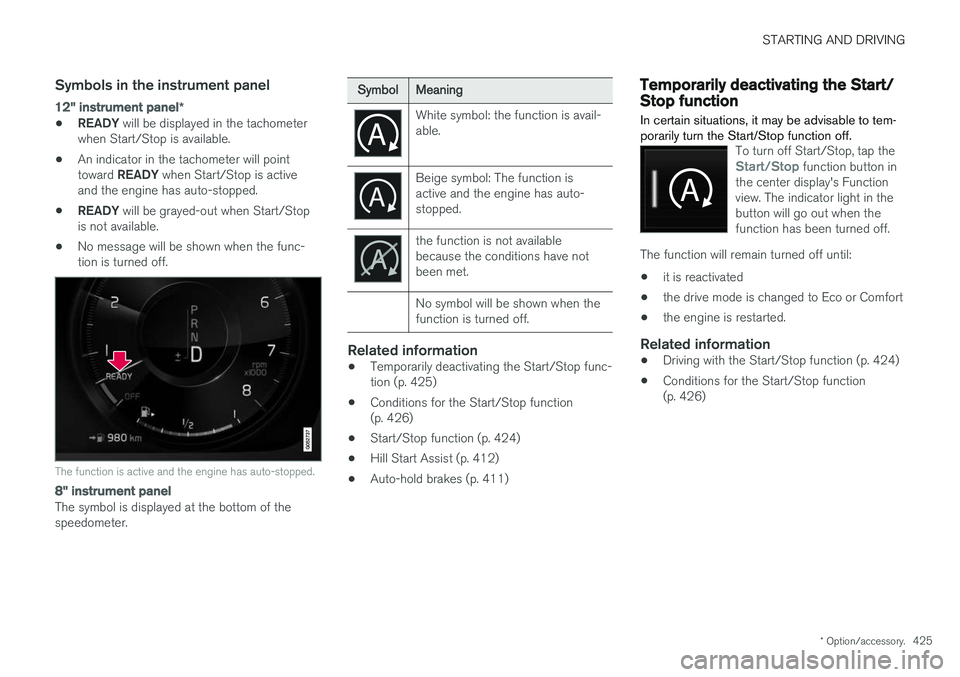
12" instrument panel *
•READY
will be displayed in the tachometer
when Start/Stop is available.
• An indicator in the tachometer will point toward
READY when Start/Stop is active
and the engine has auto-stopped.
• READY
will be grayed-out when Start/Stop
is not available.
• No message will be shown when the func- tion is turned off.
The function is active and the engine has auto-stopped.
8" instrument panel
The symbol is displayed at the bottom of the speedometer.
SymbolMeaning
White symbol: the function is avail- able.
Beige symbol: The function is active and the engine has auto-stopped.
the function is not available because the conditions have notbeen met. No symbol will be shown when the function is turned off.
Related information
•Temporarily deactivating the Start/Stop func- tion (p. 425)
• Conditions for the Start/Stop function(p. 426)
• Start/Stop function (p. 424)
• Hill Start Assist (p. 412)
• Auto-hold brakes (p. 411)
Temporarily deactivating the Start/Stop function
In certain situations, it may be advisable to tem- porarily turn the Start/Stop function off.
To turn off Start/Stop, tap theStart/Stop function button in
the center display's Function view. The indicator light in thebutton will go out when thefunction has been turned off.
The function will remain turned off until:
• it is reactivated
• the drive mode is changed to Eco or Comfort
• the engine is restarted.
Related information
•
Driving with the Start/Stop function (p. 424)
• Conditions for the Start/Stop function (p. 426)
Page 428 of 656
STARTING AND DRIVING
426
Conditions for the Start/Stopfunction Certain conditions must be met for Start/Stop to function.
If any condition is not met, this will be indicated in the instrument panel.
The engine does not auto-stopThe engine will not auto-stop if: •the vehicle has not reached a speed of ca 10 km/h (6 mph) after starting.
• after several auto-stops, the speed mustagain exceed approximately ca 10 km/h(6 mph) before the next auto-stop.
• the driver's seat belt is unbuckled.
• the start battery's charge is below the mini-mum level.
• the engine is not running at its normal oper-ating temperature.
• the ambient temperature is under approxi-mately -5 °C (23 °F) or over approximately30 °C (86 °F).
• windshield heating is activated.
• the climate system settings and the actualclimate in the passenger compartment differ.
• the vehicle is backing up.
• the start battery's temperature is above orbelow the permitted limits.
• the driver is turning the steering wheel hard. •
the road gradient is very steep.
• the hood is open.
• driving at high altitude and the engine hasnot reached its normal operating tempera-ture.
• ABS has been activated.
• hard braking (even if the ABS system hasnot been activated).
• many starts during a short period of timehave triggered the starter motor's overheat-ing protection.
• a trailer's electrical system is connected tothe vehicle's electrical system.
• the transmission is not running at its normaloperating temperature.
• The gear selector is in mode
M (±).
The engine does not auto-startThe engine will not auto-start after an auto-stopif: • the driver is not wearing a seat belt, the gear selector is in the
P position and the driver's
door is open. The engine must be started normally.
The engine auto-starts while the brake
pedal is depressed
In the following situations, the engine will auto-start even if the brake pedal is depressed: •
High levels of condensation on the inside ofthe windows.
• the climate system settings and the actualclimate in the passenger compartment differ.
• Electrical current consumption is temporarilyhigh or the start battery's charge is below theminimum level.
• The brake pedal is pumped repeatedly.
• The hood is open.
• The vehicle begins to roll or increases speedslightly if the engine auto-stopped before thevehicle was at a standstill.
• The driver's seat belt is unbuckled with the gear selector in the
D or N positions.
• The gear selector is moved from
D to R or M
( ± ).
• The driver's door is opened with the gearselector in
D. An audible signal and a text
message informs the driver that the ignition is on.
WARNING
Do not open the hood if the engine has auto- stopped. Turn off the engine by switching offthe ignition before lifting the hood.
Page 433 of 656
STARTING AND DRIVING
431
Related information
•Drive-E
‒ purer driving pleasure (p. 27)
• ECO drive mode (p. 421)
• Checking tire pressure (p. 525)
Preparing for a long trip
It is important to have the vehicle's systems and equipment checked carefully before driving longdistances.
Check that:
• the engine is running properly and that fuel consumption is normal
• there are no leaks (fuel, oil or other fluid)
• the brake pedal is functioning optimally
• all lights are working
‒
adjust the headlight
height if the vehicle is carrying a heavy load
• tire tread depth and air pressure are at cor-rect levels. Change to snow tires when driv-ing in areas where there is a risk of snowy oricy roads.
• the start battery is sufficiently charged
• the wiper blades are in good condition
Related information
• Checking tire pressure (p. 525)
• Filling washer fluid (p. 623)
• Winter driving (p. 432)
• Economical driving (p. 430)
• Vehicle modem settings (p. 501)
• Loading recommendations (p. 555)
• Driving with a trailer (p. 440)
• Pilot Assist (p. 305)
• Speed limiter (p. 272) •
Tire sealing system (p. 540)
Page 434 of 656
STARTING AND DRIVING
432
Winter driving
It is important to check the vehicle before driving in cold/snowy conditions to make sure it can bedriven safely.
Before the cold season arrives:
• Make sure the engine coolant contains 50% antifreeze. This mixture helps protect theengine from frost erosion down toapprox. -35 °C (-31 °F). Do not mix differenttypes of antifreeze as this could pose ahealth risk.
• Keep the fuel tank well filled to prevent con-densation from forming.
• Check the viscosity of the engine oil. Oil withlow viscosity (thinner oil) improves cold-weather starting and reduces fuel consump-tion when driving with a cold engine.
CAUTION
Low-viscosity oil should not be used with hard driving or in hot weather.
•
Check the condition and charge level of the start battery. Cold weather places greaterdemands on the start battery and reduces itscapacity.
• Use washer fluid containing antifreeze tohelp prevent ice from forming in the washerfluid reservoir.
Slippery driving conditionsFor optimal traction and roadholding, Volvo rec-ommends using snow tires on all wheels when-ever there is a risk of snow or ice on the road.
NOTE
Certain countries require use of winter tires by law. Not all countries permit the use ofstudded tires.
Practice driving on slippery surfaces under con- trolled conditions to learn how the vehicle reacts.
Related information
•Snow tires (p. 539)
• Snow chains (p. 539)
• Braking on salted roads (p. 407)
• Braking on wet roads (p. 406)
• Filling washer fluid (p. 623)
• Start battery (p. 589)
• Replacing windshield wiper blades (p. 621)
• Changing rear window wipers (p. 620)
• Refilling coolant (p. 580)
Driving through standing water
Driving the vehicle through a deep pool of stand- ing water on a water-covered roadway is calledfording. This must be done with great caution.
The vehicle can be driven through water up to a depth of 25 cm (9.8 in) at no more than walkingspeed. Be particularly careful when drivingthrough flowing water. When driving through standing water, drive slowly and do not stop the vehicle. When you havepassed the water, press lightly on the brake pedaland check that the brakes are functioning prop-erly. Water, mud, slush, etc. can make the brakelinings slippery, resulting in delayed brakingeffect.
• If the vehicle is equipped with contacts for anelectric heater or trailer coupling, clean theseafter driving in water or mud.
• Do not allow the vehicle to stand in water upto the sills any longer than absolutely neces-sary. This could result in electrical malfunc-tions.