bluetooth VOLVO V90 2018 Owner´s Manual
[x] Cancel search | Manufacturer: VOLVO, Model Year: 2018, Model line: V90, Model: VOLVO V90 2018Pages: 656, PDF Size: 11.78 MB
Page 12 of 656
10
Fuel434
Octane rating 435
Emission controls 437
Overheating of engine and transmission 437
Battery drain 438
Jump starting using another battery 439
Driving with a trailer 440
Trailer Stability Assist *
442
Checking trailer lights 443
Towing using a towline 444
Attaching and removing the towing eyelet 445
Recovery 446
HomeLink ®
* 447
Programming HomeLink ®
* 448
Using HomeLink 449
Type approval for HomeLink ®
* 450
Compass 450
Activating and deactivating the compass 451
Calibrating the compass 451
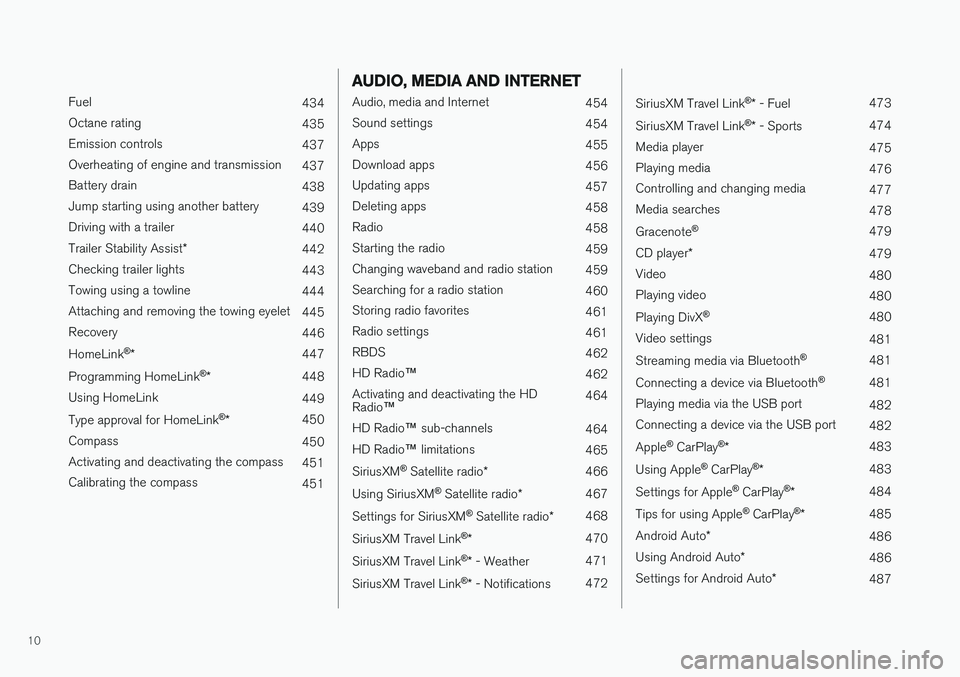
AUDIO, MEDIA AND INTERNET
Audio, media and Internet454
Sound settings 454
Apps 455
Download apps 456
Updating apps 457
Deleting apps 458
Radio 458
Starting the radio 459
Changing waveband and radio station 459
Searching for a radio station 460
Storing radio favorites 461
Radio settings 461
RBDS 462
HD Radio ™
462
Activating and deactivating the HD Radio ™ 464
HD Radio ™ sub-channels
464
HD Radio ™ limitations
465
SiriusXM ®
Satellite radio * 466
Using SiriusXM ®
Satellite radio *467
Settings for SiriusXM ®
Satellite radio *468
SiriusXM Travel Link ®
* 470
SiriusXM Travel Link ®
* - Weather 471
SiriusXM Travel Link ®
* - Notifications 472
SiriusXM Travel Link®
* - Fuel 473
SiriusXM Travel Link ®
* - Sports 474
Media player 475
Playing media 476
Controlling and changing media 477
Media searches 478
Gracenote ®
479
CD player *
479
Video 480
Playing video 480
Playing DivX ®
480
Video settings 481
Streaming media via Bluetooth ®
481
Connecting a device via Bluetooth ®
481
Playing media via the USB port 482
Connecting a device via the USB port 482
Apple ®
CarPlay ®
* 483
Using Apple ®
CarPlay ®
* 483
Settings for Apple ®
CarPlay ®
* 484
Tips for using Apple ®
CarPlay ®
* 485
Android Auto *
486
Using Android Auto *
486
Settings for Android Auto *
487
Page 13 of 656

11
Tips for using Android Auto*
488
Phone 488
Connecting a phone to the car via Bluetooth for the first time 489
Connecting a phone to the car viaBluetooth automatically 491
Connecting a phone to the car viaBluetooth manually 491
Disconnecting a Bluetooth-con-nected phone 492
Switch between phones connectedvia Bluetooth 492
Removing a Bluetooth-connected phone 493
Handling phone calls 493
Handling text messages 494
Text message settings 495
Managing the phone book 495
Phone settings 496
Settings for Bluetooth devices 497
Internet-connected vehicle *
497
Connecting the car to the Internetvia a mobile device (Bluetooth) 499
Connecting the car to the Internetvia a mobile device (Wi-Fi) 499
Connect the car to the Internet viacar modem (SIM card) 500
Vehicle modem settings 501
Sharing Internet from the vehicle via Wi-Fi hotspot (tethering)501
No or poor Internet connection 502
Deleting Wi-Fi networks 503
Wi-Fi technology and security 503
Terms of use and data sharing 504
Activating and deactivating data sharing 504
Compatible file formats for media 504
Technical specifications for USB devices 505
Hard disk storage space 506
License agreement for audio and media 507
WHEELS AND TIRES
Tires518
Tire direction of rotation 520
Tread wear indicator 521
Tire terminology 521
Tire sidewall designations 522
Uniform Tire Quality Grading 524
Checking tire pressure 525
Adjusting tire pressure 526
Recommended tire pressure 527
Tire pressure monitoring system *
527
Calibrating the tire pressure monitor- ing system * 529
Viewing tire pressure status in thecenter display * 530
Action when warned of low tire pressure 531
When changing wheels 532
Tool kit 532
Jack *
533
Wheel bolts 533
Removing a wheel 534
Installing a wheel 536
Spare wheel 537
Accessing the spare wheel 538
Snow tires 539
Snow chains 539
Page 128 of 656
DISPLAYS AND VOICE CONTROL
126
Moving apps and buttons in thecenter display
The apps and buttons for vehicle functions can be moved and organized in the App and Func-tion views.
1. Swipe from right to left 13
to access App view
or swipe from left to right 13
to access Func-
tion view.
2. Press and hold an app or button. > The app or button will change size andbecome slightly transparent. It can then be moved.
3. Drag the app or button to an available posi- tion in the view.
A maximum of 48 rows can be used to positionapps or buttons. To move an app or button out-side the visible view, drag it to the bottom of theview. New rows will be added and the app or but-ton can be placed in one of these. Apps or buttons placed below the view's normal display will not be visible on the screen. Swipe the screen to scroll up or down in the view to display information outside the view.
NOTE
Hide the apps that are rarely or never used by moving them far down, outside of the visibleview. This makes it easier to find the appsused more frequently.
NOTE
Apps and vehicle function buttons cannot be situated at spots already in use.
Related information
• Function view in the center display (p. 124)
• Apps (p. 455)
• Handling the center display (p. 114)
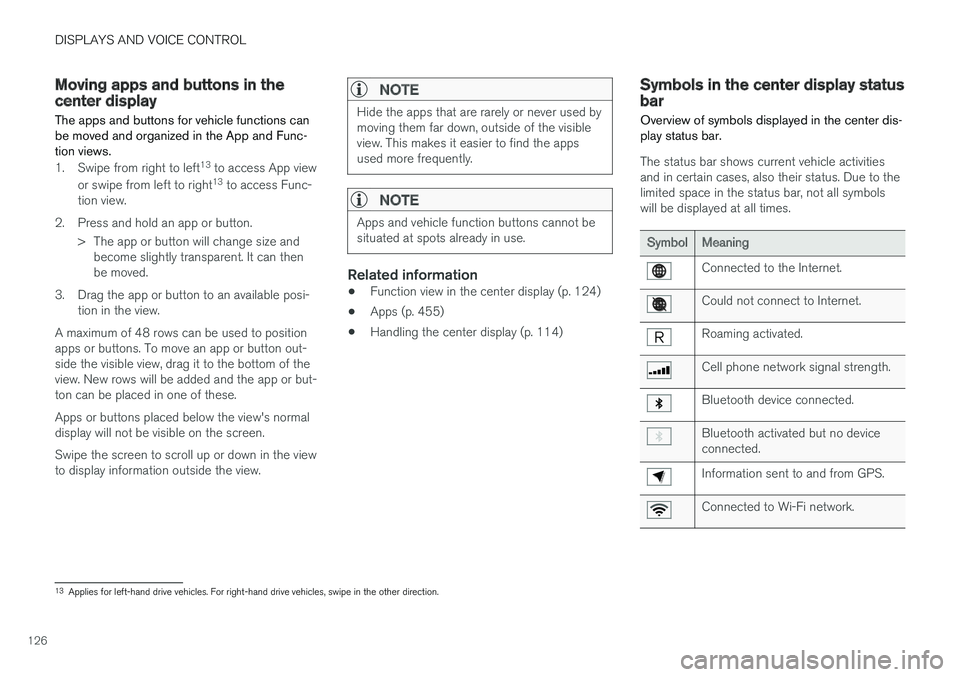
Symbols in the center display statusbar
Overview of symbols displayed in the center dis- play status bar.
The status bar shows current vehicle activities and in certain cases, also their status. Due to thelimited space in the status bar, not all symbolswill be displayed at all times.
SymbolMeaning
Connected to the Internet.
Could not connect to Internet.
Roaming activated.
Cell phone network signal strength.
Bluetooth device connected.
Bluetooth activated but no device connected.
Information sent to and from GPS.
Connected to Wi-Fi network.
13 Applies for left-hand drive vehicles. For right-hand drive vehicles, swipe in the other direction.
Page 139 of 656
DISPLAYS AND VOICE CONTROL
}}
137
Resetting center display settingsAll settings made in the center display's Settings menu can be reset to default values.
Two types of resetThere are two ways to reset the settings in the Settings menu:
•
Factory Reset- erases all data and files and
resets all settings to factory default.
•
Reset Personal Settings- erases personal
data and resets personalized settings to fac- tory default.
Resetting settingsFollow these instructions to reset the settings.
NOTE
Factory Reset is only possible when the
vehicle is stationary.
1. Tap Settings in the Top view in the center
display.
2. Proceed to
SystemFactory Reset.
3. Select the type of reset you would like to do. > A pop-up window will appear. 4.
Tap
OK to confirm the reset.
For
Reset Personal Settings, confirm the
reset by tapping Reset for the active
profile or Reset for all profiles.
> The selected settings will be reset.
Related information
• Center display overview (p. 111)
• Opening settings in the center display (p. 134)
• Changing settings in the center display(p. 136)
• Table of settings in the center display(p. 138)
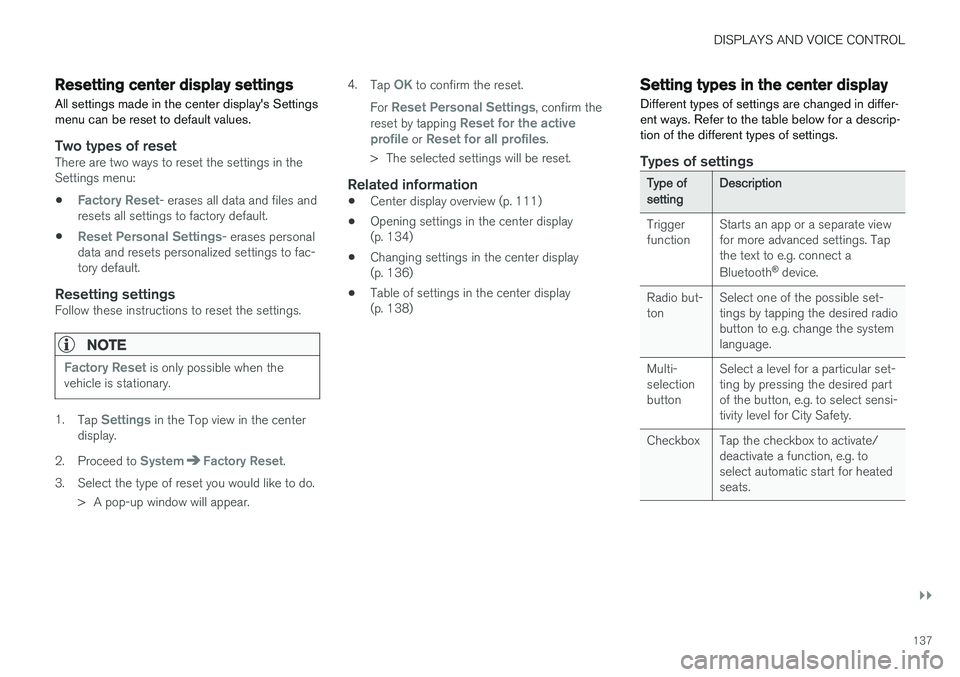
Setting types in the center display
Different types of settings are changed in differ- ent ways. Refer to the table below for a descrip-tion of the different types of settings.
Types of settings
Type ofsettingDescription
Trigger function Starts an app or a separate viewfor more advanced settings. Tapthe text to e.g. connect a Bluetooth
®
device.
Radio but- ton Select one of the possible set-tings by tapping the desired radiobutton to e.g. change the systemlanguage.
Multi-selectionbutton Select a level for a particular set-ting by pressing the desired partof the button, e.g. to select sensi-tivity level for City Safety.
Checkbox Tap the checkbox to activate/ deactivate a function, e.g. toselect automatic start for heatedseats.
Page 141 of 656
DISPLAYS AND VOICE CONTROL
}}
* Option/accessory.139
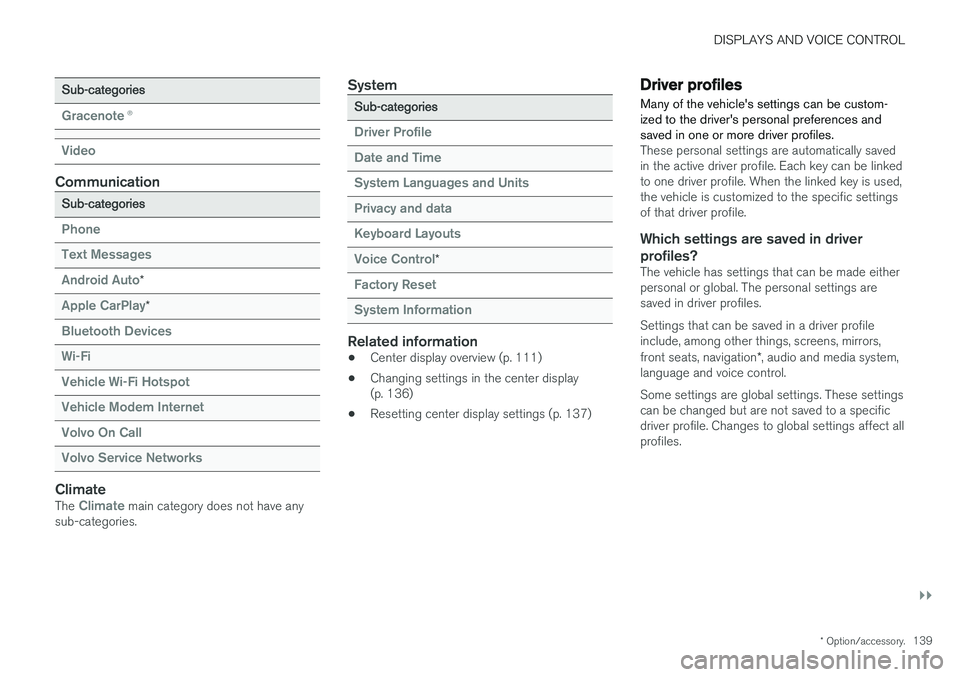
Sub-categories
Gracenote®
Video
Communication
Sub-categories
Phone Text Messages Android Auto
*
Apple CarPlay*
Bluetooth Devices Wi-FiVehicle Wi-Fi HotspotVehicle Modem Internet Volvo On Call Volvo Service Networks
ClimateThe Climate main category does not have any
sub-categories.
System
Sub-categories
Driver Profile Date and TimeSystem Languages and UnitsPrivacy and dataKeyboard Layouts Voice Control
*
Factory Reset System Information
Related information
• Center display overview (p. 111)
• Changing settings in the center display (p. 136)
• Resetting center display settings (p. 137)
Driver profiles
Many of the vehicle's settings can be custom- ized to the driver's personal preferences andsaved in one or more driver profiles.
These personal settings are automatically saved in the active driver profile. Each key can be linkedto one driver profile. When the linked key is used,the vehicle is customized to the specific settingsof that driver profile.
Which settings are saved in driver profiles?
The vehicle has settings that can be made eitherpersonal or global. The personal settings aresaved in driver profiles. Settings that can be saved in a driver profile include, among other things, screens, mirrors, front seats, navigation *, audio and media system,
language and voice control. Some settings are global settings. These settings can be changed but are not saved to a specificdriver profile. Changes to global settings affect allprofiles.
Page 149 of 656
DISPLAYS AND VOICE CONTROL
}}
* Option/accessory.147
Lowering position
Confirm
The brightness of the graphic is automatically adapted to the light conditions in its background.Brightness is also affected by adjustments to thebrightness of the other displays in the vehicle. The height position can be stored in the front power seat's * memory function.
Calibrating the horizontal positionIf the windshield or display unit has been replaced, the head-up display's horizontal posi-tion may need to be calibrated. Calibration meansthat the projected image is rotated clockwise orcounterclockwise. 1.
Tap
Settings in the center display's Top
view.
2. Select
My CarDisplaysHead-Up
Display Options
Head-Up Display
Calibration.
3. Calibrate the horizontal position of the image using the right-side steering wheel keypad.
Rotate counterclockwise
Rotate clockwise
Confirm
Related information
• Head-up display
* (p. 144)
• Activating and deactivating the head-up dis- play
* (p. 146)
Voice control19
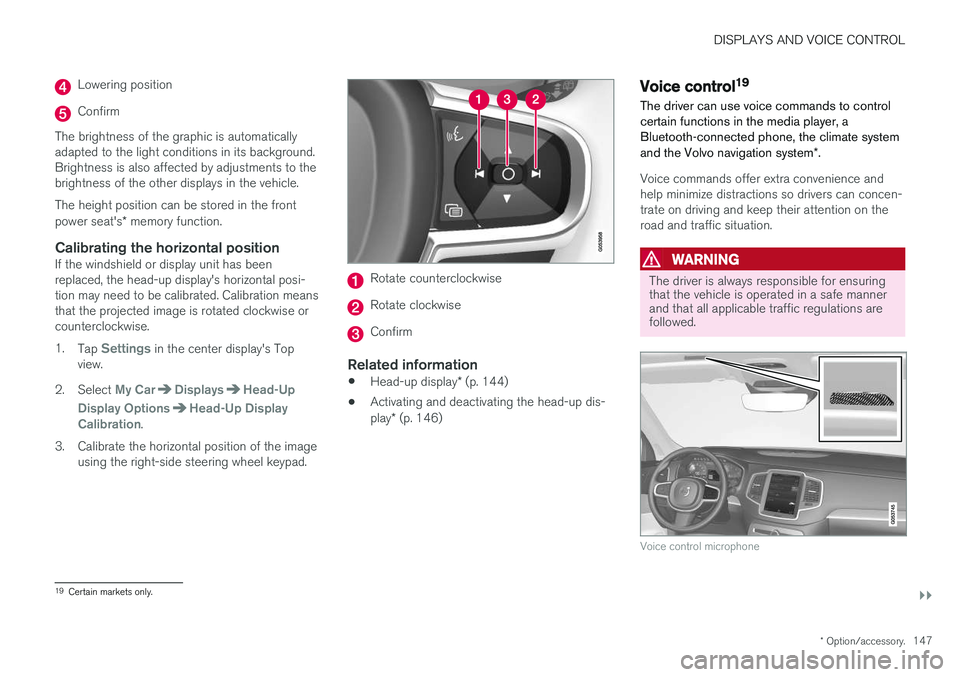
The driver can use voice commands to control certain functions in the media player, aBluetooth-connected phone, the climate system and the Volvo navigation system *.
Voice commands offer extra convenience and help minimize distractions so drivers can concen-trate on driving and keep their attention on theroad and traffic situation.
WARNING
The driver is always responsible for ensuring that the vehicle is operated in a safe mannerand that all applicable traffic regulations arefollowed.
Voice control microphone
19
Certain markets only.
Page 150 of 656
||
DISPLAYS AND VOICE CONTROL
* Option/accessory.
148 Voice control is carried out as a dialog, with spo- ken commands from the user and verbal respon-ses from the system. The voice control systemuses the same microphone as devices connectedwith Bluetooth, and the voice control systemresponds through the vehicle's loudspeakers. Incertain cases, text messages will also be dis-played in the instrument panel. The functions arecontrolled using the right-side steering wheelkeypad and settings are made in the center dis-play.
System updates
The voice control system is continuously improved. For optimal functionality, always down-load the latest update at support.volvocars.com.
Related information
•
Using voice commands (p. 148)
• Voice control for cellular phones (p. 149)
• Voice control for radio and media (p. 150)
• Climate control system voice commands(p. 204)
• Voice control settings (p. 150)
Using voice commands20
Press the button for voice con- trol
on the right-side
steering wheel keypad to acti- vate the system and initiate avoice command dialog.
These may include:
• Wait until after the tone, and then speak in your normal voice at a normal speed.
• Do not speak while the system is responding(the system is unable to process commandsduring this time).
• Avoid background noises in the passengercompartment by keeping doors, windows and the panoramic roof
* closed.
Voice control can be canceled by:
• saying "
Cancel".
• pressing and holding the steering wheel key- pad's voice command button
.
To speed up the voice command dialog and skip system responses, press the voice command but- ton
while the system is responding and give
your next command.
Voice command examples
Press , say "Call [First name] [Last name]
[number category]" - calls the selected contact
from the phone book. If the contact has several phone numbers (e.g. home, cell, work), the rightcategory must also be given. Press
and say "Call Robyn Smith
cellular".
Commands/phrasesThe following commands can always be used: • "
Repeat" - repeats the most recent voice
command in the current dialog.
• "
Cancel" - cancels the dialog.
• "
Help" - initiates a help dialog. The system
responds with commands that can be used in the current situation, an instruction or anexample.
Commands for specific functions, such as phoneand audio, are described in the sections relatedto that function.
20 Certain markets only.
Page 151 of 656
DISPLAYS AND VOICE CONTROL
* Option/accessory.149
Numbers
Number commands can be given in different ways depending on the function to be controlled: •Phone numbers and zip codes
should be
given by stating each number individually, e.g. zero three one two two four four three(03122443).
• Addresses
can be given by stating each
number individually or in a group, e.g. two twoor twenty-two (22). For English and Dutchlanguage settings, groups of numbers canalso be said in sequence, e.g. twenty-twotwenty-two (22 22). For English, double ortriple digits can also be used, e.g. doublezero (00). Numbers in the range 0-2300 canbe used.
• Frequencies
can be given as ninety-eight
point eight (98.8), one hundred four pointtwo, or hundred four point two (104.2).
Related information
• Voice control (p. 147)
• Voice control for cellular phones (p. 149)
• Voice control for radio and media (p. 150)
• Climate control system voice commands(p. 204)
• Voice control settings (p. 150)
Voice control for cellular phones21
Call a contact in the phone book, have a text message read aloud or dictate short messagesusing voice commands to a Bluetooth-con-nected phone.
To access a contact in the phone book, the voice command must contain the contact informationentered in the phone book. If a contact, e.g.
Robyn Smith, has several phone numbers listed
in the phone book, a number category such as
home or cellular can also be specified, i.e. "Call
Robyn Smith cellular".
Tap
and say one of the following commands:
• "
Call [contact]" - call the selected contact
from the phone book.
• "
Call [phone number]" - call a phone num-
ber.
• "
Recent calls" - display the list of recent
calls.
• "
Read message" - read a text message
aloud. If there are several messages, select the message to read aloud.
• "
Message to [contact]" - the user is
prompted to dictate a short message. The message will then be read aloud and the user can choose to send 22
or re-dictate the
message. The vehicle must be connected to the Internet to access this function.
Related information
• Voice control (p. 147)
• Using voice commands (p. 148)
• Voice control for radio and media (p. 150)
• Climate control system voice commands(p. 204)
• Voice control settings (p. 150)
• Internet-connected vehicle
* (p. 497)
21
Certain markets only.
22 Only certain phones can send messages via the vehicle. For additional information on compatibility, see support.volvocars.com.
Page 152 of 656
DISPLAYS AND VOICE CONTROL
* Option/accessory.
150
Voice control for radio and media23
Voice commands for the radio and media play- ers are shown below.
Tap and say one of the following commands:
• "
Media" - initiates a dialog for media and
radio and displays examples of commands.
• "
Play [artist]" - plays music by the selected
artist.
• "
Play [song title]" - plays the selected
song.
• "
Play [song title] from [album]" - plays
the selected song from the selected album.
• "
Play [radio station]" - starts the selected
radio station.
• "
Tune to [frequency]" - tunes to the
selected radio frequency in the currently active waveband. If no radio source is active,the FM band will be started as default.
• "
Tune to [frequency] [waveband]" - tunes
to the selected radio frequency on the selected waveband.
• "
Radio" - starts FM radio.
• "
Radio FM" - starts FM radio.
• "
Radio AM" - starts AM radio.
• "
SiriusXM" - starts SiriusXM radio
*
• "
CD" - starts playback from CD
*. •
"
USB" - starts playback from USB.
• "
iPod" - starts playback from iPod.
• "
Bluetooth" - starts playback from a Blue-
tooth-connected media source.
• "
Similar music" - plays music from a USB-
connected device with music similar to that currently playing.
Related information
• Voice control (p. 147)
• Using voice commands (p. 148)
• Voice control for cellular phones (p. 149)
• Climate control system voice commands(p. 204)
• Voice control settings (p. 150)
Voice control settings24
Settings for the voice control system are made here.
SettingsSystemVoice Control
Settings can be personalized in the following areas:
•
Repeat Voice Command
•Gender
•Speech Rate
Sound settingsSelect sound settings under:
SettingsSoundSystem VolumesVoice Control
Language settingsThe voice control system is not available for all languages. The languages available for voice commands are indicated by the
icon in the
list of languages. Changing the language here will also change the language in the menus, messages and help texts.
SettingsSystemSystem Languages
and Units
System Language
23 Certain markets only.
24 Certain markets only.
Page 405 of 656
STARTING AND DRIVING
* Option/accessory.403
Ignition modes
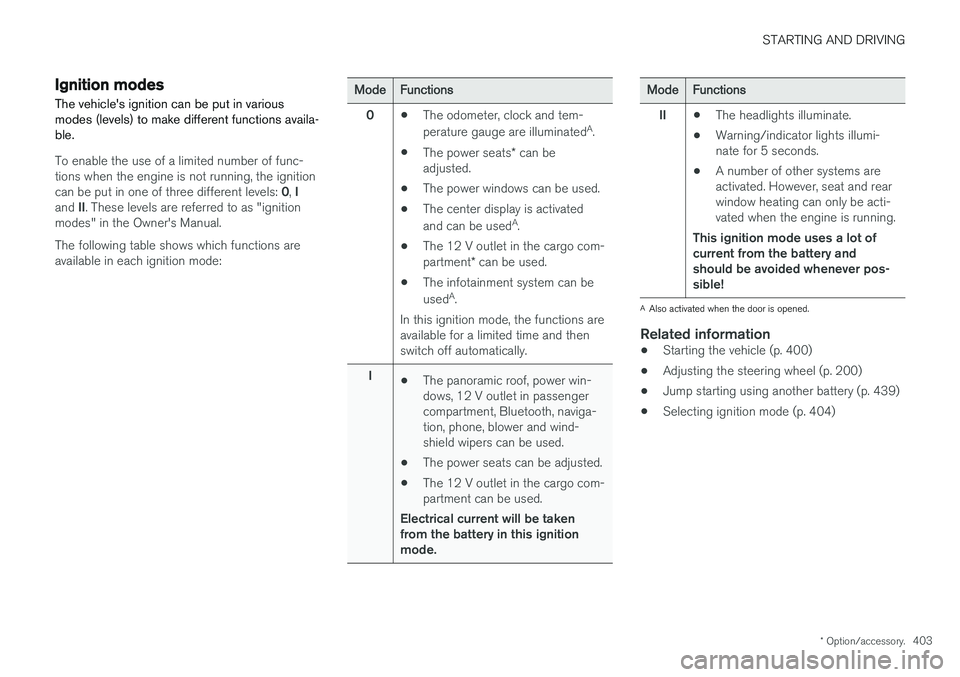
The vehicle's ignition can be put in various modes (levels) to make different functions availa-ble.
To enable the use of a limited number of func- tions when the engine is not running, the ignition can be put in one of three different levels: 0, I
and II. These levels are referred to as "ignition
modes" in the Owner's Manual. The following table shows which functions are available in each ignition mode:
ModeFunctions
0 •The odometer, clock and tem- perature gauge are illuminated A
.
• The power seats
* can be
adjusted.
• The power windows can be used.
• The center display is activatedand can be used A
.
• The 12 V outlet in the cargo com- partment
* can be used.
• The infotainment system can be used A
.
In this ignition mode, the functions are available for a limited time and then switch off automatically.
I •The panoramic roof, power win-dows, 12 V outlet in passengercompartment, Bluetooth, naviga-tion, phone, blower and wind-shield wipers can be used.
• The power seats can be adjusted.
• The 12 V outlet in the cargo com-partment can be used.
Electrical current will be takenfrom the battery in this ignitionmode.ModeFunctions
II •The headlights illuminate.
• Warning/indicator lights illumi- nate for 5 seconds.
• A number of other systems areactivated. However, seat and rearwindow heating can only be acti-vated when the engine is running.
This ignition mode uses a lot ofcurrent from the battery andshould be avoided whenever pos-sible!
A Also activated when the door is opened.
Related information
• Starting the vehicle (p. 400)
• Adjusting the steering wheel (p. 200)
• Jump starting using another battery (p. 439)
• Selecting ignition mode (p. 404)