USB port VOLVO V90 CROSS COUNTRY 2018 Owner´s Manual
[x] Cancel search | Manufacturer: VOLVO, Model Year: 2018, Model line: V90 CROSS COUNTRY, Model: VOLVO V90 CROSS COUNTRY 2018Pages: 662, PDF Size: 11.93 MB
Page 13 of 662
11
SiriusXM Travel Link®
* - Fuel 479
SiriusXM Travel Link ®
* - Sports 480
Media player 481
Playing media 482
Controlling and changing media 483
Media searches 484
Gracenote ®
485
CD player *
485
Video 486
Playing video 486
Playing DivX ®
486
Video settings 487
Streaming media via Bluetooth ®
487
Connecting a device via Bluetooth ®
487
Playing media via the USB port 488
Connecting a device via the USB port 488
Apple ®
CarPlay ®
* 489
Using Apple ®
CarPlay ®
* 489
Settings for Apple ®
CarPlay ®
* 490
Tips for using Apple ®
CarPlay ®
* 491
Android Auto *
492
Using Android Auto *
492
Settings for Android Auto *
493
Tips for using Android Auto *
494
Phone 494
Connecting a phone to the car via Bluetooth for the first time 495
Connecting a phone to the car viaBluetooth automatically 497
Connecting a phone to the car viaBluetooth manually 497
Disconnecting a Bluetooth-con-nected phone 498
Switch between phones connectedvia Bluetooth 498
Removing a Bluetooth-connected phone 499
Handling phone calls 499
Handling text messages 500
Text message settings 501
Managing the phone book 501
Phone settings 502
Settings for Bluetooth devices 503
Internet-connected vehicle *
503
Connecting the car to the Internetvia a mobile device (Bluetooth) 505
Connecting the car to the Internetvia a mobile device (Wi-Fi) 505
Connect the car to the Internet viacar modem (SIM card) 506
Vehicle modem settings 507
Sharing Internet from the vehicle via Wi-Fi hotspot (tethering)507
No or poor Internet connection 508
Deleting Wi-Fi networks 509
Wi-Fi technology and security 509
Terms of use and data sharing 510
Activating and deactivating data sharing 510
Compatible file formats for media 510
Technical specifications for USB devices 511
Hard disk storage space 512
License agreement for audio and media 513
Page 476 of 662
||
AUDIO, MEDIA AND INTERNET
* Option/accessory.
474
iTunes taggingFrom the center display's Top view, tap SiriusXM
Settings. Tap the iTunes Tagging menu. Tap
the iTunes Tagging box to activate/deactivate
this function and tap Close to return to Home
view. Tap Tags List to display a list of all tagged
songs. If the function is activated, the
iTunes tag button
will be displayed in Home view. If a song is played that you would like to buy in the iTunes store, tapthis button while the song is playing to tag it. If a song with
iTunes Tagging information is availa-
ble, the button will be selectable. Tap the button to tag the song. If you would like to buy a taggedsong via iTunes, Tap the iTunes tag button. To buy a song in iTunes, begin by connecting an iPhone/iPod/iPad to the USB port in the tunnelconsole. The iTunes tagging list will automaticallybe transferred to the device and removed fromthe list in the vehicle. If the device is connectedwhen a song is tagged, the data will automaticallybe saved in the device. To purchase the song,consult the iTunes support page.
Related information
• SiriusXM ®
Satellite radio * (p. 472)
• Entering characters, letters and words byhand in the center display (p. 131)
• Settings for SiriusXM ®
Satellite radio *
(p. 474) •
Settings for SiriusXM ®
Satellite radio *
(p. 474)
• Connecting a device via the USB port(p. 488)
Settings for SiriusXM® Satellite
radio
*
There are numerous settings that can be made to enhance your SiriusXM ®
Satellite radio listen-
ing experience.
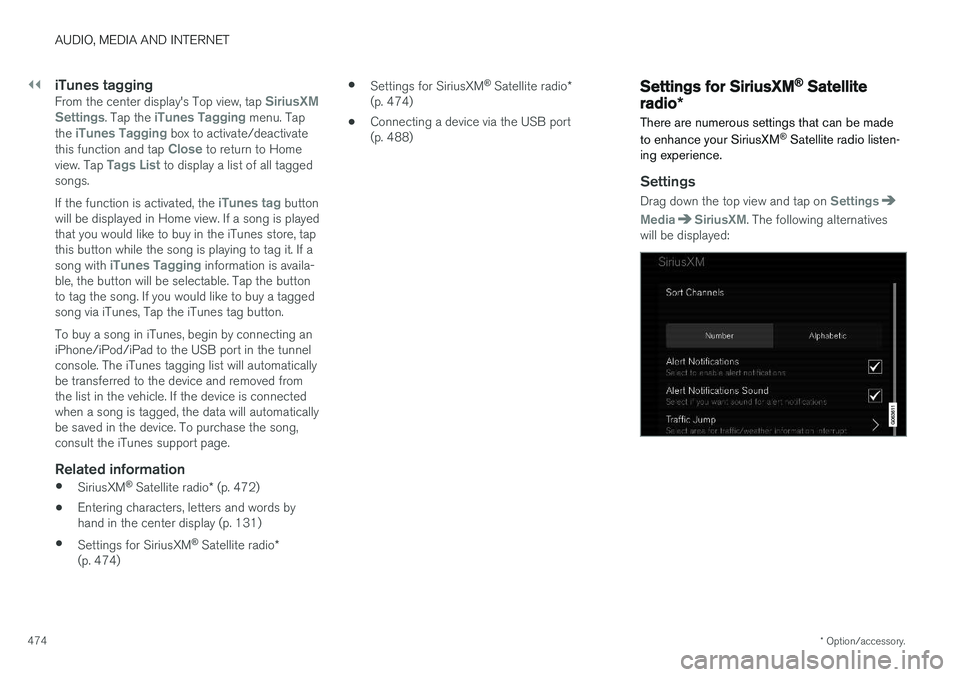
Settings
Drag down the top view and tap on Settings
MediaSiriusXM. The following alternatives
will be displayed:
Page 483 of 662
AUDIO, MEDIA AND INTERNET
* Option/accessory.481
4. Tap one of the divisions to display:
•
In progress: play-by-play information
about a match/game/tournament cur- rently in progress. Continue tapping todisplay. In the detailed view, you can alsoselect a radio station that is currentlybroadcasting an ongoing sporting event
•
Headlines for MLB: Tap to display brief
headline information
•
Scheduled: schedules for coming
matches, games, etc.
•
Scores: match/game results
The same principle applies to all sports.
Related information
• SiriusXM Travel Link ®
* (p. 476)
• SiriusXM Travel Link ®
* - Notifications
(p. 478)
• SiriusXM Travel Link ®
* - Fuel (p. 479)
• SiriusXM Travel Link ®
* - Weather (p. 477)
Media player
The media player can play audio from the CD player * and from external audio sources con-
nected via USB port or Bluetooth. It can also play video format via the USB port.
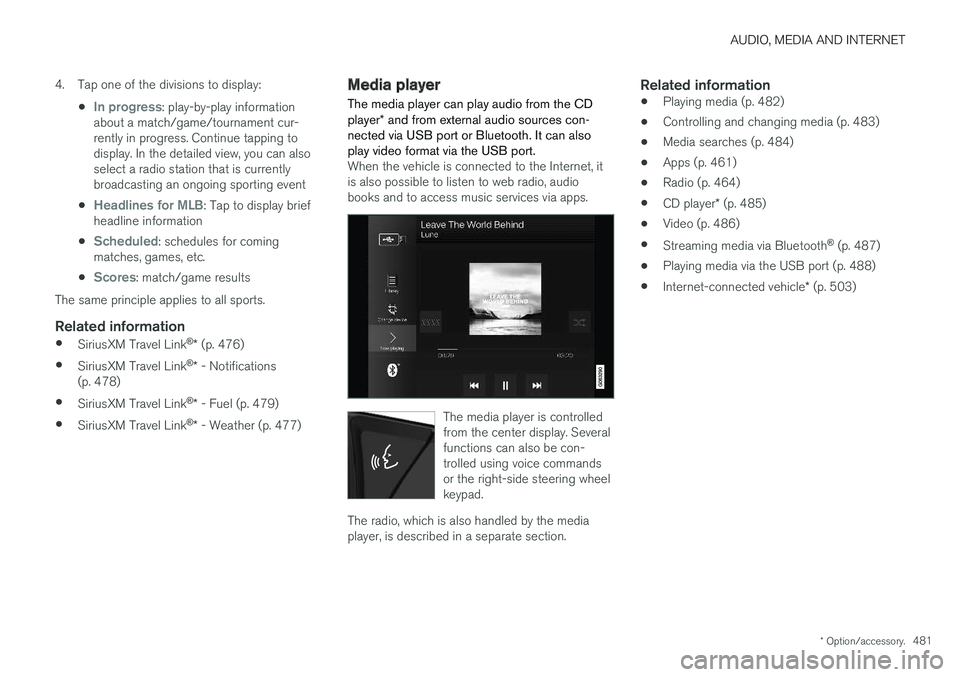
When the vehicle is connected to the Internet, it is also possible to listen to web radio, audiobooks and to access music services via apps.
The media player is controlled from the center display. Severalfunctions can also be con-trolled using voice commandsor the right-side steering wheelkeypad.
The radio, which is also handled by the media player, is described in a separate section.
Related information
• Playing media (p. 482)
• Controlling and changing media (p. 483)
• Media searches (p. 484)
• Apps (p. 461)
• Radio (p. 464)
• CD player
* (p. 485)
• Video (p. 486)
• Streaming media via Bluetooth ®
(p. 487)
• Playing media via the USB port (p. 488)
• Internet-connected vehicle
* (p. 503)
Page 485 of 662
AUDIO, MEDIA AND INTERNET
}}
* Option/accessory.483
Related information
•Handling the App menu in the instrument panel (p. 105)
• Radio (p. 464)
• Controlling and changing media (p. 483)
• Connecting a device via the USB port(p. 488)
• Connecting a device via Bluetooth ®
(p. 487)
• Download apps (p. 462)
• Internet-connected vehicle
* (p. 503)
• Video (p. 486)
• Apple ®
CarPlay ®
* (p. 489)
• Android Auto
* (p. 492)
• Voice control for radio and media (p. 150)
• Compatible file formats for media (p. 510)
Controlling and changing media
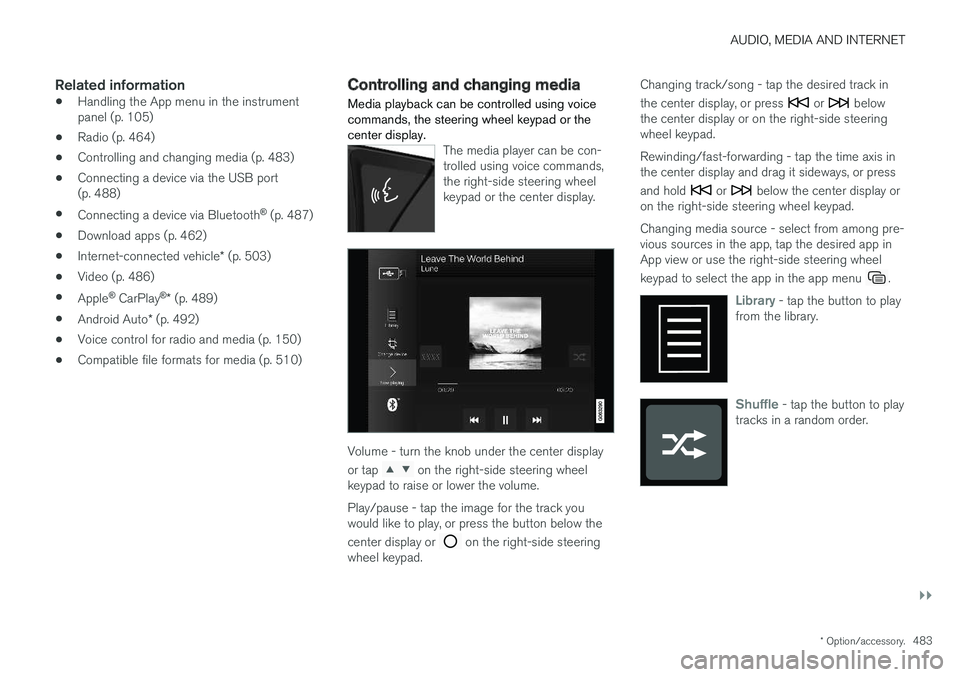
Media playback can be controlled using voice commands, the steering wheel keypad or thecenter display.
The media player can be con- trolled using voice commands,the right-side steering wheelkeypad or the center display.
Volume - turn the knob under the center display or tap
on the right-side steering wheel
keypad to raise or lower the volume. Play/pause - tap the image for the track you would like to play, or press the button below the center display or
on the right-side steering
wheel keypad. Changing track/song - tap the desired track in the center display, or press
or below
the center display or on the right-side steering wheel keypad. Rewinding/fast-forwarding - tap the time axis in the center display and drag it sideways, or press and hold
or below the center display or
on the right-side steering wheel keypad. Changing media source - select from among pre- vious sources in the app, tap the desired app inApp view or use the right-side steering wheel keypad to select the app in the app menu
.
Library - tap the button to play
from the library.
Shuffle - tap the button to play
tracks in a random order.
Page 490 of 662
AUDIO, MEDIA AND INTERNET
* Option/accessory.
488
Playing media via the USB port External audio sources, such as an iPod ® or
MP3 player, can be connected to the audio sys- tem via the vehicle's USB port.
Devices with rechargeable batteries can be charged when they are connected via the USB port and the ignition is in mode I, II or the engine
is running. The content on the external source can be read faster if it only contains data of a compatible for-mat. Video files can also be played via the USBport. Some MP3 players have their own file system that the vehicle has support for.
Related information
• Connecting a device via the USB port(p. 488)
• Playing media (p. 482)
• Video (p. 486)
• Ignition modes (p. 403)
• Technical specifications for USB devices(p. 511)
• Apple ®
CarPlay ®
* (p. 489)
• Android Auto
* (p. 492)
Connecting a device via the USBport
External audio sources, such as an iPod ®
or
MP3 player, can be connected to the audio sys- tem via any of the vehicle's USB ports.
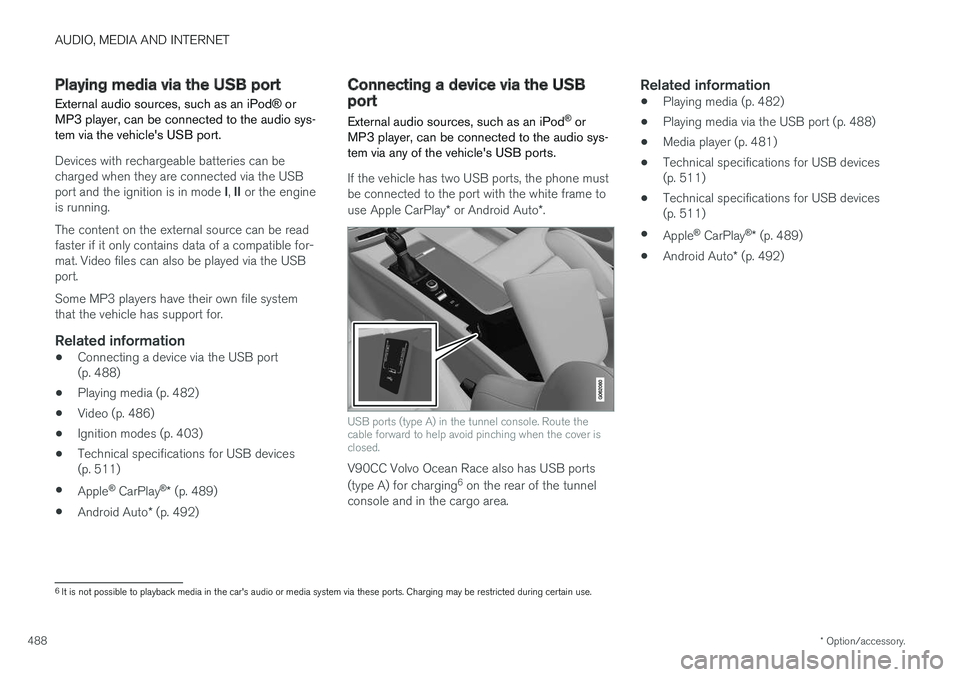
If the vehicle has two USB ports, the phone must be connected to the port with the white frame to use Apple CarPlay * or Android Auto *.
USB ports (type A) in the tunnel console. Route the cable forward to help avoid pinching when the cover isclosed.
V90CC Volvo Ocean Race also has USB ports (type A) for charging 6
on the rear of the tunnel
console and in the cargo area.
Related information
• Playing media (p. 482)
• Playing media via the USB port (p. 488)
• Media player (p. 481)
• Technical specifications for USB devices (p. 511)
• Technical specifications for USB devices(p. 511)
• Apple ®
CarPlay ®
* (p. 489)
• Android Auto
* (p. 492)
6
It is not possible to playback media in the car's audio or media system via these ports. Charging may be restricted during certain use.
Page 492 of 662
||
AUDIO, MEDIA AND INTERNET
* Option/accessory.
490 5. Tap the desired app.
> The app will start up.
Starting CarPlay
CarPlay can be started as follows after an iPhone is connected.
1. Connect an iPhone to the USB port. If there are two USB ports, use the one with the white frame. >If the auto start setting is selected -
the name of the phone will be displayed.
2. Tap the name of the phone - the CarPlay tile will open and compatible apps will be dis- played.
3. If the CarPlay tile does not open, tap
Apple
CarPlay in App view.
> The CarPlay tile will open and compatible apps will be displayed.
4. Tap the desired app. > The app will start up.
CarPlay will run in the background if another app is started in the same tile. To display CarPlay inthe tile, tap the CarPlay icon in App view.
Switching connection between CarPlay and iPod
CarPlay to iPod
1. Tap Settings in the Top view. 2. Proceed to
CommunicationApple
CarPlay.
3. Uncheck the box for the Apple device that should no longer start CarPlay automatically when the USB cable is connected.
4. Remove and then reinsert the Apple device into the USB port.
5. Open the
iPod app from App view.
iPod to CarPlay
1.Tap Apple CarPlay in App view.
2. Read the information in the pop-up window and then tap
OK.
3. Remove and then reinsert the Apple device into the USB port.
> The Apple CarPlay tile will open and com-
patible apps will be displayed 8
.
Related information
• Connecting a device via the USB port (p. 488)
• Apple ®
CarPlay ®
* (p. 489)
• Settings for Apple ®
CarPlay ®
* (p. 490)
• Connecting the car to the Internet via amobile device (Wi-Fi) (p. 505)
• Connect the car to the Internet via carmodem (SIM card) (p. 506)
• Voice control (p. 147)
Settings for Apple® CarPlay®
*
Settings for an Apple device connected through CarPlay 9
.
Automatic start1. Tap Settings in the Top view.
2. Tap
CommunicationApple CarPlay and
select the desired setting:
• Check the box - CarPlay will start auto- matically when the USB cable is con-nected.
• Uncheck the box - CarPlay will not startautomatically when the USB cable is con-nected.
A maximum of 20 Apple devices can be stored inthe list. When the list is full and a new device isconnected, the oldest one will be deleted. To delete the list, the settings must be rest in the center display (factory reset).
System Volumes1. Tap Settings in the Top view.
2. Tap
SoundSystem Volumes to change
the settings for the following:
•
Voice Control
•Navi Voice Guidance
•Phone Ringtone
8 Apple, CarPlay, iPhone and iPod are registered trademarks of Apple Inc.
Page 493 of 662
AUDIO, MEDIA AND INTERNET
* Option/accessory.491
Related information
•Apple ®
CarPlay ®
* (p. 489)
• Using Apple ®
CarPlay ®
* (p. 489)
• Resetting center display settings (p. 137)Tips for using Apple® CarPlay®
*
Here are some useful tips for when you use CarPlay ®
.
• Update your iPhone with the latest version of iOS operating system and ensure that theapps have been updated.
• In the event of a problem with CarPlay, dis-connect the phone from the USB port andreconnect. Otherwise, try to close the app onthe phone that is not working and thenrestart the app, or try closing all apps andrestart your phone.
• If the apps do not appear when CarPlaystarts (black screen), try minimizing andexpanding the tile for CarPlay.
• Using apps that are not compatible withCarPlay may sometimes mean that the con-nection between the phone and the car isbroken. Information about supported appsand compatible phone models can be foundon Apple's website. You can also search forCarPlay in the App Store to find informationabout apps that are compatible with CarPlayin your market.
• CarPlay only works with iPhone 10
.
NOTE
Availability and functionality can vary depend- ing on market.
Related information
• Apple ®
CarPlay ®
* (p. 489)
9
Apple and CarPlay are registered trademarks of Apple Inc..
10 Apple, CarPlay and iPhone are registered trademarks owned by Apple Inc.
Page 495 of 662
AUDIO, MEDIA AND INTERNET
* Option/accessory.493
From a previously connected Android device
1. Connect the device to the USB port.
>If the auto start setting is selected -
the name of the phone will be displayed.
2. Tap the name of the phone - the Android Auto tile will open and compatible apps will be displayed.
3. If the automatic start setting is not acti- vated - open the
Android Auto app from
App view.
> The Android Auto tile will open and com- patible apps will be displayed.
4. Tap the desired app. > The app will start up.
Android Auto will run in the background if another app is started in the same tile. To displayAndroid Auto in the tile, tap the Android Autoicon in App view.
Related information
• Android Auto
* (p. 492)
• Settings for Android Auto
* (p. 493)
• Connecting a device via the USB port(p. 488)
• Voice control (p. 147)
Settings for Android Auto
*
Settings for phones initially connected with Android Auto.
Automatic start1. Tap Settings in the Top view.
2. Tap
CommunicationAndroid Auto and
select setting:
• Check the box - Android Auto will start automatically when the USB cable is con-nected.
• Uncheck the box - Android Auto will notstart automatically when the USB cable isconnected.
A maximum of 20 Android devices can be storedin the list. When the list is full and a new device isconnected, the oldest one will be deleted. A factory reset must be performed to delete the list.
System Volumes1. Tap Settings in the Top view.
2. Tap
SoundSystem Volumes to change
the settings for the following:
•
Voice Control
•Navi Voice Guidance
•Phone Ringtone
Related information
• Android Auto
* (p. 492)
• Using Android Auto
* (p. 492)
• Resetting center display settings (p. 137)
Page 496 of 662
AUDIO, MEDIA AND INTERNET
* Option/accessory.
494
Tips for using Android Auto *
Here are some useful tips for when you use Android Auto.
• Ensure that your apps are updated.
• When starting the car, wait until the center display has started, connect the phone andthen open Android Auto from the app view.
• In the event of problems with Android Auto,disconnect your Android phone from theUSB port and then reconnect via USB. Oth-erwise, try closing the app on the phone andthen restarting the app.
• When a phone is connected to Android Autoit is still possible to playback media viaBluetooth to another media player. TheBluetooth function is on when Android Autois used.
Related information
•
Android Auto
* (p. 492)
Phone
A phone equipped with Bluetooth can be wire- lessly connected to the vehicle's integratedhands-free system.
The audio and media system offers hands-free functionality for remotely controlling a number ofthe phone's features. The phone's integratedcontrols can also be used, even when it is con-nected to the vehicle. When the phone has been paired and connected to the vehicle, it can be used as an Internet con-nection or to make or receive calls, send orreceive text messages or wirelessly play music.
The phone is controlled fromthe center display but the Appmenu (accessed using theright-side steering wheel key-pad) and voice commands canalso be used to control certainfunctions.
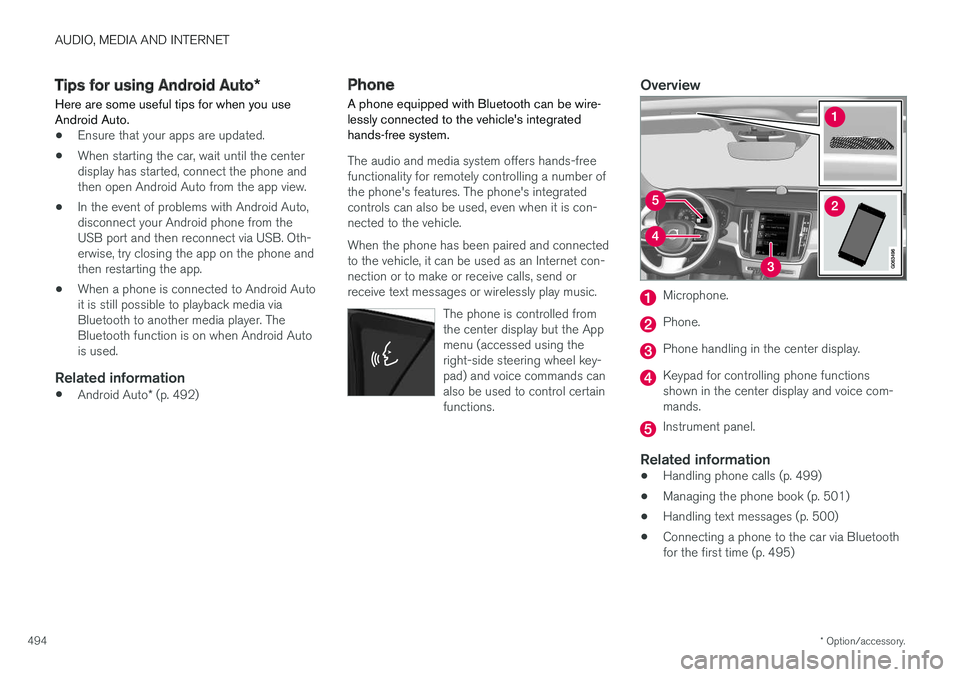
Overview
Microphone.
Phone.
Phone handling in the center display.
Keypad for controlling phone functions shown in the center display and voice com-mands.
Instrument panel.
Related information
•Handling phone calls (p. 499)
• Managing the phone book (p. 501)
• Handling text messages (p. 500)
• Connecting a phone to the car via Bluetooth for the first time (p. 495)
Page 513 of 662
AUDIO, MEDIA AND INTERNET
511
FormatFile extension
AVI .avi
AVI (DivX) .avi, divx
ASF .asf, .wmv
MKV .mkv
Subtitles
FormatFile extension
SubViewer .sub
SubRip .srt
SSA .ssa
DivX®
DivX-certified devices have been tested for high- quality DivX (.divx, .avi) video playback. When yousee the DivX logo, you have the freedom to playyour favorite DivX videos.
Profile DivX Home Theater
Video codec DivX, MPEG-4
Resolution 720x576Audio speed (bit rate) 4.8Mbps
Frame rate 30 fps
File extension .divx, .avi
Max. file size 4 GB
Audio codec MP3, AC3
Subtitles XSUBSpecial func- tions Multiple subtitles, multipleaudio, resume play
Reference Meets all requirements of the DivX Home Theaterprofile. Visit divx.com formore information and soft-ware tools to convert yourfiles into DivX HomeTheater video.
Related information
•Media player (p. 481)
• Video (p. 486)
• Playing DivX ®
(p. 486)
Technical specifications for USBdevices
For the contents of USB devices to be read, the following specifications must be met.
Any folder structures will not be shown in the center display during playback.
Max. number
Files 15 000
Folders 1 000
Folder levels 8
Playlists 100
Tracks in a playlist 1 000
Subfolders No limit
Technical specifications for the USB-A connector
• Type A port
• Version 2.0
• Voltage 5 V
• Max. current 2.1 A
Related information
•
Playing media via the USB port (p. 488)