radio VOLVO XC60 2009 Owner´s Manual
[x] Cancel search | Manufacturer: VOLVO, Model Year: 2009, Model line: XC60, Model: VOLVO XC60 2009Pages: 297, PDF Size: 21.16 MB
Page 142 of 297
04 Comfort and driving pleasureAudio system 04
140
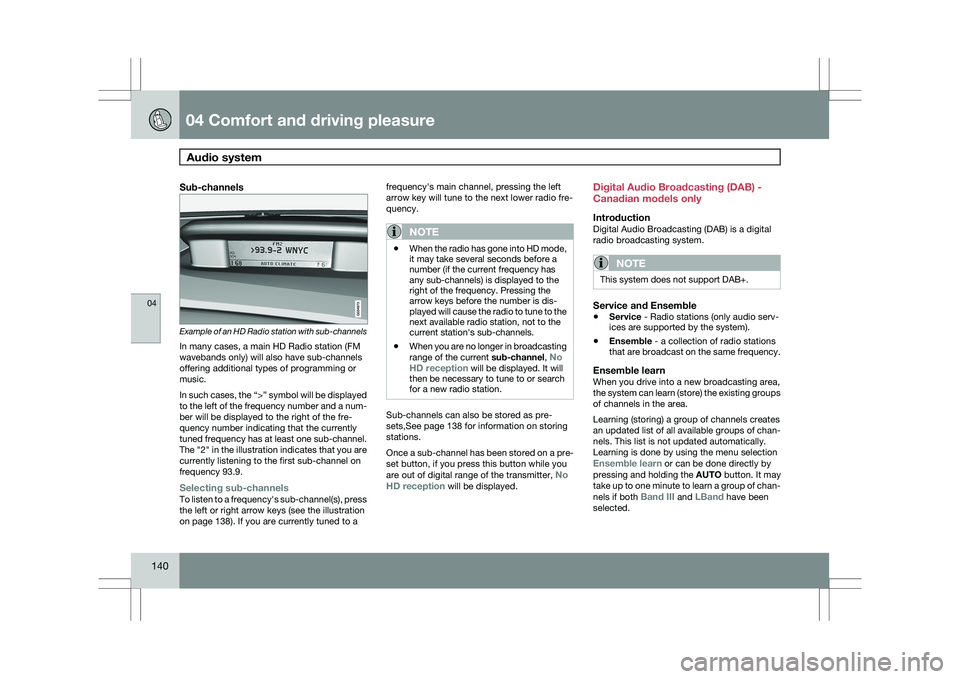
Sub-channels Example of an HD Radio station with sub-channels
In many cases, a main HD Radio station (FM
wavebands only) will also have sub-channels
offering additional types of programming or
music.
In such cases, the “>” symbol will be displayed
to the left of the frequency number and a num-
ber will be displayed to the right of the fre-
quency number indicating that the currently
tuned frequency has at least one sub-channel.
The "2" in the illustration indicates that you are
currently listening to the first sub-channel on
frequency 93.9.
Selecting sub-channelsTo listen to a frequency\fs sub-channel(s), press
the left or right arrow keys (see the illustration
on page 138). If you are currently tuned to a frequency\fs main channel, pressing the left
arrow key will tune to the next lower radio fre-
quency.
NOTE
\b
When the radio has gone into HD mode,
it may take several seconds before a
number (if the current frequency has
any sub-channels) is displayed to the
right of the frequency. Pressing the
arrow keys before the number is dis-
played will cause the radio to tune to the
next available radio station, not to the
current station\fs sub-channels.
\b When you are no longer in broadcasting
range of the current
sub-channel, No
HD reception will be displayed. It will
then be necessary to tune to or search
for a new radio station. Sub-channels can also be stored as pre-
sets,See page 138 for information on storing
stations.
Once a sub-channel has been stored on a pre-
set button, if you press this button while you
are out of digital range of the transmitter,
No
HD reception will be displayed. Digital Audio Broadcasting (DAB) -
Canadian models only
IntroductionDigital Audio Broadcasting (DAB) is a digital
radio broadcasting system.
NOTE
This system does not support DAB+.
Service and Ensemble
\b
Service - Radio stations (only audio serv-
ices are supported by the system).
\b Ensemble - a collection of radio stations
that are broadcast on the same frequency.
Ensemble learnWhen you drive into a new broadcasting area,
the system can learn (store) the existing groups
of channels in the area.
Learning (storing) a group of channels creates
an updated list of all available groups of chan-
nels. This list is not updated automatically.
Learning is done by using the menu selection
Ensemble learn or can be done directly by
pressing and holding the
AUTO button. It may
take up to one minute to learn a group of chan-
nels if both Band III and LBand have been
selected.
Page 143 of 297
04 Comfort and driving pleasure
Audio system04
}}
* Option/accessory, for more information, see Introduction. 141
Wavebands
DAB is broadcast on two wavebands
6
: Band
III and LBand
\b Band III 7
- nationwide
\b LBand – broadcasting primarily in metro-
politan areas
By selecting Band III only, learning channels
will take less time than if both Band III and
LBand are selected. It may not be possible to
find all ensembles (groups of stations). The
choice of waveband does not affect learned
(stored) ensembles.
Navigating via lists
\b Ensemble list – shows groups of channels
that the radio receiver has acquired
through the learn function.
\b Service list – shows channels regardless
which group of channels that they are in.
The list can also be filtered using the DAB
PTY function (see below).
\b Subchannel list – shows subchannels
that may be available on the selected
channel.
The lists can be accessed via the menu.
Groups of channels can also be accessed by
pressing ENTER.
ScanningSCAN automatically searches through the list
of available channels
Sirius satellite radio*
Listening to satellite radioThe Sirius satellite system consists of a number
of high elevation satellites that orbit over North
America. They are supplemented by a number
of ground repeaters that enhance radio cover-
age in urban areas.
NOTE \b
The digital signals from the Sirius satel-
lites are line-of-sight, which means that
physical obstructions such as bridges,
tunnels, etc, may temporarily interfere
with signal reception.
\b Avoid any obstructions, such as metal-
lic objects transported on roof racks or
in a ski box, or other antennas that may
impede signals from the SIRIUS satel-
lites.
Selecting Sirius radio mode1.
Press Power to switch on the audio sys-
tem (see page 136 for information on the
standard audio and radio functions).
2. Press the MODE button repeatedly until
Sirius 1 or 2 is displayed.
Activating Sirius radio1. Tune to a satellite channel that has no
audio, which means that the channel is
unsubscribed and the text "Call 888-539-
SIRIUS TO SUBSCRIBE" is displayed (see
also "Selecting a channel". This only needs
to be done once.
2. Call Sirius at 1-888-539-SIRIUS (7474).
3. When asked for the Sirius ID number press
AUTO to display this number. It is also
possible to retrieve the Sirius ID from the
menu.
4. UPDATING SUBSCRIPTION will be dis-
played while the subscription is being
updated, after which the display will return
to the normal view.
SIRIUS IDThe SIRIUS ID is required when contacting the
Sirius Call Center. It is used to activate your
account and when making any account trans- 6
All areas may not broadcast both wavebands.
7 During a transitional period, DAB may not have nationwide coverage and w\
ill only be available in metropolitan areas.
Page 144 of 297
04 Comfort and driving pleasureAudio system 04
142 actions. The SIRIUS ID is sometimes referred
to as the Electronic Serial Number (ESN).
Selecting a channel category1. Select Sirius radio mode as described
above.
2. Press ENTER.
3. Use the up/down arrow keys to scroll through the list of categories.
4. Press ENTER or the right arrow key to
select a category.
> The first channel in the selected cate-
gory will then be played.
NOTE \b
The category
ALL is default, which ena-
bles you to scroll through the entire list
of available satellite channels.
\b The channel categories are automati-
cally updated several times a year. This
takes approximately two minutes and
will interrupt normal broadcasting. A
message will be displayed while updat-
ing is in progress. Information on chan-
nel or feature updates is available at
www.sirius.com.
Selecting a channelThere are three ways of tuning in a channel: \b
Using the left and right arrow keys
\b By turning the tuning control
\b Through direct channel entry.
NOTE \b
The numbers of skipped or locked
channels will not be displayed.
\b If a channel is locked, the access code
must be entered before the channel can
be selected. See "Unlocking a channel"
on page 144.
Direct channel entryThe Sirius satellite channels are in numerical
order throughout all of the categories. To
access a channel directly:
1.
Press MENU and scroll to Direct channel
entry.
2. Use the numerical keypad to enter the channel\fs number.
3. Press ENTER. The radio will tune to this
channel, even if it belongs to a category
other than the currently selected one.
ScanningSCAN automatically searches through the list
of satellite channels. The search will only be
carried out in the selected category, see
page 138 for more detailed information.
Storing a channelA total of 20 satellite channels can be stored;
10 channels each for Sirius 1 and 2, see
page 138 for detailed information on storing
channels.
\bA long press on one of the number keys
stores the currently tuned channel on that
key.
\b A short press on a number key while the
radio is in Sirius 1or 2 mode will tune to the
preset satellite channel stored on that but-
ton, regardless of the currently selected
channel category.
Song Seek and Song Memory
The
Song Seek and Song Memory functions
provide both audio and visual notification when
Sirius is broadcasting your favorite songs.
Song Seek enables you to store the name of
the song for future advance notification when
that song is being played. The Song Memory
feature makes it possible to view all of the cur-
rent songs that are stored in memory.
Song memoryUp to ten songs can be saved in the system\fs
memory.
1. Press MENU.
2. Scroll to Add song to song mem. and
follow the instructions shown in the dis-
play.
Page 145 of 297
04 Comfort and driving pleasure
Audio system04
}}
143
If a new song is selected when the memory is
full, you will be prompted to press
ENTER to
delete the last song on the list.
NOTE The remaining songs in the list will move
down one position, and the newly added
song will be placed at the top of the list.
Song seekWhen a satellite radio channel plays one of the
songs stored in the song memory, the listener
will be alerted by a text message and an audi-
ble signal.
Press ENTER to listen to the song or
EXIT to
cancel.
To activate/deactivate the song seek function:
1. Press MENU
2. Scroll to Song seek
3. Press ENTER to activate or deactivate the
function.
NOTE When the song has ended, the radio will
remain tuned to the channel on which the
song was played.
Radio textThe text that is displayed about the song that
is currently playing can be changed. Use the
AUTO button or the menu to display the Artist,
Title, Composer, or switch radio text off.
Advanced settings
This menu function enables you to make set-
tings on certain Sirius satellite radio functions.
To access this menu:
1.
Press MENU.
2. Scroll to the Sirius menu.
3. Select Advanced Sirius settings.
WARNING Settings should be made when the vehicle
is at a standstill.
The following settings can be made in the Sir-
ius menu:
\b
The list of saved songs can be displayed
\b Channel skip settings can be made
\b Channel lock settings can be made
\b The channel access code can be displayed
or changed
\b Your Sirius ID can be displayed
Skip optionsThis function is used to remove a channel from
the list of available channels.
Skipping a channel1.
Select CHANNEL SKIP LIST and press
ENTER.
2. Select a category in the list and press ENTER.
3. Skip channels in the list presented by pressing ENTER or right arrow key.
Unskip all channelsThis permanently removes all channels from
the skip list and makes them available for
selection.
Temp. unskip all ch.This function will temporarily unskip all chan-
nels and make them available for selection. The
channels remain on the skip list and will again
be skipped the next time the ignition is
switched on.
Channel lockAccess to specific channels can be restricted
(locked). A locked channel will not provide
audio, song titles, or artist information.
NOTE All channels are initially unlocked.
Page 151 of 297
04 Comfort and driving pleasure
Bluetooth® hands-free connection04
}}
149
3.
Press ENTER.
End the call by pressing EXIT.
Disconnecting the cell phoneThe cell phone is automatically disconnected
from the audio system if it is moved out of
range. For more information about connec-
tions, see page 148.
The cell phone can be manually disconnected
from the hands-free system by pressing
PHONE. The hands-free system is also deac-
tivated when the ignition is switched off (or if
the driver’s door is opened on vehicles equip-
ped with the optional keyless drive).
When the cell phone is disconnected from the
hands-free system, a call in progress can be
continued using the cell phone’s own speaker
and microphone.
NOTE Certain cell phones may require confirma-
tion from the phone’s keypad when a call is
transferred from hands-free to the cell
phone. Handling calls
Incoming callsPress ENTER to answer a call, even if the audio
system is currently in e.g., CD or FM mode.
Press EXIT to defer a call.
Automatic answerThis function means that incoming calls will be
answered automatically. Activate or deactivate
the function in the menu system under Phone
settings Call options Automatic
answer.
Call settingsWhile a call is in progress, press MENU or
ENTER on the center console to access the
following functions:
\b Microphone off–mute the audio system’s
microphone.
\b Transfer call to mobile–transfer the call
from hands-free to the cell phone.
\b Phone book–this feature enables you to
search for a stored telephone number.
NOTE \b
On certain cell phones, the connection
is broken when the mute function is
used, which is normal. If this happens,
the hands-free system will prompt you
to reconnect.
\b A new call cannot be initiated while
another call is in progress. Sound settings
Call volumeCall volume can be adjusted when the hands-
free system is activated. Use the buttons in the
steering wheel keypad or the audio system’s
volume control.
Audio system volumeWhile a phone call is in progress, volume for
the audio system can be adjusted in the normal
way with the audio system\fs volume control. In
order to adjust volume during a phone call, the
audio system must be switched to one of the
other modes (FM, CD, etc).
Audio system sound can be automatically
muted when a phone call is received in
Phone
settings Sounds and volume Mute
radio and adjust the volume with the /
keys on the center console.
Page 251 of 297
06 Maintenance and specifications
Fuses06
}}
* Option/accessory, for more information, see Introduction. 249
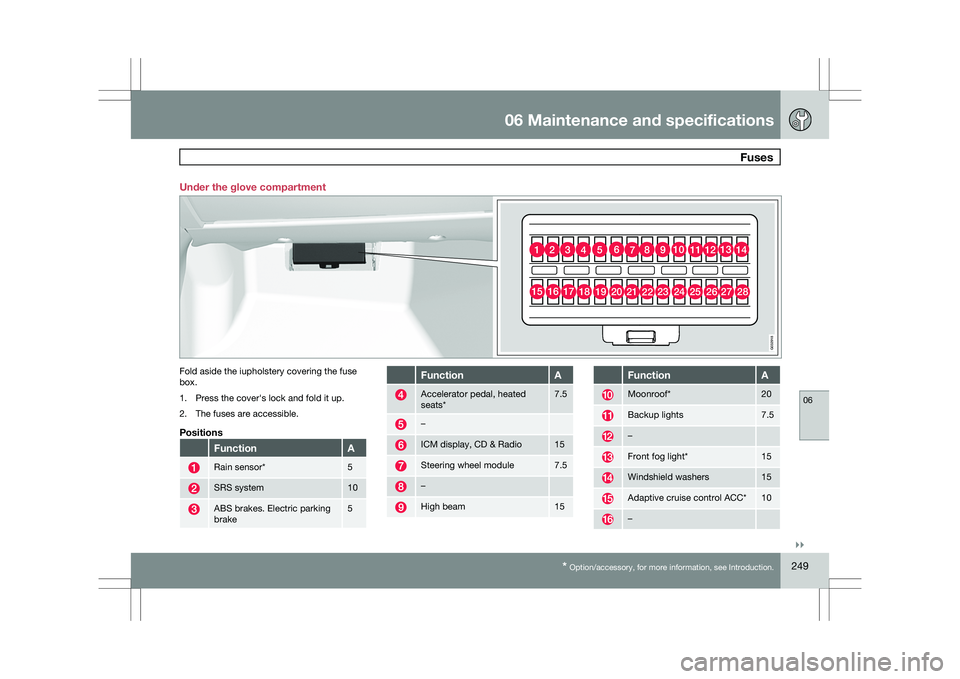
Under the glove compartment
Fold aside the iupholstery covering the fuse
box.
1. Press the cover\fs lock and fold it up.
2. The fuses are accessible.
Positions
Function A
Rain sensor* 5
SRS system 10
ABS brakes. Electric parking
brake 5 Function A
Accelerator pedal, heated
seats* 7.5
–
ICM display, CD & Radio 15
Steering wheel module 7.5
–
High beam 15 Function A
Moonroof* 20
Backup lights 7.5
–
Front fog light* 15
Windshield washers 15
Adaptive cruise control ACC* 10
– 1011121314123456789
2322212019181716152425262728
G032918
Page 254 of 297
06 Maintenance and specificationsFuses 06
252
* Option/accessory, for more information, see Introduction. Module (white). Func-
tion A
Park assist, Park assist cam-
era* 5
Control module Four C* 15
Heated driver\fs seat* 15
Heated passenger\fs seat* 15
Rear seat heater, passenger\fs
side* 15
AWD control module 10
Rear seat heater, driver\fs
side* 15
–
Power passenger\fs seat* 25
Keyless drive* 20
Electric parking brake – driv-
er\fs side* 30
- Module (blue). Func-
tion A
Navigation system display* 10
–
Subwoofer* 25
SIRIUS satellite radio* 5
Audio amplifier* 25
Audio system 15
Bluetooth Hands-free system 5
Reserve –
Page 290 of 297
07 Index07
288 1, 2, 3 ...
12-volt sockets
........................................ 199
A Accessory installation warning
.................... 8
Active chassis system .............................157
Active yaw control ................................... 155
Adaptive cruise control ....172, 173, 174, 175
Airbags disconnecting the front passenger’s
side................................................. 22, 23
front.......................................... 18, 19, 20
inflatable curtain ................................... 28
side impact........................................... 26
Air conditioning ........................................ 129
Air distribution..........................................
127
Air distribution table................................. 131
Air vents................................................... 127
All Wheel Drive ......................................... 111
Anti-freeze ....................................... 204, 230
Anti-lock brake system ............................112
warning light ......................................... 74Approach lighting................................. 52, 92
Audio system
audio functions ................................... 136
CD player/changer
...................... 144, 145
Digital Audio Broadcasting (DAB) .......140
HD digital radio ................................... 139
menu control....................................... 135
overview.............................................. 133
radio functions .................................... 138
Sirius satellite radio ............141, 143, 144
sound settings .................................... 136
steering wheel keypad ........................133
USB/iPod® connector ........................134
Auto-dim rearview mirror ...........................99
Automatic locking retractor .......................34
Automatic transmission Geartronic ................................... 109, 110
general description .....................109, 110
oil ........................................................ 285
shiftlock override ................................ 110
Axle weight .............................................. 261B Battery
changing ..................................... 242, 243
maintenance ....................................... 242
remote control, replacing .....................56
specifications ...................................... 286
warning symbols.................................
242
Black box............................................. 7, 224
Blind Spot Information System
(BLIS)....................................... 193, 194, 195
Booster cushion, integrated ......................45
Booster cushions ....................................... 41
Brake lights ................................................ 88
emergency brake lights ........................88
Brake system checking fluid level ............................. 230
emergency brake assistance ..............113
fluid..................................................... 285
general information ............................. 112
Hill Descent Control ............................114
warning light ......................................... 76
Bulbs cargo area lighting .............................. 237
footwell lighting................................... 237
headlights ................................... 232, 234
Page 292 of 297
07 Index07
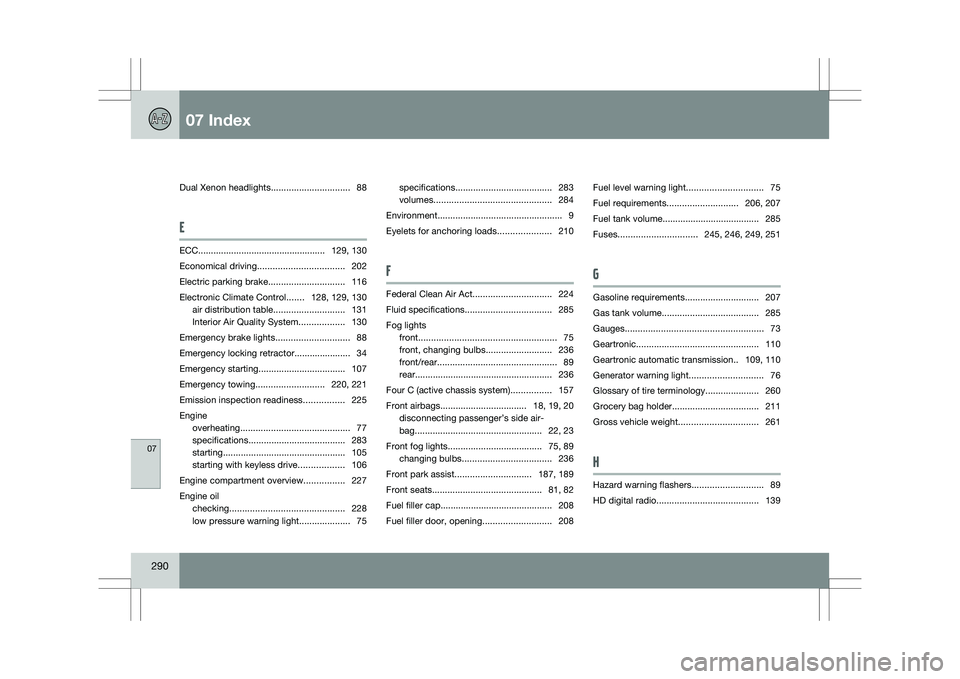
290 Dual Xenon headlights
...............................88
E ECC.................................................. 129, 130
Economical driving
.................................. 202
Electric parking brake ..............................116
Electronic Climate Control .......128, 129, 130
air distribution table ............................131
Interior Air Quality System.................. 130
Emergency brake lights .............................88
Emergency locking retractor
...................... 34
Emergency starting .................................. 107
Emergency towing ........................... 220, 221
Emission inspection readiness ................225
Engine overheating ........................................... 77
specifications ...................................... 283
starting ................................................ 105
starting with keyless drive ..................106
Engine compartment overview ................227
Engine oil checking ............................................. 228
low pressure warning light ....................75specifications
...................................... 283
volumes .............................................. 284
Environment ................................................. 9
Eyelets for anchoring loads .....................210
F Federal Clean Air Act
...............................224
Fluid specifications .................................. 285
Fog lights front...................................................... 75
front, changing bulbs ..........................236
front/rear............................................... 89
rear......................................................
236
Four C (active chassis system) ................157
Front airbags.................................. 18, 19, 20 disconnecting passenger’s side air-
bag.................................................. 22, 23
Front fog lights ..................................... 75, 89
changing bulbs ................................... 236
Front park assist.............................. 187, 189
Front seats ........................................... 81, 82
Fuel filler cap............................................ 208
Fuel filler door, opening ...........................208Fuel level warning light
..............................75
Fuel requirements ............................ 206, 207
Fuel tank volume
...................................... 285
Fuses............................... 245, 246, 249, 251
G Gasoline requirements
.............................207
Gas tank volume...................................... 285
Gauges...................................................... 73
Geartronic ................................................ 110
Geartronic automatic transmission
.. 109, 110
Generator warning light .............................76
Glossary of tire terminology .....................260
Grocery bag holder.................................. 211
Gross vehicle weight ............................... 261
H Hazard warning flashers
............................89
HD digital radio ........................................ 139
Page 295 of 297
07 Index07
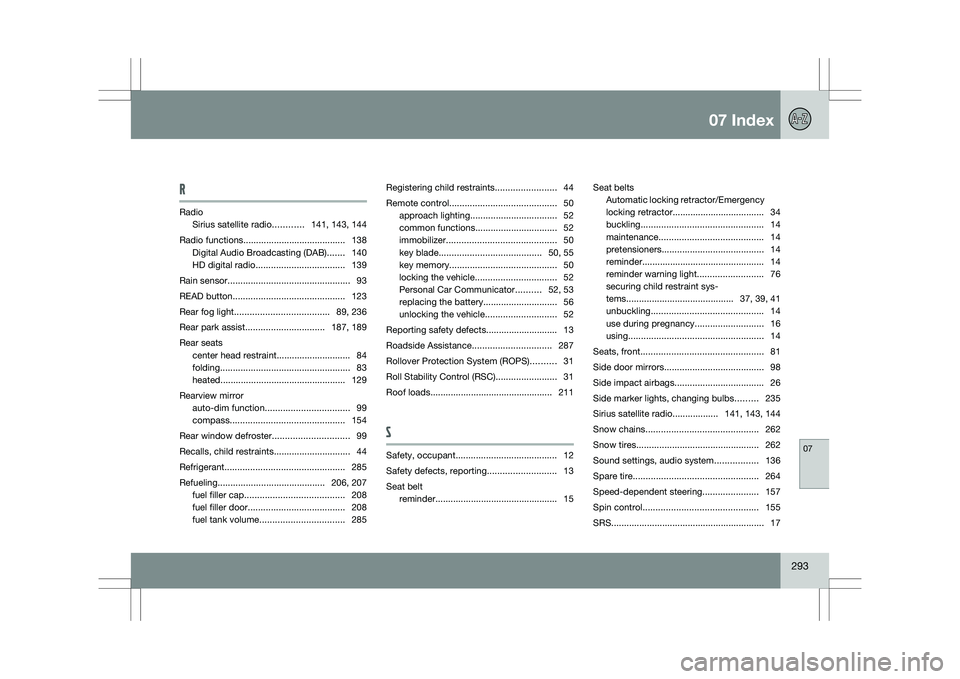
293
R
Radio
Sirius satellite radio ............141, 143, 144
Radio functions ........................................ 138
Digital Audio Broadcasting (DAB) .......140
HD digital radio ................................... 139
Rain sensor ................................................ 93
READ button............................................ 123
Rear fog light ..................................... 89, 236
Rear park assist............................... 187, 189
Rear seats center head restraint.............................
84
folding ................................................... 83
heated................................................. 129
Rearview mirror auto-dim function ................................. 99
compass............................................. 154
Rear window defroster.............................. 99
Recalls, child restraints ..............................44
Refrigerant ............................................... 285
Refueling .......................................... 206, 207
fuel filler cap....................................... 208
fuel filler door ...................................... 208
fuel tank volume ................................. 285Registering child restraints
........................44
Remote control .......................................... 50
approach lighting .................................. 52
common functions ................................ 52
immobilizer ........................................... 50
key blade........................................ 50, 55
key memory.......................................... 50
locking the vehicle ................................ 52
Personal Car Communicator ..........52, 53
replacing the battery .............................56
unlocking the vehicle ............................52
Reporting safety defects............................
13
Roadside Assistance ............................... 287
Rollover Protection System (ROPS) ..........31
Roll Stability Control (RSC) ........................31
Roof loads................................................ 211
S Safety, occupant........................................ 12
Safety defects, reporting...........................
13
Seat belt reminder................................................
15Seat belts
Automatic locking retractor/Emergency
locking retractor
.................................... 34
buckling ................................................ 14
maintenance ......................................... 14
pretensioners ........................................ 14
reminder................................................ 14
reminder warning light ..........................76
securing child restraint sys-
tems.......................................... 37, 39, 41
unbuckling ............................................ 14
use during pregnancy ...........................16
using ..................................................... 14
Seats, front................................................ 81
Side door mirrors....................................... 98
Side impact airbags................................... 26
Side marker lights, changing bulbs .........235
Sirius satellite radio.................. 141, 143, 144
Snow chains ............................................ 262
Snow tires................................................ 262
Sound settings, audio system .................136
Spare tire................................................. 264
Speed-dependent steering...................... 157
Spin control ............................................. 155
SRS............................................................ 17