display VOLVO XC60 2009 Owner´s Manual
[x] Cancel search | Manufacturer: VOLVO, Model Year: 2009, Model line: XC60, Model: VOLVO XC60 2009Pages: 297, PDF Size: 21.16 MB
Page 116 of 297
03 Your driving environmentHill Descent Control (HDC) 03
114 Introduction
Normally, when the accelerator pedal is
released while driving down hills, the vehicle\fs
speed slows as the engine runs at lower rpm
(the normal engine braking effect). However, if
the downhill gradient becomes steeper and if
the vehicle is carrying a load, speed increases
despite the engine braking effect. In this situa-
tion, the brakes must be applied to reduce the
vehicle\fs speed.
HDC is a type of automatic engine brake and
makes it possible to increase or decrease the
vehicle\fs speed on downhill gradients using
only the accelerator pedal, without applying
the brakes. The brake system functions auto-
matically to maintain a low and steady speed.
HDC is particularly useful when driving down
steep hills with rough surfaces, and where the
road may have slippery patches.
WARNING
HDC does not function in all situations, and
is a supplementary braking aid. The driver
has full responsibility for driving in a safe
manner. Function
\b
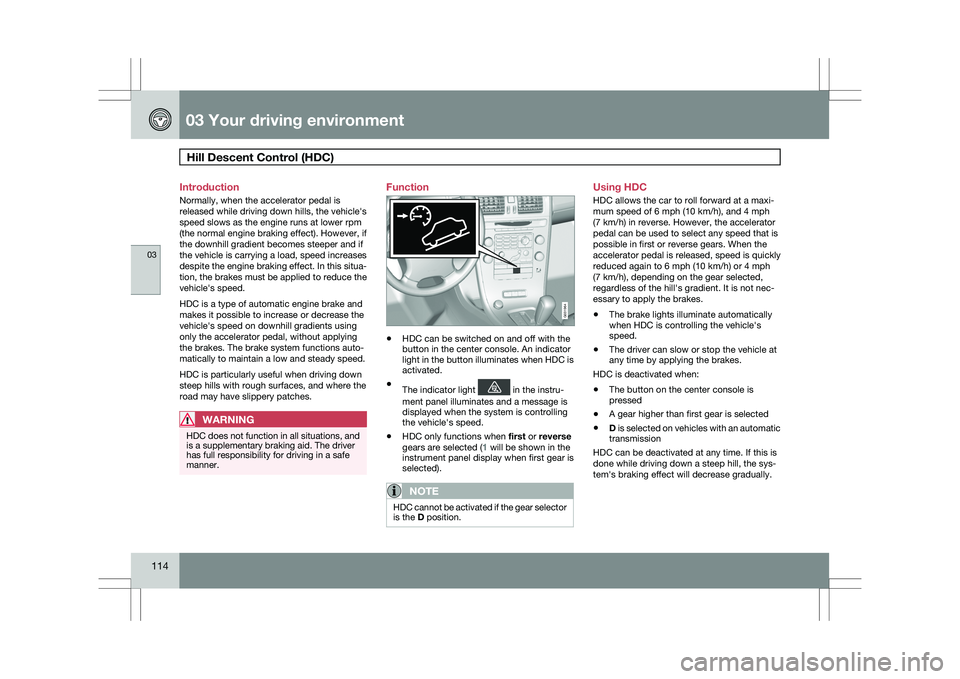
HDC can be switched on and off with the
button in the center console. An indicator
light in the button illuminates when HDC is
activated.
\b The indicator light in the instru-
ment panel illuminates and a message is
displayed when the system is controlling
the vehicle\fs speed.
\b HDC only functions when
first or reverse
gears are selected (1 will be shown in the
instrument panel display when first gear is
selected).
NOTE HDC cannot be activated if the gear selector
is the D position. Using HDC
HDC allows the car to roll forward at a maxi-
mum speed of 6 mph (10 km/h), and 4 mph
(7 km/h) in reverse. However, the accelerator
pedal can be used to select any speed that is
possible in first or reverse gears. When the
accelerator pedal is released, speed is quickly
reduced again to 6 mph (10 km/h) or 4 mph
(7 km/h), depending on the gear selected,
regardless of the hill\fs gradient. It is not nec-
essary to apply the brakes.
\b
The brake lights illuminate automatically
when HDC is controlling the vehicle\fs
speed.
\b The driver can slow or stop the vehicle at
any time by applying the brakes.
HDC is deactivated when:
\b The button on the center console is
pressed
\b A gear higher than first gear is selected
\b D is selected on vehicles with an automatic
transmission
HDC can be deactivated at any time. If this is
done while driving down a steep hill, the sys-
tem\fs braking effect will decrease gradually. G031964
Page 119 of 297
03 Your driving environment
Parking brake03
}}
* Option/accessory, for more information, see Introduction. 117
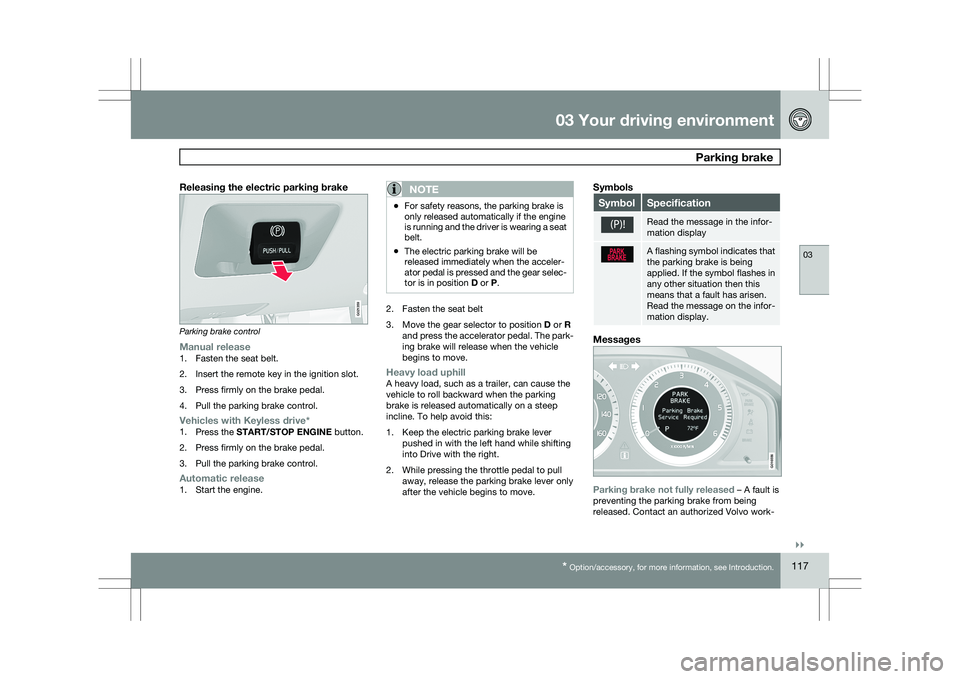
Releasing the electric parking brakeParking brake control
Manual release1. Fasten the seat belt.
2. Insert the remote key in the ignition slot.
3. Press firmly on the brake pedal.
4. Pull the parking brake control.
Vehicles with Keyless drive*1.
Press the START/STOP ENGINE button.
2. Press firmly on the brake pedal.
3. Pull the parking brake control.
Automatic release1. Start the engine.
NOTE \b
For safety reasons, the parking brake is
only released automatically if the engine
is running and the driver is wearing a seat
belt.
\b The electric parking brake will be
released immediately when the acceler-
ator pedal is pressed and the gear selec-
tor is in position
D or P. 2. Fasten the seat belt
3.
Move the gear selector to position D or R
and press the accelerator pedal. The park-
ing brake will release when the vehicle
begins to move.
Heavy load uphillA heavy load, such as a trailer, can cause the
vehicle to roll backward when the parking
brake is released automatically on a steep
incline. To help avoid this:
1. Keep the electric parking brake lever pushed in with the left hand while shifting
into Drive with the right.
2. While pressing the throttle pedal to pull away, release the parking brake lever only
after the vehicle begins to move.
Symbols Symbol Specification
Read the message in the infor-
mation display
A flashing symbol indicates that
the parking brake is being
applied. If the symbol flashes in
any other situation then this
means that a fault has arisen.
Read the message on the infor-
mation display.
Messages
Parking brake not fully released – A fault is
preventing the parking brake from being
released. Contact an authorized Volvo work- G021359 G016556
Page 124 of 297
04 Comfort and driving pleasureMenus and messages 04
122
* Option/accessory, for more information, see Introduction.
Center console
Certain functions are controlled from the cen-
ter console via the menu system or from the
optional keypad in the steering wheel. Each
function is described under its respective sec-
tion.
The current menu level is shown at the top right
of display in the center console.
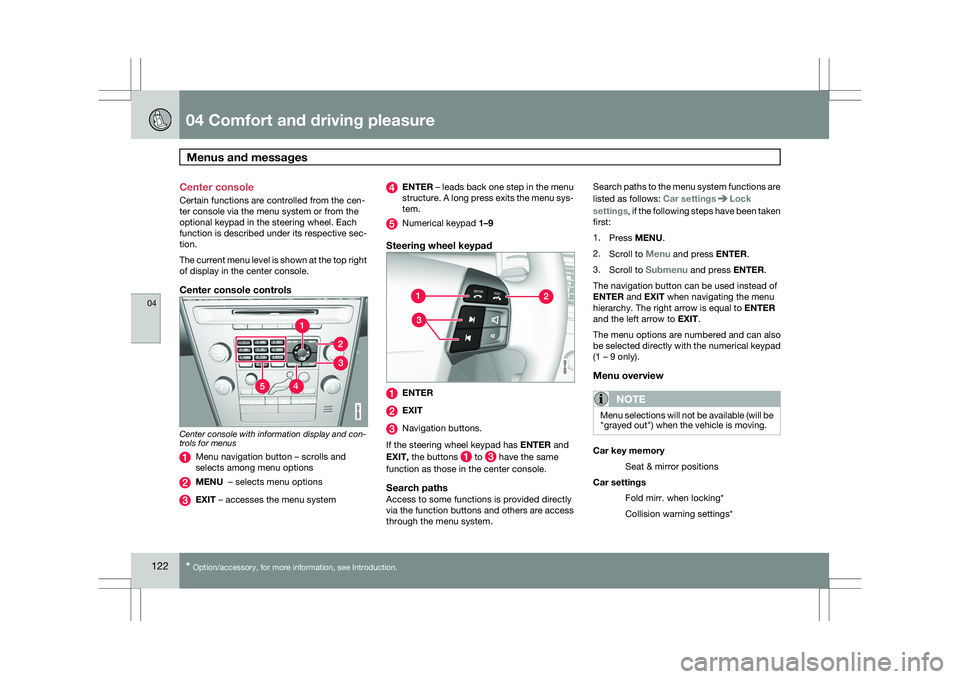
Center console controls
Center console with information display and con-
trols for menus
Menu navigation button – scrolls and
selects among menu options
MENU – selects menu options
EXIT – accesses the menu system ENTER – leads back one step in the menu
structure. A long press exits the menu sys-
tem.
Numerical keypad 1–9
Steering wheel keypad
ENTER
EXIT
Navigation buttons.
If the steering wheel keypad has ENTER and
EXIT, the buttons to have the same
function as those in the center console.
Search pathsAccess to some functions is provided directly
via the function buttons and others are access
through the menu system. Search paths to the menu system functions are
listed as follows: Car settings Lock
settings, if the following steps have been taken
first:
1. Press MENU.
2. Scroll to Menu and press ENTER.
3. Scroll to Submenu and press ENTER.
The navigation button can be used instead of
ENTER and EXIT when navigating the menu
hierarchy. The right arrow is equal to ENTER
and the left arrow to EXIT.
The menu options are numbered and can also
be selected directly with the numerical keypad
(1 – 9 only).
Menu overview
NOTE Menu selections will not be available (will be
"grayed out") when the vehicle is moving.
Car key memory
Seat & mirror positions
Car settings Fold mirr. when locking*
Collision warning settings*
Page 125 of 297
04 Comfort and driving pleasure
Menus and messages04
}}
* Option/accessory, for more information, see Introduction. 123
City Safety
Light settings
Lock settings
Reduced guard
1
Parking camera settings*
Steering force level*
Information
Climate settings Automatic blower adjust
Recirculation timer
Auto. rear defroster
Reset climate settings
Main menu AM
Audio settings 2
Sound stage
Equalizer, front
Equalizer, rear
Auto. volume control
Resets all audio settings.
Main menu FMFM settings Radio text
Advanced radio settings
Audio settings
Main menu CDRandom Off
Folder
Disc
Single disc
All discs
CD settings Disc text*
Audio settings
Main menu AUXVolume, AUX input
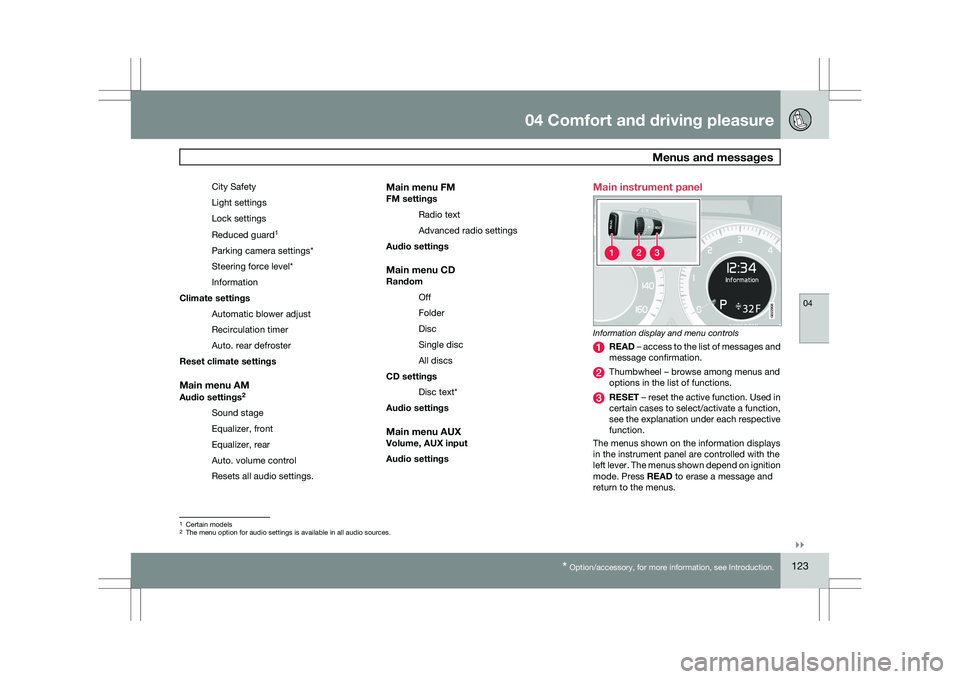
Audio settings Main instrument panel
Information display and menu controls
READ – access to the list of messages and
message confirmation.
Thumbwheel – browse among menus and
options in the list of functions.
RESET – reset the active function. Used in
certain cases to select/activate a function,
see the explanation under each respective
function.
The menus shown on the information displays
in the instrument panel are controlled with the
left lever. The menus shown depend on ignition
mode. Press READ to erase a message and
return to the menus. 1
Certain models
2 The menu option for audio settings is available in all audio sources. G022908
Page 126 of 297
04 Comfort and driving pleasureMenus and messages 04
124
Menu overviewDriving distance on current fuel reserve
Average
Instantaneous:
Average speed
Current speed in mph (Canadian models
only)
DSTC
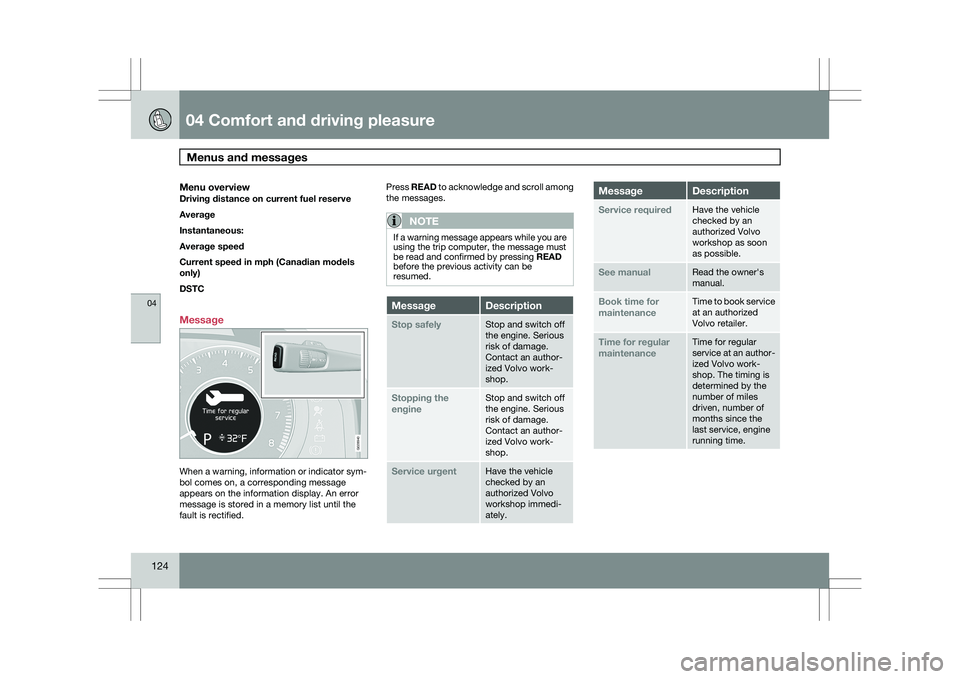
Message When a warning, information or indicator sym-
bol comes on, a corresponding message
appears on the information display. An error
message is stored in a memory list until the
fault is rectified. Press READ to acknowledge and scroll among
the messages.
NOTE If a warning message appears while you are
using the trip computer, the message must
be read and confirmed by pressing READ
before the previous activity can be
resumed.
Message Description
Stop safely Stop and switch off
the engine. Serious
risk of damage.
Contact an author-
ized Volvo work-
shop.
Stopping the
engine Stop and switch off
the engine. Serious
risk of damage.
Contact an author-
ized Volvo work-
shop.
Service urgent Have the vehicle
checked by an
authorized Volvo
workshop immedi-
ately. Message Description
Service required Have the vehicle
checked by an
authorized Volvo
workshop as soon
as possible.
See manual Read the owner\fs
manual.
Book time for
maintenance Time to book service
at an authorized
Volvo retailer.
Time for regular
maintenance Time for regular
service at an author-
ized Volvo work-
shop. The timing is
determined by the
number of miles
driven, number of
months since the
last service, engine
running time. G028940
Page 131 of 297
04 Comfort and driving pleasure
Climate system04
}}
* Option/accessory, for more information, see Introduction. 129
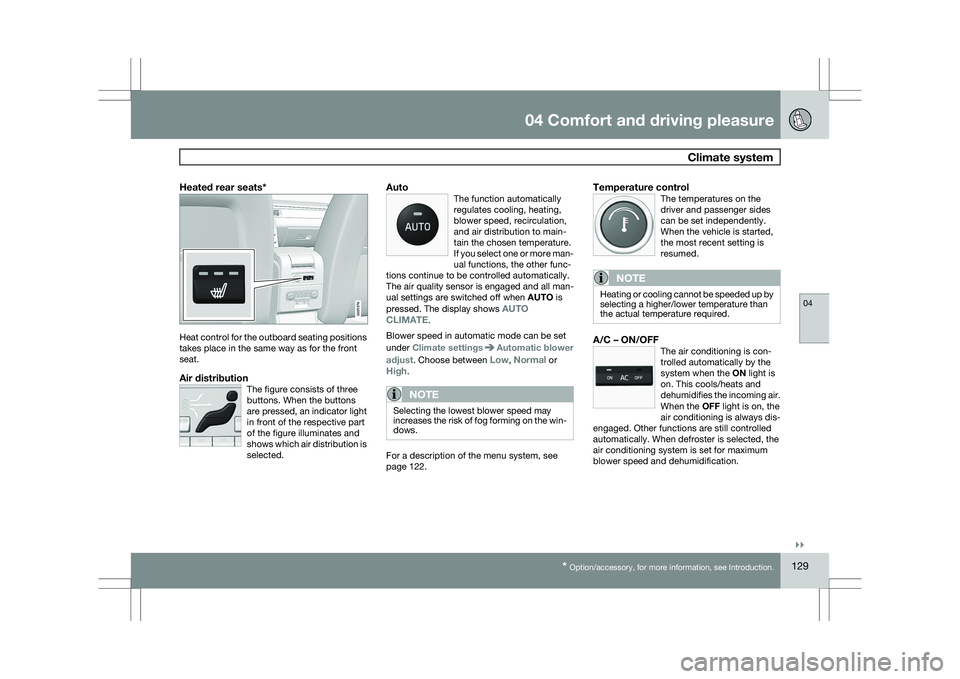
Heated rear seats*Heat control for the outboard seating positions
takes place in the same way as for the front
seat.
Air distributionThe figure consists of three
buttons. When the buttons
are pressed, an indicator light
in front of the respective part
of the figure illuminates and
shows which air distribution is
selected.
AutoThe function automatically
regulates cooling, heating,
blower speed, recirculation,
and air distribution to main-
tain the chosen temperature.
If you select one or more man-
ual functions, the other func-
tions continue to be controlled automatically.
The air quality sensor is engaged and all man-
ual settings are switched off when AUTO is
pressed. The display shows AUTO
CLIMATE.
Blower speed in automatic mode can be set
under Climate settings Automatic blower
adjust. Choose between Low, Normal or
High.
NOTE Selecting the lowest blower speed may
increases the risk of fog forming on the win-
dows.
For a description of the menu system, see
page 122.
Temperature controlThe temperatures on the
driver and passenger sides
can be set independently.
When the vehicle is started,
the most recent setting is
resumed.
NOTE Heating or cooling cannot be speeded up by
selecting a higher/lower temperature than
the actual temperature required.
A/C – ON/OFFThe air conditioning is con-
trolled automatically by the
system when the ON light is
on. This cools/heats and
dehumidifies the incoming air.
When the OFF light is on, the
air conditioning is always dis-
engaged. Other functions are still controlled
automatically. When defroster is selected, the
air conditioning system is set for maximum
blower speed and dehumidification. G021376
Page 135 of 297
04 Comfort and driving pleasure
Audio system04
}}
* Option/accessory, for more information, see Introduction. 133
Introduction
The audio system is available in two versions:
High Performance and Premium Sound. The
system version is shown in the display when
the audio system is switched on.
If the audio system is on when the ignition is
switched off, it will come on automatically the
next time the ignition is put in mode
I or higher.
The audio system can be operated without a
key in the ignition slot for 15 minutes at a time
by pressing the POWER button (the driver\fs
door must be closed on vehicles with the
optional keyless drive).
Some functions are controlled from the menu
system in the center console. For more infor-
mation on menus, see page 122.
Dolby Surround Pro Logic II and the sym-
bol are trademarks of Dolby Laboratories
Licensing Corporation. The Dolby Surround
Pro Logic II System is manufactured under
license from Dolby Laboratories Licensing Cor-
poration.
Remote key and ignition modesThe audio system can be used for 15 minutes
at a time if the remote key is not inserted in the
ignition slot.
NOTE To prevent unnecessary drain on the vehi-
cle\fs battery, remove the remote key from
the ignition slot if the audio system is used
when the engine is not running.
If the audio system is playing when the engine
is switched off, it will be on when the engine is
restarted.
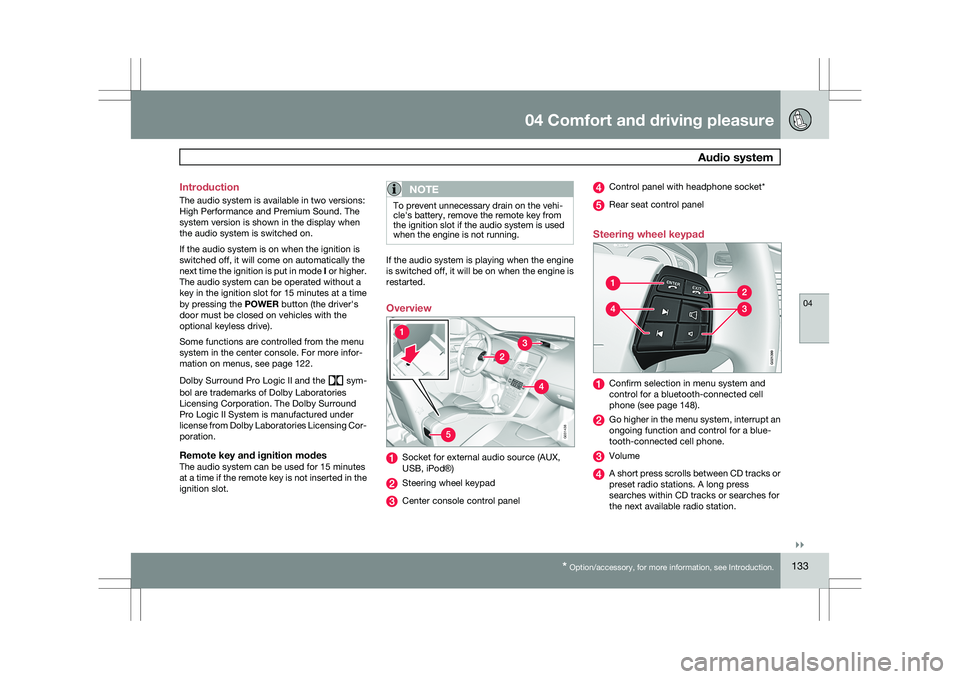
Overview
Socket for external audio source (AUX,
USB, iPod®)
Steering wheel keypad
Center console control panel Control panel with headphone socket*
Rear seat control panel
Steering wheel keypad Confirm selection in menu system and
control for a bluetooth-connected cell
phone (see page 148).
Go higher in the menu system, interrupt an
ongoing function and control for a blue-
tooth-connected cell phone.
Volume
A short press scrolls between CD tracks or
preset radio stations. A long press
searches within CD tracks or searches for
the next available radio station. 5G031438 G02139
9
Page 136 of 297
04 Comfort and driving pleasureAudio system 04
134 Please note that these functions are also avail-
able through the audio system controls on cen-
ter console.
USB/iPod connector
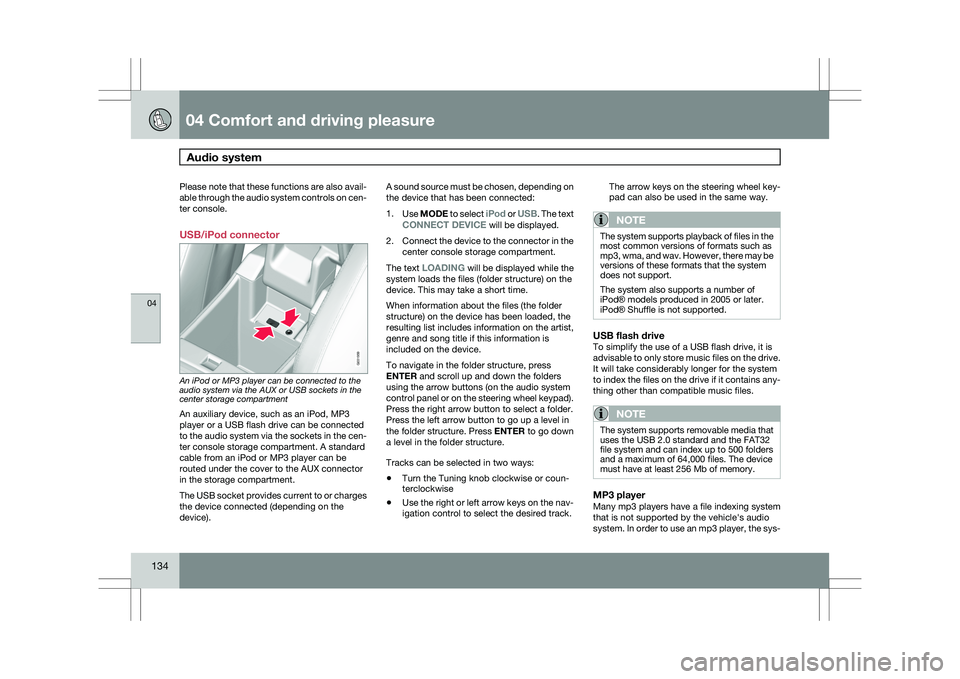
An iPod or MP3 player can be connected to the
audio system via the AUX or USB sockets in the
center storage compartment
An auxiliary device, such as an iPod, MP3
player or a USB flash drive can be connected
to the audio system via the sockets in the cen-
ter console storage compartment. A standard
cable from an iPod or MP3 player can be
routed under the cover to the AUX connector
in the storage compartment.
The USB socket provides current to or charges
the device connected (depending on the
device). A sound source must be chosen, depending on
the device that has been connected:
1.
Use MODE to select iPod or USB. The text
CONNECT DEVICE will be displayed.
2. Connect the device to the connector in the
center console storage compartment.
The text LOADING will be displayed while the
system loads the files (folder structure) on the
device. This may take a short time.
When information about the files (the folder
structure) on the device has been loaded, the
resulting list includes information on the artist,
genre and song title if this information is
included on the device.
To navigate in the folder structure, press
ENTER and scroll up and down the folders
using the arrow buttons (on the audio system
control panel or on the steering wheel keypad).
Press the right arrow button to select a folder.
Press the left arrow button to go up a level in
the folder structure. Press ENTER to go down
a level in the folder structure.
Tracks can be selected in two ways:
\b Turn the Tuning knob clockwise or coun-
terclockwise
\b Use the right or left arrow keys on the nav-
igation control to select the desired track. The arrow keys on the steering wheel key-
pad can also be used in the same way.
NOTE The system supports playback of files in the
most common versions of formats such as
mp3, wma, and wav. However, there may be
versions of these formats that the system
does not support.
The system also supports a number of
iPod® models produced in 2005 or later.
iPod® Shuffle is not supported.
USB flash driveTo simplify the use of a USB flash drive, it is
advisable to only store music files on the drive.
It will take considerably longer for the system
to index the files on the drive if it contains any-
thing other than compatible music files.
NOTE
The system supports removable media that
uses the USB 2.0 standard and the FAT32
file system and can index up to 500 folders
and a maximum of 64,000 files. The device
must have at least 256 Mb of memory.
MP3 playerMany mp3 players have a file indexing system
that is not supported by the vehicle\fs audio
system. In order to use an mp3 player, the sys- G031959
Page 140 of 297
04 Comfort and driving pleasureAudio system 04
138 intended to enable the user to adapt sound
reproduction to his/her personal tastes.
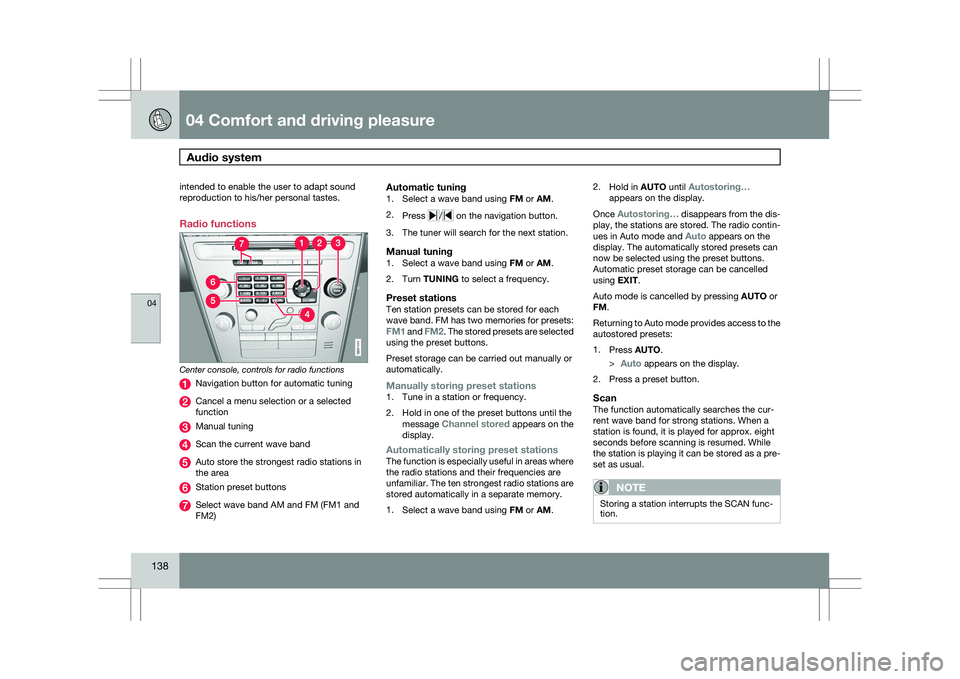
Radio functions
Center console, controls for radio functions
Navigation button for automatic tuning
Cancel a menu selection or a selected
function
Manual tuning
Scan the current wave band
Auto store the strongest radio stations in
the area
Station preset buttons
Select wave band AM and FM (FM1 and
FM2)
Automatic tuning1.
Select a wave band using FM or AM.
2. Press / on the navigation button.
3. The tuner will search for the next station.
Manual tuning1. Select a wave band using FM or AM.
2. Turn TUNING to select a frequency.
Preset stationsTen station presets can be stored for each
wave band. FM has two memories for presets:
FM1 and FM2. The stored presets are selected
using the preset buttons.
Preset storage can be carried out manually or
automatically.
Manually storing preset stations1. Tune in a station or frequency.
2. Hold in one of the preset buttons until the
message Channel stored appears on the
display.
Automatically storing preset stationsThe function is especially useful in areas where
the radio stations and their frequencies are
unfamiliar. The ten strongest radio stations are
stored automatically in a separate memory.
1.Select a wave band using FM or AM. 2.
Hold in AUTO until Autostoring…
appears on the display.
Once Autostoring… disappears from the dis-
play, the stations are stored. The radio contin-
ues in Auto mode and Auto appears on the
display. The automatically stored presets can
now be selected using the preset buttons.
Automatic preset storage can be cancelled
using EXIT.
Auto mode is cancelled by pressing AUTO or
FM.
Returning to Auto mode provides access to the
autostored presets:
1. Press AUTO.
>
Auto appears on the display.
2. Press a preset button.
ScanThe function automatically searches the cur-
rent wave band for strong stations. When a
station is found, it is played for approx. eight
seconds before scanning is resumed. While
the station is playing it can be stored as a pre-
set as usual.
NOTE Storing a station interrupts the SCAN func-
tion. G031441
Page 141 of 297
04 Comfort and driving pleasure
Audio system04
}}
139
1.
Select a wave band using AM or FM.
2. Press SCAN.
>
SCAN appears on the display. Close
using SCAN or EXIT.
Radio textSome stations transmit information on pro-
gram content, artists, etc. This information can
be shown on the display.
Activate/deactivate in FM mode under Radio
text. HD Radio™reception (U.S.
models only) 5
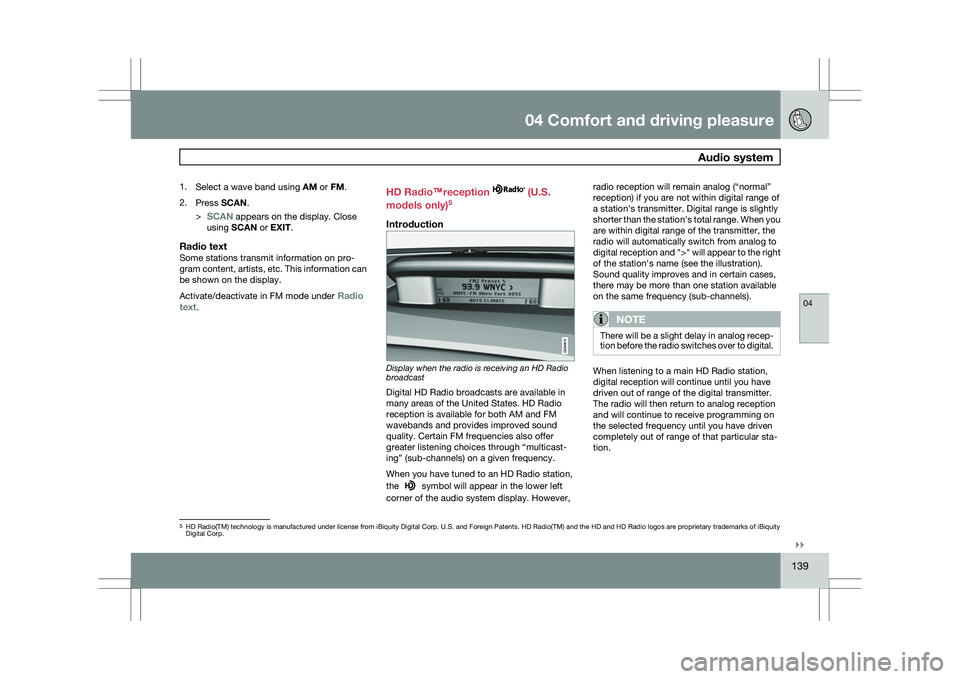
Introduction Display when the radio is receiving an HD Radio
broadcast
Digital HD Radio broadcasts are available in
many areas of the United States. HD Radio
reception is available for both AM and FM
wavebands and provides improved sound
quality. Certain FM frequencies also offer
greater listening choices through “multicast-
ing” (sub-channels) on a given frequency.
When you have tuned to an HD Radio station,
the
symbol will appear in the lower left
corner of the audio system display. However, radio reception will remain analog (“normal”
reception) if you are not within digital range of
a station\fs transmitter. Digital range is slightly
shorter than the station\fs total range. When you
are within digital range of the transmitter, the
radio will automatically switch from analog to
digital reception and ">" will appear to the right
of the station\fs name (see the illustration).
Sound quality improves and in certain cases,
there may be more than one station available
on the same frequency (sub-channels).
NOTE
There will be a slight delay in analog recep-
tion before the radio switches over to digital.
When listening to a main HD Radio station,
digital reception will continue until you have
driven out of range of the digital transmitter.
The radio will then return to analog reception
and will continue to receive programming on
the selected frequency until you have driven
completely out of range of that particular sta-
tion.
5
HD Radio(TM) technology is manufactured under license from iBiquity Di\
gital Corp. U.S. and Foreign Patents. HD Radio(TM) and the HD and HD R\
adio logos are proprietary trademarks of iBiquity
Digital Corp.