reset VOLVO XC60 2009 Owner´s Manual
[x] Cancel search | Manufacturer: VOLVO, Model Year: 2009, Model line: XC60, Model: VOLVO XC60 2009Pages: 297, PDF Size: 21.16 MB
Page 10 of 297
IntroductionImportant warnings 8 Driver distraction
A driver has a responsibility to do everything
possible to ensure his or her own safety and
the safety of passengers in the vehicle and oth-
ers sharing the roadway. Avoiding distractions
is part of that responsibility.
Driver distraction results from driver activities
that are not directly related to controlling the
vehicle in the driving environment. Your new
Volvo is, or can be, equipped with many fea-
ture-rich entertainment and communication
systems. These include hands-free cellular tel-
ephones, navigation systems, and multipur-
pose audio systems. You may also own other
portable electronic devices for your own con-
venience. When used properly and safely, they
enrich the driving experience. Improperly used,
any of these could cause a distraction.
For all of these systems, we want to provide the
following warning that reflects the strong Volvo
concern for your safety. Never use these devi-
ces or any feature of your vehicle in a way that
distracts you from the task of driving safely.
Distraction can lead to a serious accident. In
addition to this general warning, we offer the
following guidance regarding specific newer
features that may be found in your vehicle
\b
Never use a hand-held cellular telephone
while driving. Some jurisdictions prohibit cellular telephone use by a driver while the
vehicle is moving.
\b If your vehicle is equipped with a naviga-
tion system, set and make changes to your
travel itinerary only with the vehicle parked.
\b Never program your audio system while
the vehicle is moving. Program radio pre-
sets with the vehicle parked, and use your
programmed presets to make radio use
quicker and simpler.
\b Never use portable computers or personal
digital assistants while the vehicle is mov-
ing.
Accessory installation
\b We strongly recommend that Volvo owners
install only genuine, Volvo-approved
accessories, and that accessory installa-
tions be performed only by a trained and
qualified Volvo service technician.
\b Genuine Volvo accessories are tested to
ensure compatibility with the performance,
safety, and emission systems in your vehi-
cle. Additionally, a trained and qualified
Volvo service technician knows where
accessories may and may not be safely
installed in your Volvo. In all cases, please
consult a trained and qualified Volvo serv-
ice technician before installing any acces-
sory in or on your vehicle. \b
Accessories that have not been approved
by Volvo may or may not be specifically
tested for compatibility with your vehicle.
Additionally, an inexperienced installer
may not be familiar with some of your car\fs
systems.
\b Any of your car\fs performance and safety
systems could be adversely affected if you
install accessories that Volvo has not tes-
ted, or if you allow accessories to be instal-
led by someone unfamiliar with your vehi-
cle.
\b Damage caused by unapproved or
improperly installed accessories may not
be covered by your new vehicle warranty.
See your Warranty and Service Records
Information booklet for more warranty
information. Volvo assumes no responsi-
bility for death, injury, or expenses that
may result from the installation of non-gen-
uine accessories.
Page 34 of 297
01 SafetyCrash mode 01
32
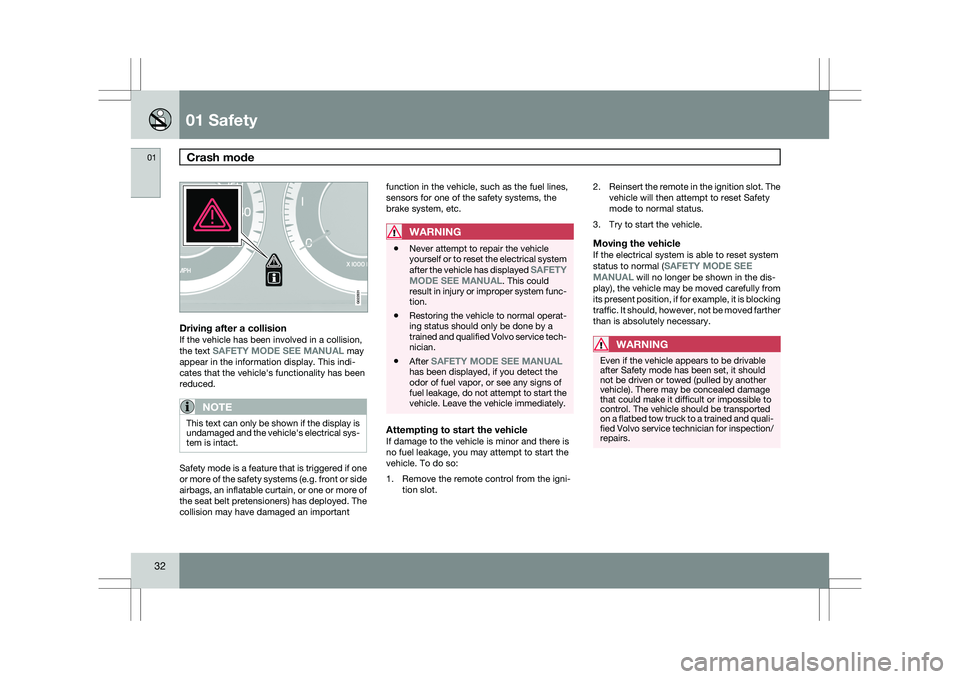
Driving after a collisionIf the vehicle has been involved in a collision,
the text SAFETY MODE SEE MANUAL may
appear in the information display. This indi-
cates that the vehicle\fs functionality has been
reduced.
NOTE This text can only be shown if the display is
undamaged and the vehicle\fs electrical sys-
tem is intact.
Safety mode is a feature that is triggered if one
or more of the safety systems (e.g. front or side
airbags, an inflatable curtain, or one or more of
the seat belt pretensioners) has deployed. The
collision may have damaged an important function in the vehicle, such as the fuel lines,
sensors for one of the safety systems, the
brake system, etc.
WARNING \b
Never attempt to repair the vehicle
yourself or to reset the electrical system
after the vehicle has displayed SAFETY
MODE SEE MANUAL. This could
result in injury or improper system func-
tion.
\b Restoring the vehicle to normal operat-
ing status should only be done by a
trained and qualified Volvo service tech-
nician.
\b After SAFETY MODE SEE MANUAL
has been displayed, if you detect the
odor of fuel vapor, or see any signs of
fuel leakage, do not attempt to start the
vehicle. Leave the vehicle immediately.
Attempting to start the vehicleIf damage to the vehicle is minor and there is
no fuel leakage, you may attempt to start the
vehicle. To do so:
1. Remove the remote control from the igni-
tion slot. 2.
Reinsert the remote in the ignition slot. The
vehicle will then attempt to reset Safety
mode to normal status.
3. Try to start the vehicle.
Moving the vehicleIf the electrical system is able to reset system
status to normal (SAFETY MODE SEE
MANUAL will no longer be shown in the dis-
play), the vehicle may be moved carefully from
its present position, if for example, it is blocking
traffic. It should, however, not be moved farther
than is absolutely necessary.
WARNING Even if the vehicle appears to be drivable
after Safety mode has been set, it should
not be driven or towed (pulled by another
vehicle). There may be concealed damage
that could make it difficult or impossible to
control. The vehicle should be transported
on a flatbed tow truck to a trained and quali-
fied Volvo service technician for inspection/
repairs. G022831
Page 69 of 297
02 Locks and alarm
Alarm02
}}
67
Turning off (stopping) the alarm
If the alarm is sounding, it can be stopped by
pressing the Unlock button on the remote con-
trol or by inserting the remote key in the ignition
slot.
Other alarm-related functions
Automatic re-armingIf the doors are unlocked, the locks will auto-
matically reengage (re-lock) and the alarm will
re-arm after 2 minutes unless a door or the tail-
gate has been opened.
Audible/visual alarm signal
\b
An audible alarm signal is given by a bat-
tery powered siren. The alarm cycle lasts
for 30 seconds.
\b The visual alarm signal is given by flashing
all turn signals for approximately 5 minutes
or until the alarm is turned off.
Remote key not functioningIf the remote key is not functioning properly,
the alarm can be turned off and the vehicle can
be started as follows:
1. Open the driver\fs door with the key blade.
This will trigger the alarm.
2. Insert the remote key into the ignition slot. This will turn off the alarm. Reduced alarm function
Turning off the accessory alarm sensors
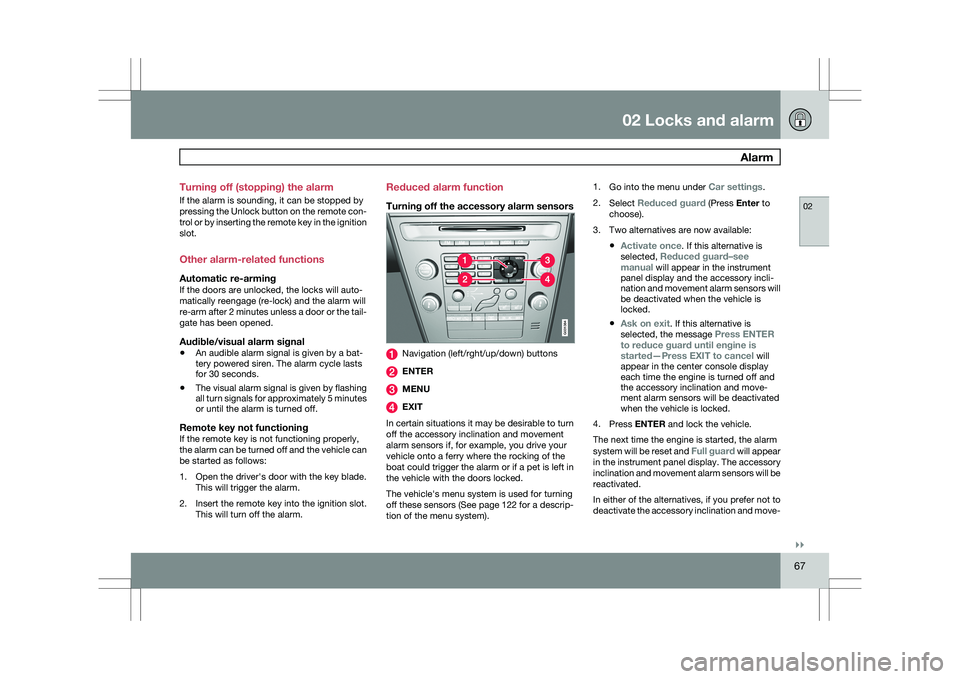
Navigation (left/rght/up/down) buttons
ENTER
MENU
EXIT
In certain situations it may be desirable to turn
off the accessory inclination and movement
alarm sensors if, for example, you drive your
vehicle onto a ferry where the rocking of the
boat could trigger the alarm or if a pet is left in
the vehicle with the doors locked.
The vehicle\fs menu system is used for turning
off these sensors (See page 122 for a descrip-
tion of the menu system). 1.
Go into the menu under Car settings.
2. Select Reduced guard (Press Enter to
choose).
3. Two alternatives are now available:
\bActivate once. If this alternative is
selected, Reduced guard–see
manual will appear in the instrument
panel display and the accessory incli-
nation and movement alarm sensors will
be deactivated when the vehicle is
locked.
\b Ask on exit. If this alternative is
selected, the message Press ENTER
to reduce guard until engine is
started—Press EXIT to cancel will
appear in the center console display
each time the engine is turned off and
the accessory inclination and move-
ment alarm sensors will be deactivated
when the vehicle is locked.
4. Press ENTER and lock the vehicle.
The next time the engine is started, the alarm
system will be reset and Full guard will appear
in the instrument panel display. The accessory
inclination and movement alarm sensors will be
reactivated.
In either of the alternatives, if you prefer not to
deactivate the accessory inclination and move- G031384
Page 80 of 297
03 Your driving environmentInstruments and controls 03
78 ance with the message in the display. Clear
the message using
READ.
Reminder – doors not closedIf one of the doors, the hood or tailgate is not
closed properly, the information or warning
symbol comes on together with an explanatory
text message in the instrument panel. Stop the
vehicle in a safe place as soon as possible and
close the door, hood or tailgate.
If the vehicle is driven at a speed
lower than approximately 5 mph
(7 km/h), the information symbol comes on. If the vehicle is driven at a speed
higher than approximately 5 mph
(7 km/h), the warning symbol comes on. Trip odometers
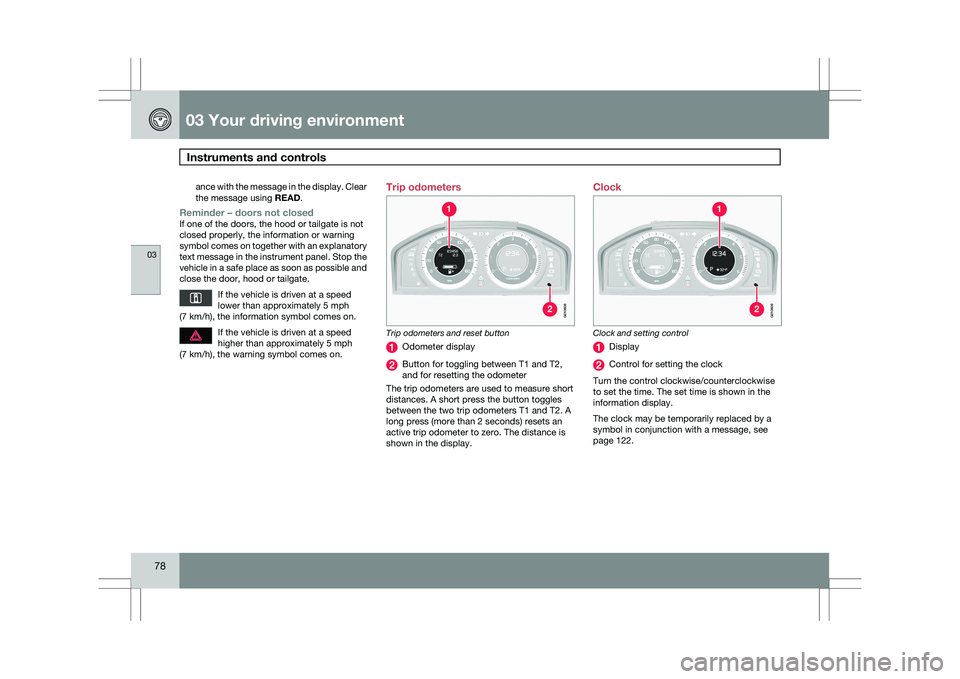
Trip odometers and reset button
Odometer display
Button for toggling between T1 and T2,
and for resetting the odometer
The trip odometers are used to measure short
distances. A short press the button toggles
between the two trip odometers T1 and T2. A
long press (more than 2 seconds) resets an
active trip odometer to zero. The distance is
shown in the display. Clock
Clock and setting control
Display
Control for setting the clock
Turn the control clockwise/counterclockwise
to set the time. The set time is shown in the
information display.
The clock may be temporarily replaced by a
symbol in conjunction with a message, see
page 122. G010608 G01060
9
Page 84 of 297
03 Your driving environmentSeats 03
82
* Option/accessory, for more information, see Introduction.
OperationThe seats can be adjusted for a short period
after unlocking the door with the remote con-
trol without the key in the ignition slot. Seat
adjustment is normally made when the ignition
is on and can always be made when the engine
is running.
NOTE \b
Only one of the power seat\fs controls
can be used at the same time.
\b The power seats have an overload pro-
tector that activates if a seat is blocked
by any object. If this occurs, switch off
the ignition (key in position
0) and wait
for a short period before operating the
seat again.
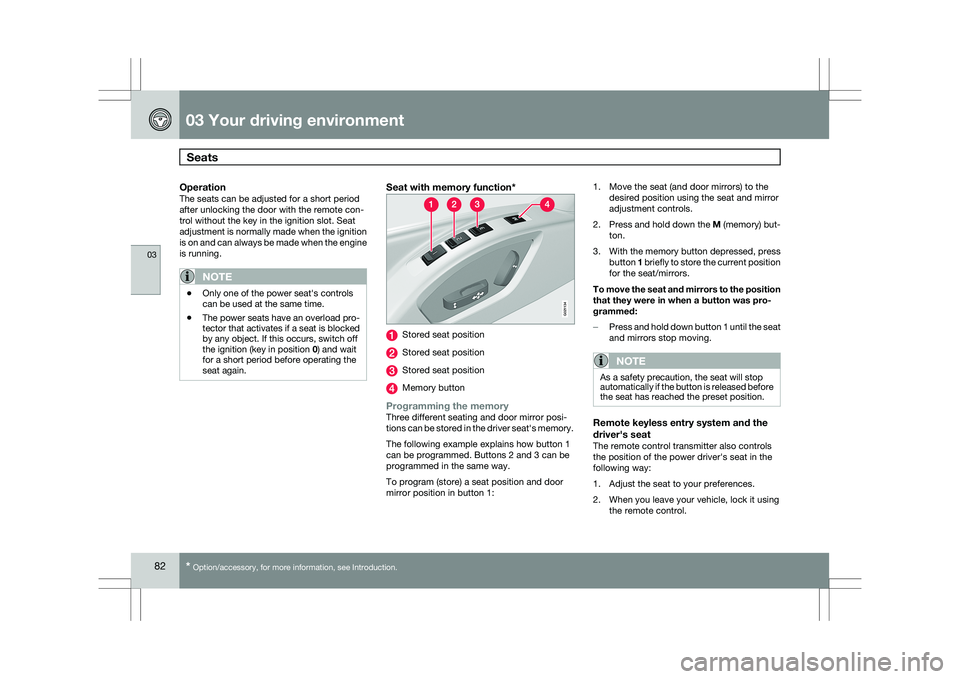
Seat with memory function* Stored seat position
Stored seat position
Stored seat position
Memory button
Programming the memoryThree different seating and door mirror posi-
tions can be stored in the driver seat\fs memory.
The following example explains how button 1
can be programmed. Buttons 2 and 3 can be
programmed in the same way.
To program (store) a seat position and door
mirror position in button 1:1. Move the seat (and door mirrors) to the
desired position using the seat and mirror
adjustment controls.
2. Press and hold down the M (memory) but-
ton.
3. With the memory button depressed, press
button 1 briefly to store the current position
for the seat/mirrors.
To move the seat and mirrors to the position
that they were in when a button was pro-
grammed:
– Press and hold down button 1 until the seat
and mirrors stop moving.
NOTE As a safety precaution, the seat will stop
automatically if the button is released before
the seat has reached the preset position.
Remote keyless entry system and the
driver\fs seat
The remote control transmitter also controls
the position of the power driver\fs seat in the
following way:
1. Adjust the seat to your preferences.
2. When you leave your vehicle, lock it using
the remote control. G02113
4
Page 98 of 297
03 Your driving environmentPower windows 03
96
* Option/accessory, for more information, see Introduction.
Power windows
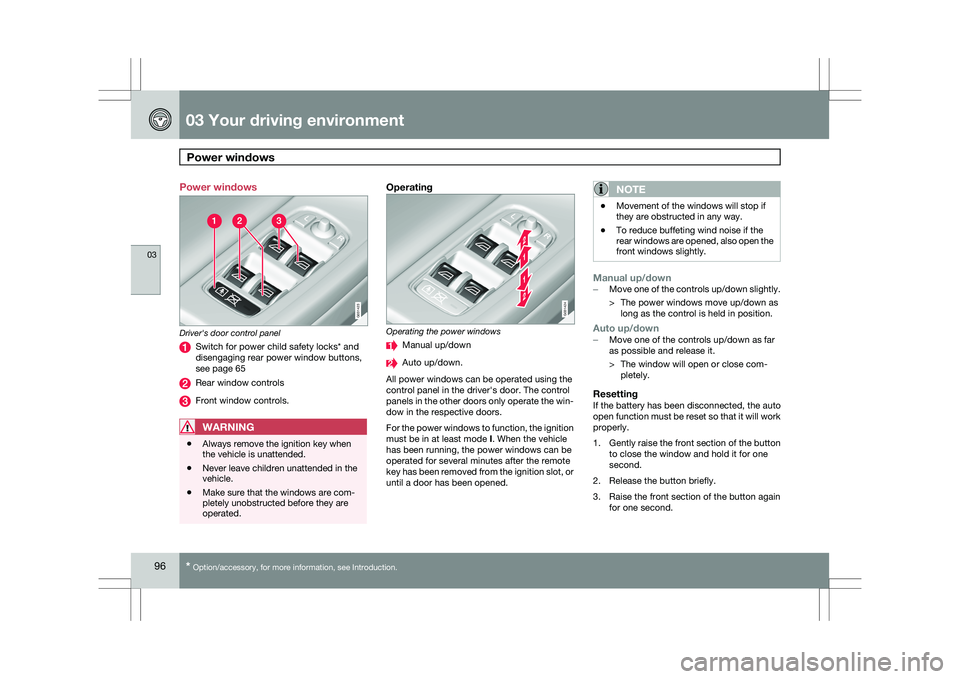
Driver's door control panel
Switch for power child safety locks* and
disengaging rear power window buttons,
see page 65
Rear window controls
Front window controls.
WARNING
\b
Always remove the ignition key when
the vehicle is unattended.
\b Never leave children unattended in the
vehicle.
\b Make sure that the windows are com-
pletely unobstructed before they are
operated.
Operating Operating the power windows
Manual up/down
Auto up/down.
All power windows can be operated using the
control panel in the driver\fs door. The control
panels in the other doors only operate the win-
dow in the respective doors.
For the power windows to function, the ignition
must be in at least mode I. When the vehicle
has been running, the power windows can be
operated for several minutes after the remote
key has been removed from the ignition slot, or
until a door has been opened.NOTE \b
Movement of the windows will stop if
they are obstructed in any way.
\b To reduce buffeting wind noise if the
rear windows are opened, also open the
front windows slightly.
Manual up/down–
Move one of the controls up/down slightly.
> The power windows move up/down as
long as the control is held in position.
Auto up/down– Move one of the controls up/down as far
as possible and release it.
> The window will open or close com-
pletely.
ResettingIf the battery has been disconnected, the auto
open function must be reset so that it will work
properly.
1. Gently raise the front section of the button
to close the window and hold it for one
second.
2. Release the button briefly.
3. Raise the front section of the button again for one second. G031423 G031424
Page 100 of 297
03 Your driving environmentMirrors 03
98
* Option/accessory, for more information, see Introduction.
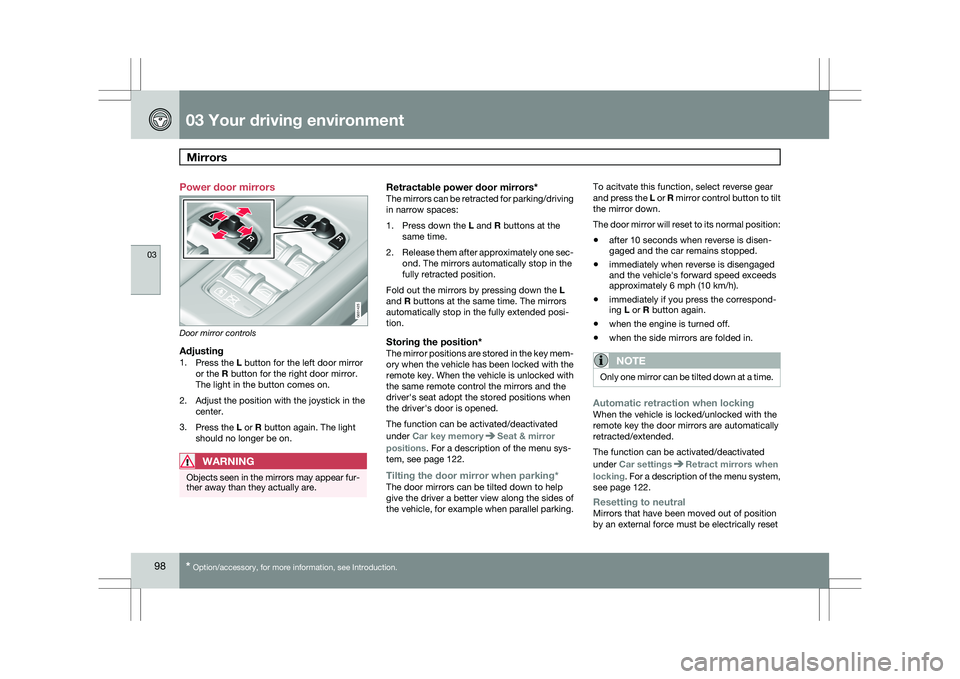
Power door mirrors
Door mirror controls
Adjusting1.
Press the L button for the left door mirror
or the R button for the right door mirror.
The light in the button comes on.
2. Adjust the position with the joystick in the center.
3. Press the L or R button again. The light
should no longer be on.
WARNING Objects seen in the mirrors may appear fur-
ther away than they actually are.
Retractable power door mirrors*The mirrors can be retracted for parking/driving
in narrow spaces:
1.
Press down the L and R buttons at the
same time.
2. Release them after approximately one sec-
ond. The mirrors automatically stop in the
fully retracted position.
Fold out the mirrors by pressing down the L
and R buttons at the same time. The mirrors
automatically stop in the fully extended posi-
tion.
Storing the position*The mirror positions are stored in the key mem-
ory when the vehicle has been locked with the
remote key. When the vehicle is unlocked with
the same remote control the mirrors and the
driver\fs seat adopt the stored positions when
the driver\fs door is opened.
The function can be activated/deactivated
under Car key memory Seat & mirror
positions. For a description of the menu sys-
tem, see page 122.
Tilting the door mirror when parking*The door mirrors can be tilted down to help
give the driver a better view along the sides of
the vehicle, for example when parallel parking. To acitvate this function, select reverse gear
and press the L or R mirror control button to tilt
the mirror down.
The door mirror will reset to its normal position:
\b
after 10 seconds when reverse is disen-
gaged and the car remains stopped.
\b immediately when reverse is disengaged
and the vehicle\fs forward speed exceeds
approximately 6 mph (10 km/h).
\b immediately if you press the correspond-
ing L or R button again.
\b when the engine is turned off.
\b when the side mirrors are folded in.
NOTE Only one mirror can be tilted down at a time.
Automatic retraction when lockingWhen the vehicle is locked/unlocked with the
remote key the door mirrors are automatically
retracted/extended.
The function can be activated/deactivated
under Car settings
Retract mirrors when
locking. For a description of the menu system,
see page 122.
Resetting to neutralMirrors that have been moved out of position
by an external force must be electrically reset G031425
Page 101 of 297
03 Your driving environment
Mirrors03
99
to the neutral position for electric retracting/
extending to work.
\b
Retract the mirrors with the L and R but-
tons.
\b Fold them out again with the
L and R but-
tons.
The mirrors are now reset in neutral position.
Home safe and approach lightingThe light on the door mirrors comes on when
approach lighting or home safe lighting is
selected, see page 91.
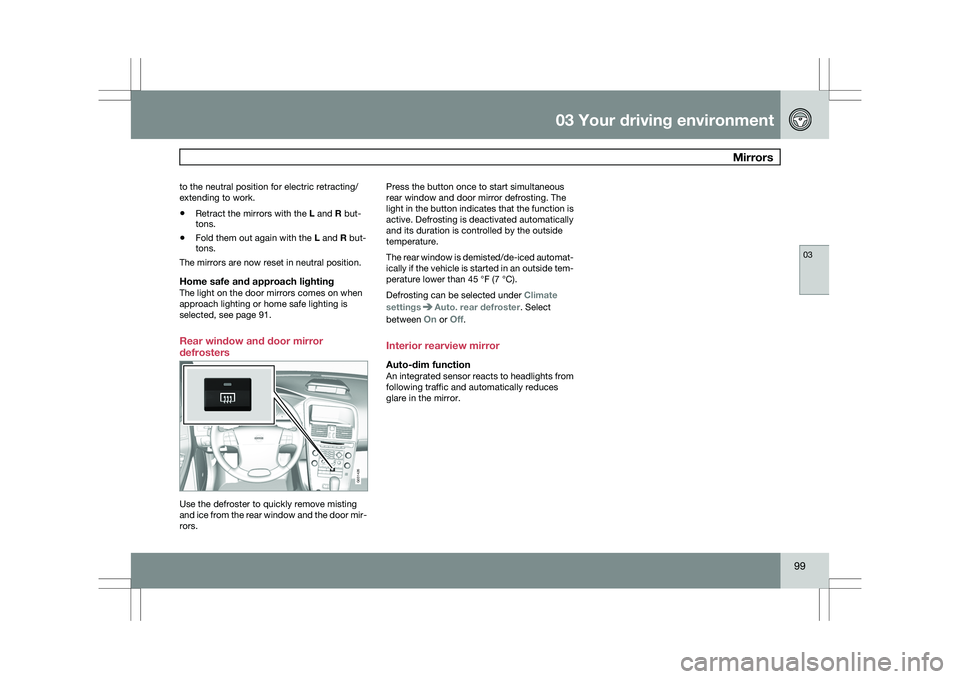
Rear window and door mirror
defrosters Use the defroster to quickly remove misting
and ice from the rear window and the door mir-
rors. Press the button once to start simultaneous
rear window and door mirror defrosting. The
light in the button indicates that the function is
active. Defrosting is deactivated automatically
and its duration is controlled by the outside
temperature.
The rear window is demisted/de-iced automat-
ically if the vehicle is started in an outside tem-
perature lower than 45 °F (7 °C).
Defrosting can be selected under
Climate
settings Auto. rear defroster. Select
between On or Off.
Interior rearview mirror
Auto-dim functionAn integrated sensor reacts to headlights from
following traffic and automatically reduces
glare in the mirror. G031426
Page 125 of 297
04 Comfort and driving pleasure
Menus and messages04
}}
* Option/accessory, for more information, see Introduction. 123
City Safety
Light settings
Lock settings
Reduced guard
1
Parking camera settings*
Steering force level*
Information
Climate settings Automatic blower adjust
Recirculation timer
Auto. rear defroster
Reset climate settings
Main menu AM
Audio settings 2
Sound stage
Equalizer, front
Equalizer, rear
Auto. volume control
Resets all audio settings.
Main menu FMFM settings Radio text
Advanced radio settings
Audio settings
Main menu CDRandom Off
Folder
Disc
Single disc
All discs
CD settings Disc text*
Audio settings
Main menu AUXVolume, AUX input
Audio settings Main instrument panel
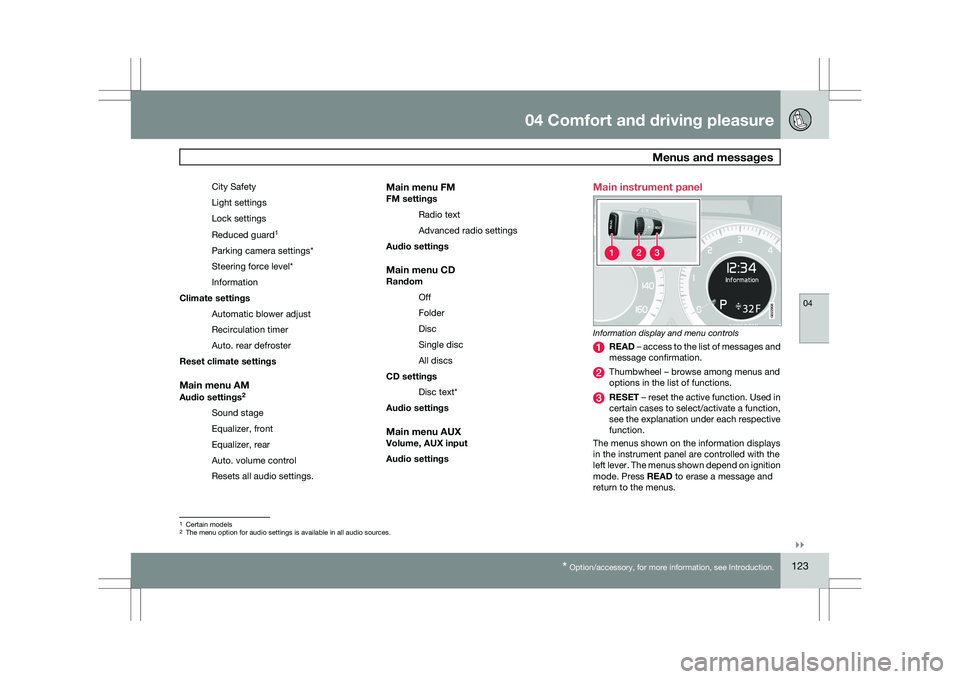
Information display and menu controls
READ – access to the list of messages and
message confirmation.
Thumbwheel – browse among menus and
options in the list of functions.
RESET – reset the active function. Used in
certain cases to select/activate a function,
see the explanation under each respective
function.
The menus shown on the information displays
in the instrument panel are controlled with the
left lever. The menus shown depend on ignition
mode. Press READ to erase a message and
return to the menus. 1
Certain models
2 The menu option for audio settings is available in all audio sources. G022908
Page 127 of 297
04 Comfort and driving pleasure
Menus and messages04
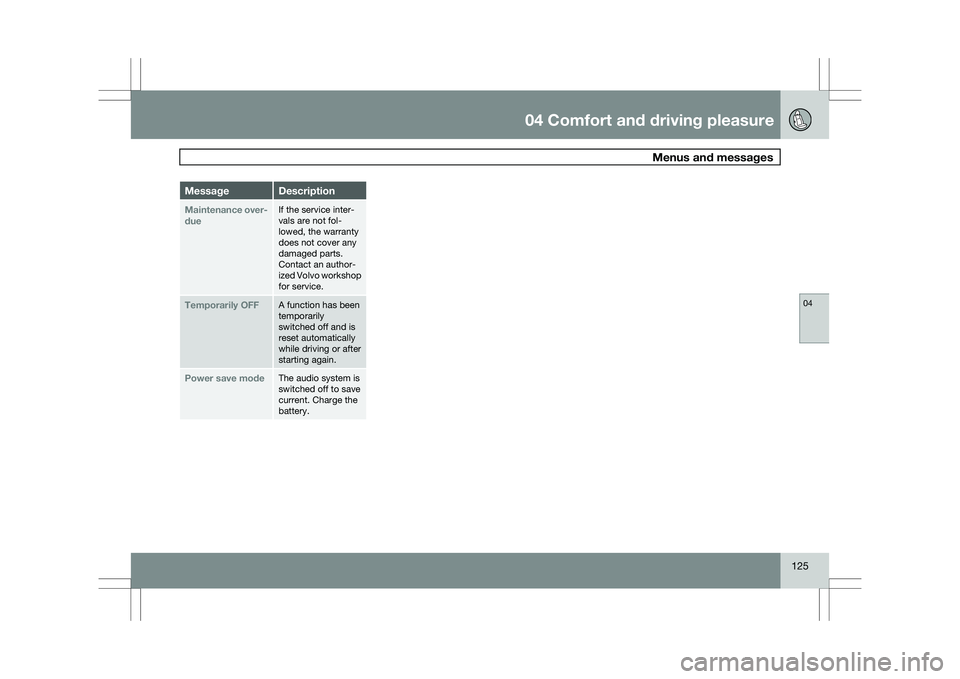
125Message Description
Maintenance over-
due If the service inter-
vals are not fol-
lowed, the warranty
does not cover any
damaged parts.
Contact an author-
ized Volvo workshop
for service.
Temporarily OFF A function has been
temporarily
switched off and is
reset automatically
while driving or after
starting again.
Power save mode The audio system is
switched off to save
current. Charge the
battery.