steering wheel VOLVO XC60 2009 Owner´s Manual
[x] Cancel search | Manufacturer: VOLVO, Model Year: 2009, Model line: XC60, Model: VOLVO XC60 2009Pages: 297, PDF Size: 21.16 MB
Page 5 of 297
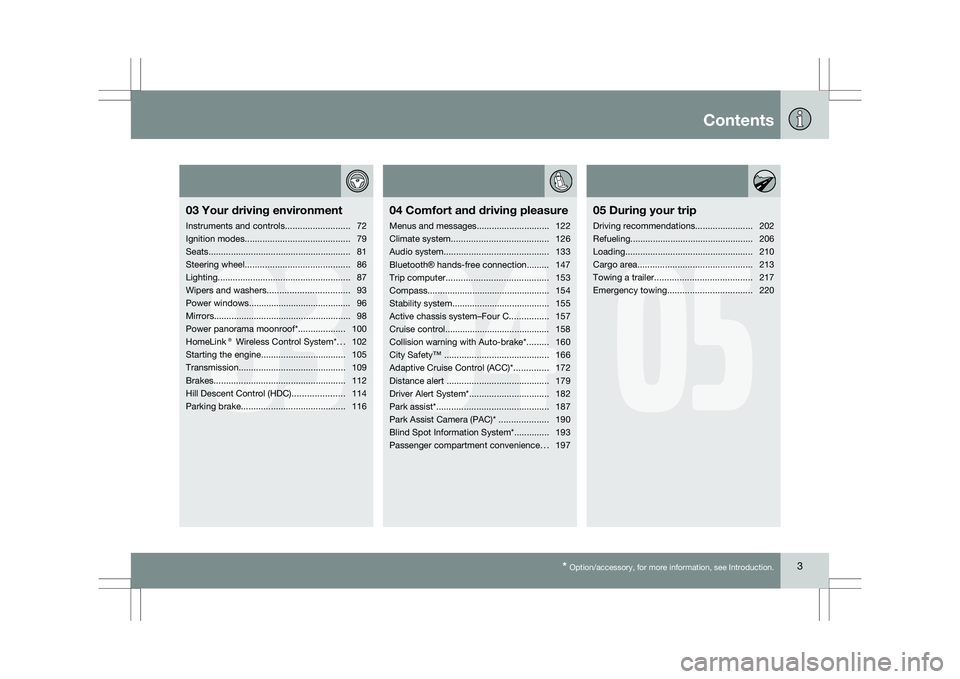
Contents* Option/accessory, for more information, see Introduction. 3
03
03
Your driving environment
Instruments and controls ..........................72
Ignition modes .......................................... 79
Seats......................................................... 81
Steering wheel .......................................... 86
Lighting ..................................................... 87
Wipers and washers................................. 93
Power windows......................................... 96
Mirrors....................................................... 98
Power panorama moonroof*................... 100
HomeLink® Wireless Control System* ...102
Starting the engine .................................. 105
Transmission ........................................... 109
Brakes..................................................... 112
Hill Descent Control (HDC) .....................114
Parking brake .......................................... 116
04
04Comfort and driving pleasure
Menus and messages .............................122
Climate system ....................................... 126
Audio system.......................................... 133
Bluetooth ® hands-free connection......... 147
Trip computer......................................... 153
Compass................................................. 154
Stability system....................................... 155
Active chassis system–Four C ................157
Cruise control.......................................... 158
Collision warning with Auto-brake*......... 160
City Safety™ .......................................... 166
Adaptive Cruise Control (ACC)* ..............172
Distance alert ......................................... 179
Driver Alert System*................................ 182
Park assist*............................................. 187
Park Assist Camera (PAC)* .................... 190
Blind Spot Information System*.............. 193
Passenger compartment convenience ...197
05
05 During your trip
Driving recommendations .......................202
Refueling ................................................. 206
Loading ................................................... 210
Cargo area .............................................. 213
Towing a trailer ....................................... 217
Emergency towing .................................. 220
Page 17 of 297
01 Safety
Seat belts01
}}
15
WARNING\b
Never repair the belt yourself; have this
work done by a trained and qualified
Volvo service technician only.
\b Any device used to induce slack into the
shoulder belt portion of the three-point
belt system will have a detrimental
effect on the amount of protection avail-
able to you in the event of a collision.
\b The seat back should not be tilted too
far back. The shoulder belt must be taut
in order to function properly.
\b Do not use child safety seats or child
booster cushions/backrests in the front
passenger\fs seat. We also recommend
that children who have outgrown these
devices sit in the rear seat with the seat
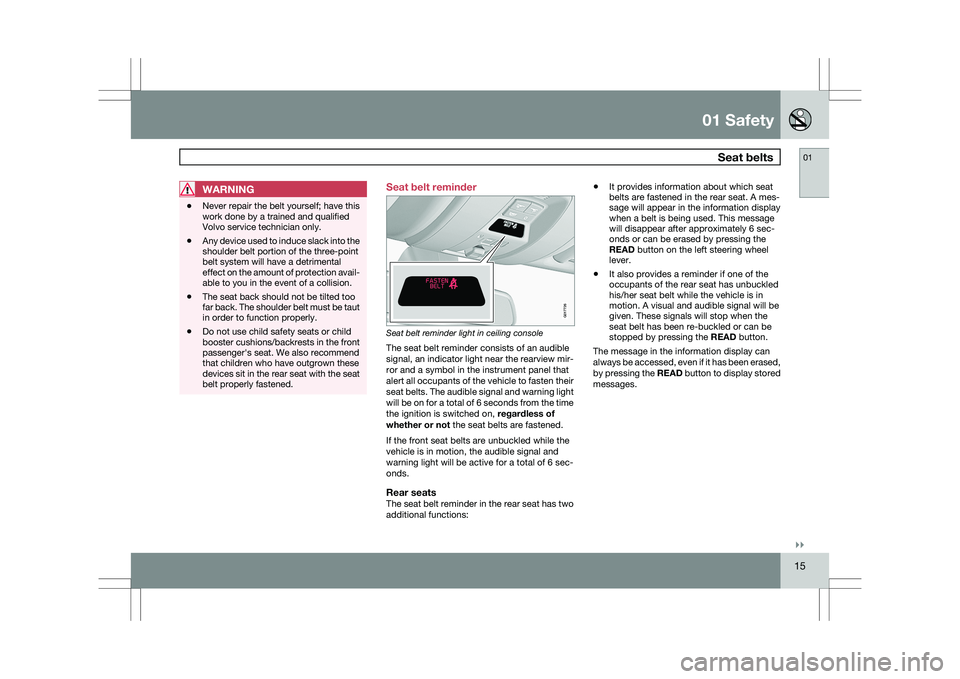
belt properly fastened. Seat belt reminder
Seat belt reminder light in ceiling console
The seat belt reminder consists of an audible
signal, an indicator light near the rearview mir-
ror and a symbol in the instrument panel that
alert all occupants of the vehicle to fasten their
seat belts. The audible signal and warning light
will be on for a total of 6 seconds from the time
the ignition is switched on,
regardless of
whether or not the seat belts are fastened.
If the front seat belts are unbuckled while the
vehicle is in motion, the audible signal and
warning light will be active for a total of 6 sec-
onds.
Rear seatsThe seat belt reminder in the rear seat has two
additional functions: \b
It provides information about which seat
belts are fastened in the rear seat. A mes-
sage will appear in the information display
when a belt is being used. This message
will disappear after approximately 6 sec-
onds or can be erased by pressing the
READ button on the left steering wheel
lever.
\b It also provides a reminder if one of the
occupants of the rear seat has unbuckled
his/her seat belt while the vehicle is in
motion. A visual and audible signal will be
given. These signals will stop when the
seat belt has been re-buckled or can be
stopped by pressing the
READ button.
The message in the information display can
always be accessed, even if it has been erased,
by pressing the READ button to display stored
messages. G017726
Page 18 of 297
01 SafetySeat belts 01
16 Seat belt use during pregnancy
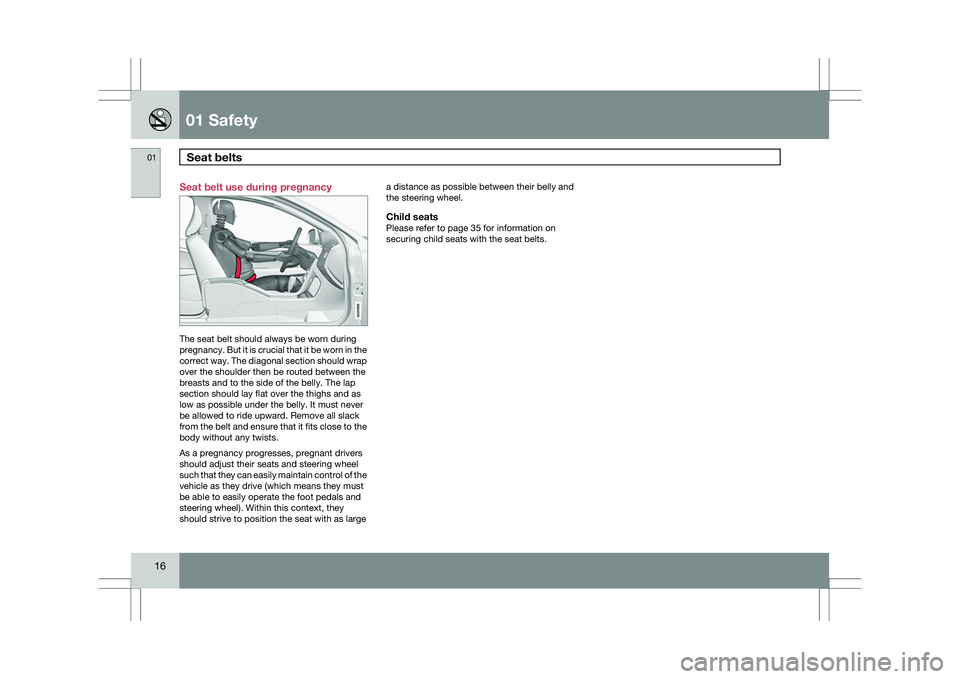
The seat belt should always be worn during
pregnancy. But it is crucial that it be worn in the
correct way. The diagonal section should wrap
over the shoulder then be routed between the
breasts and to the side of the belly. The lap
section should lay flat over the thighs and as
low as possible under the belly. It must never
be allowed to ride upward. Remove all slack
from the belt and ensure that it fits close to the
body without any twists.
As a pregnancy progresses, pregnant drivers
should adjust their seats and steering wheel
such that they can easily maintain control of the
vehicle as they drive (which means they must
be able to easily operate the foot pedals and
steering wheel). Within this context, they
should strive to position the seat with as large a distance as possible between their belly and
the steering wheel.
Child seatsPlease refer to page 35 for information on
securing child seats with the seat belts. G020998
Page 20 of 297
01 SafetySupplemental Restraint System (SRS) 01
18 Front airbags
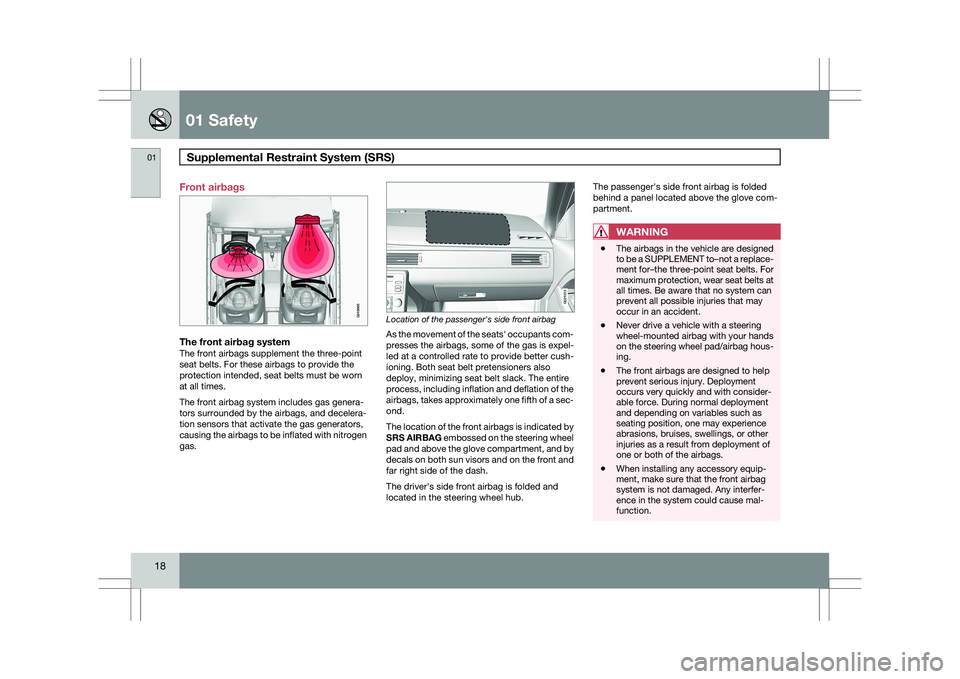
The front airbag systemThe front airbags supplement the three-point
seat belts. For these airbags to provide the
protection intended, seat belts must be worn
at all times.
The front airbag system includes gas genera-
tors surrounded by the airbags, and decelera-
tion sensors that activate the gas generators,
causing the airbags to be inflated with nitrogen
gas.
Location of the passenger's side front airbag
As the movement of the seats\f occupants com-
presses the airbags, some of the gas is expel-
led at a controlled rate to provide better cush-
ioning. Both seat belt pretensioners also
deploy, minimizing seat belt slack. The entire
process, including inflation and deflation of the
airbags, takes approximately one fifth of a sec-
ond.
The location of the front airbags is indicated by
SRS AIRBAG embossed on the steering wheel
pad and above the glove compartment, and by
decals on both sun visors and on the front and
far right side of the dash.
The driver\fs side front airbag is folded and
located in the steering wheel hub.The passenger\fs side front airbag is folded
behind a panel located above the glove com-
partment.
WARNING \b
The airbags in the vehicle are designed
to be a SUPPLEMENT to–not a replace-
ment for–the three-point seat belts. For
maximum protection, wear seat belts at
all times. Be aware that no system can
prevent all possible injuries that may
occur in an accident.
\b Never drive a vehicle with a steering
wheel-mounted airbag with your hands
on the steering wheel pad/airbag hous-
ing.
\b The front airbags are designed to help
prevent serious injury. Deployment
occurs very quickly and with consider-
able force. During normal deployment
and depending on variables such as
seating position, one may experience
abrasions, bruises, swellings, or other
injuries as a result from deployment of
one or both of the airbags.
\b When installing any accessory equip-
ment, make sure that the front airbag
system is not damaged. Any interfer-
ence in the system could cause mal-
function. G018665 G021013
Page 23 of 297
01 Safety
Supplemental Restraint System (SRS)01
21
WARNING\b
Children must never be allowed in the
front passenger\fs seat. Volvo recom-
mends that ALL occupants (adults and
children) shorter than 4 feet 7 inches
(140 cm) be seated in the back seat of
any vehicle with a passenger-side front
airbag.
\b Occupants in the front passenger\fs seat
must never sit on the edge of the seat,
sit leaning toward the instrument panel
or otherwise sit out of position.
\b The occupant\fs back must be as upright
as comfort allows and be against the
seat back with the seat belt properly
fastened.
\b Feet must be on the floor, e.g., not on
the dash, seat or out of the window.WARNING \b
No objects or accessory equipment,
e.g. dashboard covers, may be placed
on, attached to, or installed near the air
bag hatch (the area above the glove
compartment) or the area affected by
airbag deployment (see the illustration
on page 18).
\b There should be no loose articles, such
as coffee cups on the floor, seat, or
dashboard area.
\b Never try to open the airbag cover on
the steering wheel or the passenger\fs
side dashboard. This should only be
done by a trained and qualified Volvo
service technician.
\b Failure to follow these instructions can
result in injury to the vehicle occupants.
Page 72 of 297

70
* Option/accessory, for more information, see Introduction. Instruments and controls
........................................................................\
72
Ignition modes ........................................................................\
................ 79
Seats........................................................................\
............................... 81
Steering wheel ........................................................................\
................ 86
Lighting ........................................................................\
........................... 87
Wipers and washers......................................................\
..........................
93
Power windows........................................................................\
............... 96
Mirrors........................................................................\
............................. 98
Power panorama moonroof*................................................................. 100
HomeLink® Wireless Control System* .................................................102
Starting the engine ........................................................................\
........ 105
Transmission ........................................................................\
................. 109
Brakes........................................................................\
........................... 112
Hill Descent Control (HDC).................................................................... 114
Parking brake ........................................................................\
................ 116
G02091
2
Page 75 of 297
03 Your driving environment
Instruments and controls03
}}
* Option/accessory, for more information, see Introduction. 73Function Page
Menus and mes-
sages, turn signals,
high/low beams,
trip computer 122 , 90,
87, 153
Cruise control 158
Horn, airbag 86, 17
Main instrument
panel 73
Menu system,
audio, Bluetooth
hands-free controls 152
START/STOP
ENGINE button 79
Ignition slot 79
Information display 89
Door handle –
In-door control pan-
els (power win-
dows, mirrors,
power child safety
locks, central lock-
ing button) 122 , 96,
98, 65, 61 Function Page
Hazard warning
flashers 122 , 136
Audio system con-
trols 126
Climate system
controls 109
Gear selector 157
Controls for active
chassis (Four-C)* 93
Wipers and washers 86
Steering wheel
adjustment 227
Hood opening con-
trol 116
Parking brake 81
Power seat* adjust-
ment controls 87, 208
Lighting panel, con-
trols for opening
fuel filler door/tail-
gate 87, 208,
see page 62 Information displays
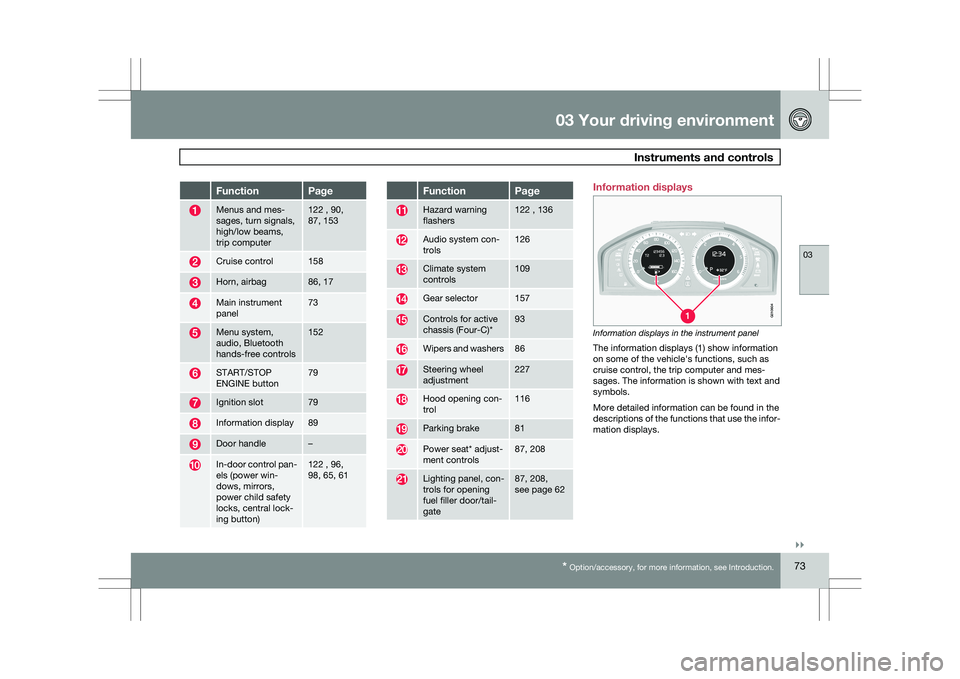
Information displays in the instrument panel
The information displays (1) show information
on some of the vehicle\fs functions, such as
cruise control, the trip computer and mes-
sages. The information is shown with text and
symbols.
More detailed information can be found in the
descriptions of the functions that use the infor-
mation displays. G01060
4
Page 88 of 297
03 Your driving environmentSteering wheel 03
86
* Option/accessory, for more information, see Introduction.
Adjusting
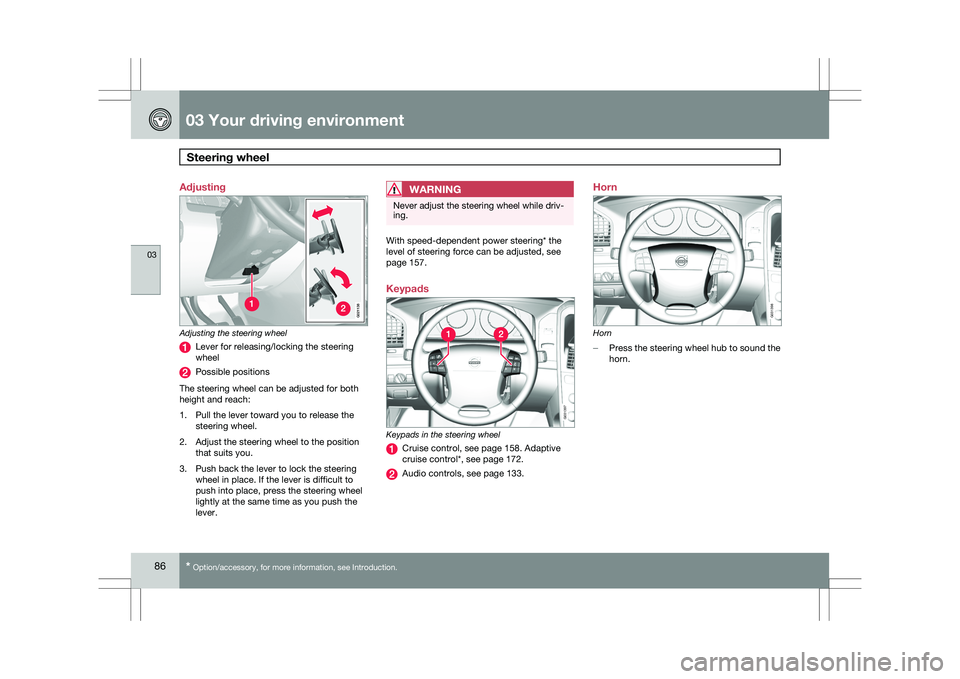
Adjusting the steering wheel
Lever for releasing/locking the steering
wheel
Possible positions
The steering wheel can be adjusted for both
height and reach:
1. Pull the lever toward you to release the steering wheel.
2. Adjust the steering wheel to the position that suits you.
3. Push back the lever to lock the steering wheel in place. If the lever is difficult to
push into place, press the steering wheel
lightly at the same time as you push the
lever.
WARNING Never adjust the steering wheel while driv-
ing.
With speed-dependent power steering* the
level of steering force can be adjusted, see
page 157.
Keypads
Keypads in the steering wheel
Cruise control, see page 158. Adaptive
cruise control*, see page 172.
Audio controls, see page 133.Horn
Horn
–
Press the steering wheel hub to sound the
horn. G02113
8 G031397 G031398
Page 89 of 297
03 Your driving environment
Lighting03
}}
87
Lighting panel
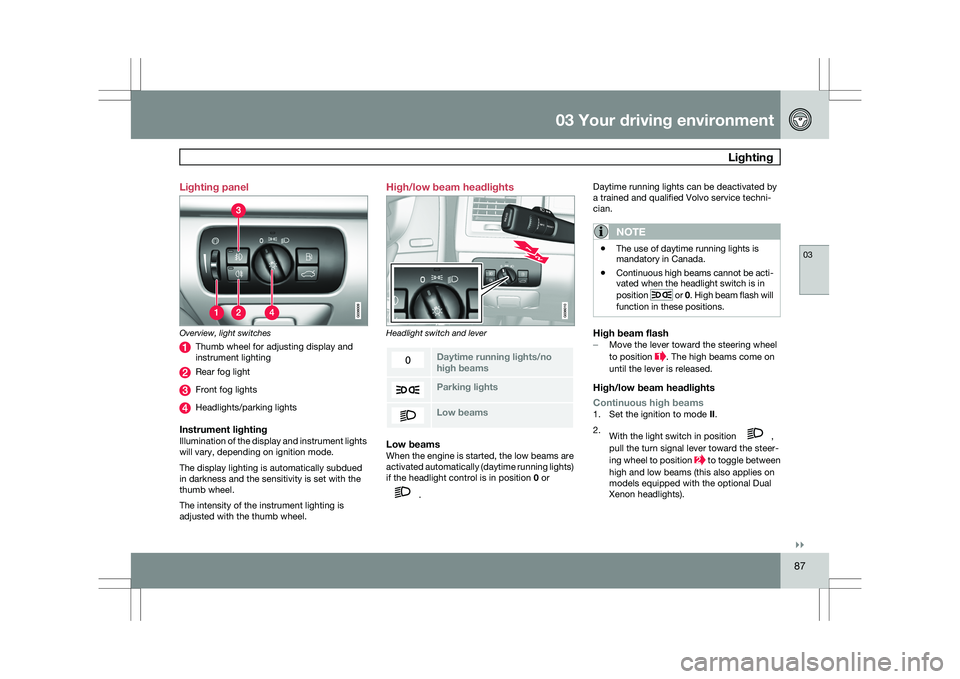
Overview, light switches
Thumb wheel for adjusting display and
instrument lighting
Rear fog light
Front fog lights
Headlights/parking lights
Instrument lightingIllumination of the display and instrument lights
will vary, depending on ignition mode.
The display lighting is automatically subdued
in darkness and the sensitivity is set with the
thumb wheel.
The intensity of the instrument lighting is
adjusted with the thumb wheel. High/low beam headlights
Headlight switch and lever
Daytime running lights/no
high beams
Parking lights
Low beamsLow beamsWhen the engine is started, the low beams are
activated automatically (daytime running lights)
if the headlight control is in position
0 or .Daytime running lights can be deactivated by
a trained and qualified Volvo service techni-
cian.
NOTE \b
The use of daytime running lights is
mandatory in Canada.
\b Continuous high beams cannot be acti-
vated when the headlight switch is in
position or 0. High beam flash will
function in these positions.
High beam flash– Move the lever toward the steering wheel
to position . The high beams come on
until the lever is released.
High/low beam headlights
Continuous high beams
1. Set the ignition to mode II.
2. With the light switch in position ,
pull the turn signal lever toward the steer-
ing wheel to position to toggle between
high and low beams (this also applies on
models equipped with the optional Dual
Xenon headlights).
Page 90 of 297
03 Your driving environmentLighting 03
88
* Option/accessory, for more information, see Introduction.>
The symbol illuminates in the
instrument panel to indicate that the
high beams are on.
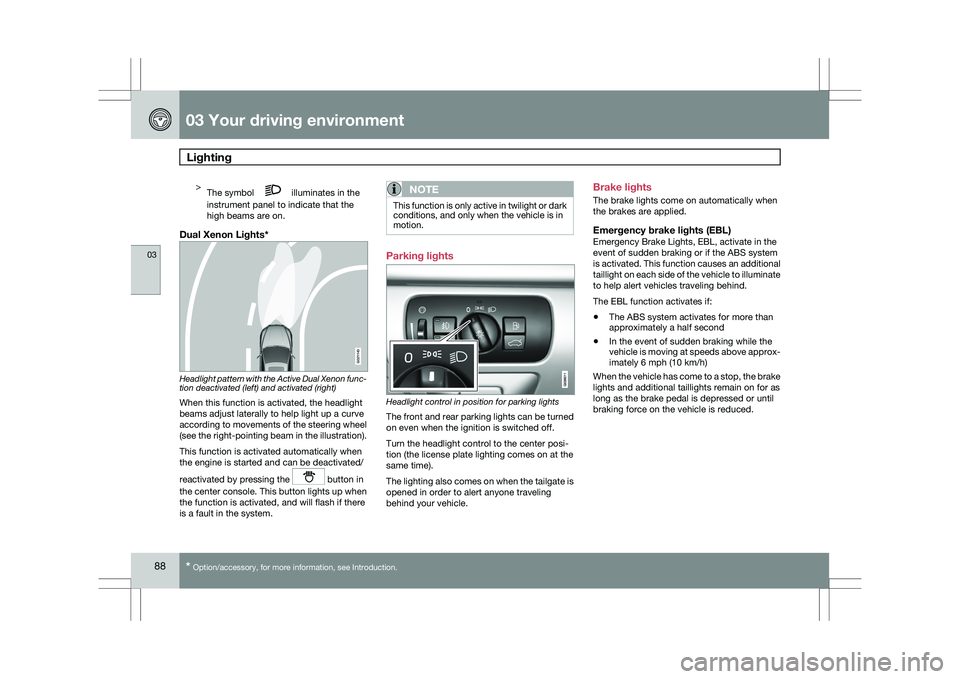
Dual Xenon Lights* Headlight pattern with the Active Dual Xenon func-
tion deactivated (left) and activated (right)
When this function is activated, the headlight
beams adjust laterally to help light up a curve
according to movements of the steering wheel
(see the right-pointing beam in the illustration).
This function is activated automatically when
the engine is started and can be deactivated/
reactivated by pressing the
button in
the center console. This button lights up when
the function is activated, and will flash if there
is a fault in the system.
NOTE This function is only active in twilight or dark
conditions, and only when the vehicle is in
motion.
Parking lights
Headlight control in position for parking lights
The front and rear parking lights can be turned
on even when the ignition is switched off.
Turn the headlight control to the center posi-
tion (the license plate lighting comes on at the
same time).
The lighting also comes on when the tailgate is
opened in order to alert anyone traveling
behind your vehicle.Brake lights
The brake lights come on automatically when
the brakes are applied.
Emergency brake lights (EBL)Emergency Brake Lights, EBL, activate in the
event of sudden braking or if the ABS system
is activated. This function causes an additional
taillight on each side of the vehicle to illuminate
to help alert vehicles traveling behind.
The EBL function activates if:
\b
The ABS system activates for more than
approximately a half second
\b In the event of sudden braking while the
vehicle is moving at speeds above approx-
imately 6 mph (10 km/h)
When the vehicle has come to a stop, the brake
lights and additional taillights remain on for as
long as the brake pedal is depressed or until
braking force on the vehicle is reduced. G021143