Set time VOLVO XC60 2010 Owner´s Manual
[x] Cancel search | Manufacturer: VOLVO, Model Year: 2010, Model line: XC60, Model: VOLVO XC60 2010Pages: 302, PDF Size: 5.6 MB
Page 187 of 302
04 Comfort and driving pleasure
Driver Alert System*
04
* Option/accessory, for more information, see Introduction.187 Symbols and messages in the display
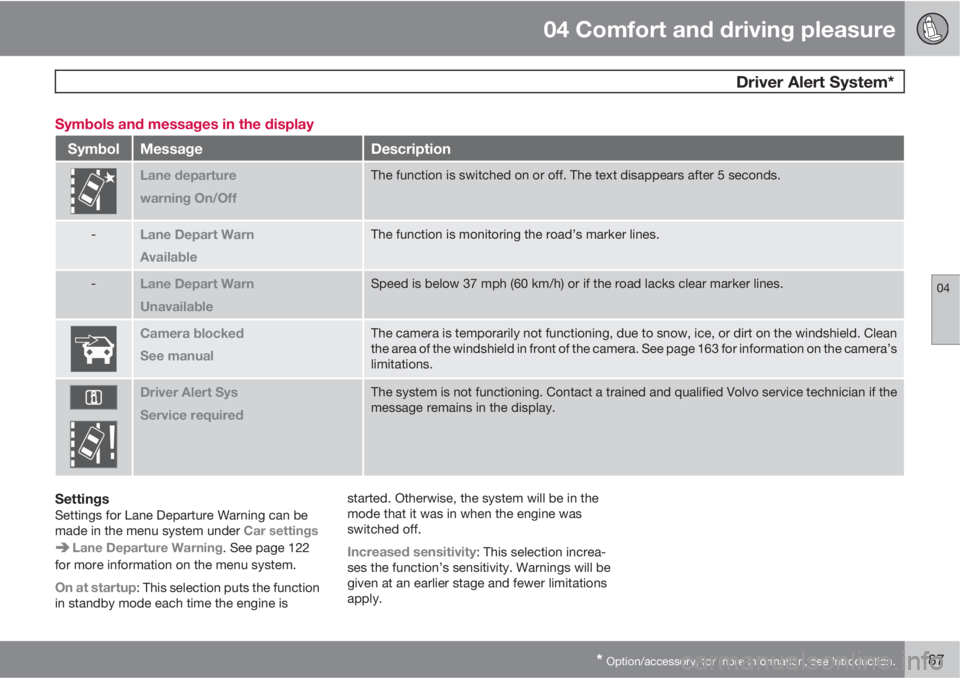
SymbolMessageDescription
Lane departure
warning On/OffThe function is switched on or off. The text disappears after 5 seconds.
-Lane Depart Warn
AvailableThe function is monitoring the road’s marker lines.
-Lane Depart Warn
UnavailableSpeed is below 37 mph (60 km/h) or if the road lacks clear marker lines.
Camera blocked
See manualThe camera is temporarily not functioning, due to snow, ice, or dirt on the windshield. Clean
the area of the windshield in front of the camera. See page 163 for information on the camera’s
limitations.
Driver Alert Sys
Service requiredThe system is not functioning. Contact a trained and qualified Volvo service technician if the
message remains in the display.
SettingsSettings for Lane Departure Warning can be
made in the menu system under Car settings
Lane Departure Warning. See page 122
for more information on the menu system.
On at startup: This selection puts the function
in standby mode each time the engine isstarted. Otherwise, the system will be in the
mode that it was in when the engine was
switched off.
Increased sensitivity: This selection increa-
ses the function’s sensitivity. Warnings will be
given at an earlier stage and fewer limitations
apply.
Page 193 of 302
04 Comfort and driving pleasure
Park Assist Camera (PAC)*
04
* Option/accessory, for more information, see Introduction.193
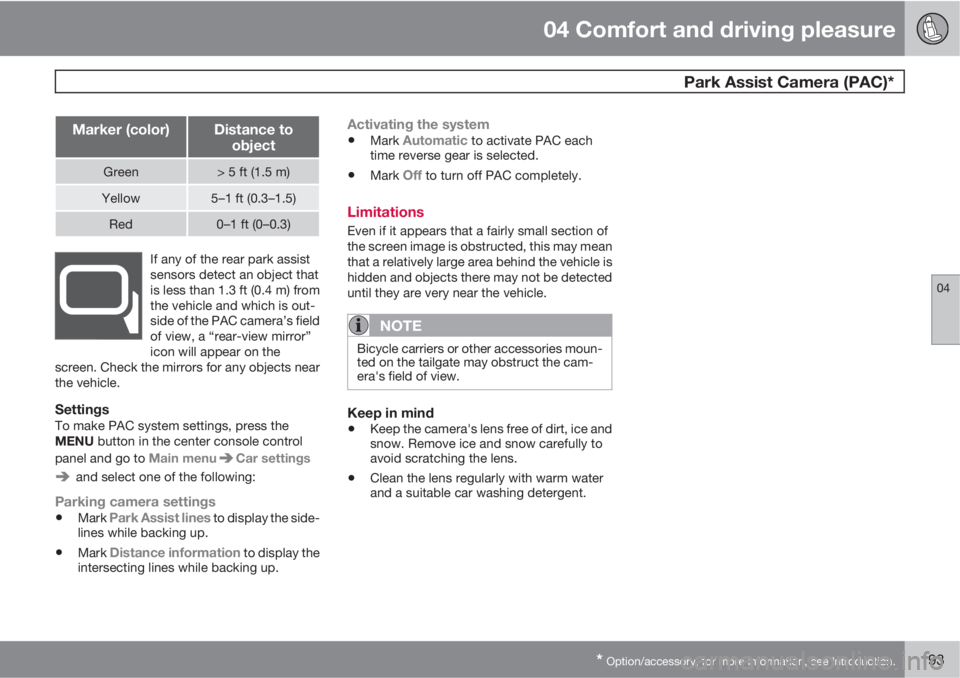
Marker (color)Distance to
object
Green> 5 ft (1.5 m)
Yellow5–1 ft (0.3–1.5)
Red0–1 ft (0–0.3)
If any of the rear park assist
sensors detect an object that
is less than 1.3 ft (0.4 m) from
the vehicle and which is out-
side of the PAC camera’s field
of view, a “rear-view mirror”
icon will appear on the
screen. Check the mirrors for any objects near
the vehicle.
SettingsTo make PAC system settings, press the
MENU button in the center console control
panel and go to Main menu
Car settings
and select one of the following:
Parking camera settings
•Mark Park Assist lines to display the side-
lines while backing up.
•Mark Distance information to display the
intersecting lines while backing up.
Activating the system
•Mark Automatic to activate PAC each
time reverse gear is selected.
•Mark Off to turn off PAC completely.
Limitations
Even if it appears that a fairly small section of
the screen image is obstructed, this may mean
that a relatively large area behind the vehicle is
hidden and objects there may not be detected
until they are very near the vehicle.
NOTE
Bicycle carriers or other accessories moun-
ted on the tailgate may obstruct the cam-
era's field of view.
Keep in mind
•Keep the camera's lens free of dirt, ice and
snow. Remove ice and snow carefully to
avoid scratching the lens.
•Clean the lens regularly with warm water
and a suitable car washing detergent.
Page 211 of 302
05 During your trip
Refueling
05
211
CAUTION
•Do not refuel with the engine running1.
Turn the ignition off or to position I. If the
ignition is on, an incorrect reading could
occur in the fuel gauge.
•Avoid overfilling the fuel tank. Do not
press the handle on the filler nozzle
more than one extra time. Too much fuel
in the tank in hot weather conditions can
cause the fuel to overflow. Overfilling
could also cause damage to the emis-
sion control systems.
Emission controls
Three-way catalytic converter
•Keep your engine properly tuned. Certain
engine malfunctions, particularly involving
the electrical, fuel or distributor ignition
systems, may cause unusually high three-
way catalytic converter temperatures. Do
not continue to operate your vehicle if you
detect engine misfire, noticeable loss of
power or other unusual operating condi-
tions, such as engine overheating or back-
firing. A properly tuned engine will helpavoid malfunctions that could damage the
three-way catalytic converter.
•Do not park your vehicle over combustible
materials, such as grass or leaves, which
can come into contact with the hot exhaust
system and cause such materials to ignite
under certain wind and weather condi-
tions.
•Excessive starter cranking (in excess of
one minute), or an intermittently firing or
flooded engine can cause three-way cata-
lytic converter or exhaust system over-
heating.
•Remember that tampering or unauthorized
modifications to the engine, the Engine
Control Module, or the vehicle may be ille-
gal and can cause three-way catalytic con-
verter or exhaust system overheating. This
includes: altering fuel injection settings or
components, altering emission system
components or location or removing com-
ponents, and/or repeated use of leaded
fuel.
NOTE
Unleaded fuel is required for vehicles with
three-way catalytic converters.
Heated oxygen sensorsThe heated oxygen sensors monitor the oxy-
gen content of the exhaust gases. Readings
are fed into a control module that continuously
monitors engine functions and controls fuel
injection. The ratio of fuel to air into the engine
is continuously adjusted for efficient combus-
tion to help reduce harmful emissions.
1If the fuel filler cap is not closed tightly or if the engine is running when the vehicle is refueled, the Check Engine Light (malfunction indicator lamp) may indicate a fault. However, your vehicle's
performance will not be affected. Use only Volvo original or approved fuel filler caps.
Page 275 of 302
06 Maintenance and specifications
Wheels and tires
06
275
Changing wheels with TPMSPlease note the following when changing or
replacing the factory installed TPMS wheels/
tires on the vehicle:
•Only the factory-mounted wheels are
equipped with TPMS sensors in the valves.
•If the vehicle is equipped with a temporary
spare tire, this tire does not have a TPMS
sensor.
•If wheels without TPMS sensors are moun-
ted on the vehicle, TIRE PRESS SYST
SERVICE REQUIRED will be displayed
each time the vehicle is driven above
25 mph (40 km/h) for 10 minutes or more.
•Once TPMS sensors are properly installed,
the warning message should not reappear.
If the message is still displayed, drive the
vehicle for several minutes at a speed of
20 mph (30 km/h) or faster to erase the
message.
•Volvo recommends that TPMS sensors be
fitted on all wheels used on the vehicle.
Volvo does not recommend moving sen-
sors back and forth between sets of
wheels.
NOTE
•If you change to tires with a different
recommended inflation pressure, the
TPMS system must be recalibrated to
these tires. This must be done by a
trained and qualified Volvo service tech-
nician.
•If a tire is changed, or if the TPMS sen-
sor is moved to another wheel, the sen-
sor's seal, nut, and valve core should be
replaced.
•When installing TPMS sensors, the
vehicle must be parked for at least
15 minutes with the ignition off. if the
vehicle is driven within 15 minutes, a
TPMS error message will be displayed.
CAUTION
When inflating tires with TPMS valves, press
the pump's mouthpiece straight onto the
valve to help avoid bending or otherwise
damaging the valve.