clock VOLVO XC60 2015 Owner´s Manual
[x] Cancel search | Manufacturer: VOLVO, Model Year: 2015, Model line: XC60, Model: VOLVO XC60 2015Pages: 406, PDF Size: 11.03 MB
Page 31 of 406
01 Safety
Occupant Weight Sensor01
29
WARNING
•Do not place any type of object on the front passenger's seat in such a waythat jamming, pressing, or squeezingoccurs between the object and thefront seat, other than as a direct resultof the correct use of the AutomaticLocking Retractor/Emergency LockingRetractor (ALR/ELR) seat belt (seepage 39).
• No objects should be placed under thefront passenger's seat. This couldinterfere with the OWS system's func-tion.
Page 73 of 406
02 Locks and alarm
Locks
02
}}
71
Automatic relockingIf the doors are unlocked, the locks will auto- matically reengage (re-lock) and the alarm willrearm after 2 minutes unless a door or thetailgate has been opened.
Automatic lockingWhen the vehicle starts to move, the doorsand tailgate can be locked automatically. Thisfeature can be turned on or off by pressing MY CAR and going to
Car settingsLock
settings
Automatic door locking. See
page 209 for a description of the menu sys- tem.
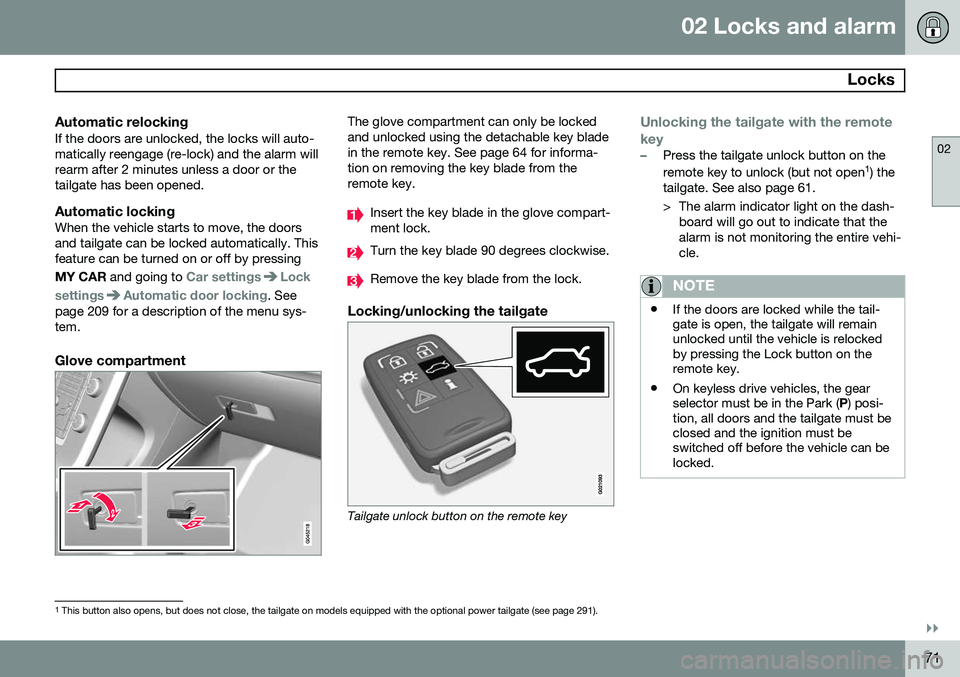
Glove compartment
The glove compartment can only be locked and unlocked using the detachable key bladein the remote key. See page 64 for informa-tion on removing the key blade from theremote key.
Insert the key blade in the glove compart- ment lock.
Turn the key blade 90 degrees clockwise.
Remove the key blade from the lock.
Locking/unlocking the tailgate
Tailgate unlock button on the remote key
Unlocking the tailgate with the remote key
–Press the tailgate unlock button on the remote key to unlock (but not open 1
) the
tailgate. See also page 61.
> The alarm indicator light on the dash- board will go out to indicate that the alarm is not monitoring the entire vehi-cle.
NOTE
• If the doors are locked while the tail- gate is open, the tailgate will remainunlocked until the vehicle is relockedby pressing the Lock button on theremote key.
• On keyless drive vehicles, the gearselector must be in the Park (
P) posi-
tion, all doors and the tailgate must beclosed and the ignition must beswitched off before the vehicle can belocked.
1 This button also opens, but does not close, the tailgate on models equipped with the optional power tailgate (see page 291).
Page 88 of 406
03 Your driving environment
Instruments and controls
03
86* Option/accessory, for more information, see Introduction.
NOTE
When the ambient temperature is between 23° and 36 °F (–5° and +2 °C), a snowflakesymbol will be displayed next to the tem-perature. This symbol serves as a warningfor possible slippery road surfaces. Pleasenote that this symbol does not indicate a
fault with your vehicle. At low speeds or when the vehicle is not moving, the temperature readings may beslightly higher than the actual ambienttemperature.
Trip odometers
Trip odometer 3
Odometer display
The trip odometers
T1 and T2 are used to
measure short distances. The distance is shown in the display. Turn the thumb wheel on the left steering wheel lever to display the desired trip odome-ter. Press and hold the RESET button on the left
steering wheel lever for at least 1 second to reset the selected trip odometer 4
.
Clock
Clock, digital instrument panel*
Display 5
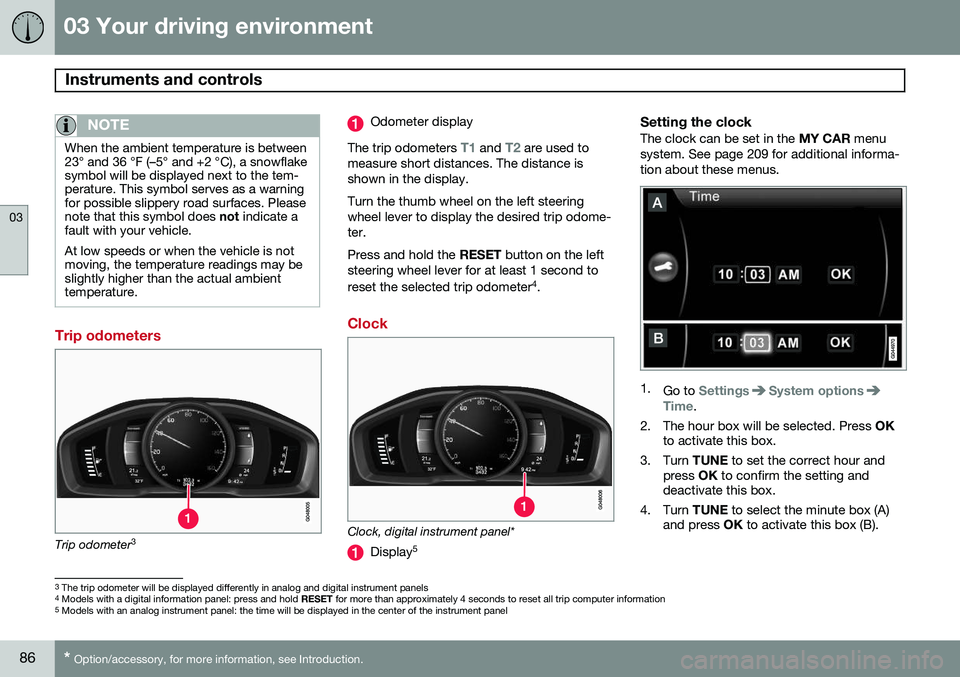
Setting the clockThe clock can be set in the
MY CAR menu
system. See page 209 for additional informa- tion about these menus.
1. Go to SettingsSystem optionsTime.
2. The hour box will be selected. Press OK
to activate this box.
3. Turn TUNE to set the correct hour and
press OK to confirm the setting and
deactivate this box.
4. Turn TUNE to select the minute box (A)
and press OK to activate this box (B).
3
The trip odometer will be displayed differently in analog and digital instrument panels
4 Models with a digital information panel: press and hold RESET for more than approximately 4 seconds to reset all trip computer information
5 Models with an analog instrument panel: the time will be displayed in the center of the instrument panel
Page 90 of 406
03 Your driving environment
Ignition modes
03
88* Option/accessory, for more information, see Introduction.
Inserting and removing the remote key
Ignition slot with remote key and START/STOP
ENGINE button.
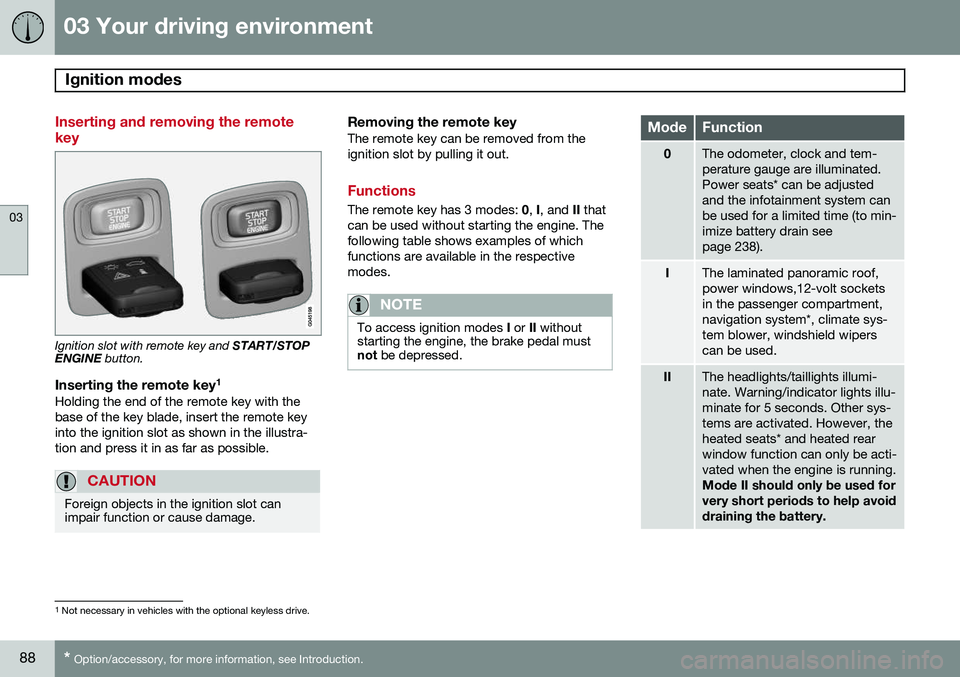
Inserting the remote key 1Holding the end of the remote key with the base of the key blade, insert the remote keyinto the ignition slot as shown in the illustra-tion and press it in as far as possible.
CAUTION
Foreign objects in the ignition slot can impair function or cause damage.
Removing the remote keyThe remote key can be removed from the ignition slot by pulling it out.
Functions
The remote key has 3 modes:
0, I, and II that
can be used without starting the engine. The following table shows examples of whichfunctions are available in the respectivemodes.
NOTE
To access ignition modes I or II without
starting the engine, the brake pedal must not be depressed.
ModeFunction
0The odometer, clock and tem- perature gauge are illuminated.Power seats* can be adjustedand the infotainment system canbe used for a limited time (to min-imize battery drain seepage 238).
IThe laminated panoramic roof, power windows,12-volt socketsin the passenger compartment,navigation system*, climate sys-tem blower, windshield wiperscan be used.
IIThe headlights/taillights illumi- nate. Warning/indicator lights illu-minate for 5 seconds. Other sys-tems are activated. However, theheated seats* and heated rearwindow function can only be acti-vated when the engine is running. Mode II should only be used for very short periods to help avoiddraining the battery.
1
Not necessary in vehicles with the optional keyless drive.
Page 208 of 406
05 Comfort and driving pleasure
Volvo Sensus
05
206* Option/accessory, for more information, see Introduction.
Introduction
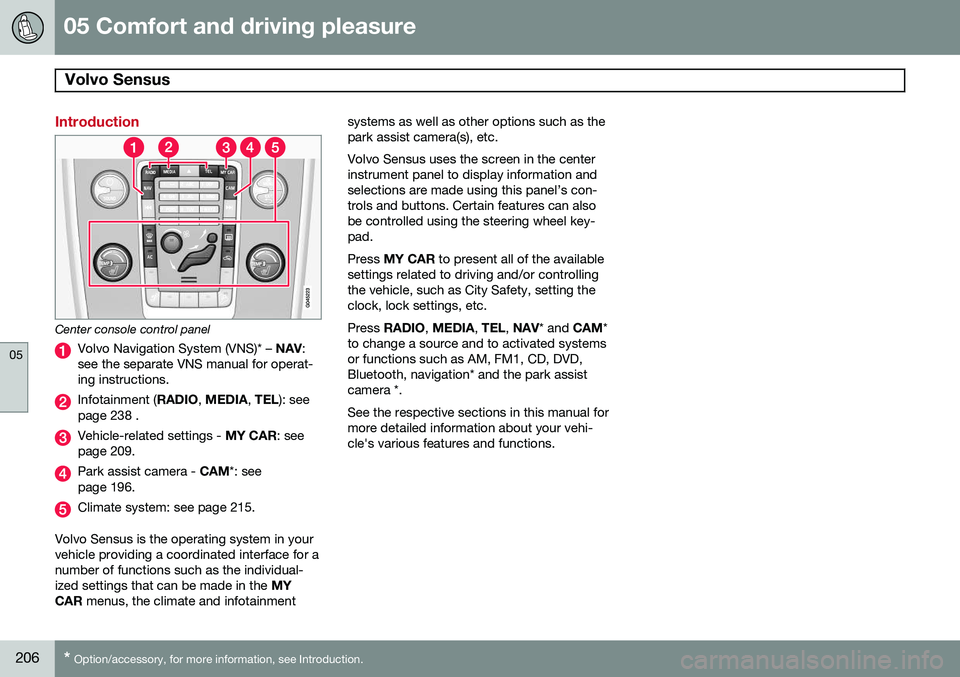
Center console control panel
Volvo Navigation System (VNS)* – NAV:
see the separate VNS manual for operat- ing instructions.
Infotainment ( RADIO, MEDIA , TEL ): see
page 238 .
Vehicle-related settings - MY CAR: see
page 209.
Park assist camera - CAM*: see
page 196.
Climate system: see page 215.
Volvo Sensus is the operating system in your vehicle providing a coordinated interface for anumber of functions such as the individual-ized settings that can be made in the MY
CAR menus, the climate and infotainment systems as well as other options such as thepark assist camera(s), etc. Volvo Sensus uses the screen in the center instrument panel to display information andselections are made using this panel’s con-trols and buttons. Certain features can alsobe controlled using the steering wheel key-pad. Press
MY CAR to present all of the available
settings related to driving and/or controlling the vehicle, such as City Safety, setting theclock, lock settings, etc. Press RADIO , MEDIA , TEL , NAV * and CAM*
to change a source and to activated systems or functions such as AM, FM1, CD, DVD,Bluetooth, navigation* and the park assistcamera *. See the respective sections in this manual for more detailed information about your vehi-cle's various features and functions.
Page 211 of 406
05 Comfort and driving pleasure
The MY CAR menus
05
}}
209
Introduction
The menu system provides access to menus for operating many of the vehi-cle's functions, such as setting the
clock, door mirrors, locks, etc.
Navigating in the menus is done using the buttons on the center console control panelor with the right-side steering wheel keypad. Some of the features mentioned in this sec- tion are optional.
Operation
Center console controls
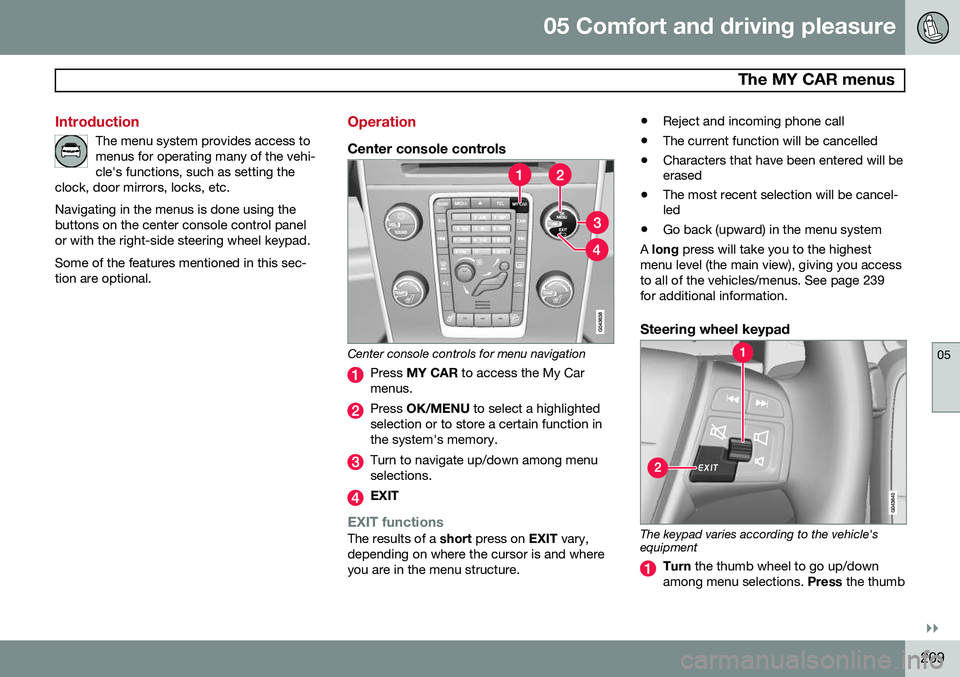
Center console controls for menu navigation
Press MY CAR to access the My Car
menus.
Press OK/MENU to select a highlighted
selection or to store a certain function in the system's memory.
Turn to navigate up/down among menu selections.
EXIT
EXIT functionsThe results of a short press on EXIT vary,
depending on where the cursor is and where you are in the menu structure. •
Reject and incoming phone call
• The current function will be cancelled
• Characters that have been entered will be erased
• The most recent selection will be cancel-led
• Go back (upward) in the menu system
A long press will take you to the highest
menu level (the main view), giving you access to all of the vehicles/menus. See page 239for additional information.
Steering wheel keypad
The keypad varies according to the vehicle's equipment
Turn the thumb wheel to go up/down
among menu selections. Press the thumb
Page 221 of 406
05 Comfort and driving pleasure
Climate system
05
}}
* Option/accessory, for more information, see Introduction.219
Climate system controls
Heated front seats*
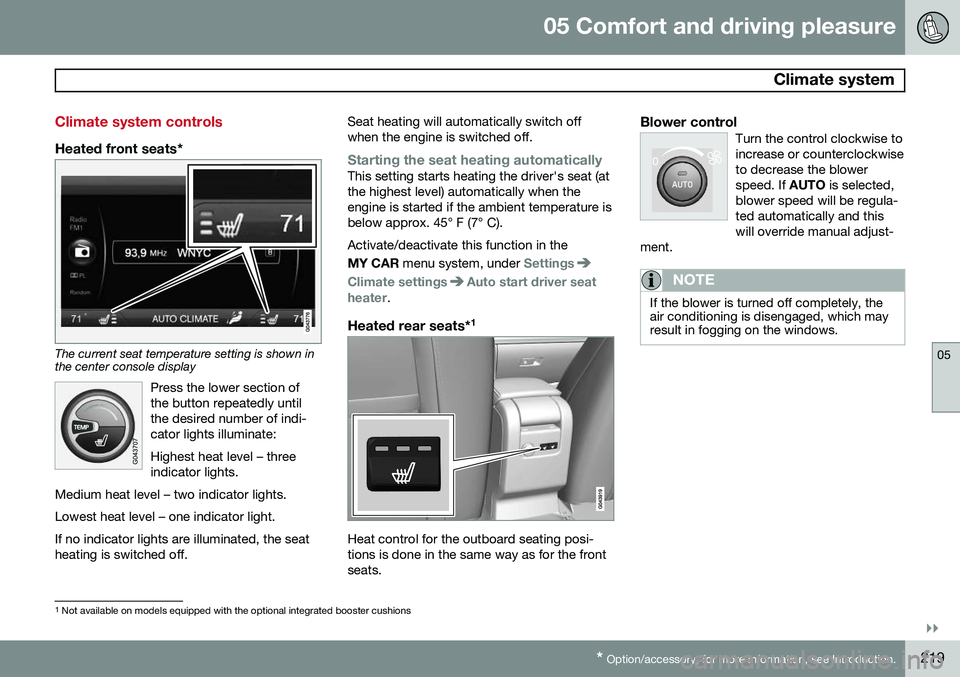
The current seat temperature setting is shown in the center console display
Press the lower section of the button repeatedly untilthe desired number of indi-cator lights illuminate: Highest heat level – three indicator lights.
Medium heat level – two indicator lights. Lowest heat level – one indicator light.If no indicator lights are illuminated, the seat heating is switched off.
Seat heating will automatically switch off when the engine is switched off.
Starting the seat heating automaticallyThis setting starts heating the driver's seat (at the highest level) automatically when theengine is started if the ambient temperature isbelow approx. 45° F (7° C). Activate/deactivate this function in the MY CAR menu system, under
Settings
Climate settingsAuto start driver seat
heater.
Heated rear seats* 1
Heat control for the outboard seating posi- tions is done in the same way as for the frontseats.
Blower controlTurn the control clockwise toincrease or counterclockwiseto decrease the blowerspeed. If
AUTO is selected,
blower speed will be regula-ted automatically and thiswill override manual adjust-
ment.
NOTE
If the blower is turned off completely, the air conditioning is disengaged, which mayresult in fogging on the windows.
1 Not available on models equipped with the optional integrated booster cushions
Page 270 of 406
06 Infotainment
Bluetooth® hands-free connection
06
268
Bluetooth ®
functions in the center
console control panel
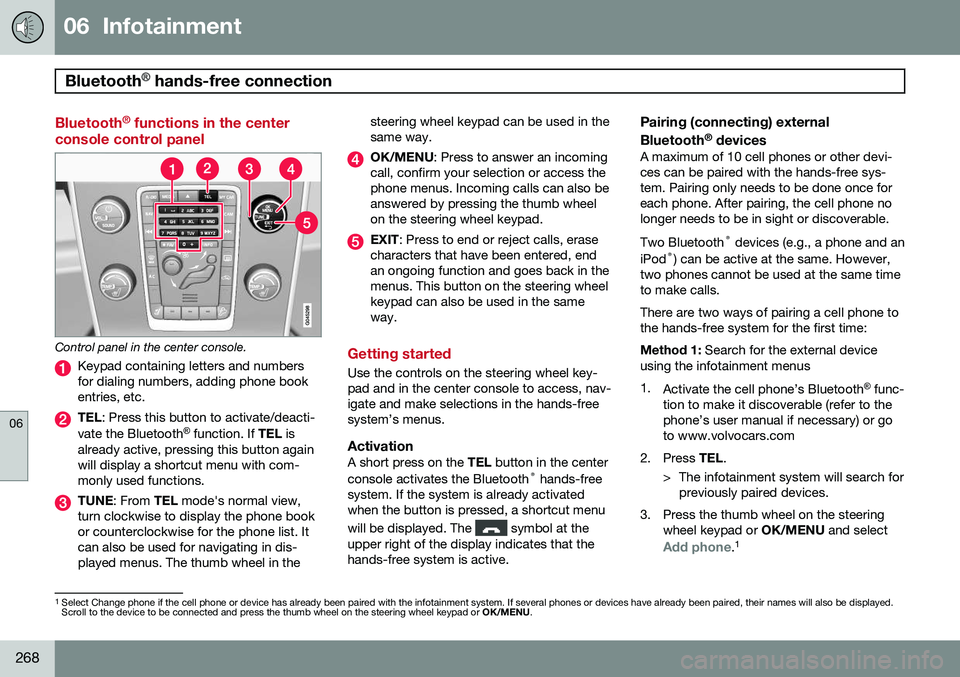
Control panel in the center console.
Keypad containing letters and numbers for dialing numbers, adding phone bookentries, etc.
TEL : Press this button to activate/deacti-
vate the Bluetooth ®
function. If TEL is
already active, pressing this button again will display a shortcut menu with com-monly used functions.
TUNE : From TEL mode's normal view,
turn clockwise to display the phone book or counterclockwise for the phone list. Itcan also be used for navigating in dis-played menus. The thumb wheel in the steering wheel keypad can be used in thesame way.
OK/MENU
: Press to answer an incoming
call, confirm your selection or access the phone menus. Incoming calls can also beanswered by pressing the thumb wheelon the steering wheel keypad.
EXIT : Press to end or reject calls, erase
characters that have been entered, end an ongoing function and goes back in themenus. This button on the steering wheelkeypad can also be used in the sameway.
Getting started
Use the controls on the steering wheel key- pad and in the center console to access, nav-igate and make selections in the hands-freesystem’s menus.
ActivationA short press on the TEL button in the center
console activates the Bluetooth ®
hands-free
system. If the system is already activatedwhen the button is pressed, a shortcut menu will be displayed. The
symbol at the
upper right of the display indicates that the hands-free system is active.
Pairing (connecting) external Bluetooth ®
devices
A maximum of 10 cell phones or other devi- ces can be paired with the hands-free sys-tem. Pairing only needs to be done once foreach phone. After pairing, the cell phone nolonger needs to be in sight or discoverable. Two Bluetooth ®
devices (e.g., a phone and an
iPod ®
) can be active at the same. However,
two phones cannot be used at the same time to make calls. There are two ways of pairing a cell phone to the hands-free system for the first time: Method 1: Search for the external device
using the infotainment menus1. Activate the cell phone’s Bluetooth ®
func-
tion to make it discoverable (refer to the phone’s user manual if necessary) or goto www.volvocars.com
2. Press TEL.
> The infotainment system will search for previously paired devices.
3. Press the thumb wheel on the steering wheel keypad or OK/MENU and select
Add phone.1
1
Select Change phone if the cell phone or device has already been paired with the infotainment system. If several phones or devices have already been paired, their names will also be displayed. Scroll to the device to be connected and press the thumb wheel on the steering wheel keypad or OK/MENU.
Page 272 of 406
06 Infotainment
Bluetooth® hands-free connection
06
270
Making a call1. Ensure that is shown at the top of
the center console display and that the hands-free function is in telephone mode.
2. Dial the desired phone number using the center console keypad or use the speeddial function (see page 274). In normalview (see page see page 239 for informa-tion about the various display views), it isalso possible to turn TUNE clockwise to
access the phone book and then counter-clockwise for the call list. See page 275for more information about the phonebook.
3. Press the thumb wheel or OK/MENU.
End or reject a call by pressing EXIT.
Disconnecting the cell phoneThe cell phone is automatically disconnectedfrom the infotainment system if it is movedout of range. The cell phone can be manually disconnected from the hands-free system by pressing andholding TEL or in phone mode, going to
Phone menuDisconnect phone. See also
page 271 for more information about con- nections. The hands-free system is also deactivatedwhen the ignition is switched off (or if thedriver’s door is opened). When the cell phone is disconnected from the hands-free system, a call in progress can becontinued using the cell phone’s own speakerand microphone. Even if the cell phone has been disconnected manually, some phones may reconnect auto-matically, for example when a new call is initi-ated.
Removing a paired deviceA paired phone or device can be removedfrom the list. To do so:
1. Press
TEL.
2. Select
Phone menuRemove
Bluetooth device.
Handling calls
Incoming calls–Press OK/MENU (or the thumb wheel on
the steering wheel keypad) to answer a call, even if the infotainment system is currently in another mode (e.g.,
RADIO orMEDIA).
Press EXIT to reject a call.
Auto answerThis function means that incoming calls will be answered automatically. Activate or deac-tivate the function in the menu system under
Phone menuCall optionsAuto
answer.
Call settingsWhile a call is in progress, press OK/MENU
or the thumb wheel on the steering wheel keypad to access the following functions:
•
Mute: mute the infotainment system’s
microphone.
•
Mobile phone: transfer the call from
hands-free to the cell phone. On certain cell phones, the connection will be bro-ken, which is normal. The hands-freefunction will ask if you would like toreconnect.
•
Dial number: dial a third party during an
ongoing call using the keypad (the current call will be put on hold).
Call listsCall lists are copied to the hands-free func- tion each time a cell phone is connected andthe lists are updated while the phone is con-nected. In normal view, turn TUNE counter-
clockwise to see the
All calls list.
Page 274 of 406
06 Infotainment
Bluetooth® hands-free connection
06
272
connected when the contact is saved. These contacts will be displayed regard-less of the cell phone that is connected. Ifa contact has been saved in the infotain- ment system, the
symbol will be
displayed next to it.
NOTE
Changes made from the infotainment sys- tem to a contact in the cell phone's phonebook will result in a new contact beingadded to the infotainment system's phonebook. However, this contact will not besaved in the cell phone's phone book. Theinfotainment system's display will showduplicate contacts with different icons. Please also note that if a speed dial num- ber is saved or if a contact's information isedited, this will result in a new contact inthe infotainment system's phone book.
The symbol must be displayed before
the phone book can be used and the hands- free function must be in phone mode. The infotainment system saves a copy of each paired cell phone's phone book. Thisphone book can be copied each time thephone is connected.
–Activate/deactivate this function in phone mode in
Phone menuPhone settings
Download phone book.
If the phone book contains information about someone who is trying to call you, this infor-mation will be shown in the display.
Contact shortcutsA quick way of searching the phone book forcontacts in normal view is to turn TUNE
clockwise to access the phone book and thencounter-clockwise to select a contact fromthe list. Press OK/MENU to call.
Each name in the phone book has a default phone number. If the
symbol is displayed
to the right of it, this indicates that there are additional phone numbers for this contact. Touse a phone number other than the default one, press the
button on the center
console control panel. Turn TUNE to select a
different phone number and press OK/MENU
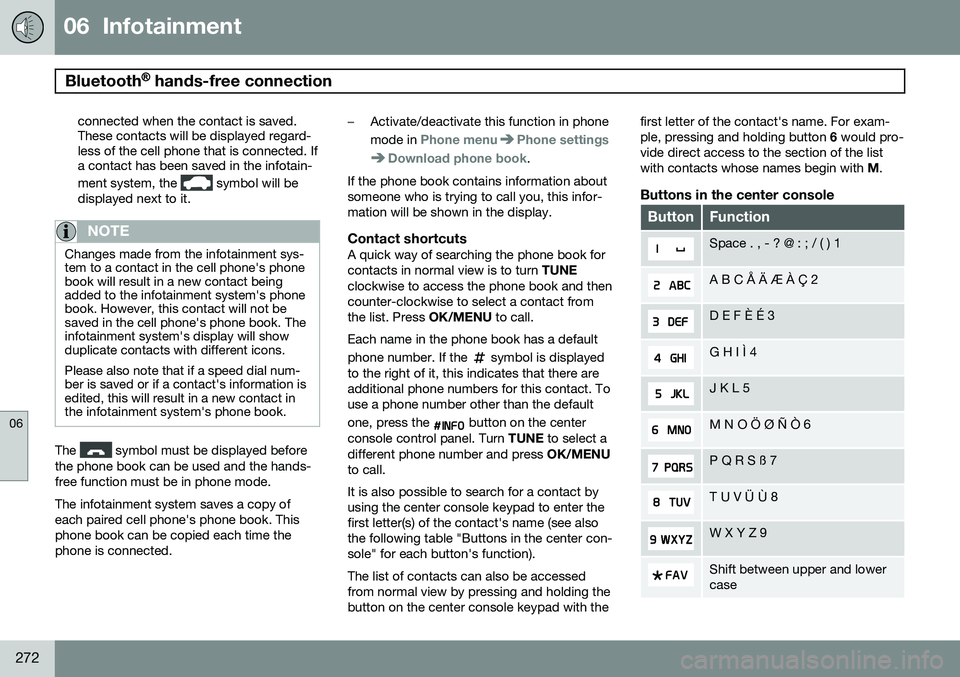
to call. It is also possible to search for a contact by using the center console keypad to enter thefirst letter(s) of the contact's name (see alsothe following table "Buttons in the center con-sole" for each button's function). The list of contacts can also be accessed from normal view by pressing and holding thebutton on the center console keypad with the first letter of the contact's name. For exam-ple, pressing and holding button
6 would pro-
vide direct access to the section of the listwith contacts whose names begin with M.
Buttons in the center console
ButtonFunction
Space . , - ? @ : ; / ( ) 1
A B C Å Ä Æ À Ç 2
D E F È É 3
G H I Ì 4
J K L 5
M N O Ö Ø Ñ Ò 6
P Q R S ß 7
T U V Ü Ù 8
W X Y Z 9
Shift between upper and lower case