center console VOLVO XC60 2016 Owner´s Manual
[x] Cancel search | Manufacturer: VOLVO, Model Year: 2016, Model line: XC60, Model: VOLVO XC60 2016Pages: 398, PDF Size: 9.98 MB
Page 114 of 398
03 Instruments and controls
03
112* Option/accessory, for more information, see Introduction.
NOTE
The transmitter has been tested and com- plies with FCC and IC rules. Changes ormodifications not expressly approved bythe party responsible for compliance couldvoid the user’s authority to operate the device. 22
Volvo Sensus
Volvo Sensus is the core of the contact inter- face with your vehicle. Sensus provides infor-mation, entertainment and offers access tofunctions that make owning and operating aVolvo easier.
Volvo Sensus is the operating system in your vehicle and it enables you to interact intui-tively with the vehicle’s various features andfunctions, including accessing the Internet,when it suits you. Volvo Sensus uses the center console screen to display information and menus, and tooffer a user interface that enables you tomake personalized settings for e.g., vehicle,infotainment and climate system functions. The buttons on the center console or the steering wheel keypad are used to activate/deactivate functions and change numeroussettings. Pressing the
MY CAR button on the center
console displays all of the settings related todriving and operating the vehicle, such asCity Safety, lock and alarm functions, auto-matic blower speed, setting the clock, etc. Pressing the source buttons on the center console ( RADIO, MEDIA , TEL ,
, NAV * and
CAM *, etc.) make it possible to select e.g.,
AM or FM radio, play a CD or DVD, use the Bluetooth ®
hands-free feature, the navigation
system* or the park assist camera*. See your on-board owner’s manual or the separate printed supplements for detailedinformation about the functionality offered byVolvo Sensus.
22 The term “IC:” before the certification/registration number only signifies that Industry Canada technical specifications were met.
Page 115 of 398
03 Instruments and controls
03
* Option/accessory, for more information, see Introduction.113
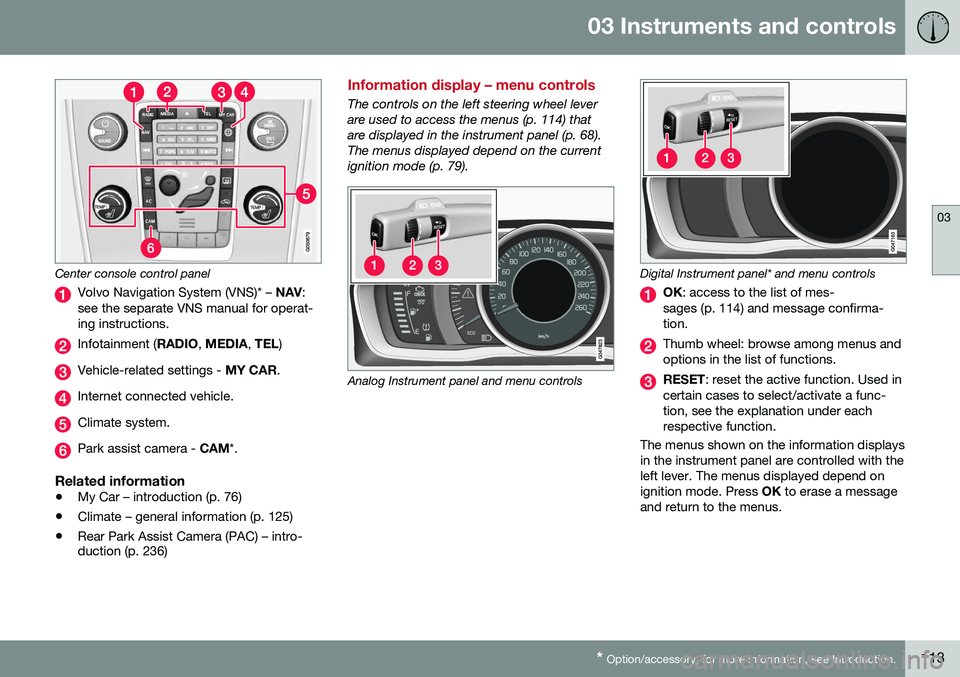
Center console control panel
Volvo Navigation System (VNS)* – NAV:
see the separate VNS manual for operat- ing instructions.
Infotainment ( RADIO, MEDIA , TEL )
Vehicle-related settings - MY CAR.
Internet connected vehicle.
Climate system.
Park assist camera - CAM*.
Related information
•My Car – introduction (p. 76)
• Climate – general information (p. 125)
• Rear Park Assist Camera (PAC) – intro- duction (p. 236)
Information display – menu controls
The controls on the left steering wheel lever are used to access the menus (p. 114) thatare displayed in the instrument panel (p. 68).The menus displayed depend on the currentignition mode (p. 79).
Analog Instrument panel and menu controls
Digital Instrument panel* and menu controls
OK
: access to the list of mes-
sages (p. 114) and message confirma- tion.
Thumb wheel: browse among menus and options in the list of functions.
RESET : reset the active function. Used in
certain cases to select/activate a func- tion, see the explanation under eachrespective function.
The menus shown on the information displaysin the instrument panel are controlled with theleft lever. The menus displayed depend onignition mode. Press OK to erase a message
and return to the menus.
Page 132 of 398
04 Climate
04
130* Option/accessory, for more information, see Introduction.
Heated seats
The front seat heating has three levels to increase comfort for the driver and passengerin cold weather. The rear outboard seat heating has three lev- els to increase comfort for the passengers incold weather.
Heated front seats*
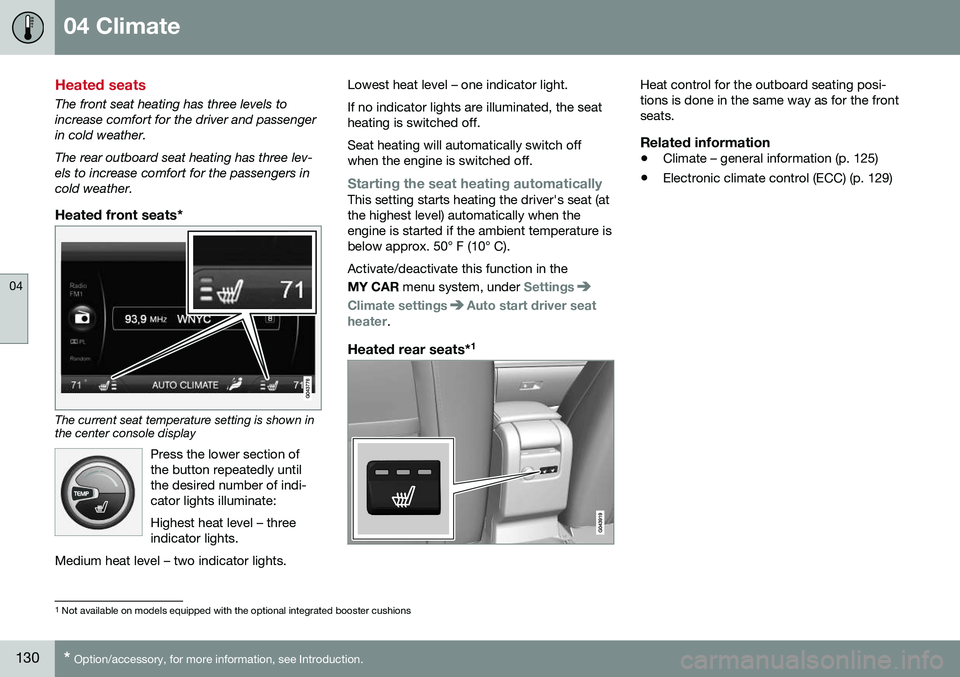
The current seat temperature setting is shown in the center console display
Press the lower section of the button repeatedly untilthe desired number of indi-cator lights illuminate: Highest heat level – three indicator lights.
Medium heat level – two indicator lights.
Lowest heat level – one indicator light. If no indicator lights are illuminated, the seat heating is switched off. Seat heating will automatically switch off when the engine is switched off.
Starting the seat heating automaticallyThis setting starts heating the driver's seat (at the highest level) automatically when theengine is started if the ambient temperature isbelow approx. 50° F (10° C). Activate/deactivate this function in the MY CAR menu system, under
Settings
Climate settingsAuto start driver seat
heater.
Heated rear seats* 1
Heat control for the outboard seating posi- tions is done in the same way as for the frontseats.
Related information
•
Climate – general information (p. 125)
• Electronic climate control (ECC) (p. 129)
1
Not available on models equipped with the optional integrated booster cushions
Page 134 of 398
04 Climate
04
132* Option/accessory, for more information, see Introduction.
Air conditioning
The air conditioning function cools and dehu- midifies the air in the passenger compart-ment.
When the indicator light inthe button is on, the air con-ditioning is controlled auto-matically. This cools/heatsand dehumidifies the incom-ing air. When the indicatorlight in the button is off, the
air conditioning is disengaged. Other func-tions are still controlled automatically. Whenmaximum defroster (p. 132) is selected, theair conditioning system is set for maximumblower speed and dehumidifies the cabin asquickly as possible.
Related information
• Climate – general information (p. 125)
• Automatic climate control (p. 131)
Max. defroster and electrically heated windshield*
The heated windshield and max. defroster functions are used to clear the windshield andfront side windows of condensation and iceas quickly as possible.
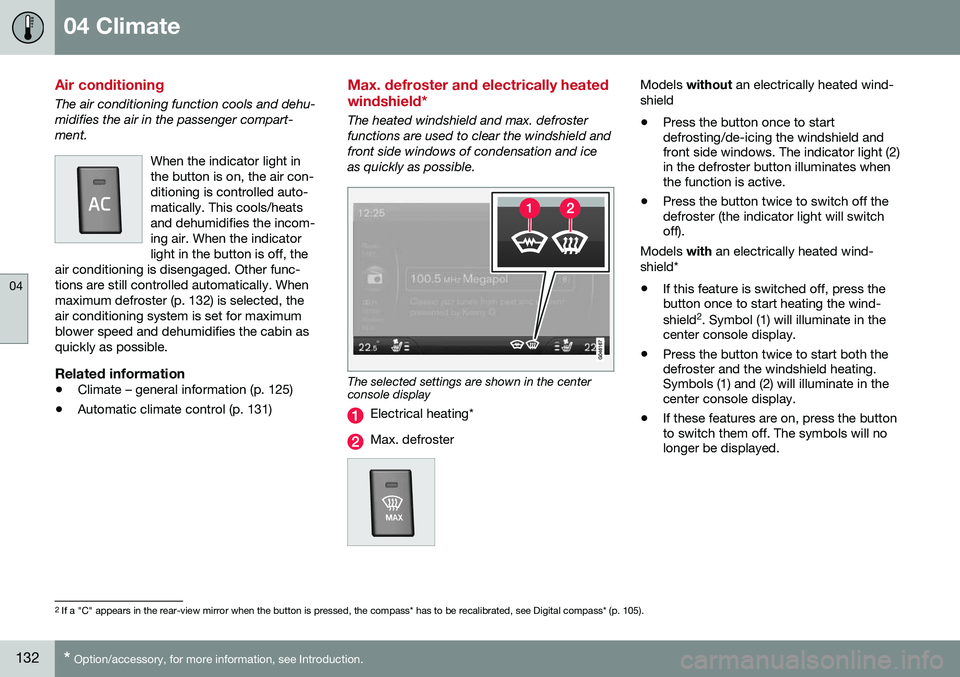
The selected settings are shown in the center console display
Electrical heating*
Max. defroster
Models
without an electrically heated wind-
shield • Press the button once to start defrosting/de-icing the windshield andfront side windows. The indicator light (2)in the defroster button illuminates whenthe function is active.
• Press the button twice to switch off thedefroster (the indicator light will switchoff).
Models with an electrically heated wind-
shield*
• If this feature is switched off, press thebutton once to start heating the wind- shield 2
. Symbol (1) will illuminate in the
center console display.
• Press the button twice to start both the defroster and the windshield heating.Symbols (1) and (2) will illuminate in thecenter console display.
• If these features are on, press the buttonto switch them off. The symbols will nolonger be displayed.
2
If a "C" appears in the rear-view mirror when the button is pressed, the compass* has to be recalibrated, see Digital compass* (p. 105).
Page 136 of 398
||
04 Climate
04
134
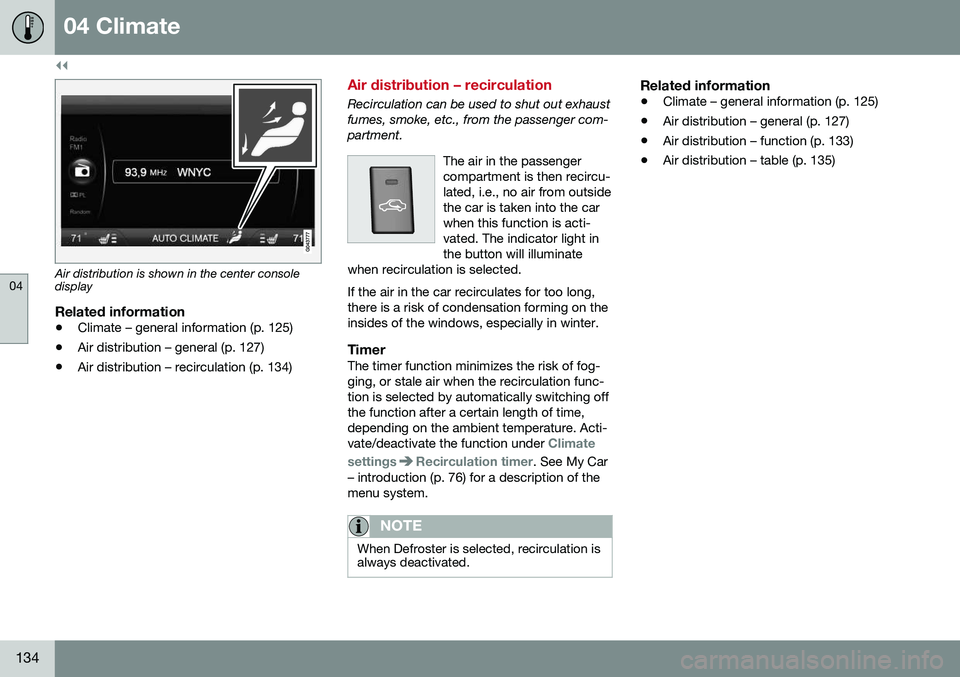
Air distribution is shown in the center console display
Related information
•Climate – general information (p. 125)
• Air distribution – general (p. 127)
• Air distribution – recirculation (p. 134)
Air distribution – recirculation
Recirculation can be used to shut out exhaust fumes, smoke, etc., from the passenger com-partment.
The air in the passengercompartment is then recircu-lated, i.e., no air from outsidethe car is taken into the carwhen this function is acti-vated. The indicator light inthe button will illuminate
when recirculation is selected. If the air in the car recirculates for too long, there is a risk of condensation forming on theinsides of the windows, especially in winter.
TimerThe timer function minimizes the risk of fog- ging, or stale air when the recirculation func-tion is selected by automatically switching offthe function after a certain length of time,depending on the ambient temperature. Acti-vate/deactivate the function under
Climate
settings
Recirculation timer. See My Car
– introduction (p. 76) for a description of the menu system.
NOTE
When Defroster is selected, recirculation is always deactivated.
Related information
• Climate – general information (p. 125)
• Air distribution – general (p. 127)
• Air distribution – function (p. 133)
• Air distribution – table (p. 135)
Page 137 of 398
04 Climate
04
}}
135
Air distribution – table
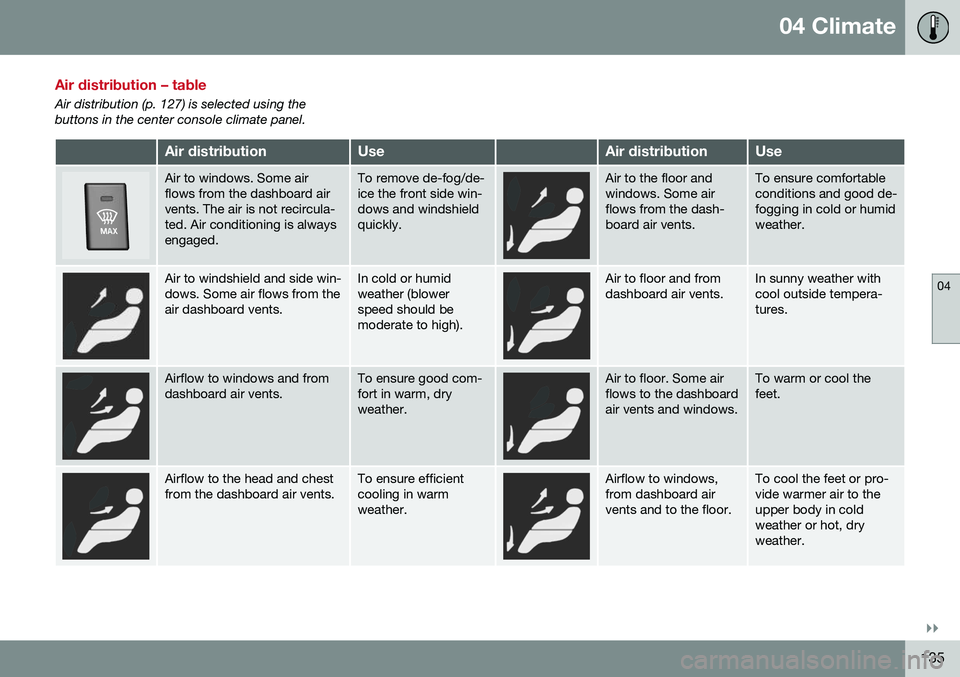
Air distribution (p. 127) is selected using the buttons in the center console climate panel.
Air distributionUseAir distributionUse
Air to windows. Some air flows from the dashboard airvents. The air is not recircula-ted. Air conditioning is alwaysengaged.To remove de-fog/de- ice the front side win-dows and windshieldquickly.Air to the floor and windows. Some airflows from the dash-board air vents.To ensure comfortable conditions and good de-fogging in cold or humidweather.
Air to windshield and side win- dows. Some air flows from theair dashboard vents.In cold or humid weather (blowerspeed should bemoderate to high).Air to floor and from dashboard air vents.In sunny weather with cool outside tempera-tures.
Airflow to windows and from dashboard air vents.To ensure good com- fort in warm, dryweather.Air to floor. Some air flows to the dashboardair vents and windows.To warm or cool the feet.
Airflow to the head and chest from the dashboard air vents.To ensure efficient cooling in warmweather.Airflow to windows, from dashboard airvents and to the floor.To cool the feet or pro- vide warmer air to theupper body in coldweather or hot, dryweather.
Page 142 of 398
05 Loading and storage
05
140* Option/accessory, for more information, see Introduction.
Tunnel console
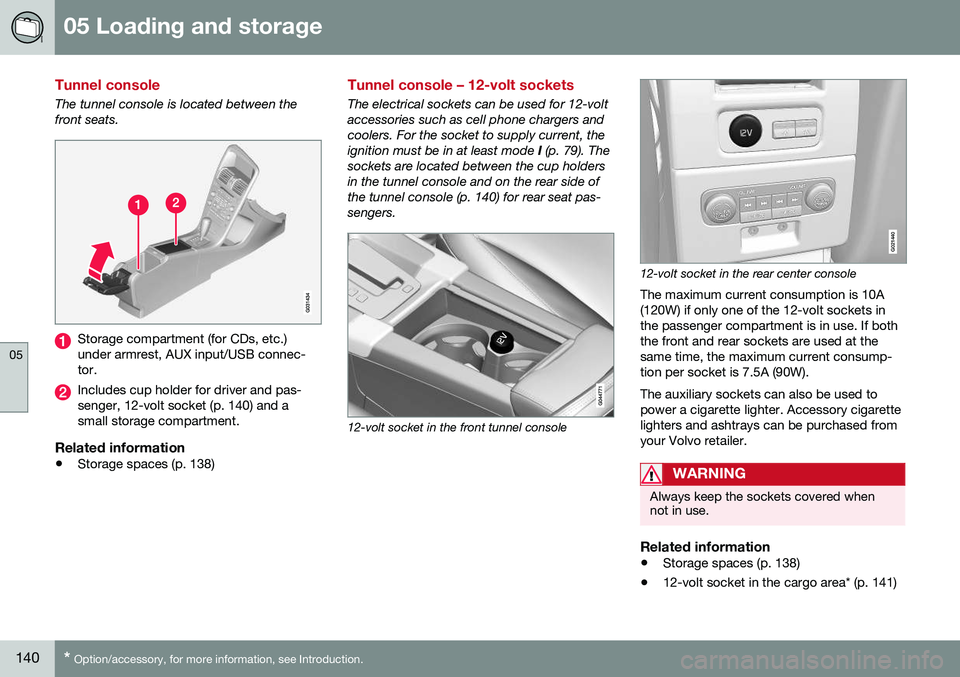
The tunnel console is located between the front seats.
Storage compartment (for CDs, etc.) under armrest, AUX input/USB connec-tor.
Includes cup holder for driver and pas- senger, 12-volt socket (p. 140) and asmall storage compartment.
Related information
• Storage spaces (p. 138)
Tunnel console – 12-volt sockets
The electrical sockets can be used for 12-volt accessories such as cell phone chargers andcoolers. For the socket to supply current, theignition must be in at least mode
I (p. 79). The
sockets are located between the cup holdersin the tunnel console and on the rear side ofthe tunnel console (p. 140) for rear seat pas-sengers.
12-volt socket in the front tunnel console
G021440
12-volt socket in the rear center console
The maximum current consumption is 10A (120W) if only one of the 12-volt sockets inthe passenger compartment is in use. If boththe front and rear sockets are used at thesame time, the maximum current consump-tion per socket is 7.5A (90W). The auxiliary sockets can also be used to power a cigarette lighter. Accessory cigarettelighters and ashtrays can be purchased fromyour Volvo retailer.
WARNING
Always keep the sockets covered when not in use.
Related information
• Storage spaces (p. 138)
• 12-volt socket in the cargo area* (p. 141)
Page 154 of 398
||
06 Locks and alarm
06
152
Making a settingDifferent alternatives for locking/unlocking confirmation can be selected in the menus bypressing MY CAR on the center console con-
trol panel. • To activate visual confirmation: go to
SettingsCar settingsLight
settings and select Door lock
confirmation light and/or Unlock
confirmation light by pressing OK/
MENU .
• To activate audible confirmation: go to
SettingsCar settingsLock
settings and select Audible
confirmation by pressing OK/MENU.
For a description of the menu system, see My Car – introduction (p. 76).
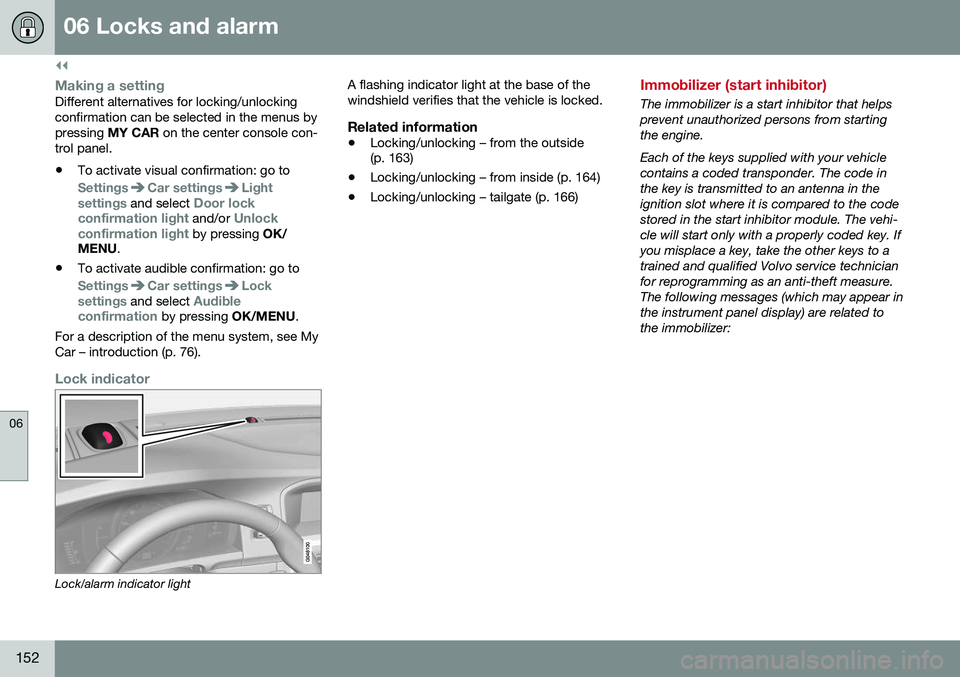
Lock indicator
Lock/alarm indicator light A flashing indicator light at the base of the windshield verifies that the vehicle is locked.
Related information
•
Locking/unlocking – from the outside (p. 163)
• Locking/unlocking – from inside (p. 164)
• Locking/unlocking – tailgate (p. 166)
Immobilizer (start inhibitor)
The immobilizer is a start inhibitor that helps prevent unauthorized persons from startingthe engine. Each of the keys supplied with your vehicle contains a coded transponder. The code inthe key is transmitted to an antenna in theignition slot where it is compared to the codestored in the start inhibitor module. The vehi-cle will start only with a properly coded key. Ifyou misplace a key, take the other keys to atrained and qualified Volvo service technicianfor reprogramming as an anti-theft measure.The following messages (which may appear inthe instrument panel display) are related tothe immobilizer:
Page 176 of 398
07 Driver support
07
174* Option/accessory, for more information, see Introduction.
Active chassis* (Four C)
Active chassis, Four-C (Continuously Controlled Chassis Concept), regulates thecharacteristics of the shock absorbers so thatthe vehicle's driving characteristics can beadjusted. There are three settings: Comfort,Sport and Advanced.
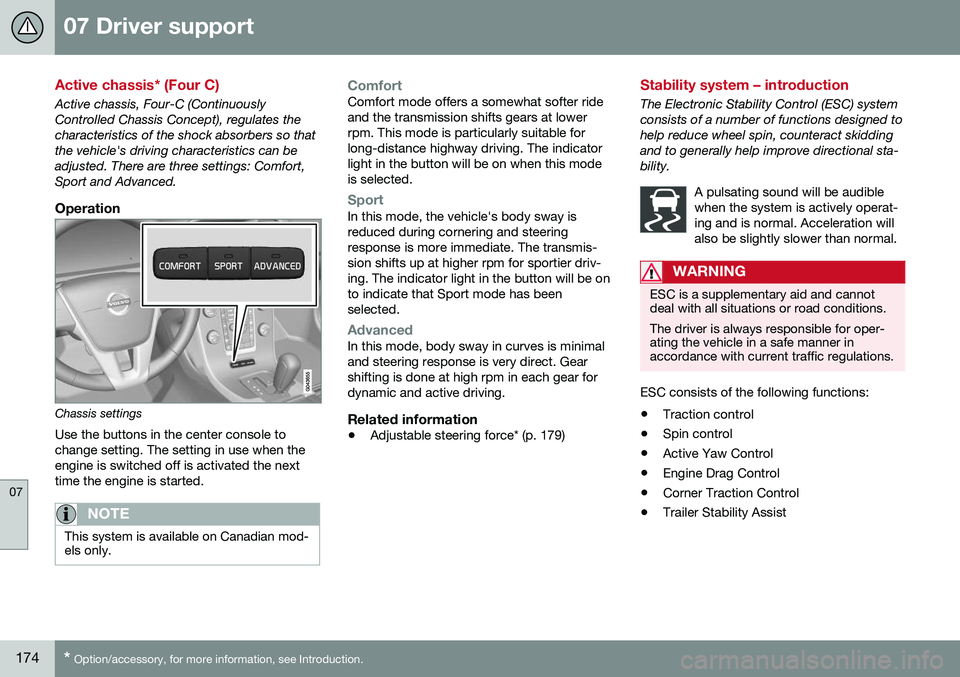
Operation
Chassis settings
Use the buttons in the center console to change setting. The setting in use when theengine is switched off is activated the nexttime the engine is started.
NOTE
This system is available on Canadian mod- els only.
ComfortComfort mode offers a somewhat softer ride and the transmission shifts gears at lowerrpm. This mode is particularly suitable forlong-distance highway driving. The indicatorlight in the button will be on when this modeis selected.
SportIn this mode, the vehicle's body sway is reduced during cornering and steeringresponse is more immediate. The transmis-sion shifts up at higher rpm for sportier driv-ing. The indicator light in the button will be onto indicate that Sport mode has beenselected.
AdvancedIn this mode, body sway in curves is minimal and steering response is very direct. Gearshifting is done at high rpm in each gear fordynamic and active driving.
Related information
• Adjustable steering force* (p. 179)
Stability system – introduction
The Electronic Stability Control (ESC) system consists of a number of functions designed tohelp reduce wheel spin, counteract skiddingand to generally help improve directional sta-bility.
A pulsating sound will be audiblewhen the system is actively operat-ing and is normal. Acceleration willalso be slightly slower than normal.
WARNING
ESC is a supplementary aid and cannot deal with all situations or road conditions. The driver is always responsible for oper- ating the vehicle in a safe manner inaccordance with current traffic regulations.
ESC consists of the following functions:
• Traction control
• Spin control
• Active Yaw Control
• Engine Drag Control
• Corner Traction Control
• Trailer Stability Assist
Page 181 of 398
07 Driver support
07
* Option/accessory, for more information, see Introduction.179
Adjustable steering force*
Steering force increases with the speed of the vehicle to give the driver enhanced sense ofcontrol and stability. At low speed the vehicleis easy to steer in order to facilitate parking,etc.
Adjustable steering force*Steering force can be changed under MY
CAR
Car settingsSteering wheel
force
. Select Low, Medium or High. For a
description of the menu system, My Car – introduction (p. 76).
NOTE
This steering force level menu function cannot be accessed when the vehicle is inmotion.
NOTE
In certain situations, the power steering may become too warm and will have to betemporarily cooled down. While this ishappening, the power steering effect willbe reduced slightly and somewhat moreeffort may be required to turn the steeringwheel. If this occurs, a message will be displayed in the instrument panel.
Related information
• Active chassis* (Four C) (p. 174)
Road Sign Information (RSI)* – introduction
RSI is a feature that helps the driver see road signs with the posted speed limit.
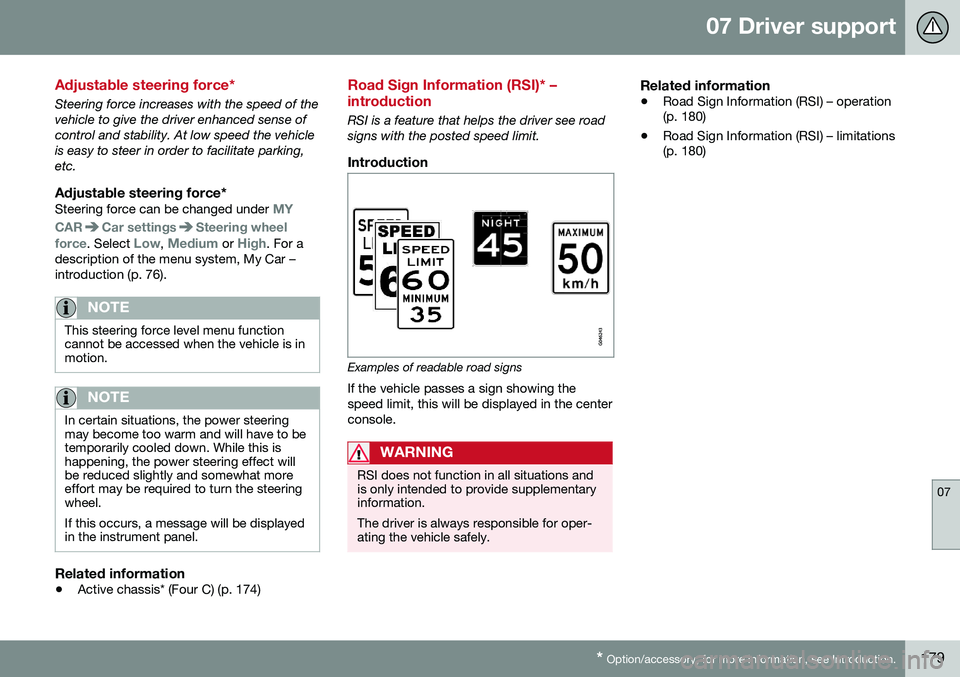
Introduction
Examples of readable road signs If the vehicle passes a sign showing the speed limit, this will be displayed in the centerconsole.
WARNING
RSI does not function in all situations and is only intended to provide supplementaryinformation. The driver is always responsible for oper- ating the vehicle safely.
Related information
•Road Sign Information (RSI) – operation (p. 180)
• Road Sign Information (RSI) – limitations(p. 180)