center console VOLVO XC60 2016 Owner´s Manual
[x] Cancel search | Manufacturer: VOLVO, Model Year: 2016, Model line: XC60, Model: VOLVO XC60 2016Pages: 398, PDF Size: 9.98 MB
Page 239 of 398
07 Driver support
07
}}
237
Rear Park Assist Camera (PAC) – function
Function
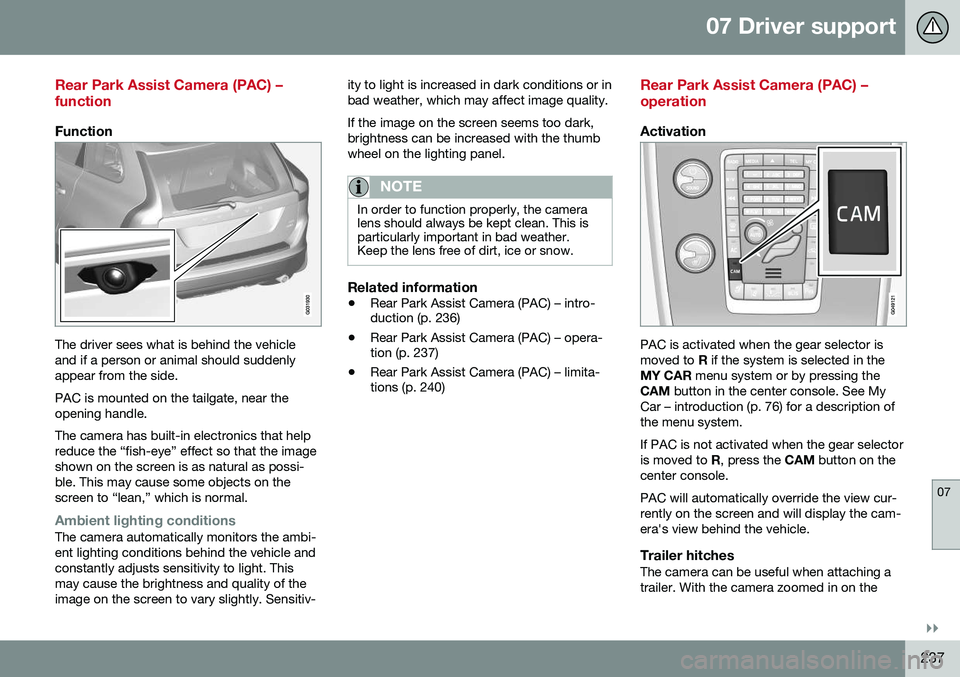
The driver sees what is behind the vehicle and if a person or animal should suddenlyappear from the side. PAC is mounted on the tailgate, near the opening handle. The camera has built-in electronics that help reduce the “fish-eye” effect so that the imageshown on the screen is as natural as possi-ble. This may cause some objects on thescreen to “lean,” which is normal.
Ambient lighting conditionsThe camera automatically monitors the ambi- ent lighting conditions behind the vehicle andconstantly adjusts sensitivity to light. Thismay cause the brightness and quality of theimage on the screen to vary slightly. Sensitiv-ity to light is increased in dark conditions or inbad weather, which may affect image quality. If the image on the screen seems too dark, brightness can be increased with the thumbwheel on the lighting panel.
NOTE
In order to function properly, the camera lens should always be kept clean. This isparticularly important in bad weather.Keep the lens free of dirt, ice or snow.
Related information
•
Rear Park Assist Camera (PAC) – intro- duction (p. 236)
• Rear Park Assist Camera (PAC) – opera-tion (p. 237)
• Rear Park Assist Camera (PAC) – limita-tions (p. 240)
Rear Park Assist Camera (PAC) – operation
Activation
PAC is activated when the gear selector is moved to
R if the system is selected in the
MY CAR menu system or by pressing the
CAM button in the center console. See My
Car – introduction (p. 76) for a description ofthe menu system. If PAC is not activated when the gear selector is moved to R, press the CAM button on the
center console. PAC will automatically override the view cur- rently on the screen and will display the cam-era's view behind the vehicle.
Trailer hitchesThe camera can be useful when attaching atrailer. With the camera zoomed in on the
Page 240 of 398
||
07 Driver support
07
238
trailer hitch, a guiding line showing the hitch's path toward the trailer will be projected. The guiding lines for the wheels and for the trailer hitch cannot be displayed at the sametime. To select a view:
1. Press OK/MENU when a camera view is
displayed.
2. Turn TUNE to scroll to
Tow bar
trajectory guide line.
3. Confirm by pressing OK/MENU and
press EXIT.
ZoomWhen necessary, the camera view can be zoomed:
• Press
CAM or turn TUNE. Pressing or
turning again returns you to normal view.
If there are additional alternatives, press/turnuntil the desired camera view is displayed.
Automatic zoom
Automatic zoom is a feature that is available
on models equipped with a trailer hitch and the optional (p. 232)Park assist system. Withthis alternative selected, the camera willzoom in on the trailer hitch automatically ifthe vehicle approaches an object/trailer. See also the "Settings" section below.
DeactivationMove the gear selector from R to another
gear. The camera remains active for approx. 5 seconds after the gear selector has been moved from
R or until the vehicle's forward
speed exceeds 6 mph/10 km/h(21 mph/35 km/h in reverse). The screen willthen revert to the view that was displayedbefore R was selected.
NOTE
If any button on the center console control panel is pressed, the camera image willdisappear from the display. Pressing CAM
will return the camera image to the display.
SettingsBy default, PAC is set to activate when the gear selector is moved to R
To change PAC settings when a camera viewis displayed:
1. Press OK/MENU when a camera view is
on the screen. A menu will be displayed.
2. Turn TUNE to scroll to the desired set-
ting.
3. Press OK/MENU to make the setting and
exit the menu by pressing EXIT.
Summary
•Pressing
CAM will activate the camera
even if the gear selector is not in Reverse.
• Toggle between normal view and zoom by pressing
CAM or by turning TUNE.
Related information
•Park assist – introduction (p. 232)
• Park assist – function (p. 232)
• Park assist – troubleshooting (p. 236)
• Park assist – limitations (p. 235)
• Rear Park Assist Camera (PAC) – intro-duction (p. 236)
Page 244 of 398
||
07 Driver support
07
242* Option/accessory, for more information, see Introduction.
WARNING
• BLIS does not function in sharp curves.
• BLIS does not function when yourvehicle is backing up.
Related information
•
BLIS* – introduction (p. 240)
• BLIS* – operation (p. 242)
• BLIS* – Cross Traffic Alert (CTA) (p. 243)
• BLIS* – limitations (p. 244)
• BLIS* – messages (p. 245)
BLIS* – operation
Activating/deactivating BLIS
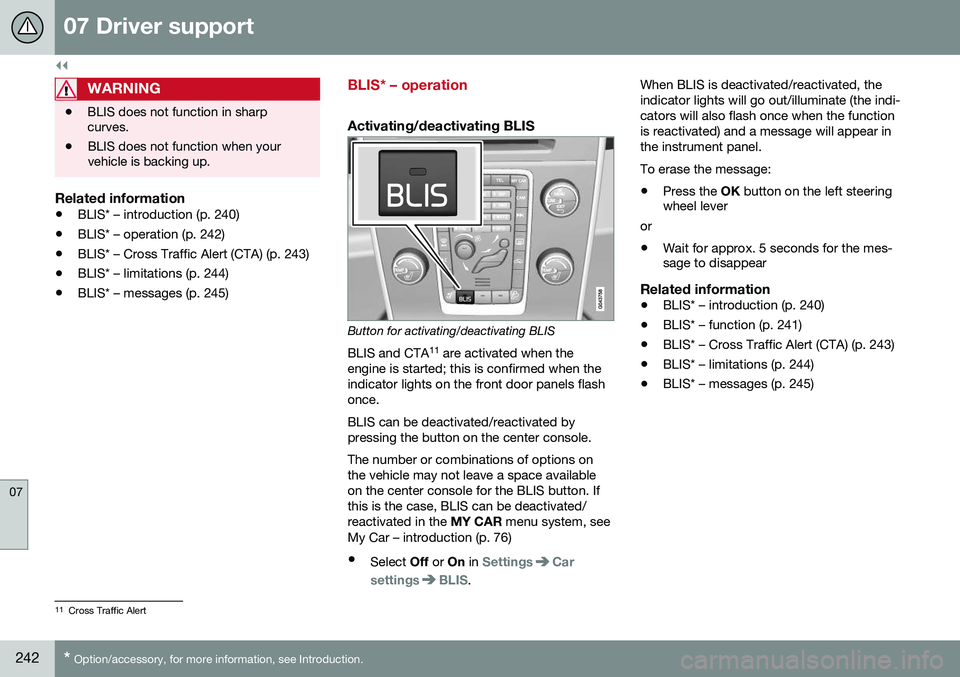
Button for activating/deactivating BLIS
BLIS and CTA 11
are activated when the
engine is started; this is confirmed when the indicator lights on the front door panels flashonce. BLIS can be deactivated/reactivated by pressing the button on the center console. The number or combinations of options on the vehicle may not leave a space availableon the center console for the BLIS button. Ifthis is the case, BLIS can be deactivated/reactivated in the MY CAR menu system, see
My Car – introduction (p. 76)
• Select Off or On in
SettingsCar
settings
BLIS. When BLIS is deactivated/reactivated, the indicator lights will go out/illuminate (the indi-cators will also flash once when the functionis reactivated) and a message will appear inthe instrument panel. To erase the message: •
Press the
OK button on the left steering
wheel lever
or
• Wait for approx. 5 seconds for the mes- sage to disappear
Related information
• BLIS* – introduction (p. 240)
• BLIS* – function (p. 241)
• BLIS* – Cross Traffic Alert (CTA) (p. 243)
• BLIS* – limitations (p. 244)
• BLIS* – messages (p. 245)
11
Cross Traffic Alert
Page 245 of 398
07 Driver support
07
}}
* Option/accessory, for more information, see Introduction.243
BLIS* – Cross Traffic Alert (CTA)
Cross Traffic Alert (CTA) is a supplementary BLIS 12
function intended to detect vehicles
crossing behind your vehicle while you are backing up.
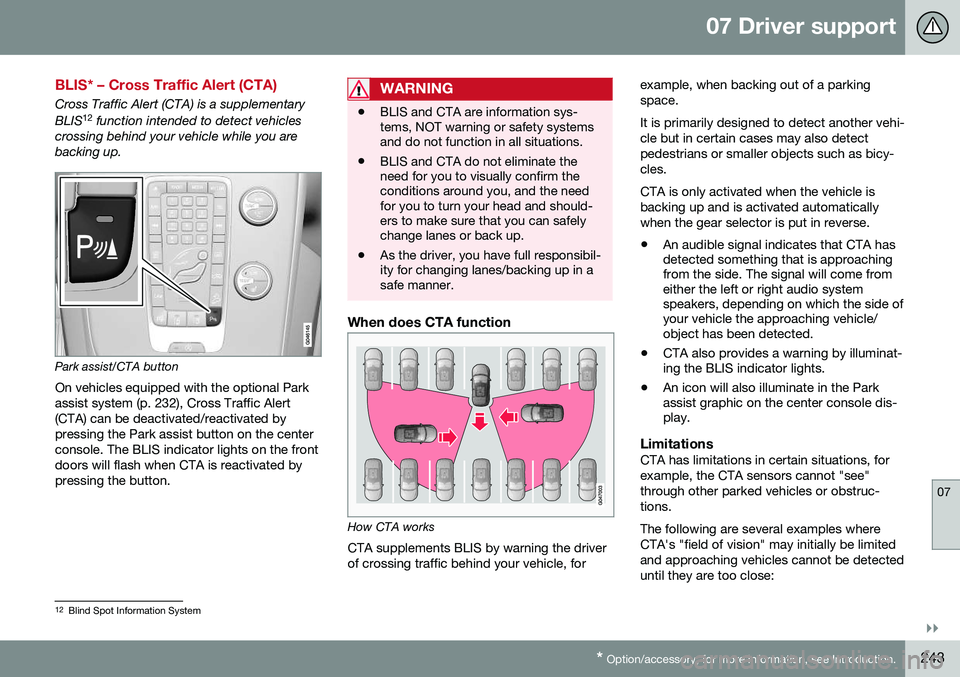
Park assist/CTA button On vehicles equipped with the optional Park assist system (p. 232), Cross Traffic Alert(CTA) can be deactivated/reactivated bypressing the Park assist button on the centerconsole. The BLIS indicator lights on the frontdoors will flash when CTA is reactivated bypressing the button.
WARNING
• BLIS and CTA are information sys- tems, NOT warning or safety systemsand do not function in all situations.
• BLIS and CTA do not eliminate theneed for you to visually confirm theconditions around you, and the needfor you to turn your head and should-ers to make sure that you can safelychange lanes or back up.
• As the driver, you have full responsibil-ity for changing lanes/backing up in asafe manner.
When does CTA function
How CTA works
CTA supplements BLIS by warning the driver of crossing traffic behind your vehicle, for example, when backing out of a parkingspace. It is primarily designed to detect another vehi- cle but in certain cases may also detectpedestrians or smaller objects such as bicy-cles. CTA is only activated when the vehicle is backing up and is activated automaticallywhen the gear selector is put in reverse.
• An audible signal indicates that CTA has detected something that is approachingfrom the side. The signal will come fromeither the left or right audio systemspeakers, depending on which the side ofyour vehicle the approaching vehicle/object has been detected.
• CTA also provides a warning by illuminat-ing the BLIS indicator lights.
• An icon will also illuminate in the Parkassist graphic on the center console dis-play.
LimitationsCTA has limitations in certain situations, for example, the CTA sensors cannot "see"through other parked vehicles or obstruc-tions. The following are several examples where CTA's "field of vision" may initially be limitedand approaching vehicles cannot be detecteduntil they are too close:
12
Blind Spot Information System
Page 259 of 398
08 Starting and driving
08
}}
257
Start/Stop – Hill Start Assist (HSA)
When starting on steep hills, HSA (see Trans- mission – general information (p. 252)) retainspressure on the brake pedal for several sec-onds after the pedal has been released inorder to keep the vehicle at a standstill. Thebrakes will be released after several secondsor when the driver presses the acceleratorpedal. The pedal will return to its normal posi-tion somewhat slower than normal.
Related information
•Start/Stop – introduction (p. 257)
• Start/Stop – function (p. 257)
• Start/Stop – settings (p. 260)
• Start/Stop – Auto-stop exceptions (p. 258)
• Start/Stop – Auto-start exceptions(p. 259)
• Start/Stop – symbols and messages(p. 261)
Start/Stop – introduction
Start/Stop is a function that temporarily switches off the engine when the vehicle isnot moving, for instance in heavy traffic or at atraffic light to help reduce fuel consumption. Start/Stop is available with certain engines/ transmissions.
Related information
•Start/Stop – function (p. 257)
• Start/Stop – settings (p. 260)
• Start/Stop – Auto-stop exceptions (p. 258)
• Start/Stop – Auto-start exceptions(p. 259)
• Start/Stop – Hill Start Assist (HSA)(p. 257)
• Start/Stop – symbols and messages(p. 261)
Start/Stop – function
Function and use
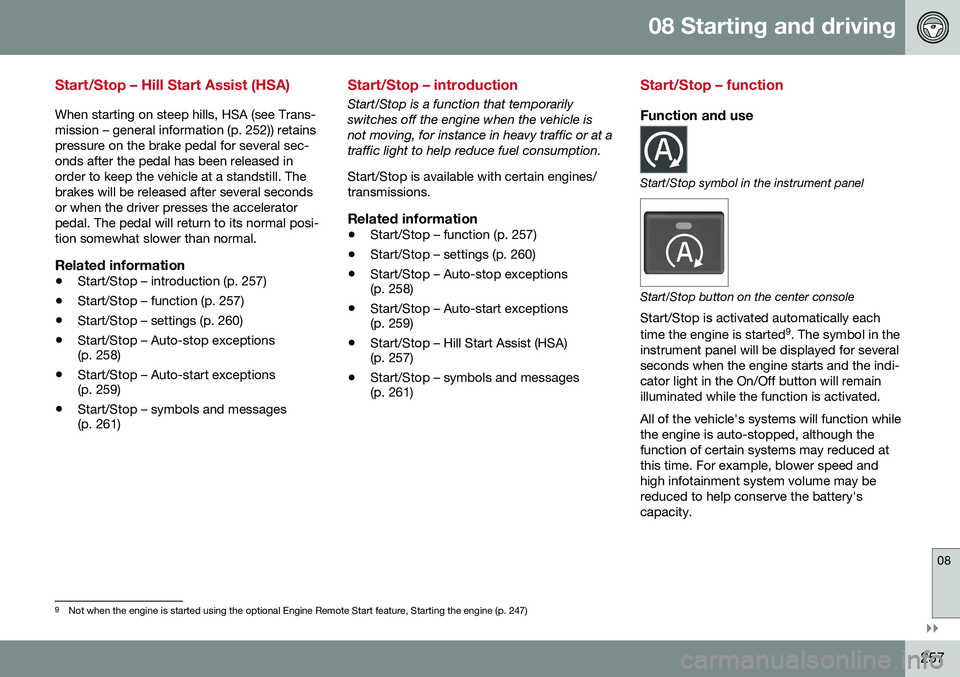
Start/Stop symbol in the instrument panel
Start/Stop button on the center console
Start/Stop is activated automatically each time the engine is started 9
. The symbol in the
instrument panel will be displayed for several seconds when the engine starts and the indi-cator light in the On/Off button will remainilluminated while the function is activated. All of the vehicle's systems will function while the engine is auto-stopped, although thefunction of certain systems may reduced atthis time. For example, blower speed andhigh infotainment system volume may bereduced to help conserve the battery'scapacity.
9 Not when the engine is started using the optional Engine Remote Start feature, Starting the engine (p. 247)
Page 260 of 398
||
08 Starting and driving
08
258* Option/accessory, for more information, see Introduction.
Auto-stopping the engineNormally, when Start/Stop is activated and the brakes are applied until the vehicle comesto a standstill, the engine will auto-stop auto-matically if the driver keeps the brake pedal
depressed .
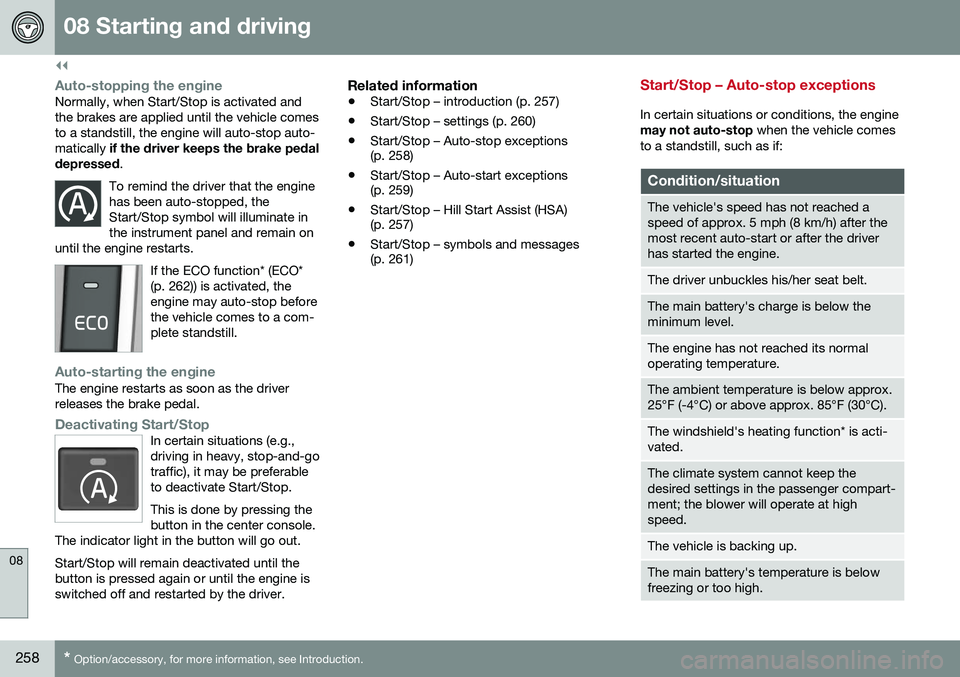
To remind the driver that the enginehas been auto-stopped, theStart/Stop symbol will illuminate inthe instrument panel and remain on
until the engine restarts.
If the ECO function* (ECO* (p. 262)) is activated, theengine may auto-stop beforethe vehicle comes to a com-plete standstill.
Auto-starting the engineThe engine restarts as soon as the driver releases the brake pedal.
Deactivating Start/StopIn certain situations (e.g., driving in heavy, stop-and-gotraffic), it may be preferableto deactivate Start/Stop. This is done by pressing the button in the center console.
The indicator light in the button will go out. Start/Stop will remain deactivated until the button is pressed again or until the engine isswitched off and restarted by the driver.
Related information
• Start/Stop – introduction (p. 257)
• Start/Stop – settings (p. 260)
• Start/Stop – Auto-stop exceptions (p. 258)
• Start/Stop – Auto-start exceptions(p. 259)
• Start/Stop – Hill Start Assist (HSA)(p. 257)
• Start/Stop – symbols and messages(p. 261)
Start/Stop – Auto-stop exceptions
In certain situations or conditions, the engine may not auto-stop
when the vehicle comes
to a standstill, such as if:
Condition/situation
The vehicle's speed has not reached a speed of approx. 5 mph (8 km/h) after themost recent auto-start or after the driverhas started the engine.
The driver unbuckles his/her seat belt.
The main battery's charge is below the minimum level.
The engine has not reached its normal operating temperature.
The ambient temperature is below approx. 25°F (-4°C) or above approx. 85°F (30°C).
The windshield's heating function* is acti- vated.
The climate system cannot keep the desired settings in the passenger compart-ment; the blower will operate at highspeed.
The vehicle is backing up.
The main battery's temperature is below freezing or too high.
Page 264 of 398
08 Starting and driving
08
262* Option/accessory, for more information, see Introduction.
ECO*
Eco is a function 10
developed by Volvo to give
the driver the opportunity to actively drive more economically and to help reduce fuelconsumption.
IntroductionWhen Eco is activated, thefollowing functions are modi-fied:
• The automatic transmission's shifting points
• The engine management system andaccelerator pedal response
• Stop/stop function (Start/Stop – introduc-tion (p. 257)): the engine can auto-stopbefore the vehicle has come to a full stop
• Eco Coast functionality is activated:engine braking is disabled
• Climate system settings: certain functions(e.g., air conditioning) will be temporarilyreduced or deactivated
NOTE
When Eco is activated, several climate system parameters are changed and thefunction of certain current-consuming sys-tems will be reduced. Some of these functions can be restarted manually but full functionality will not berestored until Eco is deactivated.
Function
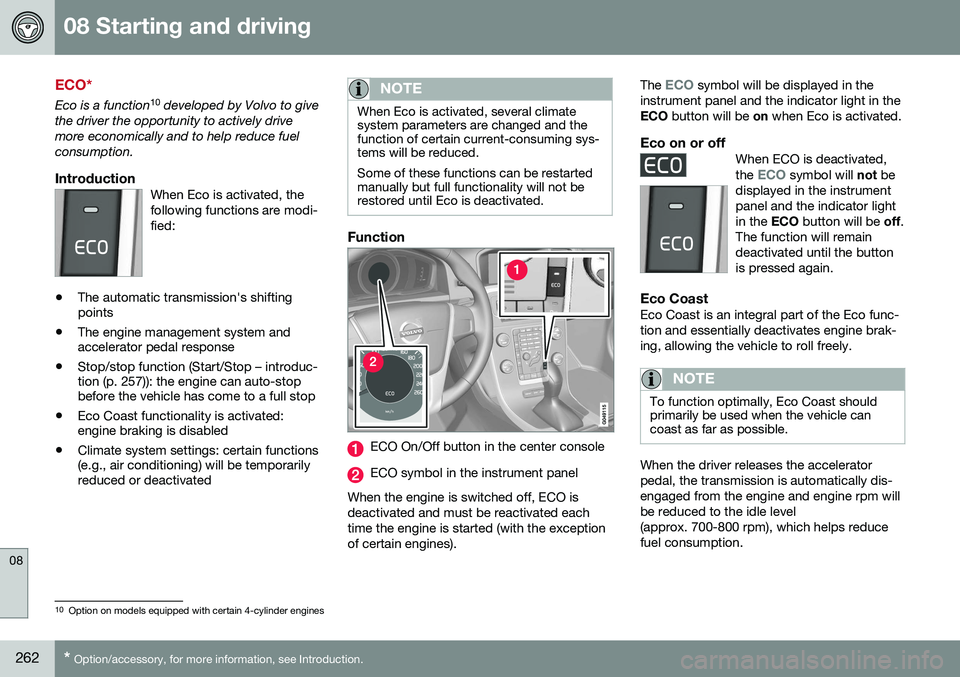
ECO On/Off button in the center console
ECO symbol in the instrument panel
When the engine is switched off, ECO is deactivated and must be reactivated eachtime the engine is started (with the exceptionof certain engines). The
ECO symbol will be displayed in the
instrument panel and the indicator light in the ECO button will be on when Eco is activated.
Eco on or offWhen ECO is deactivated, the ECO symbol will not be
displayed in the instrument panel and the indicator lightin the ECO button will be off.
The function will remaindeactivated until the buttonis pressed again.
Eco CoastEco Coast is an integral part of the Eco func- tion and essentially deactivates engine brak-ing, allowing the vehicle to roll freely.
NOTE
To function optimally, Eco Coast should primarily be used when the vehicle cancoast as far as possible.
When the driver releases the accelerator pedal, the transmission is automatically dis-engaged from the engine and engine rpm willbe reduced to the idle level(approx. 700-800 rpm), which helps reducefuel consumption.
10 Option on models equipped with certain 4-cylinder engines
Page 267 of 398
08 Starting and driving
08
}}
265
Related information
•Hill Descent Control (HDC) – operation (p. 265)
• Brakes – general (p. 266)Hill Descent Control (HDC) 14
–
operation
Function
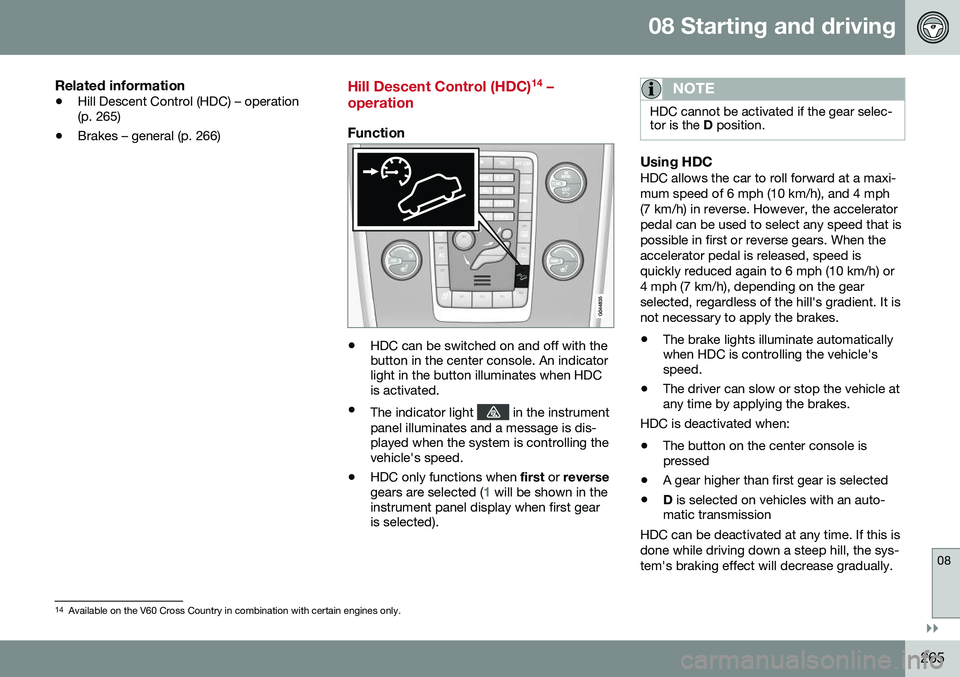
• HDC can be switched on and off with the button in the center console. An indicatorlight in the button illuminates when HDCis activated.
• The indicator light
in the instrument
panel illuminates and a message is dis- played when the system is controlling thevehicle's speed.
• HDC only functions when
first or reverse
gears are selected (
1 will be shown in the
instrument panel display when first gear is selected).
NOTE
HDC cannot be activated if the gear selec- tor is the D position.
Using HDCHDC allows the car to roll forward at a maxi- mum speed of 6 mph (10 km/h), and 4 mph(7 km/h) in reverse. However, the acceleratorpedal can be used to select any speed that ispossible in first or reverse gears. When theaccelerator pedal is released, speed isquickly reduced again to 6 mph (10 km/h) or4 mph (7 km/h), depending on the gearselected, regardless of the hill's gradient. It isnot necessary to apply the brakes.
• The brake lights illuminate automatically when HDC is controlling the vehicle'sspeed.
• The driver can slow or stop the vehicle atany time by applying the brakes.
HDC is deactivated when:
• The button on the center console ispressed
• A gear higher than first gear is selected
• D
is selected on vehicles with an auto-
matic transmission
HDC can be deactivated at any time. If this is done while driving down a steep hill, the sys-tem's braking effect will decrease gradually.
14 Available on the V60 Cross Country in combination with certain engines only.
Page 308 of 398
09 Wheels and tires
09
306
Snow tires/studded tires5
Owners who live in or regularly commute through areas with sustained periods of snowor icy driving conditions are strongly advisedto fit suitable winter tires to help retain thehighest degree of traction.
Tires for winter use:
•
It is important to install winter tires on all four wheels to help retain traction duringcornering, braking, and accelerating. Fail-ure to do so could reduce traction to anunsafe level or adversely affect handling.
• Do not mix tires of different design as thiscould also negatively affect overall tireroad grip.
• Winter tires wear more quickly on dryroads in warm weather. They should beremoved when the winter driving seasonhas ended.
• Studded tires should be run-in 300 – 600 miles (500 – 1000 km) during whichthe vehicle should be driven as smoothlyas possible to give the studs the opportu-nity to seat properly in the tires. The tiresshould have the same rotational directionthroughout their entire lifetime.
NOTE
Please consult state or provincial regula- tions restricting the use of studded wintertires before installing such tires.
Tire pressure monitoring - introduction
Volvo provides two different systems to moni- tor tire pressure: Tire Pressure MonitoringSystem (TPMS) or Tire Monitor.
Determining which tire monitoring system is in your vehicle
To see which system is installed in your vehi- cle, press the
MY CAR button on the center
console. Go to
SettingsCar settings.
• If your vehicle has a menu called
Tire
monitoring, see Tire Monitor - introduc-
tion (p. 311).
• If your vehicle has a menu called
Tire
pressure, see Tire Pressure Monitoring
System (TPMS) – general information (p. 307).
IntroductionEach tire, including the spare (if provided), should be checked monthly when cold andinflated to the inflation pressure recom-mended by the vehicle manufacturer on thevehicle placard or tire inflation pressure label.(If your vehicle has tires of a different sizethan the size indicated on the vehicle placardor tire inflation pressure label, you shoulddetermine the proper tire inflation pressure forthose tires.) As an added safety feature, your vehicle hasbeen equipped with a tire pressure monitor-ing system that illuminates a low tire pressure telltale (
) when one or more of your tires
is significantly under-inflated. Accordingly, when the low tire pressure telltale illuminates,you should stop and check your tires as soonas possible, and inflate them to the properpressure. Driving on a significantly under-inflated tire causes the tire to overheat and can lead totire failure. Under-inflation also reduces fuelefficiency and tire tread life, and may affectthe vehicle's handling and stopping ability.Please note that a tire pressure monitoringsystem is not a substitute for proper tiremaintenance, and it is the driver's responsi-bility to maintain correct tire pressure, even ifunder-inflation has not reached the level totrigger illumination of the system's low tirepressure telltale. Your vehicle has also been equipped with a TPMS malfunction indicator to indicate whenthe system is not operating properly. Themonitoring system's malfunction indicator iscombined with the low tire pressure telltale. When the system detects a malfunction, the telltale will flash for approximately one minuteand then remain continuously illuminated.This sequence will continue upon subsequentvehicle start-ups as long as the malfunction
5 Where permitted
Page 313 of 398
09 Wheels and tires
09
}}
311
Tire Monitor - introduction
Tire Monitor uses the rotational speed of the tires in combination with signal analysis of theABS sensor signals to determine if they areproperly inflated. When a tire is under-inflated, its diameter (and consequently also its rotational speed)changes. By comparing the individual tireswith each other it is possible to determine ifone or more tires are under inflated. When low inflation pressure is detected or if the system is not functioning properly, TireMonitor will light up the tire pressure warning light (
) (also referred to as a telltale) in
the instrument panel and will display one of the following messages in the text window, for example:
Tire pressure low Check rear
right tire6 or Tire press. syst Service
required.
If two or more tires have low pressure or if the system cannot determine which tire has low pressure, a general text (
Tire pressure low
Check tires) will be displayed.
NOTE
If a malfunction occurs in the system, the tire pressure warning light will flash forapproximately 1 minute and then remain illuminated.
Tire press. syst Service
required will be displayed.
NOTE
The system indicates low tire pressure but does not replace normal tire maintenance.For information on correct tire pressure,please refer to the tire inflation pressuretable (see Tire inflation – pressure table(p. 301)), the tire inflation pressure placardlocated on the driver's side B-pillar (thestructural member at the side of the vehi-cle, at the rear of the driver's door open-ing) or consult your Volvo retailer.
Related information
• Tire pressure monitoring - introduction (p. 306)
Calibrating Tire Monitor
In order for Tire Monitor to work correctly, tire pressure reference values must be set. Thismust be done each time wheels or tire pres-sures are changed.
Calibration1. Switch off the engine.
2. Inflate the tires to the desired pressure
(consult tire pressure placard located on the driver's side B-pillar (the structuralmember at the side of the vehicle) andput the ignition in mode II, see Ignition
modes (p. 79).
3. Press the MY CAR button on the center
console control panel and select
Settings
Car settingsTire monitoring.
4. Press OK/MENU , select
Calibrate tire
pressure and press OK/MENU again.
5. Drive away. > The calibration process will be comple-ted while driving and will be interrupted if the vehicle is parked and the engineis switched off. Calibration continuesautomatically when driving resumes.The system will not give any confirma-tion when calibration is finishedalthough it will state if calibration fails.
6That last part of this message varies, depending on the tire(s) effected.