Parking VOLVO XC60 2016 Owner´s Manual
[x] Cancel search | Manufacturer: VOLVO, Model Year: 2016, Model line: XC60, Model: VOLVO XC60 2016Pages: 398, PDF Size: 9.98 MB
Page 5 of 398
Contents
* Option/accessory, for more information, see Introduction.3
03
03 Instruments and controls
Instrument overview ................................. 64
Information displays – introduction........... 68
Eco Guide* and Power Meter*.................. 71
Information displays – indicator symbols. 72
Information displays – warning symbols... 74
My Car – introduction............................... 76Information displays – ambient tempera-
ture sensor................................................ 77 Information displays – trip odometer and
clock......................................................... 78
Inserting/removing remote key................. 78
Ignition modes.......................................... 79
Front seats................................................ 80
Front seats – folding backrest*................. 81
Front seats – power seat.......................... 81Key memory – power driver's seat* and
door mirrors.............................................. 83
Rear seats – head restraints..................... 84
Rear seats – folding backrest................... 86
Steering wheel.......................................... 87
Electrically heated* steering wheel........... 88
Lighting panel........................................... 89
High/low beam headlights........................ 90
Active high beams (AHB)*......................... 90
03
Tunnel detection (models with the rain
sensor* only)............................................. 92
Active Bending Lights (ABL)*.................... 92
Auxiliary lights*.......................................... 93
Instrument and "theater" lighting.............. 93
Parking lights............................................ 93
Rear fog lights........................................... 94
Hazard warning flashers........................... 94
Turn signals............................................... 95
Front interior lighting................................. 96
Rear interior lighting.................................. 97
Home safe lighting.................................... 97
Approach lighting...................................... 97
Windshield wipers..................................... 98
Rain sensor*.............................................. 98
Windshield washer.................................... 99
Tailgate wiper/washer............................. 100
Power windows....................................... 100
Power door mirrors................................. 102Power door mirrors – automatic tilting/
retraction................................................. 103 Heated windshield*, rear window and
door mirror defrosters............................. 104
Interior rearview mirror............................ 104
03
Digital compass*..................................... 105
Panoramic roof* – introduction............... 106
Panoramic roof* – operation................... 107 HomeLink ®
Wireless Control System* –
introduction............................................. 109HomeLink ®
Wireless Control System* –
programming........................................... 110
Volvo Sensus.......................................... 112
Information display – menu controls....... 113
Information display – menu overview..... 114
Information display – messages............. 114
Trip computer – introduction ................. 115Trip computer – functions, analog instru-
ment panel.............................................. 117 Trip computer – functions, digital instru-
ment panel.............................................. 120 Trip computer – Supplementary informa-
tion.......................................................... 122
Trip computer – Trip statistics................ 123
Page 9 of 398
Contents
7
08
Brakes – general..................................... 266
Brakes – symbols ................................... 268
Anti-lock braking system (ABS).............. 268
Brake lights............................................. 268
Emergency Brake Assistance (EBA)....... 269
Parking brake – general information....... 269
Parking brake – applying........................ 270
Parking brake – releasing........................ 271
Parking brake – symbols and messages 272
Driving through water.............................. 273
Engine and cooling system..................... 274
Conserving electrical current.................. 274
Before a long distance trip...................... 274
Driving in cold weather........................... 275
Refueling – fuel requirements................. 276
Refueling – octane rating........................ 277Refueling – opening/closing fuel filler
door......................................................... 278
Refueling – opening/closing fuel cap...... 279
Emission controls.................................... 280
Economical driving.................................. 280
Towing a trailer....................................... 282
Detachable trailer hitch........................... 283
Trailer Stability Assist (TSA).................... 284
08
Towing the vehicle.................................. 285
Towing eyelet.......................................... 285
Towing by tow truck............................... 286
09
09 Wheels and tires
Tires – general information...................... 289
Tires – storage and age.......................... 290
Tires – tread wear indicator.................... 291
Tires – tire economy................................ 291
Changing a wheel – direction of rotation 292
Changing a wheel – removing wheel...... 292
Changing a wheel – spare wheel............ 295Changing a wheel – accessing the spare
wheel....................................................... 296
Changing a wheel – installing a wheel.... 296
Tire inflation – general information.......... 297
Tire inflation – checking pressure........... 298
Tire specifications................................... 299
Tire inflation – pressure table.................. 301
Loading specifications............................ 302
Loading specifications – load limit.......... 302
Tire specifications – terminology............ 303Tire specifications – Uniform Tire Quality
Grading................................................... 304
Snow chains............................................ 305
Snow tires/studded tires......................... 306
Tire pressure monitoring - introduction.. 306Tire Pressure Monitoring System (TPMS)
– general information.............................. 307
Page 69 of 398
03 Instruments and controls
03
* Option/accessory, for more information, see Introduction.67
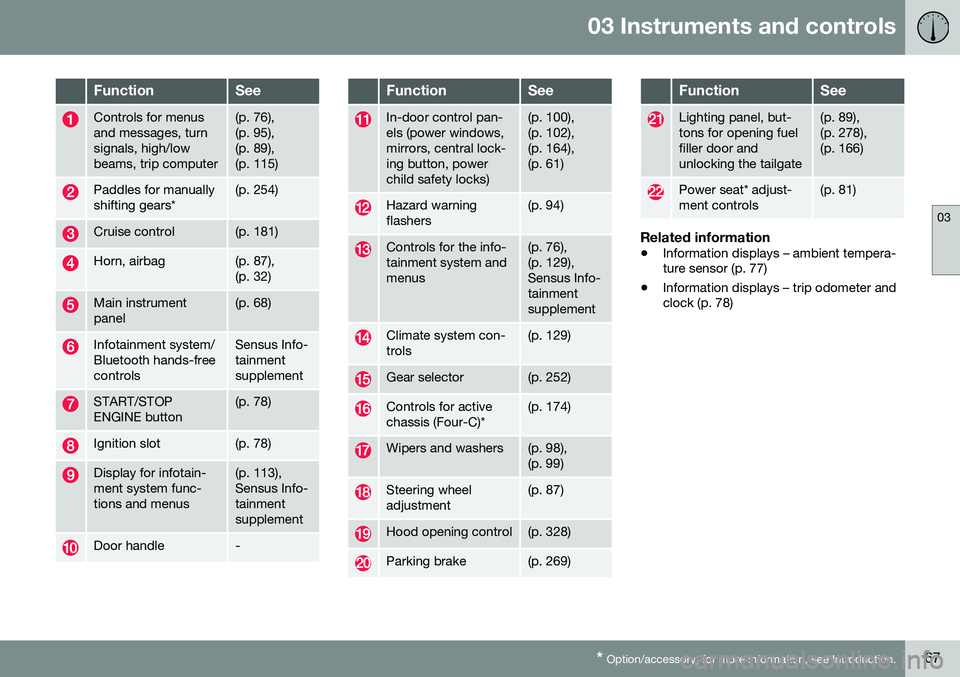
FunctionSee
Controls for menus and messages, turnsignals, high/lowbeams, trip computer(p. 76), (p. 95),(p. 89),(p. 115)
Paddles for manually shifting gears*(p. 254)
Cruise control(p. 181)
Horn, airbag(p. 87), (p. 32)
Main instrument panel(p. 68)
Infotainment system/ Bluetooth hands-freecontrolsSensus Info- tainmentsupplement
START/STOP ENGINE button(p. 78)
Ignition slot(p. 78)
Display for infotain- ment system func-tions and menus(p. 113), Sensus Info-tainmentsupplement
Door handle-
FunctionSee
In-door control pan- els (power windows,mirrors, central lock-ing button, powerchild safety locks)(p. 100), (p. 102),(p. 164),(p. 61)
Hazard warning flashers(p. 94)
Controls for the info- tainment system andmenus(p. 76), (p. 129),Sensus Info-tainmentsupplement
Climate system con- trols(p. 129)
Gear selector(p. 252)
Controls for active chassis (Four-C)*(p. 174)
Wipers and washers(p. 98), (p. 99)
Steering wheel adjustment(p. 87)
Hood opening control(p. 328)
Parking brake(p. 269)
FunctionSee
Lighting panel, but- tons for opening fuelfiller door andunlocking the tailgate(p. 89), (p. 278),(p. 166)
Power seat* adjust- ment controls(p. 81)
Related information
• Information displays – ambient tempera- ture sensor (p. 77)
• Information displays – trip odometer andclock (p. 78)
Page 72 of 398
||
03 Instruments and controls
03
70
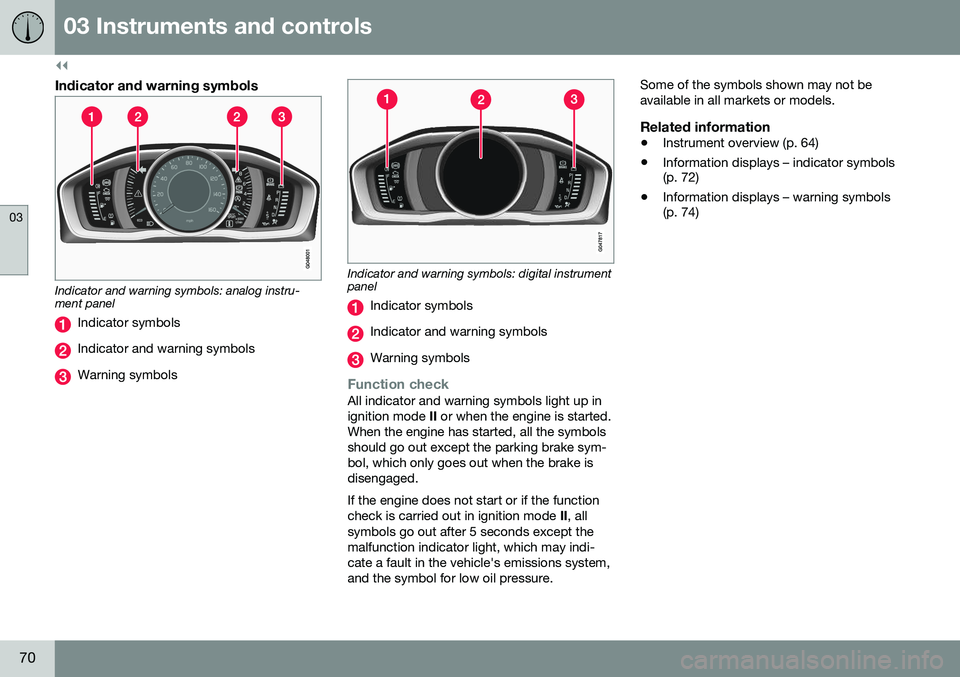
Indicator and warning symbols
Indicator and warning symbols: analog instru- ment panel
Indicator symbols
Indicator and warning symbols
Warning symbols
Indicator and warning symbols: digital instrument panel
Indicator symbols
Indicator and warning symbols
Warning symbols
Function checkAll indicator and warning symbols light up in ignition mode II or when the engine is started.
When the engine has started, all the symbolsshould go out except the parking brake sym-bol, which only goes out when the brake isdisengaged. If the engine does not start or if the function check is carried out in ignition mode II, all
symbols go out after 5 seconds except themalfunction indicator light, which may indi-cate a fault in the vehicle's emissions system,and the symbol for low oil pressure. Some of the symbols shown may not beavailable in all markets or models.
Related information
•
Instrument overview (p. 64)
• Information displays – indicator symbols (p. 72)
• Information displays – warning symbols(p. 74)
Page 76 of 398
||
03 Instruments and controls
03
74* Option/accessory, for more information, see Introduction.
Start/stop*The symbol illuminates when the engine has auto-stopped.
Related information
• Information displays – introduction (p. 68)
• Information displays – warning symbols (p. 74)
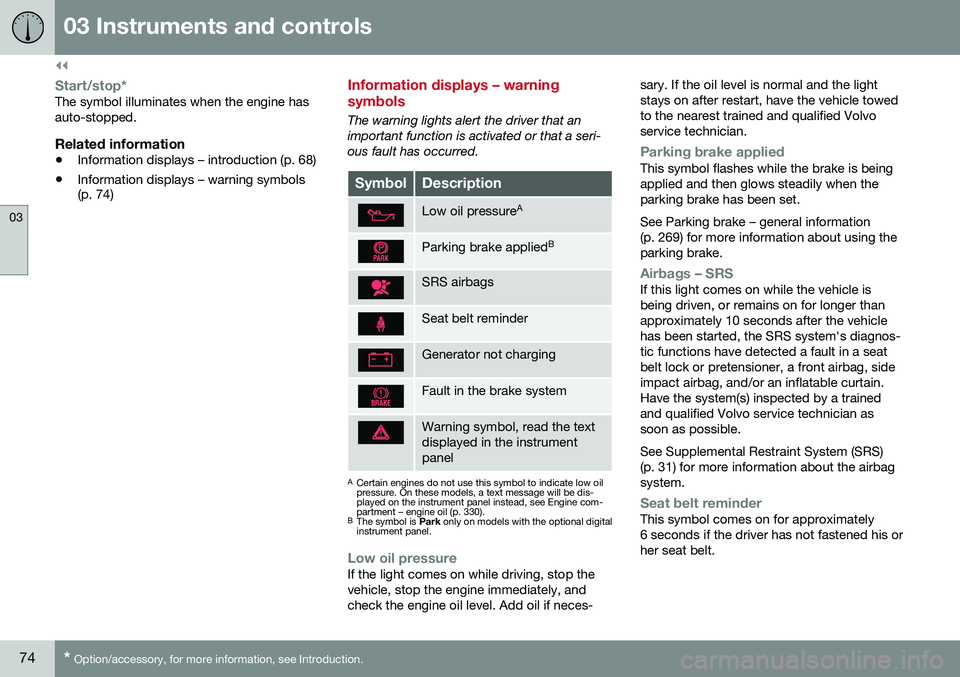
Information displays – warning symbols
The warning lights alert the driver that an important function is activated or that a seri-ous fault has occurred.
SymbolDescription
Low oil pressure A
Parking brake applied B
SRS airbags
Seat belt reminder
Generator not charging
Fault in the brake system
Warning symbol, read the text displayed in the instrumentpanel
A
Certain engines do not use this symbol to indicate low oil pressure. On these models, a text message will be dis-played on the instrument panel instead, see Engine com-partment – engine oil (p. 330).
B The symbol is Park only on models with the optional digital
instrument panel.
Low oil pressureIf the light comes on while driving, stop the vehicle, stop the engine immediately, andcheck the engine oil level. Add oil if neces- sary. If the oil level is normal and the lightstays on after restart, have the vehicle towedto the nearest trained and qualified Volvoservice technician.
Parking brake appliedThis symbol flashes while the brake is being applied and then glows steadily when theparking brake has been set. See Parking brake – general information (p. 269) for more information about using theparking brake.
Airbags – SRSIf this light comes on while the vehicle is being driven, or remains on for longer thanapproximately 10 seconds after the vehiclehas been started, the SRS system's diagnos-tic functions have detected a fault in a seatbelt lock or pretensioner, a front airbag, sideimpact airbag, and/or an inflatable curtain.Have the system(s) inspected by a trainedand qualified Volvo service technician assoon as possible. See Supplemental Restraint System (SRS) (p. 31) for more information about the airbagsystem.
Seat belt reminderThis symbol comes on for approximately 6 seconds if the driver has not fastened his orher seat belt.
Page 89 of 398
03 Instruments and controls
03
}}
* Option/accessory, for more information, see Introduction.87
NOTE
It may be necessary to move the front seats forward or put their backrests in amore upright position before folding downthe rear seat backrests.
WARNING
• When one or more sections of the backrest is returned to the uprightposition, check that it is properlylocked in place by pushing and pullingit. The red indicators should also notbe visible.
• Return the outboard head restraints tothe upright position.
• Long loads should always be securelyanchored to help avoid injury in theevent of a sudden stop.
• Always turn the engine off and applythe parking brake when loading/unloading the vehicle.
• Place the transmission in the Park (
P)
position to help prevent inadvertentmovement of the gear selector.
• On hot days, the temperature in thevehicle interior can rise very quickly.Exposure of people to these high tem-peratures for even a short period oftime can cause heat-related injury ordeath. Small children are particularly atrisk.
Related information
•
Front seats (p. 80)
• Front seats – power seat (p. 81)
• Rear seats – head restraints (p. 84)
Steering wheel
The steering wheel can be adjusted to various positions and has controls for the horn, cruisecontrol*, menus, the infotainment system and Bluetooth
®-connected cell phone.
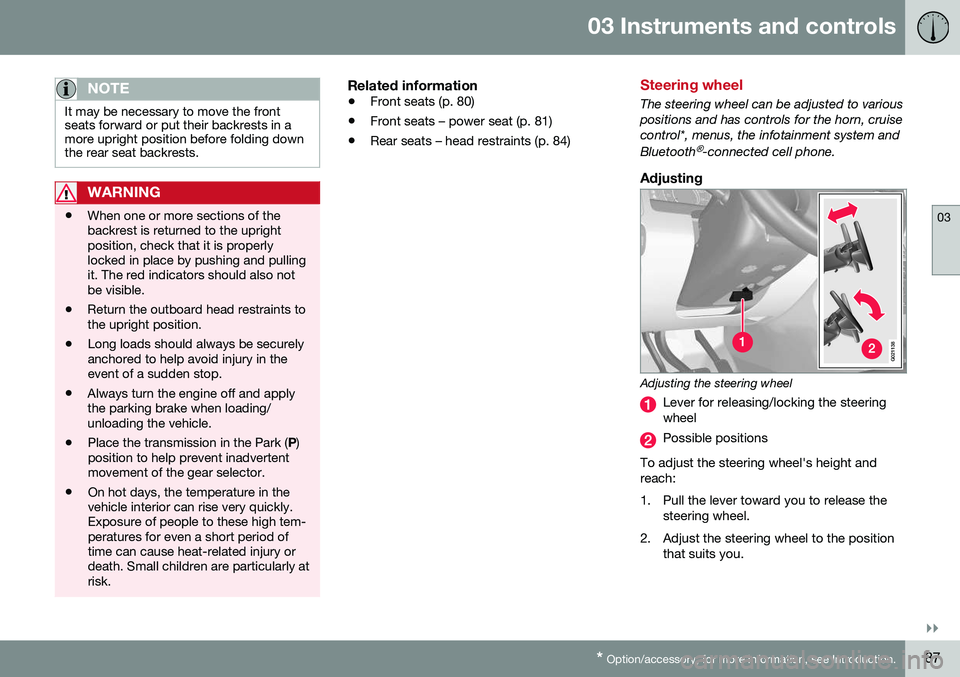
Adjusting
G021138
Adjusting the steering wheel
Lever for releasing/locking the steering wheel
Possible positions
To adjust the steering wheel's height and reach:
1. Pull the lever toward you to release the steering wheel.
2. Adjust the steering wheel to the position that suits you.
Page 91 of 398
03 Instruments and controls
03
89
Lighting panel
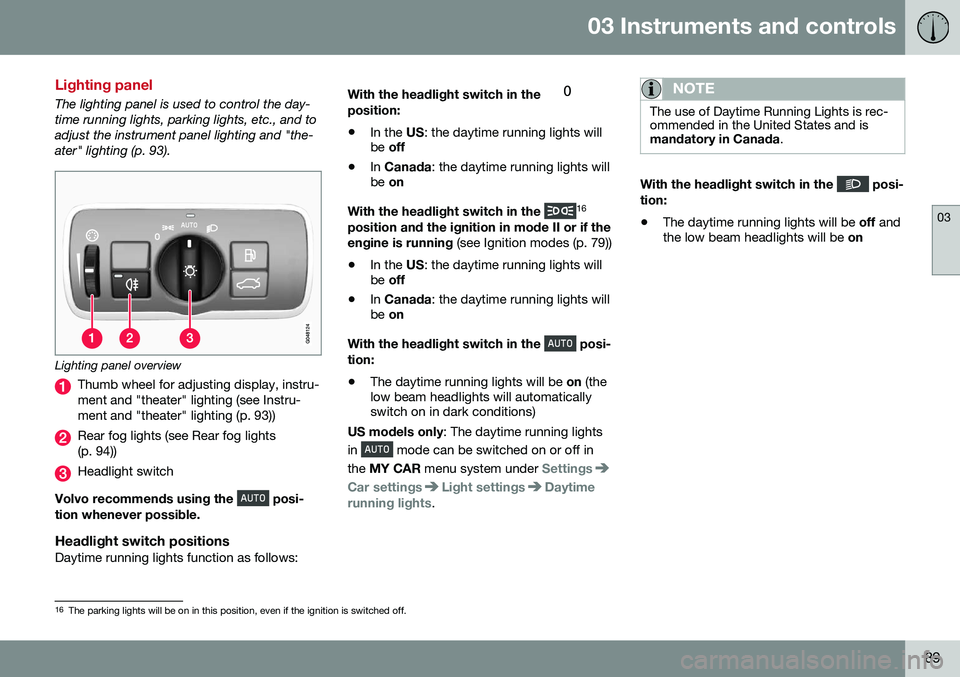
The lighting panel is used to control the day- time running lights, parking lights, etc., and toadjust the instrument panel lighting and "the-ater" lighting (p. 93).
Lighting panel overview
Thumb wheel for adjusting display, instru- ment and "theater" lighting (see Instru-ment and "theater" lighting (p. 93))
Rear fog lights (see Rear fog lights (p. 94))
Headlight switch
Volvo recommends using the
posi-
tion whenever possible.
Headlight switch positionsDaytime running lights function as follows: With the headlight switch in the
position:
• In the
US: the daytime running lights will
be off
• In
Canada : the daytime running lights will
be on
With the headlight switch in the
16
position and the ignition in mode II or if the engine is running (see Ignition modes (p. 79))
• In the
US: the daytime running lights will
be off
• In
Canada : the daytime running lights will
be on
With the headlight switch in the
posi-
tion:
• The daytime running lights will be
on (the
low beam headlights will automatically switch on in dark conditions)
US models only : The daytime running lights
in
mode can be switched on or off in
the MY CAR menu system under
Settings
Car settingsLight settingsDaytime
running lights.
NOTE
The use of Daytime Running Lights is rec- ommended in the United States and ismandatory in Canada .
With the headlight switch in the posi-
tion:
• The daytime running lights will be
off and
the low beam headlights will be on
16
The parking lights will be on in this position, even if the ignition is switched off.
Page 95 of 398
03 Instruments and controls
03
* Option/accessory, for more information, see Introduction.93
Auxiliary lights*
If the vehicle is fitted with auxiliary lights, the driver can use the MY CAR menu system to
choose to deactivate and turn these lights onand off along with the high beam headlights. The auxiliary lights must be connected to the vehicle's electrical system, which should onlybe done by a trained and authorized Volvoservice technician. See My Car – introduction(p. 76) for more information about the menusystem.
Instrument and "theater" lighting
Instrument lightingIllumination of the display and instrument lights will vary, depending on ignition mode. The display lighting is automatically subdued in darkness and the sensitivity is set with thethumb wheel. The intensity of the instrument lighting is adjusted with the thumb wheel.
"Theater" lightingWhen the overhead courtesy lighting hasgone out and the engine is running, severalLEDs located near the roof console illuminateto provide faint lighting for the occupants ofthe front seats. This lighting goes out justafter the overhead courtesy lighting when thevehicle is locked.
Related information
• Lighting panel (p. 89)
• Front interior lighting (p. 96)
• Rear interior lighting (p. 97)
• Ignition modes (p. 79)
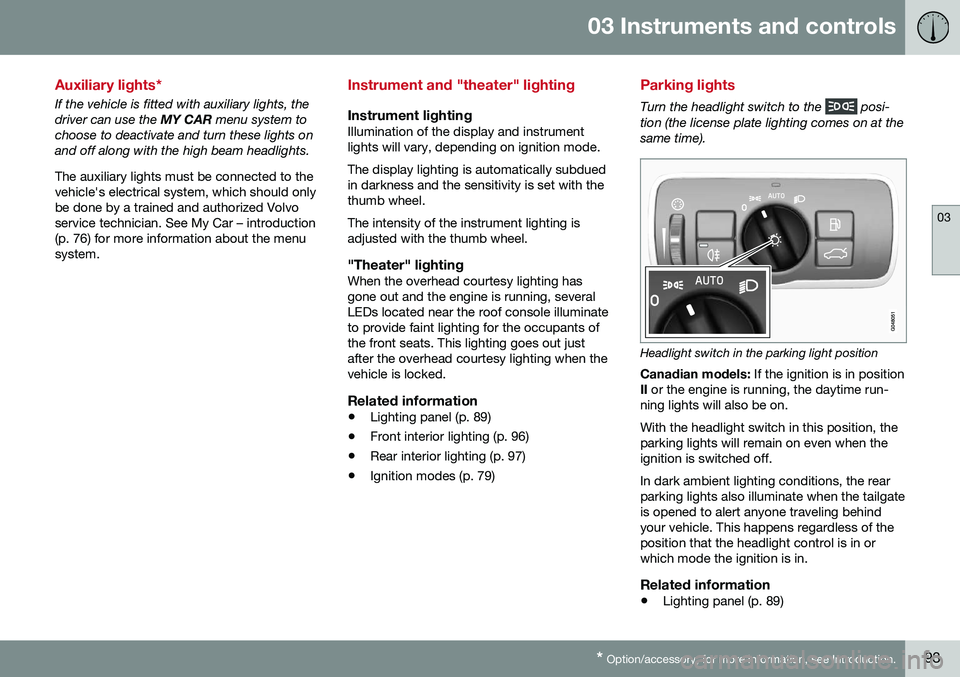
Parking lights
Turn the headlight switch to the posi-
tion (the license plate lighting comes on at the same time).
Headlight switch in the parking light position
Canadian models: If the ignition is in position
II or the engine is running, the daytime run-
ning lights will also be on. With the headlight switch in this position, the parking lights will remain on even when theignition is switched off. In dark ambient lighting conditions, the rear parking lights also illuminate when the tailgateis opened to alert anyone traveling behindyour vehicle. This happens regardless of theposition that the headlight control is in orwhich mode the ignition is in.
Related information
• Lighting panel (p. 89)
Page 99 of 398
03 Instruments and controls
03
97
Rear interior lighting
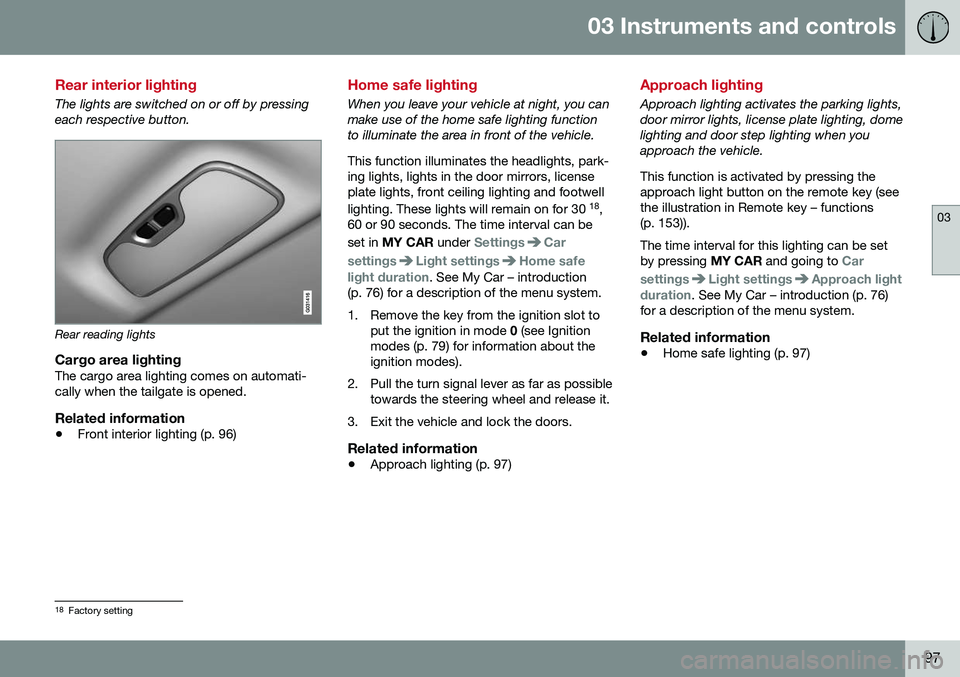
The lights are switched on or off by pressing each respective button.
Rear reading lights
Cargo area lightingThe cargo area lighting comes on automati- cally when the tailgate is opened.
Related information
•Front interior lighting (p. 96)
Home safe lighting
When you leave your vehicle at night, you can make use of the home safe lighting functionto illuminate the area in front of the vehicle. This function illuminates the headlights, park- ing lights, lights in the door mirrors, licenseplate lights, front ceiling lighting and footwell lighting. These lights will remain on for 30 18
,
60 or 90 seconds. The time interval can be set in MY CAR under
SettingsCar
settings
Light settingsHome safe
light duration. See My Car – introduction
(p. 76) for a description of the menu system.
1. Remove the key from the ignition slot to put the ignition in mode 0 (see Ignition
modes (p. 79) for information about the ignition modes).
2. Pull the turn signal lever as far as possible towards the steering wheel and release it.
3. Exit the vehicle and lock the doors.
Related information
• Approach lighting (p. 97)
Approach lighting
Approach lighting activates the parking lights, door mirror lights, license plate lighting, domelighting and door step lighting when youapproach the vehicle. This function is activated by pressing the approach light button on the remote key (see
the illustration in Remote key – functions(p. 153)). The time interval for this lighting can be set by pressing
MY CAR and going to
Car
settings
Light settingsApproach light
duration. See My Car – introduction (p. 76)
for a description of the menu system.
Related information
• Home safe lighting (p. 97)
18
Factory setting
Page 101 of 398
03 Instruments and controls
03
* Option/accessory, for more information, see Introduction.99
DeactivatingDeactivate the rain sensor by pressing the button
or press the lever down to
another wiper position. The rain sensor is automatically deactivated when the key is removed from the ignitionslot or five minutes after the ignition has beenswitched off.
CAUTION
The rain sensor should be deactivated when washing the car in an automatic carwash, etc. If the rain sensor function is lefton, the wipers will start inadvertently in thecar wash and could be damaged.
Windshield washer
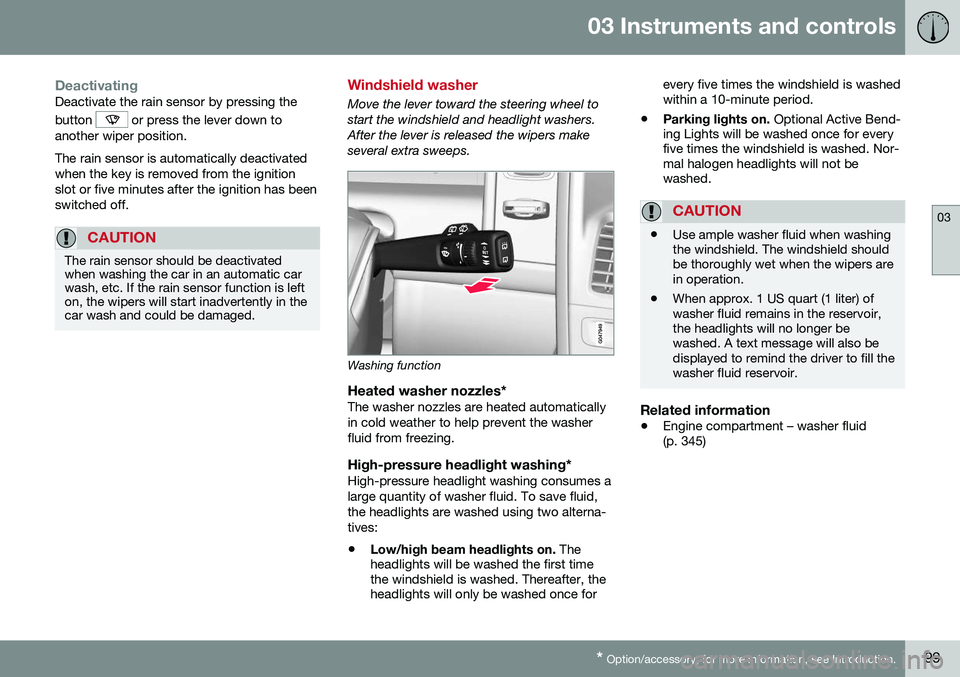
Move the lever toward the steering wheel to start the windshield and headlight washers.After the lever is released the wipers makeseveral extra sweeps.
Washing function
Heated washer nozzles*The washer nozzles are heated automatically in cold weather to help prevent the washerfluid from freezing.
High-pressure headlight washing*High-pressure headlight washing consumes alarge quantity of washer fluid. To save fluid,the headlights are washed using two alterna-tives:
• Low/high beam headlights on.
The
headlights will be washed the first time the windshield is washed. Thereafter, theheadlights will only be washed once for every five times the windshield is washedwithin a 10-minute period.
• Parking lights on.
Optional Active Bend-
ing Lights will be washed once for everyfive times the windshield is washed. Nor-mal halogen headlights will not bewashed.
CAUTION
• Use ample washer fluid when washing the windshield. The windshield shouldbe thoroughly wet when the wipers arein operation.
• When approx. 1 US quart (1 liter) ofwasher fluid remains in the reservoir,the headlights will no longer bewashed. A text message will also bedisplayed to remind the driver to fill thewasher fluid reservoir.
Related information
•
Engine compartment – washer fluid (p. 345)