fog light VOLVO XC60 2017 Owner´s Manual
[x] Cancel search | Manufacturer: VOLVO, Model Year: 2017, Model line: XC60, Model: VOLVO XC60 2017Pages: 398, PDF Size: 9.17 MB
Page 207 of 398
DRIVER SUPPORT
}}
205
City Safety – operation
Using City Safety™
NOTE
The City Safety™ function is activated auto-
matically each time the engine has been switched off and restarted.
On and OffIn certain situations, it may be desirable to switch City Safety ™ off, such as when driving in close
quarters where leaves, branches, etc. may obscure the hood and windshield. When the engine is running, City Safety ™ can be
switched off as follows: Press My Car in the center console control panel
and go to
SettingsCar settingsDriver
support systems
City Safety. Select Off.
If the engine is switched off, City Safety ™ will
reactivate when the engine is restarted.
WARNING
The laser sensor emits light when the ignition is in mode II or higher, even if City Safety ™
has been switched off.
To switch City Safety ™ on again: •
Follow the same procedure as for switching City Safety
™ off but select
On.
Related information
• City Safety – introduction (p. 203)
• City Safety – function (p. 204)
• City Safety – limitations (p. 205)
• City Safety – troubleshooting (p. 206)
• City Safety – symbols and messages (p. 208)
• City Safety – Laser sensor (p. 209)
• My Car – introduction (p. 77)
City Safety – limitations
Limitations
WARNING
The laser sensor has certain limitations and its function may be reduced (or it may notfunction at all) in conditions such as heavyrain or snowfall, or by dense fog or thick,blowing dust or snow. Condensation, dirt, iceor snow on the windshield may also interferewith the sensor
Page 336 of 398
MAINTENANCE AND SERVICING
334
CAUTION
Keep the area around the power steering fluid reservoir clean when checking.
Bulbs – introduction
Certain bulbs can be replaced by the vehicle's owner. However, the bulbs on the following listshould only be replaced by a trained and quali-fied Volvo service technician.
All bulb specifications are listed in Bulbs – speci-
fications (p. 341).
• Active Bending Lights
• Daytime running lights, front parking lights
• Front side marker lights
• Turn signals in the door mirrors
• Approach lighting in the door mirrors
• Interior lighting (except for the front footwelllighting)
• Rear parking lights
• Rear side marker lights
• Rear turn signals
• LED bulbs
NOTE
•
For information regarding any bulbs not mentioned in this section, please contactyour Volvo retailer or a trained andauthorized Volvo service technician.
• Always switch off the ignition before star-ting to replace a bulb.
• If an error message remains in the dis-play after a faulty bulb has been replaced,contact an authorized Volvo workshop.
• Condensation may form temporarily onthe inside of the lenses of exterior lightssuch as headlights, fog lights, or taillights.This is normal and the lights aredesigned to withstand moisture. Normally,condensation will dissipate after thelights have been on for a short time.
• The optional Active Bending Light bulbscontain trace amounts of mercury. Thesebulbs should always be disposed of by atrained and qualified Volvo service techni-cian.
CAUTION
Never touch the glass of bulbs with your fin- gers. Grease and oils from your fingers vapor-ize in the heat and will leave a deposit on thereflector, which will damage it.
Page 341 of 398
MAINTENANCE AND SERVICING
339
7. Reinstall the headlight housing.
Related information
•
Bulbs – specifications (p. 341)
Bulbs – rear fog lights
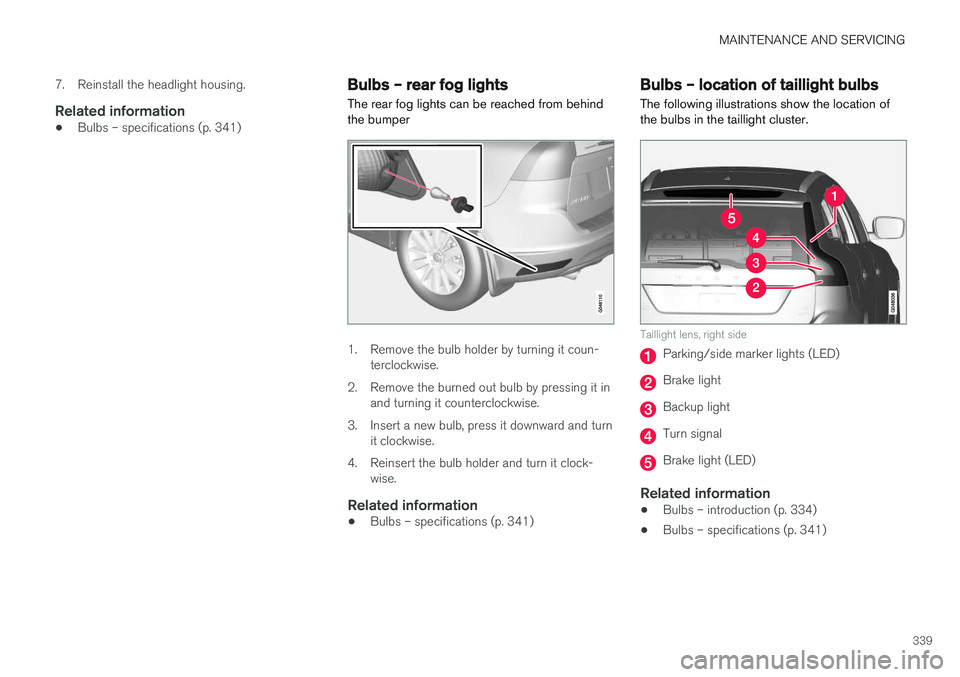
The rear fog lights can be reached from behind the bumper
1. Remove the bulb holder by turning it coun- terclockwise.
2. Remove the burned out bulb by pressing it in and turning it counterclockwise.
3. Insert a new bulb, press it downward and turn it clockwise.
4. Reinsert the bulb holder and turn it clock- wise.
Related information
• Bulbs – specifications (p. 341)
Bulbs – location of taillight bulbs
The following illustrations show the location of the bulbs in the taillight cluster.
Taillight lens, right side
Parking/side marker lights (LED)
Brake light
Backup light
Turn signal
Brake light (LED)
Related information
• Bulbs – introduction (p. 334)
• Bulbs – specifications (p. 341)
Page 343 of 398
MAINTENANCE AND SERVICING
* Option/accessory, for more information, see Introduction.341
Bulbs – vanity mirror lighting
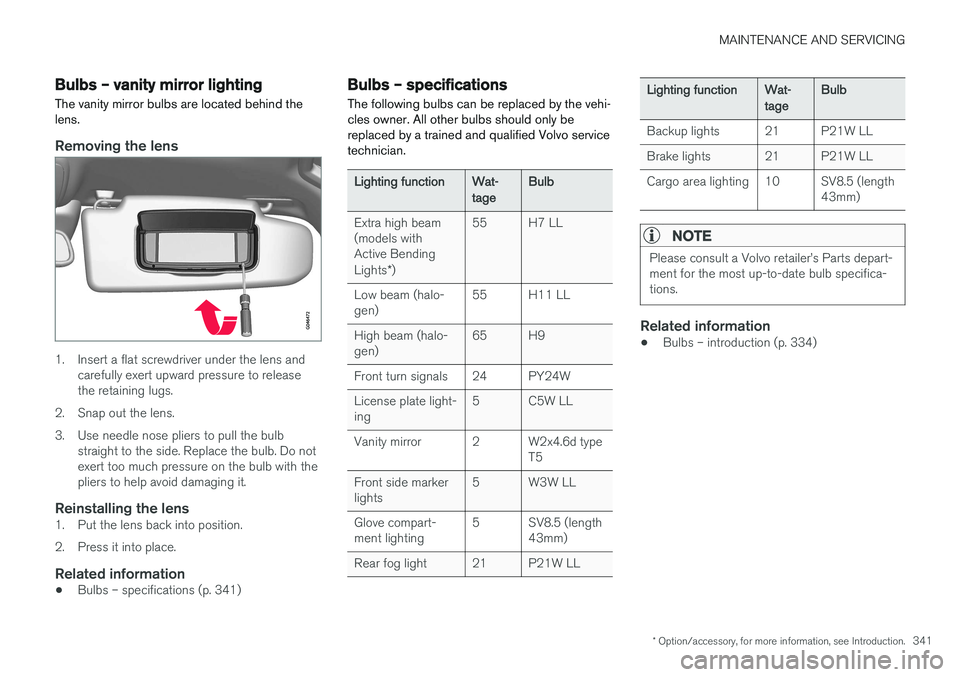
The vanity mirror bulbs are located behind the lens.
Removing the lens
1. Insert a flat screwdriver under the lens and carefully exert upward pressure to release the retaining lugs.
2. Snap out the lens.
3. Use needle nose pliers to pull the bulb straight to the side. Replace the bulb. Do not exert too much pressure on the bulb with thepliers to help avoid damaging it.
Reinstalling the lens1. Put the lens back into position.
2. Press it into place.
Related information
• Bulbs – specifications (p. 341)
Bulbs – specifications The following bulbs can be replaced by the vehi- cles owner. All other bulbs should only bereplaced by a trained and qualified Volvo servicetechnician.
Lighting functionWat- tageBulb
Extra high beam (models withActive Bending Lights
*)55H7 LL
Low beam (halo- gen)55H11 LL
High beam (halo- gen)65H9
Front turn signals24PY24W
License plate light- ing5C5W LL
Vanity mirror2W2x4.6d type T5
Front side marker lights5W3W LL
Glove compart- ment lighting5SV8.5 (length 43mm)
Rear fog light21P21W LL
Lighting functionWat- tageBulb
Backup lights21P21W LL
Brake lights21P21W LL
Cargo area lighting10SV8.5 (length 43mm)
NOTE
Please consult a Volvo retailer
Page 362 of 398
||
MAINTENANCE AND SERVICING
360
CAUTION
•Avoid waxing or polishing plastic or rub- ber components
• Polishing chromed strips can wear awayor damage the surface
• Polishes containing abrasive substancesshould not be used
Related information
• Polishing and waxing (p. 361)
• Cleaning the interior (p. 361)
Automatic car wash
The vehicle should be washed at regular inter- vals since dirt, dust, insects and tar spotsadhere to the paint and may cause damage. Tohelp prevent corrosion, it is particularly importantto wash the car frequently in the wintertime.
• We do NOT recommend washing your car in an automatic wash during the first fewmonths (because the paint will not havehardened sufficiently).
• An automatic wash is a simple and quick wayto clean your car, but it is worth rememberingthat it may not be as thorough as when youyourself go over the car with sponge andwater. Keeping the underbody clean is mostimportant, especially in the winter. Someautomatic washers do not have facilities forwashing the underbody.
NOTE
Condensation may form temporarily on the inside of the lenses of exterior lights such asheadlights, fog lights, or taillights. This is nor-mal and the lights are designed to withstandmoisture. Normally, condensation will dissi-pate after the lights have been on for a shorttime.
CAUTION
•
Before driving into an automatic car wash, turn off the optional rain sensor toavoid damaging the windshield wipers.
• Make sure that side view mirrors, auxiliarylamps, etc, are secure, and that anyantenna(s) are retracted or removed. Oth-erwise there is risk of the machine dis-lodging them.
• Chromed wheels:
Clean chrome-plated
wheels using the same detergents usedfor the body of the vehicle. Aggressivewheel-cleaning agents can permanentlystain chrome-plated wheels.
WARNING
• When the vehicle is driven immediately after being washed, apply the brakes,including the parking brake, several timesin order to remove any moisture from thebrake linings.
• Engine cleaning agents should not beused when the engine is warm. This con-stitutes a fire risk.
Related information
•
Polishing and waxing (p. 361)
• Cleaning the interior (p. 361)
• Washing the car (p. 359)
Page 385 of 398
SPECIFICATIONS
* Option/accessory, for more information, see Introduction.383
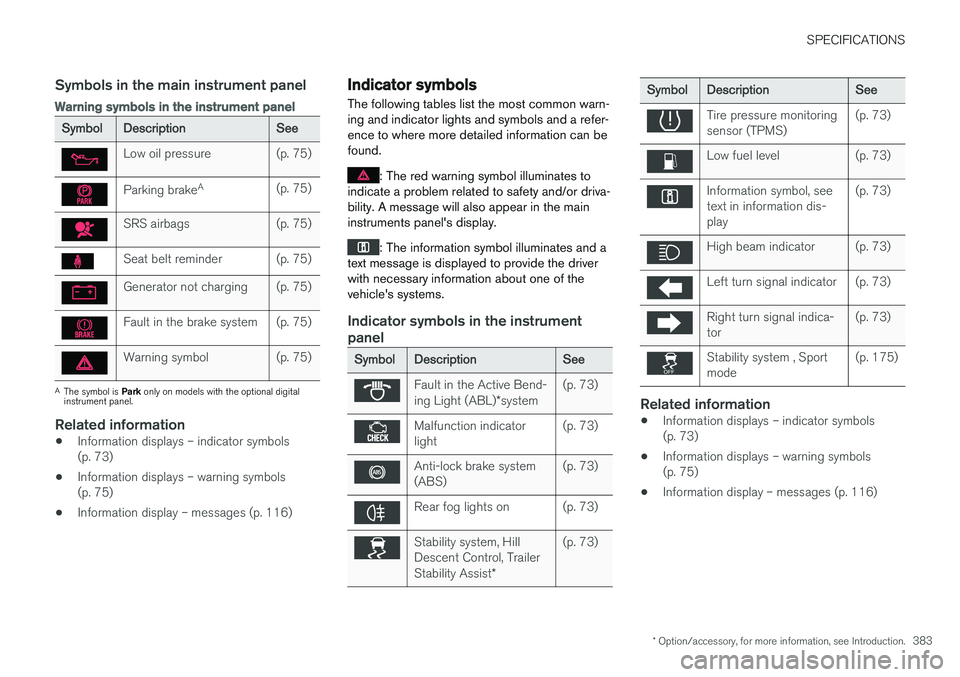
Symbols in the main instrument panel
Warning symbols in the instrument panel
SymbolDescriptionSee
Low oil pressure(p. 75)
Parking brakeA(p. 75)
SRS airbags(p. 75)
Seat belt reminder(p. 75)
Generator not charging(p. 75)
Fault in the brake system(p. 75)
Warning symbol(p. 75)
A
The symbol is Park only on models with the optional digital
instrument panel.
Related information
• Information displays – indicator symbols (p. 73)
• Information displays – warning symbols(p. 75)
• Information display – messages (p. 116)
Indicator symbols
The following tables list the most common warn- ing and indicator lights and symbols and a refer-ence to where more detailed information can befound.
: The red warning symbol illuminates to
indicate a problem related to safety and/or driva- bility. A message will also appear in the maininstruments panel's display.
: The information symbol illuminates and a
text message is displayed to provide the driver with necessary information about one of thevehicle's systems.
Indicator symbols in the instrument panel
SymbolDescriptionSee
Fault in the Active Bend- ing Light (ABL) *system(p. 73)
Malfunction indicator light(p. 73)
Anti-lock brake system (ABS)(p. 73)
Rear fog lights on(p. 73)
Stability system, Hill Descent Control, Trailer Stability Assist *(p. 73)
SymbolDescriptionSee
Tire pressure monitoring sensor (TPMS)(p. 73)
Low fuel level(p. 73)
Information symbol, see text in information dis-play(p. 73)
High beam indicator(p. 73)
Left turn signal indicator(p. 73)
Right turn signal indica- tor(p. 73)
Stability system , Sport mode(p. 175)
Related information
•Information displays – indicator symbols (p. 73)
• Information displays – warning symbols(p. 75)
• Information display – messages (p. 116)
Page 391 of 398
INDEX
389
Engine
overheating 76
specifications 374
Start/Stop 257, 258, 259, 260, 261
starting 248
switching off 249, 251
Engine compartment overview 328
Engine Drag Control (EDC) 175
Engine oil 375 checking 329
low pressure warning light 75
volumes 376
Engine remote start (ERS) 250
Environment 23
F
Federal Clean Air Act 322 Flat tires repairing with tire sealing system 312
Floor mats cleaning 363
placing correctly 248
Fluid specifications 377, 378
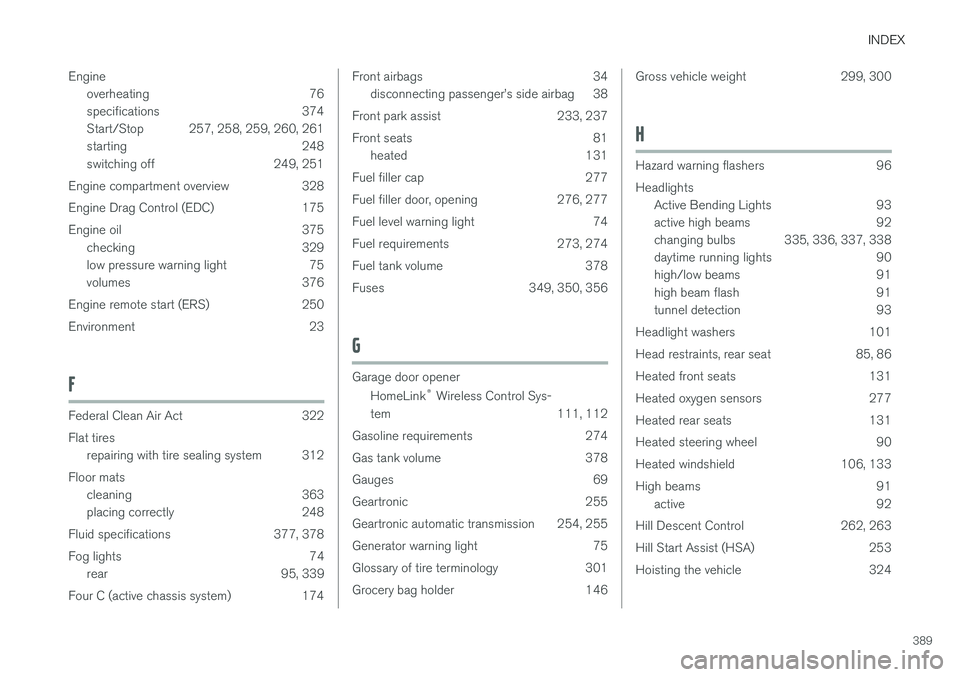
Fog lights 74 rear 95, 339
Four C (active chassis system) 174
Front airbags 34 disconnecting passenger
Page 393 of 398
INDEX
391
Malfunction indicator light 74
Messages in the instrument panel 115, 116Mirrors
defroster 106
power door 104, 105
rearview, auto-dim function 106
retractable 104, 105
vanity 143
Motor oil checking 329
volumes 376
O
Occupant safety 28
Occupant weight sensor 38
Octane recommendations 274
Odometer, trip 79Oilchecking 329
volumes 376
Oil level sensor 330
Oil quality 375
OK button 115, 116
On Call Roadside Assistance 25
Outside temperature sensor 78
Overhead courtesy lighting 97
Overheating, engine 76
Ownership, changing 19
Oxygen sensors, heated 277
P
Paint, touching up 363
Park assist 233, 237
Park Assist Camera 237Parking brake electric, applying/releasing 267, 268, 270
warning light 75
Parking lights 95
Pedestrian detection 215, 218
Polishing 361Power front seat memory function 82
Power meter 72
Power mirrors 104, 105 defroster 106
Power steering adjustable 179
fluid 333
Power steering fluid 378
Power tailgate 167, 168
Power windows 102 laminated glass 103
Pregnancy, using seat belts during 32
Private locking 156
PROPOSITION 65 WARNING 251, 348, 381
R
Rain sensor 100
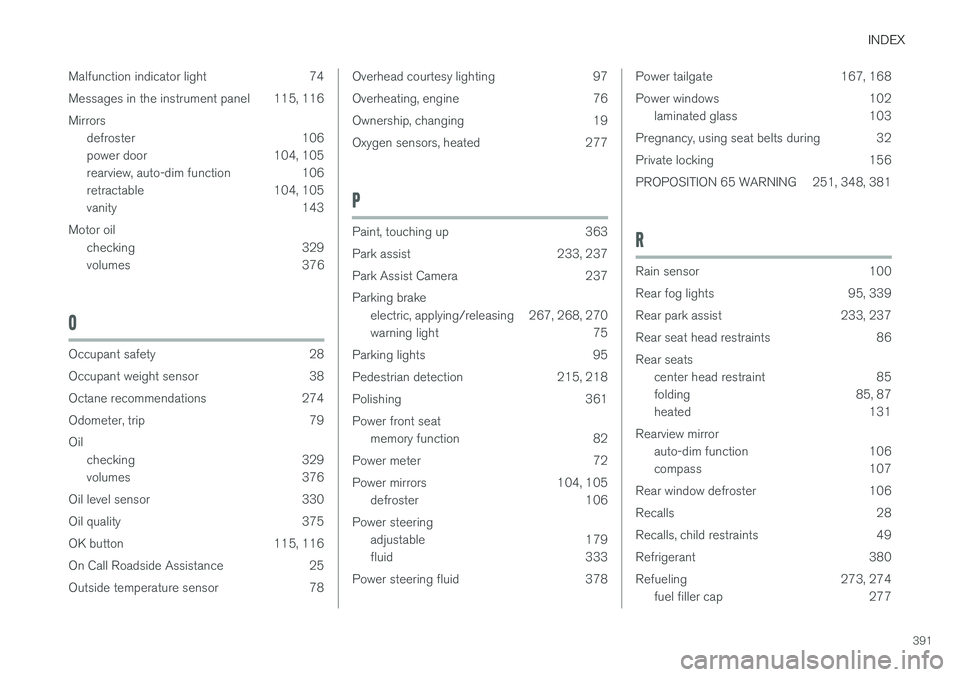
Rear fog lights 95, 339
Rear park assist 233, 237
Rear seat head restraints 86Rear seats center head restraint 85
folding 85, 87
heated 131
Rearview mirror auto-dim function 106
compass 107
Rear window defroster 106
Recalls 28
Recalls, child restraints 49
Refrigerant 380
Refueling 273, 274 fuel filler cap 277