tow VOLVO XC60 2017 Owner´s Manual
[x] Cancel search | Manufacturer: VOLVO, Model Year: 2017, Model line: XC60, Model: VOLVO XC60 2017Pages: 398, PDF Size: 9.17 MB
Page 64 of 398
||
SAFETY
62The table showing the permitted heights and weights can be found in the article "Integratedbooster cushion – general information."
Related information
•
Integrated booster cushion – stowing(p. 62)
• Integrated booster cushion – general infor-mation (p. 59)
Integrated booster cushion – stowing
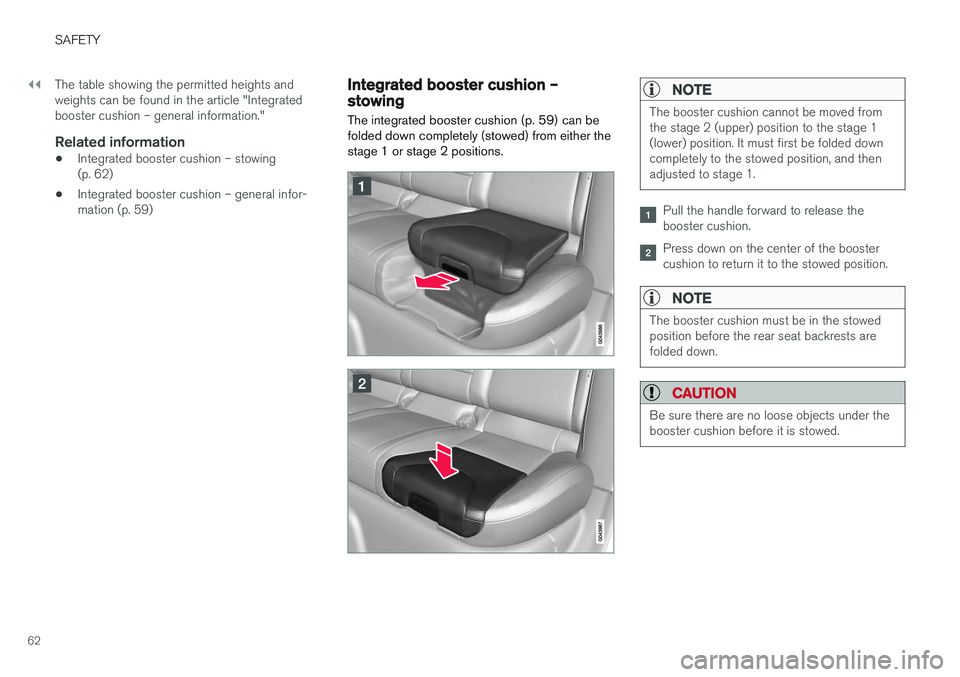
The integrated booster cushion (p. 59) can be folded down completely (stowed) from either thestage 1 or stage 2 positions.NOTE
The booster cushion cannot be moved from the stage 2 (upper) position to the stage 1(lower) position. It must first be folded downcompletely to the stowed position, and thenadjusted to stage 1.
Pull the handle forward to release the booster cushion.
Press down on the center of the booster cushion to return it to the stowed position.
NOTE
The booster cushion must be in the stowed position before the rear seat backrests arefolded down.
CAUTION
Be sure there are no loose objects under the booster cushion before it is stowed.
Page 77 of 398
INSTRUMENTS AND CONTROLS
}}
75
Related information
•Information displays – introduction (p. 69)
• Information displays – warning symbols (p. 75)
Information displays – warning symbols
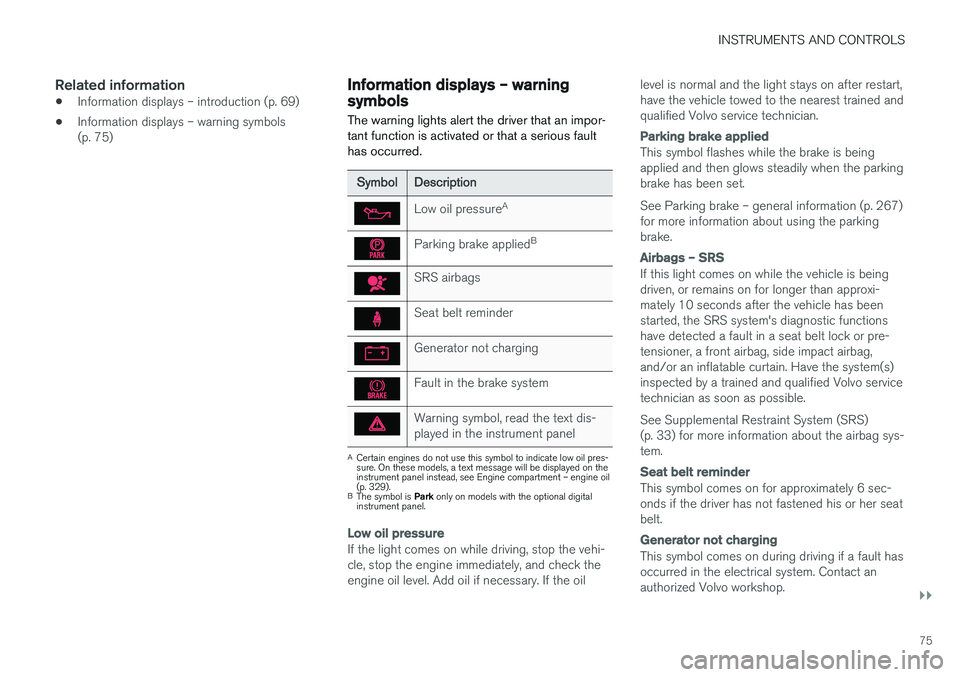
The warning lights alert the driver that an impor- tant function is activated or that a serious faulthas occurred.
SymbolDescription
Low oil pressure A
Parking brake applied B
SRS airbags
Seat belt reminder
Generator not charging
Fault in the brake system
Warning symbol, read the text dis- played in the instrument panel
A
Certain engines do not use this symbol to indicate low oil pres- sure. On these models, a text message will be displayed on theinstrument panel instead, see Engine compartment – engine oil(p. 329).
B The symbol is Park only on models with the optional digital
instrument panel.
Low oil pressure
If the light comes on while driving, stop the vehi- cle, stop the engine immediately, and check theengine oil level. Add oil if necessary. If the oil level is normal and the light stays on after restart,have the vehicle towed to the nearest trained andqualified Volvo service technician.
Parking brake applied
This symbol flashes while the brake is being applied and then glows steadily when the parkingbrake has been set. See Parking brake – general information (p. 267) for more information about using the parkingbrake.
Airbags – SRS
If this light comes on while the vehicle is being driven, or remains on for longer than approxi-mately 10 seconds after the vehicle has beenstarted, the SRS system's diagnostic functionshave detected a fault in a seat belt lock or pre-tensioner, a front airbag, side impact airbag,and/or an inflatable curtain. Have the system(s)inspected by a trained and qualified Volvo servicetechnician as soon as possible. See Supplemental Restraint System (SRS) (p. 33) for more information about the airbag sys-tem.
Seat belt reminder
This symbol comes on for approximately 6 sec- onds if the driver has not fastened his or her seatbelt.
Generator not charging
This symbol comes on during driving if a fault has occurred in the electrical system. Contact anauthorized Volvo workshop.
Page 78 of 398
||
INSTRUMENTS AND CONTROLS
76
Engine temperature
Engine overheating can result from low oil or coolant levels, towing or hard driving at high heatand altitude, or mechanical malfunction. Engineoverheating will be signaled with text and a redwarning triangle in the middle of the instrumentdisplay. The exact text will depend on the degree of overheating. It may range from
High engine
temp Reduce speed to High engine temp
Stop engine. If appropriate, other messages,
such as Coolant level low, Stop safely will
also be displayed. If your engine does overheat so that you must stop the engine, always allowthe engine to cool before attempting to check oiland coolant levels. See Engine compartment – coolant (p. 331) for more information.
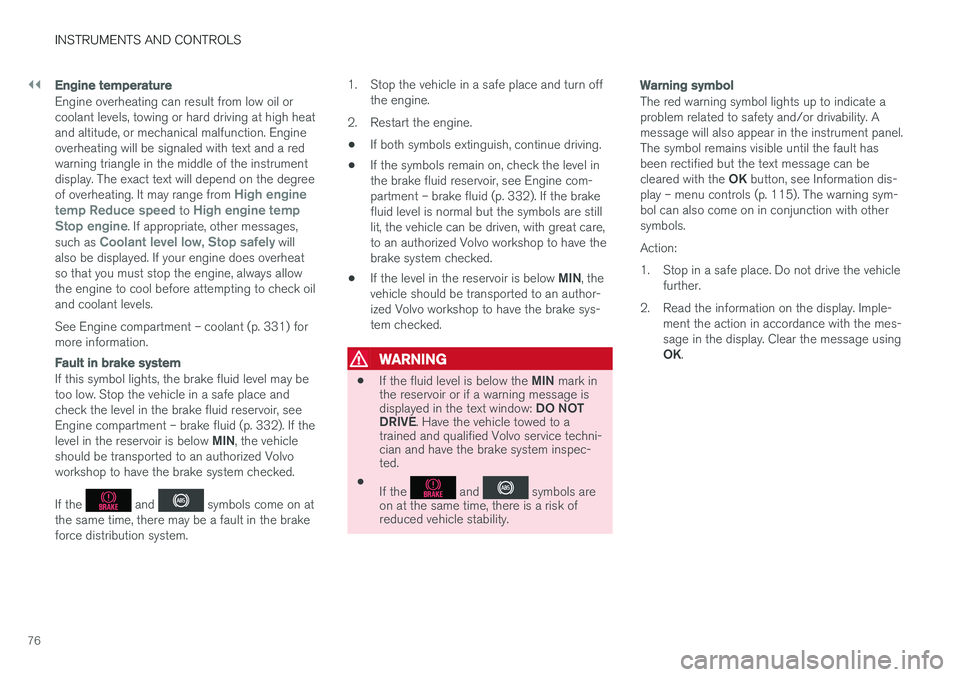
Fault in brake system
If this symbol lights, the brake fluid level may be too low. Stop the vehicle in a safe place andcheck the level in the brake fluid reservoir, seeEngine compartment – brake fluid (p. 332). If the level in the reservoir is below MIN, the vehicle
should be transported to an authorized Volvo workshop to have the brake system checked. If the
and symbols come on at
the same time, there may be a fault in the brake force distribution system. 1. Stop the vehicle in a safe place and turn off
the engine.
2. Restart the engine.
• If both symbols extinguish, continue driving.
• If the symbols remain on, check the level inthe brake fluid reservoir, see Engine com-partment – brake fluid (p. 332). If the brakefluid level is normal but the symbols are stilllit, the vehicle can be driven, with great care,to an authorized Volvo workshop to have thebrake system checked.
• If the level in the reservoir is below
MIN, the
vehicle should be transported to an author-ized Volvo workshop to have the brake sys-tem checked.
WARNING
• If the fluid level is below the
MIN mark in
the reservoir or if a warning message is displayed in the text window: DO NOT
DRIVE . Have the vehicle towed to a
trained and qualified Volvo service techni- cian and have the brake system inspec-ted.
• If the
and symbols are
on at the same time, there is a risk of reduced vehicle stability.
Warning symbol
The red warning symbol lights up to indicate a problem related to safety and/or drivability. Amessage will also appear in the instrument panel.The symbol remains visible until the fault hasbeen rectified but the text message can be cleared with the OK button, see Information dis-
play – menu controls (p. 115). The warning sym- bol can also come on in conjunction with othersymbols. Action:
1. Stop in a safe place. Do not drive the vehicle further.
2. Read the information on the display. Imple- ment the action in accordance with the mes- sage in the display. Clear the message using OK.
Page 83 of 398
INSTRUMENTS AND CONTROLS
* Option/accessory, for more information, see Introduction.81
Ignition mode I
–With the remote key fully pressed into the ignition slot8
, press START/STOP ENGINE
briefly.
Ignition mode II
–With the remote key fully pressed into the ignition slot 8
, press START/STOP ENGINE
for approximately 2 seconds.
Returning to mode 0
To return to mode 0 from mode II or I, press
START/STOP ENGINE briefly.
Starting and stopping the engineSee Starting the engine (p. 248) and Switching off the engine (p. 249) for information on star-ting the engine and switching it off.
Emergency towingSee Towing the vehicle (p. 282) for importantinformation about the remote key when the vehi-cle is being towed.
Related information
•Inserting/removing remote key (p. 79)
Front seats
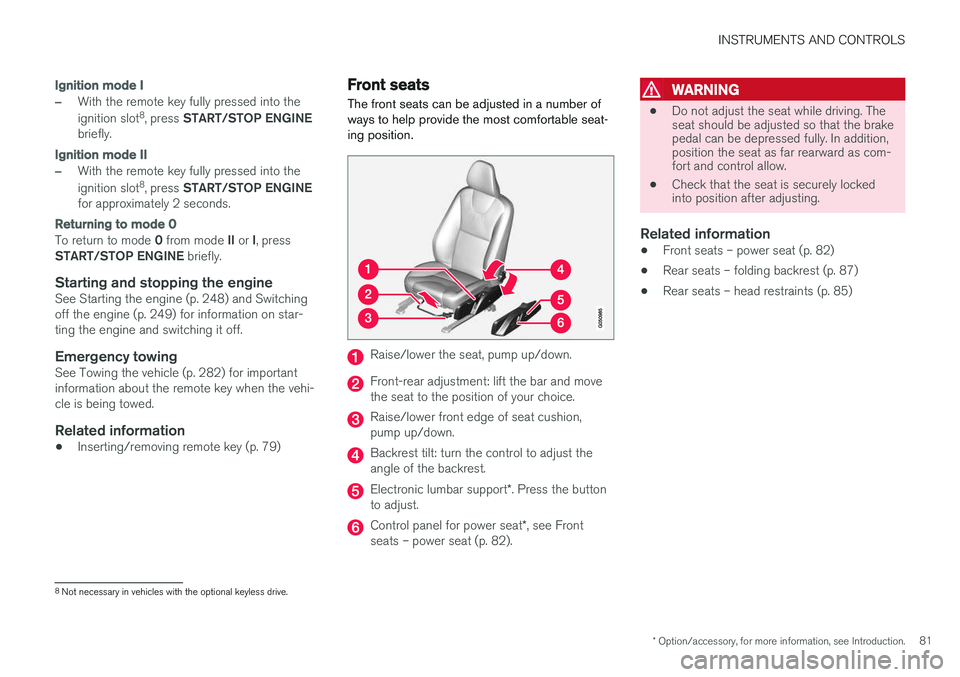
The front seats can be adjusted in a number of ways to help provide the most comfortable seat-ing position.
Raise/lower the seat, pump up/down.
Front-rear adjustment: lift the bar and move the seat to the position of your choice.
Raise/lower front edge of seat cushion, pump up/down.
Backrest tilt: turn the control to adjust the angle of the backrest.
Electronic lumbar support *. Press the button
to adjust.
Control panel for power seat *, see Front
seats – power seat (p. 82).
WARNING
• Do not adjust the seat while driving. The seat should be adjusted so that the brakepedal can be depressed fully. In addition,position the seat as far rearward as com-fort and control allow.
• Check that the seat is securely lockedinto position after adjusting.
Related information
• Front seats – power seat (p. 82)
• Rear seats – folding backrest (p. 87)
• Rear seats – head restraints (p. 85)
8
Not necessary in vehicles with the optional keyless drive.
Page 91 of 398
INSTRUMENTS AND CONTROLS
* Option/accessory, for more information, see Introduction.89
Steering wheel The steering wheel can be adjusted to various positions and has controls for the horn, cruise control*, menus, the infotainment system and
Bluetooth ®
-connected cell phone.
Adjusting
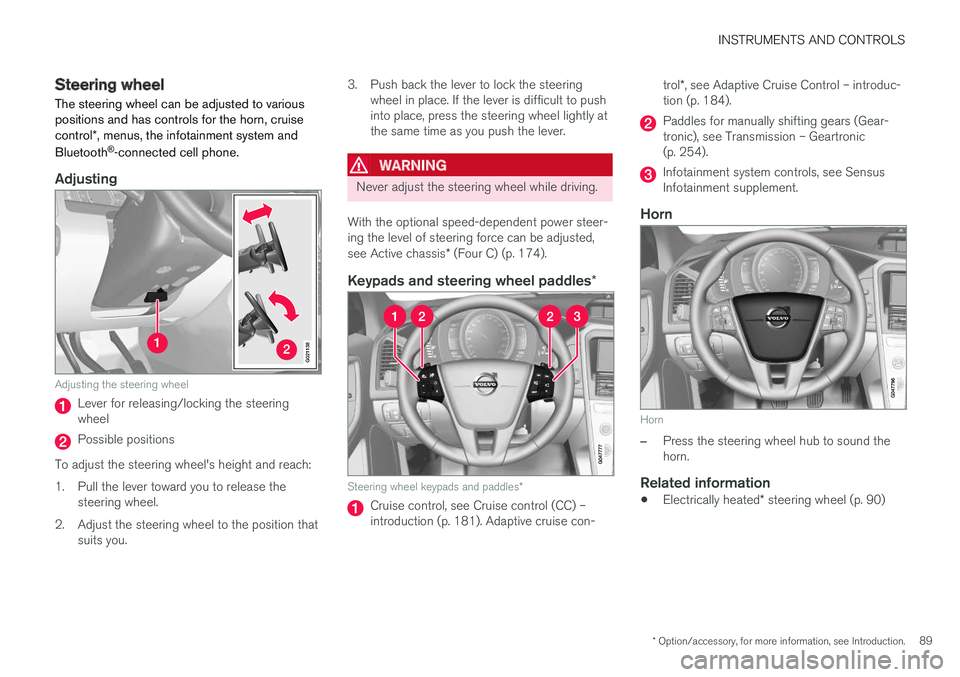
G021138
Adjusting the steering wheel
Lever for releasing/locking the steering wheel
Possible positions
To adjust the steering wheel's height and reach:
1. Pull the lever toward you to release the steering wheel.
2. Adjust the steering wheel to the position that suits you. 3. Push back the lever to lock the steering
wheel in place. If the lever is difficult to push into place, press the steering wheel lightly atthe same time as you push the lever.
WARNING
Never adjust the steering wheel while driving.
With the optional speed-dependent power steer- ing the level of steering force can be adjusted, see Active chassis * (Four C) (p. 174).
Keypads and steering wheel paddles *
Steering wheel keypads and paddles*
Cruise control, see Cruise control (CC) – introduction (p. 181). Adaptive cruise con- trol
*, see Adaptive Cruise Control – introduc-
tion (p. 184).
Paddles for manually shifting gears (Gear- tronic), see Transmission – Geartronic(p. 254).
Infotainment system controls, see Sensus Infotainment supplement.
Horn
Horn
–Press the steering wheel hub to sound the horn.
Related information
• Electrically heated
* steering wheel (p. 90)
Page 93 of 398
INSTRUMENTS AND CONTROLS
* Option/accessory, for more information, see Introduction.91
NOTE
Volvo recommends the use of Daytime Run- ning Lights in the United States. The use of these lights is mandatory in Canada .
With the headlight switch in the posi-
tion: • The daytime running lights will be
off and the
low beam headlights will be on
High/low beam headlights
When the engine is started, the low beams are activated automatically if the headlight control is in position
.
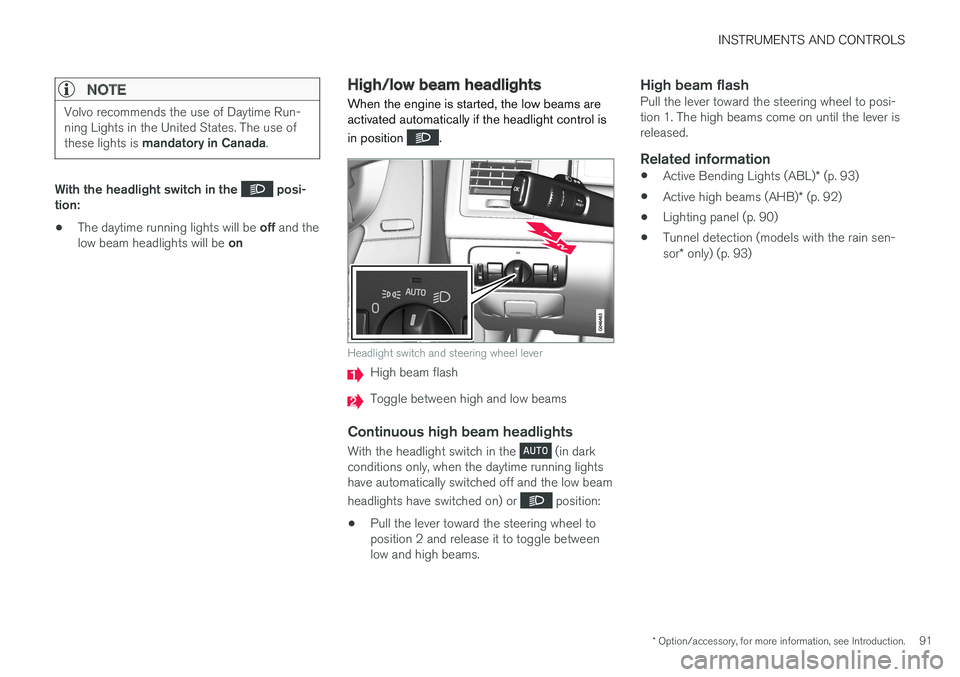
Headlight switch and steering wheel lever
High beam flash
Toggle between high and low beams
Continuous high beam headlights
With the headlight switch in the (in dark
conditions only, when the daytime running lights have automatically switched off and the low beam headlights have switched on) or
position:
• Pull the lever toward the steering wheel to position 2 and release it to toggle betweenlow and high beams.
High beam flashPull the lever toward the steering wheel to posi-tion 1. The high beams come on until the lever isreleased.
Related information
•
Active Bending Lights (ABL)
* (p. 93)
• Active high beams (AHB)
* (p. 92)
• Lighting panel (p. 90)
• Tunnel detection (models with the rain sen- sor
* only) (p. 93)
Page 94 of 398
INSTRUMENTS AND CONTROLS
* Option/accessory, for more information, see Introduction.
92
Active high beams (AHB) *
AHB uses a camera at the upper edge of the windshield to detect the headlights of oncomingvehicles or the taillights of a vehicle directlyahead. When this happens, the headlights willautomatically switch from high beams to lowbeams. When the camera no longer detects theheadlights/taillights of other vehicles, your head-lights will switch back to high beams after sev-eral seconds.
To activate AHB:
• Turn the headlight control to the
posi-
tion.
The feature will begin functioning if the engine has been running for at least 20 seconds and thevehicle's speed is at least 12 mph (20 km/h).
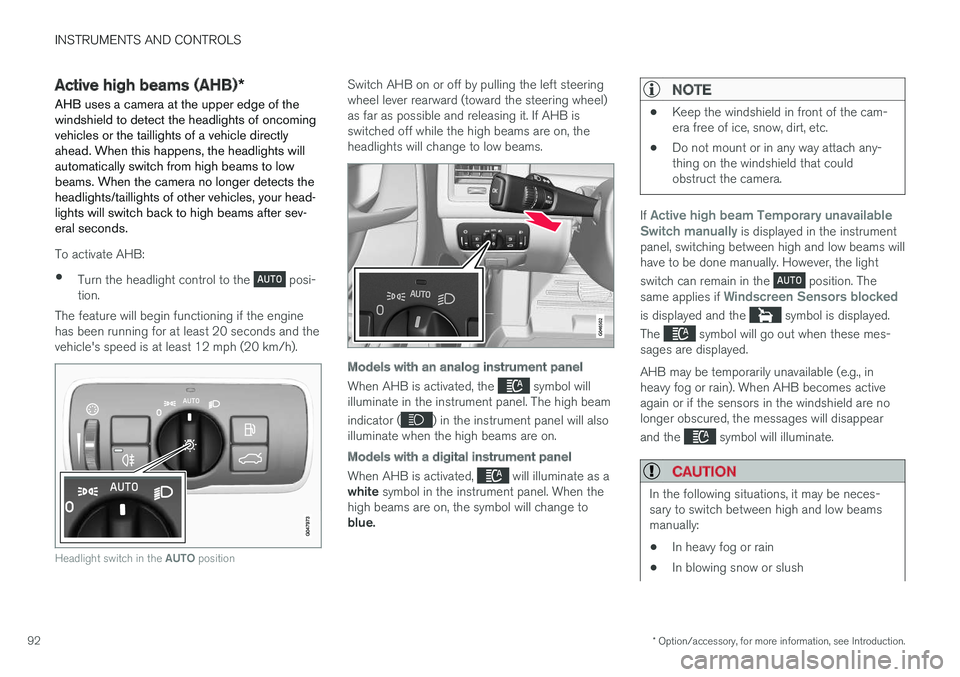
Headlight switch in the AUTO position
Switch AHB on or off by pulling the left steering wheel lever rearward (toward the steering wheel)as far as possible and releasing it. If AHB isswitched off while the high beams are on, theheadlights will change to low beams.
Models with an analog instrument panel
When AHB is activated, the symbol will
illuminate in the instrument panel. The high beam indicator (
) in the instrument panel will also
illuminate when the high beams are on.
Models with a digital instrument panel
When AHB is activated, will illuminate as a
white symbol in the instrument panel. When the
high beams are on, the symbol will change to blue.
NOTE
• Keep the windshield in front of the cam- era free of ice, snow, dirt, etc.
• Do not mount or in any way attach any-thing on the windshield that couldobstruct the camera.
If Active high beam Temporary unavailable
Switch manually is displayed in the instrument
panel, switching between high and low beams will have to be done manually. However, the light switch can remain in the
position. The
same applies if Windscreen Sensors blocked
is displayed and the symbol is displayed.
The
symbol will go out when these mes-
sages are displayed. AHB may be temporarily unavailable (e.g., in heavy fog or rain). When AHB becomes activeagain or if the sensors in the windshield are nolonger obscured, the messages will disappear and the
symbol will illuminate.
CAUTION
In the following situations, it may be neces- sary to switch between high and low beamsmanually:
• In heavy fog or rain
• In blowing snow or slush
Page 101 of 398
INSTRUMENTS AND CONTROLS
}}
* Option/accessory, for more information, see Introduction.99
Home safe lighting
When you leave your vehicle at night, you can make use of the home safe lighting function toilluminate the area in front of the vehicle.
This function illuminates the headlights, parking lights, lights in the door mirrors, license platelights, front ceiling lighting and footwell lighting. These lights will remain on for 30 18
, 60 or
90 seconds. The time interval can be set in MY CAR under
SettingsCar settings
Light settingsHome safe light duration.
See My Car – introduction (p. 77) for a descrip- tion of the menu system.
1. Remove the key from the ignition slot to put
the ignition in mode 0 (see Ignition modes
(p. 80) for information about the ignition modes).
2. Pull the turn signal lever as far as possible towards the steering wheel and release it.
3. Exit the vehicle and lock the doors.
Related information
• Approach lighting (p. 99)
Approach lighting
Approach lighting activates the parking lights, door mirror lights, license plate lighting, domelighting and door step lighting when youapproach the vehicle.
This function is activated by pressing the approach light button on the remote key (see theillustration in Remote key – functions (p. 153)). The time interval for this lighting can be set by pressing MY CAR and going to
Car settings
Light settingsApproach light duration. See
My Car – introduction (p. 77) for a description of the menu system.
Related information
• Home safe lighting (p. 99)
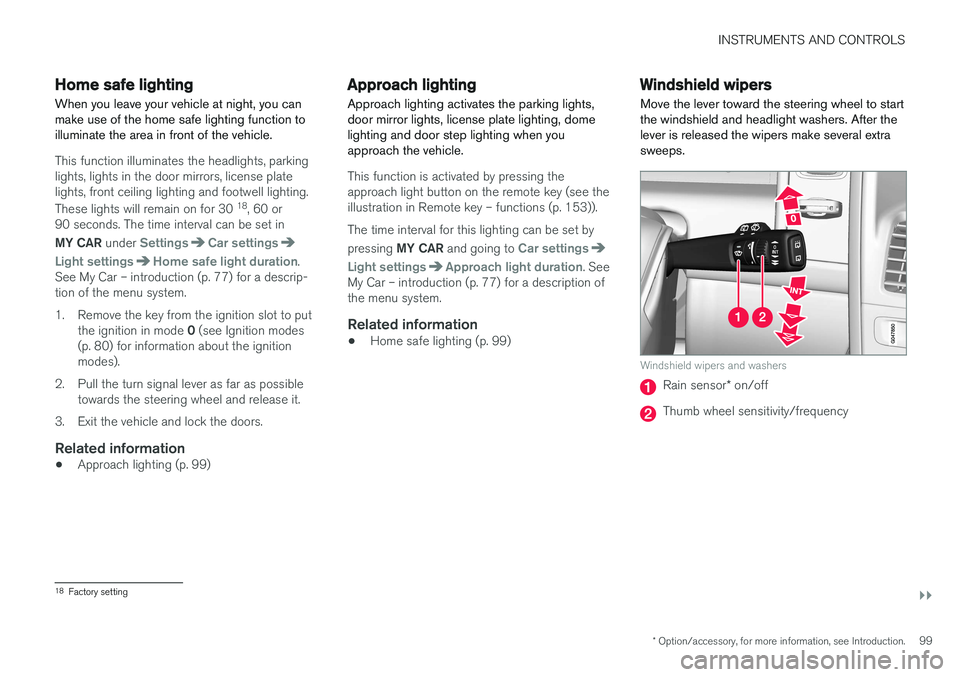
Windshield wipers Move the lever toward the steering wheel to start the windshield and headlight washers. After thelever is released the wipers make several extrasweeps.
Windshield wipers and washers
Rain sensor
* on/off
Thumb wheel sensitivity/frequency
18
Factory setting
Page 103 of 398
INSTRUMENTS AND CONTROLS
* Option/accessory, for more information, see Introduction.101
Deactivating
Deactivate the rain sensor by pressing the button
or press the lever down to another wiper
position. The rain sensor is automatically deactivated when the key is removed from the ignition slot or fiveminutes after the ignition has been switched off.
CAUTION
The rain sensor should be deactivated when washing the car in an automatic car wash, etc.If the rain sensor function is left on, the wip-ers will start inadvertently in the car wash andcould be damaged.
Windshield washer
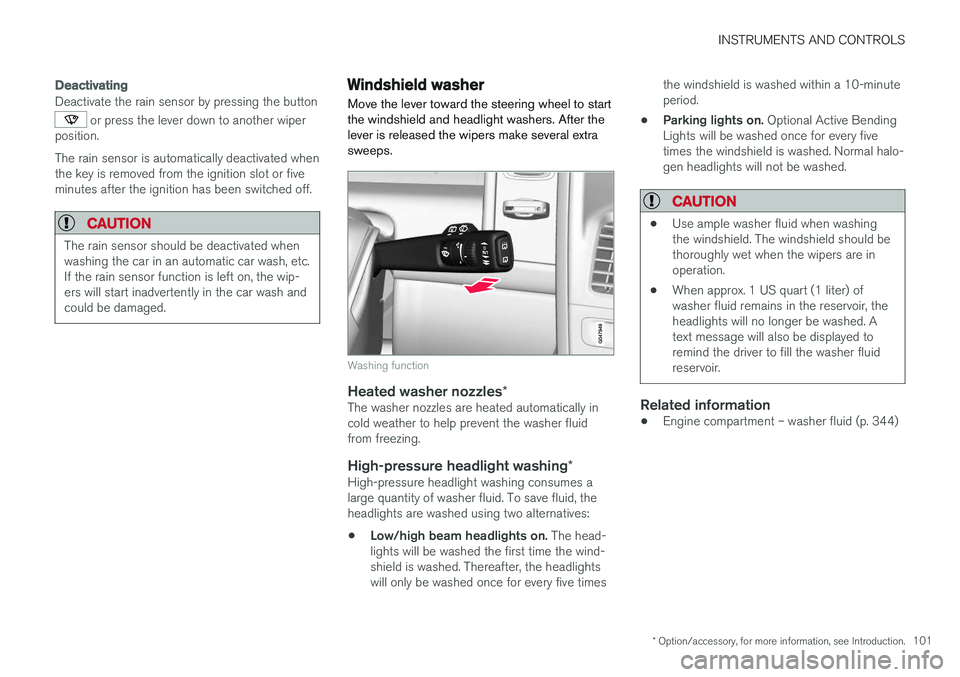
Move the lever toward the steering wheel to start the windshield and headlight washers. After thelever is released the wipers make several extrasweeps.
Washing function
Heated washer nozzles *The washer nozzles are heated automatically in cold weather to help prevent the washer fluidfrom freezing.
High-pressure headlight washing *High-pressure headlight washing consumes alarge quantity of washer fluid. To save fluid, theheadlights are washed using two alternatives:
• Low/high beam headlights on.
The head-
lights will be washed the first time the wind-shield is washed. Thereafter, the headlightswill only be washed once for every five times the windshield is washed within a 10-minuteperiod.
• Parking lights on.
Optional Active Bending
Lights will be washed once for every fivetimes the windshield is washed. Normal halo-gen headlights will not be washed.
CAUTION
• Use ample washer fluid when washing the windshield. The windshield should bethoroughly wet when the wipers are inoperation.
• When approx. 1 US quart (1 liter) ofwasher fluid remains in the reservoir, theheadlights will no longer be washed. Atext message will also be displayed toremind the driver to fill the washer fluidreservoir.
Related information
•Engine compartment – washer fluid (p. 344)
Page 111 of 398
INSTRUMENTS AND CONTROLS
}}
* Option/accessory, for more information, see Introduction.109
Panoramic roof* – operation
The laminated panoramic roof is divided into two sections. The rear glass section is fixed in placeand cannot be moved but the front glass sectioncan be slid horizontally to the open or closedpositions or its rear edge can be raised and low-ered to allow ventilation.
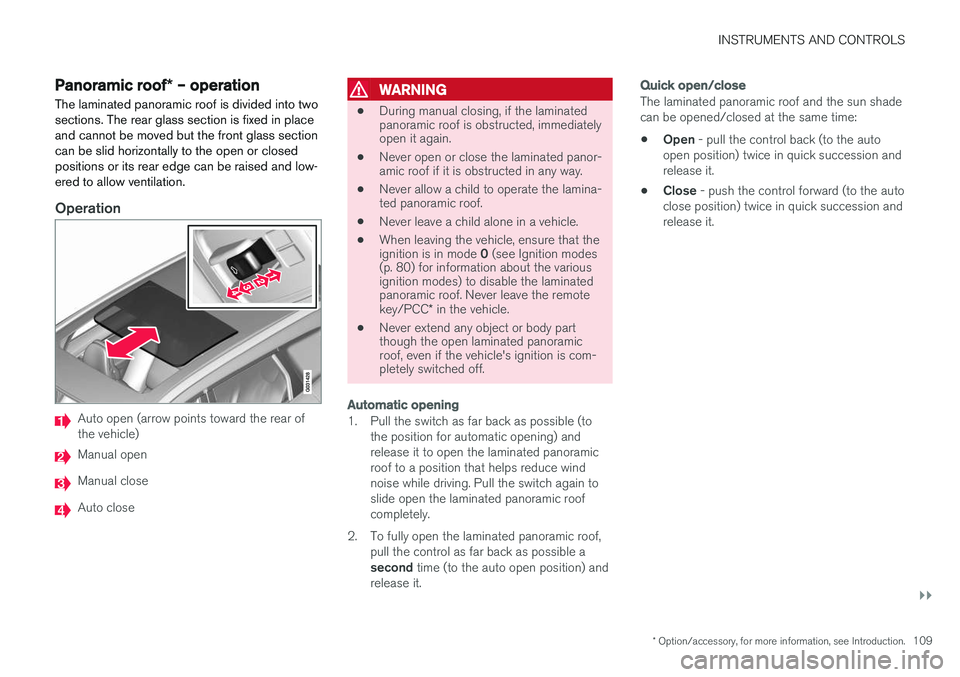
Operation
Auto open (arrow points toward the rear of the vehicle)
Manual open
Manual close
Auto close
WARNING
• During manual closing, if the laminated panoramic roof is obstructed, immediatelyopen it again.
• Never open or close the laminated panor-amic roof if it is obstructed in any way.
• Never allow a child to operate the lamina-ted panoramic roof.
• Never leave a child alone in a vehicle.
• When leaving the vehicle, ensure that the ignition is in mode
0 (see Ignition modes
(p. 80) for information about the various ignition modes) to disable the laminatedpanoramic roof. Never leave the remote key/PCC * in the vehicle.
• Never extend any object or body part though the open laminated panoramicroof, even if the vehicle's ignition is com-pletely switched off.
Automatic opening
1. Pull the switch as far back as possible (to
the position for automatic opening) and release it to open the laminated panoramicroof to a position that helps reduce windnoise while driving. Pull the switch again toslide open the laminated panoramic roofcompletely.
2. To fully open the laminated panoramic roof, pull the control as far back as possible a second time (to the auto open position) and
release it.
Quick open/close
The laminated panoramic roof and the sun shade can be opened/closed at the same time: • Open
- pull the control back (to the auto
open position) twice in quick succession and release it.
• Close
- push the control forward (to the auto
close position) twice in quick succession andrelease it.