warning lights VOLVO XC60 2017 Owner´s Manual
[x] Cancel search | Manufacturer: VOLVO, Model Year: 2017, Model line: XC60, Model: VOLVO XC60 2017Pages: 398, PDF Size: 9.17 MB
Page 195 of 398
DRIVER SUPPORT
193
•
ACC has kept the vehicle at a standstill for more than 2 minutes
• The engine has been switched off
• The brakes have overheated
Related information
•
Adaptive Cruise Control – introduction(p. 184)
Radar sensor
The radar sensor is designed to help detect cars or larger vehicles driving in the same direction asyour vehicle, in the same lane.
The radar sensor and its limitationsIn addition to being used by the Adaptive Cruise Control (ACC), the radar sensor is also used byDistance Alert (see Distance Alert – introduction(p. 199)) and Collision Warning with Full Auto-brake and Pedestrian Detection (see Collisionwarning – introduction (p. 210)).
WARNING
• If there is visible damage to the front grille or you suspect that the radar sensormay be damaged in any way, contact atrained and qualified Volvo service techni-cian as soon as possible. The radar sen-sor may only function partially (or not atall) if it is damaged or is not securely fas-tened in place.
• Accessories or other objects, such asextra headlights, must not be installed infront of the grille.
• Modification of the radar sensor couldmake its use illegal.
The radar sensor's capacity to detect vehicles ahead is impeded: • if the radar sensor is obstructed and cannotdetect other vehicles, for example in heavy rain, or if snow or other objects are obscuringthe radar sensor.
NOTE
Keep the area in front of the radar sensor clean.
•
if the speed of vehicles ahead is significantly different from your own speed.
Related information
•Adaptive Cruise Control – introduction(p. 184)
• Collision warning – introduction (p. 210)
• Distance Alert – introduction (p. 199)
Page 244 of 398
||
DRIVER SUPPORT
* Option/accessory, for more information, see Introduction.
242
NOTE
The door panel indicator light illuminates on the side of the vehicle where the system hasdetected another vehicle. If your vehicle ispassed on both sides at the same time, bothlights will illuminate.
The system helps provide information about:
• Other vehicles in your door mirrors' "blind area"
• Vehicles that are about to pass your vehiclein the left and/or right lanes
• Cross Traffic Alert (CTA) is a supplemen-tary BLIS function
intended to detect vehi-
cles crossing behind your vehicle while youare backing up.
WARNING
• BLIS and CTA are information systems, NOT warning or safety systems and donot function in all situations.
• BLIS and CTA do not eliminate the needfor you to visually confirm the conditionsaround you, and the need for you to turnyour head and shoulders to make surethat you can safely change lanes or backup.
• As the driver, you have full responsibilityfor changing lanes/backing up in a safemanner.
Radar sensor type approval
USA FCC ID: L2C0055TR Canada IC: 3432A-0055TR This device complies with Part 15 of the FCC Rules and with Industry Canada license-exemptRSS standard(s). Operation is subject to the fol-lowing two conditions: (1) This device may notcause harmful interference, and (2) This devicemust accept any interference received, includinginterference that may cause undesired operation. The term “IC:” before the radio certification num- ber only signifies that Industry Canada technicalspecifications were met.
WARNING
Changes or modifications not expressively approved by the party responsible for compli-ance could void the user's authority to oper-ate the equipment.
Related information
•
BLIS
* – function (p. 242)
• BLIS
* – operation (p. 243)
• BLIS
* – Cross Traffic Alert (CTA) (p. 244)
• BLIS
* – limitations (p. 245)
• BLIS
* – messages (p. 246)
BLIS * – function
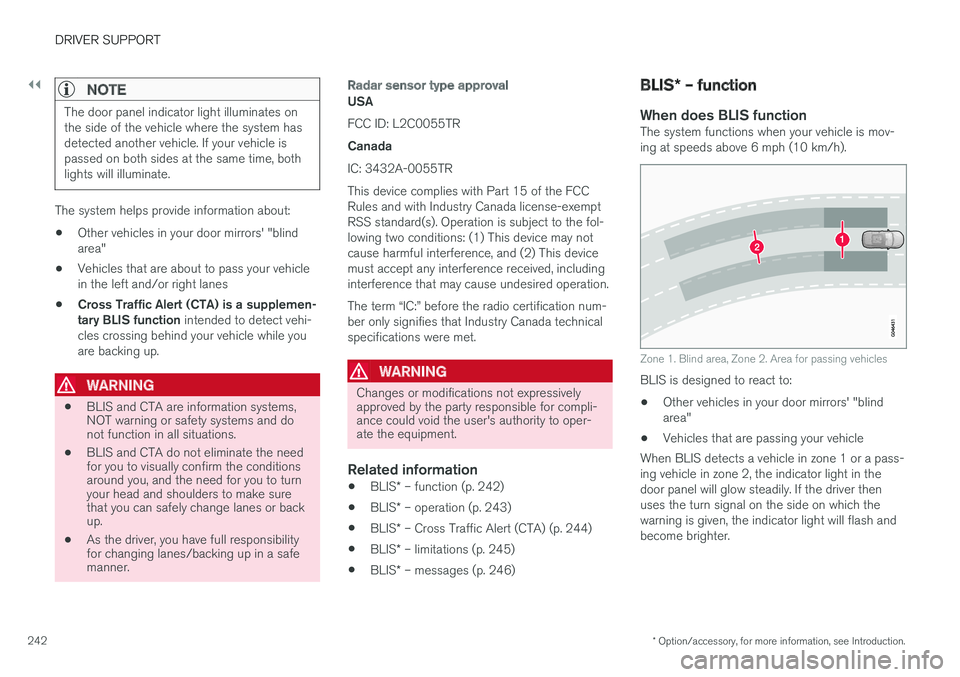
When does BLIS functionThe system functions when your vehicle is mov- ing at speeds above 6 mph (10 km/h).
Zone 1. Blind area, Zone 2. Area for passing vehicles
BLIS is designed to react to: • Other vehicles in your door mirrors' "blind area"
• Vehicles that are passing your vehicle
When BLIS detects a vehicle in zone 1 or a pass-ing vehicle in zone 2, the indicator light in thedoor panel will glow steadily. If the driver thenuses the turn signal on the side on which thewarning is given, the indicator light will flash andbecome brighter.
Page 245 of 398
DRIVER SUPPORT
* Option/accessory, for more information, see Introduction.243
WARNING
•BLIS does not function in sharp curves.
• BLIS does not function when your vehicle is backing up.
Related information
•
BLIS
* – introduction (p. 241)
• BLIS
* – operation (p. 243)
• BLIS
* – Cross Traffic Alert (CTA) (p. 244)
• BLIS
* – limitations (p. 245)
• BLIS
* – messages (p. 246)
BLIS * – operation
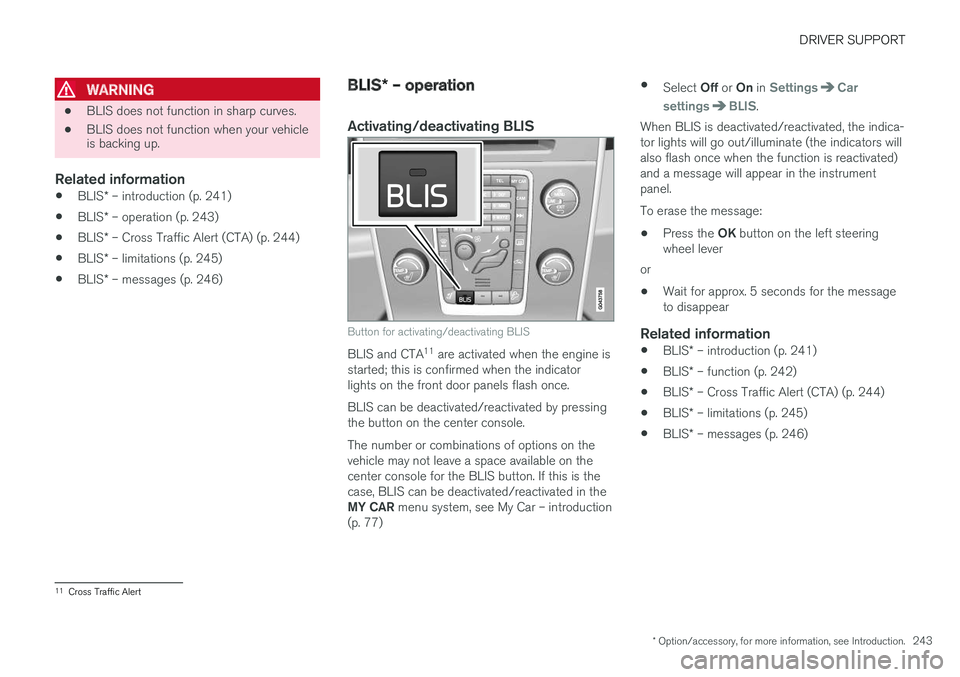
Activating/deactivating BLIS
Button for activating/deactivating BLIS
BLIS and CTA 11
are activated when the engine is
started; this is confirmed when the indicator lights on the front door panels flash once. BLIS can be deactivated/reactivated by pressing the button on the center console. The number or combinations of options on the vehicle may not leave a space available on thecenter console for the BLIS button. If this is thecase, BLIS can be deactivated/reactivated in the MY CAR menu system, see My Car – introduction
(p. 77) •
Select Off or On in
SettingsCar
settings
BLIS.
When BLIS is deactivated/reactivated, the indica- tor lights will go out/illuminate (the indicators willalso flash once when the function is reactivated)and a message will appear in the instrumentpanel. To erase the message:
• Press the
OK button on the left steering
wheel lever
or
• Wait for approx. 5 seconds for the message to disappear
Related information
•
BLIS
* – introduction (p. 241)
• BLIS
* – function (p. 242)
• BLIS
* – Cross Traffic Alert (CTA) (p. 244)
• BLIS
* – limitations (p. 245)
• BLIS
* – messages (p. 246)
11
Cross Traffic Alert
Page 246 of 398
DRIVER SUPPORT
* Option/accessory, for more information, see Introduction.
244
BLIS * – Cross Traffic Alert (CTA)
Cross Traffic Alert (CTA) is a supplementary BLIS 12
function intended to detect vehicles
crossing behind your vehicle while you are back- ing up.
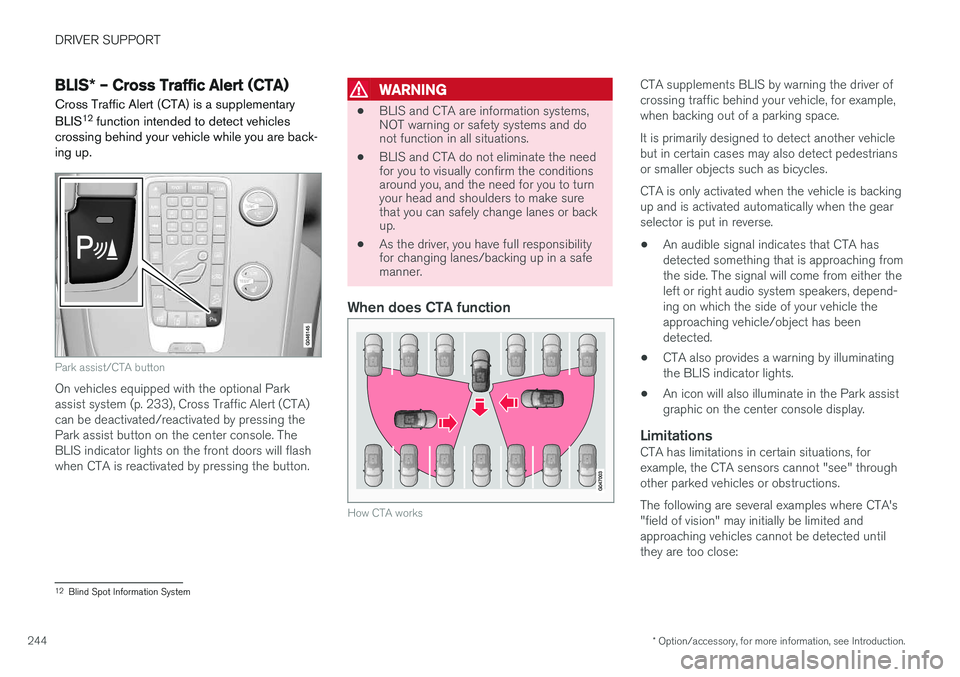
Park assist/CTA button
On vehicles equipped with the optional Park assist system (p. 233), Cross Traffic Alert (CTA)can be deactivated/reactivated by pressing thePark assist button on the center console. TheBLIS indicator lights on the front doors will flashwhen CTA is reactivated by pressing the button.
WARNING
• BLIS and CTA are information systems, NOT warning or safety systems and donot function in all situations.
• BLIS and CTA do not eliminate the needfor you to visually confirm the conditionsaround you, and the need for you to turnyour head and shoulders to make surethat you can safely change lanes or backup.
• As the driver, you have full responsibilityfor changing lanes/backing up in a safemanner.
When does CTA function
How CTA works
CTA supplements BLIS by warning the driver of crossing traffic behind your vehicle, for example,when backing out of a parking space. It is primarily designed to detect another vehicle but in certain cases may also detect pedestriansor smaller objects such as bicycles. CTA is only activated when the vehicle is backing up and is activated automatically when the gearselector is put in reverse.
• An audible signal indicates that CTA hasdetected something that is approaching fromthe side. The signal will come from either theleft or right audio system speakers, depend-ing on which the side of your vehicle theapproaching vehicle/object has beendetected.
• CTA also provides a warning by illuminatingthe BLIS indicator lights.
• An icon will also illuminate in the Park assistgraphic on the center console display.
LimitationsCTA has limitations in certain situations, forexample, the CTA sensors cannot "see" throughother parked vehicles or obstructions. The following are several examples where CTA's "field of vision" may initially be limited andapproaching vehicles cannot be detected untilthey are too close:
12
Blind Spot Information System
Page 273 of 398
STARTING AND DRIVING
271
Driving through water
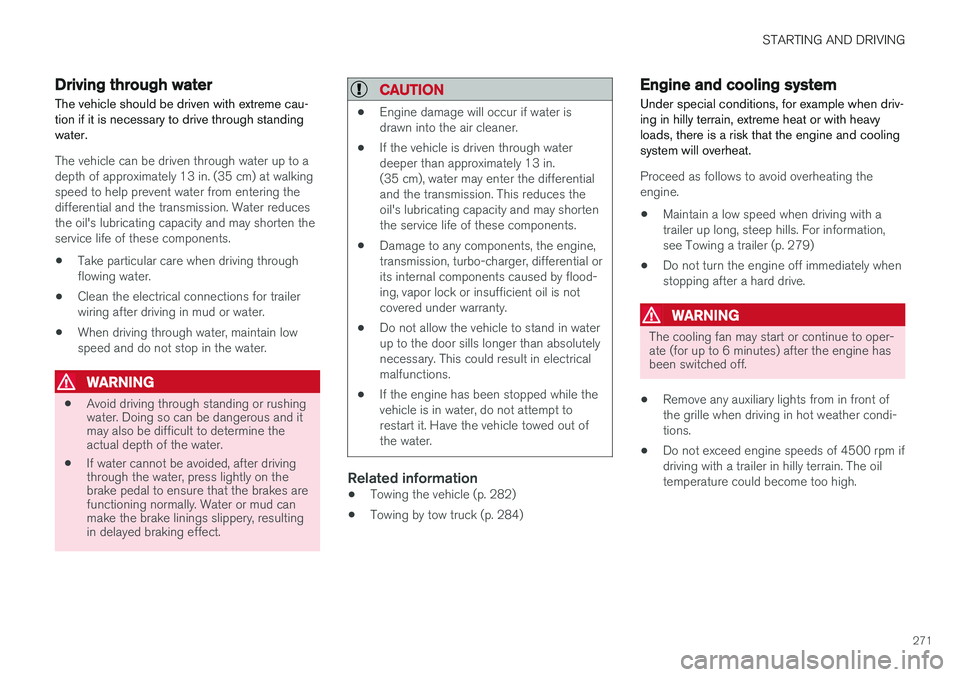
The vehicle should be driven with extreme cau- tion if it is necessary to drive through standingwater.
The vehicle can be driven through water up to a depth of approximately 13 in. (35 cm) at walkingspeed to help prevent water from entering thedifferential and the transmission. Water reducesthe oil's lubricating capacity and may shorten theservice life of these components.
• Take particular care when driving throughflowing water.
• Clean the electrical connections for trailerwiring after driving in mud or water.
• When driving through water, maintain lowspeed and do not stop in the water.
WARNING
•Avoid driving through standing or rushing water. Doing so can be dangerous and itmay also be difficult to determine theactual depth of the water.
• If water cannot be avoided, after drivingthrough the water, press lightly on thebrake pedal to ensure that the brakes arefunctioning normally. Water or mud canmake the brake linings slippery, resultingin delayed braking effect.
CAUTION
•Engine damage will occur if water is drawn into the air cleaner.
• If the vehicle is driven through waterdeeper than approximately 13 in.(35 cm), water may enter the differentialand the transmission. This reduces theoil's lubricating capacity and may shortenthe service life of these components.
• Damage to any components, the engine,transmission, turbo-charger, differential orits internal components caused by flood-ing, vapor lock or insufficient oil is notcovered under warranty.
• Do not allow the vehicle to stand in waterup to the door sills longer than absolutelynecessary. This could result in electricalmalfunctions.
• If the engine has been stopped while thevehicle is in water, do not attempt torestart it. Have the vehicle towed out ofthe water.
Related information
•Towing the vehicle (p. 282)
• Towing by tow truck (p. 284)
Engine and cooling system
Under special conditions, for example when driv- ing in hilly terrain, extreme heat or with heavyloads, there is a risk that the engine and coolingsystem will overheat.
Proceed as follows to avoid overheating the engine.
• Maintain a low speed when driving with atrailer up long, steep hills. For information,see Towing a trailer (p. 279)
• Do not turn the engine off immediately whenstopping after a hard drive.
WARNING
The cooling fan may start or continue to oper- ate (for up to 6 minutes) after the engine hasbeen switched off.
• Remove any auxiliary lights from in front of the grille when driving in hot weather condi-tions.
• Do not exceed engine speeds of 4500 rpm ifdriving with a trailer in hilly terrain. The oiltemperature could become too high.
Page 274 of 398
STARTING AND DRIVING
272
Conserving electrical current
Keep the following in mind to help minimize bat- tery drain:
• When the engine is not running, avoid using ignition mode
II. Many electrical systems (the
audio system, the optional navigation system, power windows, etc) will function in ignition modes 0 and I. These modes reduce drain
on the battery.
• Please keep in mind that using systems, accessories, etc., that consume a great dealof current when the engine is not runningcould result in the battery being completelydrained. Driving or having the engine runningfor approximately 15 minutes will help keepthe battery charged.
• The optional 12-volt socket in the cargoarea (p. 143) area provides electrical currenteven with the ignition switched off, whichdrains the battery.
Before a long distance trip
It is always worthwhile to have your vehicle checked by a trained and qualified Volvo servicetechnician before driving long distances. Yourretailer will also be able to supply you with bulbs,fuses, spark plugs and wiper blades for your usein the event that problems occur.
As a minimum, the following items should be checked before any long trip:
• Check that engine runs smoothly and thatfuel consumption is normal.
• Check for fuel, oil, and fluid leakage.
• Have the transmission oil level checked.
• Check condition of drive belts.
• Check state of the battery's charge.
• Examine tires carefully (the spare tire aswell), and replace those that areworn (p. 290). Check tire pressure (p. 297).
• The brakes, front wheel alignment, and steer-ing gear should be checked by a trained andqualified Volvo service technician only.
• Check all lights, including high beams.
• Reflective warning triangles are legallyrequired in some states/provinces.
• Have a word with a trained and qualifiedVolvo service technician if you intend to drivein countries where it may be difficult toobtain the correct fuel. •
Consider your destination. If you will be driv-ing through an area where snow or ice arelikely to occur, consider snow tires (p. 303).
Related information
•
Changing a wheel – removing wheel (p. 291)
• Bulbs – introduction (p. 334)
Page 337 of 398
MAINTENANCE AND SERVICING
}}
* Option/accessory, for more information, see Introduction.335
WARNING
•The engine should not be running when changing bulbs.
• If the engine has been running just priorto replacing bulbs in the headlight hous-ing, please keep in mind that componentsin the engine compartment will be hot.
WARNING
•
Active Bending Lights
* – due to the high
voltage used by these headlights, these bulbs should only be replaced by atrained and qualified Volvo service techni-cian.
• Turn off the lights and remove the remotekey from the ignition before changing anybulbs.
Related information
•Bulbs – headlight housing (p. 335)
• Bulbs – vanity mirror lighting (p. 341)
• Bulbs – cargo area lighting (p. 340)
• Bulbs – license plate lighting (p. 340)
Bulbs – headlight housing
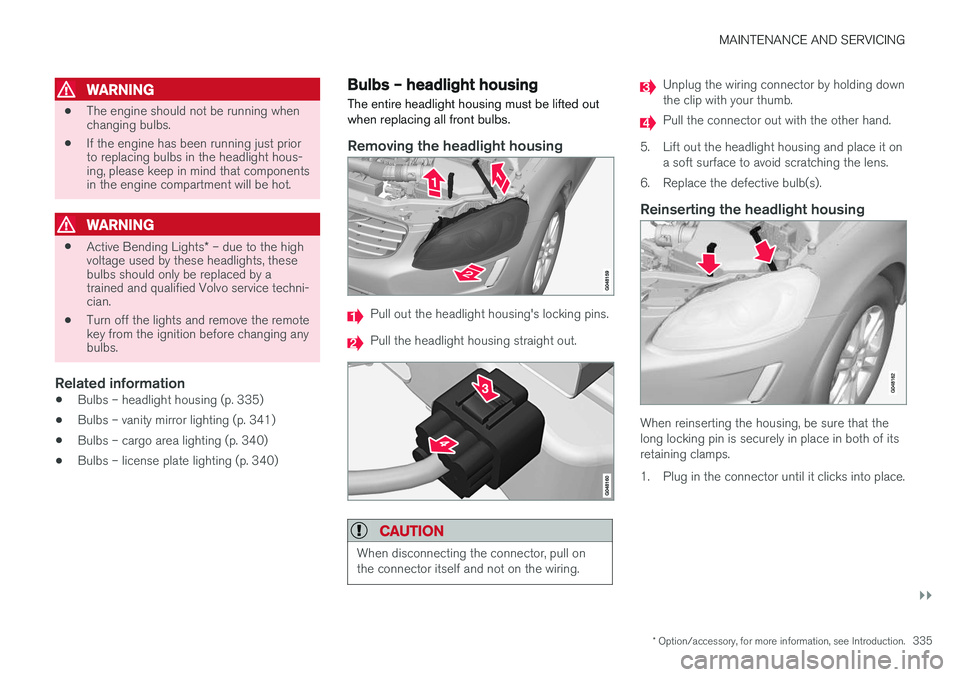
The entire headlight housing must be lifted out when replacing all front bulbs.
Removing the headlight housing
Pull out the headlight housing's locking pins.
Pull the headlight housing straight out.
CAUTION
When disconnecting the connector, pull on the connector itself and not on the wiring.
Unplug the wiring connector by holding down the clip with your thumb.
Pull the connector out with the other hand.
5. Lift out the headlight housing and place it on a soft surface to avoid scratching the lens.
6. Replace the defective bulb(s).
Reinserting the headlight housing
When reinserting the housing, be sure that the long locking pin is securely in place in both of itsretaining clamps.
1. Plug in the connector until it clicks into place.
Page 362 of 398
||
MAINTENANCE AND SERVICING
360
CAUTION
•Avoid waxing or polishing plastic or rub- ber components
• Polishing chromed strips can wear awayor damage the surface
• Polishes containing abrasive substancesshould not be used
Related information
• Polishing and waxing (p. 361)
• Cleaning the interior (p. 361)
Automatic car wash
The vehicle should be washed at regular inter- vals since dirt, dust, insects and tar spotsadhere to the paint and may cause damage. Tohelp prevent corrosion, it is particularly importantto wash the car frequently in the wintertime.
• We do NOT recommend washing your car in an automatic wash during the first fewmonths (because the paint will not havehardened sufficiently).
• An automatic wash is a simple and quick wayto clean your car, but it is worth rememberingthat it may not be as thorough as when youyourself go over the car with sponge andwater. Keeping the underbody clean is mostimportant, especially in the winter. Someautomatic washers do not have facilities forwashing the underbody.
NOTE
Condensation may form temporarily on the inside of the lenses of exterior lights such asheadlights, fog lights, or taillights. This is nor-mal and the lights are designed to withstandmoisture. Normally, condensation will dissi-pate after the lights have been on for a shorttime.
CAUTION
•
Before driving into an automatic car wash, turn off the optional rain sensor toavoid damaging the windshield wipers.
• Make sure that side view mirrors, auxiliarylamps, etc, are secure, and that anyantenna(s) are retracted or removed. Oth-erwise there is risk of the machine dis-lodging them.
• Chromed wheels:
Clean chrome-plated
wheels using the same detergents usedfor the body of the vehicle. Aggressivewheel-cleaning agents can permanentlystain chrome-plated wheels.
WARNING
• When the vehicle is driven immediately after being washed, apply the brakes,including the parking brake, several timesin order to remove any moisture from thebrake linings.
• Engine cleaning agents should not beused when the engine is warm. This con-stitutes a fire risk.
Related information
•
Polishing and waxing (p. 361)
• Cleaning the interior (p. 361)
• Washing the car (p. 359)
Page 384 of 398
SPECIFICATIONS
382
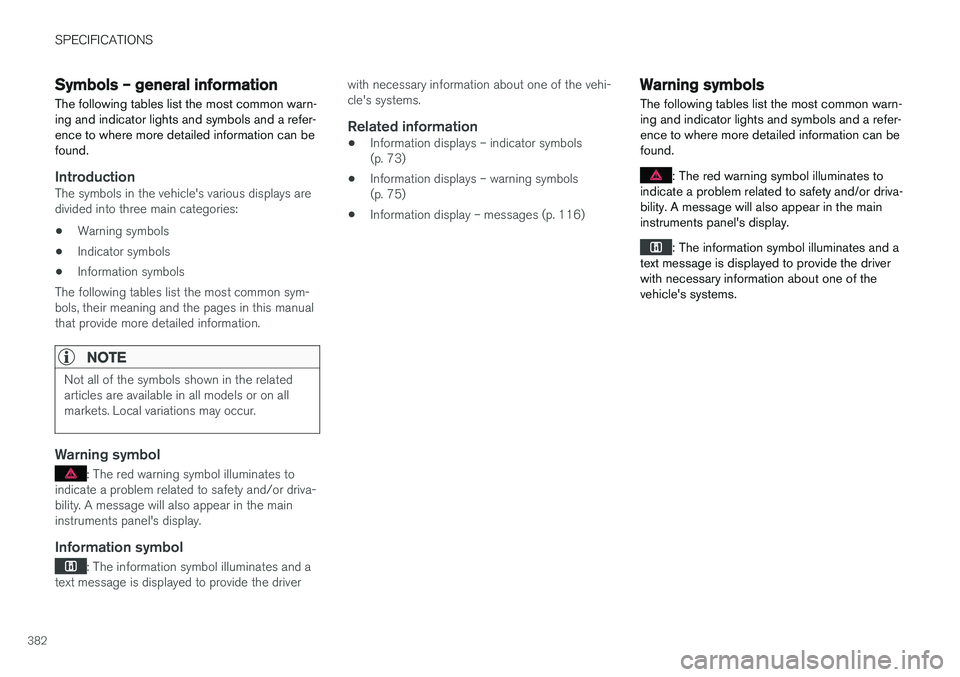
Symbols – general information The following tables list the most common warn- ing and indicator lights and symbols and a refer-ence to where more detailed information can befound.
IntroductionThe symbols in the vehicle's various displays are divided into three main categories: •Warning symbols
• Indicator symbols
• Information symbols
The following tables list the most common sym- bols, their meaning and the pages in this manualthat provide more detailed information.
NOTE
Not all of the symbols shown in the related articles are available in all models or on allmarkets. Local variations may occur.
Warning symbol
: The red warning symbol illuminates to
indicate a problem related to safety and/or driva- bility. A message will also appear in the maininstruments panel's display.
Information symbol
: The information symbol illuminates and a
text message is displayed to provide the driver with necessary information about one of the vehi- cle's systems.
Related information
•
Information displays – indicator symbols(p. 73)
• Information displays – warning symbols(p. 75)
• Information display – messages (p. 116)
Warning symbols
The following tables list the most common warn- ing and indicator lights and symbols and a refer-ence to where more detailed information can befound.
: The red warning symbol illuminates to
indicate a problem related to safety and/or driva- bility. A message will also appear in the maininstruments panel's display.
: The information symbol illuminates and a
text message is displayed to provide the driver with necessary information about one of thevehicle's systems.
Page 385 of 398
SPECIFICATIONS
* Option/accessory, for more information, see Introduction.383
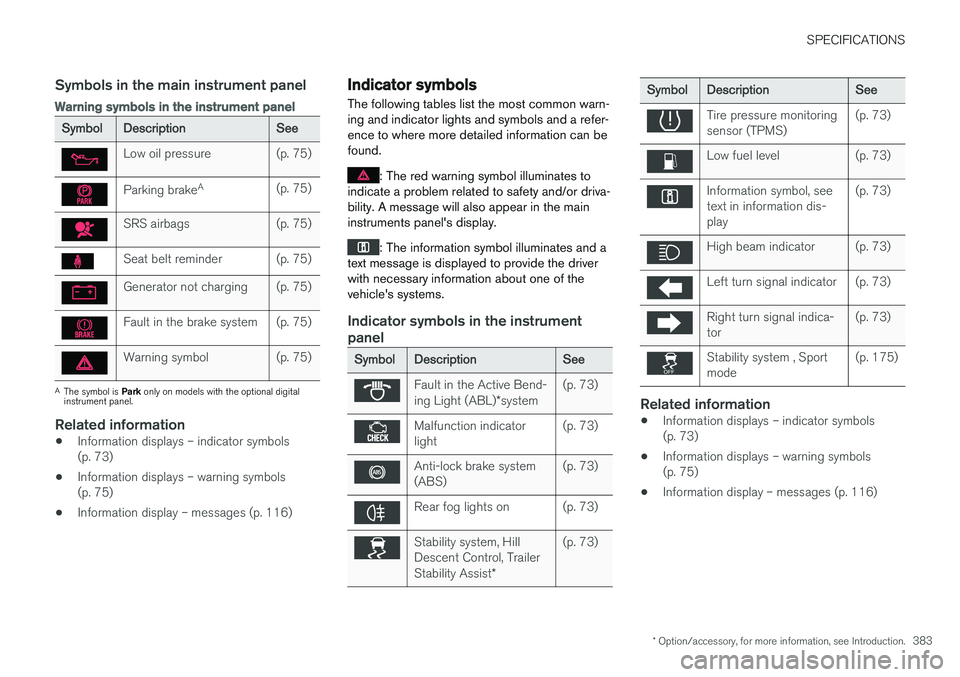
Symbols in the main instrument panel
Warning symbols in the instrument panel
SymbolDescriptionSee
Low oil pressure(p. 75)
Parking brakeA(p. 75)
SRS airbags(p. 75)
Seat belt reminder(p. 75)
Generator not charging(p. 75)
Fault in the brake system(p. 75)
Warning symbol(p. 75)
A
The symbol is Park only on models with the optional digital
instrument panel.
Related information
• Information displays – indicator symbols (p. 73)
• Information displays – warning symbols(p. 75)
• Information display – messages (p. 116)
Indicator symbols
The following tables list the most common warn- ing and indicator lights and symbols and a refer-ence to where more detailed information can befound.
: The red warning symbol illuminates to
indicate a problem related to safety and/or driva- bility. A message will also appear in the maininstruments panel's display.
: The information symbol illuminates and a
text message is displayed to provide the driver with necessary information about one of thevehicle's systems.
Indicator symbols in the instrument panel
SymbolDescriptionSee
Fault in the Active Bend- ing Light (ABL) *system(p. 73)
Malfunction indicator light(p. 73)
Anti-lock brake system (ABS)(p. 73)
Rear fog lights on(p. 73)
Stability system, Hill Descent Control, Trailer Stability Assist *(p. 73)
SymbolDescriptionSee
Tire pressure monitoring sensor (TPMS)(p. 73)
Low fuel level(p. 73)
Information symbol, see text in information dis-play(p. 73)
High beam indicator(p. 73)
Left turn signal indicator(p. 73)
Right turn signal indica- tor(p. 73)
Stability system , Sport mode(p. 175)
Related information
•Information displays – indicator symbols (p. 73)
• Information displays – warning symbols(p. 75)
• Information display – messages (p. 116)