check engine light VOLVO XC60 2017 Owner´s Manual
[x] Cancel search | Manufacturer: VOLVO, Model Year: 2017, Model line: XC60, Model: VOLVO XC60 2017Pages: 398, PDF Size: 9.17 MB
Page 327 of 398
MAINTENANCE AND SERVICING
}}
* Option/accessory, for more information, see Introduction.325
Onboard Diagnostic System OBD II is part of your vehicle's computerized engine management system. It stores diagnosticinformation about your vehicle's emission con-trols. It can light the Check Engine light (MIL) if itdetects an emission control "fault." A "fault" is acomponent or system that is not performingwithin an expected range. A fault may be perma-nent or temporary. OBD II will store a messageabout any fault.
Emission inspection readiness
How do states use OBD II for emission inspections?
Many states connect a computer directly to a vehicle's OBD II system. The inspector can thenread "faults." In some states, this type of inspec-tion has replaced the tailpipe emission test.
How can my vehicle fail OBD II emission inspection?
Your vehicle can fail OBD II emission inspection for any of the following reasons.
• If your Check Engine (MIL) light is lit, yourvehicle may fail inspection.
• If your vehicle's Check Engine light was lit,but went out without any action on your part,OBD II will still have a recorded fault. Yourvehicle may pass or fail, depending on theinspection practices in your area.
• If you had recent service that required dis-connecting the battery, OBD II diagnostic information may be incomplete and "notready" for inspection. A vehicle that is notready may fail inspection.
How can I prepare for my next OBD II
emission inspection?
• If your Check Engine (MIL) light is lit – or was lit but went out without service, have yourvehicle diagnosed and, if necessary, servicedby a qualified Volvo technician.
• If you recently had service for a lit CheckEngine light, or if you had service thatrequired disconnecting the battery, a periodof driving is necessary to bring the OBD IIsystem to "ready" for inspection. Two half-hour trips of mixed stop-and-go/highwaydriving are typically needed to allow OBD II toreach readiness. Your Volvo retailer can pro-vide you with more information on planning atrip.
• Maintain your vehicle in accordance with yourvehicle's maintenance schedule.
Booking service and repairs
Connected Service Booking (CSB) makes set- ting up a time for service, maintenance and/orrepairs directly from the vehicle quick and con-venient.
Prerequisites
• The owner (primary driver) must have a valid Volvo ID. See Volvo ID (p. 22) for additionalinformation.
• The vehicle must be connected to the Inter- net using a paired Bluetooth ®
cell phone.
See your Sensus Infotainment supplement for information on pairing a cell phone. On models equipped with Volvo On Call (VOC) *,
you can connect to the Internet using your separate VOC data plan. Refer to your sepa-rate Volvo On Call manual.
• By default, the retailer where you purchasedyour vehicle will be your preferred (primary)retailer/Volvo authorized workshop who willperform service and repairs on your vehicle.To change the preferred retailer, go to DealerLocator at volvocars.com and select aretailer, click on Service Scheduler and bookan appointment at the new preferred retailer.
• In order to be guided through the on-screen steps, the menu alternative
Display
notifications must be activated.
Page 328 of 398
||
MAINTENANCE AND SERVICING
326
CSB menu accessOnce the prerequisites have been established, all CSB-related menus can be accessed in MY CAR
by pressing OK/MENU and then selecting
Maintenance & repair.
Booking information and data from the
vehicle
If you request an appointment from your vehicle, with your consent, booking information and data about your vehicle 1
will be transmitted to your
preferred retailer.
Using the serviceOnce the prerequisites have been established, all CSB-related menus can be accessed in MY CAR
by pressing OK/MENU and then selecting
Maintenance & repair.
If the time for the next regularly scheduled serv- ice is approaching, if the vehicle requires certaintypes of repairs or if a system needs to bechecked, a message will be displayed. You willthen by guided through the steps required tobook service or repairs.
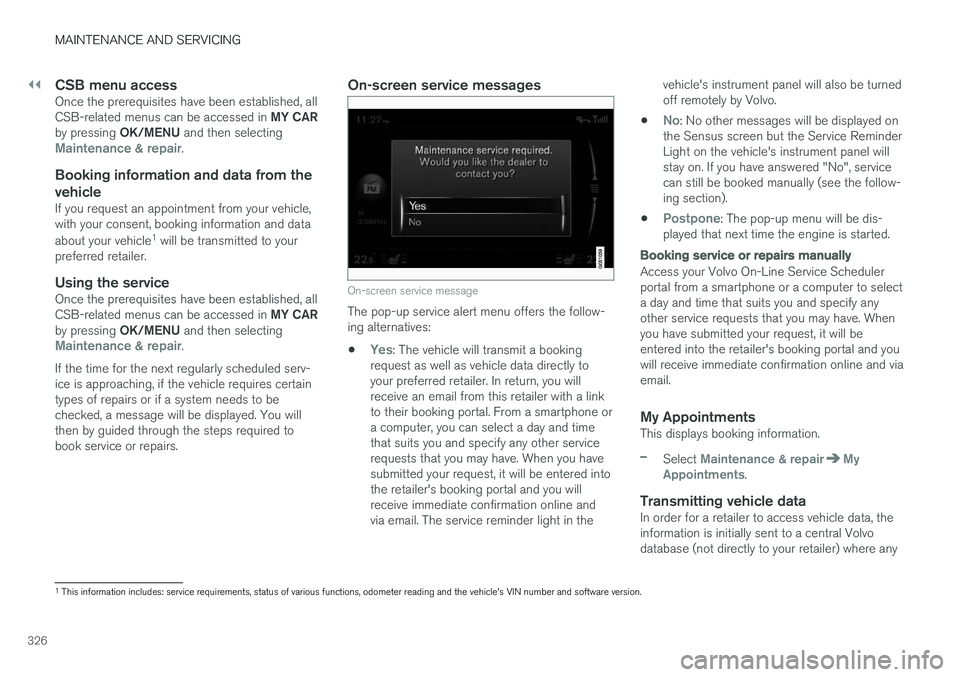
On-screen service messages
On-screen service message
The pop-up service alert menu offers the follow- ing alternatives:
•
Yes: The vehicle will transmit a booking
request as well as vehicle data directly to your preferred retailer. In return, you willreceive an email from this retailer with a linkto their booking portal. From a smartphone ora computer, you can select a day and timethat suits you and specify any other servicerequests that you may have. When you havesubmitted your request, it will be entered intothe retailer's booking portal and you willreceive immediate confirmation online andvia email. The service reminder light in the vehicle's instrument panel will also be turnedoff remotely by Volvo.
•
No: No other messages will be displayed on
the Sensus screen but the Service Reminder Light on the vehicle's instrument panel willstay on. If you have answered "No", servicecan still be booked manually (see the follow-ing section).
•
Postpone: The pop-up menu will be dis-
played that next time the engine is started.
Booking service or repairs manually
Access your Volvo On-Line Service Scheduler portal from a smartphone or a computer to selecta day and time that suits you and specify anyother service requests that you may have. Whenyou have submitted your request, it will beentered into the retailer's booking portal and youwill receive immediate confirmation online and viaemail.
My AppointmentsThis displays booking information.
–Select Maintenance & repairMy
Appointments.
Transmitting vehicle dataIn order for a retailer to access vehicle data, the information is initially sent to a central Volvodatabase (not directly to your retailer) where any
1 This information includes: service requirements, status of various functions, odometer reading and the vehicle's VIN number and software version.
Page 329 of 398
MAINTENANCE AND SERVICING
327
retailer can access or search for this information using your vehicle's VIN number. This numbercan be found in your warranty booklet or on thedashboard at the lower left corner of the wind-shield.
–Select Maintenance & repairSend
vehicle data.
Booking information and vehicle dataWhen you opt to book service from your vehicle, booking information and vehicle data will betransmitted. Vehicle data consists of a number ofparameters in the following areas:
• Service requirements
• Function status
• Fluid levels
• Odometer reading (mileage)
• Vehicle Identification Number (VIN)
• The vehicle's software version
Related information
•
Volvo ID (p. 22)
Maintenance – opening/closing hood The hood is opened by first releasing the lock from the passenger compartment and thenpressing the release control.
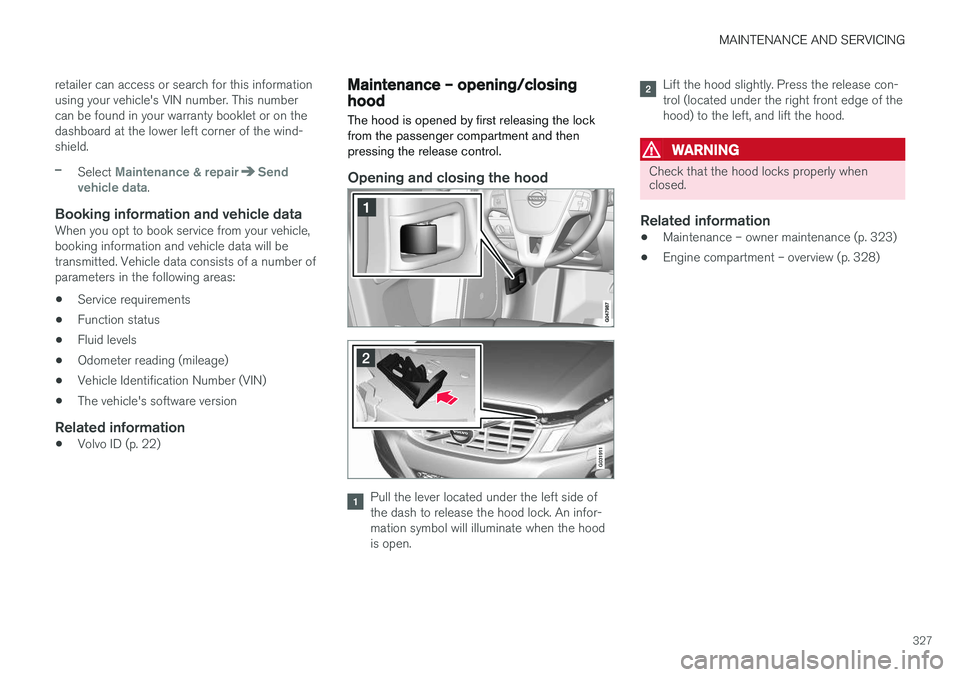
Opening and closing the hood
G031911
Pull the lever located under the left side of the dash to release the hood lock. An infor-mation symbol will illuminate when the hoodis open.
Lift the hood slightly. Press the release con- trol (located under the right front edge of thehood) to the left, and lift the hood.
WARNING
Check that the hood locks properly when closed.
Related information
•Maintenance – owner maintenance (p. 323)
• Engine compartment – overview (p. 328)
Page 348 of 398
||
MAINTENANCE AND SERVICING
346
CAUTION
The infotainment system's energy-saving fea- ture may not function correctly or at all,and/or a message may be displayed if a bat-tery charger or jumper cables are not con-nected properly. •The negative terminal on the battery must never
be used to connect a jumper cable
or a battery charger. Only the ground point on the chassis may be used.
See Jump starting (p. 251) for an illustrationand additional information.
WARNING
• Never expose the battery to open flame or electric spark.
• Do not smoke near the battery.
• Battery fluid contains sulfuric acid. Do notallow battery fluid to contact eyes, skin,fabrics or painted surfaces. If contactoccurs, flush the affected area immedi-ately with water. Obtain medical helpimmediately if eyes are affected.
NOTE
The life of the battery is shortened if it becomes discharged repeatedly.
Related information
•Battery – changing (p. 347)
• Battery – maintenance (p. 346)
• Battery – symbols (p. 345)
Battery – maintenance
Proper battery maintenance can help prolong its service life.
Maintenance
• Use a screw driver to open the caps or cover and a flashlight to inspect the level.
• If necessary, add distilled water. The levelshould never be above the indicator.
• The fluid level should be checked if the bat-tery has been recharged.
• After inspection, be sure the cap over eachbattery cell or the cover is securely in place.
• Check that the battery cables are correctlyconnected and properly tightened.
• Never disconnect the battery when theengine is running, or when the key is in theignition. This could damage the vehicle'selectrical system.
• The battery should be disconnected from thevehicle when a battery charger is useddirectly on the battery.
• To help keep the battery in good condition,the vehicle should be driven for at least 15minutes a week or connected to a chargerwith an automatic charging function.
• If the battery is fully discharged a number oftimes, this may shorten its service life. Keep-ing the battery fully charged helps prolong itsservice life.
Page 391 of 398
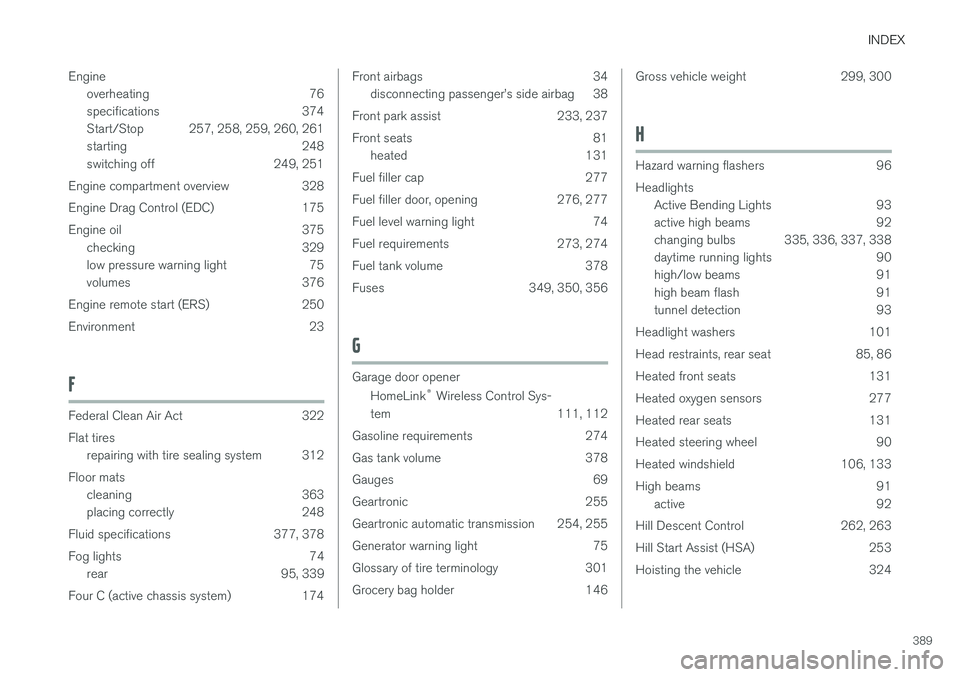
INDEX
389
Engine
overheating 76
specifications 374
Start/Stop 257, 258, 259, 260, 261
starting 248
switching off 249, 251
Engine compartment overview 328
Engine Drag Control (EDC) 175
Engine oil 375 checking 329
low pressure warning light 75
volumes 376
Engine remote start (ERS) 250
Environment 23
F
Federal Clean Air Act 322 Flat tires repairing with tire sealing system 312
Floor mats cleaning 363
placing correctly 248
Fluid specifications 377, 378
Fog lights 74 rear 95, 339
Four C (active chassis system) 174
Front airbags 34 disconnecting passenger
Page 393 of 398
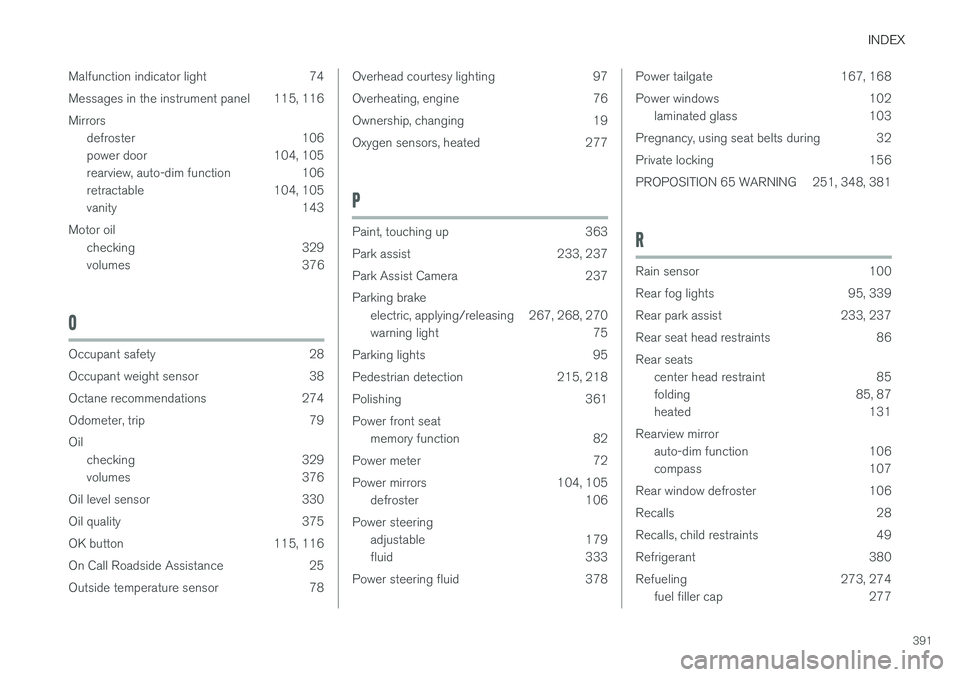
INDEX
391
Malfunction indicator light 74
Messages in the instrument panel 115, 116Mirrors
defroster 106
power door 104, 105
rearview, auto-dim function 106
retractable 104, 105
vanity 143
Motor oil checking 329
volumes 376
O
Occupant safety 28
Occupant weight sensor 38
Octane recommendations 274
Odometer, trip 79Oilchecking 329
volumes 376
Oil level sensor 330
Oil quality 375
OK button 115, 116
On Call Roadside Assistance 25
Outside temperature sensor 78
Overhead courtesy lighting 97
Overheating, engine 76
Ownership, changing 19
Oxygen sensors, heated 277
P
Paint, touching up 363
Park assist 233, 237
Park Assist Camera 237Parking brake electric, applying/releasing 267, 268, 270
warning light 75
Parking lights 95
Pedestrian detection 215, 218
Polishing 361Power front seat memory function 82
Power meter 72
Power mirrors 104, 105 defroster 106
Power steering adjustable 179
fluid 333
Power steering fluid 378
Power tailgate 167, 168
Power windows 102 laminated glass 103
Pregnancy, using seat belts during 32
Private locking 156
PROPOSITION 65 WARNING 251, 348, 381
R
Rain sensor 100
Rear fog lights 95, 339
Rear park assist 233, 237
Rear seat head restraints 86Rear seats center head restraint 85
folding 85, 87
heated 131
Rearview mirror auto-dim function 106
compass 107
Rear window defroster 106
Recalls 28
Recalls, child restraints 49
Refrigerant 380
Refueling 273, 274 fuel filler cap 277