Auto pilot VOLVO XC60 2018 Owner´s Manual
[x] Cancel search | Manufacturer: VOLVO, Model Year: 2018, Model line: XC60, Model: VOLVO XC60 2018Pages: 660, PDF Size: 11.77 MB
Page 359 of 660
DRIVER SUPPORT
}}
357
Selecting guidance to a rest area ifthe Driver Alert Control warning hasbeen givenThe
Rest Stop Guidance function can be
switched on or off.
When the guide is activated, it will automatically display suggestions for a suitable place to take abreak if the DAC warning is given. To select
Rest Stop Guidance:
1. Tap
Settings in the center display's Top
view.
2. Select
My CarIntelliSafeDriver Alert
Control.
3. Select/deselect
Rest Stop Guidance to
activate/deactivate the function.
Related information
• Driver Alert Control (p. 355)
Driver Alert Control limitations
Driver Alert Control (DAC) functionality may be reduced in certain situations.
In certain situations, the system may provide a warning even if it has not detected a change indriving behavior, e.g.:
• in strong crosswinds
• on grooved road surfaces.
WARNING
In certain cases, driving behavior might not be affected despite the driver's fatigue – whenusing the Pilot Assist function – resulting inthe driver not getting a warning from DAC. It is therefore very important to always stop and take a break at the slightest sign of fati-gue, regardless of whether the DAC functionhas issued a warning or not.
NOTE
The function uses the vehicle's camera unit, which has some general limitations – see thesection "Camera unit limitations".
Related information
• Driver Alert Control (p. 355)
Lane Keeping Aid
Lane Keeping Aid (LKA 106
) is designed to
actively steer the vehicle on freeways, highways and other major roads to help the driver reducethe risk of the vehicle unintentionally veering outof the lane.
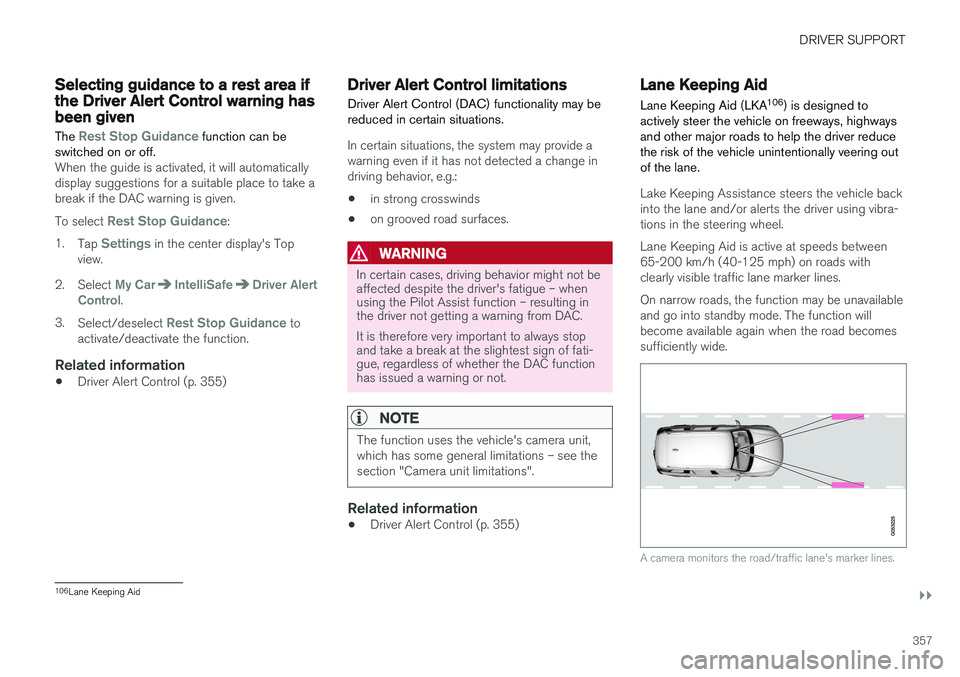
Lake Keeping Assistance steers the vehicle back into the lane and/or alerts the driver using vibra-tions in the steering wheel. Lane Keeping Aid is active at speeds between 65-200 km/h (40-125 mph) on roads withclearly visible traffic lane marker lines. On narrow roads, the function may be unavailable and go into standby mode. The function willbecome available again when the road becomessufficiently wide.
A camera monitors the road/traffic lane's marker lines.
106 Lane Keeping Aid
Page 370 of 660
||
DRIVER SUPPORT
368
NOTE
The function uses the vehicle's radar unit, which has some general limitations – see thesection "Radar unit limitations".
Related information
•Steering assistance at risk of collision (p. 365)
• Speed-dependent steering wheel resistance(p. 264)
Steering assistance during collisionrisks from oncoming traffic
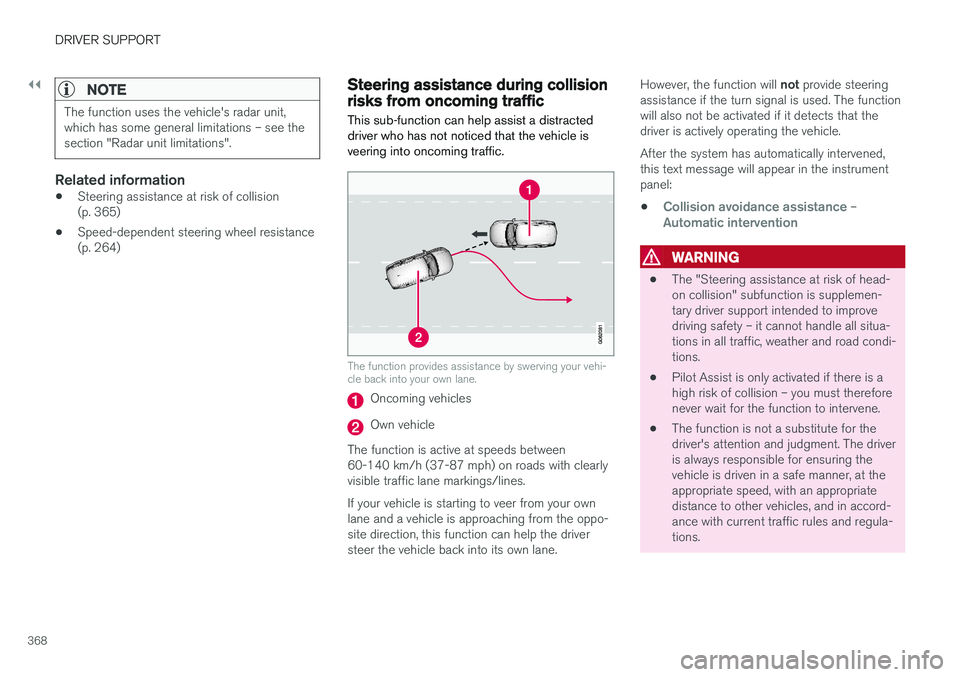
This sub-function can help assist a distracted driver who has not noticed that the vehicle isveering into oncoming traffic.
The function provides assistance by swerving your vehi- cle back into your own lane.
Oncoming vehicles
Own vehicle
The function is active at speeds between 60-140 km/h (37-87 mph) on roads with clearlyvisible traffic lane markings/lines. If your vehicle is starting to veer from your own lane and a vehicle is approaching from the oppo- site direction, this function can help the driversteer the vehicle back into its own lane. However, the function will
not provide steering
assistance if the turn signal is used. The functionwill also not be activated if it detects that thedriver is actively operating the vehicle. After the system has automatically intervened, this text message will appear in the instrumentpanel:
•
Collision avoidance assistance –Automatic intervention
WARNING
• The "Steering assistance at risk of head- on collision" subfunction is supplemen-tary driver support intended to improvedriving safety – it cannot handle all situa-tions in all traffic, weather and road condi-tions.
• Pilot Assist is only activated if there is ahigh risk of collision – you must thereforenever wait for the function to intervene.
• The function is not a substitute for thedriver's attention and judgment. The driveris always responsible for ensuring thevehicle is driven in a safe manner, at theappropriate speed, with an appropriatedistance to other vehicles, and in accord-ance with current traffic rules and regula-tions.
Page 372 of 660
||
DRIVER SUPPORT
* Option/accessory.
370
NOTE
The function uses the vehicle's camera unit, which has some general limitations – see thesection "Camera unit limitations".
NOTE
The function uses the vehicle's radar unit, which has some general limitations – see thesection "Radar unit limitations".
Related information
• Steering assistance at risk of collision (p. 365)
• Speed-dependent steering wheel resistance(p. 264)
Steering assistance during collision
risks from behind
*
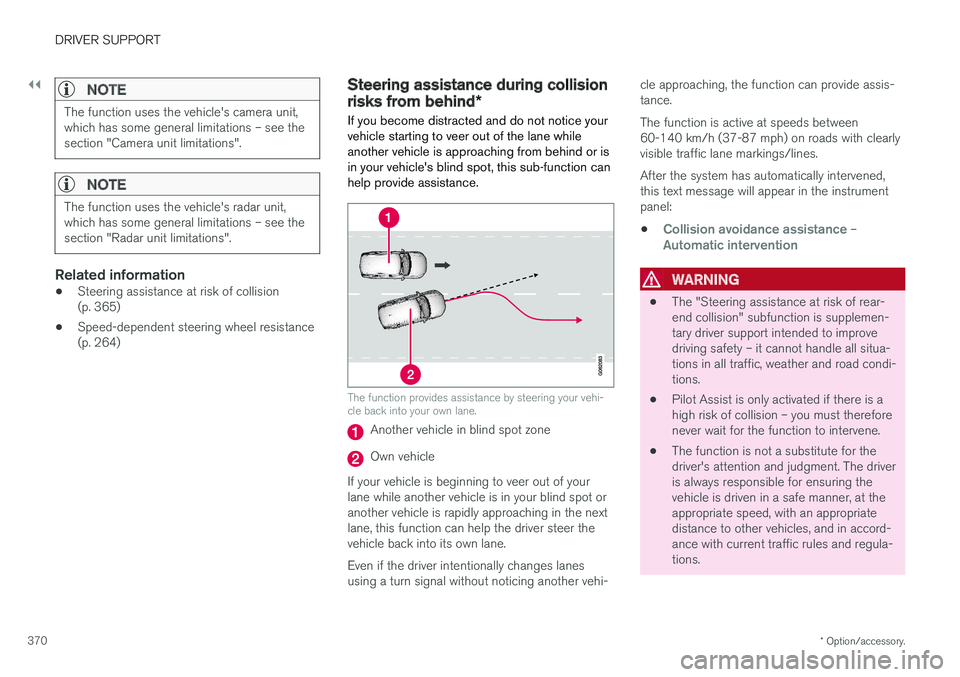
If you become distracted and do not notice your vehicle starting to veer out of the lane whileanother vehicle is approaching from behind or isin your vehicle's blind spot, this sub-function canhelp provide assistance.
The function provides assistance by steering your vehi- cle back into your own lane.
Another vehicle in blind spot zone
Own vehicle
If your vehicle is beginning to veer out of your lane while another vehicle is in your blind spot oranother vehicle is rapidly approaching in the next lane, this function can help the driver steer the vehicle back into its own lane. Even if the driver intentionally changes lanes using a turn signal without noticing another vehi- cle approaching, the function can provide assis-tance. The function is active at speeds between 60-140 km/h (37-87 mph) on roads with clearlyvisible traffic lane markings/lines. After the system has automatically intervened, this text message will appear in the instrumentpanel:
•
Collision avoidance assistance –Automatic intervention
WARNING
• The "Steering assistance at risk of rear- end collision" subfunction is supplemen-tary driver support intended to improvedriving safety – it cannot handle all situa-tions in all traffic, weather and road condi-tions.
• Pilot Assist is only activated if there is ahigh risk of collision – you must thereforenever wait for the function to intervene.
• The function is not a substitute for thedriver's attention and judgment. The driveris always responsible for ensuring thevehicle is driven in a safe manner, at theappropriate speed, with an appropriatedistance to other vehicles, and in accord-ance with current traffic rules and regula-tions.
Page 378 of 660
||
DRIVER SUPPORT
* Option/accessory.
376
CAUTION
When installing auxiliary lights: Make sure these do not obscure the sensors – the auxili-ary lights could be perceived as an obstacle.
Related information
• Park Assist
* (p. 374)
Activating/deactivating Park Assist
The Park Assist Pilot function can be activated/ deactivated.
On/OffPark Assist's front and side sensors are automat- ically activated when the engine is started. Therear sensors are activated if the vehicle is movingbackward or reverse gear is engaged.
The function can be activated/deactivated in the center dis-play's Function view.
–Tap the Park Assist button in Function view.
> The Park Assist Pilot indicator light shows the status of the function: GREEN (on) or GRAY (off).
In vehicles equipped with Park Assist Camera,Park Assist can also be activated/deactivatedfrom the relevant camera view.
Related information
• Park Assist
* (p. 374)
Park Assist limitations
Park Assist may not be able to detect all condi- tions in all situations and functionality may there-fore be limited in certain cases.
The driver should be aware of the following limi- tations for Park Assist:
WARNING
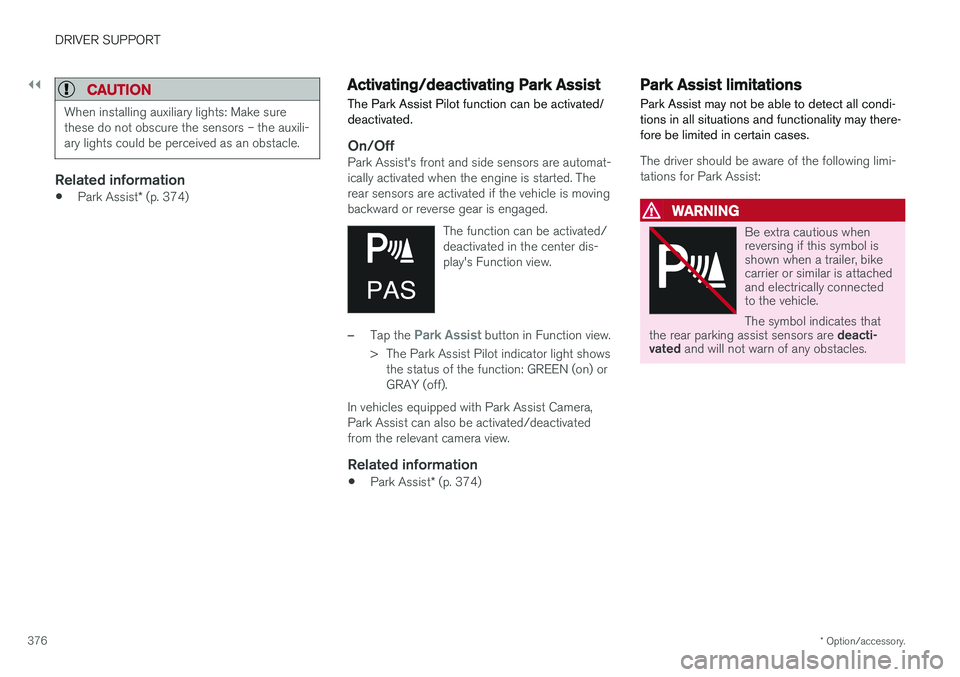
Be extra cautious when reversing if this symbol isshown when a trailer, bikecarrier or similar is attachedand electrically connectedto the vehicle. The symbol indicates that
the rear parking assist sensors are deacti-
vated and will not warn of any obstacles.
Page 394 of 660
||
DRIVER SUPPORT
* Option/accessory.
392 2. Be prepared to stop the vehicle when
instructed to do so by a graphic and mes- sage in the center display.
3. Engage reverse gear and back up slowly.
4. Be prepared to stop the vehicle when instructed to do so by a graphic and mes- sage in the center display.
The function will switch off automatically and agraphic and message will appear to indicate thatparking has been completed. Adjustments canalways be made be the driver afterward. Only thedriver can determine when the vehicle is correctlyparked.
CAUTION
The warning distance is shorter when the sensors are used by PAP compared to whenthey are used by the Parking Assist system.
Related information
• Park Assist Pilot
* (p. 388)
Leaving a parking space with ParkAssist Pilot
The function
Park Out can also help the driver
to leave a parking space.
NOTE
Leaving a parking space with the Park Outfunction should only be used in connection with parallel parking – it does not work forperpendicular parking.
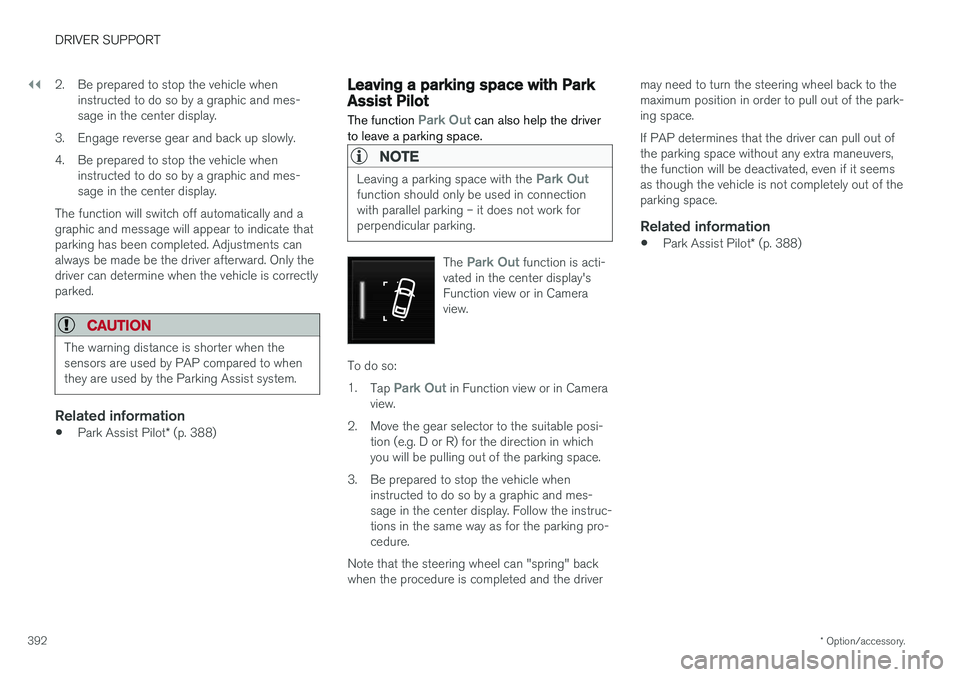
The Park Out function is acti-
vated in the center display's Function view or in Cameraview.
To do so: 1. Tap
Park Out in Function view or in Camera
view.
2. Move the gear selector to the suitable posi- tion (e.g. D or R) for the direction in which you will be pulling out of the parking space.
3. Be prepared to stop the vehicle when instructed to do so by a graphic and mes-sage in the center display. Follow the instruc-tions in the same way as for the parking pro-cedure.
Note that the steering wheel can "spring" backwhen the procedure is completed and the driver may need to turn the steering wheel back to themaximum position in order to pull out of the park-ing space. If PAP determines that the driver can pull out of the parking space without any extra maneuvers,the function will be deactivated, even if it seemsas though the vehicle is not completely out of theparking space.
Related information
•
Park Assist Pilot
* (p. 388)
Page 396 of 660
||
DRIVER SUPPORT
* Option/accessory.
394
NOTE
Dirt, ice and snow covering the sensors reduce their function and can make measure-ment impossible.
Driver responsibilityThe driver should keep in mind that PAP is a parking aid ‒ not an infallible fully automatic sys-
tem. The driver must always be prepared to take control and cancel a parking sequence if neces-sary. There are a number of things to keep in mind when parking, including:
• The driver is always responsible for determin-ing if the space suggested by PAP is suita-ble for parking.
• Do not use PAP when using snow chains ora temporary spare tire.
• Do not use PAP if there are any objects pro-truding from the vehicle.
• Heavy rain or snowfall may inhibit PAP's abil-ity to accurately measure a parking space.
• While searching and measuring the parkingspace, PAP may be unable to detect objectslocated far into the space.
• PAP may not suggest parking spaces onnarrow streets if it does not detect sufficientspace for maneuvering the vehicle. •
Use approved tires 127
inflated to the correct
tire pressure because this affects PAP's abil-ity to provide parking assistance.
• PAP's function is based on the way the vehi-cles are parked behind and in front of yourparking space. If they are, for example,parked too close to the curb, there is a riskthat your vehicle's tires or wheel rims couldbe damaged by the curb during the parkingprocedure.
• Perpendicular parking spaces may not bedetected or may be suggested unnecessarilyif a parked vehicle is sticking out more thanother parked vehicles.
• PAP is intended to provide parking assis-tance on straight streets, not sections ofstreet with sharp curves or bends. Alwaysmake sure that your vehicle is parallel to rel-evant parking spaces when PAP is measur-ing the parking space.
CAUTION
Switching to another approved wheel and/or tire dimension could change the tire circum-ference, which would then require the PAPsystem to be updated. Consult a workshop –an authorized Volvo workshop is recom-mended.
Related information
•
Park Assist Pilot
* (p. 388)
• Speed-dependent steering wheel resistance (p. 264)
127
"Approved tires" refers to tires of the same type and make as the vehicle's original, factory-installed tires.
Page 424 of 660
STARTING AND DRIVING
* Option/accessory.
422
Activating and deactivating ECOdrive mode using the functionbutton
Vehicles equipped with drive mode controls in the tunnel console have a function button forEco drive mode in the center display's Functionview.
When the engine is switched off, ECO mode is deactivated and must therefore be reactivated each time the engine is started. ECO will be dis-
played in the instrument panel when the function is activated.
Selecting Eco drive mode in the center
display's Function view
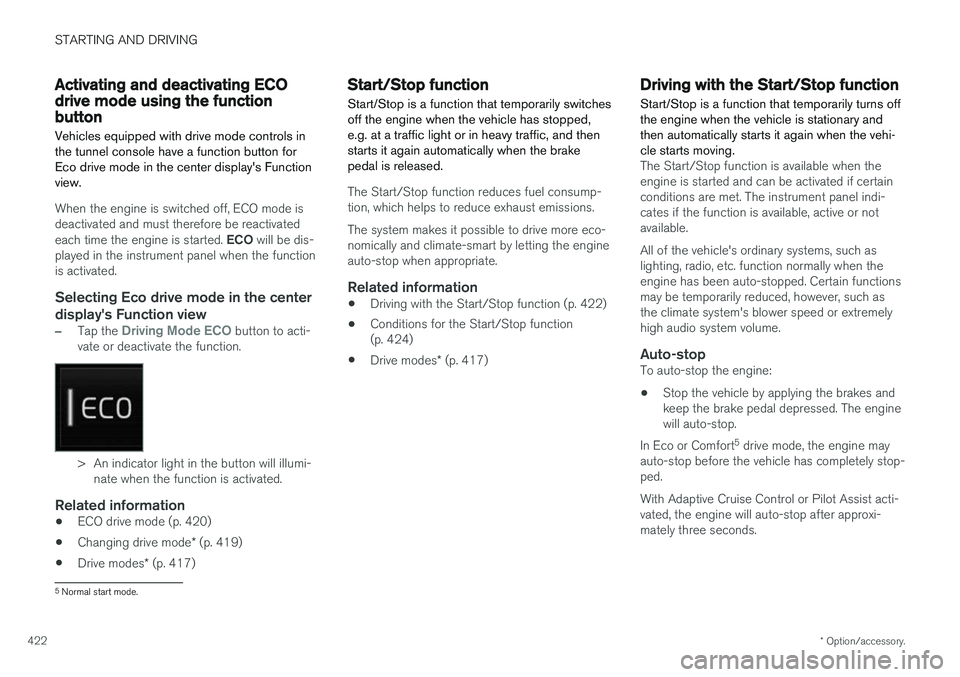
–Tap the Driving Mode ECO button to acti-
vate or deactivate the function.
> An indicator light in the button will illumi- nate when the function is activated.
Related information
• ECO drive mode (p. 420)
• Changing drive mode
* (p. 419)
• Drive modes
* (p. 417)
Start/Stop function
Start/Stop is a function that temporarily switches off the engine when the vehicle has stopped,e.g. at a traffic light or in heavy traffic, and thenstarts it again automatically when the brakepedal is released.
The Start/Stop function reduces fuel consump- tion, which helps to reduce exhaust emissions. The system makes it possible to drive more eco- nomically and climate-smart by letting the engineauto-stop when appropriate.
Related information
• Driving with the Start/Stop function (p. 422)
• Conditions for the Start/Stop function(p. 424)
• Drive modes
* (p. 417)
Driving with the Start/Stop function
Start/Stop is a function that temporarily turns off the engine when the vehicle is stationary andthen automatically starts it again when the vehi-cle starts moving.
The Start/Stop function is available when the engine is started and can be activated if certainconditions are met. The instrument panel indi-cates if the function is available, active or notavailable. All of the vehicle's ordinary systems, such as lighting, radio, etc. function normally when theengine has been auto-stopped. Certain functionsmay be temporarily reduced, however, such asthe climate system's blower speed or extremelyhigh audio system volume.
Auto-stopTo auto-stop the engine:
• Stop the vehicle by applying the brakes andkeep the brake pedal depressed. The enginewill auto-stop.
In Eco or Comfort 5
drive mode, the engine may
auto-stop before the vehicle has completely stop-ped. With Adaptive Cruise Control or Pilot Assist acti- vated, the engine will auto-stop after approxi-mately three seconds.
5 Normal start mode.
Page 425 of 660
STARTING AND DRIVING
* Option/accessory.423
Auto-startThe following conditions must be met for the engine to auto-start. •Release the brake pedal. The engine will auto-start and the vehicle can be driven. Onan uphill gradient, Hill Start Assist (HSA) willactivate to help prevent the vehicle from roll-ing backward.
• When Auto-hold is activated, auto-start willbe delayed until the accelerator is pressed.
• When Adaptive Cruise Control or Pilot Assistare activated, the engine will auto-start whenthe accelerator pedal is depressed or the
button on the left-side steering wheel
keypad is pressed.
• Maintain pressure on the brake pedal and press the accelerator pedal. The engine willauto-start.
• On a downhill gradient: Release the brakepedal slightly so that the vehicle begins toroll. The engine will auto-start after a slightincrease in speed.
Symbols in the instrument panel
12" instrument panel
*
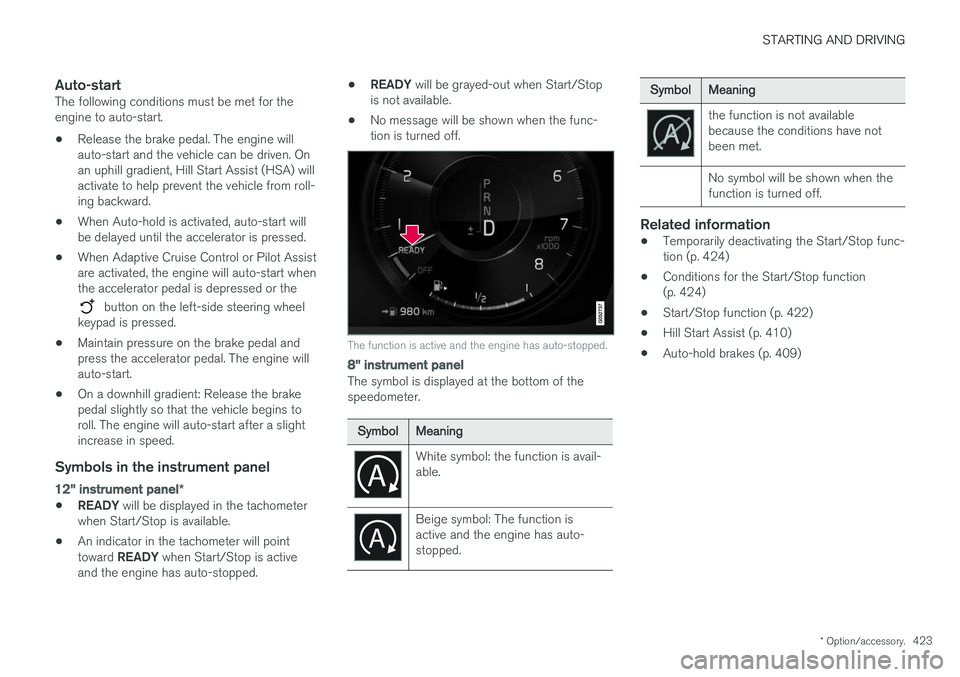
•READY
will be displayed in the tachometer
when Start/Stop is available.
• An indicator in the tachometer will point toward
READY when Start/Stop is active
and the engine has auto-stopped. •
READY
will be grayed-out when Start/Stop
is not available.
• No message will be shown when the func- tion is turned off.
The function is active and the engine has auto-stopped.
8" instrument panel
The symbol is displayed at the bottom of the speedometer.
SymbolMeaning
White symbol: the function is avail- able.
Beige symbol: The function is active and the engine has auto-stopped.
SymbolMeaning
the function is not available because the conditions have notbeen met. No symbol will be shown when the function is turned off.
Related information
•Temporarily deactivating the Start/Stop func- tion (p. 424)
• Conditions for the Start/Stop function(p. 424)
• Start/Stop function (p. 422)
• Hill Start Assist (p. 410)
• Auto-hold brakes (p. 409)
Page 653 of 660
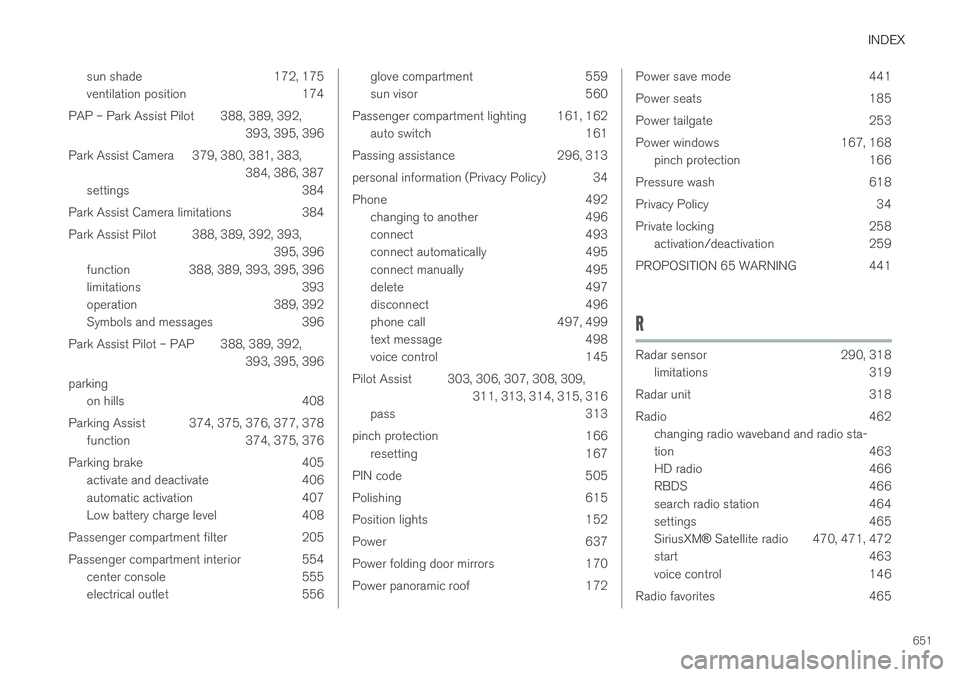
INDEX
651
sun shade 172, 175
ventilation position 174
PAP – Park Assist Pilot 388, 389, 392, 393, 395, 396
Park Assist Camera 379, 380, 381, 383, 384, 386, 387
settings 384
Park Assist Camera limitations 384
Park Assist Pilot 388, 389, 392, 393, 395, 396
function 388, 389, 393, 395, 396
limitations 393
operation 389, 392
Symbols and messages 396
Park Assist Pilot – PAP 388, 389, 392, 393, 395, 396
parking on hills 408
Parking Assist 374, 375, 376, 377, 378 function 374, 375, 376
Parking brake 405 activate and deactivate 406
automatic activation 407
Low battery charge level 408
Passenger compartment filter 205
Passenger compartment interior 554 center console 555
electrical outlet 556
glove compartment 559
sun visor 560
Passenger compartment lighting 161, 162 auto switch 161
Passing assistance 296, 313
personal information (Privacy Policy) 34
Phone 492 changing to another 496
connect 493
connect automatically 495
connect manually 495
delete 497
disconnect 496
phone call 497, 499
text message 498
voice control 145
Pilot Assist 303, 306, 307, 308, 309, 311, 313, 314, 315, 316
pass 313
pinch protection 166 resetting 167
PIN code 505
Polishing 615
Position lights 152
Power 637
Power folding door mirrors 170
Power panoramic roof 172Power save mode 441
Power seats 185
Power tailgate 253
Power windows 167, 168 pinch protection 166
Pressure wash 618
Privacy Policy 34
Private locking 258 activation/deactivation 259
PROPOSITION 65 WARNING 441
R
Radar sensor 290, 318 limitations 319
Radar unit 318
Radio 462 changing radio waveband and radio sta-
tion 463
HD radio 466
RBDS 466
search radio station 464
settings 465 SiriusXM ® Satellite radio 470, 471, 472
start 463
voice control 146
Radio favorites 465