ad blue VOLVO XC60 2018 Owner´s Manual
[x] Cancel search | Manufacturer: VOLVO, Model Year: 2018, Model line: XC60, Model: VOLVO XC60 2018Pages: 660, PDF Size: 11.77 MB
Page 157 of 660
LIGHTING
}}
* Option/accessory.155
Active high beam
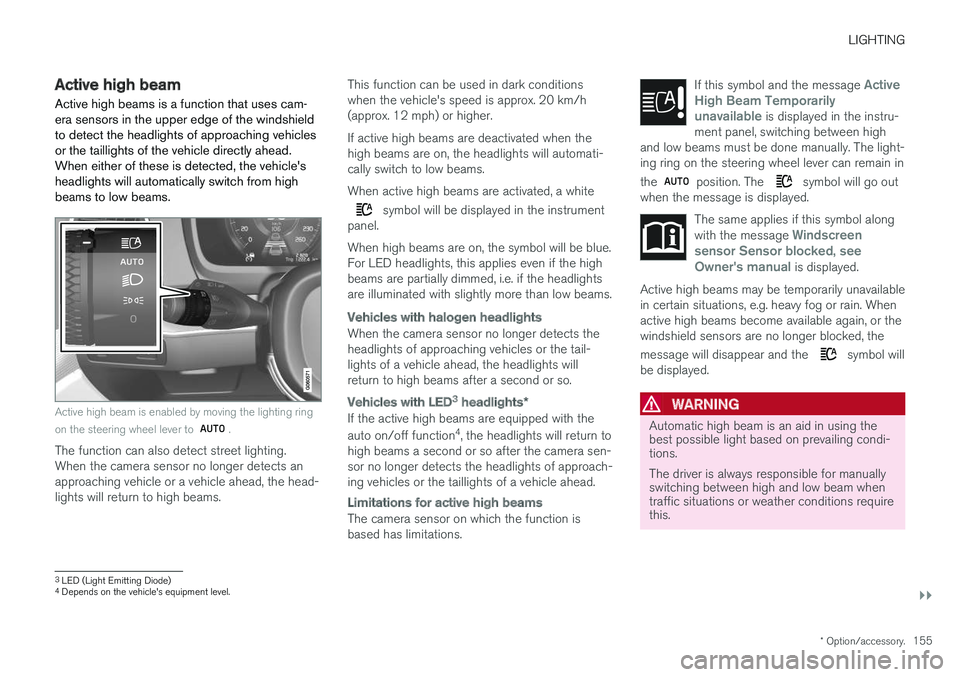
Active high beams is a function that uses cam- era sensors in the upper edge of the windshieldto detect the headlights of approaching vehiclesor the taillights of the vehicle directly ahead.When either of these is detected, the vehicle'sheadlights will automatically switch from highbeams to low beams.
Active high beam is enabled by moving the lighting ring on the steering wheel lever to
.
The function can also detect street lighting. When the camera sensor no longer detects anapproaching vehicle or a vehicle ahead, the head-lights will return to high beams. This function can be used in dark conditionswhen the vehicle's speed is approx. 20 km/h(approx. 12 mph) or higher. If active high beams are deactivated when the high beams are on, the headlights will automati-cally switch to low beams. When active high beams are activated, a white
symbol will be displayed in the instrument
panel. When high beams are on, the symbol will be blue. For LED headlights, this applies even if the highbeams are partially dimmed, i.e. if the headlightsare illuminated with slightly more than low beams.
Vehicles with halogen headlights
When the camera sensor no longer detects the headlights of approaching vehicles or the tail-lights of a vehicle ahead, the headlights willreturn to high beams after a second or so.
Vehicles with LED3 headlights *
If the active high beams are equipped with the auto on/off function 4
, the headlights will return to
high beams a second or so after the camera sen- sor no longer detects the headlights of approach-ing vehicles or the taillights of a vehicle ahead.
Limitations for active high beams
The camera sensor on which the function is based has limitations. If this symbol and the message
Active
High Beam Temporarily
unavailable is displayed in the instru-
ment panel, switching between high
and low beams must be done manually. The light- ing ring on the steering wheel lever can remain in the
position. The symbol will go out
when the message is displayed.
The same applies if this symbol along with the message Windscreen
sensor Sensor blocked, see
Owner's manual is displayed.
Active high beams may be temporarily unavailable in certain situations, e.g. heavy fog or rain. Whenactive high beams become available again, or thewindshield sensors are no longer blocked, the message will disappear and the
symbol will
be displayed.
WARNING
Automatic high beam is an aid in using the best possible light based on prevailing condi-tions. The driver is always responsible for manually switching between high and low beam whentraffic situations or weather conditions requirethis.
3 LED (Light Emitting Diode)4
Depends on the vehicle's equipment level.
Page 205 of 660
CLIMATE CONTROL
}}
* Option/accessory.203
Air quality
The materials used in the passenger compart- ment and air filtering system have been selectedto ensure a high level of air quality in the passen-ger compartment.
Materials used in the passenger compartment
The materials in the passenger compartment are designed to be pleasant and comfortable, evenfor people with asthma or allergies. The materials have been developed and tested to minimize dust in the passenger compartment and make it easier to keep clean. The mats in both the passenger compartment and cargo compartment can be easily removedfor cleaning. Use Volvo-recommended cleaning agents and car care products to clean the interior.
Air filtering systemsIn addition to the passenger compartment filter, the Clean Zone Interior Package * and Interior Air
Quality System * also help maintain high air qual-
ity in the passenger compartment.
Related information
• Climate (p. 200)
• Clean Zone
* (p. 203)
• Clean Zone Interior Package
* (p. 204)
• Interior Air Quality System
* (p. 204) •
Passenger compartment air filter (p. 205)
Clean Zone
*
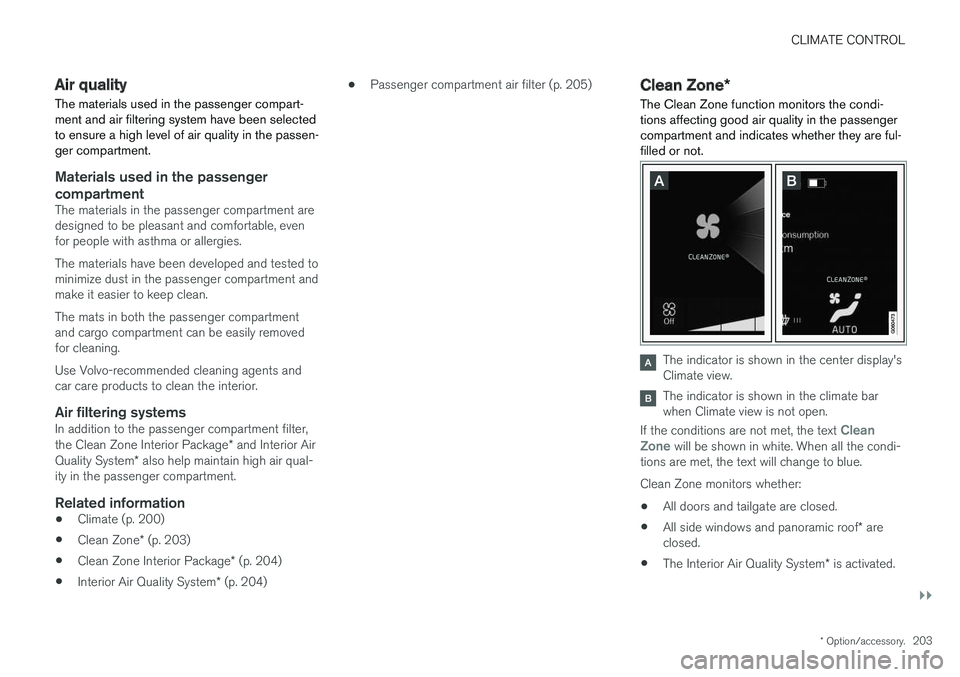
The Clean Zone function monitors the condi- tions affecting good air quality in the passengercompartment and indicates whether they are ful-filled or not.
The indicator is shown in the center display's Climate view.
The indicator is shown in the climate bar when Climate view is not open.
If the conditions are not met, the text
Clean
Zone will be shown in white. When all the condi-
tions are met, the text will change to blue. Clean Zone monitors whether:
• All doors and tailgate are closed.
• All side windows and panoramic roof
* are
closed.
• The Interior Air Quality System
* is activated.
Page 403 of 660
STARTING AND DRIVING
* Option/accessory.401
Ignition modes
The vehicle's ignition can be put in various modes (levels) to make different functions availa-ble.
To enable the use of a limited number of func- tions when the engine is not running, the ignition can be put in one of three different levels: 0, I
and II. These levels are referred to as "ignition
modes" in the Owner's Manual. The following table shows which functions are available in each ignition mode:
ModeFunctions
0 •The odometer, clock and tem- perature gauge are illuminated A
.
• The power seats
* can be
adjusted.
• The power windows can be used.
• The center display is activatedand can be used A
.
• The 12 V outlet in the cargo com- partment
* can be used.
• The infotainment system can be used A
.
In this ignition mode, the functions are available for a limited time and then switch off automatically.
I •The panoramic roof, power win-dows, 12 V outlet in passengercompartment, Bluetooth, naviga-tion, phone, blower and wind-shield wipers can be used.
• The power seats can be adjusted.
• The 12 V outlet in the cargo com-partment can be used.
Electrical current will be takenfrom the battery in this ignitionmode.ModeFunctions
II •The headlights illuminate.
• Warning/indicator lights illumi- nate for 5 seconds.
• A number of other systems areactivated. However, seat and rearwindow heating can only be acti-vated when the engine is running.
This ignition mode uses a lot ofcurrent from the battery andshould be avoided whenever pos-sible!
A Also activated when the door is opened.
Related information
• Starting the vehicle (p. 398)
• Adjusting the steering wheel (p. 197)
• Jump starting using another battery (p. 441)
• Selecting ignition mode (p. 402)
Page 460 of 660
AUDIO, MEDIA AND INTERNET
* Option/accessory.
458
Audio, media and Internet
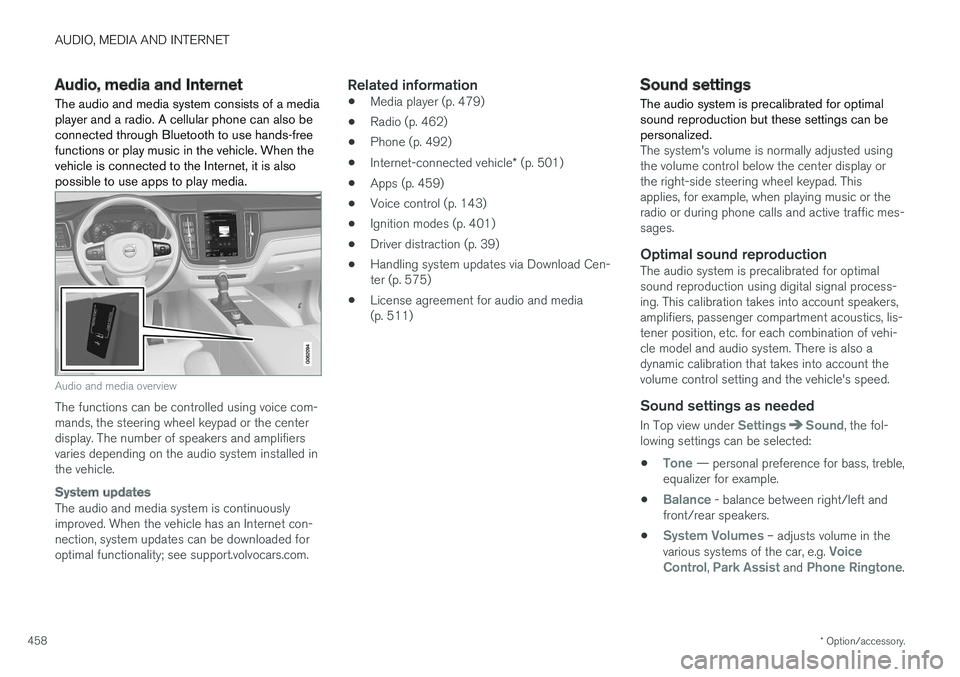
The audio and media system consists of a media player and a radio. A cellular phone can also beconnected through Bluetooth to use hands-freefunctions or play music in the vehicle. When thevehicle is connected to the Internet, it is alsopossible to use apps to play media.
Audio and media overview
The functions can be controlled using voice com- mands, the steering wheel keypad or the centerdisplay. The number of speakers and amplifiersvaries depending on the audio system installed inthe vehicle.
System updates
The audio and media system is continuously improved. When the vehicle has an Internet con-nection, system updates can be downloaded foroptimal functionality; see support.volvocars.com.
Related information
• Media player (p. 479)
• Radio (p. 462)
• Phone (p. 492)
• Internet-connected vehicle
* (p. 501)
• Apps (p. 459)
• Voice control (p. 143)
• Ignition modes (p. 401)
• Driver distraction (p. 39)
• Handling system updates via Download Cen-ter (p. 575)
• License agreement for audio and media(p. 511)
Sound settings
The audio system is precalibrated for optimal sound reproduction but these settings can bepersonalized.
The system's volume is normally adjusted using the volume control below the center display orthe right-side steering wheel keypad. Thisapplies, for example, when playing music or theradio or during phone calls and active traffic mes-sages.
Optimal sound reproductionThe audio system is precalibrated for optimalsound reproduction using digital signal process-ing. This calibration takes into account speakers,amplifiers, passenger compartment acoustics, lis-tener position, etc. for each combination of vehi-cle model and audio system. There is also adynamic calibration that takes into account thevolume control setting and the vehicle's speed.
Sound settings as needed
In Top view under SettingsSound, the fol-
lowing settings can be selected:
•
Tone — personal preference for bass, treble,
equalizer for example.
•
Balance - balance between right/left and
front/rear speakers.
•
System Volumes – adjusts volume in the
various systems of the car, e.g. Voice
Control, Park Assist and Phone Ringtone.
Page 481 of 660
AUDIO, MEDIA AND INTERNET
* Option/accessory.479
4. Tap one of the divisions to display:
•
In progress: play-by-play information
about a match/game/tournament cur- rently in progress. Continue tapping todisplay. In the detailed view, you can alsoselect a radio station that is currentlybroadcasting an ongoing sporting event
•
Headlines for MLB: Tap to display brief
headline information
•
Scheduled: schedules for coming
matches, games, etc.
•
Scores: match/game results
The same principle applies to all sports.
Related information
• SiriusXM Travel Link ®
* (p. 474)
• SiriusXM Travel Link ®
* - Notifications
(p. 476)
• SiriusXM Travel Link ®
* - Fuel (p. 477)
• SiriusXM Travel Link ®
* - Weather (p. 475)
Media player
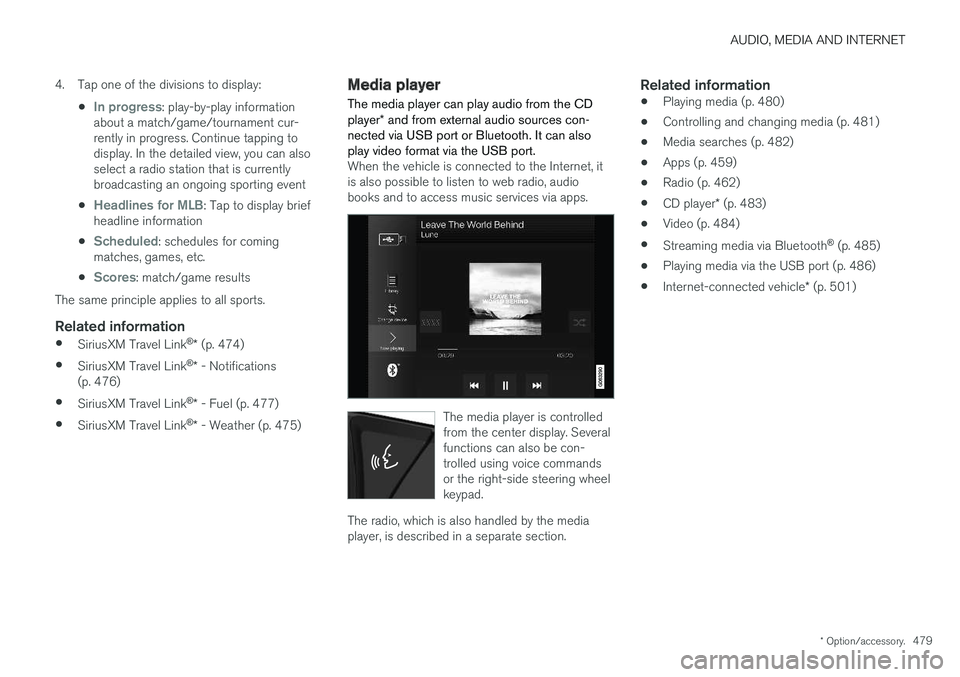
The media player can play audio from the CD player * and from external audio sources con-
nected via USB port or Bluetooth. It can also play video format via the USB port.
When the vehicle is connected to the Internet, it is also possible to listen to web radio, audiobooks and to access music services via apps.
The media player is controlled from the center display. Severalfunctions can also be con-trolled using voice commandsor the right-side steering wheelkeypad.
The radio, which is also handled by the media player, is described in a separate section.
Related information
• Playing media (p. 480)
• Controlling and changing media (p. 481)
• Media searches (p. 482)
• Apps (p. 459)
• Radio (p. 462)
• CD player
* (p. 483)
• Video (p. 484)
• Streaming media via Bluetooth ®
(p. 485)
• Playing media via the USB port (p. 486)
• Internet-connected vehicle
* (p. 501)
Page 482 of 660
AUDIO, MEDIA AND INTERNET
* Option/accessory.
480
Playing media The media player is controlled from the center display. Several other functions can also be con-trolled using the right-side steering wheel key-pad or by using voice commands. The radio can also be controlled in the media player. See the section describing the radio.
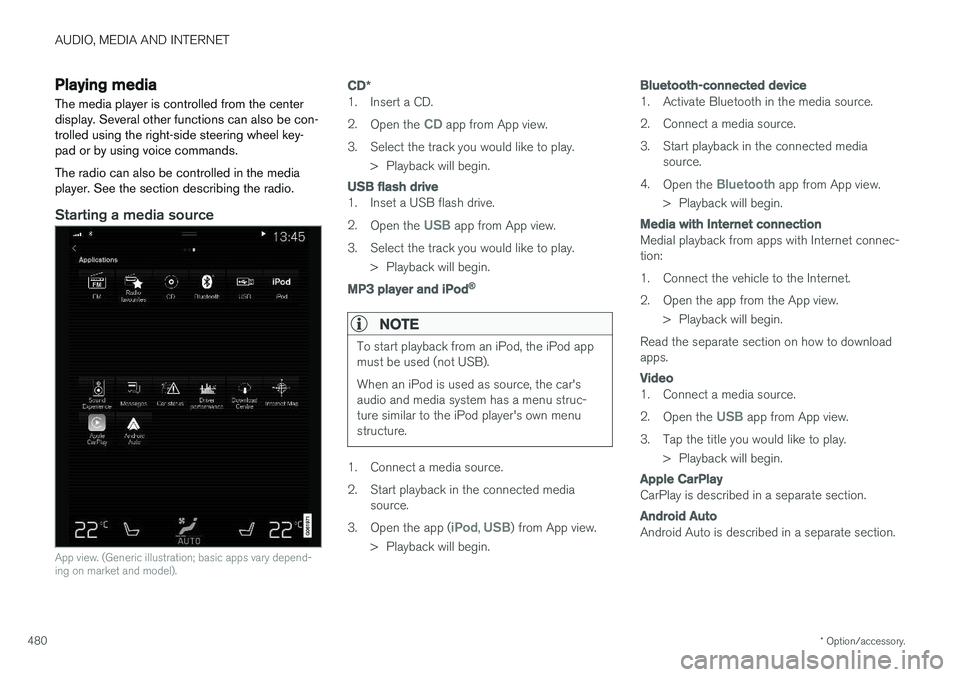
Starting a media source
App view. (Generic illustration; basic apps vary depend- ing on market and model).
CD *
1. Insert a CD. 2.
Open the
CD app from App view.
3. Select the track you would like to play. > Playback will begin.
USB flash drive
1. Inset a USB flash drive. 2.Open the
USB app from App view.
3. Select the track you would like to play. > Playback will begin.
MP3 player and iPod®
NOTE
To start playback from an iPod, the iPod app must be used (not USB). When an iPod is used as source, the car's audio and media system has a menu struc-ture similar to the iPod player's own menustructure.
1. Connect a media source.
2. Start playback in the connected mediasource.
3. Open the app (
iPod, USB) from App view.
> Playback will begin.
Bluetooth-connected device
1. Activate Bluetooth in the media source.
2. Connect a media source.
3. Start playback in the connected media source.
4. Open the
Bluetooth app from App view.
> Playback will begin.
Media with Internet connection
Medial playback from apps with Internet connec- tion:
1. Connect the vehicle to the Internet.
2. Open the app from the App view. > Playback will begin.
Read the separate section on how to download apps.
Video
1. Connect a media source. 2. Open the
USB app from App view.
3. Tap the title you would like to play. > Playback will begin.
Apple CarPlay
CarPlay is described in a separate section.
Android Auto
Android Auto is described in a separate section.
Page 483 of 660
AUDIO, MEDIA AND INTERNET
}}
* Option/accessory.481
Related information
•Handling the App menu in the instrument panel (p. 101)
• Radio (p. 462)
• Controlling and changing media (p. 481)
• Connecting a device via the USB port(p. 486)
• Connecting a device via Bluetooth ®
(p. 485)
• Download apps (p. 460)
• Internet-connected vehicle
* (p. 501)
• Video (p. 484)
• Apple ®
CarPlay ®
* (p. 487)
• Android Auto
* (p. 490)
• Voice control for radio and media (p. 146)
• Compatible file formats for media (p. 508)
Controlling and changing media
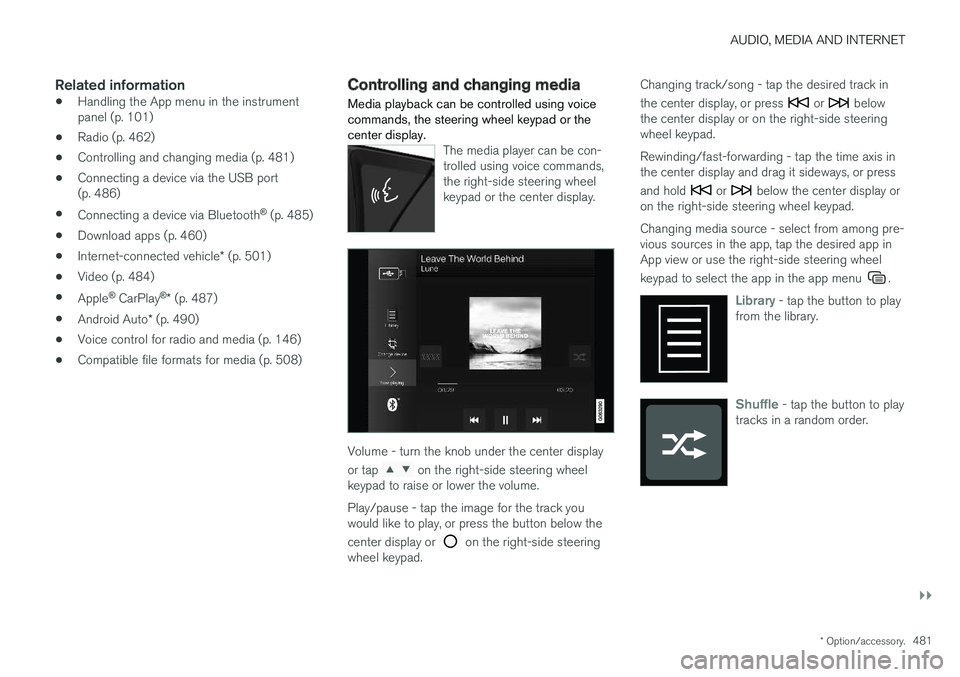
Media playback can be controlled using voice commands, the steering wheel keypad or thecenter display.
The media player can be con- trolled using voice commands,the right-side steering wheelkeypad or the center display.
Volume - turn the knob under the center display or tap
on the right-side steering wheel
keypad to raise or lower the volume. Play/pause - tap the image for the track you would like to play, or press the button below the center display or
on the right-side steering
wheel keypad. Changing track/song - tap the desired track in the center display, or press
or below
the center display or on the right-side steering wheel keypad. Rewinding/fast-forwarding - tap the time axis in the center display and drag it sideways, or press and hold
or below the center display or
on the right-side steering wheel keypad. Changing media source - select from among pre- vious sources in the app, tap the desired app inApp view or use the right-side steering wheel keypad to select the app in the app menu
.
Library - tap the button to play
from the library.
Shuffle - tap the button to play
tracks in a random order.
Page 487 of 660
AUDIO, MEDIA AND INTERNET
485
Video settingsSome video playback settings can be adjusted, e.g. language.
The following can be adjusted by opening Top view and tapping
SettingsVideo or with the
video player in full-screen mode: Audio
Language, Off and Subtitle Language.
Related information
• Video (p. 484)
Streaming media via Bluetooth®
The vehicle's media player is equipped with Bluetooth and can play audio files fromBluetooth-enabled external devices such as cel-lular phones and tablets.
In order for the media player to be able to wire- lessly play audio files from an external device, thedevice must be connected to the vehicle viaBluetooth.
Related information
• Connecting a device via Bluetooth ®
(p. 485)
• Connecting a phone to the car via Bluetoothfor the first time (p. 493)
• Playing media (p. 480)
• Compatible file formats for media (p. 508)
Connecting a device via Bluetooth®
Connect a Bluetooth ®
device to the vehicle to
wirelessly play media and give the vehicle an Internet connection if it is available.
Many cellular phones on the market currently offer wireless Bluetooth ®
technology, but not all
phones are fully compatible with the vehicle. For additional information on compatibility, seesupport.volvocars.com. The procedure for connecting a media device is the same as for connecting a cellular phone to the vehicle via Bluetooth ®
.
Related information
• Streaming media via Bluetooth ®
(p. 485)
• Connecting a phone to the car via Bluetooth for the first time (p. 493)
• Playing media (p. 480)
Page 492 of 660
AUDIO, MEDIA AND INTERNET
* Option/accessory.
490
Android Auto *
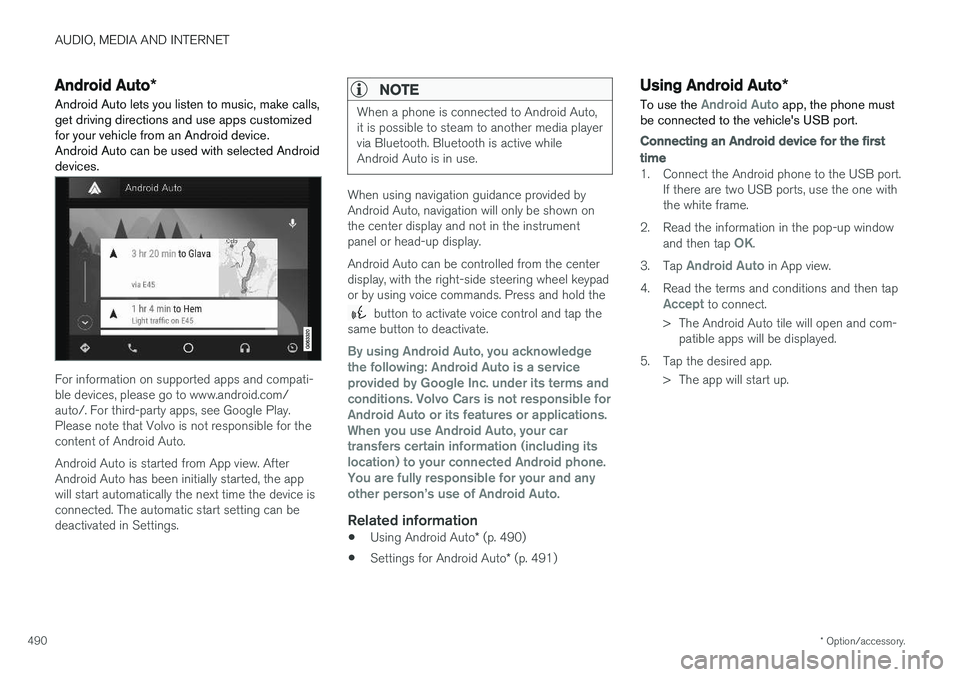
Android Auto lets you listen to music, make calls, get driving directions and use apps customizedfor your vehicle from an Android device.Android Auto can be used with selected Androiddevices.
For information on supported apps and compati- ble devices, please go to www.android.com/auto/. For third-party apps, see Google Play.Please note that Volvo is not responsible for thecontent of Android Auto. Android Auto is started from App view. After Android Auto has been initially started, the appwill start automatically the next time the device isconnected. The automatic start setting can bedeactivated in Settings.
NOTE
When a phone is connected to Android Auto, it is possible to steam to another media playervia Bluetooth. Bluetooth is active whileAndroid Auto is in use.
When using navigation guidance provided by Android Auto, navigation will only be shown onthe center display and not in the instrumentpanel or head-up display. Android Auto can be controlled from the center display, with the right-side steering wheel keypador by using voice commands. Press and hold the
button to activate voice control and tap the
same button to deactivate.
By using Android Auto, you acknowledge the following: Android Auto is a serviceprovided by Google Inc. under its terms andconditions. Volvo Cars is not responsible forAndroid Auto or its features or applications.When you use Android Auto, your cartransfers certain information (including itslocation) to your connected Android phone.You are fully responsible for your and anyother person
Page 494 of 660
AUDIO, MEDIA AND INTERNET
* Option/accessory.
492
Tips for using Android Auto *
Here are some useful tips for when you use Android Auto.
• Ensure that your apps are updated.
• When starting the car, wait until the center display has started, connect the phone andthen open Android Auto from the app view.
• In the event of problems with Android Auto,disconnect your Android phone from theUSB port and then reconnect via USB. Oth-erwise, try closing the app on the phone andthen restarting the app.
• When a phone is connected to Android Autoit is still possible to playback media viaBluetooth to another media player. TheBluetooth function is on when Android Autois used.
Related information
•
Android Auto
* (p. 490)
Phone
A phone equipped with Bluetooth can be wire- lessly connected to the vehicle's integratedhands-free system.
The audio and media system offers hands-free functionality for remotely controlling a number ofthe phone's features. The phone's integratedcontrols can also be used, even when it is con-nected to the vehicle. When the phone has been paired and connected to the vehicle, it can be used as an Internet con-nection or to make or receive calls, send orreceive text messages or wirelessly play music.
The phone is controlled fromthe center display but the Appmenu (accessed using theright-side steering wheel key-pad) and voice commands canalso be used to control certainfunctions.
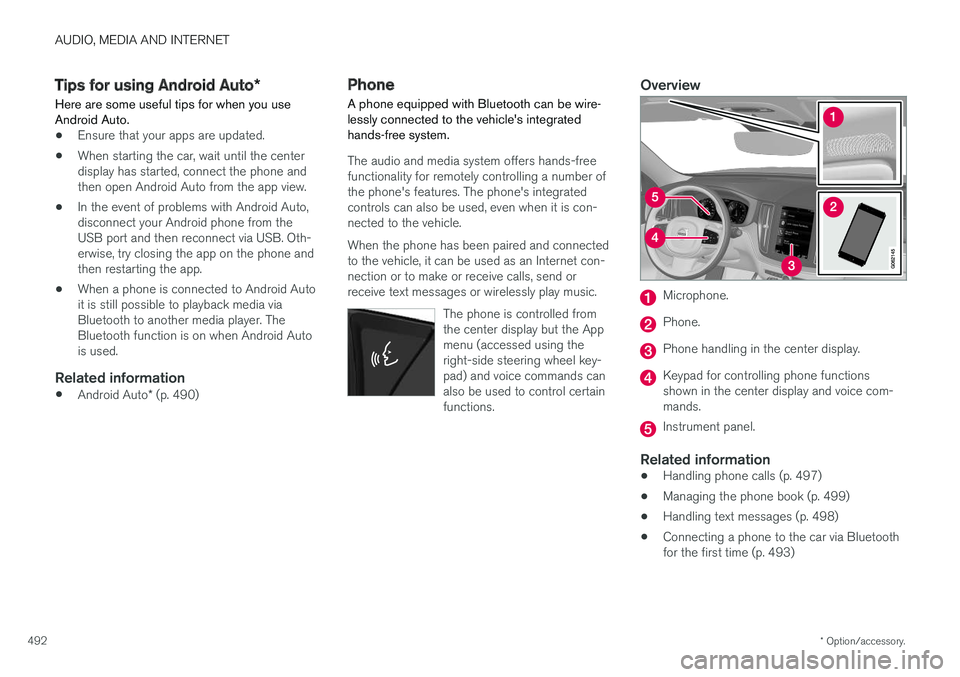
Overview
Microphone.
Phone.
Phone handling in the center display.
Keypad for controlling phone functions shown in the center display and voice com-mands.
Instrument panel.
Related information
•Handling phone calls (p. 497)
• Managing the phone book (p. 499)
• Handling text messages (p. 498)
• Connecting a phone to the car via Bluetooth for the first time (p. 493)