center console VOLVO XC60 2018 Owner´s Manual
[x] Cancel search | Manufacturer: VOLVO, Model Year: 2018, Model line: XC60, Model: VOLVO XC60 2018Pages: 660, PDF Size: 11.77 MB
Page 222 of 660
CLIMATE CONTROL
* Option/accessory.
220
Activating and deactivating maxdefroster
Max defroster is used to quickly remove conden- sation and ice from windows.
Activating and deactivating max defroster from the center console
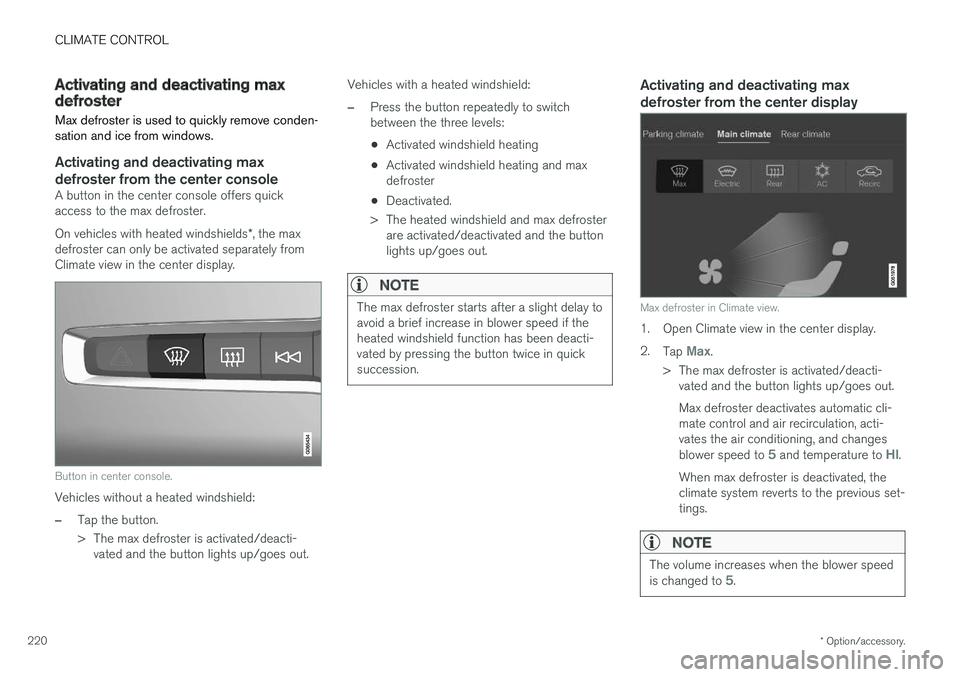
A button in the center console offers quick access to the max defroster. On vehicles with heated windshields *, the max
defroster can only be activated separately from Climate view in the center display.
Button in center console.
Vehicles without a heated windshield:
–Tap the button.
> The max defroster is activated/deacti- vated and the button lights up/goes out. Vehicles with a heated windshield:
–Press the button repeatedly to switch between the three levels:
• Activated windshield heating
• Activated windshield heating and maxdefroster
• Deactivated.
> The heated windshield and max defroster are activated/deactivated and the buttonlights up/goes out.
NOTE
The max defroster starts after a slight delay to avoid a brief increase in blower speed if theheated windshield function has been deacti-vated by pressing the button twice in quicksuccession.
Activating and deactivating max defroster from the center display
Max defroster in Climate view.
1. Open Climate view in the center display. 2. Tap
Max.
> The max defroster is activated/deacti- vated and the button lights up/goes out. Max defroster deactivates automatic cli- mate control and air recirculation, acti-vates the air conditioning, and changes blower speed to
5 and temperature to HI.
When max defroster is deactivated, the climate system reverts to the previous set-tings.
NOTE
The volume increases when the blower speed is changed to 5.
Page 223 of 660
CLIMATE CONTROL
}}
* Option/accessory.221
Related information
•Climate system controls (p. 212)
Activating and deactivating the
heated windshield
*
Windshield heating is used to quickly remove condensation and ice from the windshield.
Activating and deactivating windshield heating from the center console
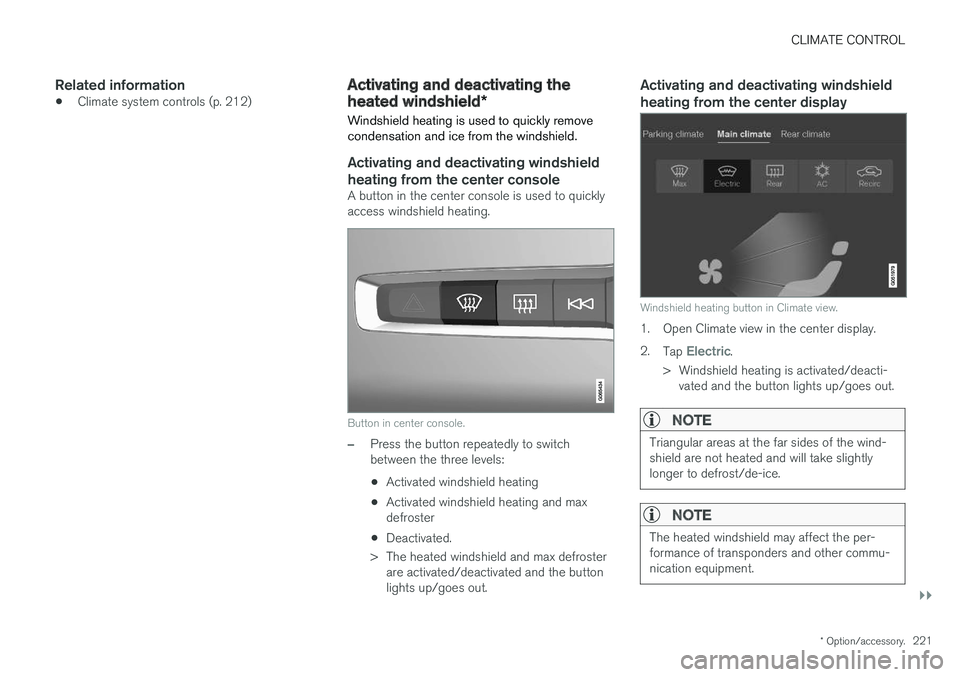
A button in the center console is used to quickly access windshield heating.
Button in center console.
–Press the button repeatedly to switch between the three levels:
• Activated windshield heating
• Activated windshield heating and maxdefroster
• Deactivated.
> The heated windshield and max defroster are activated/deactivated and the buttonlights up/goes out.
Activating and deactivating windshield heating from the center display
Windshield heating button in Climate view.
1. Open Climate view in the center display. 2. Tap
Electric.
> Windshield heating is activated/deacti- vated and the button lights up/goes out.
NOTE
Triangular areas at the far sides of the wind- shield are not heated and will take slightlylonger to defrost/de-ice.
NOTE
The heated windshield may affect the per- formance of transponders and other commu-nication equipment.
Page 224 of 660
||
CLIMATE CONTROL
* Option/accessory.
222
NOTE
If windshield heating is activated when the Start/Stop function auto-stops the engine,the engine will be restarted.
Related information
• Climate system controls (p. 212)
• Activating and deactivating automatic wind- shield heating
* (p. 222)
Activating and deactivating
automatic windshield heating *
Windshield heating is used to quickly remove condensation and ice from the windshield.
Windshield heating can be set to automatically activate when the engine is started. With auto-matic start activated, heating will be activatedwhen there is a risk of ice or condensation on thewindows or mirrors. Heating is automaticallyswitched off when the window or door mirror issufficiently warm and the condensation or ice isgone. 1. Tap
Settings in the Top view in the center
display.
2. Tap
Climate.
3. Select
Auto Front Defroster to activate/
deactivate automatic windshield heating.
Related information
• Activating and deactivating the heated wind- shield
* (p. 221)
Activating and deactivating theheated rear window and doormirrors The heated rear window and door mirrors are used to quickly remove condensation and icefrom the glass.
Activating and deactivating the heated rear window and door mirrors from thecenter console
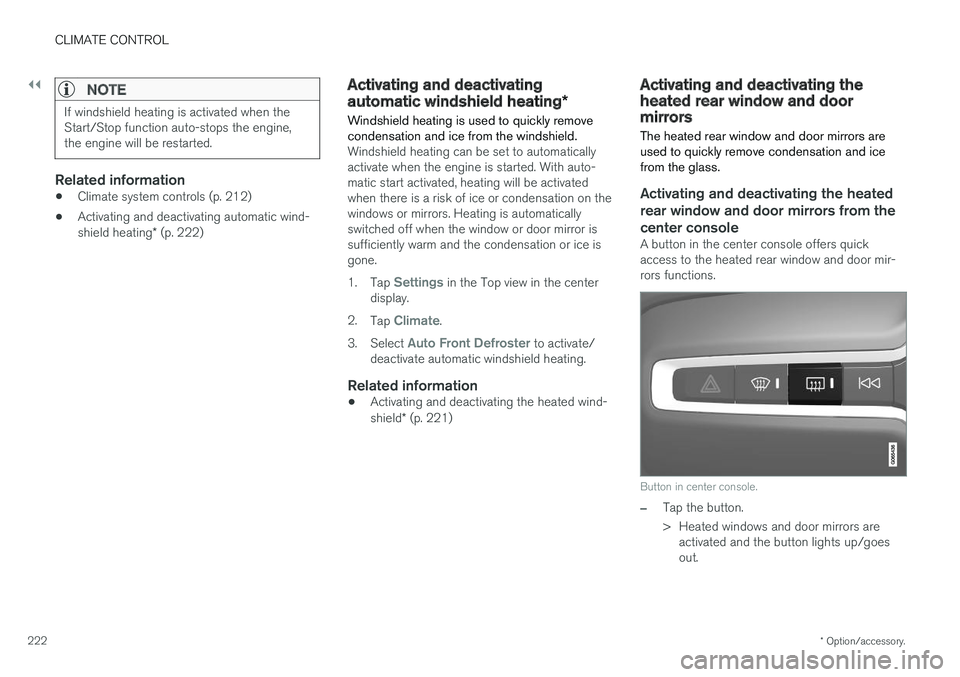
A button in the center console offers quick access to the heated rear window and door mir-rors functions.
Button in center console.
–Tap the button.
> Heated windows and door mirrors are
activated and the button lights up/goes out.
Page 226 of 660
||
CLIMATE CONTROL
* Option/accessory.
224
NOTE
The climate system automatically adapts air- flow as needed within the set blower speed,which means that airflow speed may varyslightly within the same blower speed.
Related information
• Climate system controls (p. 212)
Setting the blower speed for the
rear seats
*
The blower can be set to several different auto- matically controlled speeds for the rear seat.
Setting blower speed for the rear seats from the front seats
Blower control buttons in the Rear climate tab in Cli-
mate view.
1. Open Climate view in the center display and
select the Rear climate tab.
2. Tap the desired blower speed,
1-5.
The blower speed for the rear seats can be switched off by tapping
2nd row climate.
> The blower speed will be changed and the buttons for the set speed will light up.
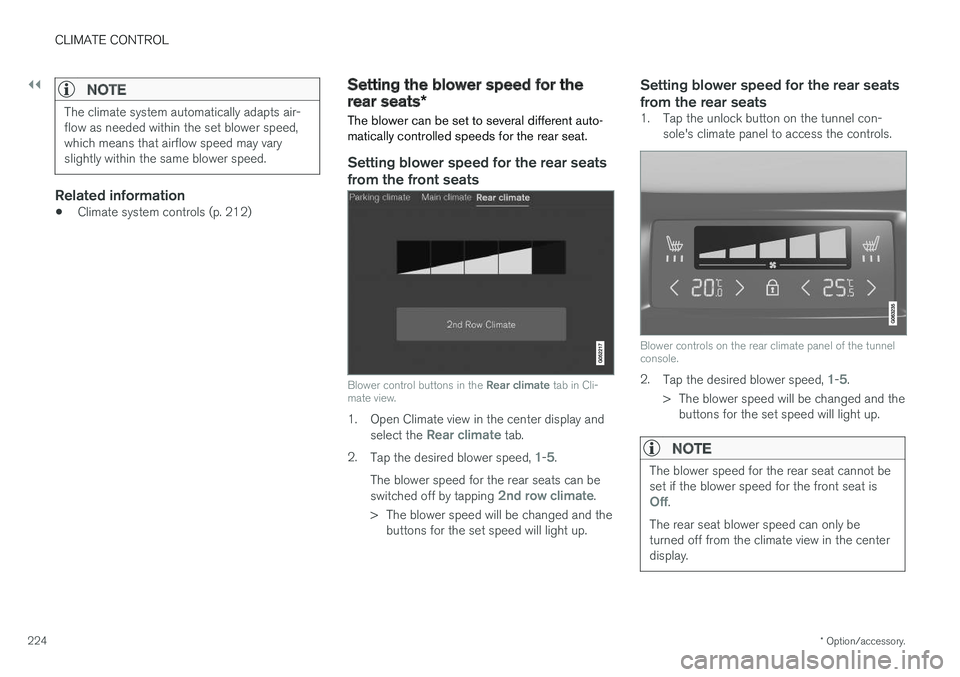
Setting blower speed for the rear seats from the rear seats
1. Tap the unlock button on the tunnel con- sole's climate panel to access the controls.
Blower controls on the rear climate panel of the tunnel console.
2.Tap the desired blower speed, 1-5.
> The blower speed will be changed and the buttons for the set speed will light up.
NOTE
The blower speed for the rear seat cannot be set if the blower speed for the front seat is
Off.
The rear seat blower speed can only be turned off from the climate view in the centerdisplay.
Page 228 of 660
CLIMATE CONTROL
* Option/accessory.
226
Setting the temperature for the rear
seats *
The temperature can be set to the desired num- ber of degrees for the rear seat climate zones.
Setting the temperature for the rear seats from the front seats
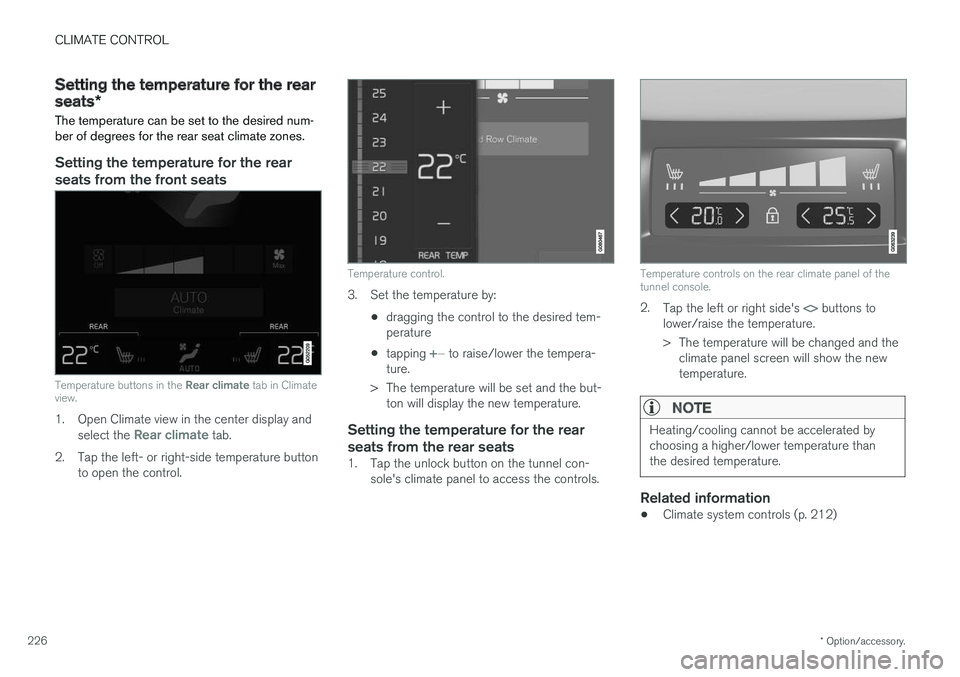
Temperature buttons in the Rear climate tab in Climate
view.
1. Open Climate view in the center display and
select the Rear climate tab.
2. Tap the left- or right-side temperature button to open the control.
Temperature control.
3. Set the temperature by:
•dragging the control to the desired tem- perature
• tapping
+
− to raise/lower the tempera-
ture.
> The temperature will be set and the but- ton will display the new temperature.
Setting the temperature for the rear seats from the rear seats
1. Tap the unlock button on the tunnel con- sole's climate panel to access the controls.
Temperature controls on the rear climate panel of the tunnel console.
2.Tap the left or right side's <> buttons to
lower/raise the temperature.
> The temperature will be changed and the climate panel screen will show the new temperature.
NOTE
Heating/cooling cannot be accelerated by choosing a higher/lower temperature thanthe desired temperature.
Related information
• Climate system controls (p. 212)
Page 233 of 660
KEY, LOCKS AND ALARM
}}
* Option/accessory.231
In rear door*
Lock button with indicator light in rear door.
Illuminated indicator lights in each door indicate that that particular door is locked. If any door isunlocked and opened, the indicator light in thatdoor will go out. The lights in the other doors willremain illuminated.
Related information
•Lock confirmation settings (p. 231)
• Welcome Light (p. 160)
• Using home safe lighting (p. 160)
Lock confirmation settings Settings for how the vehicle confirms locking and unlocking can be adjusted in the center dis-play's Settings menu.
1.
Tap Settings in the center display's Top
view.
2. Tap
My CarLocking.
3. Tap
Visible Locking Feedback to deacti-
vate the function or to select when the vehi- cle should provide a visible response: during
Lock, Unlock or Both.
4. Select to receive an audible response when locking the vehicle by marking
Audible
Locking Feedback.
Folding door mirrors * confirmation
1. Tap
Settings in the center display's Top
view.
2. Tap
My CarMirrors and Convenience.
3. Select
Fold Mirror When Locked to acti-
vate or deactivate the function.
Related information
• Lock indication (p. 230)
Remote key
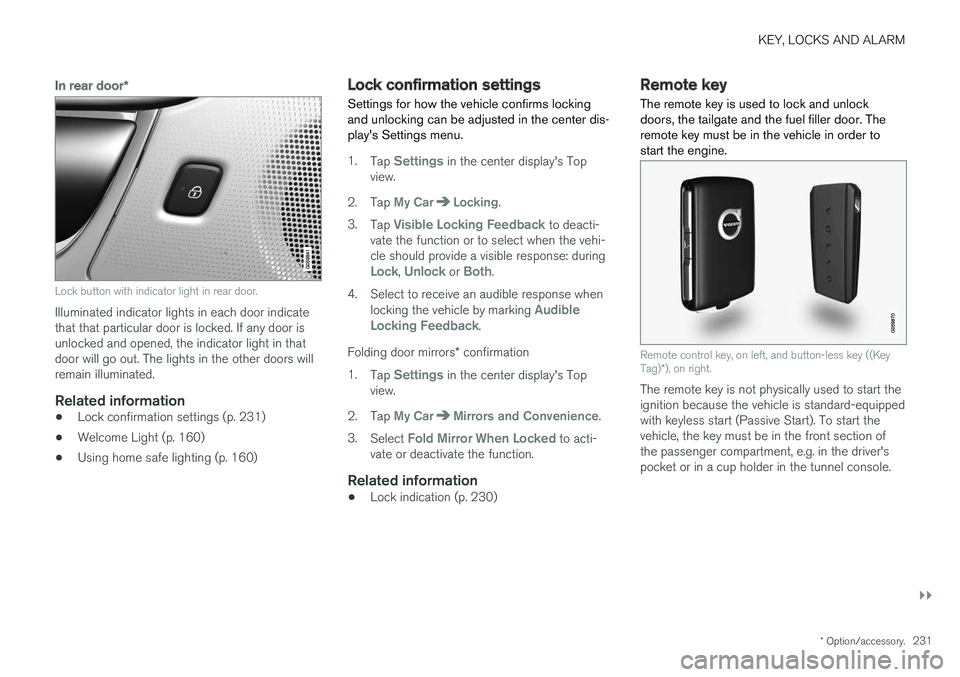
The remote key is used to lock and unlock doors, the tailgate and the fuel filler door. Theremote key must be in the vehicle in order tostart the engine.
Remote control key, on left, and button-less key ((Key Tag) *), on right.
The remote key is not physically used to start the ignition because the vehicle is standard-equippedwith keyless start (Passive Start). To start thevehicle, the key must be in the front section ofthe passenger compartment, e.g. in the driver'spocket or in a cup holder in the tunnel console.
Page 264 of 660
||
KEY, LOCKS AND ALARM
* Option/accessory.
262
Disarming the alarm without a functioning
remote key
The vehicle can be unlocked and disarmed even if the remote key is not functioning, e.g. if thebattery is discharged.
1. Open the driver's door using the detachable
key blade.
> This will trigger the alarm.
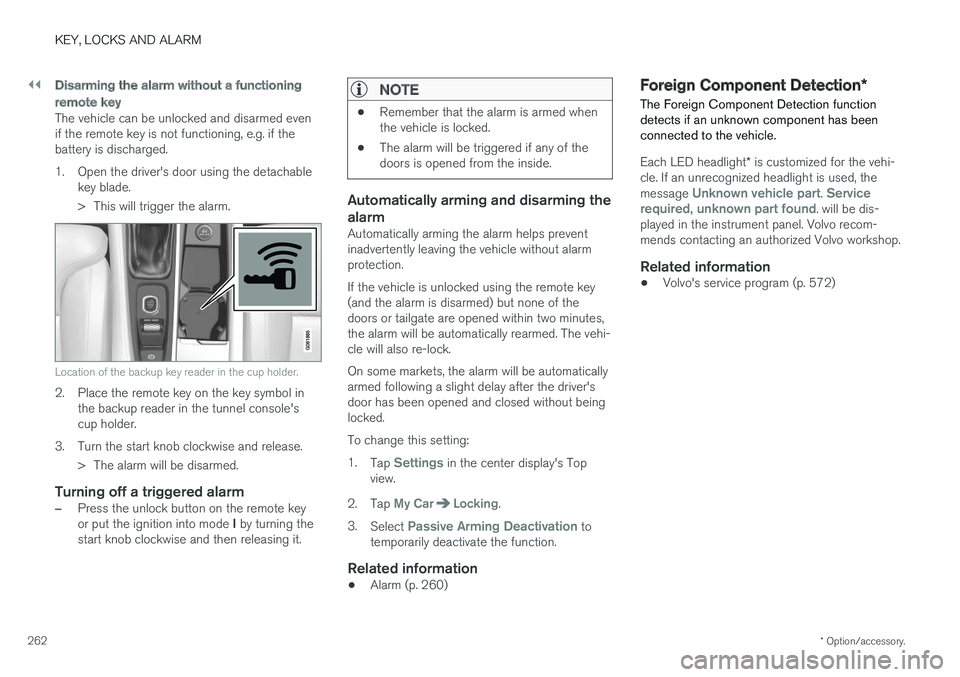
Location of the backup key reader in the cup holder.
2. Place the remote key on the key symbol inthe backup reader in the tunnel console's cup holder.
3. Turn the start knob clockwise and release. > The alarm will be disarmed.
Turning off a triggered alarm
–Press the unlock button on the remote key or put the ignition into mode I by turning the
start knob clockwise and then releasing it.
NOTE
• Remember that the alarm is armed when the vehicle is locked.
• The alarm will be triggered if any of thedoors is opened from the inside.
Automatically arming and disarming the alarm
Automatically arming the alarm helps prevent inadvertently leaving the vehicle without alarmprotection. If the vehicle is unlocked using the remote key (and the alarm is disarmed) but none of thedoors or tailgate are opened within two minutes,the alarm will be automatically rearmed. The vehi-cle will also re-lock. On some markets, the alarm will be automatically armed following a slight delay after the driver'sdoor has been opened and closed without beinglocked. To change this setting:1.
Tap
Settings in the center display's Top
view.
2. Tap
My CarLocking.
3. Select
Passive Arming Deactivation to
temporarily deactivate the function.
Related information
• Alarm (p. 260)
Foreign Component Detection
*
The Foreign Component Detection function detects if an unknown component has beenconnected to the vehicle.
Each LED headlight * is customized for the vehi-
cle. If an unrecognized headlight is used, the message
Unknown vehicle part. Service
required, unknown part found. will be dis-
played in the instrument panel. Volvo recom- mends contacting an authorized Volvo workshop.
Related information
• Volvo's service program (p. 572)
Page 421 of 660
STARTING AND DRIVING
* Option/accessory.419
2. Tap
My CarIndividual Drive Mode and
select Individual Drive Mode.
3. Under
Presets, select one of the following
drive modes as a basis: Eco, Comfort orDynamic.
The following settings can be modified: •
Driver Display
•Steering force
•Powertrain Characteristics
•Brake Characteristics
•Suspension Control
•ECO Climate
•Start/Stop.
Related information
• Changing drive mode
* (p. 419)
• ECO drive mode (p. 420)
• Economical driving (p. 432)
• Start/Stop function (p. 422)
• Low Speed Control
* (p. 429)
• Hill Descent Control
* (p. 431)
• All Wheel Drive (AWD)
* (p. 417)
Changing drive mode *
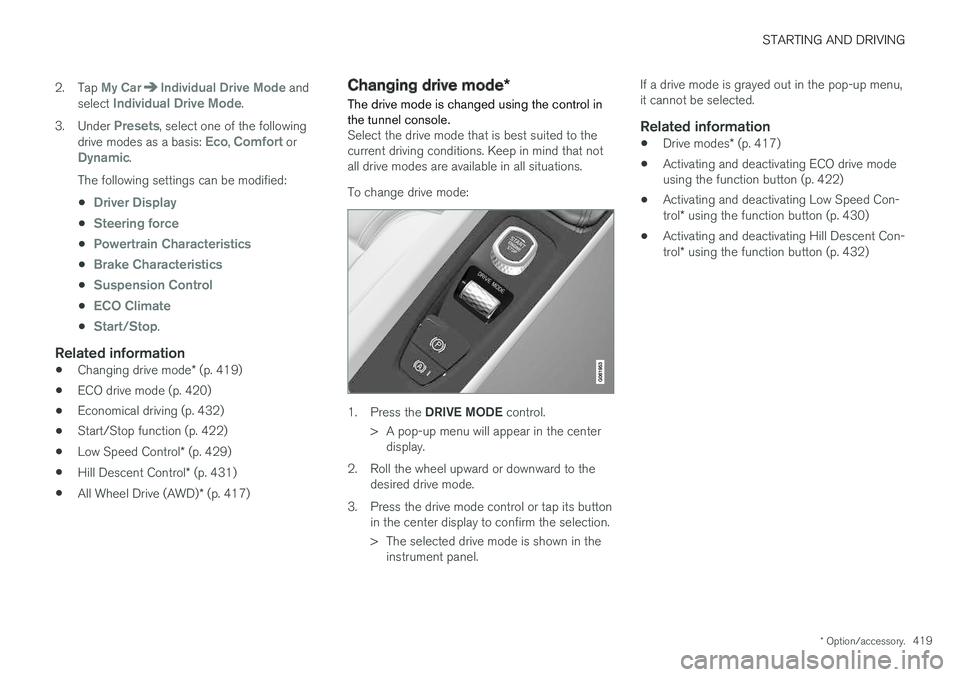
The drive mode is changed using the control in the tunnel console.
Select the drive mode that is best suited to the current driving conditions. Keep in mind that notall drive modes are available in all situations. To change drive mode:
1. Press the DRIVE MODE control.
> A pop-up menu will appear in the center display.
2. Roll the wheel upward or downward to the desired drive mode.
3. Press the drive mode control or tap its button in the center display to confirm the selection.
> The selected drive mode is shown in theinstrument panel. If a drive mode is grayed out in the pop-up menu, it cannot be selected.
Related information
•
Drive modes
* (p. 417)
• Activating and deactivating ECO drive modeusing the function button (p. 422)
• Activating and deactivating Low Speed Con- trol
* using the function button (p. 430)
• Activating and deactivating Hill Descent Con-trol
* using the function button (p. 432)
Page 424 of 660
STARTING AND DRIVING
* Option/accessory.
422
Activating and deactivating ECOdrive mode using the functionbutton
Vehicles equipped with drive mode controls in the tunnel console have a function button forEco drive mode in the center display's Functionview.
When the engine is switched off, ECO mode is deactivated and must therefore be reactivated each time the engine is started. ECO will be dis-
played in the instrument panel when the function is activated.
Selecting Eco drive mode in the center
display's Function view
–Tap the Driving Mode ECO button to acti-
vate or deactivate the function.
> An indicator light in the button will illumi- nate when the function is activated.
Related information
• ECO drive mode (p. 420)
• Changing drive mode
* (p. 419)
• Drive modes
* (p. 417)
Start/Stop function
Start/Stop is a function that temporarily switches off the engine when the vehicle has stopped,e.g. at a traffic light or in heavy traffic, and thenstarts it again automatically when the brakepedal is released.
The Start/Stop function reduces fuel consump- tion, which helps to reduce exhaust emissions. The system makes it possible to drive more eco- nomically and climate-smart by letting the engineauto-stop when appropriate.
Related information
• Driving with the Start/Stop function (p. 422)
• Conditions for the Start/Stop function(p. 424)
• Drive modes
* (p. 417)
Driving with the Start/Stop function
Start/Stop is a function that temporarily turns off the engine when the vehicle is stationary andthen automatically starts it again when the vehi-cle starts moving.
The Start/Stop function is available when the engine is started and can be activated if certainconditions are met. The instrument panel indi-cates if the function is available, active or notavailable. All of the vehicle's ordinary systems, such as lighting, radio, etc. function normally when theengine has been auto-stopped. Certain functionsmay be temporarily reduced, however, such asthe climate system's blower speed or extremelyhigh audio system volume.
Auto-stopTo auto-stop the engine:
• Stop the vehicle by applying the brakes andkeep the brake pedal depressed. The enginewill auto-stop.
In Eco or Comfort 5
drive mode, the engine may
auto-stop before the vehicle has completely stop-ped. With Adaptive Cruise Control or Pilot Assist acti- vated, the engine will auto-stop after approxi-mately three seconds.
5 Normal start mode.
Page 432 of 660
||
STARTING AND DRIVING
* Option/accessory.
430
NOTE
When LSC with HDC is activated, the feel of the accelerator pedal and engine responsewill change.
NOTE
This drive mode is not designed to be used for normal street driving.
NOTE
The function is deactivated when driving at high speeds and must be reactivated at lowerspeeds if so desired.
Related information
• Activating and deactivating Low Speed Con- trol
* using the function button (p. 430)
• Changing drive mode
* (p. 419)
• Hill Descent Control
* (p. 431)
• All Wheel Drive (AWD)
* (p. 417)
Activating and deactivating Low
Speed Control
* using the functionbutton
Vehicles that are not equipped with drive mode controls in the tunnel console have a function button for Low Speed Control with
Hill Descent
Control in the center display's Function view.
Selecting Low Speed Control in the center display's Function view
–Tap the Hill Descent Control button to
activate or deactivate the function.
> An indicator light in the button will illumi- nate when the function is activated.
When the engine is switched off, the function will be automatically deactivated.
NOTE
The function is deactivated when driving at high speeds and must be reactivated at lowerspeeds if so desired.
Related information
• Low Speed Control
* (p. 429)
• Changing drive mode
* (p. 419)