reset VOLVO XC60 2018 Owner´s Manual
[x] Cancel search | Manufacturer: VOLVO, Model Year: 2018, Model line: XC60, Model: VOLVO XC60 2018Pages: 660, PDF Size: 11.77 MB
Page 493 of 660
AUDIO, MEDIA AND INTERNET
* Option/accessory.491
From a previously connected Android device
1. Connect the device to the USB port.
>If the auto start setting is selected -
the name of the phone will be displayed.
2. Tap the name of the phone - the Android Auto tile will open and compatible apps will be displayed.
3. If the automatic start setting is not acti- vated - open the
Android Auto app from
App view.
> The Android Auto tile will open and com- patible apps will be displayed.
4. Tap the desired app. > The app will start up.
Android Auto will run in the background if another app is started in the same tile. To displayAndroid Auto in the tile, tap the Android Autoicon in App view.
Related information
• Android Auto
* (p. 490)
• Settings for Android Auto
* (p. 491)
• Connecting a device via the USB port(p. 486)
• Voice control (p. 143)
Settings for Android Auto
*
Settings for phones initially connected with Android Auto.
Automatic start1. Tap Settings in the Top view.
2. Tap
CommunicationAndroid Auto and
select setting:
• Check the box - Android Auto will start automatically when the USB cable is con-nected.
• Uncheck the box - Android Auto will notstart automatically when the USB cable isconnected.
A maximum of 20 Android devices can be storedin the list. When the list is full and a new device isconnected, the oldest one will be deleted. A factory reset must be performed to delete the list.
System Volumes1. Tap Settings in the Top view.
2. Tap
SoundSystem Volumes to change
the settings for the following:
•
Voice Control
•Navi Voice Guidance
•Phone Ringtone
Related information
• Android Auto
* (p. 490)
• Using Android Auto
* (p. 490)
• Resetting center display settings (p. 133)
Page 507 of 660
AUDIO, MEDIA AND INTERNET
}}
505
Vehicle modem settings
Your vehicle is equipped with a modem that can be used to connect the vehicle to the Internet. Itis also possible to share this Internet connectionover Wi-Fi.
1. Tap Settings in the Top view.
2. Tap
CommunicationVehicle Modem
Internet and select settings:
•
Vehicle modem Internet - select this to
use the vehicle's modem to connect to the Internet.
•
Data usage - tap Reset to reset the coun-
ter for the amount of data received and sent.
•
Network Select carrier
- select a service provider
manually or automatically.
Data roaming - if the box is checked, the
vehicle modem will attempt to connect to the Internet when the vehicle is outside its homenetwork (e.g. if you are in another country).Please note that this could entail additionalcharges. Consult with your service providerfor data roaming terms under your contract.
•
SIM card PIN Change PIN
- a maximum of 4 digits can be
entered.
Disable PIN - select whether a PIN code
will be required to access the SIM card. •
Send request code - used to e.g. download
or check the balance remaining on a prepaid phone card. This function is specific to yourservice provider.
Related information
• Connect the car to the Internet via carmodem (SIM card) (p. 504)
• No or poor Internet connection (p. 506)
Sharing Internet from the vehicle viaWi-Fi hotspot (tethering)
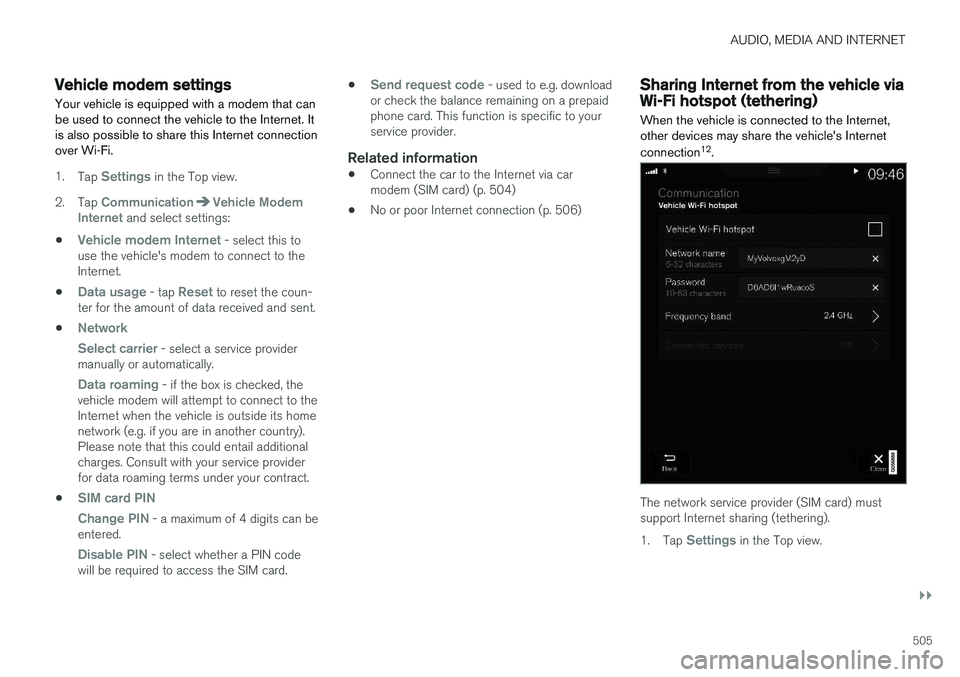
When the vehicle is connected to the Internet, other devices may share the vehicle's Internet connection 12
.
The network service provider (SIM card) must support Internet sharing (tethering). 1. Tap
Settings in the Top view.
Page 509 of 660
AUDIO, MEDIA AND INTERNET
* Option/accessory.507
Restarting the phoneIf you experience any Internet connection prob- lems, it may help to restart your phone.
Related information
•Internet-connected vehicle
* (p. 501)
• Wi-Fi technology and security (p. 507)
Deleting Wi-Fi networks
Networks that are not needed can be deleted.
1. Tap Settings in the Top view.
2. Proceed to
CommunicationWi-FiSaved networks.
3. Tap
Forget to delete the network.
4. Confirm the selection. > The vehicle will no longer connect to thedeleted network.
Deleting all networksAll networks can be deleted at once by perform- ing a factory reset. Please note that all user dataand system settings will be restored to originaldefault factory settings.
Related information
• Internet-connected vehicle
* (p. 501)
• No or poor Internet connection (p. 506)
• Resetting center display settings (p. 133)
• Connecting the car to the Internet via amobile device (Wi-Fi) (p. 503)
Wi-Fi technology and security
Networks must meet certain criteria in order for the vehicle to connect.
It is possible to connect to the following types of networks:
• Frequency - 2.4 or 5 GHz 13
.
• Standards - 802.11 a/b/g/n.
• Security type - WPA2-AES-CCMP.
The vehicle's Wi-Fi system is designed to handleWi-Fi devices inside the vehicle. Performance may be impaired if multiple devices are using a frequency at the same time.
Related information
• Internet-connected vehicle
* (p. 501)
13
Selecting a frequency is not possible on all markets.
Page 595 of 660
MAINTENANCE AND SERVICE
}}
593
CAUTION
Only a modern battery charger with controlled charge voltage should be used to charge thestarter battery and support battery. The rapidcharging function should not be used as thiscould damage the battery.
CAUTION
Failure to observe the following could cause the infotainment energy save mode to tempo-rarily stop working and/or a message in thedriver's display regarding the state of chargeof the starter battery may be temporarilyincorrect after an external starter battery orbattery charger has been connected:
• The negative battery terminal of the vehi- cle's starter battery must
never be used
to connect an external starter battery orbattery charger – only the vehicle's neg-
ative charging point should be used as
a grounding point.
NOTE
If the starter battery becomes discharged too many times, it will shorten its service life. The service life of the starter battery is affec- ted by several factors, such as driving condi-tions and climate. The starting capacity of thebattery reduces gradually over time. The bat-tery must therefore be recharged if the vehi-cle is not used or a long period of time or if itis only driven short distances. Severe cold fur-ther limits the starting capacity. To keep the starter battery in a good condi- tion, the vehicle should be driven at least15 minutes per week or the battery should beconnected to a battery charger with automatictrickle charging. A starter battery that is always kept fully charged has the maximum service life.
Location
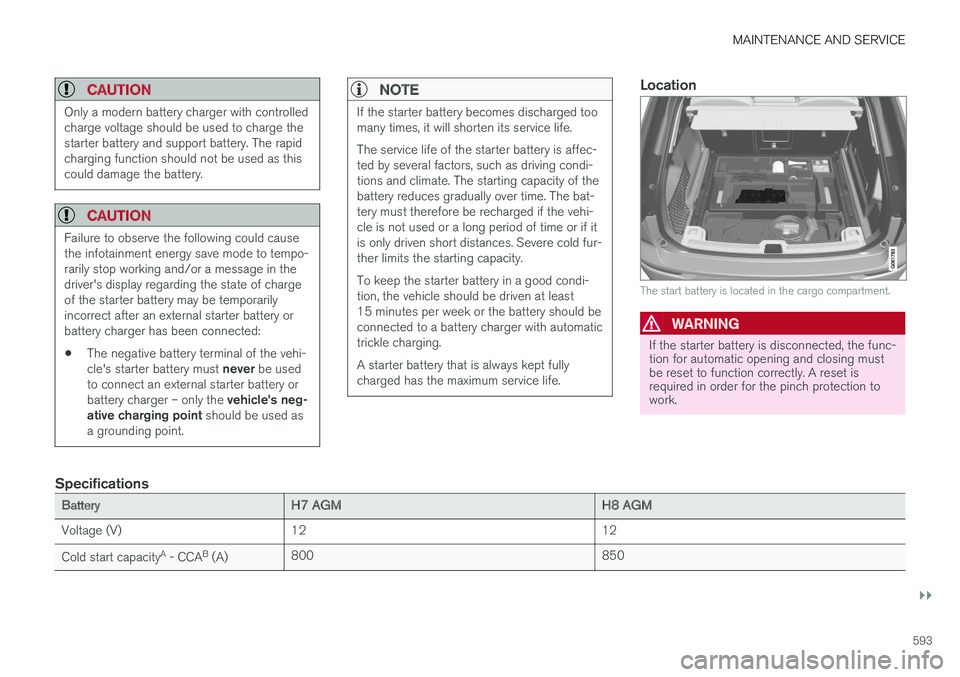
The start battery is located in the cargo compartment.
WARNING
If the starter battery is disconnected, the func- tion for automatic opening and closing mustbe reset to function correctly. A reset isrequired in order for the pinch protection towork.
Specifications
BatteryH7 AGMH8 AGM
Voltage (V) 12 12
Cold start capacity A
- CCA B
(A) 800
850
Page 648 of 660
INDEX
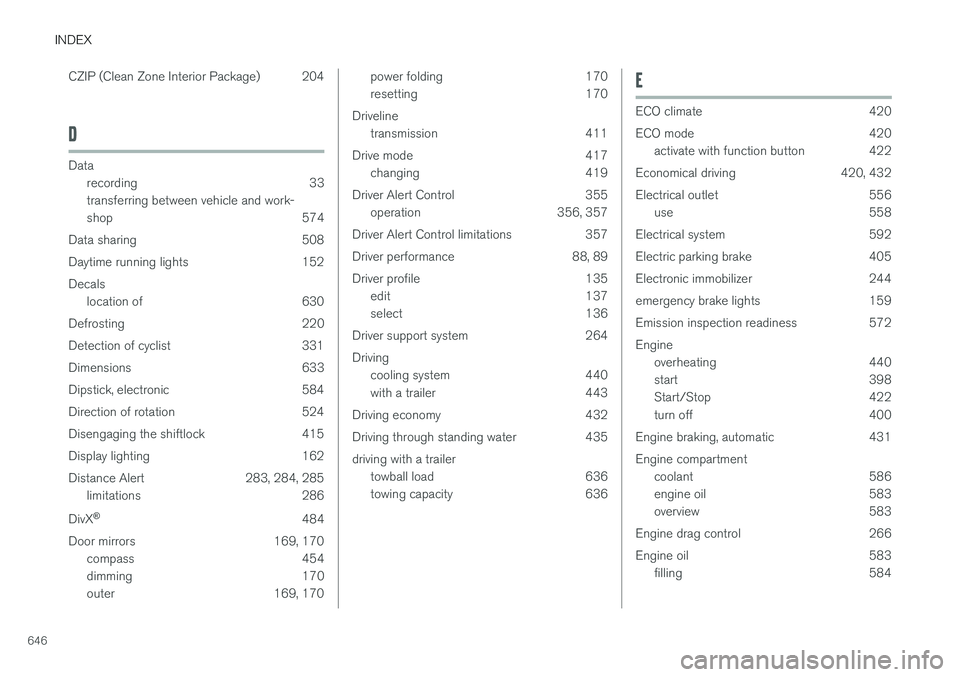
646CZIP (Clean Zone Interior Package) 204
D
Data
recording 33 transferring between vehicle and work-
shop 574
Data sharing 508
Daytime running lights 152Decals location of 630
Defrosting 220
Detection of cyclist 331
Dimensions 633
Dipstick, electronic 584
Direction of rotation 524
Disengaging the shiftlock 415
Display lighting 162
Distance Alert 283, 284, 285 limitations 286
DivX ®
484
Door mirrors 169, 170 compass 454
dimming 170
outer 169, 170
power folding 170
resetting 170
Driveline transmission 411
Drive mode 417 changing 419
Driver Alert Control 355 operation 356, 357
Driver Alert Control limitations 357
Driver performance 88, 89
Driver profile 135 edit 137
select 136
Driver support system 264 Driving cooling system 440
with a trailer 443
Driving economy 432
Driving through standing water 435 driving with a trailer towball load 636
towing capacity 636E
ECO climate 420
ECO mode 420
activate with function button 422
Economical driving 420, 432
Electrical outlet 556 use 558
Electrical system 592
Electric parking brake 405
Electronic immobilizer 244
emergency brake lights 159
Emission inspection readiness 572 Engine overheating 440
start 398
Start/Stop 422
turn off 400
Engine braking, automatic 431 Engine compartment coolant 586
engine oil 583
overview 583
Engine drag control 266
Engine oil 583 filling 584
Page 653 of 660
INDEX
651
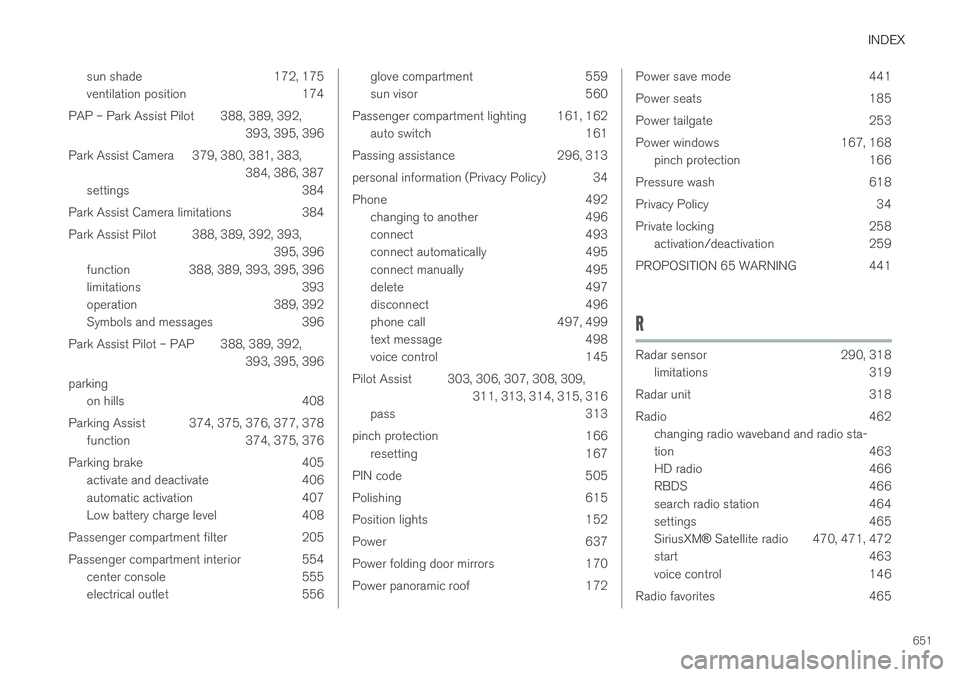
sun shade 172, 175
ventilation position 174
PAP – Park Assist Pilot 388, 389, 392, 393, 395, 396
Park Assist Camera 379, 380, 381, 383, 384, 386, 387
settings 384
Park Assist Camera limitations 384
Park Assist Pilot 388, 389, 392, 393, 395, 396
function 388, 389, 393, 395, 396
limitations 393
operation 389, 392
Symbols and messages 396
Park Assist Pilot – PAP 388, 389, 392, 393, 395, 396
parking on hills 408
Parking Assist 374, 375, 376, 377, 378 function 374, 375, 376
Parking brake 405 activate and deactivate 406
automatic activation 407
Low battery charge level 408
Passenger compartment filter 205
Passenger compartment interior 554 center console 555
electrical outlet 556
glove compartment 559
sun visor 560
Passenger compartment lighting 161, 162 auto switch 161
Passing assistance 296, 313
personal information (Privacy Policy) 34
Phone 492 changing to another 496
connect 493
connect automatically 495
connect manually 495
delete 497
disconnect 496
phone call 497, 499
text message 498
voice control 145
Pilot Assist 303, 306, 307, 308, 309, 311, 313, 314, 315, 316
pass 313
pinch protection 166 resetting 167
PIN code 505
Polishing 615
Position lights 152
Power 637
Power folding door mirrors 170
Power panoramic roof 172Power save mode 441
Power seats 185
Power tailgate 253
Power windows 167, 168 pinch protection 166
Pressure wash 618
Privacy Policy 34
Private locking 258 activation/deactivation 259
PROPOSITION 65 WARNING 441
R
Radar sensor 290, 318 limitations 319
Radar unit 318
Radio 462 changing radio waveband and radio sta-
tion 463
HD radio 466
RBDS 466
search radio station 464
settings 465 SiriusXM ® Satellite radio 470, 471, 472
start 463
voice control 146
Radio favorites 465
Page 654 of 660

INDEX
652Rain sensor 177, 178
Rain sensor's memory function 178
Raise the rear end 562
Rear camera 379, 380, 381, 383, 384,
386, 387
Rear seat blower 224
climate 212
folding backrest 192
head restraint 195
heating 215
temperature 226
Rear sensors 374, 375, 376, 377, 378 Rearview/door mirrors dimming 170
heating 222
interior 169
Rearview mirror 169 dimming 170
Rear window heating 222
washers 180
wipers 180
Recalls 45
Recommendations when driving 433
Recommendations when loading 561
Recovery 450
Red Key 240 settings 241
Refrigerant 582 climate system 640
Refueling filling 436
fuel filler door, fuel flap 435
Remote immobilizer 244
Remote key 231 battery replacement 236
connecting to driver profile 137
detachable key blade 242
loss 240
Range 235
Remote updates 575
Reporting safety defects 44
Resetting door mirrors 170
Resetting settings 133 change of owner 132
Driver profile 137
Resetting trip odometer 88
Road Sign Information 350, 351, 352 limitations 354
operation 351, 352, 353, 354
Road trip 433
Roll Stability Control 265
Roof load, max. weight 635RSC (Roll Stability Control) 265
Run-off Mitigation 366, 367
S
Safety 42 pregnancy 43
Safety belt, see Seat belt 47
Safety defects, reporting 44
Safety mode 61 starting/moving 62
Sealing compound 545
Seat, see Seats 184
Seat belt reminder 51
Seat belts 47 Automatic locking retractor/Emergency
locking retractor 65
buckling/unbuckling 48
pregnancy 43
seat belt reminder 51
seat belt tensioner 50
securing child restraint systems 67, 69, 71
Seat belt tensioner 50 resetting 51
Seats heating 214, 215
manual front seat 184
Page 655 of 660

INDEX
653
memory function front seat 186, 187
power front seats 185
ventilation 216
whiplash protection 46
Sensors air quality 205
climate 201
Sensus connection and entertainment 30
Sensus Navigation 352
Service position 625
Service program 572
Set time interval 285
settings 133 Categories 134
contextual 131
resetting 133
settings menu 133
Shiftlock 415 deactivate 415
Side airbag 59
Side Impact Protection System 59, 60
SIM card 505
SIPS (Side Impact Protection System) 59, 60Sirius Satellite radio Travel link 474
SiriusXM ® Satellite radio
traffic information 470, 471, 472
Ski hatch 564
Slippery conditions 434
Slippery road conditions 434
Software updates 33
Sound settings 458, 499 phone 500
playing media 480, 481
text message 499
Spare tire 541, 542
Speed camera 354
Speed Limiter 270, 273, 274, 277 getting started 271
shut down 273
temporary deactivation 272
Speed symbols, tires 526
Spin control 266
Stability and traction control system 266, 269 operation 267, 268
Stability system 266
Stains 609, 611, 612, 613, 614
Start/Stop 422 deactivate 424
Driving 422
limitations 424Start and lock systemtype designations 244
Start battery 441, 592 overload 441
Start engine 398 Starting the engine after a collision 62
Start the vehicle 398
Steel cargo grid 567 Steering assistance at risk of colli-
sion 365, 366, 367, 368, 369, 370, 371, 373 Steering assistance at risk of rear-end col-
lision 370, 371 Steering power level, see Steering wheel
resistance 264 Steering resistance at risk of head-on colli-
sion 368, 369
Steering wheel 196, 197 heating 217, 218
keypad 196
paddle 196
steering wheel adjustment 197
Steering wheel keypad 196
Steering wheel paddles 413Steering wheel resistance, speed-depend- ent 264
Stone chips and scratches 621, 622
Page 657 of 660

INDEX
655
Traction control 266
Traffic information 465
Trailer 445
driving with a trailer 443
Lamps 446
swaying 445
Trailer Stability Assist 445 trailer 445
Trailer stabilizer 266 Trailer towing trailer hitch 442
Transmission 411 automatic 412
Transmission fluid grade 639
Travel Link 474 Fuel 477
Notifications 476
Sports 478
weather 475
Tread depth 525, 543
Tread wear indicator 525
Trip computer 85, 87
Trip odometer 85
Trip odometer resetting 88
Trip statistics 88
Troubleshooting Adaptive Cruise Control 298
Troubleshooting the camera sensor 324
TSA - Trailer Stability Assist 266, 445
Tunnel detection 153
Turn off engine 400
Turn signals 156Type approval radar system 322
U
Uniform Tire Quality Grading 528
Units 130
Unknown vehicle component 262Unlocking
settings 234
with key blade 243
USB socket for connecting media 486
V
Vehicle care 614, 615, 617, 618, 619, 620leather upholstery 612
Vehicle Event Data 33 Vehicle functions in the center display 120
Vehicle key bat. low 236Vehicle modem connecting vehicle to Internet 504
settings 505
Vehicle recovery 450
Vehicle status 576 inflation pressure 534
Vehicle upholstery 609, 611, 612, 613, 614
Vehicle weight 635
Ventilation 206, 207 Seats 216
Video 484, 486 settings 485
Voice control 143 climate 202
phone 145
radio and media 146
settings 146
VOL mark 522