On Call VOLVO XC60 2018 Owner´s Manual
[x] Cancel search | Manufacturer: VOLVO, Model Year: 2018, Model line: XC60, Model: VOLVO XC60 2018Pages: 660, PDF Size: 11.77 MB
Page 221 of 660
CLIMATE CONTROL
219
Activating and deactivatingrecirculation
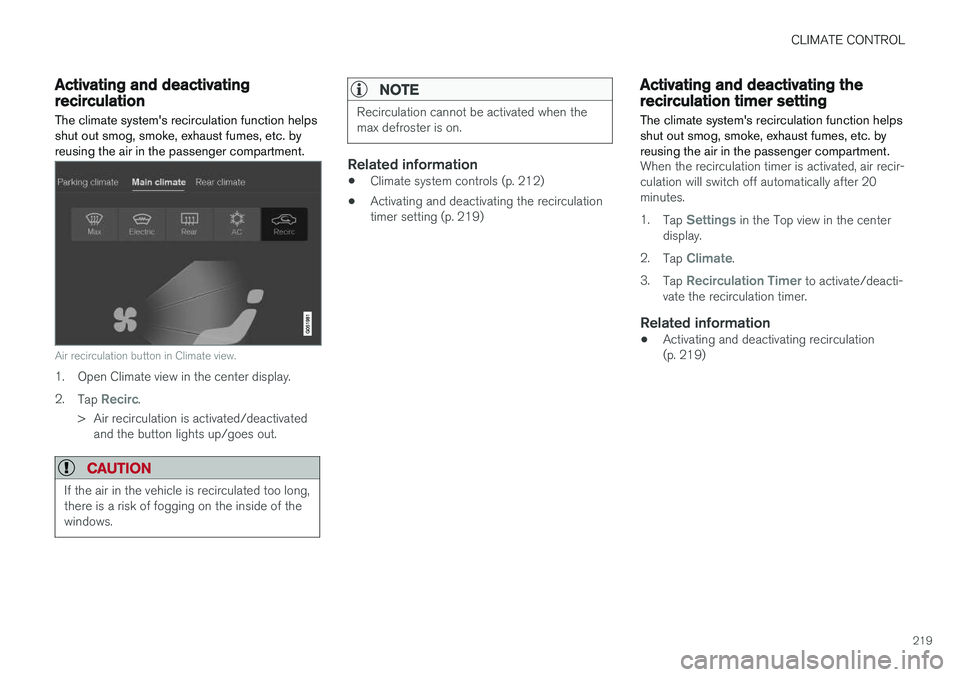
The climate system's recirculation function helps shut out smog, smoke, exhaust fumes, etc. byreusing the air in the passenger compartment.
Air recirculation button in Climate view.
1. Open Climate view in the center display. 2. Tap
Recirc.
> Air recirculation is activated/deactivated and the button lights up/goes out.
CAUTION
If the air in the vehicle is recirculated too long, there is a risk of fogging on the inside of thewindows.
NOTE
Recirculation cannot be activated when the max defroster is on.
Related information
• Climate system controls (p. 212)
• Activating and deactivating the recirculation timer setting (p. 219)
Activating and deactivating therecirculation timer setting
The climate system's recirculation function helps shut out smog, smoke, exhaust fumes, etc. byreusing the air in the passenger compartment.
When the recirculation timer is activated, air recir- culation will switch off automatically after 20minutes. 1. Tap
Settings in the Top view in the center
display.
2. Tap
Climate.
3. Tap
Recirculation Timer to activate/deacti-
vate the recirculation timer.
Related information
• Activating and deactivating recirculation (p. 219)
Page 224 of 660
||
CLIMATE CONTROL
* Option/accessory.
222
NOTE
If windshield heating is activated when the Start/Stop function auto-stops the engine,the engine will be restarted.
Related information
• Climate system controls (p. 212)
• Activating and deactivating automatic wind- shield heating
* (p. 222)
Activating and deactivating
automatic windshield heating *
Windshield heating is used to quickly remove condensation and ice from the windshield.
Windshield heating can be set to automatically activate when the engine is started. With auto-matic start activated, heating will be activatedwhen there is a risk of ice or condensation on thewindows or mirrors. Heating is automaticallyswitched off when the window or door mirror issufficiently warm and the condensation or ice isgone. 1. Tap
Settings in the Top view in the center
display.
2. Tap
Climate.
3. Select
Auto Front Defroster to activate/
deactivate automatic windshield heating.
Related information
• Activating and deactivating the heated wind- shield
* (p. 221)
Activating and deactivating theheated rear window and doormirrors The heated rear window and door mirrors are used to quickly remove condensation and icefrom the glass.
Activating and deactivating the heated rear window and door mirrors from thecenter console
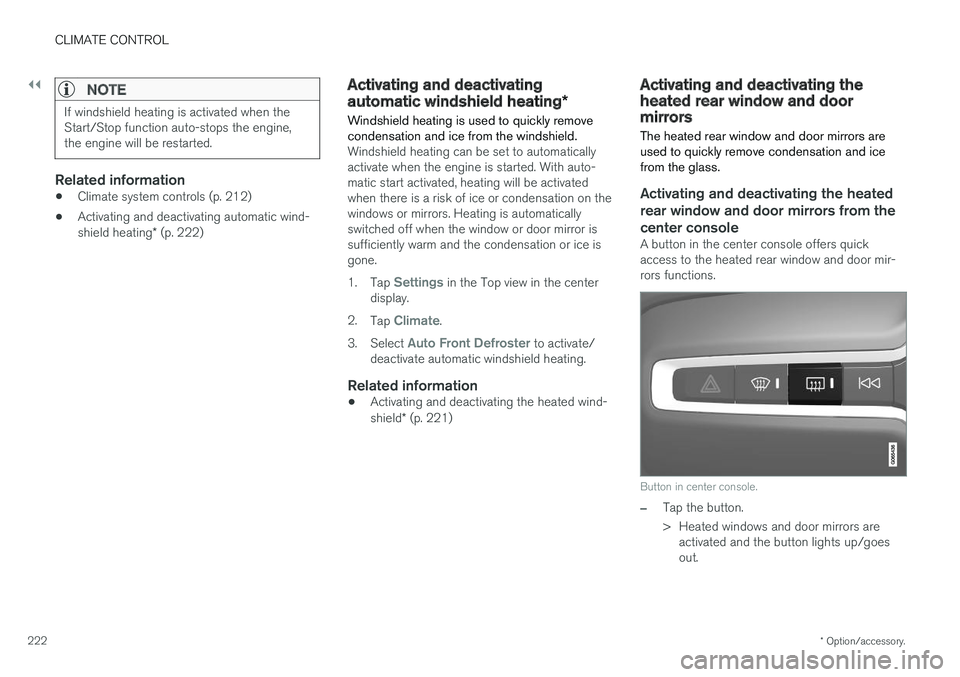
A button in the center console offers quick access to the heated rear window and door mir-rors functions.
Button in center console.
–Tap the button.
> Heated windows and door mirrors are
activated and the button lights up/goes out.
Page 225 of 660
CLIMATE CONTROL
}}
223
Activating and deactivating the heated rear window and door mirrors from thecenter display
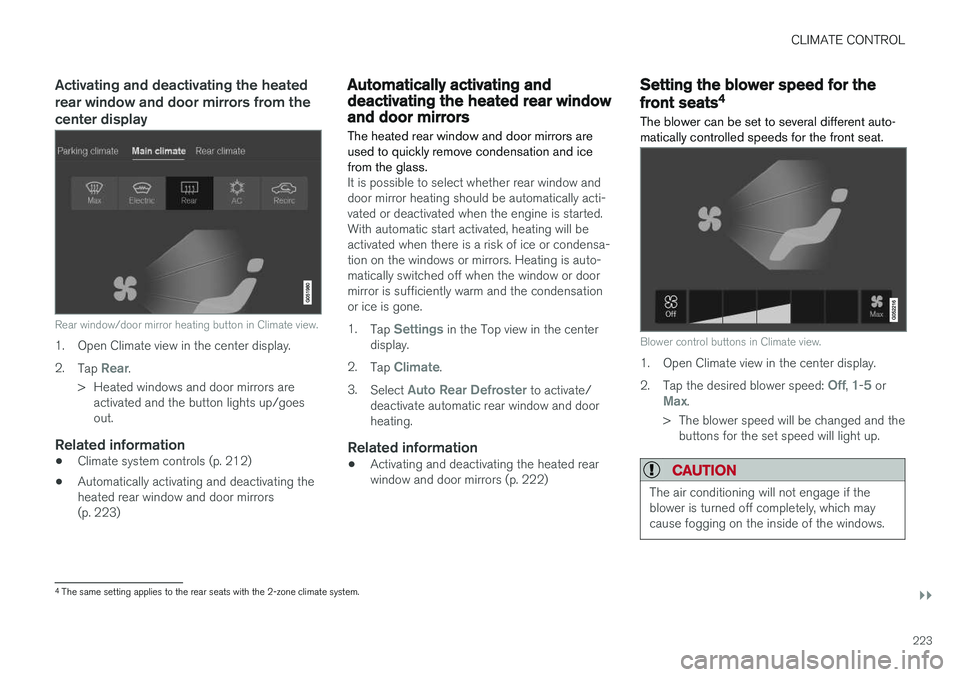
Rear window/door mirror heating button in Climate view.
1. Open Climate view in the center display. 2.Tap
Rear.
> Heated windows and door mirrors are activated and the button lights up/goes out.
Related information
• Climate system controls (p. 212)
• Automatically activating and deactivating theheated rear window and door mirrors(p. 223)
Automatically activating anddeactivating the heated rear windowand door mirrors
The heated rear window and door mirrors are used to quickly remove condensation and icefrom the glass.
It is possible to select whether rear window and door mirror heating should be automatically acti-vated or deactivated when the engine is started.With automatic start activated, heating will beactivated when there is a risk of ice or condensa-tion on the windows or mirrors. Heating is auto-matically switched off when the window or doormirror is sufficiently warm and the condensationor ice is gone. 1. Tap
Settings in the Top view in the center
display.
2. Tap
Climate.
3. Select
Auto Rear Defroster to activate/
deactivate automatic rear window and door heating.
Related information
• Activating and deactivating the heated rearwindow and door mirrors (p. 222)
Setting the blower speed for the
front seats4
The blower can be set to several different auto- matically controlled speeds for the front seat.
Blower control buttons in Climate view.
1. Open Climate view in the center display. 2. Tap the desired blower speed:
Off, 1-5 orMax.
> The blower speed will be changed and the buttons for the set speed will light up.
CAUTION
The air conditioning will not engage if the blower is turned off completely, which maycause fogging on the inside of the windows.
4The same setting applies to the rear seats with the 2-zone climate system.
Page 226 of 660
||
CLIMATE CONTROL
* Option/accessory.
224
NOTE
The climate system automatically adapts air- flow as needed within the set blower speed,which means that airflow speed may varyslightly within the same blower speed.
Related information
• Climate system controls (p. 212)
Setting the blower speed for the
rear seats
*
The blower can be set to several different auto- matically controlled speeds for the rear seat.
Setting blower speed for the rear seats from the front seats
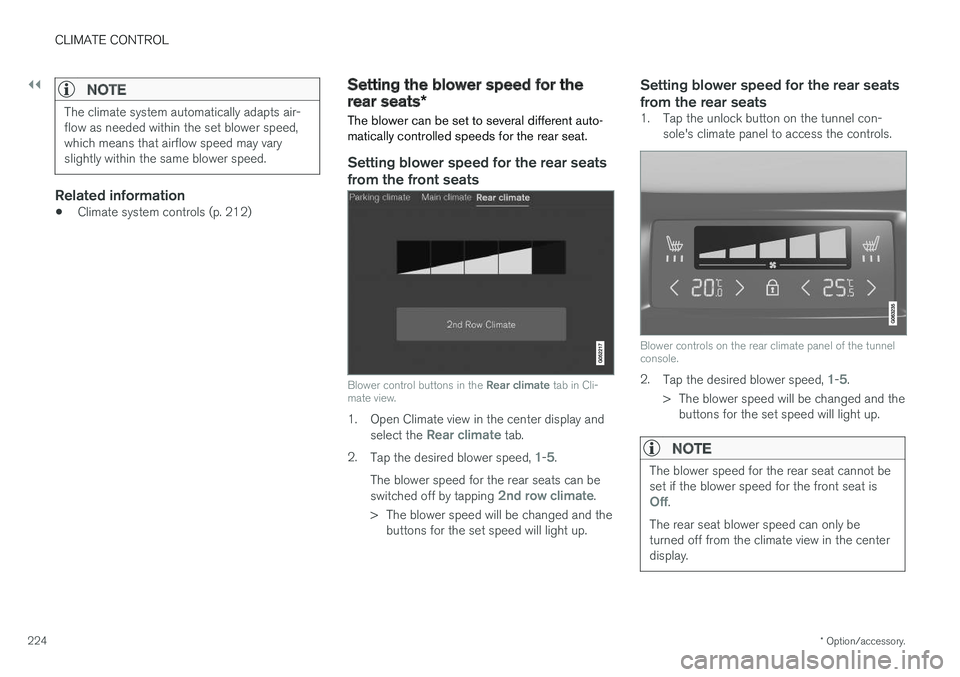
Blower control buttons in the Rear climate tab in Cli-
mate view.
1. Open Climate view in the center display and
select the Rear climate tab.
2. Tap the desired blower speed,
1-5.
The blower speed for the rear seats can be switched off by tapping
2nd row climate.
> The blower speed will be changed and the buttons for the set speed will light up.
Setting blower speed for the rear seats from the rear seats
1. Tap the unlock button on the tunnel con- sole's climate panel to access the controls.
Blower controls on the rear climate panel of the tunnel console.
2.Tap the desired blower speed, 1-5.
> The blower speed will be changed and the buttons for the set speed will light up.
NOTE
The blower speed for the rear seat cannot be set if the blower speed for the front seat is
Off.
The rear seat blower speed can only be turned off from the climate view in the centerdisplay.
Page 227 of 660
CLIMATE CONTROL
225
NOTE
The climate system automatically adapts air- flow as needed within the set blower speed,which means that airflow speed may varyslightly within the same blower speed.
Related information
•Climate system controls (p. 212)
Setting the temperature for the
front seats5
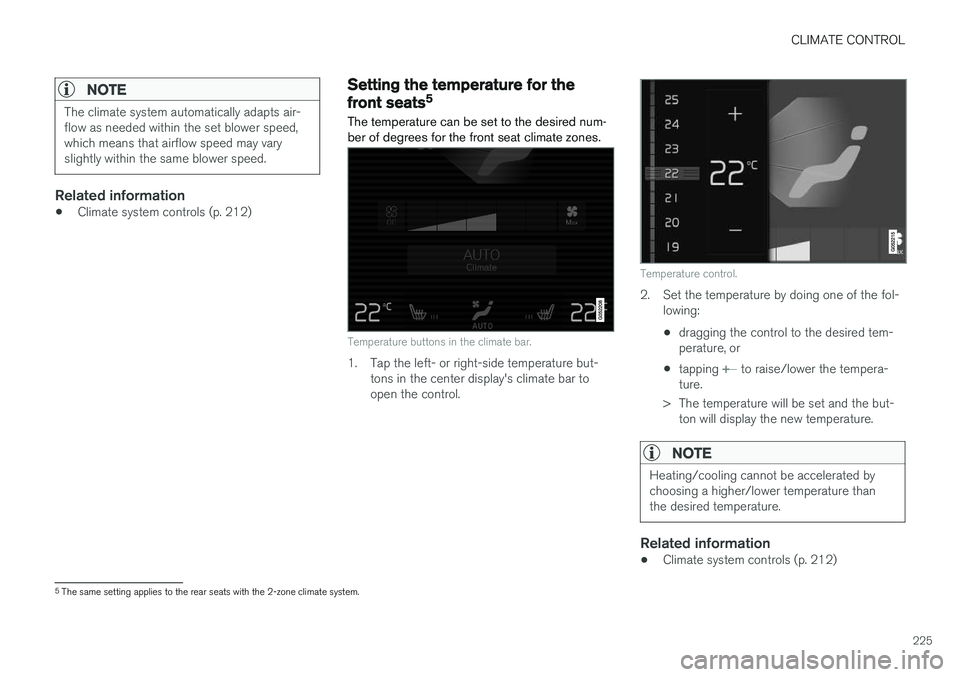
The temperature can be set to the desired num- ber of degrees for the front seat climate zones.
Temperature buttons in the climate bar.
1. Tap the left- or right-side temperature but- tons in the center display's climate bar to open the control.
Temperature control.
2. Set the temperature by doing one of the fol-lowing:
• dragging the control to the desired tem- perature, or
• tapping
+
− to raise/lower the tempera-
ture.
> The temperature will be set and the but- ton will display the new temperature.
NOTE
Heating/cooling cannot be accelerated by choosing a higher/lower temperature thanthe desired temperature.
Related information
• Climate system controls (p. 212)
5
The same setting applies to the rear seats with the 2-zone climate system.
Page 229 of 660
CLIMATE CONTROL
}}
* Option/accessory.227
Synchronize temperature
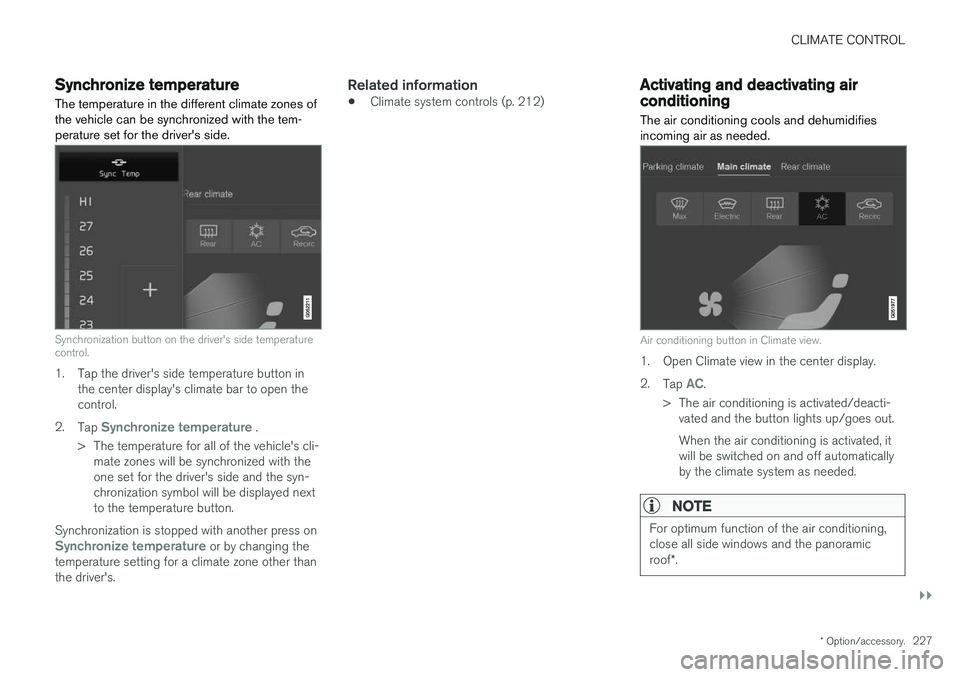
The temperature in the different climate zones of the vehicle can be synchronized with the tem-perature set for the driver's side.
Synchronization button on the driver's side temperature control.
1. Tap the driver's side temperature button in the center display's climate bar to open the control.
2. Tap
Synchronize temperature .
> The temperature for all of the vehicle's cli- mate zones will be synchronized with the one set for the driver's side and the syn-chronization symbol will be displayed nextto the temperature button.
Synchronization is stopped with another press on
Synchronize temperature or by changing the
temperature setting for a climate zone other than the driver's.
Related information
• Climate system controls (p. 212)
Activating and deactivating airconditioning
The air conditioning cools and dehumidifies incoming air as needed.
Air conditioning button in Climate view.
1. Open Climate view in the center display. 2. Tap
AC.
> The air conditioning is activated/deacti- vated and the button lights up/goes out. When the air conditioning is activated, it will be switched on and off automaticallyby the climate system as needed.
NOTE
For optimum function of the air conditioning, close all side windows and the panoramic roof *.
Page 233 of 660
KEY, LOCKS AND ALARM
}}
* Option/accessory.231
In rear door*
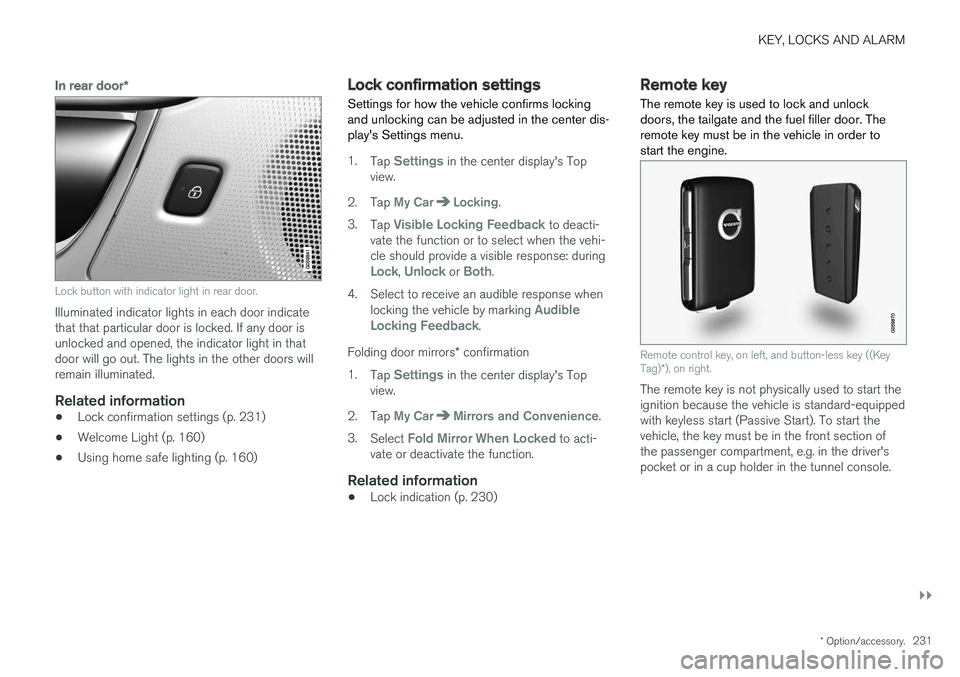
Lock button with indicator light in rear door.
Illuminated indicator lights in each door indicate that that particular door is locked. If any door isunlocked and opened, the indicator light in thatdoor will go out. The lights in the other doors willremain illuminated.
Related information
•Lock confirmation settings (p. 231)
• Welcome Light (p. 160)
• Using home safe lighting (p. 160)
Lock confirmation settings Settings for how the vehicle confirms locking and unlocking can be adjusted in the center dis-play's Settings menu.
1.
Tap Settings in the center display's Top
view.
2. Tap
My CarLocking.
3. Tap
Visible Locking Feedback to deacti-
vate the function or to select when the vehi- cle should provide a visible response: during
Lock, Unlock or Both.
4. Select to receive an audible response when locking the vehicle by marking
Audible
Locking Feedback.
Folding door mirrors * confirmation
1. Tap
Settings in the center display's Top
view.
2. Tap
My CarMirrors and Convenience.
3. Select
Fold Mirror When Locked to acti-
vate or deactivate the function.
Related information
• Lock indication (p. 230)
Remote key
The remote key is used to lock and unlock doors, the tailgate and the fuel filler door. Theremote key must be in the vehicle in order tostart the engine.
Remote control key, on left, and button-less key ((Key Tag) *), on right.
The remote key is not physically used to start the ignition because the vehicle is standard-equippedwith keyless start (Passive Start). To start thevehicle, the key must be in the front section ofthe passenger compartment, e.g. in the driver'spocket or in a cup holder in the tunnel console.
Page 234 of 660
||
KEY, LOCKS AND ALARM
* Option/accessory.
232 The keyless system for locking/unlocking the doors, tailgate (Passive Entry
*) and fuel filler door
is available as an option. This system has a range in a semicircle with a radius of approximately1.5 meter (5 feet) out from the driver's door andapprox. 1 meter (3 feet) out from the tailgate. With keyless start in combination with keyless locking and unlocking, the remote key can belocated anywhere in the passenger compartmentor cargo compartment in order to start theengine. Each remote key supplied with the vehicle can be linked to a driver profile with unique settings forthe vehicle. When a key with a specific profile isused, the vehicle settings are adjusted accordingto that profile.
Buttonless key, Key TagFor vehicles equipped with keyless locking and unlocking *, a smaller, lighter and button-less key
(Key Tag 3
) is also provided. It works the same
way as the regular remote key as regard keyless start and keyless locking and unlocking 4
. It does
not have a detachable key blade and its battery cannot be replaced.
Remote key buttons
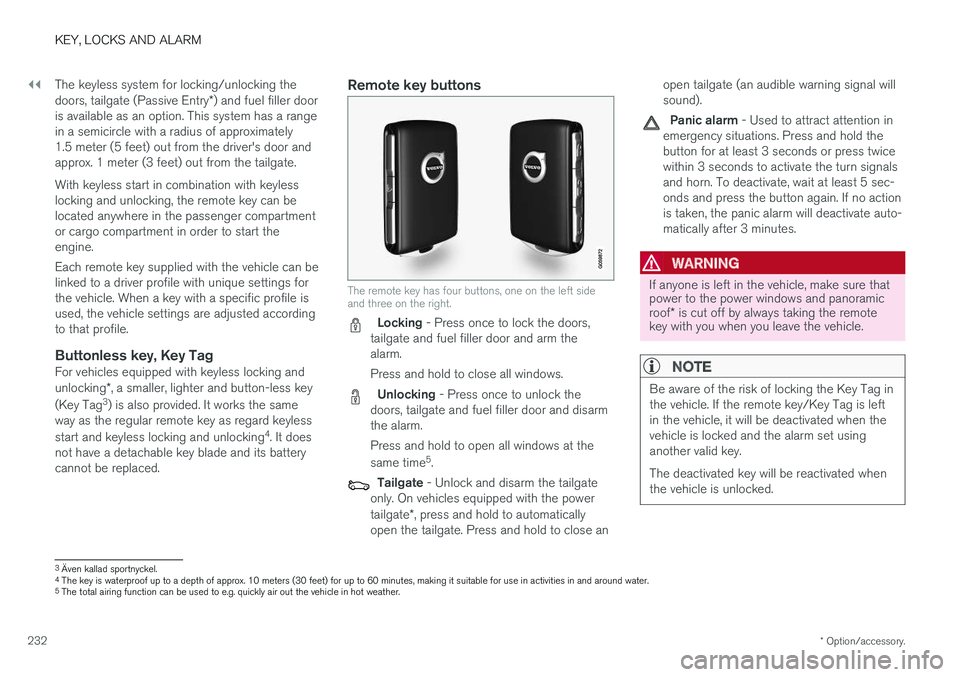
The remote key has four buttons, one on the left side and three on the right.
Locking - Press once to lock the doors,
tailgate and fuel filler door and arm the alarm. Press and hold to close all windows.
Unlocking - Press once to unlock the
doors, tailgate and fuel filler door and disarm the alarm. Press and hold to open all windows at the same time 5
.
Tailgate - Unlock and disarm the tailgate
only. On vehicles equipped with the power tailgate *, press and hold to automatically
open the tailgate. Press and hold to close an open tailgate (an audible warning signal will sound).
Panic alarm - Used to attract attention in
emergency situations. Press and hold the button for at least 3 seconds or press twicewithin 3 seconds to activate the turn signalsand horn. To deactivate, wait at least 5 sec-onds and press the button again. If no actionis taken, the panic alarm will deactivate auto-matically after 3 minutes.
WARNING
If anyone is left in the vehicle, make sure that power to the power windows and panoramic roof * is cut off by always taking the remote
key with you when you leave the vehicle.
NOTE
Be aware of the risk of locking the Key Tag in the vehicle. If the remote key/Key Tag is leftin the vehicle, it will be deactivated when thevehicle is locked and the alarm set usinganother valid key. The deactivated key will be reactivated when the vehicle is unlocked.
3 Även kallad sportnyckel.
4 The key is waterproof up to a depth of approx. 10 meters (30 feet) for up to 60 minutes, making it suitable for use in activities in and around water.
5 The total airing function can be used to e.g. quickly air out the vehicle in hot weather.
Page 236 of 660
||
KEY, LOCKS AND ALARM
* Option/accessory.
234 To activate the locking sequence, the driver's door must be closed
6
. If any of the other doors or
the tailgate are open, they will be locked and the alarm will be armed once they are closed.
NOTE
Be aware of the risk of locking the Key Tag in the vehicle. If the remote key/Key Tag is leftin the vehicle, it will be deactivated when thevehicle is locked and the alarm set usinganother valid key. The deactivated key will be reactivated when the vehicle is unlocked.
Locking when the tailgate is open
NOTE
If the vehicle is locked and the tailgate is still open, make sure that the remote key is notleft in the cargo compartment when the tail-gate is closed and the entire vehicle is locked 7
.
Unlocking with remote key
–Press the button on the remote key to
unlock.
Automatic relockingIf none of the doors or tailgate are opened within two minutes after being unlocked, they will auto-matically relock. This function reduces the risk ofinadvertently leaving the vehicle unlocked.
Remote key not working
NOTE
Move closer to the vehicle and try to unlock it again.
If the remote key is not working to lock or unlock the vehicle, its battery may be discharged. Usethe detachable key blade to lock/unlock the driv-er's door instead.
Related information
• Settings for remote and inside door unlock(p. 234)
• Unlocking the tailgate using the remote key(p. 235)
• Remote key (p. 231)
• Replacing the remote key's battery (p. 236)
• Locking and unlocking with detachable keyblade (p. 243)
Settings for remote and inside doorunlock
Several different sequences are available for
remote unlocking.
1. Tap Settings in the center display's Top
view.
2. Tap
My CarLockingRemote and
Interior Unlock.
3. Select alternative:
•
All Doors
- unlocks all doors at the same time.
•
Single Door
- unlocks the driver's door. Press the remote key unlock button twice to unlock all doors.
The settings made here also affect central lock-ing using the inside door handle.
Related information
• Locking and unlocking using the remote key(p. 233)
• Locking and unlocking from inside the vehi-cle (p. 249)
6
If the vehicle is equipped with keyless locking/unlocking, all side doors must be closed.
7 If the vehicle is equipped with keyless locking/unlocking and the key is detected inside the vehicle, the tailgate will not lock when it is closed. *
Page 242 of 660
KEY, LOCKS AND ALARM
* Option/accessory.
240
Ordering additional remote keys
Two remote keys are provided with the vehicle. One Key Tag is also included if the vehicle is equipped with keyless locking/unlocking *. Addi-
tional keys can be ordered.
A total of 12 keys can be programmed and used for the same vehicle. An additional driver profilewill be added for each new remote key. This alsoapplies to the key tag.
Loss of a remote keyIf you lose your remote key, you can order areplacement from a workshop - an authorizedVolvo workshop is recommended. Bring the otherremaining remote keys to the workshop. As ananti-theft measure, the code of the lost remotekey must be erased from the system. The current number of keys registered for the vehicle can be checked via driver profiles in the center display's Top view. Select
Settings
SystemDriver Profiles.
NOTE
Volvo recommends that you order a new or duplicate remote control key from an author-ized Volvo workshop. You can also obtain additional or duplicate remote control keys from certain independentrepair facilities and locksmiths that are quali-fied to make remote control keys. Each keymust be programmed to work with your vehi-cle. A list of independent repair facilities and/or locksmiths known to Volvo that can cut andcode replacement keys can be found: • on Volvo's website www.volvocars.com/us
• by calling Volvo Customer Care 1-800-458-1552.
Related information
•
Remote key (p. 231)
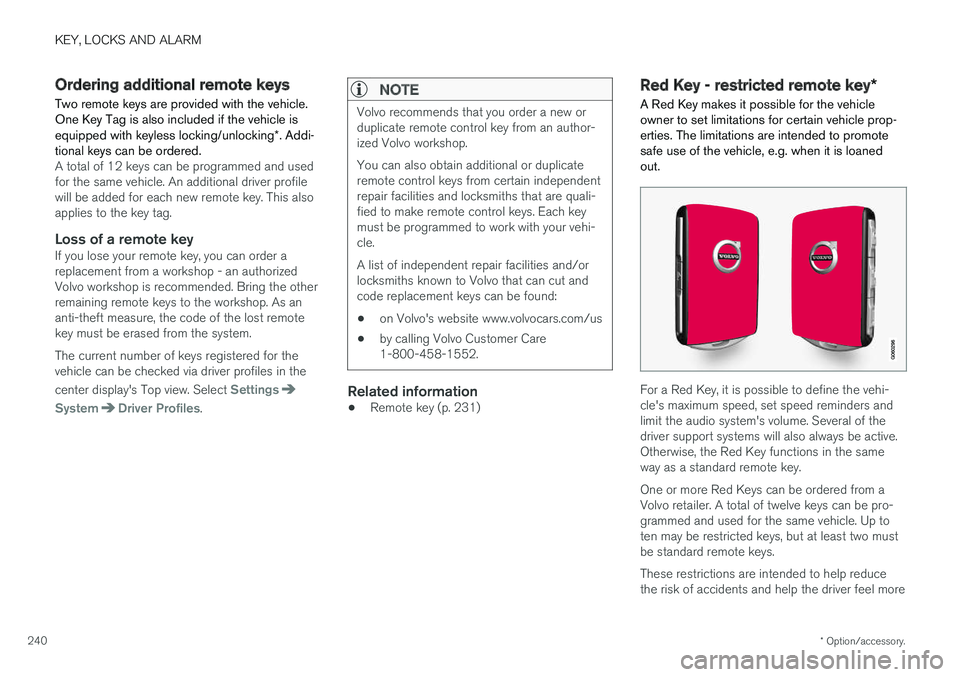
Red Key - restricted remote key
*
A Red Key makes it possible for the vehicle owner to set limitations for certain vehicle prop-erties. The limitations are intended to promotesafe use of the vehicle, e.g. when it is loanedout.
For a Red Key, it is possible to define the vehi- cle's maximum speed, set speed reminders andlimit the audio system's volume. Several of thedriver support systems will also always be active.Otherwise, the Red Key functions in the sameway as a standard remote key. One or more Red Keys can be ordered from a Volvo retailer. A total of twelve keys can be pro-grammed and used for the same vehicle. Up toten may be restricted keys, but at least two mustbe standard remote keys. These restrictions are intended to help reduce the risk of accidents and help the driver feel more