102 VOLVO XC60 2018 Owner´s Manual
[x] Cancel search | Manufacturer: VOLVO, Model Year: 2018, Model line: XC60, Model: VOLVO XC60 2018Pages: 660, PDF Size: 11.77 MB
Page 5 of 660
3
Top tether anchors72
Lower child seat attachment points 73
ISOFIX/LATCH lower anchors 74
DISPLAYS AND VOICE CONTROL
Instruments and controls in left-hand drive vehicles78
Instrument panel 80
Instrument panel settings 84
Fuel gauge 85
Trip computer 85
Displaying trip data in the instrumentpanel 87
Resetting the trip odometer 88
Displaying trip statistics in the centerdisplay 88
Trip statistics settings 89
Date and time 90
Ambient temperature sensor 90
Indicator symbols in the instrument panel 91
Warning symbols in the instrument panel 93
Instrument panel licenses 94
App menu in instrument panel 100
Handling the App menu in the instru-ment panel 101
Messages in the instrument panel 102
Handling messages in the instru-ment panel 103
Handling messages saved from theinstrument panel 105
Center display overview 107
Handling the center display110
Activating and deactivating the cen- ter display 113
Navigating in the center display's views 113
Handling tiles in the center display 117
Function view in the center display 120
Moving apps and buttons in the cen-ter display 122
Symbols in the center display status bar 122
Using the center display keyboard 124
Changing keyboard language in thecenter display 127
Entering characters, letters andwords by hand in the center display 127
Changing the appearance of thecenter display 129
Turning off and adjusting the volumeof the center display system sounds 129
Changing system units of measurement 130
Changing system language 130
Opening settings in the center display 130
Opening contextual setting in thecenter display 131
Changing settings in the center display 132
Resetting user data when the vehiclechanges owners 132
Resetting center display settings 133
Page 85 of 660
DISPLAYS AND VOICE CONTROL
83
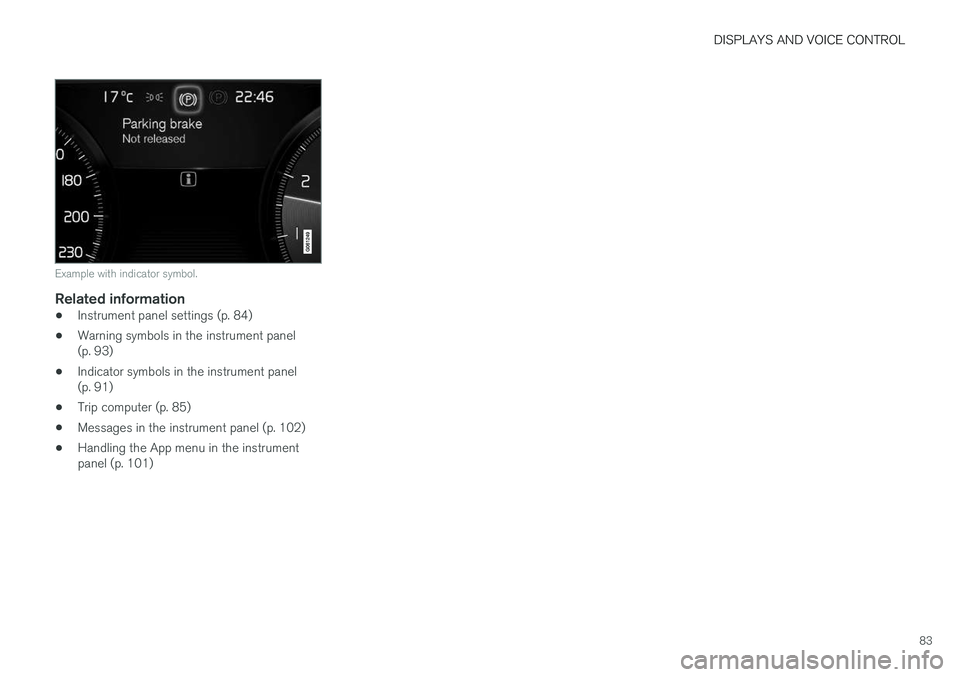
Example with indicator symbol.
Related information
•Instrument panel settings (p. 84)
• Warning symbols in the instrument panel (p. 93)
• Indicator symbols in the instrument panel(p. 91)
• Trip computer (p. 85)
• Messages in the instrument panel (p. 102)
• Handling the App menu in the instrumentpanel (p. 101)
Page 104 of 660
||
DISPLAYS AND VOICE CONTROL
102
Related information
•App menu in instrument panel (p. 100)
• Messages in the instrument panel (p. 102)
Messages in the instrument panel
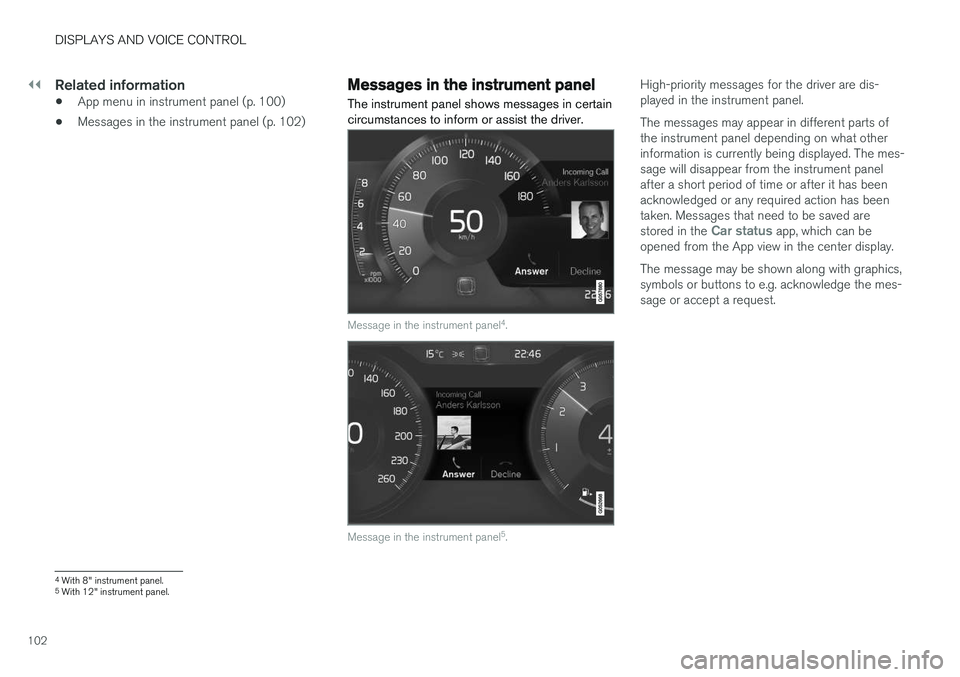
The instrument panel shows messages in certain circumstances to inform or assist the driver.
Message in the instrument panel 4
.
Message in the instrument panel 5
.
High-priority messages for the driver are dis- played in the instrument panel. The messages may appear in different parts of the instrument panel depending on what otherinformation is currently being displayed. The mes-sage will disappear from the instrument panelafter a short period of time or after it has beenacknowledged or any required action has beentaken. Messages that need to be saved are stored in the
Car status app, which can be
opened from the App view in the center display. The message may be shown along with graphics, symbols or buttons to e.g. acknowledge the mes-sage or accept a request.
4 With 8" instrument panel.
5 With 12" instrument panel.
Page 106 of 660
||
DISPLAYS AND VOICE CONTROL
104
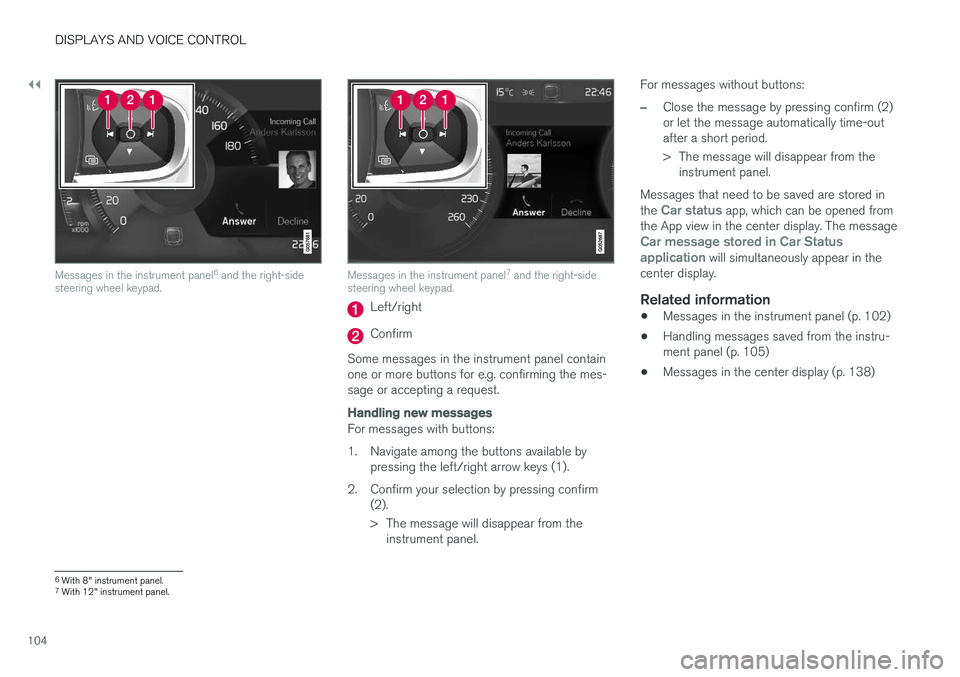
Messages in the instrument panel6
and the right-side
steering wheel keypad.Messages in the instrument panel 7
and the right-side
steering wheel keypad.
Left/right
Confirm
Some messages in the instrument panel contain one or more buttons for e.g. confirming the mes-sage or accepting a request.
Handling new messages
For messages with buttons:
1. Navigate among the buttons available by pressing the left/right arrow keys (1).
2. Confirm your selection by pressing confirm (2).
> The message will disappear from theinstrument panel. For messages without buttons:
–Close the message by pressing confirm (2) or let the message automatically time-outafter a short period.
> The message will disappear from the
instrument panel.
Messages that need to be saved are stored in the
Car status app, which can be opened from
the App view in the center display. The message
Car message stored in Car Status application will simultaneously appear in the
center display.
Related information
• Messages in the instrument panel (p. 102)
• Handling messages saved from the instru- ment panel (p. 105)
• Messages in the center display (p. 138)
6
With 8" instrument panel.
7 With 12" instrument panel.
Page 108 of 660
||
DISPLAYS AND VOICE CONTROL
106
Related information
•Messages in the instrument panel (p. 102)
• Handling messages in the instrument panel (p. 103)
• Messages in the center display (p. 138)
Page 141 of 660
DISPLAYS AND VOICE CONTROL
139
Pop-up messages
Messages are sometimes shown as pop-up win- dows. Pop-up messages have a higher prioritythan messages shown in the status bar andrequire acknowledgment/action before they dis-appear. Messages that need to be saved arestored in Top view in the center display.
Related information
•Handling messages in the center display(p. 139)
• Handling messages saved from the centerdisplay (p. 140)
• Messages in the instrument panel (p. 102)
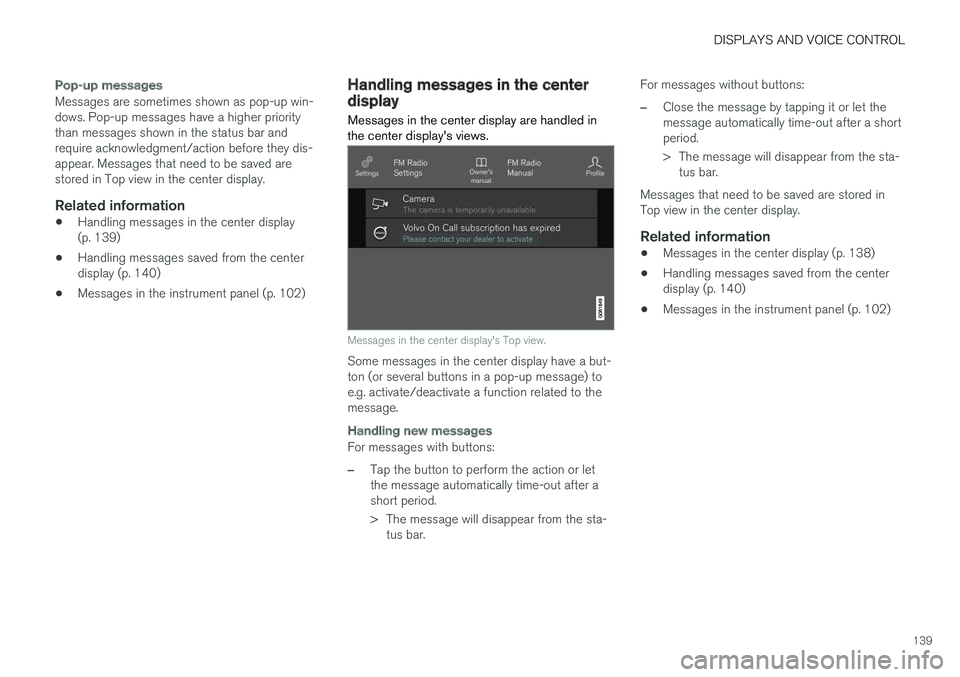
Handling messages in the centerdisplay Messages in the center display are handled in the center display's views.
Messages in the center display's Top view.
Some messages in the center display have a but- ton (or several buttons in a pop-up message) toe.g. activate/deactivate a function related to themessage.
Handling new messages
For messages with buttons:
–Tap the button to perform the action or let the message automatically time-out after ashort period.
> The message will disappear from the sta-
tus bar. For messages without buttons:
–Close the message by tapping it or let the message automatically time-out after a shortperiod.
> The message will disappear from the sta-
tus bar.
Messages that need to be saved are stored in Top view in the center display.
Related information
• Messages in the center display (p. 138)
• Handling messages saved from the centerdisplay (p. 140)
• Messages in the instrument panel (p. 102)
Page 142 of 660
DISPLAYS AND VOICE CONTROL
* Option/accessory.
140
Handling messages saved from thecenter display
Messages saved from the instrument panel and center displays are handled in the center display.
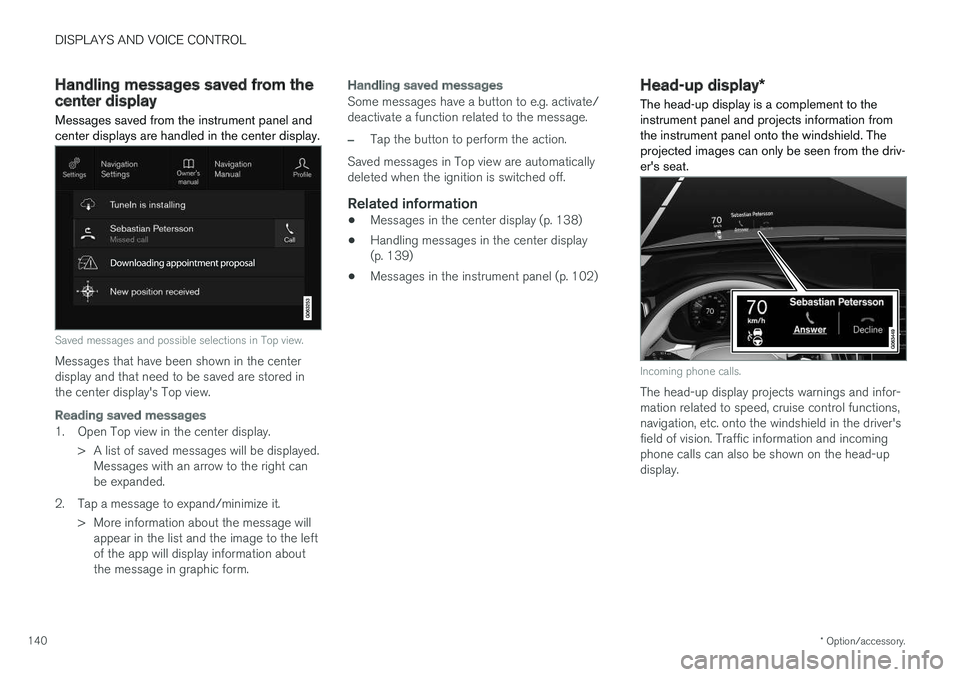
Saved messages and possible selections in Top view.
Messages that have been shown in the center display and that need to be saved are stored inthe center display's Top view.
Reading saved messages
1. Open Top view in the center display.
> A list of saved messages will be displayed.Messages with an arrow to the right can be expanded.
2. Tap a message to expand/minimize it. > More information about the message willappear in the list and the image to the leftof the app will display information aboutthe message in graphic form.
Handling saved messages
Some messages have a button to e.g. activate/ deactivate a function related to the message.
–Tap the button to perform the action.
Saved messages in Top view are automatically deleted when the ignition is switched off.
Related information
• Messages in the center display (p. 138)
• Handling messages in the center display(p. 139)
• Messages in the instrument panel (p. 102)
Head-up display
*
The head-up display is a complement to the instrument panel and projects information fromthe instrument panel onto the windshield. Theprojected images can only be seen from the driv-er's seat.
Incoming phone calls.
The head-up display projects warnings and infor- mation related to speed, cruise control functions,navigation, etc. onto the windshield in the driver'sfield of vision. Traffic information and incomingphone calls can also be shown on the head-updisplay.
Page 356 of 660
DRIVER SUPPORT
* Option/accessory.
354
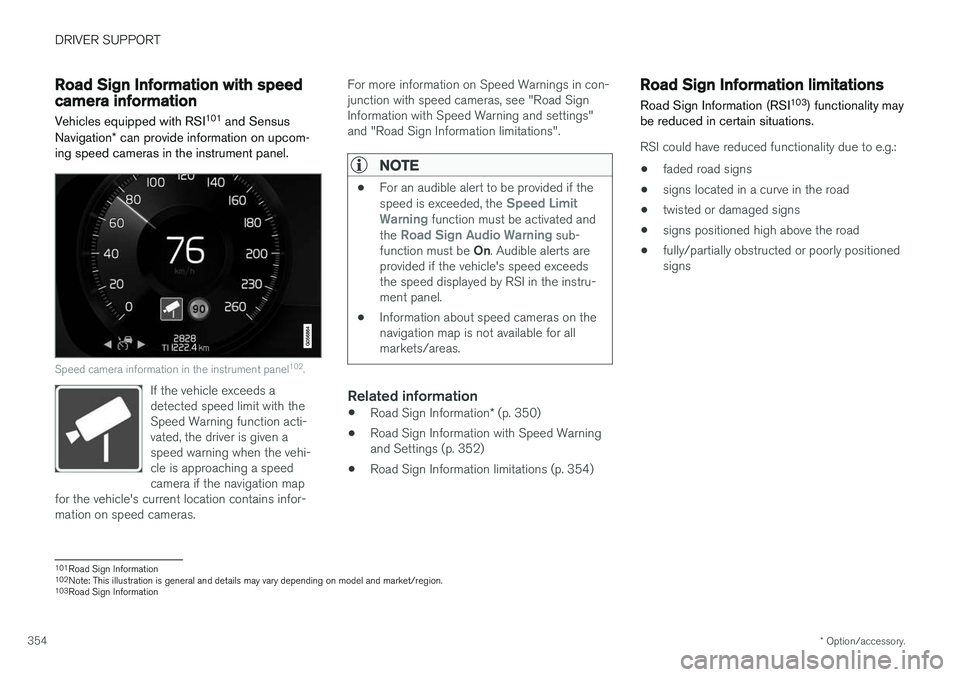
Road Sign Information with speedcamera information
Vehicles equipped with RSI 101
and Sensus
Navigation * can provide information on upcom-
ing speed cameras in the instrument panel.
Speed camera information in the instrument panel 102
.
If the vehicle exceeds a detected speed limit with theSpeed Warning function acti-vated, the driver is given aspeed warning when the vehi-cle is approaching a speedcamera if the navigation map
for the vehicle's current location contains infor-mation on speed cameras.
For more information on Speed Warnings in con- junction with speed cameras, see "Road SignInformation with Speed Warning and settings"and "Road Sign Information limitations".
NOTE
• For an audible alert to be provided if the speed is exceeded, the Speed Limit
Warning function must be activated and
the Road Sign Audio Warning sub-
function must be On. Audible alerts are
provided if the vehicle's speed exceeds the speed displayed by RSI in the instru-ment panel.
• Information about speed cameras on thenavigation map is not available for allmarkets/areas.
Related information
•
Road Sign Information
* (p. 350)
• Road Sign Information with Speed Warning and Settings (p. 352)
• Road Sign Information limitations (p. 354)
Road Sign Information limitations
Road Sign Information (RSI 103
) functionality may
be reduced in certain situations.
RSI could have reduced functionality due to e.g.:
• faded road signs
• signs located in a curve in the road
• twisted or damaged signs
• signs positioned high above the road
• fully/partially obstructed or poorly positioned signs
101
Road Sign Information
102 Note: This illustration is general and details may vary depending on model and market/region.
103 Road Sign Information
Page 650 of 660
INDEX
648
H
Handbrake 405, 406
Hand wash 615Hard diskspace 510
Hazard warning flashers 160
HDC 431
HD radio 466
Head restraint 195
Head-up display 140 activate and deactivate 142
cleaning 610
replacing windshield 582
settings 142
Heated washer nozzles 177 Heating Seats 214, 215
steering wheel 217, 218
windows 221, 222
Height adjustment 426, 429
high beams 154, 155
High engine temperature 440
Hill Descent Control 430, 431, 432 activate with function button 432
Hill Start Assist 410 Hill Start Assist (HSA) 410
Hoisting the vehicle 579 HomeLink ® 450
programming 451
use 452
HomeLink ® remote control
programmable 450
Home safe lighting 160
Honk 196
Hood, opening 581
Horn 196
I
IAQS (Interior Air Quality System) 204
IC (Inflatable Curtain) 60
ID, Volvo 26
Identification number 38
Ignition mode 401, 402
Immobilizer 244 Electronic immobilizer 244
Indicator symbols 91
Individual drive mode 417
Infant seats 67
Inflatable curtain 60
Inflatable Curtain 60
Inflating tires 549 Inflation pressure adjusting 530
Checking 529
recommended 531
Inflation pressure monitoring 531 action 535
Status 534
Inflation pressure table 641
Information display 80, 84
Infotainment (Audio and media) 458
Instrument cluster 80 settings 84
Instrument illumination 162
Instrument lighting 162 Instrument panel App menu 100, 101
messages 102
Instruments and controls 78 Instruments overview left-hand drive vehicle 78
IntelliSafe driver support 28
Interior Air Quality System 204
Intermittent wiping 176
Internet, see Internet-connected vehicle 501
Page 652 of 660
INDEX
650Load anchoring eyelets
cargo compartment 563
Load anchoring hooks 563
Load carriers 562
Load index 526Loading general 561
load anchoring eyelets 563
long load 562
Lock indication 230 setting 231
Locking/unlocking Tailgate 235, 248
Locking wheel bolts 537 Locks Locking 233
unlocking 233
Low battery charge level start battery 441
Low beams 153
Lower the rear end 562
Low oil level 584
Low-speed driving 429 activate with function button 430
M
Maintenance 572corrosion protection 620
Max. axle weight 635
Max. roof load 635
Media player 479, 480, 481 compatible file formats 508, 509
voice control 146
Messages and symbols Adaptive Cruise Control 301
Collision warner with auto-brake 339
Messages in BLIS 345
Messages in display 102, 138 handling 103, 139
saved 105, 140
Mileage 85 Misting condensation in headlights 614, 617
Mood lighting 162
N
Net cargo compartment 568
O
Occupant safety 43
Occupant weight sensor 56
Octane rating 437
Oil, see also Engine oil 638
On-board diagnostics 572
On-board Diagnostic socket 36
Option/accessory 21
Outside temperature gauge 90
Overheating 440, 443
Owner's information 16
OWNER'S MANUAL 21environmental labeling 23
in cellular phone 20
in the center display 17, 18
P
Paddle at steering wheel 196 Paint
color code 622
paint damage and touch-up 621, 622
Panoramic roof opening and closing 173
pinch protection 166