key VOLVO XC60 T8 2018 Owner´s Manual
[x] Cancel search | Manufacturer: VOLVO, Model Year: 2018, Model line: XC60 T8, Model: VOLVO XC60 T8 2018Pages: 674, PDF Size: 11.93 MB
Page 577 of 674
LOADING, STORAGE AND PASSENGER COMPARTMENT
}}
* Option/accessory.575
WARNING
•Only use accessories that are not dam- aged or malfunctioning. The accessoriesmust be designed for 120 V and 60 Hz,with plugs intended for the outlet. Theaccessories must be CE marked, ULmarked or have an equivalent safetymarking.
• New let outlets, plugs or accessoriescome into contact with water or anotherfluid. Do not touch or use the outlet if itappears damaged or has been in contactwith water or another fluid.
• Do not connect power strips, adapters orextension cords to the outlet has thiscould cause the outlet's safety functionsto malfunction.
• The outlet is equipped with a pet guard.Make sure that no one picks at or dam-ages the outlet in such a way that theguard is disabled. Children should not beleft unsupervised in the vehicle when theoutlet is active.
Failure to follow the above could lead to severe or fatal electrical shocks.
Related information
• Electrical outlets (p. 572)
• Passenger compartment interior (p. 570)
Using the glove compartment
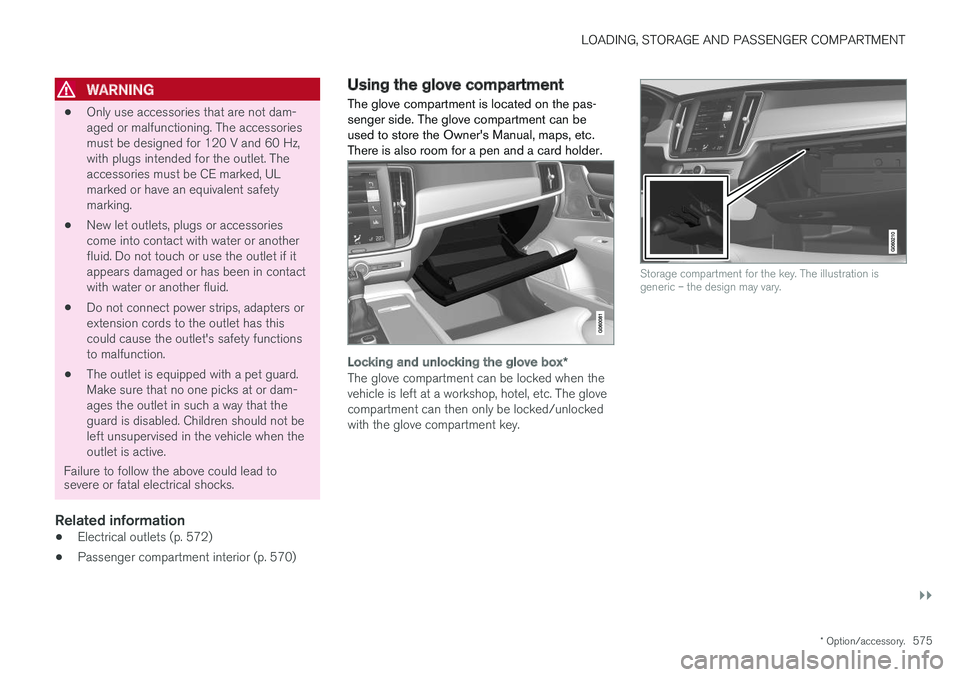
The glove compartment is located on the pas- senger side. The glove compartment can beused to store the Owner's Manual, maps, etc.There is also room for a pen and a card holder.
Locking and unlocking the glove box *
The glove compartment can be locked when the vehicle is left at a workshop, hotel, etc. The glovecompartment can then only be locked/unlockedwith the glove compartment key.
Storage compartment for the key. The illustration is generic – the design may vary.
Page 578 of 674
||
LOADING, STORAGE AND PASSENGER COMPARTMENT
* Option/accessory.
576
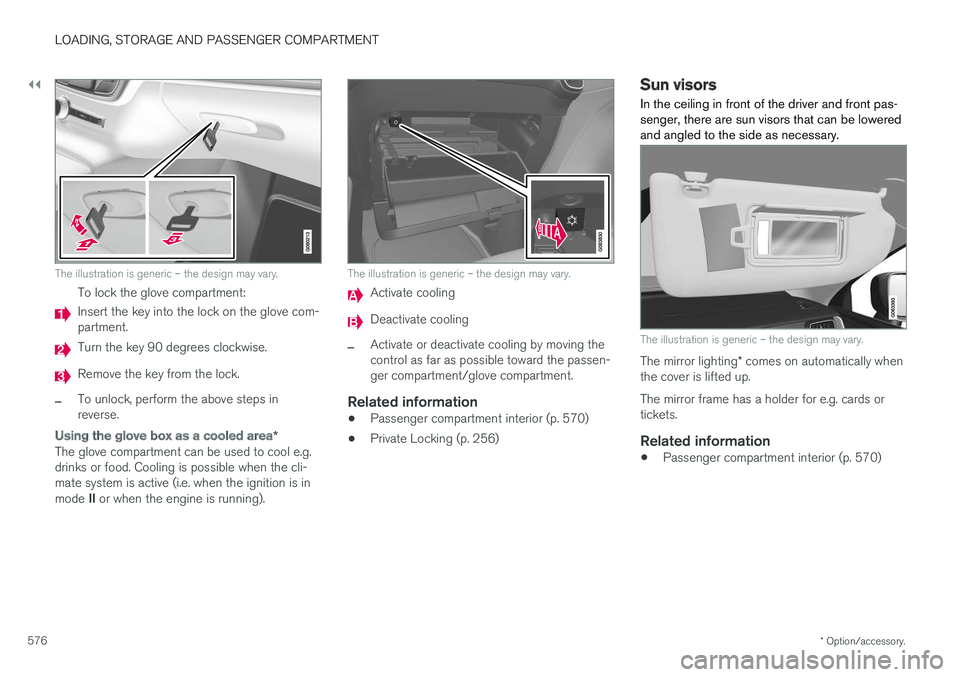
The illustration is generic – the design may vary.
To lock the glove compartment:
Insert the key into the lock on the glove com- partment.
Turn the key 90 degrees clockwise.
Remove the key from the lock.
–To unlock, perform the above steps in reverse.
Using the glove box as a cooled area *
The glove compartment can be used to cool e.g. drinks or food. Cooling is possible when the cli-mate system is active (i.e. when the ignition is in mode II or when the engine is running).
The illustration is generic – the design may vary.
Activate cooling
Deactivate cooling
–Activate or deactivate cooling by moving the control as far as possible toward the passen-ger compartment/glove compartment.
Related information
• Passenger compartment interior (p. 570)
• Private Locking (p. 256)
Sun visors In the ceiling in front of the driver and front pas- senger, there are sun visors that can be loweredand angled to the side as necessary.
The illustration is generic – the design may vary.
The mirror lighting
* comes on automatically when
the cover is lifted up. The mirror frame has a holder for e.g. cards or tickets.
Related information
• Passenger compartment interior (p. 570)
Page 592 of 674
||
MAINTENANCE AND SERVICE
590
Monthly:
•Check cold tire pressure in all tires. Inspect the tires for wear.
• Check that engine coolant and other fluidlevels are between the indicated "min" and"max" markings.
• Clean interior glass surfaces with a glasscleaner and soft paper towels.
• Wipe driver information displays with a softcloth.
• Visually inspect battery terminals for corro-sion. Corrosion may indicate a loose terminalconnector, or a battery near the end of itsuseful service life. Consult your Volvo retailerfor additional information.
As needed:
Wash the car, including the undercarriage, to reduce wear that can be caused by a buildup ofdirt, and corrosion that can be caused by salt res-idues. Clean leaves and twigs from air intake vents at the base of the windshield, and from other placeswhere they may collect.
NOTE
Complete service information for qualified technicians is available online for purchase orsubscription at www.volvotechinfo.com.
Related information
•Vehicle status (p. 592)
• Scheduling service and repairs (p. 593)
• Connecting equipment to the vehicle's data link connector (p. 36)
• Technician certification (p. 37)
• Climate control system service (p. 598)
• Maintenance of the brake system (p. 422)
• Engine compartment overview (p. 599)
Data transfer between vehicle andworkshop over Wi-Fi
Volvo workshops have a designated Wi-Fi net- work for secure data transfer between your vehi-cle and the workshop. Your visit to the workshopwill be easier and more effective when diagnos-tics information and software can be transferredover the workshop's network.
When you arrive at the workshop, your technician can connect your vehicle to the workshop's Wi-Finetwork to perform troubleshooting and down-load software. For this type of communication,the vehicle only connects to the workshop's net-work. The vehicle can only be connected to thedesignated workshop networks, not to any othernetwork, e.g. your home network.
Manual connection to workshop Wi-FiManual connection is usually performed by aservice technician. Because the technician usesthe buttons on your remote key to connect thevehicle, it is important that you bring a key withbuttons when taking the vehicle in to a workshop.Pressing the lock button on the remote key threetimes will connect the vehicle to the workshop'sWi-Fi network. When the car is connected to a Wi-Fi network, the
symbol appears in the center display.
Page 619 of 674
MAINTENANCE AND SERVICE
}}
* Option/accessory.617
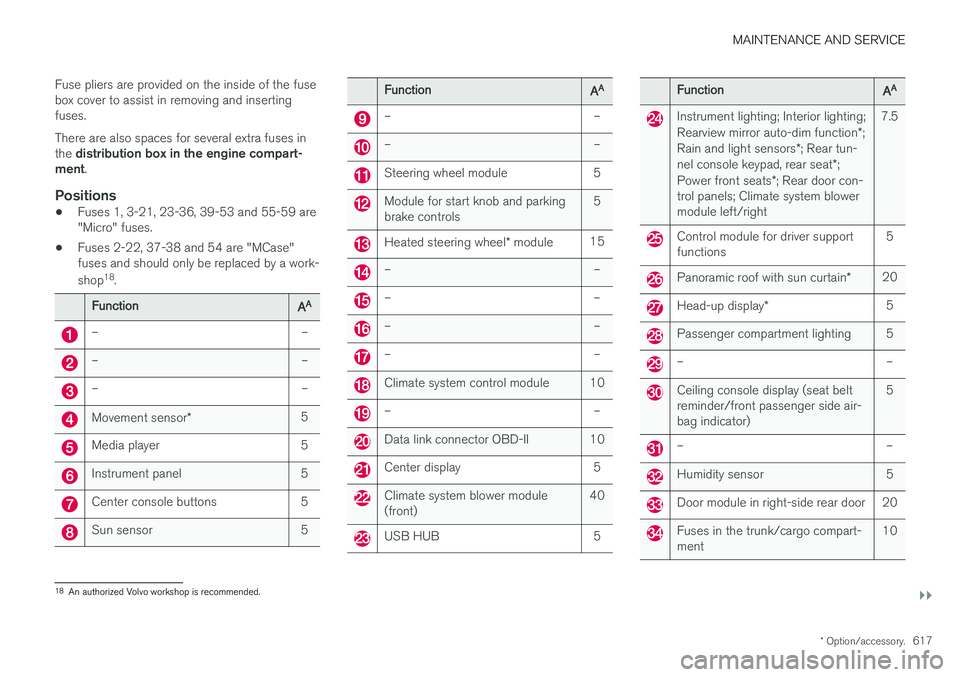
Fuse pliers are provided on the inside of the fuse box cover to assist in removing and insertingfuses. There are also spaces for several extra fuses in the
distribution box in the engine compart-
ment .
Positions
•Fuses 1, 3-21, 23-36, 39-53 and 55-59 are "Micro" fuses.
• Fuses 2-22, 37-38 and 54 are "MCase"fuses and should only be replaced by a work- shop 18
.
FunctionAA
– –
– –
– –
Movement sensor * 5
Media player 5
Instrument panel 5
Center console buttons 5
Sun sensor 5
FunctionAA
– –
– –
Steering wheel module 5
Module for start knob and parking brake controls 5
Heated steering wheel
* module 15
– –
– –
– –
– –
Climate system control module 10
– –
Data link connector OBD-II 10
Center display 5
Climate system blower module (front) 40
USB HUB 5
FunctionAA
Instrument lighting; Interior lighting; Rearview mirror auto-dim function
*;
Rain and light sensors *; Rear tun-
nel console keypad, rear seat *;
Power front seats *; Rear door con-
trol panels; Climate system blower module left/right 7.5
Control module for driver support functions
5
Panoramic roof with sun curtain
*20
Head-up display
* 5
Passenger compartment lighting 5
– –
Ceiling console display (seat belt reminder/front passenger side air-bag indicator) 5
– –
Humidity sensor 5
Door module in right-side rear door 20
Fuses in the trunk/cargo compart- ment
10
18
An authorized Volvo workshop is recommended.
Page 660 of 674
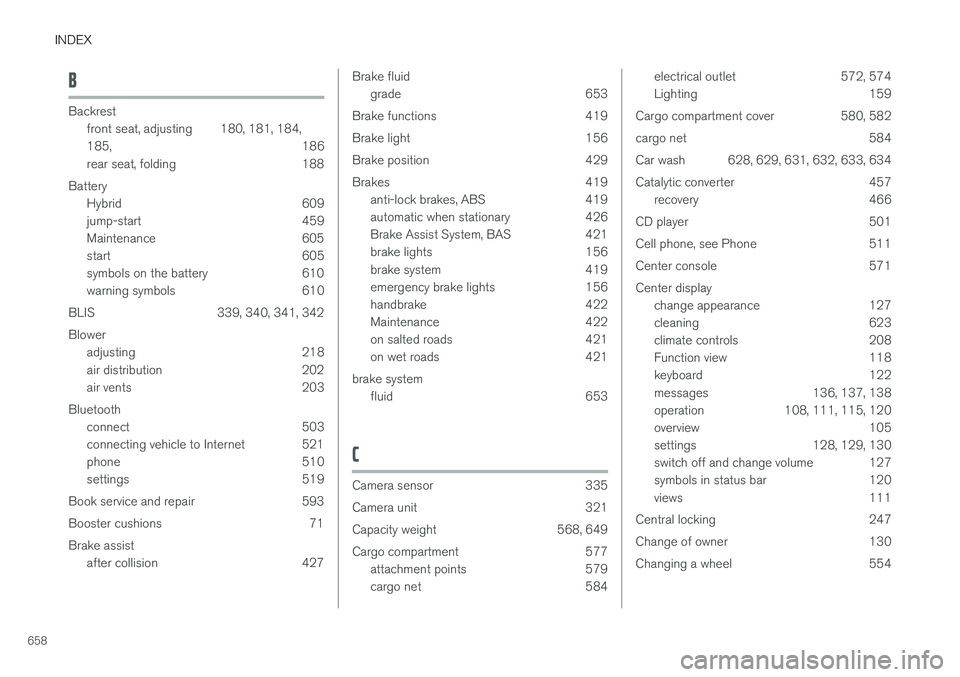
INDEX
658
B
Backrestfront seat, adjusting 180, 181, 184, 185 , 186
rear seat, folding 188
Battery Hybrid 609
jump-start 459
Maintenance 605
start 605
symbols on the battery 610
warning symbols 610
BLIS 339, 340, 341, 342 Blower adjusting 218
air distribution 202
air vents 203
Bluetooth connect 503
connecting vehicle to Internet 521
phone 510
settings 519
Book service and repair 593
Booster cushions 71Brake assist after collision 427
Brake fluidgrade 653
Brake functions 419
Brake light 156
Brake position 429
Brakes 419 anti-lock brakes, ABS 419
automatic when stationary 426
Brake Assist System, BAS 421
brake lights 156
brake system 419
emergency brake lights 156
handbrake 422
Maintenance 422
on salted roads 421
on wet roads 421
brake system fluid 653
C
Camera sensor 335
Camera unit 321
Capacity weight 568, 649
Cargo compartment 577 attachment points 579
cargo net 584
electrical outlet 572, 574
Lighting 159
Cargo compartment cover 580, 582
cargo net 584
Car wash 628, 629, 631, 632, 633, 634
Catalytic converter 457 recovery 466
CD player 501
Cell phone, see Phone 511
Center console 571Center display change appearance 127
cleaning 623
climate controls 208
Function view 118
keyboard 122
messages 136, 137, 138
operation 108, 111, 115, 120
overview 105
settings 128, 129, 130
switch off and change volume 127
symbols in status bar 120
views 111
Central locking 247
Change of owner 130
Changing a wheel 554
Page 665 of 674
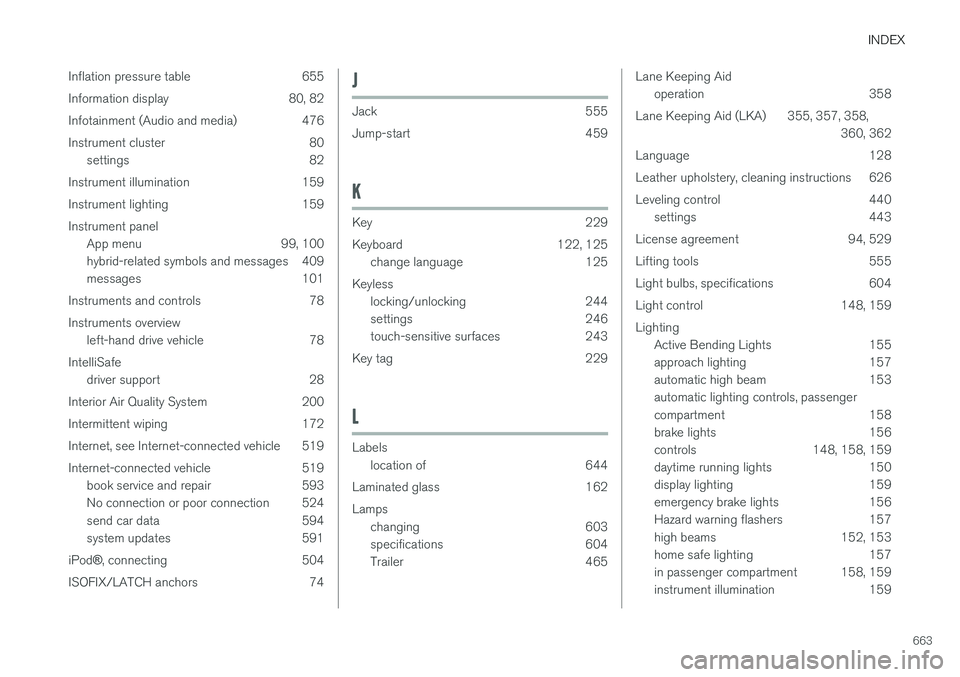
INDEX
663
Inflation pressure table 655
Information display 80, 82
Infotainment (Audio and media) 476
Instrument cluster 80
settings 82
Instrument illumination 159
Instrument lighting 159Instrument panel App menu 99, 100
hybrid-related symbols and messages 409
messages 101
Instruments and controls 78 Instruments overview left-hand drive vehicle 78
IntelliSafe driver support 28
Interior Air Quality System 200
Intermittent wiping 172
Internet, see Internet-connected vehicle 519
Internet-connected vehicle 519 book service and repair 593
No connection or poor connection 524
send car data 594
system updates 591
iPod ®, connecting 504
ISOFIX/LATCH anchors 74
J
Jack 555
Jump-start 459
K
Key 229
Keyboard 122, 125 change language 125
Keyless locking/unlocking 244
settings 246
touch-sensitive surfaces 243
Key tag 229
L
Labels location of 644
Laminated glass 162 Lamps changing 603
specifications 604
Trailer 465
Lane Keeping Aidoperation 358
Lane Keeping Aid (LKA) 355, 357, 358, 360, 362
Language 128
Leather upholstery, cleaning instructions 626
Leveling control 440 settings 443
License agreement 94, 529
Lifting tools 555
Light bulbs, specifications 604
Light control 148, 159 Lighting Active Bending Lights 155
approach lighting 157
automatic high beam 153automatic lighting controls, passenger
compartment 158
brake lights 156
controls 148, 158, 159
daytime running lights 150
display lighting 159
emergency brake lights 156
Hazard warning flashers 157
high beams 152, 153
home safe lighting 157
in passenger compartment 158, 159
instrument illumination 159
Page 668 of 674
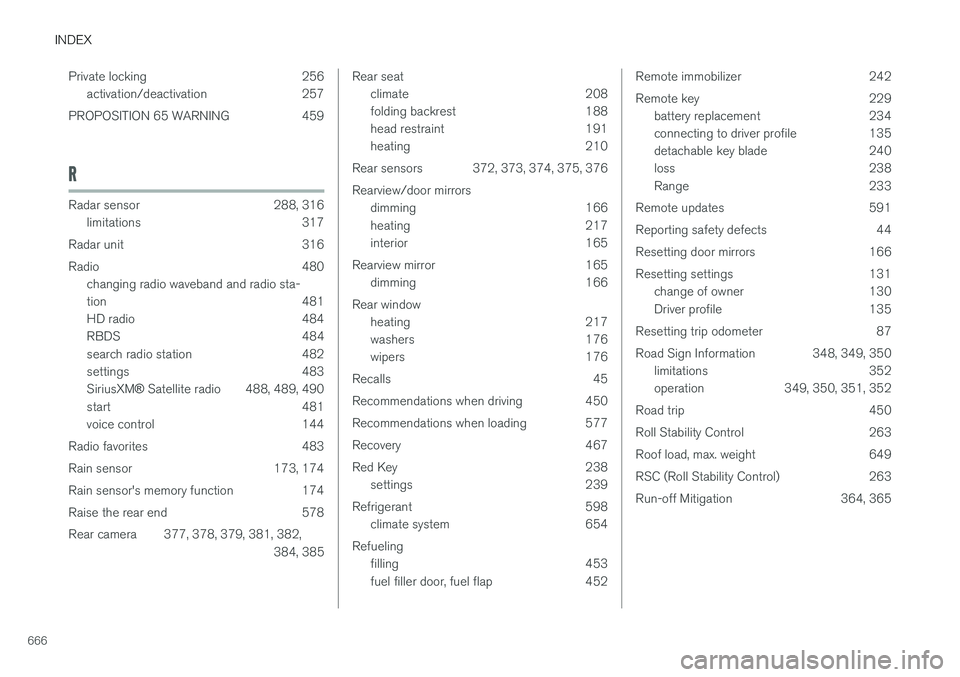
INDEX
666Private locking 256
activation/deactivation 257
PROPOSITION 65 WARNING 459
R
Radar sensor 288, 316 limitations 317
Radar unit 316
Radio 480 changing radio waveband and radio sta-
tion 481
HD radio 484
RBDS 484
search radio station 482
settings 483 SiriusXM ® Satellite radio 488, 489, 490
start 481
voice control 144
Radio favorites 483
Rain sensor 173, 174
Rain sensor's memory function 174
Raise the rear end 578
Rear camera 377, 378, 379, 381, 382, 384, 385
Rear seatclimate 208
folding backrest 188
head restraint 191
heating 210
Rear sensors 372, 373, 374, 375, 376 Rearview/door mirrors dimming 166
heating 217
interior 165
Rearview mirror 165 dimming 166
Rear window heating 217
washers 176
wipers 176
Recalls 45
Recommendations when driving 450
Recommendations when loading 577
Recovery 467
Red Key 238 settings 239
Refrigerant 598 climate system 654
Refueling filling 453
fuel filler door, fuel flap 452Remote immobilizer 242
Remote key 229battery replacement 234
connecting to driver profile 135
detachable key blade 240
loss 238
Range 233
Remote updates 591
Reporting safety defects 44
Resetting door mirrors 166
Resetting settings 131 change of owner 130
Driver profile 135
Resetting trip odometer 87
Road Sign Information 348, 349, 350 limitations 352
operation 349, 350, 351, 352
Road trip 450
Roll Stability Control 263
Roof load, max. weight 649
RSC (Roll Stability Control) 263
Run-off Mitigation 364, 365
Page 670 of 674
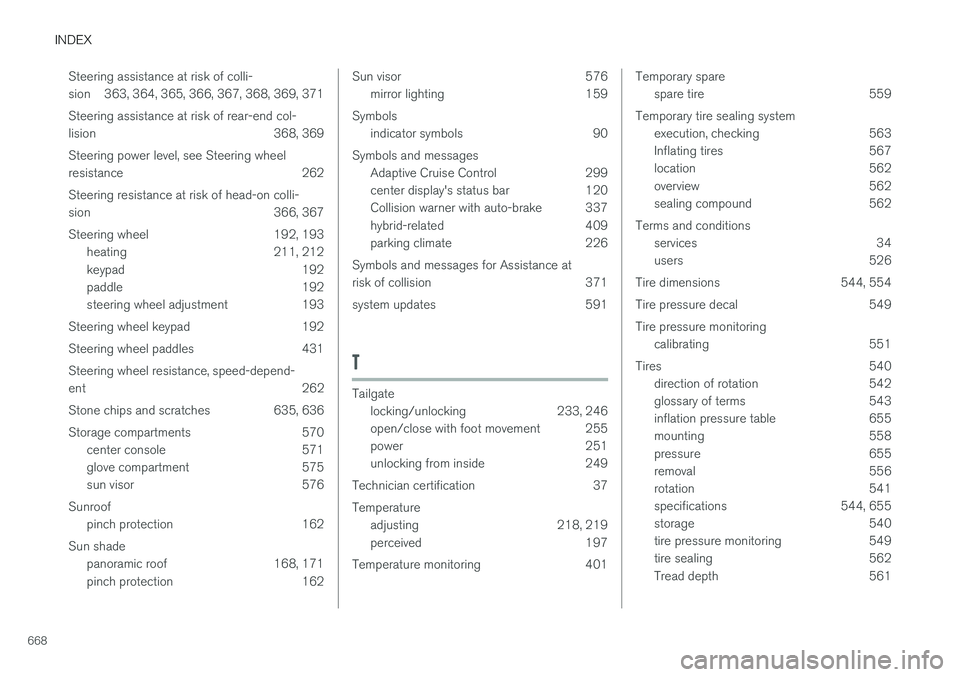
INDEX
668Steering assistance at risk of colli-
sion 363, 364, 365, 366, 367, 368, 369, 371 Steering assistance at risk of rear-end col-
lision 368, 369 Steering power level, see Steering wheel
resistance 262 Steering resistance at risk of head-on colli-
sion 366, 367
Steering wheel 192, 193
heating 211, 212
keypad 192
paddle 192
steering wheel adjustment 193
Steering wheel keypad 192
Steering wheel paddles 431 Steering wheel resistance, speed-depend- ent 262
Stone chips and scratches 635, 636
Storage compartments 570 center console 571
glove compartment 575
sun visor 576
Sunroof pinch protection 162
Sun shade panoramic roof 168, 171
pinch protection 162
Sun visor 576mirror lighting 159
Symbols indicator symbols 90
Symbols and messages Adaptive Cruise Control 299
center display's status bar 120
Collision warner with auto-brake 337
hybrid-related 409
parking climate 226
Symbols and messages for Assistance at
risk of collision 371
system updates 591
T
Tailgate locking/unlocking 233, 246
open/close with foot movement 255
power 251
unlocking from inside 249
Technician certification 37 Temperature adjusting 218, 219
perceived 197
Temperature monitoring 401
Temporary spare spare tire 559
Temporary tire sealing system execution, checking 563
Inflating tires 567
location 562
overview 562
sealing compound 562
Terms and conditions services 34
users 526
Tire dimensions 544, 554
Tire pressure decal 549 Tire pressure monitoring calibrating 551
Tires 540 direction of rotation 542
glossary of terms 543
inflation pressure table 655
mounting 558
pressure 655
removal 556
rotation 541
specifications 544, 655
storage 540
tire pressure monitoring 549
tire sealing 562
Tread depth 561
Page 671 of 674
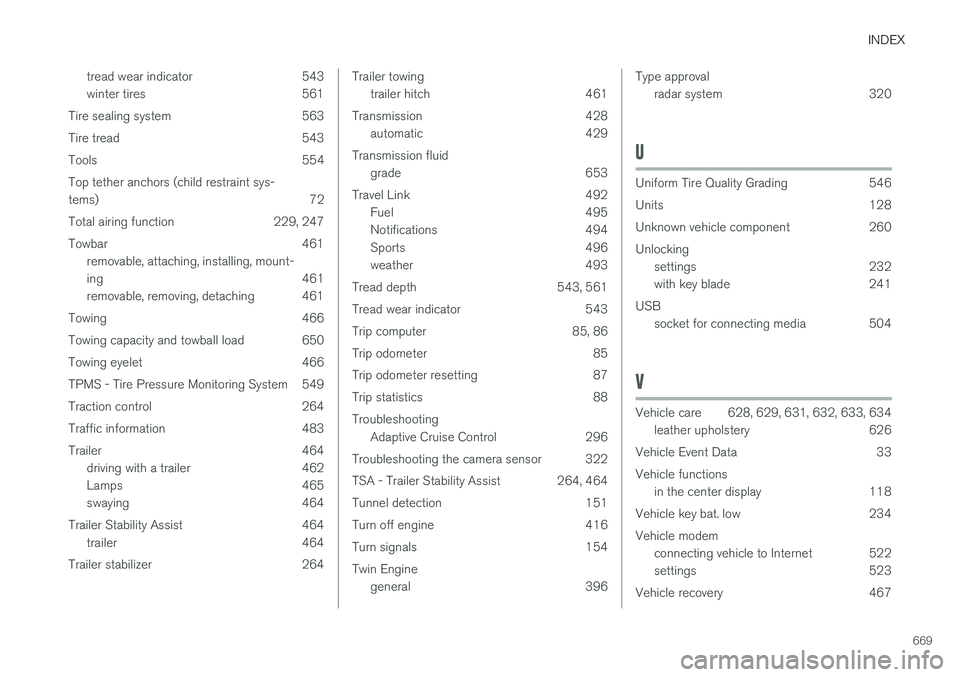
INDEX
669
tread wear indicator 543
winter tires 561
Tire sealing system 563
Tire tread 543
Tools 554Top tether anchors (child restraint sys- tems) 72
Total airing function 229, 247
Towbar 461 removable, attaching, installing, mount-
ing 461
removable, removing, detaching 461
Towing 466
Towing capacity and towball load 650
Towing eyelet 466
TPMS - Tire Pressure Monitoring System 549
Traction control 264
Traffic information 483
Trailer 464 driving with a trailer 462
Lamps 465
swaying 464
Trailer Stability Assist 464 trailer 464
Trailer stabilizer 264
Trailer towing trailer hitch 461
Transmission 428 automatic 429
Transmission fluid grade 653
Travel Link 492 Fuel 495
Notifications 494
Sports 496
weather 493
Tread depth 543, 561
Tread wear indicator 543
Trip computer 85, 86
Trip odometer 85
Trip odometer resetting 87
Trip statistics 88 Troubleshooting Adaptive Cruise Control 296
Troubleshooting the camera sensor 322
TSA - Trailer Stability Assist 264, 464
Tunnel detection 151
Turn off engine 416
Turn signals 154Twin Engine general 396Type approvalradar system 320
U
Uniform Tire Quality Grading 546
Units 128
Unknown vehicle component 260Unlockingsettings 232
with key blade 241
USB socket for connecting media 504
V
Vehicle care 628, 629, 631, 632, 633, 634
leather upholstery 626
Vehicle Event Data 33 Vehicle functions in the center display 118
Vehicle key bat. low 234 Vehicle modem connecting vehicle to Internet 522
settings 523
Vehicle recovery 467