key VOLVO XC60 T8 2018 Owner´s Manual
[x] Cancel search | Manufacturer: VOLVO, Model Year: 2018, Model line: XC60 T8, Model: VOLVO XC60 T8 2018Pages: 674, PDF Size: 11.93 MB
Page 299 of 674
DRIVER SUPPORT
}}
* Option/accessory.297
Related information
•Adaptive Cruise Control
* (p. 285)
Switching between Cruise Controland Adaptive Cruise Control
In vehicles equipped with Adaptive Cruise Con- trol (ACC 56
), the driver can switch between
Cruise Control (CC 57
) and ACC.
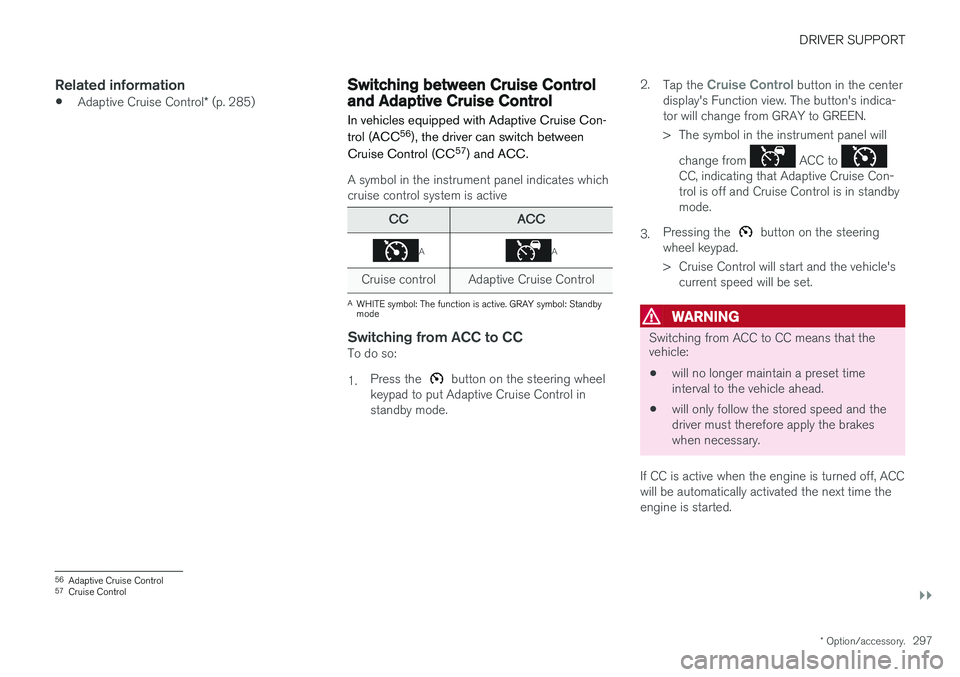
A symbol in the instrument panel indicates which cruise control system is active
CCACC
AA
Cruise control Adaptive Cruise Control
A WHITE symbol: The function is active. GRAY symbol: Standby mode
Switching from ACC to CCTo do so: 1. Press the
button on the steering wheel
keypad to put Adaptive Cruise Control in standby mode. 2.
Tap the
Cruise Control button in the center
display's Function view. The button's indica- tor will change from GRAY to GREEN.
> The symbol in the instrument panel will
change from
ACC to CC, indicating that Adaptive Cruise Con- trol is off and Cruise Control is in standbymode.
3. Pressing the
button on the steering
wheel keypad.
> Cruise Control will start and the vehicle's current speed will be set.
WARNING
Switching from ACC to CC means that the vehicle:
• will no longer maintain a preset time interval to the vehicle ahead.
• will only follow the stored speed and thedriver must therefore apply the brakeswhen necessary.
If CC is active when the engine is turned off, ACC
will be automatically activated the next time theengine is started.
56 Adaptive Cruise Control
57 Cruise Control
Page 300 of 674
||
DRIVER SUPPORT
* Option/accessory.
298
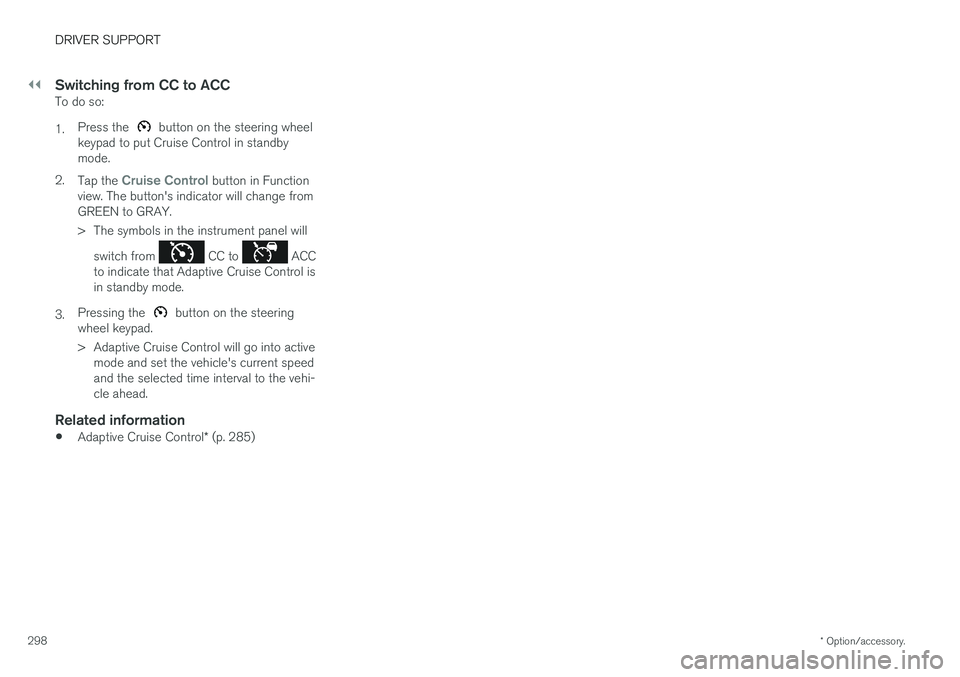
Switching from CC to ACCTo do so: 1. Press the
button on the steering wheel
keypad to put Cruise Control in standby mode.
2. Tap the
Cruise Control button in Function
view. The button's indicator will change from GREEN to GRAY.
> The symbols in the instrument panel will
switch from
CC to ACC
to indicate that Adaptive Cruise Control is in standby mode.
3. Pressing the
button on the steering
wheel keypad.
> Adaptive Cruise Control will go into active mode and set the vehicle's current speed and the selected time interval to the vehi-cle ahead.
Related information
• Adaptive Cruise Control
* (p. 285)
Page 302 of 674

||
DRIVER SUPPORT
* Option/accessory.
300
SymbolMessageMeaning
The symbol is WHITE. The vehicle is maintaining the set speed.
Adaptive cruise Unavailable
The symbol is GRAY. Adaptive Cruise Control is in standby mode.
Adaptive cruise Service required
The symbol is GRAY.
The system is not functioning as intended. Contact a workshop
‒ an authorized Volvo workshop is
recommended.
Windscreen sensor Sensor blocked, see Owner's manualClean the windshield in front of the camera and radar sensors.
A text message can be erased by briefly pressing the
button in the center of the right-side
steering wheel keypad. If the message persists: Contact a workshop ‒ an
authorized Volvo workshop is recommended.
Related information
• Adaptive Cruise Control
* (p. 285)
Page 314 of 674
DRIVER SUPPORT
312
Switching target vehicles with PilotAssist
At certain speeds, models with automatic trans-
missions and Pilot Assist can switch target vehi-cles.
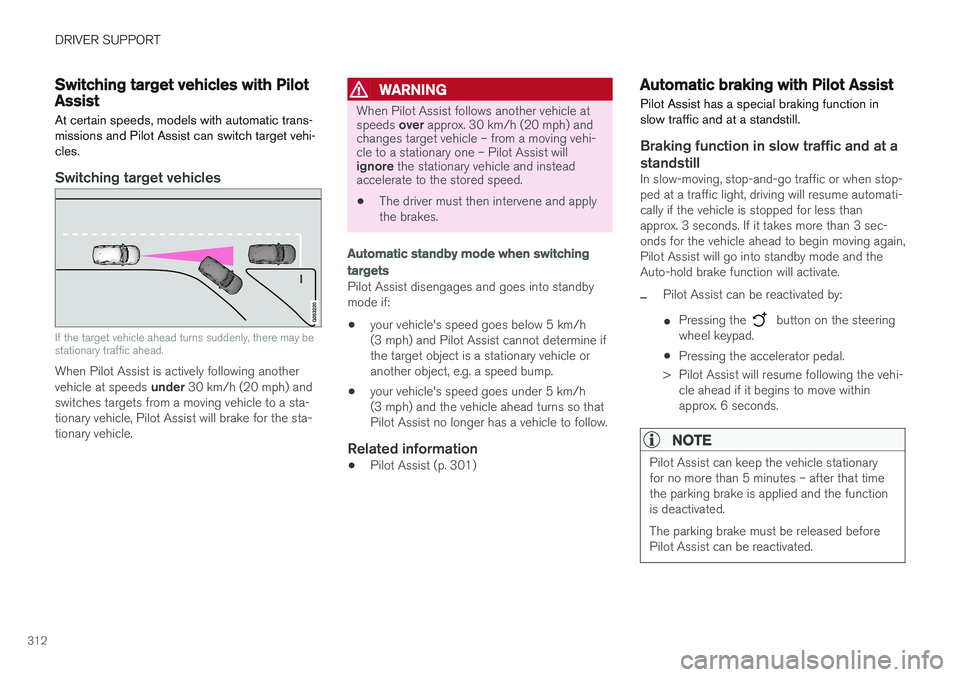
Switching target vehicles
If the target vehicle ahead turns suddenly, there may be stationary traffic ahead.
When Pilot Assist is actively following another vehicle at speeds under 30 km/h (20 mph) and
switches targets from a moving vehicle to a sta-
tionary vehicle, Pilot Assist will brake for the sta-tionary vehicle.
WARNING
When Pilot Assist follows another vehicle at speeds over approx. 30 km/h (20 mph) and
changes target vehicle – from a moving vehi- cle to a stationary one – Pilot Assist will ignore the stationary vehicle and instead
accelerate to the stored speed.
• The driver must then intervene and apply the brakes.
Automatic standby mode when switching
targets
Pilot Assist disengages and goes into standby mode if:
• your vehicle's speed goes below 5 km/h(3 mph) and Pilot Assist cannot determine ifthe target object is a stationary vehicle oranother object, e.g. a speed bump.
• your vehicle's speed goes under 5 km/h(3 mph) and the vehicle ahead turns so thatPilot Assist no longer has a vehicle to follow.
Related information
•Pilot Assist (p. 301)
Automatic braking with Pilot Assist
Pilot Assist has a special braking function in slow traffic and at a standstill.
Braking function in slow traffic and at a standstill
In slow-moving, stop-and-go traffic or when stop- ped at a traffic light, driving will resume automati-cally if the vehicle is stopped for less thanapprox. 3 seconds. If it takes more than 3 sec-onds for the vehicle ahead to begin moving again,Pilot Assist will go into standby mode and theAuto-hold brake function will activate.
–Pilot Assist can be reactivated by:
• Pressing the
button on the steering
wheel keypad.
• Pressing the accelerator pedal.
> Pilot Assist will resume following the vehi- cle ahead if it begins to move within approx. 6 seconds.
NOTE
Pilot Assist can keep the vehicle stationary for no more than 5 minutes – after that timethe parking brake is applied and the functionis deactivated. The parking brake must be released before Pilot Assist can be reactivated.
Page 339 of 674
DRIVER SUPPORT
337
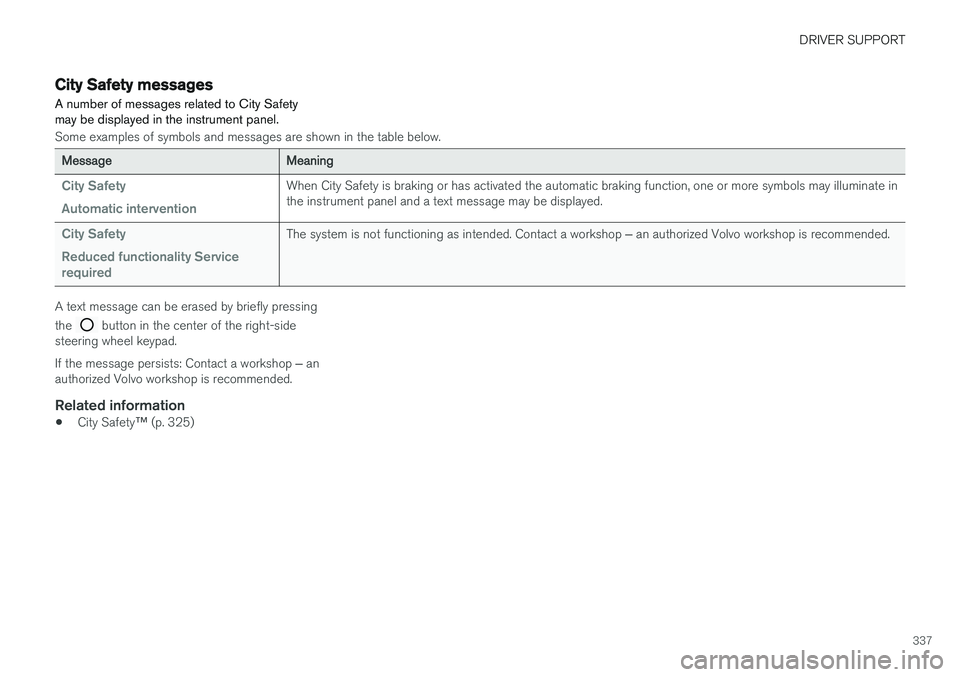
City Safety messages A number of messages related to City Safety may be displayed in the instrument panel.
Some examples of symbols and messages are shown in the table below.
MessageMeaning
City Safety Automatic interventionWhen City Safety is braking or has activated the automatic braking function, one or more symbols may illuminate in the instrument panel and a text message may be displayed.
City Safety Reduced functionality Service requiredThe system is not functioning as intended. Contact a workshop ‒ an authorized Volvo workshop is recommended.
A text message can be erased by briefly pressing the
button in the center of the right-side
steering wheel keypad. If the message persists: Contact a workshop ‒ an
authorized Volvo workshop is recommended.
Related information
• City Safety
™ (p. 325)
Page 345 of 674
DRIVER SUPPORT
* Option/accessory.343
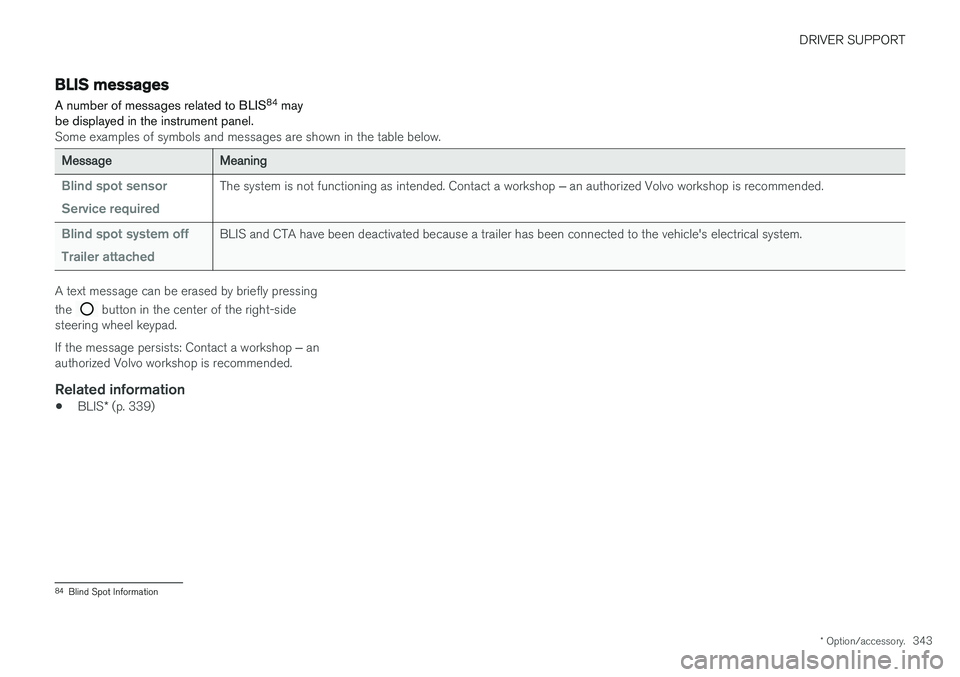
BLIS messages
A number of messages related to BLIS 84
may
be displayed in the instrument panel.
Some examples of symbols and messages are shown in the table below.
MessageMeaning
Blind spot sensor Service requiredThe system is not functioning as intended. Contact a workshop ‒ an authorized Volvo workshop is recommended.
Blind spot system off Trailer attachedBLIS and CTA have been deactivated because a trailer has been connected to the vehicle's electrical system.
A text message can be erased by briefly pressing the
button in the center of the right-side
steering wheel keypad. If the message persists: Contact a workshop ‒ an
authorized Volvo workshop is recommended.
Related information
• BLIS
* (p. 339)
84
Blind Spot Information
Page 349 of 674
DRIVER SUPPORT
* Option/accessory.347
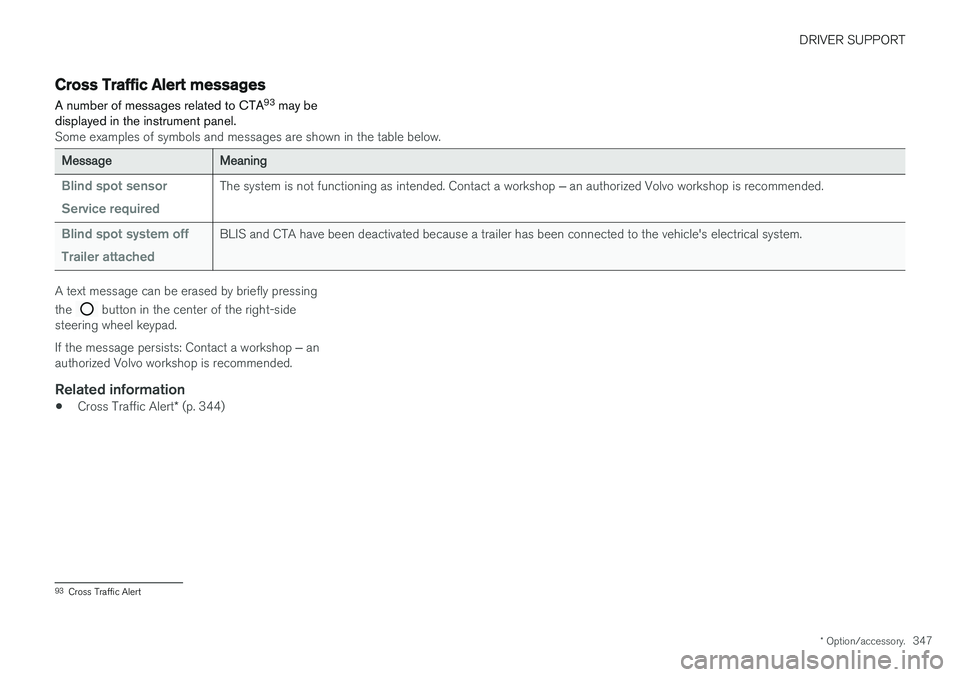
Cross Traffic Alert messages
A number of messages related to CTA 93
may be
displayed in the instrument panel.
Some examples of symbols and messages are shown in the table below.
MessageMeaning
Blind spot sensor Service requiredThe system is not functioning as intended. Contact a workshop ‒ an authorized Volvo workshop is recommended.
Blind spot system off Trailer attachedBLIS and CTA have been deactivated because a trailer has been connected to the vehicle's electrical system.
A text message can be erased by briefly pressing the
button in the center of the right-side
steering wheel keypad. If the message persists: Contact a workshop ‒ an
authorized Volvo workshop is recommended.
Related information
• Cross Traffic Alert
* (p. 344)
93
Cross Traffic Alert
Page 363 of 674
DRIVER SUPPORT
361
A text message can be erased by briefly pressing the
button in the center of the right-side
steering wheel keypad. If the message persists: Contact a workshop ‒ an
authorized Volvo workshop is recommended.
Related information
• Lane Keeping Aid (p. 355)
Page 373 of 674
DRIVER SUPPORT
371
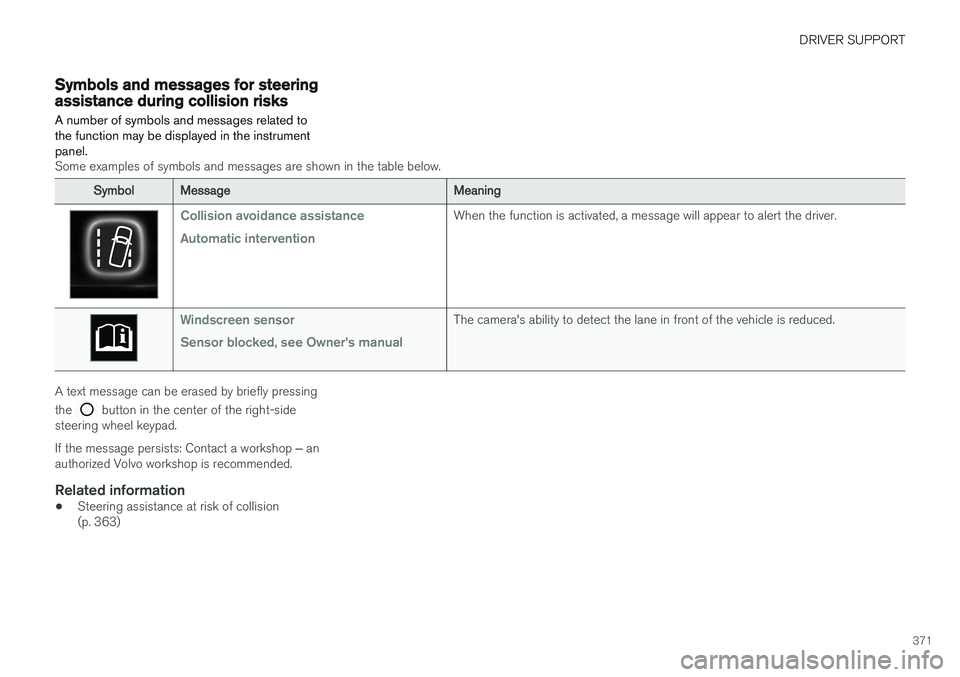
Symbols and messages for steeringassistance during collision risks A number of symbols and messages related to the function may be displayed in the instrumentpanel.
Some examples of symbols and messages are shown in the table below.
SymbolMessageMeaning
Collision avoidance assistance Automatic interventionWhen the function is activated, a message will appear to alert the driver.
Windscreen sensor Sensor blocked, see Owner's manualThe camera's ability to detect the lane in front of the vehicle is reduced.
A text message can be erased by briefly pressing the
button in the center of the right-side
steering wheel keypad. If the message persists: Contact a workshop ‒ an
authorized Volvo workshop is recommended.
Related information
• Steering assistance at risk of collision (p. 363)
Page 378 of 674
DRIVER SUPPORT
* Option/accessory.
376
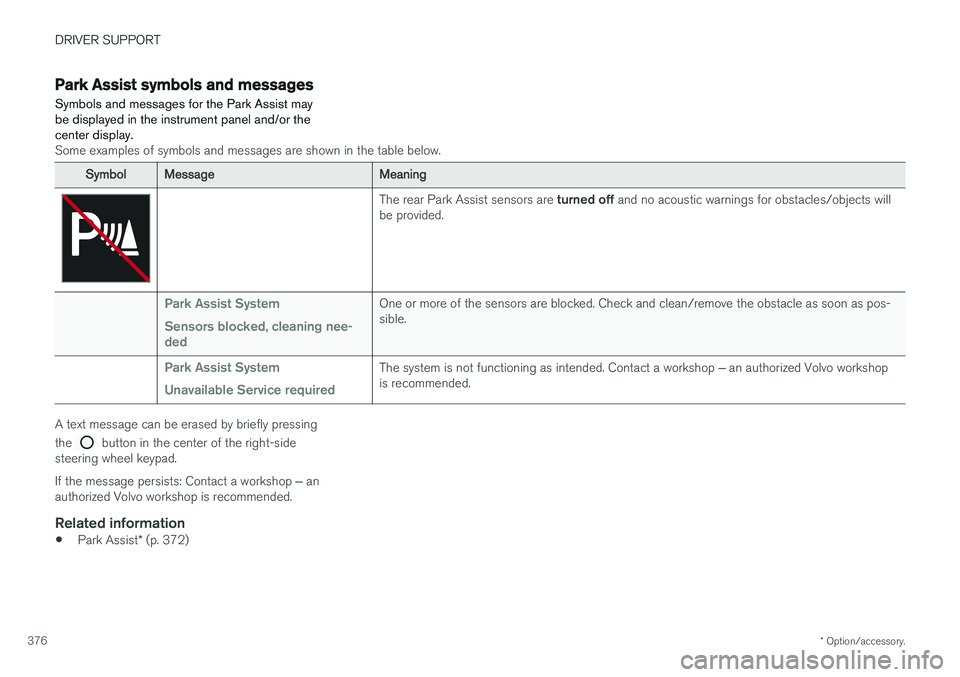
Park Assist symbols and messages
Symbols and messages for the Park Assist may be displayed in the instrument panel and/or thecenter display.
Some examples of symbols and messages are shown in the table below.
SymbolMessageMeaning
The rear Park Assist sensors are turned off and no acoustic warnings for obstacles/objects will
be provided.
Park Assist System Sensors blocked, cleaning nee- dedOne or more of the sensors are blocked. Check and clean/remove the obstacle as soon as pos- sible.
Park Assist System Unavailable Service requiredThe system is not functioning as intended. Contact a workshop ‒ an authorized Volvo workshop
is recommended.
A text message can be erased by briefly pressing the
button in the center of the right-side
steering wheel keypad. If the message persists: Contact a workshop ‒ an
authorized Volvo workshop is recommended.
Related information
• Park Assist
* (p. 372)