warning VOLVO XC60 T8 2018 Owner´s Manual
[x] Cancel search | Manufacturer: VOLVO, Model Year: 2018, Model line: XC60 T8, Model: VOLVO XC60 T8 2018Pages: 674, PDF Size: 11.93 MB
Page 379 of 674
DRIVER SUPPORT
* Option/accessory.377
Park Assist Camera *
The Park Assist Camera can help provide the driver when maneuvering in tight spaces by alert-ing the driver to obstacles using the camerascreen and graphics in the center display.
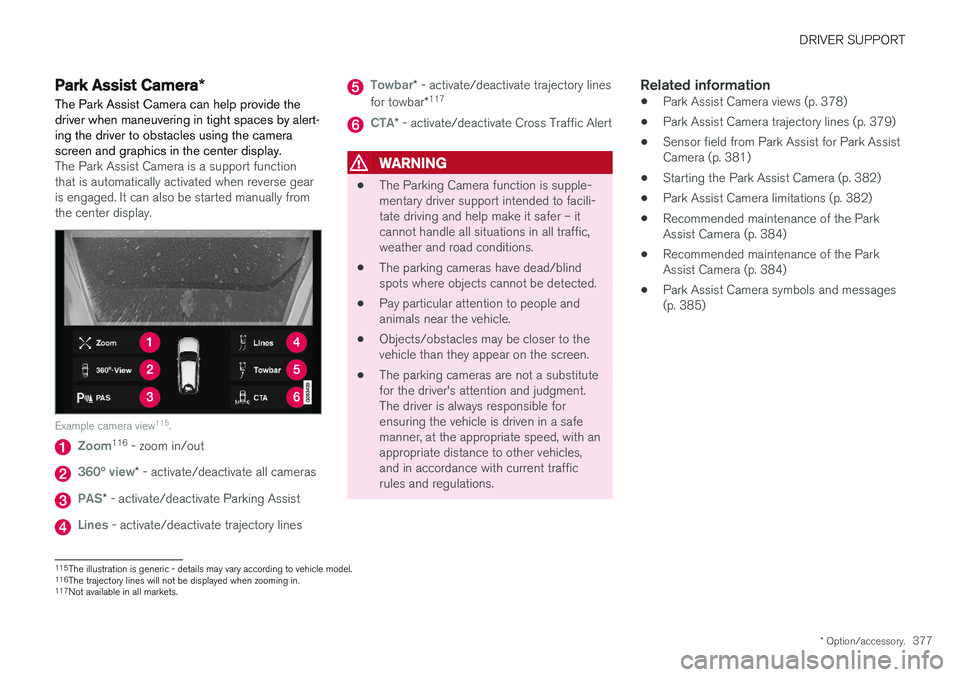
The Park Assist Camera is a support function that is automatically activated when reverse gearis engaged. It can also be started manually fromthe center display.
Example camera view 115
.
Zoom116
- zoom in/out
360° view* - activate/deactivate all cameras
PAS* - activate/deactivate Parking Assist
Lines - activate/deactivate trajectory lines
Towbar* - activate/deactivate trajectory lines
for towbar *117
CTA*
- activate/deactivate Cross Traffic Alert
WARNING
• The Parking Camera function is supple- mentary driver support intended to facili-tate driving and help make it safer – itcannot handle all situations in all traffic,weather and road conditions.
• The parking cameras have dead/blindspots where objects cannot be detected.
• Pay particular attention to people andanimals near the vehicle.
• Objects/obstacles may be closer to thevehicle than they appear on the screen.
• The parking cameras are not a substitutefor the driver's attention and judgment.The driver is always responsible forensuring the vehicle is driven in a safemanner, at the appropriate speed, with anappropriate distance to other vehicles,and in accordance with current trafficrules and regulations.
Related information
•Park Assist Camera views (p. 378)
• Park Assist Camera trajectory lines (p. 379)
• Sensor field from Park Assist for Park AssistCamera (p. 381)
• Starting the Park Assist Camera (p. 382)
• Park Assist Camera limitations (p. 382)
• Recommended maintenance of the ParkAssist Camera (p. 384)
• Recommended maintenance of the ParkAssist Camera (p. 384)
• Park Assist Camera symbols and messages(p. 385)
115
The illustration is generic - details may vary according to vehicle model.
116 The trajectory lines will not be displayed when zooming in.
117 Not available in all markets.
Page 384 of 674
DRIVER SUPPORT
* Option/accessory.
382
Starting the Park Assist Camera
The Park Assist Camera starts automatically when reverse gear is engaged or can be startedmanually using one of the center display's func-tion buttons.
Camera view when backing upWhen reverse gear is engaged, the screen shows the rear view 122
.
Camera view when manually starting
the camera
Start the Park Assist Camera using this button in the centerdisplay's Function view. The screen will first show the most recently used cameraview. However, each time the
engine is started, the previous side view will bereplaced by the 360° view and a previously dis-played zoomed-in rear view will be replaced bythe regular rear view.
Automatically deactivating the cameraFront view switches off when the vehicle's speed reaches 25 km/h (16 mph) to help avoid dis-tracting the driver. It will be automatically reactiva-ted if the vehicle's speed falls below 22 km/h(14 mph) within 1 minute as long as the vehicle'sspeed has not exceeded 50 km/h (31 mph). Other camera views switch off at 15 km/h(9 mph) and are not reactivated.
Related information
•
Park Assist Camera
* (p. 377)
Park Assist Camera limitations
The Park Assist Camera may not be able to detect all conditions in all situations and func-tionality may therefore be limited.
The driver should be aware of the following limi- tations for the Park Assist Camera:
WARNING
Be extra cautious when reversing if this symbol isshown when a trailer, bikecarrier or similar is attachedand electrically connectedto the vehicle. The symbol indicates that
the rear parking assist sensors are deacti-
vated and will not warn of any obstacles.
NOTE
A bike carrier and other accessories mounted on the rear of the vehicle can obscure thecamera's view.
122
In Canada, it is also possible to select the 360° view.
Page 385 of 674
DRIVER SUPPORT
* Option/accessory.383
Blind sectors
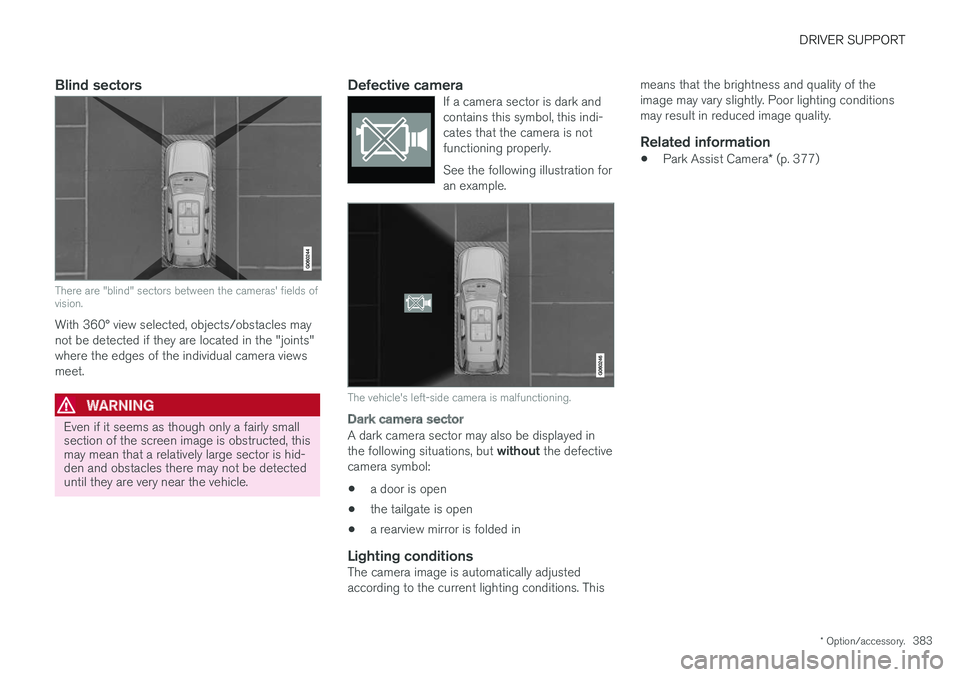
There are "blind" sectors between the cameras' fields of vision.
With 360° view selected, objects/obstacles may not be detected if they are located in the "joints"where the edges of the individual camera viewsmeet.
WARNING
Even if it seems as though only a fairly small section of the screen image is obstructed, thismay mean that a relatively large sector is hid-den and obstacles there may not be detecteduntil they are very near the vehicle.
Defective cameraIf a camera sector is dark and contains this symbol, this indi-cates that the camera is notfunctioning properly. See the following illustration for an example.
The vehicle's left-side camera is malfunctioning.
Dark camera sector
A dark camera sector may also be displayed in the following situations, but without the defective
camera symbol:
• a door is open
• the tailgate is open
• a rearview mirror is folded in
Lighting conditionsThe camera image is automatically adjusted according to the current lighting conditions. This means that the brightness and quality of theimage may vary slightly. Poor lighting conditionsmay result in reduced image quality.
Related information
•
Park Assist Camera
* (p. 377)
Page 387 of 674
DRIVER SUPPORT
* Option/accessory.385
Park Assist Camera symbols andmessages
Symbols and messages for the Park Assist Camera may be displayed in the instrumentpanel and/or the center display.
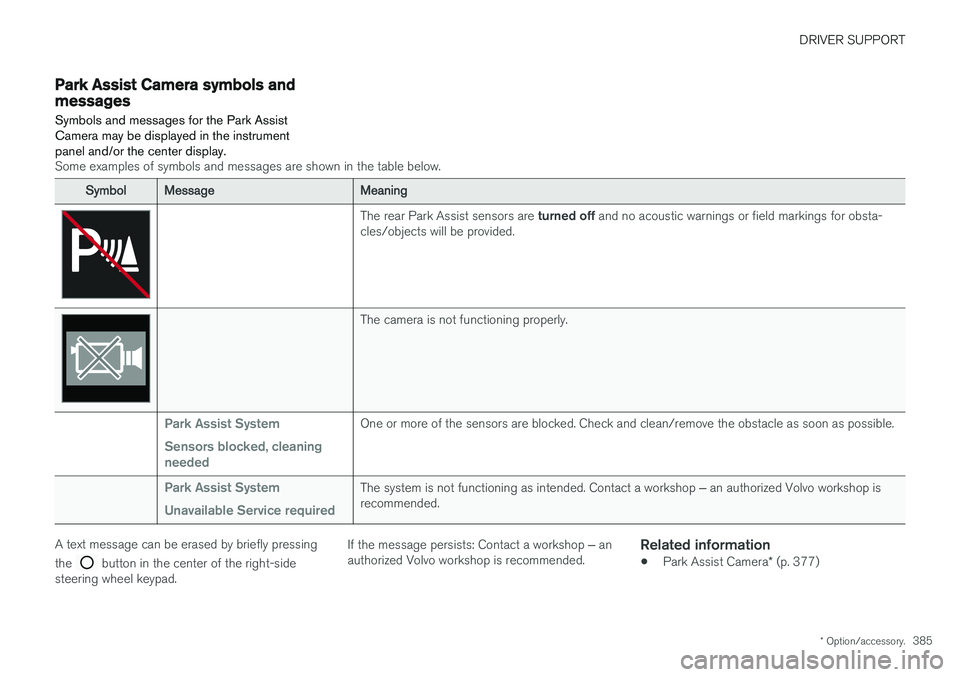
Some examples of symbols and messages are shown in the table below.
SymbolMessageMeaning
The rear Park Assist sensors are turned off and no acoustic warnings or field markings for obsta-
cles/objects will be provided.
The camera is not functioning properly.
Park Assist System Sensors blocked, cleaning neededOne or more of the sensors are blocked. Check and clean/remove the obstacle as soon as possible.
Park Assist System Unavailable Service requiredThe system is not functioning as intended. Contact a workshop ‒ an authorized Volvo workshop is
recommended.
A text message can be erased by briefly pressing the
button in the center of the right-side
steering wheel keypad. If the message persists: Contact a workshop
‒ an
authorized Volvo workshop is recommended.
Related information
• Park Assist Camera
* (p. 377)
Page 388 of 674
DRIVER SUPPORT
* Option/accessory.
386
Park Assist Pilot *
Park Assist Pilot (PAP 123
) helps the driver pull
into and out of parking spaces.
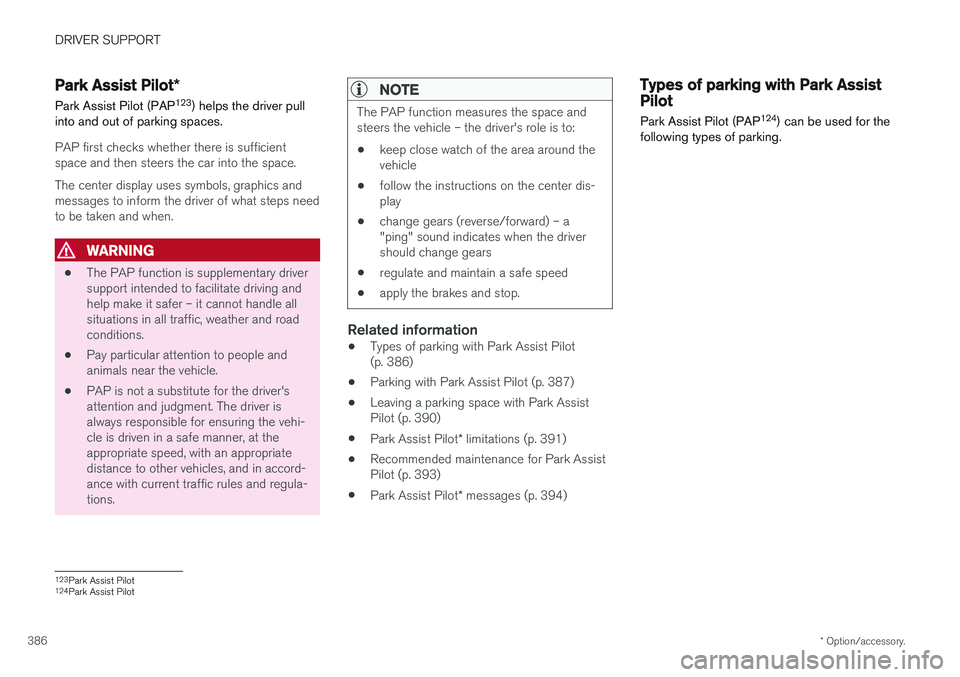
PAP first checks whether there is sufficient space and then steers the car into the space. The center display uses symbols, graphics and messages to inform the driver of what steps needto be taken and when.
WARNING
• The PAP function is supplementary driver support intended to facilitate driving andhelp make it safer – it cannot handle allsituations in all traffic, weather and roadconditions.
• Pay particular attention to people andanimals near the vehicle.
• PAP is not a substitute for the driver'sattention and judgment. The driver isalways responsible for ensuring the vehi-cle is driven in a safe manner, at theappropriate speed, with an appropriatedistance to other vehicles, and in accord-ance with current traffic rules and regula-tions.
NOTE
The PAP function measures the space and steers the vehicle – the driver's role is to:
• keep close watch of the area around thevehicle
• follow the instructions on the center dis-play
• change gears (reverse/forward) – a"ping" sound indicates when the drivershould change gears
• regulate and maintain a safe speed
• apply the brakes and stop.
Related information
•Types of parking with Park Assist Pilot (p. 386)
• Parking with Park Assist Pilot (p. 387)
• Leaving a parking space with Park AssistPilot (p. 390)
• Park Assist Pilot
* limitations (p. 391)
• Recommended maintenance for Park AssistPilot (p. 393)
• Park Assist Pilot
* messages (p. 394)
Types of parking with Park AssistPilot
Park Assist Pilot (PAP 124
) can be used for the
following types of parking.
123 Park Assist Pilot
124 Park Assist Pilot
Page 392 of 674
||
DRIVER SUPPORT
* Option/accessory.
390 2. Be prepared to stop the vehicle when
instructed to do so by a graphic and mes- sage in the center display.
3. Engage reverse gear and back up slowly.
4. Be prepared to stop the vehicle when instructed to do so by a graphic and mes- sage in the center display.
The function will switch off automatically and agraphic and message will appear to indicate thatparking has been completed. Adjustments canalways be made be the driver afterward. Only thedriver can determine when the vehicle is correctlyparked.
CAUTION
The warning distance is shorter when the sensors are used by PAP compared to whenthey are used by the Parking Assist system.
Related information
• Park Assist Pilot
* (p. 386)
Leaving a parking space with ParkAssist Pilot
The function
Park Out can also help the driver
to leave a parking space.
NOTE
Leaving a parking space with the Park Outfunction should only be used in connection with parallel parking – it does not work forperpendicular parking.
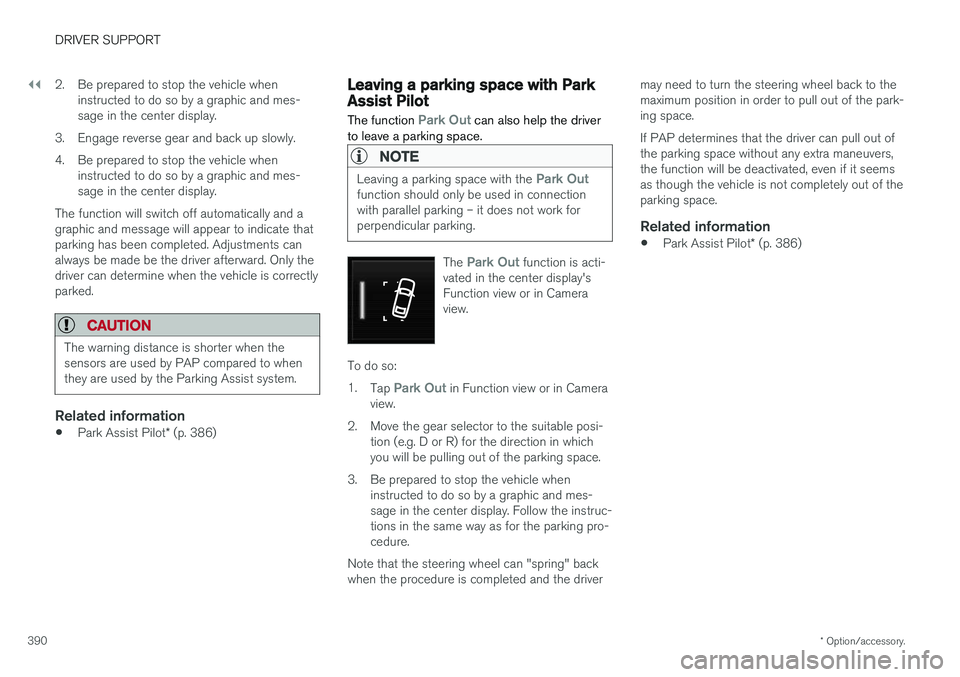
The Park Out function is acti-
vated in the center display's Function view or in Cameraview.
To do so: 1. Tap
Park Out in Function view or in Camera
view.
2. Move the gear selector to the suitable posi- tion (e.g. D or R) for the direction in which you will be pulling out of the parking space.
3. Be prepared to stop the vehicle when instructed to do so by a graphic and mes-sage in the center display. Follow the instruc-tions in the same way as for the parking pro-cedure.
Note that the steering wheel can "spring" backwhen the procedure is completed and the driver may need to turn the steering wheel back to themaximum position in order to pull out of the park-ing space. If PAP determines that the driver can pull out of the parking space without any extra maneuvers,the function will be deactivated, even if it seemsas though the vehicle is not completely out of theparking space.
Related information
•
Park Assist Pilot
* (p. 386)
Page 393 of 674
DRIVER SUPPORT
}}
* Option/accessory.391
Park Assist Pilot * limitations
Park Assist Pilot PAP 126
may not be able to
detect all conditions in all situations and func- tionality may therefore be limited.WARNING
• The PAP function is supplementary driver support intended to facilitate driving andhelp make it safer – it cannot handle allsituations in all traffic, weather and roadconditions.
• Pay particular attention to people andanimals near the vehicle.
• Bear in mind that the front end of thevehicle may swing out towards oncomingtraffic during the parking maneuver.
• Objects situated higher than the detec-tion area of the sensors are not includedwhen the parking maneuver is calculated,which could cause PAP to swing into theparking space too early. Such parkingspaces should be avoided for this reason.
• PAP is not a substitute for the driver'sattention and judgment. The driver isalways responsible for ensuring the vehi-cle is driven in a safe manner, at theappropriate speed, with an appropriatedistance to other vehicles, and in accord-ance with current traffic rules and regula-tions.
The driver should be aware of the following limi-tations for Park Assist Pilot:
The parking sequence is cancelledA parking sequence will be cancelled if:
• the driver moves the steering wheel
• the vehicle's speed exceeds 7 km/h (4 mph)
• the driver taps
Cancel in the center display
• when the anti-lock brakes or the Electronic stability control are engaged - e.g. when awheel loses grip on a slippery road
• when the power steering works at reduced power - e.g. during cooling due to overheat- ing (see section "Speed-dependent steeringforce").
A message in the center display will explain whythe parking sequence was cancelled.
CAUTION
Under certain circumstances, PAP may not be able to find parking spaces – one reason maybe that the sensors are disrupted by externalsound sources that emit the same ultrasonicfrequencies that the system works with. Examples of such sources include horns, wet tires on asphalt, pneumatic brakes, exhaustnoise from motorcycles, etc.
126 Park Assist Pilot
Page 395 of 674
DRIVER SUPPORT
* Option/accessory.393
Recommended maintenance forPark Assist Pilot For Park Assist Pilot (PAP 128
) to function opti-
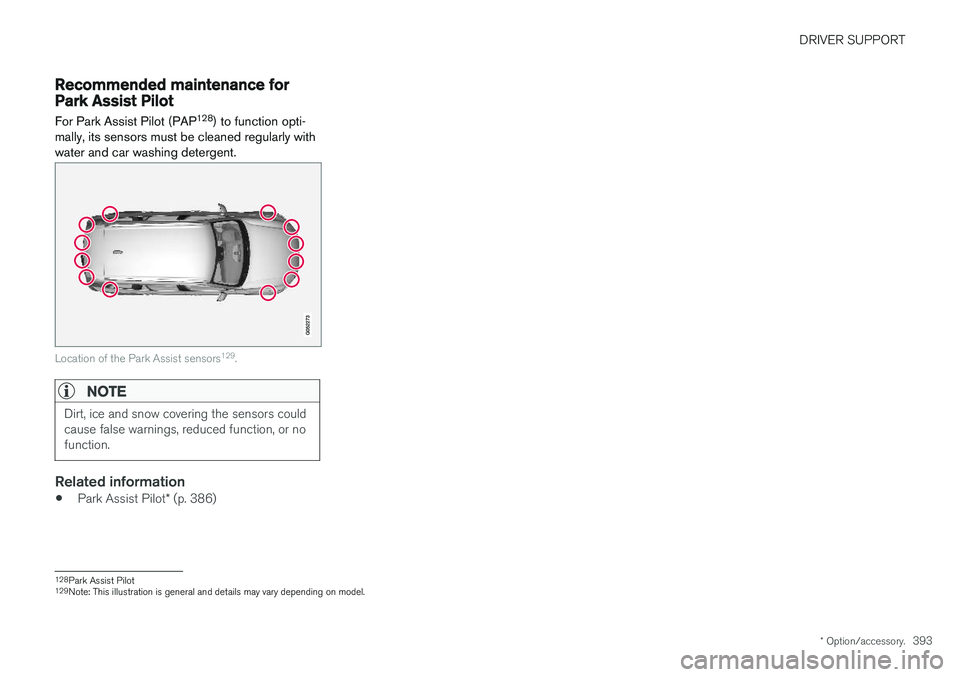
mally, its sensors must be cleaned regularly with water and car washing detergent.
Location of the Park Assist sensors 129
.
NOTE
Dirt, ice and snow covering the sensors could cause false warnings, reduced function, or nofunction.
Related information
• Park Assist Pilot
* (p. 386)
128
Park Assist Pilot
129 Note: This illustration is general and details may vary depending on model.
Page 398 of 674
HYBRID INFORMATION
396
General information about TwinEngine
Twin Engine vehicles are driven just like any other vehicle, but certain functions differ from avehicle powered exclusively by gasoline. Theelectric motor powers the vehicle primarily at lowspeeds; the gasoline engine is used at higherspeeds or during more active driving.
The instrument panel displays Twin Engine-spe- cific information - charging information, selecteddrive mode, distance to discharged battery andhybrid battery charge level. Different drive modes can be selected while driv- ing, e.g. electric power only or, if more power isneeded, a combination of electric and gasolinepower. The vehicle calculates the optimal combi-nation of driveability, driving experience, environ-mental impact and fuel economy for the selecteddrive mode. In order to function optimally, the hybrid battery (and its electrical drive systems) and the gasolineengine (and its drive systems) must be at thecorrect operating temperature. Battery capacitycan be considerably reduced if the battery is toocold or too hot. Preconditioning prepares thevehicle's drive systems and passenger compart-ment before driving to help reduce both wear andenergy consumption. It also helps increase thehybrid battery's range. The hybrid battery, which powers the electric motor, is recharged using the charging cable. Itcan also be recharged during light braking and through engine braking in gear position
B. The
combustion engine can also help recharge thehybrid battery.
Important
No electrical current
Keep in mind that if there is no electrical current to the vehicle, i.e. the ignition is switched off orthe start battery is discharged, certain functionssuch as brakes, power steering, etc. will not work.
WARNING
If the vehicle does not have electrical current and both the electric motor and the gasolineengine are switched off, the brakes cannot beused to stop the vehicle.
Towing not permitted
Never tow a Twin Engine vehicle behind another vehicle, as this could damage the electric motor.
Exterior engine noise
WARNING
Keep in mind that the vehicle does not emit any engine noise when using the electricmotor and may therefore be difficult to detectfor children, pedestrians, cyclists or animals.This is especially true at low speeds, e.g. inparking lots.
High-voltage electrical current
WARNING
Several components in the vehicle work with high voltage that can be hazardous in case ofan incorrect procedure. These componentsand any orange wiring in the vehicle may onlybe handled by trained and qualified Volvoservice technicians.
Do not touch anything that is not clearly descri- bed in this Owner's Manual.
Related information
• Charging the hybrid battery (p. 397)
• Hybrid gauge (p. 83)
• Drive modes (p. 435)
• Starting and stopping preconditioning(p. 222)
• Hybrid battery (p. 609)
• Factors affecting electric motor range(p. 448)
• Gear selector positions for automatic trans-missions (p. 429)
• Towing using a towline (p. 466)
Page 399 of 674
HYBRID INFORMATION
}}
397
Charging the hybrid battery In addition to the conventional fuel tank, your vehicle is also equipped with a rechargeablelithium-ion hybrid battery.
The hybrid battery can be recharged using the charging cable stored in a storage space in thecargo compartment.
WARNING
The hybrid electrical system in your vehicle uses high voltage electrical current. Any dam-age to this system or to the hybrid batterymay result in the danger of overheating, fire,or serious injury. If the vehicle is involved in acollision or subjected to flooding, fire, etc.,have it inspected by a trained and qualifiedVolvo service technician. Prior to this inspec-tion, the vehicle should be parked outdoors ata safe distance from any building or poten-tially flammable materials.
The hybrid battery's charging time depends on the charging current used.
NOTE
The capacity of the hybrid battery diminishes somewhat with age and use, which couldresult in increased use of the gasoline engineand consequently, slightly higher fuel con-sumption.
WARNING
If the hybrid battery needs to be replaced, this may only be done by Volvo retailer or author-ized Volvo workshop.
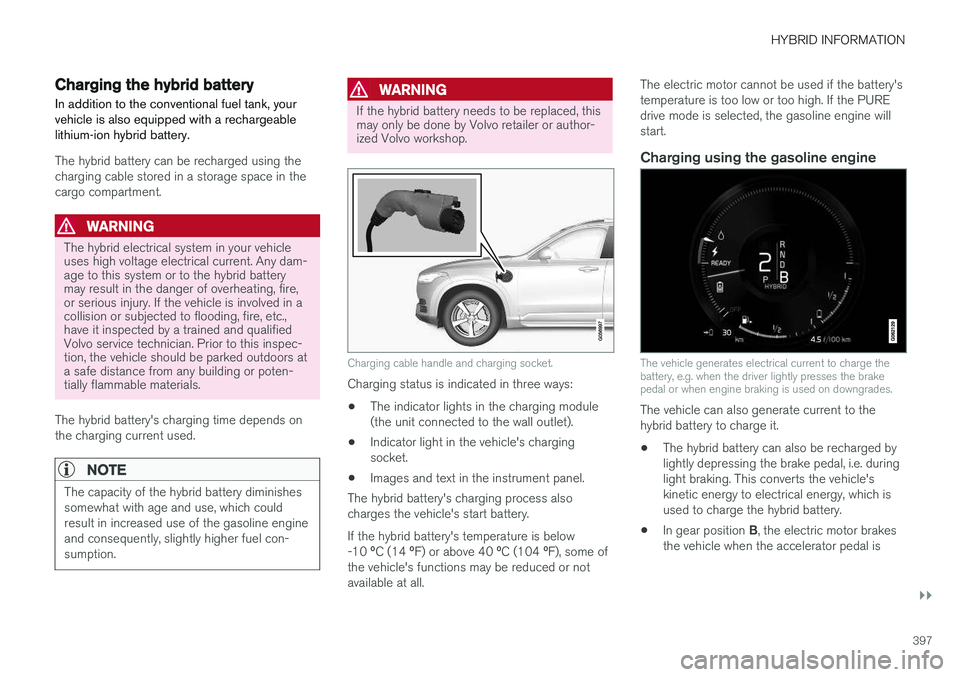
Charging cable handle and charging socket.
Charging status is indicated in three ways: • The indicator lights in the charging module (the unit connected to the wall outlet).
• Indicator light in the vehicle's chargingsocket.
• Images and text in the instrument panel.
The hybrid battery's charging process alsocharges the vehicle's start battery. If the hybrid battery's temperature is below -10 ºC (14 ºF) or above 40 ºC (104 ºF), some of
the vehicle's functions may be reduced or not available at all. The electric motor cannot be used if the battery'stemperature is too low or too high. If the PUREdrive mode is selected, the gasoline engine willstart.
Charging using the gasoline engine
The vehicle generates electrical current to charge the battery, e.g. when the driver lightly presses the brakepedal or when engine braking is used on downgrades.
The vehicle can also generate current to the hybrid battery to charge it.
• The hybrid battery can also be recharged bylightly depressing the brake pedal, i.e. duringlight braking. This converts the vehicle'skinetic energy to electrical energy, which isused to charge the hybrid battery.
• In gear position
B, the electric motor brakes
the vehicle when the accelerator pedal is