fuel VOLVO XC60 T8 2018 Owner´s Manual
[x] Cancel search | Manufacturer: VOLVO, Model Year: 2018, Model line: XC60 T8, Model: VOLVO XC60 T8 2018Pages: 674, PDF Size: 11.93 MB
Page 82 of 674
DISPLAYS AND VOICE CONTROL
* Option/accessory.
80
Instrument panel
The instrument panel displays information rela- ted to the vehicle and driving.
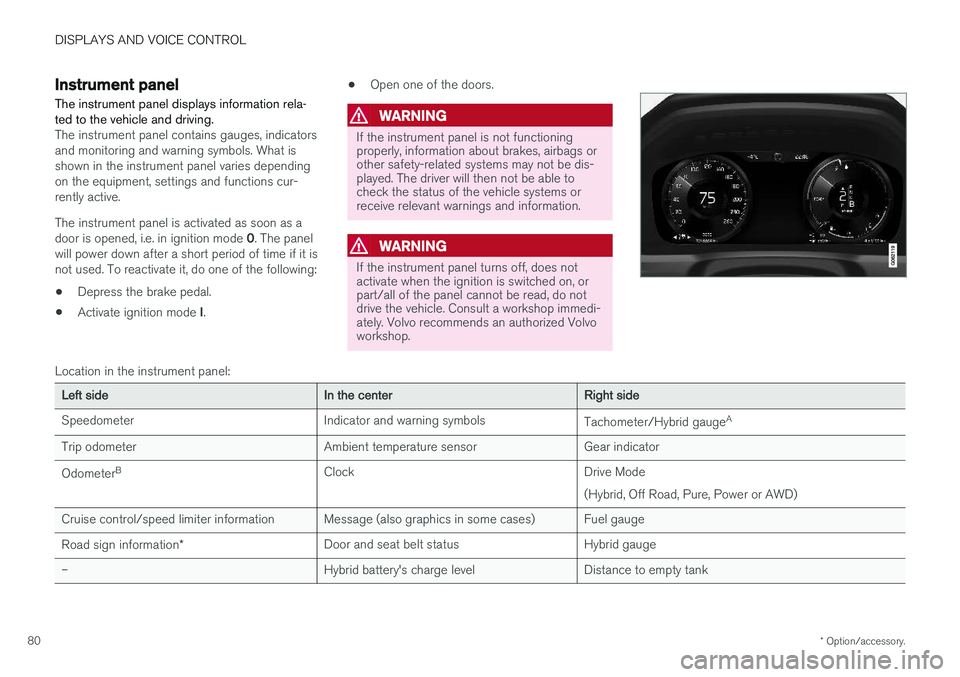
The instrument panel contains gauges, indicators and monitoring and warning symbols. What isshown in the instrument panel varies dependingon the equipment, settings and functions cur-rently active. The instrument panel is activated as soon as a door is opened, i.e. in ignition mode 0. The panel
will power down after a short period of time if it is not used. To reactivate it, do one of the following:
• Depress the brake pedal.
• Activate ignition mode
I. •
Open one of the doors.
WARNING
If the instrument panel is not functioning properly, information about brakes, airbags orother safety-related systems may not be dis-played. The driver will then not be able tocheck the status of the vehicle systems orreceive relevant warnings and information.
WARNING
If the instrument panel turns off, does not activate when the ignition is switched on, orpart/all of the panel cannot be read, do notdrive the vehicle. Consult a workshop immedi-ately. Volvo recommends an authorized Volvoworkshop.
Location in the instrument panel:
Left sideIn the centerRight side
Speedometer Indicator and warning symbols Tachometer/Hybrid gaugeA
Trip odometer Ambient temperature sensor Gear indicator Odometer B
Clock Drive Mode
(Hybrid, Off Road, Pure, Power or AWD)
Cruise control/speed limiter information Message (also graphics in some cases) Fuel gauge Road sign information * Door and seat belt status Hybrid gauge
– Hybrid battery's charge level Distance to empty tank
Page 83 of 674
DISPLAYS AND VOICE CONTROL
81
Left sideIn the centerRight side
– Media player Distance to discharged battery
– Navigation system map Current fuel consumption
– PhoneApp menu (activated using steering wheel keypad)
– Voice Control –
– CompassA
–
ADepends on selected drive mode.
B Total distance.
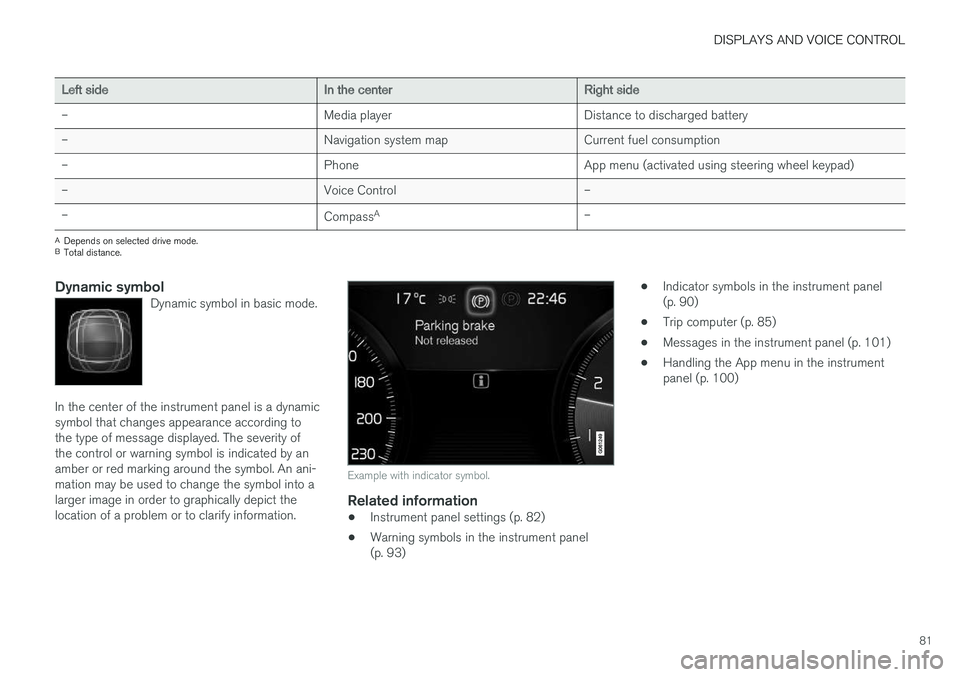
Dynamic symbolDynamic symbol in basic mode.
In the center of the instrument panel is a dynamic symbol that changes appearance according tothe type of message displayed. The severity ofthe control or warning symbol is indicated by anamber or red marking around the symbol. An ani-mation may be used to change the symbol into alarger image in order to graphically depict thelocation of a problem or to clarify information.
Example with indicator symbol.
Related information
• Instrument panel settings (p. 82)
• Warning symbols in the instrument panel (p. 93) •
Indicator symbols in the instrument panel(p. 90)
• Trip computer (p. 85)
• Messages in the instrument panel (p. 101)
• Handling the App menu in the instrumentpanel (p. 100)
Page 84 of 674
DISPLAYS AND VOICE CONTROL
* Option/accessory.
82
Instrument panel settings
Display settings for the instrument panel can be set in the instrument panel's app menu and inthe center display's Settings menu.
Settings in instrument panel's app menu
The app menu can be used to set what informa- tion will be displayed in the instrument panel:
• trip computer
• media player
• phone
• navigation system
*.
Center display settings
Selecting type of information
1.
Tap Settings in the center display's Top
view.
2. Tap
My CarDisplaysDriver Display
Information.
3. Select a background:
•
Show no information in the background
•Show information for current playing media
•Show navigation even if no route is set.
Select theme
1. Tap Settings in the center display's Top
view.
2. Tap
My CarDisplaysDisplay
Themes
3. Select a theme (appearance) for the instru- ment panel:
•
Glass
•Minimalistic
•Performance
•Chrome Rings.
Select language
1. Tap Settings in the center display's Top
view.
2. Tap
SystemSystem Languages and
Units
System Language to select lan-
guage.
> A change made here will affect the lan- guage in all displays.
The settings are personal and saved automati- cally in the active driver profile.
Related information
• Instrument panel (p. 80)
• Handling the App menu in the instrumentpanel (p. 100)
• Changing settings in the center display(p. 130)
Fuel gauge
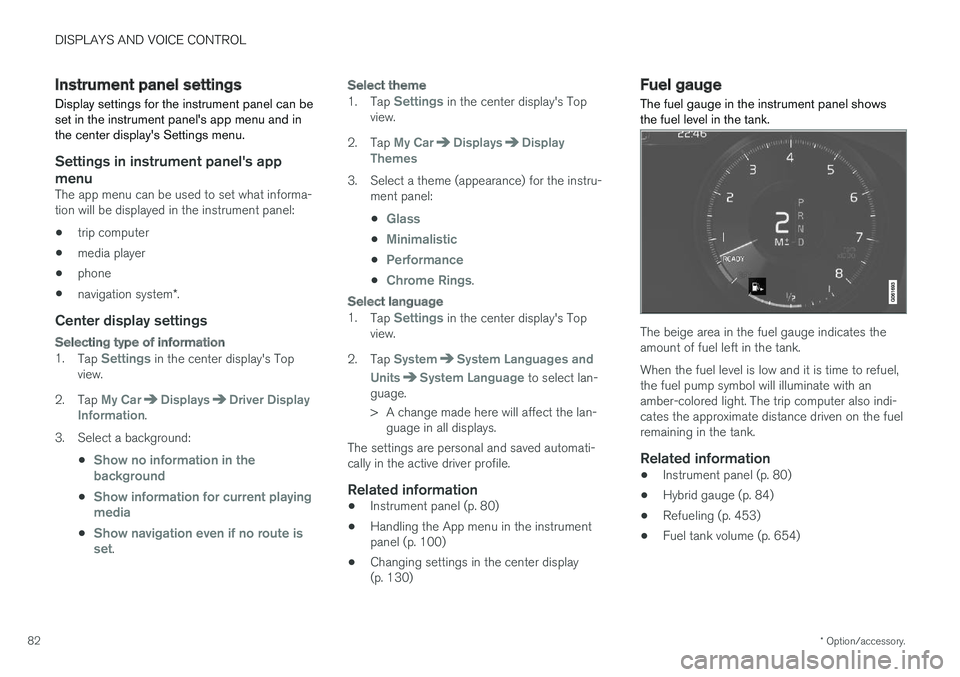
The fuel gauge in the instrument panel shows the fuel level in the tank.
The beige area in the fuel gauge indicates the amount of fuel left in the tank. When the fuel level is low and it is time to refuel, the fuel pump symbol will illuminate with anamber-colored light. The trip computer also indi-cates the approximate distance driven on the fuelremaining in the tank.
Related information
• Instrument panel (p. 80)
• Hybrid gauge (p. 84)
• Refueling (p. 453)
• Fuel tank volume (p. 654)
Page 87 of 674
DISPLAYS AND VOICE CONTROL
}}
85
Trip computer The vehicle's trip computer registers and calcu- lates data while driving such as mileage, fuelconsumption and average speed.
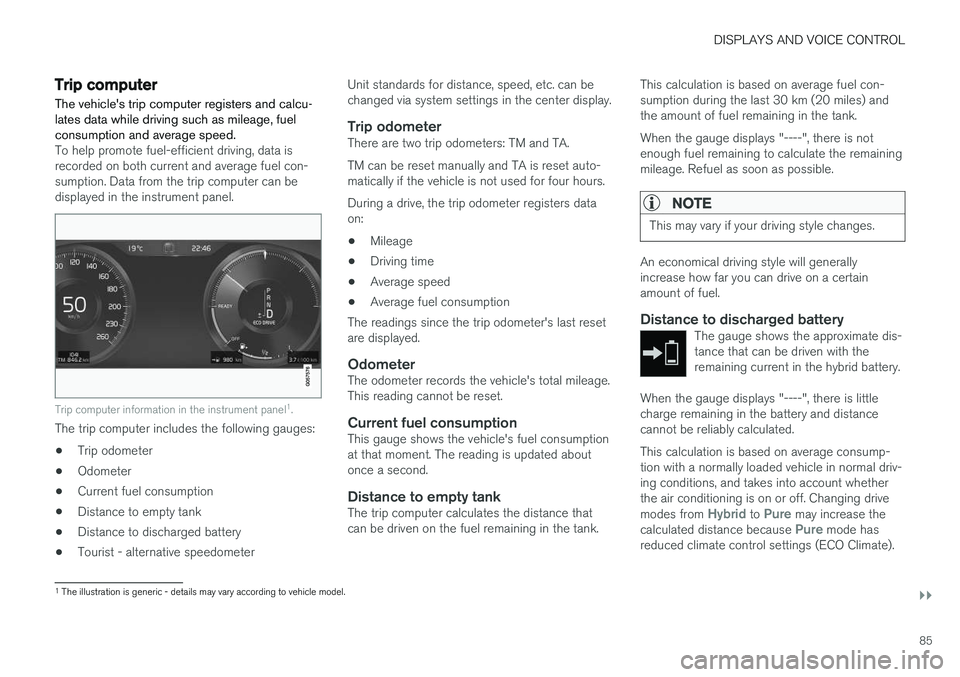
To help promote fuel-efficient driving, data is recorded on both current and average fuel con-sumption. Data from the trip computer can bedisplayed in the instrument panel.
Trip computer information in the instrument panel1
.
The trip computer includes the following gauges:
• Trip odometer
• Odometer
• Current fuel consumption
• Distance to empty tank
• Distance to discharged battery
• Tourist - alternative speedometer Unit standards for distance, speed, etc. can be changed via system settings in the center display.
Trip odometerThere are two trip odometers: TM and TA. TM can be reset manually and TA is reset auto- matically if the vehicle is not used for four hours. During a drive, the trip odometer registers data on:
• Mileage
• Driving time
• Average speed
• Average fuel consumption
The readings since the trip odometer's last resetare displayed.
OdometerThe odometer records the vehicle's total mileage.This reading cannot be reset.
Current fuel consumptionThis gauge shows the vehicle's fuel consumptionat that moment. The reading is updated aboutonce a second.
Distance to empty tankThe trip computer calculates the distance thatcan be driven on the fuel remaining in the tank. This calculation is based on average fuel con-sumption during the last 30 km (20 miles) andthe amount of fuel remaining in the tank. When the gauge displays "----", there is not enough fuel remaining to calculate the remainingmileage. Refuel as soon as possible.
NOTE
This may vary if your driving style changes.
An economical driving style will generally increase how far you can drive on a certainamount of fuel.
Distance to discharged batteryThe gauge shows the approximate dis-tance that can be driven with theremaining current in the hybrid battery.
When the gauge displays "----", there is little charge remaining in the battery and distancecannot be reliably calculated. This calculation is based on average consump- tion with a normally loaded vehicle in normal driv-ing conditions, and takes into account whetherthe air conditioning is on or off. Changing drive modes from
Hybrid to Pure may increase the
calculated distance because Pure mode has
reduced climate control settings (ECO Climate).
1 The illustration is generic - details may vary according to vehicle model.
Page 88 of 674
||
DISPLAYS AND VOICE CONTROL
86
NOTE
This may vary if your driving style changes.
An economical driving style will generally increase how far you can drive on a certainamount of fuel.
Starting values for fully charged hybrid
battery
Because it is difficult to predict driving style and other factors that affect the range of electricmotors, Volvo uses a starting value when thevehicle is fully charged. This starting value pro-vides an "up to" amount instead of a predictionon the range of the electric current in the motor. The difference in starting value between
Hybridand Pure is because the vehicle is permitted to
use more current from the hybrid battery in Puremode, and because the vehicle switches to ECO Climate.
Mileage when using electric motor
To achieve the longest possible mileage when using the electric motor, the driver of an electricvehicle also needs to think about conservingelectricity. The more electricity consumers(stereo, heated windows/mirrors/seats, very coldair from climate control system, etc.) that areactive, the shorter the potential mileage.
NOTE
In addition to high electrical consumption in the passenger compartment, rapid accelera-tion, sudden braking, high speeds, heavyloads, low ambient temperatures and drivingup hills can reduce possible driving distance.
Tourist - alternative speedometerThe alternative digital speedometer makes it eas- ier to drive in countries where speed limit signsare shown in a different measurement unit thanthe one shown in the vehicle's gauges. When used, the digital speed is displayed in the opposite unit to that shown in the analog speed- ometer. If mph is used in the analog speedome-
ter, the equivalent speed in km/h will be shown
in the digital speedometer.
Related information
• Displaying trip data in the instrument panel (p. 86)
• Resetting the trip odometer (p. 87)
• Displaying trip statistics in the center display (p. 88)
• Instrument panel (p. 80)
Displaying trip data in theinstrument panel
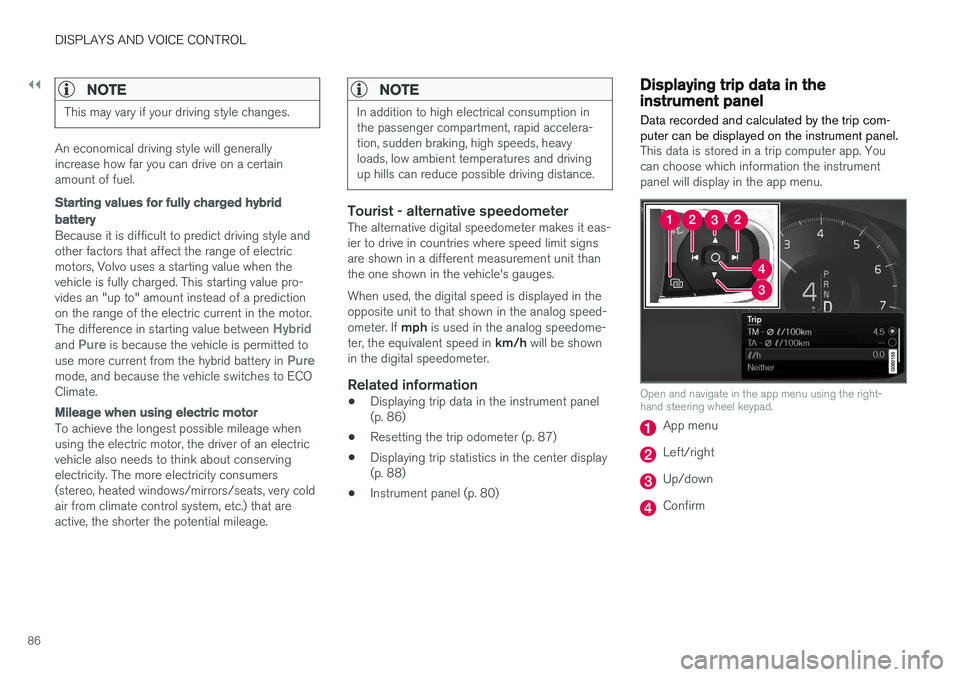
Data recorded and calculated by the trip com- puter can be displayed on the instrument panel.
This data is stored in a trip computer app. You can choose which information the instrumentpanel will display in the app menu.
Open and navigate in the app menu using the right- hand steering wheel keypad.
App menu
Left/right
Up/down
Confirm
Page 89 of 674
DISPLAYS AND VOICE CONTROL
87
1. Open the app menu in the instrument panel
by pressing (1). (The App menu cannot be opened while there is an unacknowledged message in theinstrument panel. The message must be con-firmed before the App menu can be opened.)
2. Navigate to the trip computer app by moving left or right using (2).
> The top four menu rows show measuredvalues for trip odometer TM. The next four menu rows show measured values for tripodometer TA. Scroll up or down in the listusing (3).
3. Scroll down to the option buttons to choose which information to show in the instrumentpanel:
• Distance to empty tank
• Odometer
• Mileage for trip odometer TM, TA or nodisplay of mileage
• Current fuel consumption, average fuelconsumption for TM or TA, or no displayof fuel consumption
• Tourist (alternative speedometer).
• Distance to discharged battery
Select or clear a selection using the O but-
ton (4). The change will apply immediately.
Related information
• Trip computer (p. 85)
• Resetting the trip odometer (p. 87)
Resetting the trip odometer
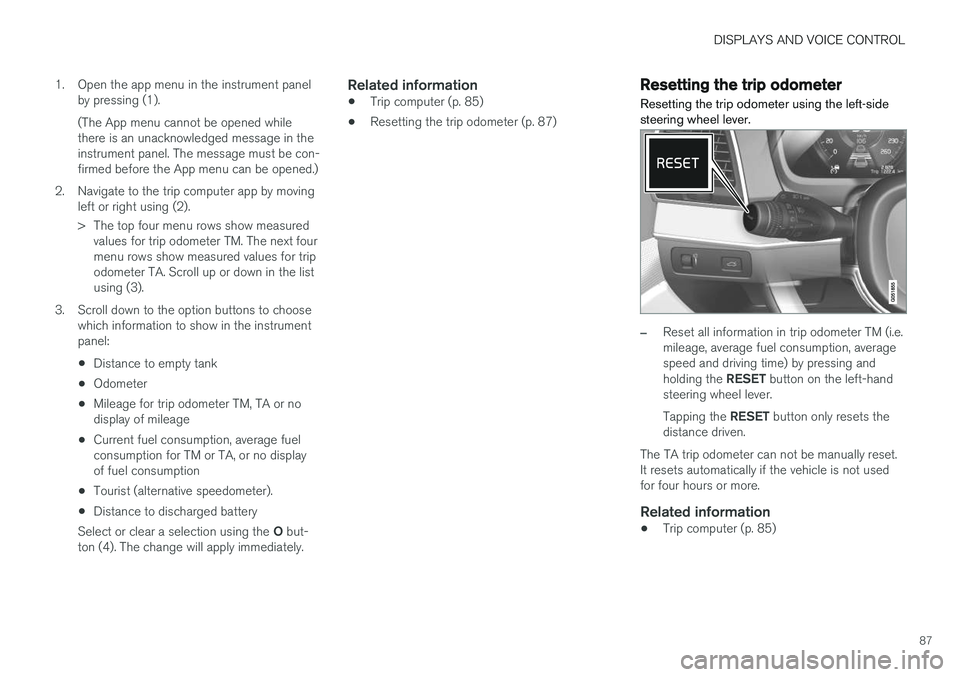
Resetting the trip odometer using the left-side steering wheel lever.
–Reset all information in trip odometer TM (i.e. mileage, average fuel consumption, averagespeed and driving time) by pressing and holding the RESET button on the left-hand
steering wheel lever. Tapping the RESET button only resets the
distance driven.
The TA trip odometer can not be manually reset. It resets automatically if the vehicle is not usedfor four hours or more.
Related information
• Trip computer (p. 85)
Page 90 of 674
DISPLAYS AND VOICE CONTROL
88
Displaying trip statistics in thecenter display
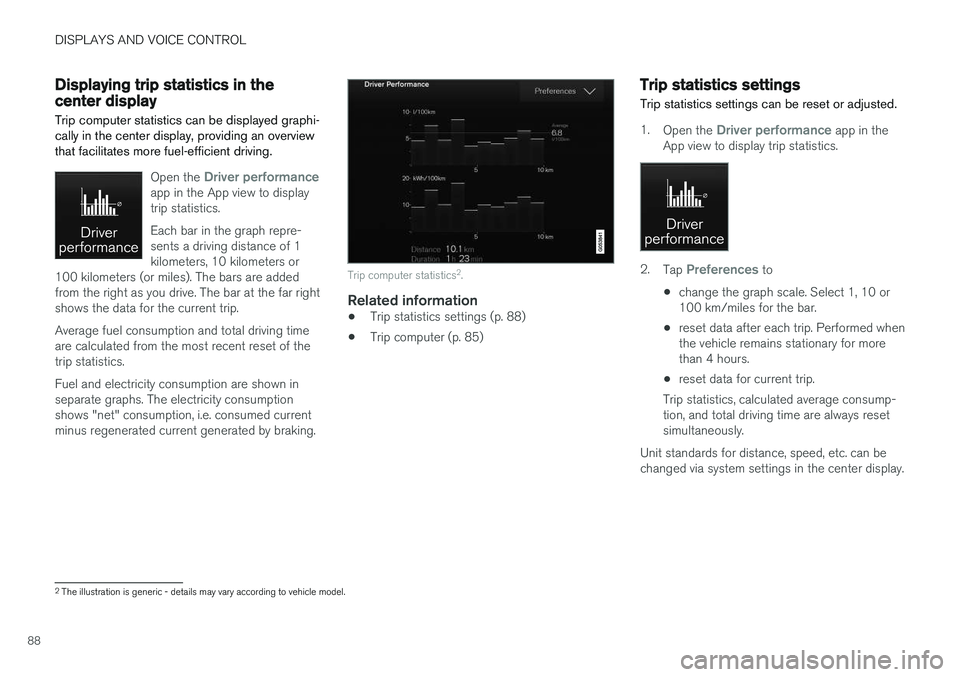
Trip computer statistics can be displayed graphi- cally in the center display, providing an overviewthat facilitates more fuel-efficient driving.
Open the Driver performanceapp in the App view to display trip statistics. Each bar in the graph repre- sents a driving distance of 1kilometers, 10 kilometers or
100 kilometers (or miles). The bars are addedfrom the right as you drive. The bar at the far rightshows the data for the current trip. Average fuel consumption and total driving time are calculated from the most recent reset of thetrip statistics. Fuel and electricity consumption are shown in separate graphs. The electricity consumptionshows "net" consumption, i.e. consumed currentminus regenerated current generated by braking.
Trip computer statistics 2
.
Related information
• Trip statistics settings (p. 88)
• Trip computer (p. 85)
Trip statistics settings
Trip statistics settings can be reset or adjusted.
1. Open the Driver performance app in the
App view to display trip statistics.
2. Tap Preferences to
• change the graph scale. Select 1, 10 or 100 km/miles for the bar.
• reset data after each trip. Performed whenthe vehicle remains stationary for morethan 4 hours.
• reset data for current trip.
Trip statistics, calculated average consump-tion, and total driving time are always resetsimultaneously.
Unit standards for distance, speed, etc. can bechanged via system settings in the center display.
2 The illustration is generic - details may vary according to vehicle model.
Page 232 of 674
||
KEY, LOCKS AND ALARM
* Option/accessory.
230 The keyless system for locking/unlocking the doors and tailgate (Passive Entry
*) is available as
an option. This system has a range in a semicircle with a radius of approximately 1.5 meter (5 feet)out from the driver's door and approx. 1 meter(3 feet) out from the tailgate. With keyless start in combination with keyless locking and unlocking, the remote key can belocated anywhere in the passenger compartmentor cargo compartment in order to start theengine. Each remote key supplied with the vehicle can be linked to a driver profile with unique settings forthe vehicle. When a key with a specific profile isused, the vehicle settings are adjusted accordingto that profile.
Buttonless key, Key TagFor vehicles equipped with keyless locking and unlocking *, a smaller, lighter and button-less key
(Key Tag 3
) is also provided. It works the same
way as the regular remote key as regard keyless start and keyless locking and unlocking 4
. It does
not have a detachable key blade and its battery cannot be replaced.
Remote key buttons
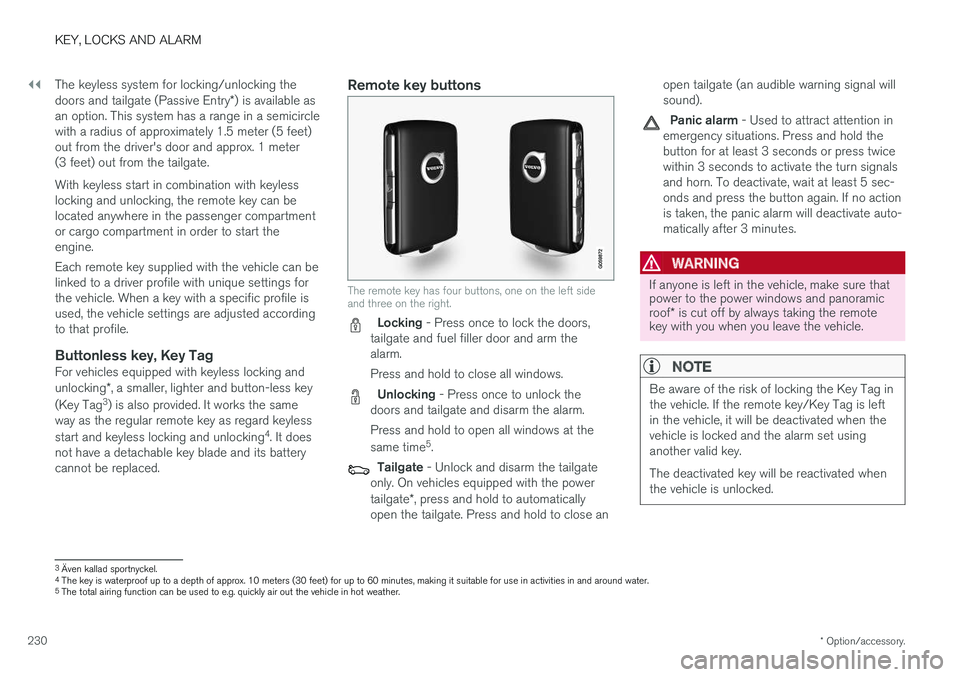
The remote key has four buttons, one on the left side and three on the right.
Locking - Press once to lock the doors,
tailgate and fuel filler door and arm the alarm. Press and hold to close all windows.
Unlocking - Press once to unlock the
doors and tailgate and disarm the alarm. Press and hold to open all windows at the same time 5
.
Tailgate - Unlock and disarm the tailgate
only. On vehicles equipped with the power tailgate *, press and hold to automatically
open the tailgate. Press and hold to close an open tailgate (an audible warning signal will sound).
Panic alarm - Used to attract attention in
emergency situations. Press and hold the button for at least 3 seconds or press twicewithin 3 seconds to activate the turn signalsand horn. To deactivate, wait at least 5 sec-onds and press the button again. If no actionis taken, the panic alarm will deactivate auto-matically after 3 minutes.
WARNING
If anyone is left in the vehicle, make sure that power to the power windows and panoramic roof * is cut off by always taking the remote
key with you when you leave the vehicle.
NOTE
Be aware of the risk of locking the Key Tag in the vehicle. If the remote key/Key Tag is leftin the vehicle, it will be deactivated when thevehicle is locked and the alarm set usinganother valid key. The deactivated key will be reactivated when the vehicle is unlocked.
3 Även kallad sportnyckel.
4 The key is waterproof up to a depth of approx. 10 meters (30 feet) for up to 60 minutes, making it suitable for use in activities in and around water.
5 The total airing function can be used to e.g. quickly air out the vehicle in hot weather.
Page 281 of 674
DRIVER SUPPORT
279
Cruise Control Eco Cruise
In the ECO drive mode, cruise control's accelera- tion and deceleration will be smoother than inother drive modes to help provide optimal fuelefficiency and reduced environmental impact.Because of this, the vehicle's actual speed maybe slightly above or below the set speed.
Cruise Control Dynamic Cruise
With the Dynamic drive mode, cruise control's acceleration and deceleration will be faster andmore immediate than in other drive modes.
Related information
•Cruise control (p. 276)
Deactivating and putting CruiseControl in standby mode
Cruise Control (CC 31
) can be temporarily put
into standby mode and then reactivated.
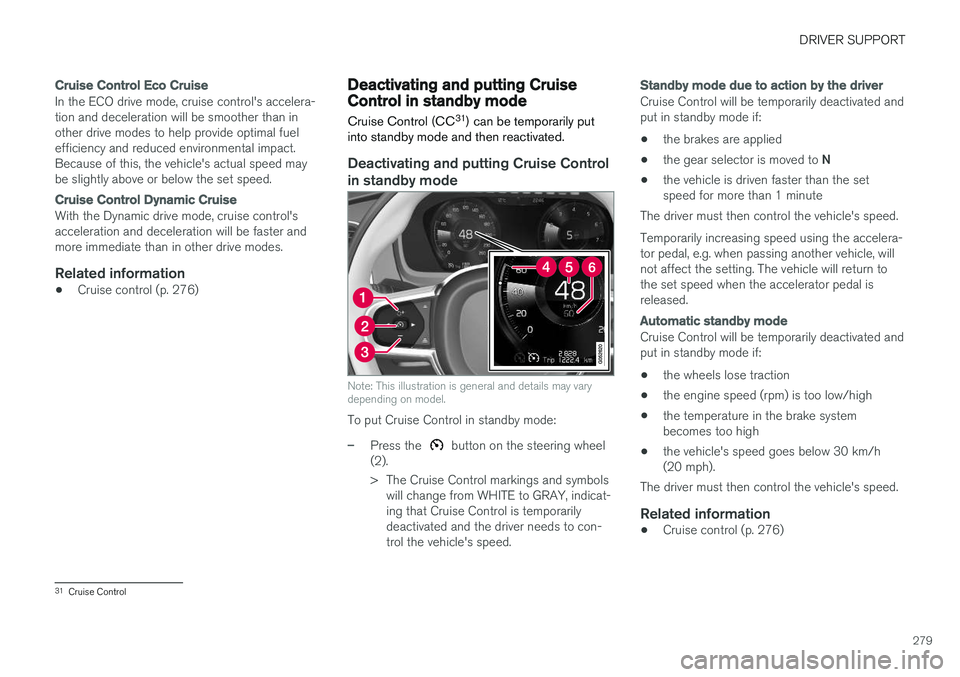
Deactivating and putting Cruise Control in standby mode
Note: This illustration is general and details may vary depending on model.
To put Cruise Control in standby mode:
–Press the button on the steering wheel
(2).
> The Cruise Control markings and symbols will change from WHITE to GRAY, indicat- ing that Cruise Control is temporarilydeactivated and the driver needs to con-trol the vehicle's speed.
Standby mode due to action by the driver
Cruise Control will be temporarily deactivated and put in standby mode if:
• the brakes are applied
• the gear selector is moved to
N
• the vehicle is driven faster than the setspeed for more than 1 minute
The driver must then control the vehicle's speed. Temporarily increasing speed using the accelera- tor pedal, e.g. when passing another vehicle, willnot affect the setting. The vehicle will return tothe set speed when the accelerator pedal isreleased.
Automatic standby mode
Cruise Control will be temporarily deactivated and put in standby mode if:
• the wheels lose traction
• the engine speed (rpm) is too low/high
• the temperature in the brake systembecomes too high
• the vehicle's speed goes below 30 km/h(20 mph).
The driver must then control the vehicle's speed.
Related information
• Cruise control (p. 276)
31
Cruise Control
Page 294 of 674
||
DRIVER SUPPORT
* Option/accessory.
292 Select one of the following:
•
Eco - ACC will focus on providing optimal
fuel economy, which will increase the time interval to the vehicle ahead.
•
Comfort - ACC will focus on following the
set time interval to the vehicle ahead as smoothly as possible.
•
Dynamic - ACC will focus on following the
set time interval to the vehicle ahead more exactly, which could mean faster accelerationand heavier braking.
For more information, see "Drive modes".
Related information
• Adaptive Cruise Control
* (p. 285)
Deactivating/reactivating AdaptiveCruise Control Adaptive Cruise Control (ACC 48
) can be tempo-
rarily put into standby mode and then reactiva- ted.
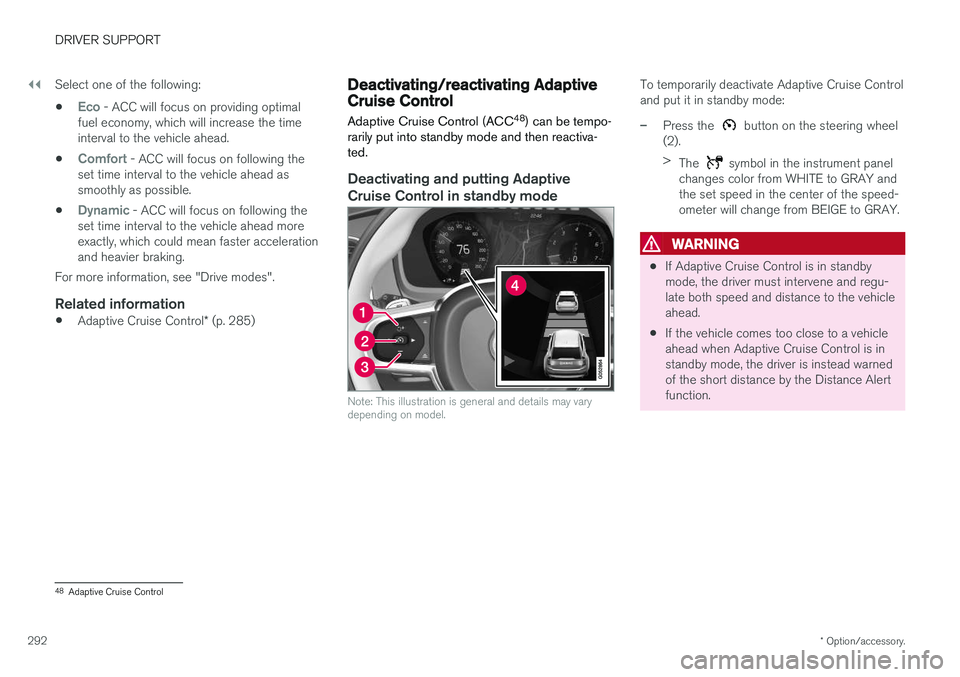
Deactivating and putting Adaptive Cruise Control in standby mode
Note: This illustration is general and details may vary depending on model.
To temporarily deactivate Adaptive Cruise Control and put it in standby mode:
–Press the button on the steering wheel
(2). > The
symbol in the instrument panel
changes color from WHITE to GRAY and the set speed in the center of the speed-ometer will change from BEIGE to GRAY.
WARNING
• If Adaptive Cruise Control is in standby mode, the driver must intervene and regu-late both speed and distance to the vehicleahead.
• If the vehicle comes too close to a vehicleahead when Adaptive Cruise Control is instandby mode, the driver is instead warnedof the short distance by the Distance Alertfunction.
48
Adaptive Cruise Control