sport mode VOLVO XC60 T8 2018 Owner´s Manual
[x] Cancel search | Manufacturer: VOLVO, Model Year: 2018, Model line: XC60 T8, Model: VOLVO XC60 T8 2018Pages: 674, PDF Size: 11.93 MB
Page 466 of 674
STARTING AND DRIVING
* Option/accessory.
464
Trailer Stability Assist *
Trailer Stability Assist (TSA 8
) is a function
designed to help stabilize a vehicle that is tow- ing a trailer when the vehicle and trailer havebegun to sway. The function is part of the Elec- tronic Stability Control system ESC 9
.
Reasons for swayingA vehicle towing a trailer may begin to sway for various reasons. Normally this only occurs at highspeeds. However, if the trailer is overloaded orunevenly distributed, e.g. too far back, there is arisk of swaying even at low speeds. Swaying may be caused by factors such as:
• The vehicle and trailer are hit by a sudden, strong crosswind.
• The vehicle and trailer are traveling on anuneven road or over a bump.
• Sudden movements of the steering wheel.
Once swaying has begun, it can be difficult orimpossible to stop it. This makes the vehicle andtrailer difficult to control and there is a risk ofswerving into oncoming traffic or driving off theroad.
Trailer Stability Assist functionTrailer Stability Assist continuously monitors thevehicle's movements, particularly lateral move- ments. If swaying is detected, the brakes areapplied individually on the front wheels, which hasa stabilizing effect on the vehicle and trailer. Thisis often enough to enable the driver to regaincontrol of the vehicle. If the Trailer Stability Assist function's first attempt is not adequate to stop the swayingmotion, the brakes are applied on all wheels andengine power is temporarily reduced. As theswaying motion begins to decrease and the vehi-cle and trailer have once again become stable,TSA stops regulating the brakes/engine powerand the driver regains control of the vehicle.
NOTE
Trailer Stability Assist is deactivated if the driver selects the sport mode by deactivating
ESC in the center display's menu system.
Trailer Stability Assist may not intervene if the driver tries to compensate for the swaying motionby moving the steering wheel rapidly, becausethe system will then not be able to determine if itis the trailer or the driver causing the swaying.
When Trailer Stability Assist is activated, the
ESC symbol is
displayed in the instrument panel.
Related information
• Driving with a trailer (p. 462)
• Electronic Stability Control (p. 264)
8
Trailer Stability Assist
9 Electronic Stability Control
Page 468 of 674
STARTING AND DRIVING
466
Towing using a towlineThis section refers to one vehicle being towed behind another using a towline.
Twin Engine vehicles may not be towed behind another vehicle due to the risk of damage to theelectric motor. If the vehicle cannot be driven andneeds to be moved, it must be transported on atow truck with all four wheels on the bed of thetruck.
Towing another vehicleTowing another vehicle requires a lot of power - use the AWD drive mode. This helps charge the
hybrid battery and improve the vehicle's driving and roadholding characteristics. Before towing another vehicle, check applicable speed limit regulations.
Jump startingDo not tow the vehicle to start the engine. Use anauxiliary battery if the start battery's charge levelis so low that the engine cannot be started.
CAUTION
Attempts to tow-start the vehicle could cause damage to the electrical drive motor andthree-way catalytic converter.
Related information
• Attaching and removing the towing eyelet (p. 466)
• Hazard warning flashers (p. 157)
• Recovery (p. 467)
• Jump starting using another battery (p. 459)
• Selecting ignition mode (p. 418)
Attaching and removing the towingeyelet
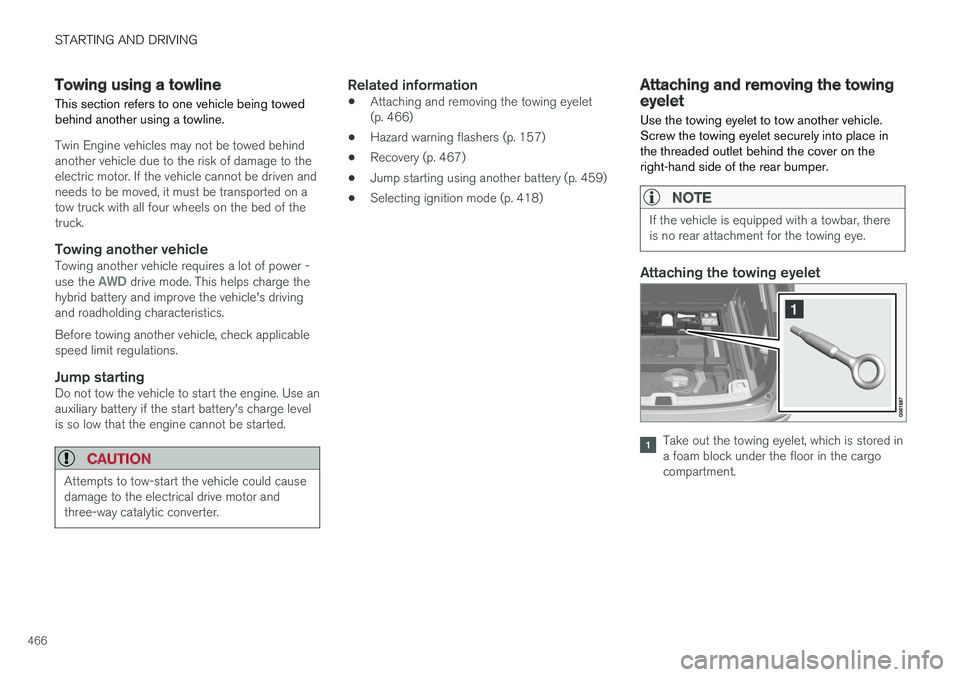
Use the towing eyelet to tow another vehicle. Screw the towing eyelet securely into place inthe threaded outlet behind the cover on theright-hand side of the rear bumper.
NOTE
If the vehicle is equipped with a towbar, there is no rear attachment for the towing eye.
Attaching the towing eyelet
Take out the towing eyelet, which is stored in a foam block under the floor in the cargocompartment.
Page 490 of 674
AUDIO, MEDIA AND INTERNET
* Option/accessory.
488
SiriusXM® Satellite radio *
The SiriusXM ®
Satellite system broadcasts from
of a number of high elevation satellites in geo- synchronous orbit.
Listening to satellite radioThe digital signals from the satellites are line-of- sight, which means that physical obstructionssuch as bridges, tunnels, etc, may temporarilyinterfere with signal reception. Avoid any obstructions, such as metallic objects transported on roof racks or in a ski box, or otherantennas that may impede signals from the SiriusXM ®
satellites.
Selecting SiriusXM ®
Satellite radio
mode
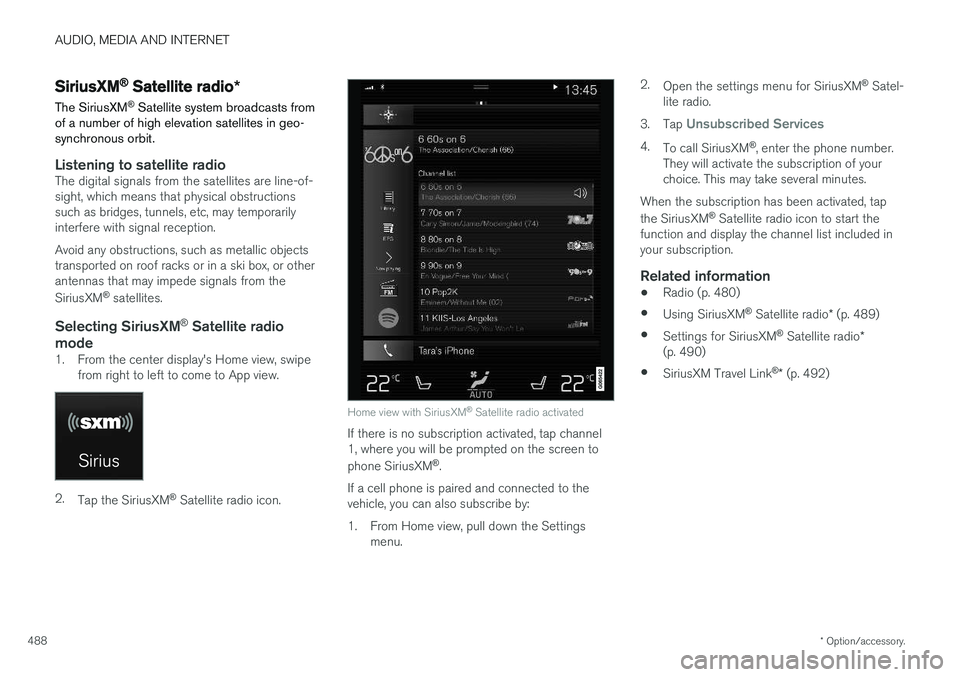
1. From the center display's Home view, swipe from right to left to come to App view.
2.Tap the SiriusXM ®
Satellite radio icon.
Home view with SiriusXM ®
Satellite radio activated
If there is no subscription activated, tap channel 1, where you will be prompted on the screen to phone SiriusXM ®
.
If a cell phone is paired and connected to the vehicle, you can also subscribe by:
1. From Home view, pull down the Settings menu. 2.
Open the settings menu for SiriusXM ®
Satel-
lite radio.
3. Tap
Unsubscribed Services
4.
To call SiriusXM ®
, enter the phone number.
They will activate the subscription of your choice. This may take several minutes.
When the subscription has been activated, tap the SiriusXM ®
Satellite radio icon to start the
function and display the channel list included in your subscription.
Related information
• Radio (p. 480)
• Using SiriusXM ®
Satellite radio * (p. 489)
• Settings for SiriusXM ®
Satellite radio *
(p. 490)
• SiriusXM Travel Link ®
* (p. 492)
Page 495 of 674
AUDIO, MEDIA AND INTERNET
}}
* Option/accessory.493
•
SiriusXM Travel Link ®
* - Sports (p. 496)
• SiriusXM Travel Link ®
* - Weather (p. 493)
• SiriusXM Travel Link ®
* - Notifications
(p. 494)
SiriusXM Travel Link® * - Weather
This SiriusXM Travel Link service provides weather-related information near the vehicle, at alocal ski resort, etc.
From the SiriusXM Travel Link home screen, to display weather-related information:
–Tap the Weather button to display this
screen.
At the top of the screen, the following categories will be displayed:
• Search (the magnifying glass icon)
•
Local
•Ski condition
•Areas
•Favorites
Tap the category of your choice.
SearchTap the magnifying glass icon. If the function is supported in the current context, a keyboard willappear on the screen. Enter the text of your choice and tap
Search for detailed information
from the SiriusXM Travel Link database.
Local 4Information from the closest weather station will be displayed and the following alternatives areavailable: •
Map view
•Today
•5 days
Map view
Tap the map to display it in full-screen mode. TapBack to return to the original map view.
Tap
Map options to display the following alter-
natives. •
Weather radar
•Storm attributes
•Surface features
•Tropical storm tracks
•Winds
Tap the relevant box to the right of the option to select/deselect it. Tap Done to confirm and
return to the previous screen or Cancel.
Today
Tap to see the current temperature, or the tem- perature in 3/6 hours. Tap
Back to return to the Local screen or Closeto return to the SiriusXM Travel Link home screen.
4 This is the weather default unless another alternative has been selected.
Page 543 of 674
WHEELS AND TIRES
}}
541
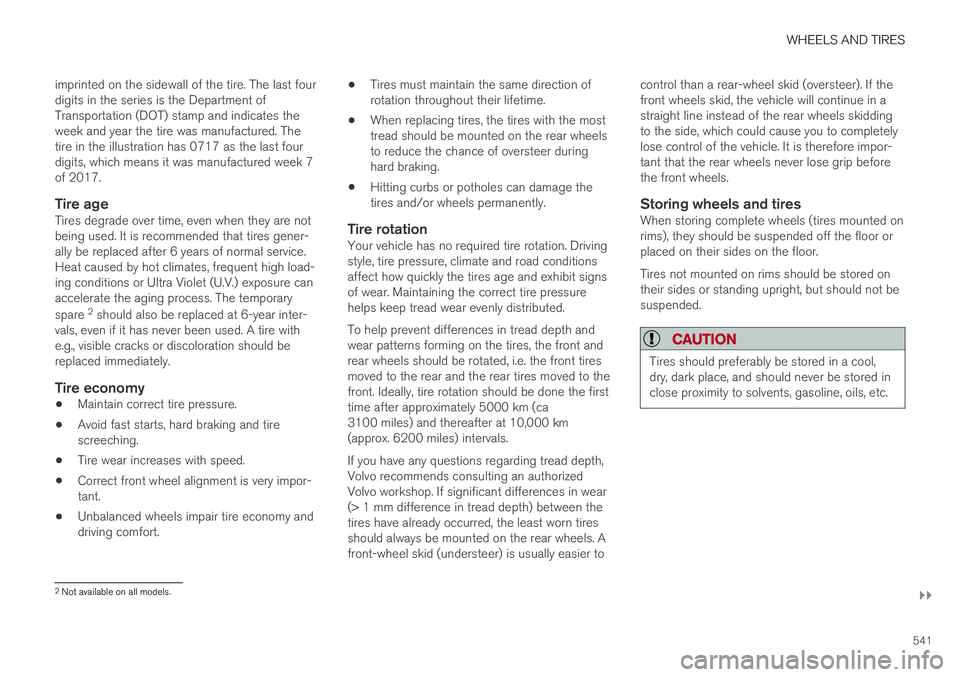
imprinted on the sidewall of the tire. The last four digits in the series is the Department ofTransportation (DOT) stamp and indicates theweek and year the tire was manufactured. Thetire in the illustration has 0717 as the last fourdigits, which means it was manufactured week 7of 2017.
Tire ageTires degrade over time, even when they are notbeing used. It is recommended that tires gener-ally be replaced after 6 years of normal service.Heat caused by hot climates, frequent high load-ing conditions or Ultra Violet (U.V.) exposure canaccelerate the aging process. The temporary spare
2
should also be replaced at 6-year inter-
vals, even if it has never been used. A tire with e.g., visible cracks or discoloration should bereplaced immediately.
Tire economy
• Maintain correct tire pressure.
• Avoid fast starts, hard braking and tirescreeching.
• Tire wear increases with speed.
• Correct front wheel alignment is very impor-tant.
• Unbalanced wheels impair tire economy anddriving comfort. •
Tires must maintain the same direction ofrotation throughout their lifetime.
• When replacing tires, the tires with the mosttread should be mounted on the rear wheelsto reduce the chance of oversteer duringhard braking.
• Hitting curbs or potholes can damage thetires and/or wheels permanently.
Tire rotationYour vehicle has no required tire rotation. Drivingstyle, tire pressure, climate and road conditionsaffect how quickly the tires age and exhibit signsof wear. Maintaining the correct tire pressurehelps keep tread wear evenly distributed. To help prevent differences in tread depth and wear patterns forming on the tires, the front andrear wheels should be rotated, i.e. the front tiresmoved to the rear and the rear tires moved to thefront. Ideally, tire rotation should be done the firsttime after approximately 5000 km (ca3100 miles) and thereafter at 10,000 km(approx. 6200 miles) intervals. If you have any questions regarding tread depth, Volvo recommends consulting an authorizedVolvo workshop. If significant differences in wear(> 1 mm difference in tread depth) between thetires have already occurred, the least worn tiresshould always be mounted on the rear wheels. Afront-wheel skid (understeer) is usually easier to control than a rear-wheel skid (oversteer). If thefront wheels skid, the vehicle will continue in astraight line instead of the rear wheels skiddingto the side, which could cause you to completelylose control of the vehicle. It is therefore impor-tant that the rear wheels never lose grip beforethe front wheels.
Storing wheels and tiresWhen storing complete wheels (tires mounted onrims), they should be suspended off the floor orplaced on their sides on the floor. Tires not mounted on rims should be stored on their sides or standing upright, but should not besuspended.
CAUTION
Tires should preferably be stored in a cool, dry, dark place, and should never be stored inclose proximity to solvents, gasoline, oils, etc.
2
Not available on all models.
Page 647 of 674
SPECIFICATIONS
}}
645
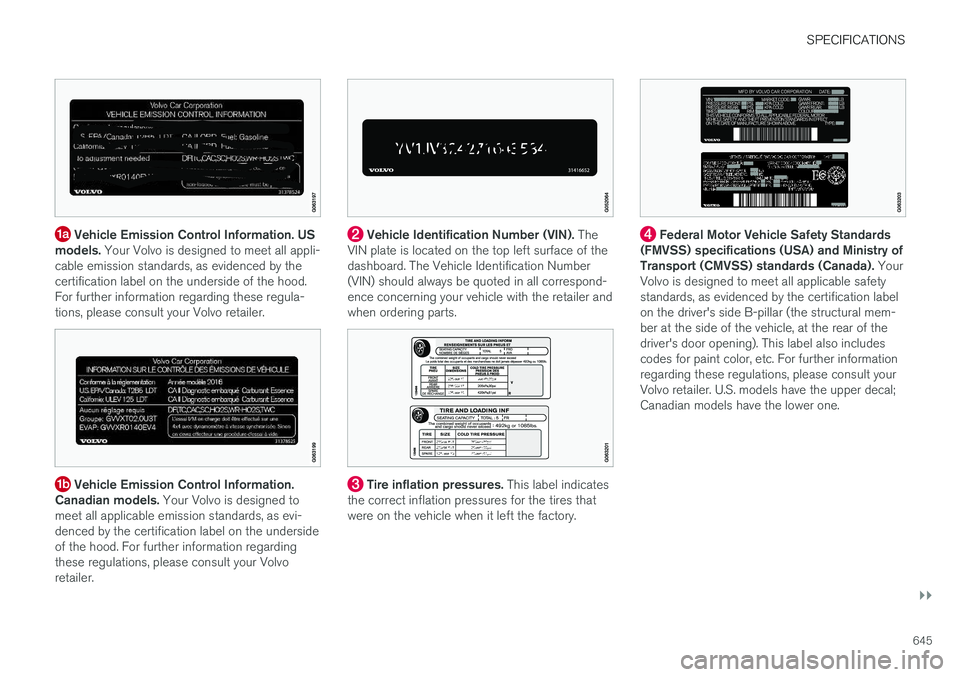
Vehicle Emission Control Information. US
models. Your Volvo is designed to meet all appli-
cable emission standards, as evidenced by the certification label on the underside of the hood.For further information regarding these regula-tions, please consult your Volvo retailer.
Vehicle Emission Control Information.
Canadian models. Your Volvo is designed to
meet all applicable emission standards, as evi- denced by the certification label on the undersideof the hood. For further information regardingthese regulations, please consult your Volvoretailer.
Vehicle Identification Number (VIN). The
VIN plate is located on the top left surface of the dashboard. The Vehicle Identification Number(VIN) should always be quoted in all correspond-ence concerning your vehicle with the retailer andwhen ordering parts.
Tire inflation pressures. This label indicates
the correct inflation pressures for the tires that were on the vehicle when it left the factory.
Federal Motor Vehicle Safety Standards
(FMVSS) specifications (USA) and Ministry of Transport (CMVSS) standards (Canada). Your
Volvo is designed to meet all applicable safetystandards, as evidenced by the certification labelon the driver's side B-pillar (the structural mem-ber at the side of the vehicle, at the rear of thedriver's door opening). This label also includescodes for paint color, etc. For further informationregarding these regulations, please consult yourVolvo retailer. U.S. models have the upper decal;Canadian models have the lower one.
Page 671 of 674
INDEX
669
tread wear indicator 543
winter tires 561
Tire sealing system 563
Tire tread 543
Tools 554Top tether anchors (child restraint sys- tems) 72
Total airing function 229, 247
Towbar 461 removable, attaching, installing, mount-
ing 461
removable, removing, detaching 461
Towing 466
Towing capacity and towball load 650
Towing eyelet 466
TPMS - Tire Pressure Monitoring System 549
Traction control 264
Traffic information 483
Trailer 464 driving with a trailer 462
Lamps 465
swaying 464
Trailer Stability Assist 464 trailer 464
Trailer stabilizer 264
Trailer towing trailer hitch 461
Transmission 428 automatic 429
Transmission fluid grade 653
Travel Link 492 Fuel 495
Notifications 494
Sports 496
weather 493
Tread depth 543, 561
Tread wear indicator 543
Trip computer 85, 86
Trip odometer 85
Trip odometer resetting 87
Trip statistics 88 Troubleshooting Adaptive Cruise Control 296
Troubleshooting the camera sensor 322
TSA - Trailer Stability Assist 264, 464
Tunnel detection 151
Turn off engine 416
Turn signals 154Twin Engine general 396Type approvalradar system 320
U
Uniform Tire Quality Grading 546
Units 128
Unknown vehicle component 260Unlockingsettings 232
with key blade 241
USB socket for connecting media 504
V
Vehicle care 628, 629, 631, 632, 633, 634
leather upholstery 626
Vehicle Event Data 33 Vehicle functions in the center display 118
Vehicle key bat. low 234 Vehicle modem connecting vehicle to Internet 522
settings 523
Vehicle recovery 467