center console VOLVO XC60 T8 2018 Owner´s Manual
[x] Cancel search | Manufacturer: VOLVO, Model Year: 2018, Model line: XC60 T8, Model: VOLVO XC60 T8 2018Pages: 674, PDF Size: 11.93 MB
Page 15 of 674
13
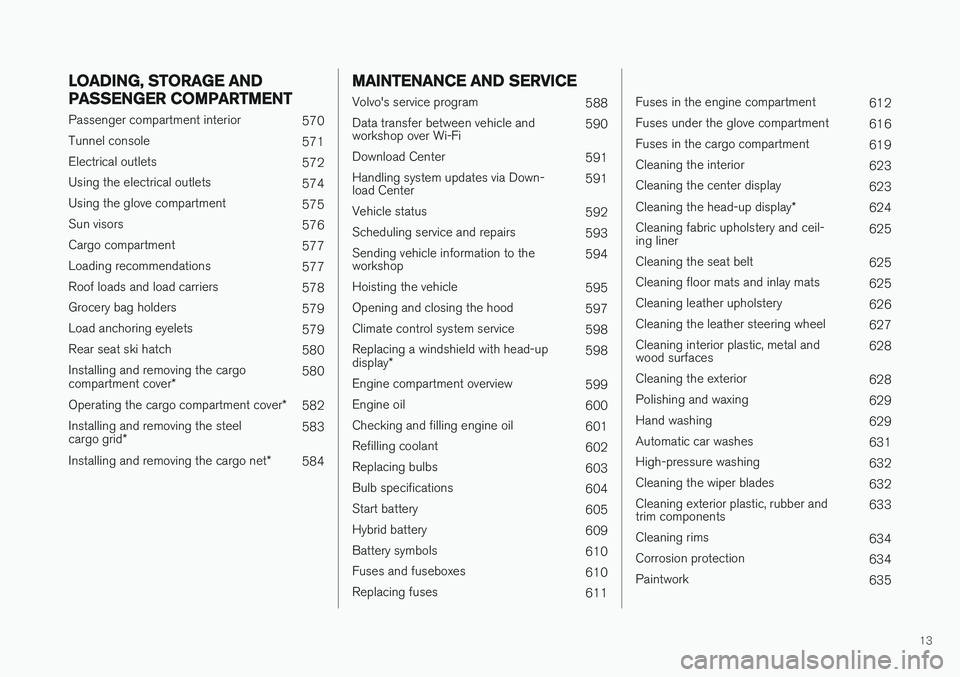
LOADING, STORAGE AND
PASSENGER COMPARTMENT
Passenger compartment interior570
Tunnel console 571
Electrical outlets 572
Using the electrical outlets 574
Using the glove compartment 575
Sun visors 576
Cargo compartment 577
Loading recommendations 577
Roof loads and load carriers 578
Grocery bag holders 579
Load anchoring eyelets 579
Rear seat ski hatch 580
Installing and removing the cargo compartment cover * 580
Operating the cargo compartment cover *
582
Installing and removing the steelcargo grid * 583
Installing and removing the cargo net *
584
MAINTENANCE AND SERVICE
Volvo's service program
588
Data transfer between vehicle and workshop over Wi-Fi 590
Download Center 591
Handling system updates via Down-load Center 591
Vehicle status 592
Scheduling service and repairs 593
Sending vehicle information to theworkshop 594
Hoisting the vehicle 595
Opening and closing the hood 597
Climate control system service 598
Replacing a windshield with head-up display * 598
Engine compartment overview 599
Engine oil 600
Checking and filling engine oil 601
Refilling coolant 602
Replacing bulbs 603
Bulb specifications 604
Start battery 605
Hybrid battery 609
Battery symbols 610
Fuses and fuseboxes 610
Replacing fuses 611
Fuses in the engine compartment612
Fuses under the glove compartment 616
Fuses in the cargo compartment 619
Cleaning the interior 623
Cleaning the center display 623
Cleaning the head-up display *
624
Cleaning fabric upholstery and ceil- ing liner 625
Cleaning the seat belt 625
Cleaning floor mats and inlay mats 625
Cleaning leather upholstery 626
Cleaning the leather steering wheel 627
Cleaning interior plastic, metal andwood surfaces 628
Cleaning the exterior 628
Polishing and waxing 629
Hand washing 629
Automatic car washes 631
High-pressure washing 632
Cleaning the wiper blades 632
Cleaning exterior plastic, rubber andtrim components 633
Cleaning rims 634
Corrosion protection 634
Paintwork 635
Page 61 of 674
SAFETY
}}
59
WARNING
•Keep the following points in mind with respect to the OWS system. Failure tofollow these instructions could adverselyaffect the system's function and result inserious injury to the occupant of the frontpassenger's seat:
• The full weight of the front seat passen-ger should always be on the seat cushion.The passenger should never lift him/herself off the seat cushion using thearmrest in the door or the center console,by pressing the feet on the floor, by sit-ting on the edge of the seat cushion, orby pressing against the backrest in a waythat reduces pressure on the seat cush-ion. This could cause OWS to disable thefront, passenger's side airbag.
WARNING
•Do not place any type of object on the front passenger's seat in such a way thatjamming, pressing, or squeezing occursbetween the object and the front seat,other than as a direct result of the correctuse of the Automatic Locking Retractor/Emergency Locking Retractor (ALR/ELR)seat belt.
• No objects should be placed under thefront passenger's seat. This could inter-fere with the OWS system's function.
Related information
• Driver/passenger-side airbags (p. 53)
Side airbags
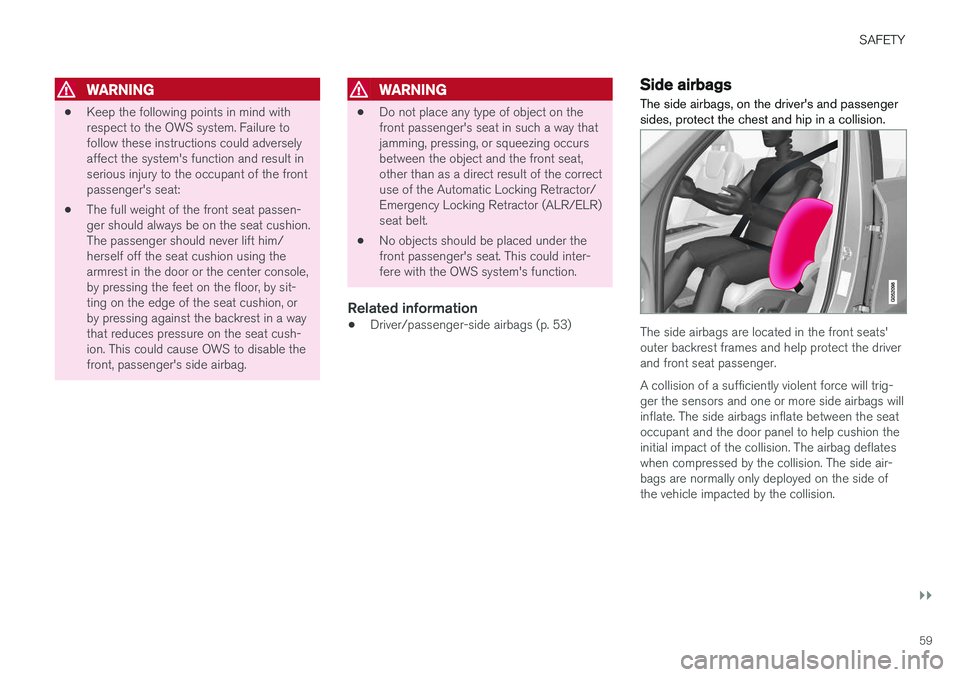
The side airbags, on the driver's and passenger sides, protect the chest and hip in a collision.
The side airbags are located in the front seats' outer backrest frames and help protect the driverand front seat passenger. A collision of a sufficiently violent force will trig- ger the sensors and one or more side airbags willinflate. The side airbags inflate between the seatoccupant and the door panel to help cushion theinitial impact of the collision. The airbag deflateswhen compressed by the collision. The side air-bags are normally only deployed on the side ofthe vehicle impacted by the collision.
Page 80 of 674
DISPLAYS AND VOICE CONTROL
* Option/accessory.
78
Instruments and controls in left-hand drive vehicles
The overviews show the location of the vehicle's
displays and controls.
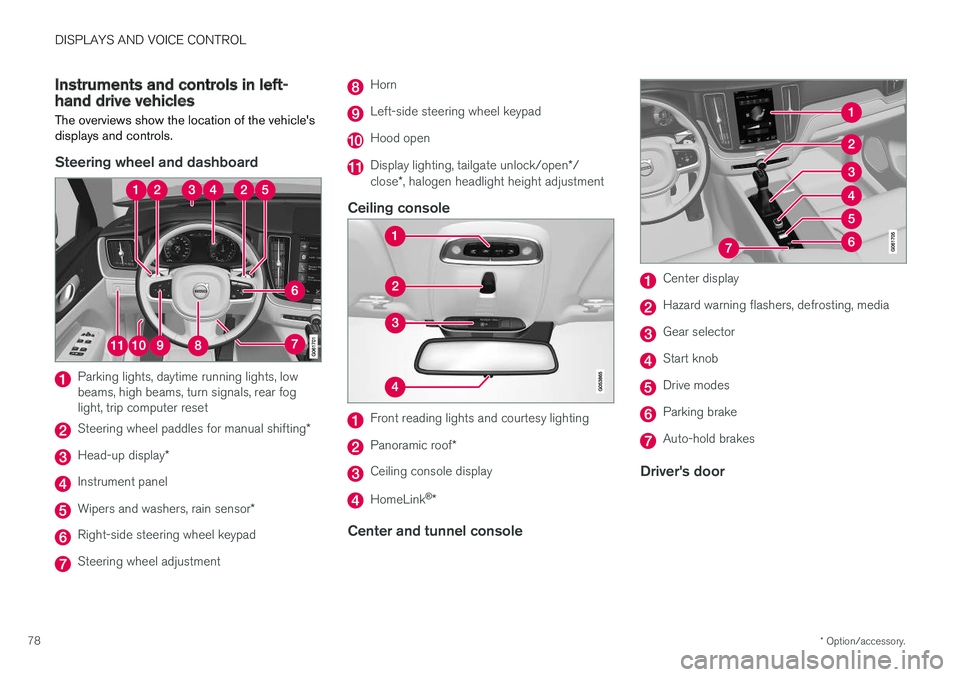
Steering wheel and dashboard
Parking lights, daytime running lights, low beams, high beams, turn signals, rear foglight, trip computer reset
Steering wheel paddles for manual shifting *
Head-up display*
Instrument panel
Wipers and washers, rain sensor *
Right-side steering wheel keypad
Steering wheel adjustment
Horn
Left-side steering wheel keypad
Hood open
Display lighting, tailgate unlock/open */
close *, halogen headlight height adjustment
Ceiling console
Front reading lights and courtesy lighting
Panoramic roof *
Ceiling console display
HomeLink®
*
Center and tunnel console
Center display
Hazard warning flashers, defrosting, media
Gear selector
Start knob
Drive modes
Parking brake
Auto-hold brakes
Driver's door
Page 138 of 674
||
DISPLAYS AND VOICE CONTROL
1364.
Pull down Top view again and tap
Settings
SystemDriver ProfilesEdit
Profile.
5. Select
Connect key to link the profile with
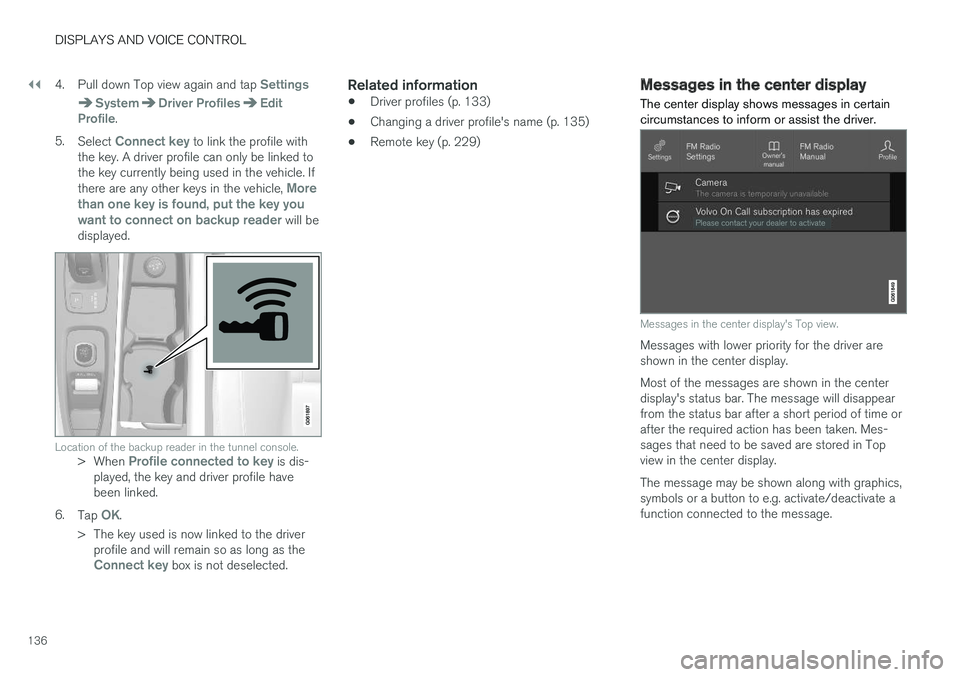
the key. A driver profile can only be linked to the key currently being used in the vehicle. If there are any other keys in the vehicle,
More
than one key is found, put the key you want to connect on backup reader
will be
displayed.
Location of the backup reader in the tunnel console.> When Profile connected to key is dis-
played, the key and driver profile have been linked.
6. Tap
OK.
> The key used is now linked to the driver profile and will remain so as long as the
Connect key box is not deselected.
Related information
• Driver profiles (p. 133)
• Changing a driver profile's name (p. 135)
• Remote key (p. 229)
Messages in the center display
The center display shows messages in certain circumstances to inform or assist the driver.
Messages in the center display's Top view.
Messages with lower priority for the driver are shown in the center display. Most of the messages are shown in the center display's status bar. The message will disappearfrom the status bar after a short period of time orafter the required action has been taken. Mes-sages that need to be saved are stored in Topview in the center display. The message may be shown along with graphics, symbols or a button to e.g. activate/deactivate afunction connected to the message.
Page 161 of 674
LIGHTING
}}
* Option/accessory.159
Briefly press the button on the light to turn on or off the reading lights. To adjust the brightness,press and hold the button.
Glove compartment lightingThe glove compartment lighting comes on orgoes off when the glove compartment is openedor closed.
Vanity mirror lighting
*The vanity mirror lighting comes on or goes offwhen the cover over the mirror is opened orclosed.
Ground lighting*The ground lighting comes on or goes off when adoor is opened or closed.
Cargo compartment lightingThe cargo compartment lighting comes on orgoes off when the tailgate is opened or closed.
Ambient LightingThe ambient lighting comes on when the doorsare opened and goes out when the vehicle islocked. Ambient lighting brightness can beadjusted in the center display and also fine-tuned using the thumb wheel in the dashboard.
Mood lighting*The vehicle is equipped with several LEDs that provide faint lighting in various colors. This light-ing is on when the engine is running. Mood light-ing can be adjusted in the center display and also fine-tuned using the thumb wheel in the dash-board.
Lighting in the door storage compartments
Lighting in the door storage compartments comes on when the doors are opened and goesout when the vehicle is locked. The brightnesscan be adjusted using the thumb wheel in thedashboard.
Lighting in the front tunnel console
cupholders
The lighting in front console cupholders switcheson when the vehicle is unlocked and off when thevehicle is locked. The brightness can be adjustedusing the thumb wheel in the dashboard.
Related information
• Adjusting interior lighting (p. 159)
• Lighting panel and controls (p. 148)
• Ignition modes (p. 417)
• Passenger compartment interior (p. 570)
Adjusting interior lighting
Illumination in the vehicle varies depending on ignition mode. The interior lighting can beadjusted with a thumb wheel in the dashboardand certain light functions can also be adjustedvia the center display.
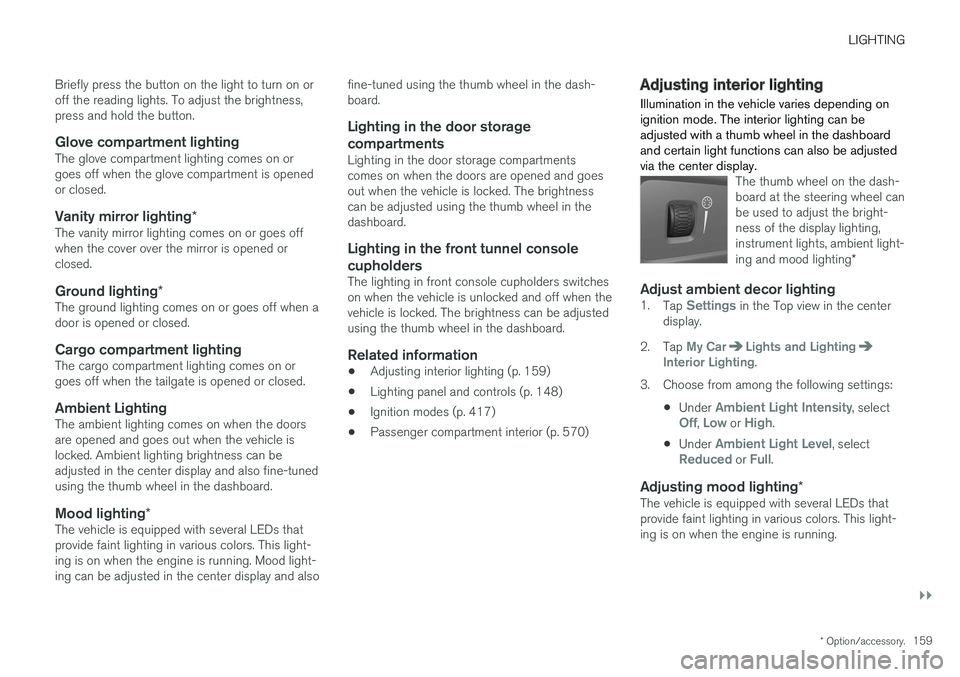
The thumb wheel on the dash- board at the steering wheel canbe used to adjust the bright-ness of the display lighting,instrument lights, ambient light- ing and mood lighting *
Adjust ambient decor lighting1.
Tap Settings in the Top view in the center
display.
2. Tap
My CarLights and LightingInterior Lighting.
3. Choose from among the following settings:
•Under
Ambient Light Intensity, selectOff, Low or High.
• Under
Ambient Light Level, selectReduced or Full.
Adjusting mood lighting
*The vehicle is equipped with several LEDs that provide faint lighting in various colors. This light-ing is on when the engine is running.
Page 198 of 674
CLIMATE CONTROL
* Option/accessory.
196
Climate
The vehicle is equipped with electronic climate control. The climate system cools, heats anddehumidifies the air in the passenger compart-ment.
All of the climate system functions are controlled from the center display and the buttons on thecenter console. Certain rear seat functions can also be controlled from the climate controls * on the rear of the tun-
nel console.
Related information
• Climate zones (p. 196)
• Climate control sensors (p. 196)
• Perceived temperature (p. 197)
• Climate control system voice commands (p. 197)
• Parking climate (p. 220)
• Air quality (p. 198)
• Air distribution (p. 201)
• Climate system controls (p. 208)
Climate zones
The vehicle is divided into climate zones to make it possible to set different temperatures for dif-ferent parts of the passenger compartment.
2-zone climate system
Climate zones with 2-zone climate system.
In 2-zone climate systems, the passenger com- partment temperature can be set separately forthe left and right sides of the vehicle.
Related information
• Climate (p. 196)
Climate control sensors
The climate system has a number of sensors to help regulate the climate settings in the vehicle.
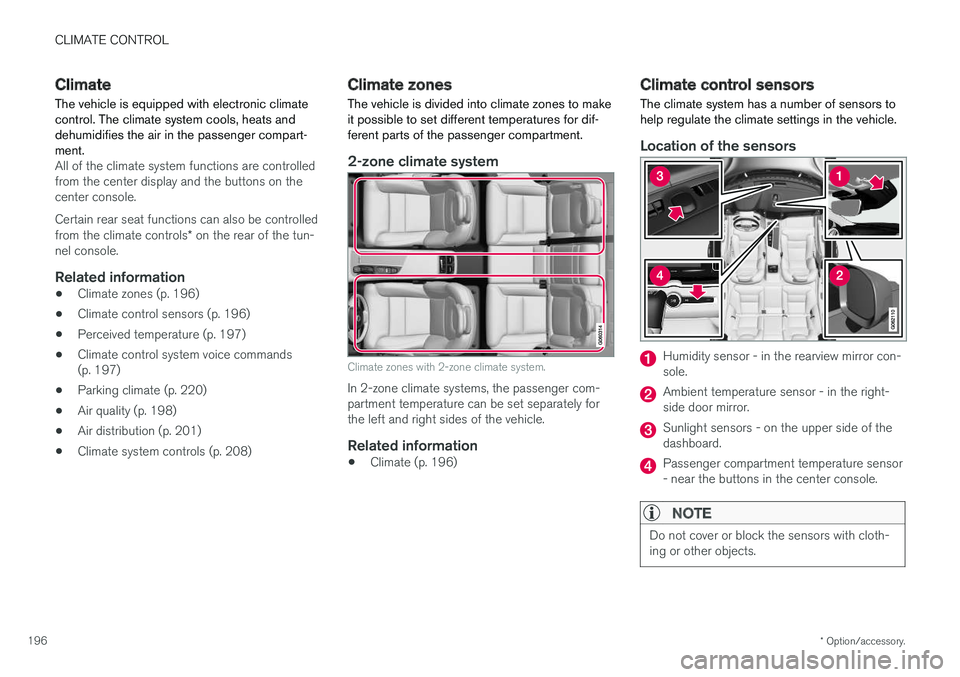
Location of the sensors
Humidity sensor - in the rearview mirror con- sole.
Ambient temperature sensor - in the right- side door mirror.
Sunlight sensors - on the upper side of the dashboard.
Passenger compartment temperature sensor - near the buttons in the center console.
NOTE
Do not cover or block the sensors with cloth- ing or other objects.
Page 210 of 674
CLIMATE CONTROL
* Option/accessory.
208
Climate system controls
The climate system functions are controlled from physical buttons on the center console, the cen-ter display, and the climate panel on the rear side of the tunnel console *.
Physical buttons in the center console
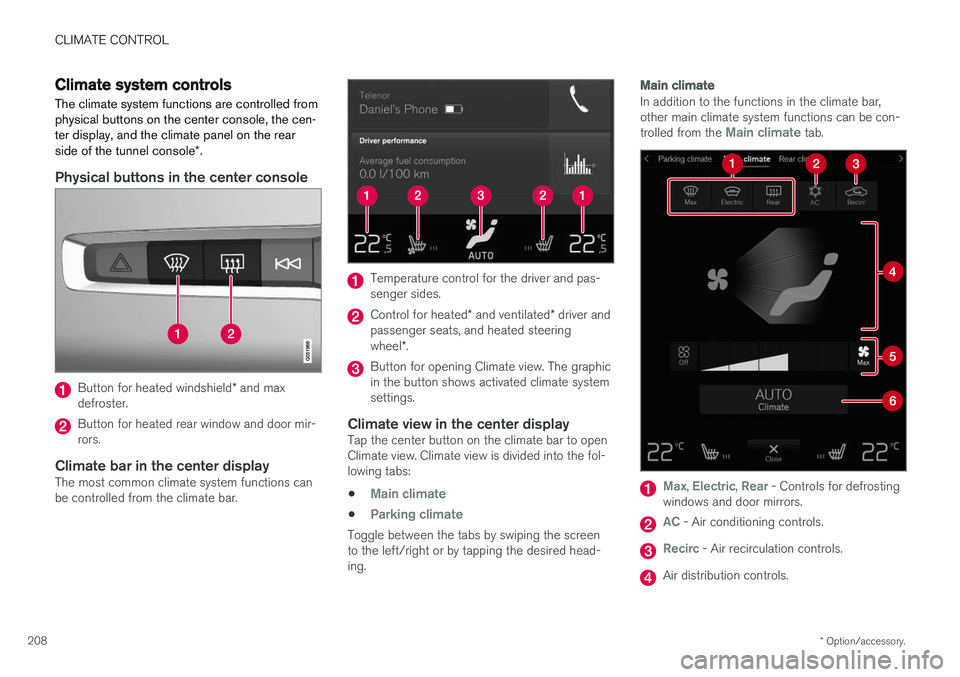
Button for heated windshield * and max
defroster.
Button for heated rear window and door mir- rors.
Climate bar in the center displayThe most common climate system functions canbe controlled from the climate bar.
Temperature control for the driver and pas- senger sides.
Control for heated * and ventilated * driver and
passenger seats, and heated steering wheel *.
Button for opening Climate view. The graphic in the button shows activated climate systemsettings.
Climate view in the center displayTap the center button on the climate bar to openClimate view. Climate view is divided into the fol-lowing tabs:
•
Main climate
•Parking climate
Toggle between the tabs by swiping the screen to the left/right or by tapping the desired head-ing.
Main climate
In addition to the functions in the climate bar, other main climate system functions can be con- trolled from the
Main climate tab.
Max, Electric, Rear - Controls for defrosting
windows and door mirrors.
AC - Air conditioning controls.
Recirc - Air recirculation controls.
Air distribution controls.
Page 211 of 674
CLIMATE CONTROL
}}
* Option/accessory.209
Blower control.
AUTO - Automatic climate control.
Parking climate
Parking climate functions can be controlled from the Parking climate tab.
Climate controls on the rear side of the
tunnel console *
If the vehicle is equipped with heated rear seats *,
there are physical buttons on the rear side of the tunnel console to control this.
Related information
• Climate (p. 196)
• Activating and deactivating power front seats
* (p. 209)
• Activating and deactivating the heated rearseats
* (p. 210)
• Activating and deactivating front seat ventila-tion
* (p. 211)
• Activating and deactivating the heated steer-ing wheel
* (p. 211)
• Activating auto climate control (p. 212)
• Activating and deactivating recirculation (p. 213)
• Activating and deactivating max defroster(p. 214)
• Activating and deactivating the heated wind- shield
* (p. 215) •
Activating and deactivating the heated rear window and door mirrors (p. 217)
• Setting the blower speed for the front seats(p. 218)
• Synchronize temperature (p. 219)
• Activating and deactivating air conditioning(p. 220)
Activating and deactivating power
front seats
*
The seats can be heated for added comfort for the driver and passengers in cold weather.
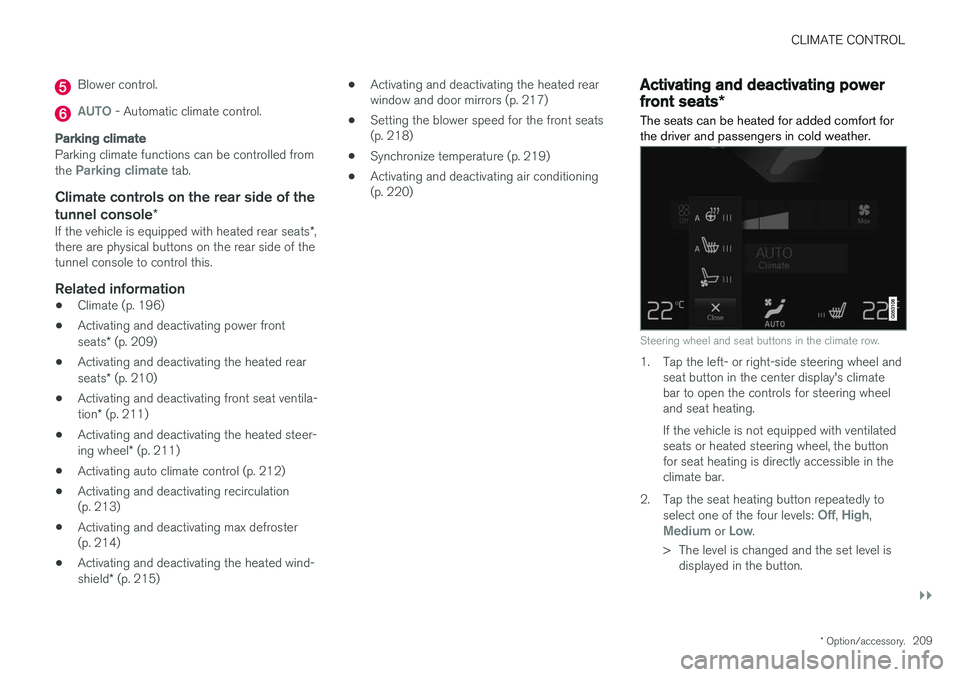
Steering wheel and seat buttons in the climate row.
1. Tap the left- or right-side steering wheel and seat button in the center display's climate bar to open the controls for steering wheeland seat heating. If the vehicle is not equipped with ventilated seats or heated steering wheel, the buttonfor seat heating is directly accessible in theclimate bar.
2. Tap the seat heating button repeatedly to select one of the four levels:
Off, High,Medium or Low.
> The level is changed and the set level is displayed in the button.
Page 212 of 674
||
CLIMATE CONTROL
* Option/accessory.
210
Related information
• Climate system controls (p. 208)
• Activating and deactivating the heated front seat
* (p. 210)
Activating and deactivating the
heated front seat *
The seats can be heated for added comfort for the driver and passengers in cold weather.
Seat heating can be set to automatically activate when the engine is started. When set to automat-ically activate, heating will be turned on at lowambient temperatures. 1. Tap
Settings in the Top view in the center
display.
2. Tap
Climate.
3. Select
Auto Driver Seat Heating Leveland Auto Passenger Seat Heating Levelto activate/deactivate automatic start of heated driver's and passenger seat.
4. Select
Low, Medium or High to select level
after the function has been activated.
Related information
• Climate system controls (p. 208)
• Activating and deactivating power front seats
* (p. 209)
Activating and deactivating the
heated rear seats *
The seats can be heated for added comfort for the driver and passengers in cold weather.
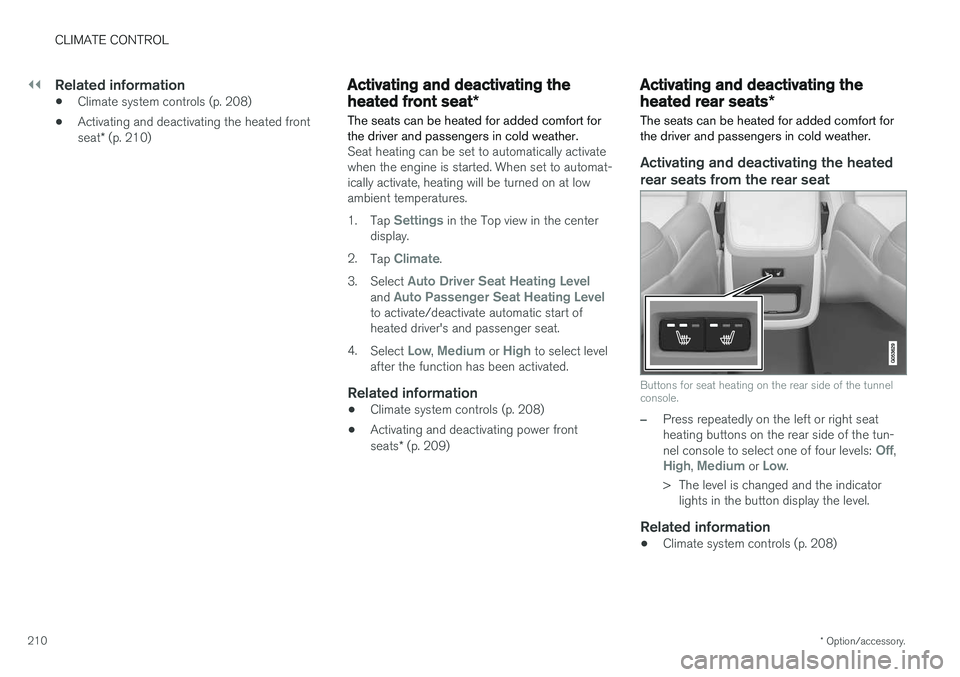
Activating and deactivating the heated rear seats from the rear seat
Buttons for seat heating on the rear side of the tunnel console.
–Press repeatedly on the left or right seat heating buttons on the rear side of the tun- nel console to select one of four levels:
Off,High, Medium or Low.
> The level is changed and the indicator lights in the button display the level.
Related information
• Climate system controls (p. 208)
Page 216 of 674
CLIMATE CONTROL
* Option/accessory.
214
Activating and deactivating therecirculation timer setting
The climate system's recirculation function helps shut out smog, smoke, exhaust fumes, etc. byreusing the air in the passenger compartment.
When the recirculation timer is activated, air recir- culation will switch off automatically after 20minutes. 1. Tap
Settings in the Top view in the center
display.
2. Tap
Climate.
3. Tap
Recirculation Timer to activate/deacti-
vate the recirculation timer.
Related information
• Activating and deactivating recirculation (p. 213)
Activating and deactivating maxdefroster
Max defroster is used to quickly remove conden- sation and ice from windows.
Activating and deactivating max defroster from the center console
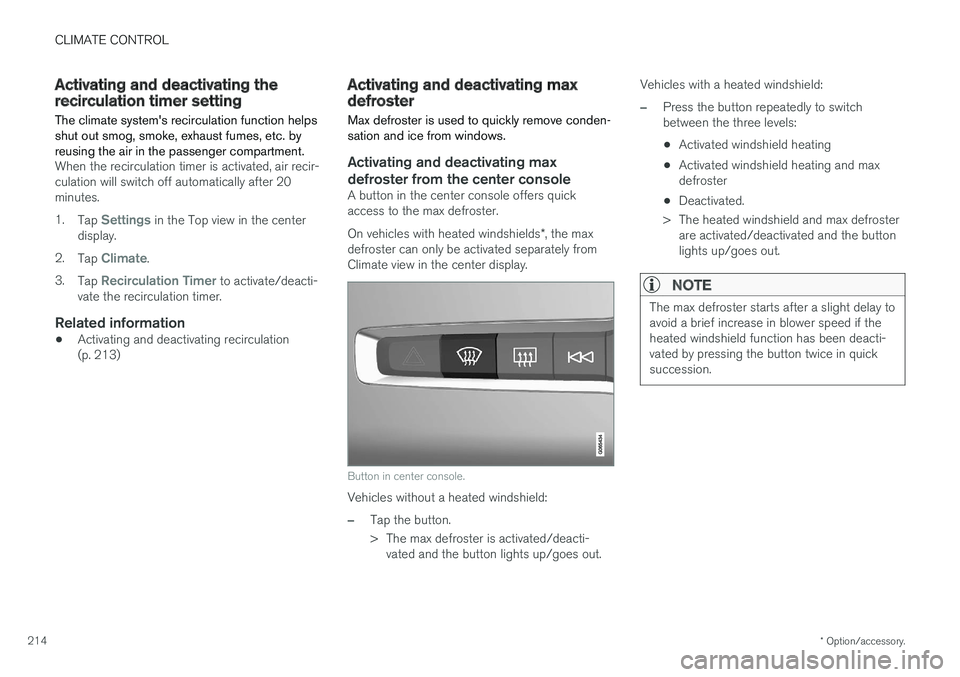
A button in the center console offers quick access to the max defroster. On vehicles with heated windshields *, the max
defroster can only be activated separately from Climate view in the center display.
Button in center console.
Vehicles without a heated windshield:
–Tap the button.
> The max defroster is activated/deacti- vated and the button lights up/goes out. Vehicles with a heated windshield:
–Press the button repeatedly to switch between the three levels:
• Activated windshield heating
• Activated windshield heating and maxdefroster
• Deactivated.
> The heated windshield and max defroster are activated/deactivated and the buttonlights up/goes out.
NOTE
The max defroster starts after a slight delay to avoid a brief increase in blower speed if theheated windshield function has been deacti-vated by pressing the button twice in quicksuccession.