ad blue VOLVO XC60 TWIN ENGINE 2019 User Guide
[x] Cancel search | Manufacturer: VOLVO, Model Year: 2019, Model line: XC60 TWIN ENGINE, Model: VOLVO XC60 TWIN ENGINE 2019Pages: 695, PDF Size: 14.96 MB
Page 205 of 695
CLIMATE CONTROL
* Option/accessory.203
Interior Air Quality System* (p. 204)
Passenger compartment air filter (p. 205)
Clean Zone*
The Clean Zone function monitors the condi-tions affecting good air quality in the passengercompartment and indicates whether they are ful-filled or not.
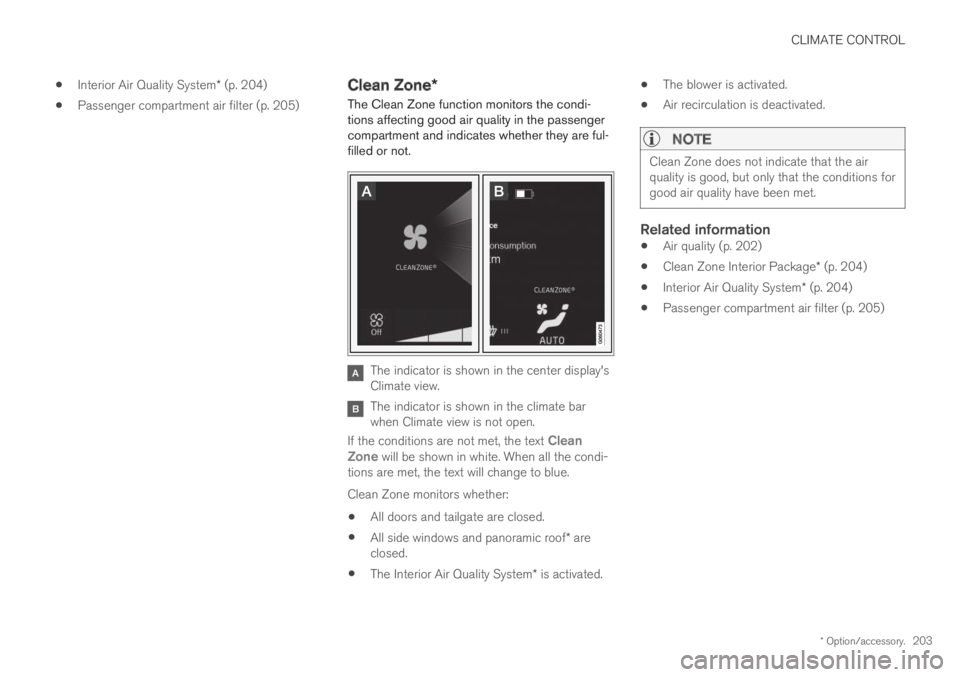
The indicator is shown in the center display'sClimate view.
The indicator is shown in the climate barwhen Climate view is not open.
If the conditions are not met, the text CleanZone will be shown in white. When all the condi-tions are met, the text will change to blue.
Clean Zone monitors whether:
All doors and tailgate are closed.
All side windows and panoramic roof* areclosed.
The Interior Air Quality System* is activated.
The blower is activated.
Air recirculation is deactivated.
NOTE
Clean Zone does not indicate that the airquality is good, but only that the conditions forgood air quality have been met.
Related information
Air quality (p. 202)
Clean Zone Interior Package* (p. 204)
Interior Air Quality System* (p. 204)
Passenger compartment air filter (p. 205)
Page 419 of 695
HYBRID INFORMATION
417
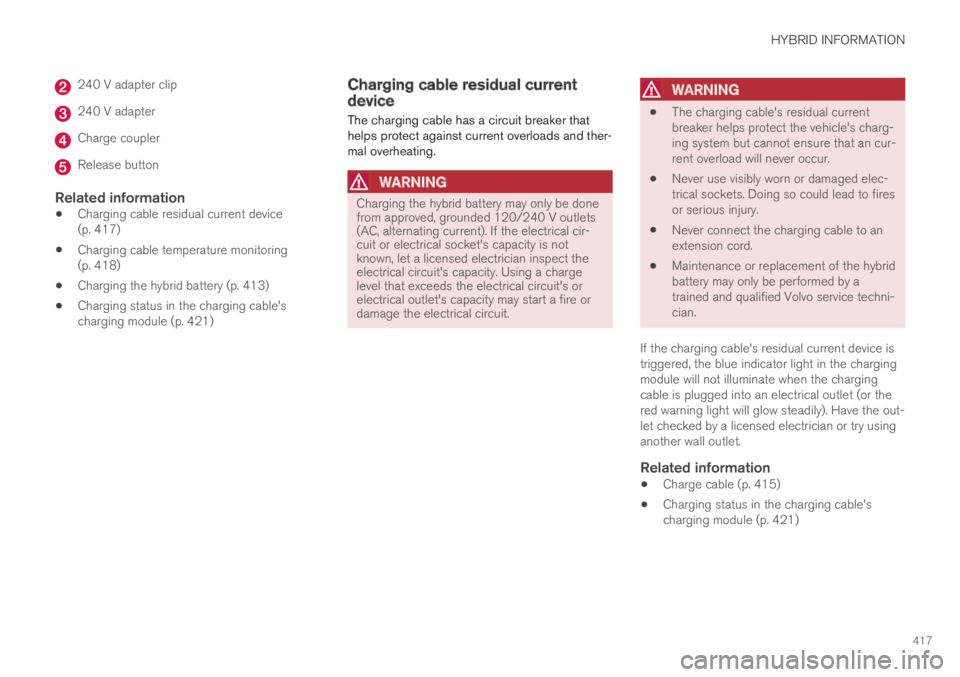
240 V adapter clip
240 V adapter
Charge coupler
Release button
Related information
Charging cable residual current device(p. 417)
Charging cable temperature monitoring(p. 418)
Charging the hybrid battery (p. 413)
Charging status in the charging cable'scharging module (p. 421)
Charging cable residual currentdevice
The charging cable has a circuit breaker thathelps protect against current overloads and ther-mal overheating.
WARNING
Charging the hybrid battery may only be donefrom approved, grounded 120/240 V outlets(AC, alternating current). If the electrical cir-cuit or electrical socket's capacity is notknown, let a licensed electrician inspect theelectrical circuit's capacity. Using a chargelevel that exceeds the electrical circuit's orelectrical outlet's capacity may start a fire ordamage the electrical circuit.
WARNING
The charging cable's residual currentbreaker helps protect the vehicle's charg-ing system but cannot ensure that an cur-rent overload will never occur.
Never use visibly worn or damaged elec-trical sockets. Doing so could lead to firesor serious injury.
Never connect the charging cable to anextension cord.
Maintenance or replacement of the hybridbattery may only be performed by atrained and qualified Volvo service techni-cian.
If the charging cable's residual current device istriggered, the blue indicator light in the chargingmodule will not illuminate when the chargingcable is plugged into an electrical outlet (or thered warning light will glow steadily). Have the out-let checked by a licensed electrician or try usinganother wall outlet.
Related information
Charge cable (p. 415)
Charging status in the charging cable'scharging module (p. 421)
Page 423 of 695
HYBRID INFORMATION
}}
421
Charging status in the vehicle'scharging socket
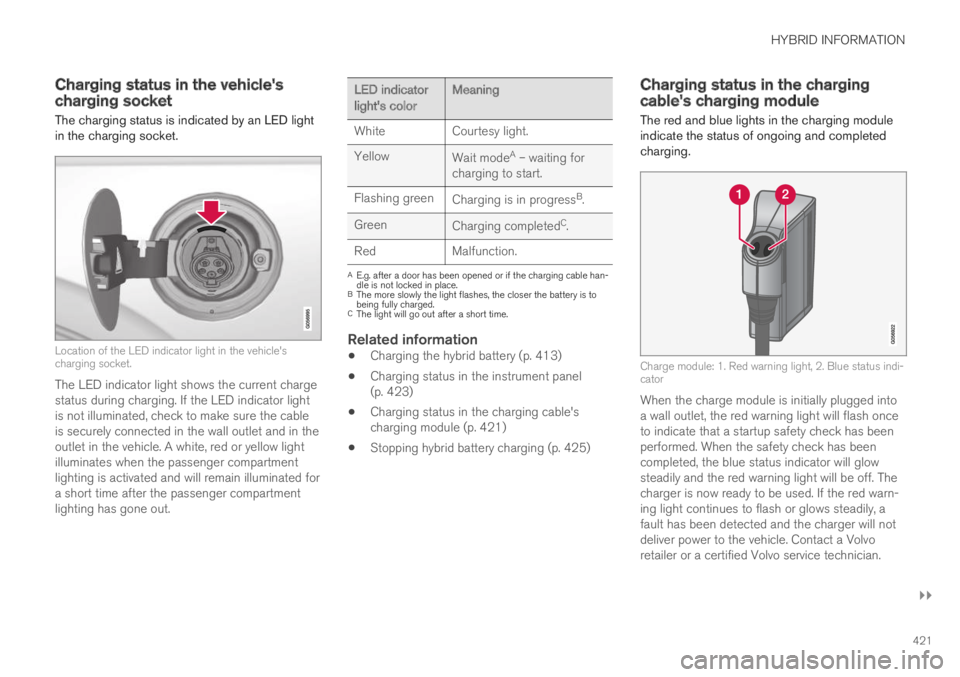
The charging status is indicated by an LED lightin the charging socket.
Location of the LED indicator light in the vehicle'scharging socket.
The LED indicator light shows the current chargestatus during charging. If the LED indicator lightis not illuminated, check to make sure the cableis securely connected in the wall outlet and in theoutlet in the vehicle. A white, red or yellow lightilluminates when the passenger compartmentlighting is activated and will remain illuminated fora short time after the passenger compartmentlighting has gone out.
LED indicatorlight's colorMeaning
WhiteCourtesy light.
YellowWait modeA – waiting forcharging to start.
Flashing greenCharging is in progressB.
GreenCharging completedC.
RedMalfunction.
AE.g. after a door has been opened or if the charging cable han-dle is not locked in place.BThe more slowly the light flashes, the closer the battery is tobeing fully charged.CThe light will go out after a short time.
Related information
Charging the hybrid battery (p. 413)
Charging status in the instrument panel(p. 423)
Charging status in the charging cable'scharging module (p. 421)
Stopping hybrid battery charging (p. 425)
Charging status in the chargingcable's charging module
The red and blue lights in the charging moduleindicate the status of ongoing and completedcharging.
Charge module: 1. Red warning light, 2. Blue status indi-cator
When the charge module is initially plugged intoa wall outlet, the red warning light will flash onceto indicate that a startup safety check has beenperformed. When the safety check has beencompleted, the blue status indicator will glowsteadily and the red warning light will be off. Thecharger is now ready to be used. If the red warn-ing light continues to flash or glows steadily, afault has been detected and the charger will notdeliver power to the vehicle. Contact a Volvoretailer or a certified Volvo service technician.
Page 424 of 695
||
HYBRID INFORMATION
422
When the charging cable is connected to thevehicle's charging socket, the blue light will flashonce.
Charging cable connected to the vehicle's charg-ing socket:
Indicatorlight's colorMeaning
FlashingblueCharging is in progress. Thelight flashes about once everyother second
Solid blueCharging completed. This willalso be indicated in the instru-ment panel
Related information
Charging the hybrid battery (p. 413)
Charging status in the vehicle's chargingsocket (p. 421)
Charging status in the instrument panel(p. 423)
Stopping hybrid battery charging (p. 425)
Page 425 of 695
HYBRID INFORMATION
}}
423
Charging status in the instrumentpanel
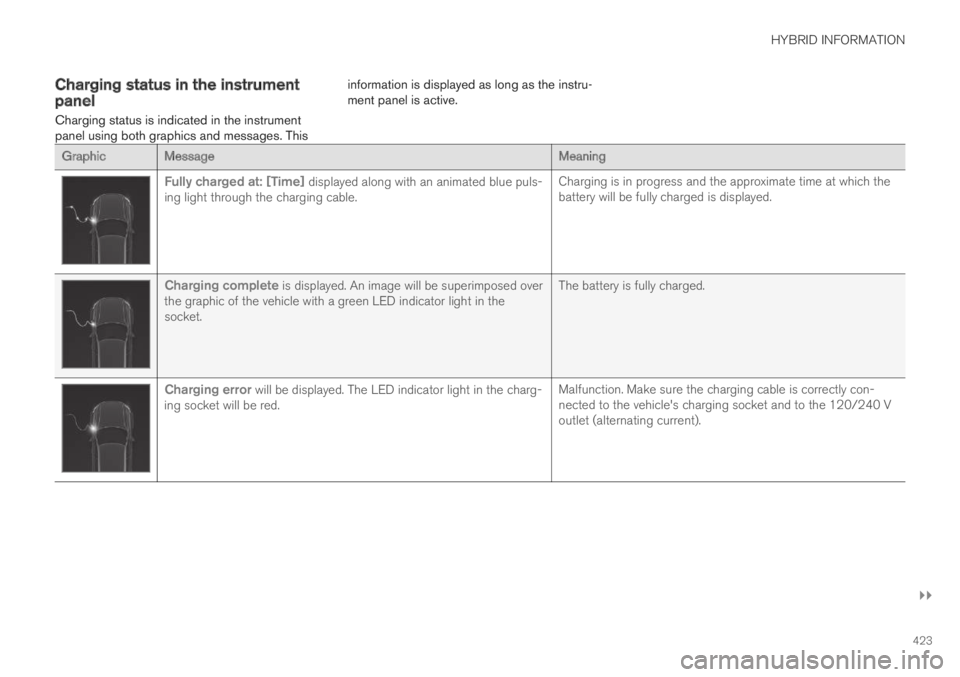
Charging status is indicated in the instrumentpanel using both graphics and messages. This
information is displayed as long as the instru-ment panel is active.
GraphicMessageMeaning
Fully charged at: [Time] displayed along with an animated blue puls-ing light through the charging cable.Charging is in progress and the approximate time at which thebattery will be fully charged is displayed.
Charging complete is displayed. An image will be superimposed overthe graphic of the vehicle with a green LED indicator light in thesocket.
The battery is fully charged.
Charging error will be displayed. The LED indicator light in the charg-ing socket will be red.Malfunction. Make sure the charging cable is correctly con-nected to the vehicle's charging socket and to the 120/240 Voutlet (alternating current).
Page 435 of 695
STARTING AND DRIVING
* Option/accessory.433
Ignition modes
The vehicle's ignition can be put in variousmodes (levels) to make different functions availa-ble.
To enable the use of a limited number of func-tions when the engine is not running, the ignitioncan be put in one of three different levels: 0, Iand II. These levels are referred to as "ignitionmodes" in the Owner's Manual.
The following table shows which functions areavailable in each ignition mode:
ModeFunctions
0The odometer, clock and tem-
perature gauge are illuminatedA.
The power* seats can beadjusted.
The power windows can be used.
The center display is activated
and can be usedA.
The infotainment system can be
usedA.
In this mode, the functions are availa-ble for a limited time and then switchoff automatically.
IThe panoramic roof, power win-dows, 12-volt electrical socket inthe passenger compartment,Bluetooth, navigation, phone,blower and windshield wipers canbe used.
The power seats can be adjusted.
The 12-volt electrical socket* inthe cargo compartment can beused.
Electrical current will be takenfrom the battery in this ignitionmode.
ModeFunctions
IIThe headlights illuminate.
Warning/indicator lights illumi-nate for 5 seconds.
A number of other systems areactivated. However, seat and rearwindow heating can only be acti-vated when the engine is running.
This ignition mode uses a lot ofcurrent from the battery andshould be avoided whenever pos-sible!
AAlso activated when the door is opened.
Related information
Starting the vehicle (p. 430)
Adjusting the steering wheel (p. 198)
Jump starting using another battery (p. 477)
Selecting ignition mode (p. 434)
Page 494 of 695
AUDIO, MEDIA AND INTERNET
* Option/accessory.492
Audio, media and Internet
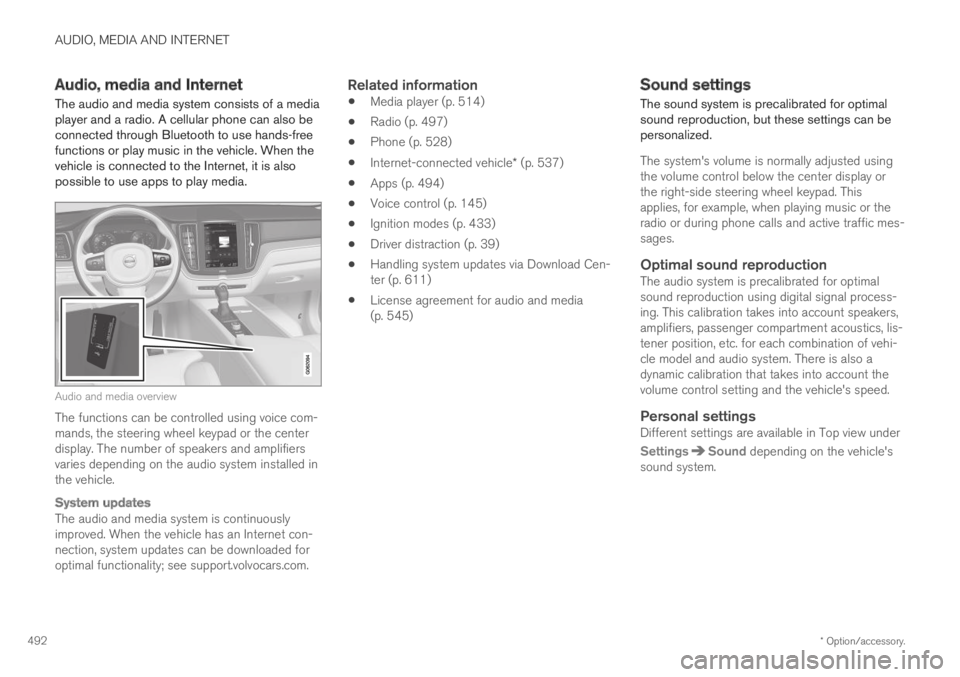
The audio and media system consists of a mediaplayer and a radio. A cellular phone can also beconnected through Bluetooth to use hands-freefunctions or play music in the vehicle. When thevehicle is connected to the Internet, it is alsopossible to use apps to play media.
Audio and media overview
The functions can be controlled using voice com-mands, the steering wheel keypad or the centerdisplay. The number of speakers and amplifiersvaries depending on the audio system installed inthe vehicle.
System updates
The audio and media system is continuouslyimproved. When the vehicle has an Internet con-nection, system updates can be downloaded foroptimal functionality; see support.volvocars.com.
Related information
Media player (p. 514)
Radio (p. 497)
Phone (p. 528)
Internet-connected vehicle* (p. 537)
Apps (p. 494)
Voice control (p. 145)
Ignition modes (p. 433)
Driver distraction (p. 39)
Handling system updates via Download Cen-ter (p. 611)
License agreement for audio and media(p. 545)
Sound settings
The sound system is precalibrated for optimalsound reproduction, but these settings can bepersonalized.
The system's volume is normally adjusted usingthe volume control below the center display orthe right-side steering wheel keypad. Thisapplies, for example, when playing music or theradio or during phone calls and active traffic mes-sages.
Optimal sound reproduction
The audio system is precalibrated for optimalsound reproduction using digital signal process-ing. This calibration takes into account speakers,amplifiers, passenger compartment acoustics, lis-tener position, etc. for each combination of vehi-cle model and audio system. There is also adynamic calibration that takes into account thevolume control setting and the vehicle's speed.
Personal settings
Different settings are available in Top view under
SettingsSound depending on the vehicle'ssound system.
Page 516 of 695
AUDIO, MEDIA AND INTERNET
* Option/accessory.514
Media player
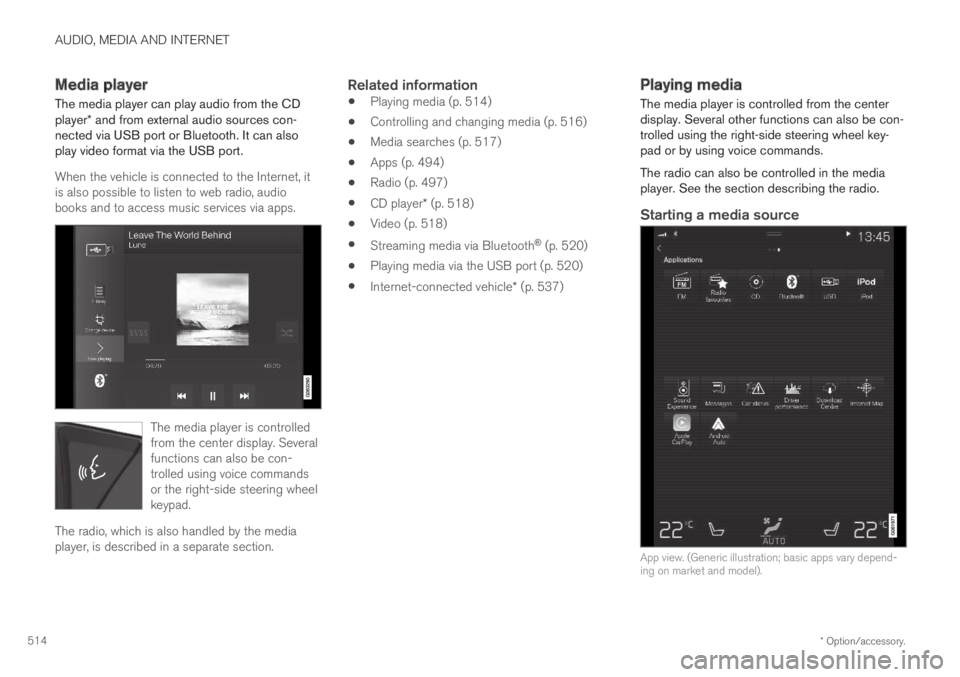
The media player can play audio from the CDplayer* and from external audio sources con-nected via USB port or Bluetooth. It can alsoplay video format via the USB port.
When the vehicle is connected to the Internet, itis also possible to listen to web radio, audiobooks and to access music services via apps.
The media player is controlledfrom the center display. Severalfunctions can also be con-trolled using voice commandsor the right-side steering wheelkeypad.
The radio, which is also handled by the mediaplayer, is described in a separate section.
Related information
Playing media (p. 514)
Controlling and changing media (p. 516)
Media searches (p. 517)
Apps (p. 494)
Radio (p. 497)
CD player* (p. 518)
Video (p. 518)
Streaming media via Bluetooth® (p. 520)
Playing media via the USB port (p. 520)
Internet-connected vehicle* (p. 537)
Playing media
The media player is controlled from the centerdisplay. Several other functions can also be con-trolled using the right-side steering wheel key-pad or by using voice commands.
The radio can also be controlled in the mediaplayer. See the section describing the radio.
Starting a media source
App view. (Generic illustration; basic apps vary depend-ing on market and model).
Page 517 of 695
AUDIO, MEDIA AND INTERNET
* Option/accessory.515
CD *
1. Insert a CD.
2.Open the CD app from App view.
3.Select the track you would like to play.
> Playback will begin.
USB flash drive
1. Inset a USB flash drive.
2.Open the USB app from App view.
3.Select the track you would like to play.
> Playback will begin.
MP3 player and iPod ®
NOTE
To start playback from an iPod, the iPod appmust be used (not USB).
When an iPod is used as source, the car'saudio and media system has a menu struc-ture similar to the iPod player's own menustructure.
1. Connect a media source.
2.Start playback in the connected mediasource.
3.Open the app (iPod, USB) from App view.
>Playback will begin.
Bluetooth-connected device
1. Activate Bluetooth in the media source.
2. Connect a media source.
3. Start playback in the connected mediasource.
4.Open the Bluetooth app from App view.
>Playback will begin.
Media with Internet connection
Medial playback from apps with Internet connec-tion:
1. Connect the vehicle to the Internet.
2. Open the app from the App view.
> Playback will begin.
Read the separate section on how to downloadapps.
Video
1. Connect a media source.
2.Open the USB app from App view.
3.Tap the title you would like to play.
> Playback will begin.
Apple CarPlay
CarPlay is described in a separate section.
Android Auto
Android Auto is described in a separate section.
Related information
Handling the App menu in the instrumentpanel (p. 104)
Radio (p. 497)
Controlling and changing media (p. 516)
Connecting a device via the USB port(p. 521)
Connecting a device via Bluetooth®
(p. 520)
Download apps (p. 495)
Internet-connected vehicle* (p. 537)
Video (p. 518)
Apple® CarPlay®* (p. 523)
Android Auto* (p. 526)
Voice control for radio and media (p. 148)
Compatible file formats for media (p. 522)
Page 522 of 695
AUDIO, MEDIA AND INTERNET
* Option/accessory.520
Streaming media via Bluetooth®
The vehicle's media player is equipped withBluetooth and can play audio files fromBluetooth-enabled external devices such as cel-lular phones and tablets.
In order for the media player to be able to wire-lessly play audio files from an external device, thedevice must be connected to the vehicle viaBluetooth.
Related information
Connecting a device via Bluetooth®
(p. 520)
Connecting a phone to the car via Bluetoothfor the first time (p. 529)
Playing media (p. 514)
Compatible file formats for media (p. 522)
Connecting a device via Bluetooth®
Connect a Bluetooth® device to the vehicle towirelessly play media and give the vehicle anInternet connection if it is available.
Many cellular phones on the market currently
offer wireless Bluetooth® technology, but not allphones are fully compatible with the vehicle. Foradditional information on compatibility, seesupport.volvocars.com.
The procedure for connecting a media device isthe same as for connecting a cellular phone to
the vehicle via Bluetooth®.
Related information
Streaming media via Bluetooth® (p. 520)
Connecting a phone to the car via Bluetoothfor the first time (p. 529)
Playing media (p. 514)
Playing media via the USB port
External audio sources, such as an iPod® orMP3 player, can be connected to the audio sys-tem via the vehicle's USB port.
Devices with rechargeable batteries can becharged when they are connected via the USBport and the ignition is in mode I, II or the engineis running.
The content on the external source can be readfaster if it only contains data of a compatible for-mat. Video files can also be played via the USBport.
Some MP3 players have their own file systemthat the vehicle has support for.
Related information
Connecting a device via the USB port(p. 521)
Playing media (p. 514)
Video (p. 518)
Ignition modes (p. 433)
Technical specifications for USB devices(p. 521)
Apple® CarPlay®* (p. 523)
Android Auto* (p. 526)